




• Regeln für den Video-Bereich:

    In den Börsenbereich gehören nur Angebote die bereits den Allgemeinen Regeln entsprechen.

    Einteilung

    - Folgende Formate gehören in die angegeben Bereiche:
    - Filme: Encodierte Filme von BluRay, DVD, R5, TV, Screener sowie Telesyncs im Format DivX, XviD und x264.
    - DVD: Filme im Format DVD5, DVD9 und HD2DVD.
    - HD: Encodierte Filme mit der Auflösung 720p oder darüber von BluRay, DVD, R5, TV, Screener sowie Telesyncs im Format x264.
    - 3D: Encodierte Filme von BluRay, die in einem 3D Format vorliegen. Dies gilt auch für Dokus, Animation usw.
    - Serien: Cartoon/Zeichentrick, Anime, Tutorials, Dokumentationen, Konzerte/Musik, Sonstiges sind demnach in die entsprechenden Bereiche einzuordnen, auch wenn sie beispielsweise im High Definition-Format oder als DVD5/DVD9/HD2DVD vorliegen. Ausnahme 3D.
    - Bereich Englisch: Englische Releases gehören immer in diesen Bereich.
    - Bereich Talk: Der Bereich, in dem über die Releases diskutiert werden kann, darf, soll und erwünscht ist.


    Angebot/Beitrag erstellen

    - Ein Beitrag darf erst dann erstellt werden, wenn der Upload bei mindestens einem OCH komplett ist. Platzhalter sind untersagt.
    - Bei einem Scenerelease hat der Threadtitel ausschließlich aus dem originalen, unveränderten Releasenamen zu bestehen. Es dürfen keine Veränderungen wie z.B. Sterne, kleine Buchstaben o.ä. vorgenommen werden. Ausnahme Serienbörse:
    - Bei einem Sammelthread für eine Staffel entfällt aus dem Releasename natürlich der Name der Folge. Beispiel: Die Simpsons S21 German DVDRip XviD - ITG
    - Dementsprechend sind also u.a. verboten: Erweiterungen wie "Tipp", "empfehlenswert", "only", "reup", usw. / jegliche andere Zusatzinformation oder Ergänzung, welche nicht in obiger Beschreibung zu finden ist.

    Aufbau des Angebots und Threadtitel

    Der Titel nach folgendem Muster erstellt zu werden. <Name> [3D] [Staffel] [German] <Jahr> <Tonspur> [DL] [Auflösung] <Quelle> <Codec> - <Group>
    Beispiel: The Dark Knight German 2008 AC3 DVDRip XviD - iND
    Beispiel: The Dark Knight 2008 DTS DL BDRip x264 - iND
    Beispiel: The Dark Knight 2008 AC3 DL BDRip XviD - iND
    Beispiel: The Dark Knight German 2008 AC3 720p BluRay x264 iND
    Beispiel: The Dark Knight 2008 DTS DL 1080p BluRay x264 iND
    Beispiel: Die Simpsons S01 German AC3 DVDRip XviD iND
    Beispiel: Die Simpsons S20 German AC3 720p BluRay x264 iND
    Beispiel: Sword Art Online II Ger Sub 2014 AAC 1080p WEBRip x264 - peppermint
    Entsprechend sind also u.a. verboten: Sonderzeichen wie Klammern, Sterne, Ausrufezeichen, Unterstriche, Anführungszeichen / Erweiterungen wie "Tipp", "empfehlenswert", "only", "reup", usw. / jegliche andere Zusatzinformation oder Ergänzung, welche nicht in obiger Beschreibung zu finden ist
    Ausnahmen hiervon können in den Bereichen geregelt sein.

    Die Beiträge sollen wie folgt aufgebaut werden:
    Überschrift entspricht dem Threadtitel
    Cover
    kurze Inhaltsbeschreibung
    Format, Größe, Dauer sind gut lesbar für Downloader außerhalb des Spoilers zu vermerken
    Nfo sind immer Anzugeben und selbige immer im Spoiler in Textform.
    Sind keine Nfo vorhanden z.B. Eigenpublikationen, sind im Spoiler folgende Dateiinformationen zusätzlich anzugeben :
    Quelle
    Video (Auflösung und Bitrate)
    Ton (Sprache, Format und Bitrate der einzelnen Spuren)
    Untertitel (sofern vorhanden)
    Hosterangabe in Textform außerhalb eines Spoiler mit allen enthaltenen Hostern.
    Bei SD kann auf diese zusätzlichen Dateiinformationen verzichtet werden.

    Alle benötigten Passwörter sind, sofern vorhanden, in Textform im Angebot anzugeben.
    Spoiler im Spoiler mit Kommentaren :"Schon Bedankt?" sind unerwünscht.


    Releases

    - Sind Retail-Release verfügbar, sind alle anderen Variationen untersagt. Ausnahmen: Alle deutschen Retail-Release sind CUT, in diesem Fall sind dubbed UNCUT-Release zulässig.
    - Im Serien-Bereich gilt speziell: Wenn ein Retail vor Abschluss einer laufenden Staffel erscheint, darf diese Staffel noch zu Ende gebracht werden.62
    - Gleiche Releases sind unbedingt zusammenzufassen. Das bedeutet, es ist zwingend erforderlich, vor dem Erstellen eines Themas per Suchfunktion zu überprüfen, ob bereits ein Beitrag mit demselben Release besteht. Ist dies der Fall, ist der bereits vorhandene Beitrag zu verwenden.
    - P2P und Scene Releases dürfen nicht verändert oder gar unter einem iND Tag eingestellt werden.


    Support, Diskussionen und Suche

    - Supportanfragen sind entweder per PN oder im Bereich Talk zu stellen.
    - Diskussionen und Bewertungen sind im Talk Bereich zu führen. Fragen an die Uploader haben ausschließlich via PN zu erfolgen, und sind in den Angeboten untersagt.
    - Anfragen zu Upload-Wünschen sind nur im Bereich Suche Video erlaubt. Antworten dürfen nur auf Angebote von MyBoerse.bz verlinkt werden.


    Verbote

    - Untersagt sind mehrere Formate in einem einzigen Angebotsthread, wie beispielsweise das gleichzeitige Anbieten von DivX/XviD, 720p und 1080p in einem Thread. Pro Format, Release und Auflösung ist ein eigener Thread zu eröffnen.
    - Grundsätzlich ebenso verboten sind Dupes. Uploader haben sich an geeigneter Stelle darüber zu informieren, ob es sich bei einem Release um ein Dupe handelt.
    - Gefakte, nur teilweise lauffähige oder unvollständige Angebote sind untersagt. Dies gilt auch für eigene Publikationen, die augenscheinlich nicht selbst von z.B. einer DVD gerippt wurden. Laufende Serien, bei denen noch nicht alle Folgen verfügbar sind, dürfen erstellt und regelmäßig geupdatet werden.
    - Untersagt sind Angebote, welche nur und ausschließlich in einer anderen Sprache als deutsch oder englisch vorliegen. Ausnahmen sind VORHER mit den Moderatoren zu klären.


    Verstoß gegen die Regeln

    - Angebote oder Beiträge, die gegen die Forenregeln verstoßen, sind über den "Melden"-Button im Beitrag zu melden.
  • Bitte registriere dich zunächst um Beiträge zu verfassen und externe Links aufzurufen.

++ Premium IPTV ++ 7000 Live Sender ++ UHD Qualität ++ Mediathek mit 18.000 Inhalten ++


VenneTV


Englische Tutorials


882be8757cf6d8f82805418e1c308ff7.jpg


OSCON 2018 - Portland, Oregon
MP4 | Video: AVC 1280x720 | Audio: AAC 44KHz 2ch | Duration: 2 Hours | 8.63 GB
Genre: eLearning | Language: English​

We'll make the Keynotes available here as soon as possible after they happen. Video of the sessions and tutorials will be available a few weeks after the end of the conference.

"When we give away our software, we create value," says Tim O'Reilly (O'Reilly Media) when describing the core of the open source philosophy. And nothing demonstrates the validity of Tim's statement more than the keynotes, tutorials, and technical sessions delivered by the speakers at OSCON Portland 2018. OSCON Portland 2018 was organized into many value-adding content tracks, with each track selected for its significance to software development and solving critical real-world problems. This video compilation gives you total access to each track and to virtually every session, tutorial, and keynote delivered over this four-day event. Highlights include:

Live coding: New to OSCON, these sessions demonstrated coding best practices and new ways of getting the most out of open source languages like Python, R, Java, and C#. In this video, you'll hear the presenters speak as the code they write appears on your screen. Includes Joel Grus (Allen Institute for Artificial Intelligence) live-coding a deep learning library from scratch using NumPy and Eve Porcello (Moon Highway) live-coding a walk-through of GraphQL, and more.
Business Summit: Designed specifically for executives, business leaders, and strategists, the Business Summit featured high-level case studies showcasing the most successful developments in open source for the enterprise. Learn how to mitigate risk and out-innovate your competitors from speakers like Greg Taylor (Reddit), Daniel Ruggeri (Mastercard), and Eddie Satterly (DataNexus).
Emerging languages: Hear about open source's best and brightest new languages. Includes Timirah James's (Independent) overview of using Swift to build servers and apps, plus tutorials on Go, Kotlin, Godot, and JavaScript development's GRANDstack (GraphQL, React, Apollo, and Neo4).
TensorFlow: Includes a machine learning how-to by Josh Gordon (Google) and everything from the TensorFlow Community Day event, with talks by Google TensorFlow's product team and by TensorFlow practitioners in health care, gaming, and more.
Blockchain: Open source blockchain will be a game-changer in how we deliver data. Includes Lucy Wyman's (Puppet) primer on blockchain technology and Mack Hendricks's (CEO, Flyball) session on using blockchain technology to stop fraudulent calls on telephone caller ID systems.
Cloud strategies and implementation: Discover how cloud strategies and implementations impact business. Includes talks by Jessica Deen (Microsoft) on container orchestration and Nathan Handler (Yelp) on Hashicorp's Terraform, plus tutorials on continuous delivery with Spinnaker by Emily Burns (Netflix).
Artificial intelligence: Learn about the open source frameworks that have taken AI to a new dimension with sessions and tutorials on Apache MXNet, OpenCV, Vision/Core ML, Python-based natural language processing, the 2D graphics library Skia, and how to power TensorFlow with big data using Apache Beam, Flink and Spark.
Evolutionary architecture: Understand why architectures, like microservices and serverless, are necessary in the time of continuous development and delivery. Includes tutorials and sessions like ".NET Core 2.0: From acquisition to containers" (Shayne Boyer, Microsoft), "Open source data persistence: creating order from chaos" (Megan Kostick, Michael Brewer, Manuel Silveyra; IBM) and "Fundamentals of GraphQL" (Danilo Zekovic, Symphony).


09171fe350d761b9fc893d05d056fefa.jpg


Recommend Download Link Hight Speed | Please Say Thanks Keep Topic Live ​

 
98954bbf5786fb2afd5c95df99f7f5a8.jpg


Be Awesome in PHPStorm
MP4 | Video: AVC 1280x720 | Audio: AAC 44KHz 2ch | Duration: 1 Hour 36M | 288 MB
Genre: eLearning | Language: English​

Think about how many hours each week you spend within your editor. Doesn't it make sense to unlock every inch of its capabilities? I certainly subscribe to that idea! Why don't you come along, and I'll teach you everything I know about PHPStorm.


efc01b2e7d0c73e55566c764cbcfb7fc.jpg


Recommend Download Link Hight Speed | Please Say Thanks Keep Topic Live ​

 

149f64467ae4f8ddcb50ccd13396a966.jpg


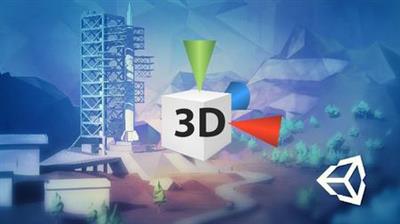
Complete C# Unity Developer 3D - Learn to Code Making Games
.MP4, AVC, 300 kbps, 1280x720 | English, AAC, 192 kbps, 2 Ch | 26h 22m | 7.84 GB
Created by Ben Tristem, Rick Davidson​

Game development & design. Learn C# using Unity Engine. Your first 3D Unity games for web, Mac & PC.

Unity 2017 is an incredible 3D package used for making video games, architectural and medical imaging and more. The challenge is that it's big and complicated to use, especially for complete beginners to coding and game development. We make learning to code easy and fun by leading you step-by-step through the process of creating exciting games.

The course is 100% compatible with the newer Unity 2018 software update.

If you're reading this you probably already have everything you need to get started. Unity 2017 Personal is a free download. With regular access to an internet connection you'll be able to engage in our thriving community. Even if you have no experience with coding, or with 3D packages, we will guide you through everything from first principles. Starting slow, then building on what you learn, you'll soon have a very solid working knowledge of Unity.

Don't take our word for it, please see the amazing reviews students have taken the time to write. We are proud to be transforming lives, and equipping 1000s of people with valuable new skills. We would love you to become one of them now.

The course is project-based, so you will not just be learning dry programming concepts, but applying them immediately to real indie games as you go. All the project files will be included, as well as additional references and resources - you'll never get stuck. There are "talking heads", powerful diagrams, quality screencasts and more.

For each demo game you build you will follow this processR30;

Be challenged to build the entire game yourself.
Be shown step-by step how to build it.
Be challenged to apply, and re-apply your knowledge regularly.

The creators are qualified and experienced coders and avid gamers, so are able to explain complex concepts clearly, as well as entertain along the way.

What this course DOESN'T coverR30;

Here are some things we will not be covering in detailR30;

Art asset creation (assets provided but not made on-screen).
Advanced performance optimization.
Editor plugins or modifications.
Physics engine modification.

Anyone who wants to learn to create games: Unity 3D is a fantastic platform which enables you to make production-quality games. Furthermore these games can be created for Windows, MacOS, iOS (even iOS 9), Android and Web from a single source!

Note: access to this course comes with an optional, free community site where you can share games and connect with 1000s of other students.

Dive in now, you won't be disappointed!

More Info

8967e2e372199e5bcc71c5495e6661f9.jpg


Recommend Download Link Hight Speed | Please Say Thanks Keep Topic Live ​
 

602d2b0ebf2053521df7b07ae319baaf.jpg


Telling Your Story on the Web in 60 Seconds
MP4 | Video: 720p | Duration: 3:49:10 | English | Subtitles: VTT | 5689.5 MB

​


Grabbing people's attention on the internet is getting harder and harder. Simple text and static photos just don't cut it in such a cluttered space. In this course, you can learn how to use video, motion graphics, and 360-degree imagery to create eye-catching content. Rich Harrington takes you through six step-by-step projects that feature dynamic media6; 8;8;from the deceptively simple slideshow to meme-worthy animated GIFs6; 8;8;and require nothing more than a camera or smartphone and a subscription to Adobe CC. Each project can be exported in a format that's easy to share online and on social media. By the end of the course, you'll have several options for building your next web project, whether it's to demo a product, draw attention to a cause, or promote a brand online.


Topics include:


Why use dynamic media?
Creating a simple slideshow
Creating a looping video advertisement
Sharing a panoramic or 3603;4; photo
Creating stop-motion animation
Creating a cinemagraph
Creating a Descriptionagraph to animate photos
Creating an app demo
Bringing drawings to life with a whiteboard video
Showcasing a product with a 3603;4; loop

Recommend Download Link Hight Speed | Please Say Thanks Keep Topic Live ​
 
1806271220440124.jpg


Digital Security Awareness Training for Business and Home Users
MP4 | Video: AVC 1280x720 | Audio: AAC 48KHz 2ch | Duration: 6 Hours | 15.8 GB
Genre: eLearning | Language: English​

The Digital Security Awareness Training for Business and Home Users is a fundamental course on the cyber security awareness that is required to protect the personal data from being exposed to hackers in this age of excessive digitization. The course is designed to give all home users and business professionals the knowledge and tools to protect themselves and their sensitive information from security attacks. It covers many simple ways to prevent security breaches and protect valuable data. The Digital Security Awareness Training for Business and Home Users is a very useful course for those individuals who are involved more-and-more in the technology-driven internet-of-things applications and devices. The one aspect that needs to be taken care of while using the digital applications and gadgets is the data security. The course addresses this aspect to cover all the necessary details that enable the business professionals and individuals to protect their sensitive information from unauthorized access and hacking.


Recommend Download Link Hight Speed | Please Say Thanks Keep Topic Live ​
 

635eb245dfccbfbf01e4ef8d05a42a35.jpg


Tips, Tricks, and Techniques for Python Application Development
MP4 | Video: AVC 1280x720 | Audio: AAC 44KHz 2ch | Duration: 3 Hours 17M | 664 MB
Genre: eLearning | Language: English​

Python is a widely used advanced programming language. Over the years, Python has turned out to be a boon for developers and it is very powerful, fast, can run everywhere, and offers flexibility. Hence it is also important to gain insights into this language and use the right tips and tricks while you develop an application, as this makes life easy for developers.

The course starts by dealing with performance issues and learning how to tackle them in an application. Distributing an application with Python is not easy but you will learn ways to distribute applications developed using Python along with GUIs, web applications, and more. Further, you will learn to test your application at different levels and use modern software at the development stage. You will also learn to expand productivity using standard and third-party tools. Finally, you will learn to protect your code quality from potential errors and detect any problem at an early stage, to prevent any issues later.

By the end, of course, you will have learned many tips and tricks while developing an application with Python; you'll excel at this and avoid encountering major problems as a developer. So, grab this course and take your applications to the next level!

The code bundle for this video course is available at:
d4bbd2791152f8d8503433b330048958.jpg


Recommend Download Link Hight Speed | Please Say Thanks Keep Topic Live ​
 

f2bde9eba51caf289f9cfc2210774fc6.jpg


Math Explained Easy 1 - Order of Operations, what first?
MP4 | Video: AVC 1280x720 | Audio: AAC 44KHz 2ch | Duration: 37M | Lec: 7 | 177 MB
Genre: eLearning | Language: English​

What to calculate first? Don't just go from left to right ;)

The problems with the Order of Operations is that everyone has learned them once. Only it is so easy to forget. Especially when you're focussed on a difficult math problem and meanwhile you have to focus on the order too.

This course is designed to tackle that problem. Within the first video the order of operations are shortly explained. Afterwards examples are given so you will remember it. Afterwards I created a bunch of exercises for you which you have to practise to keep remembering those rules.

Then we go even deeper within the subject matter, more examples are given and more practise material is delivered for you.

Is there something you don't understand? I created nice explanation videos in which every question is completely explained. Do you still have questions. You can always reach me, if you have them other students do too so than I can even improve my course material :)


0b234f23cce0648eb83266f28ece9c4c.jpg


Recommend Download Link Hight Speed | Please Say Thanks Keep Topic Live ​
 

fcc6b4c33eb5d5d1a9d436e3f85a3f2a.jpg


Hands-on Serverless Computing with Go
MP4 | Video: AVC 1280x720 | Audio: AAC 44KHz 2ch | Duration: 3.5 Hours | 608 MB
Genre: eLearning | Language: English​

Our course will help you make your application serverless with Amazon Web Services (AWS). Save time, effort, and cost by removing the need to manage your own servers while still writing your code in Go. You will first be introduced to AWS, then to writing Lambda functions in Go and using them to access the various AWS services.

We will first get the Go function working on AWS by using the API-Gateway to call it. Using the AWS Command Line interface, we will build our functions on your local computer and save you having to and manage your Go code. Then we will use the AWS SDK to enable your Lambda Go functions to call into other AWS services such as the S3 Bucket. We will then connect the domain to AWS and add HTTPS/TLS security for your users.

Once we have the foundations in place, we will build a secure chat application named Logchat by maintaining sessions, where users must log in before speaking on the chat, introducing the services we need as we go.

With a hands-on approach, you will master security considerations in the AWs Suite, and how to maintain your serverless applications.

The code bundle for this video course is available at
19eb0a2d576175fb111890975e6acf9a.jpg


Recommend Download Link Hight Speed | Please Say Thanks Keep Topic Live ​
 

36cfaac138356403cdc5a792bae8528c.jpg


Mastering Chrome Developer Tools v2 (2018)
WEBRip | English | MP4 | 1920 x 1080 | VP8 ~465 kbps | 30 fps
A_VORBIS | 192 Kbps | 48.0 KHz | 2 channels | 3h 35min | 1.31 GB​

Genre: Video Tutorial
Go beyond console.log to master all the built-in tools available in Google's Chrome Developer Tools to edit, debug, and profile your web applications! You'll learn to step through your code with the debugger, audit web page performance, debug Node.js, and remove "page jank" when a site isn't keeping up.


Introduction

Introduction
00:00:00 - 00:03:38
Introduction
Jon Kuperman introduces himself and then reviews the Chome DevTools course agenda. - _ A History of Debugging
00:03:39 - 00:09:20
A History of Debugging
Jon reviews a brief history of browser developer tools. Years ago developers relied on viewing the page source, alert boxes and plugins like Firebug. Today each browser has its own set of developer tools enabling a much richer debugging experience.
Developer Tool Panels
00:09:21 - 00:23:31
Developer Tool Panels
Jon demonstrates how to open and navigate through the Chrome Developer Tools. He gives a brief overview of each panel as well as the device emulator. Jon will be taking a deeper dive into each of the areas later in the course. - _
Editing

Elements & Styles
00:23:32 - 00:31:14
Elements & Styles
Jon uses Chrome DevTools as a full-time IDE showcasing how to edit HTML and CSS. Jon reviews how to modify colors in a site through multiple options: by redefining color scheme with OS's color wheel UI, Google's Material Design color scheme, or DevTools can generate the site's own color scheme. Next, Jon shows how to edit HTML elements within a document as well as the changing element state such as hover, visited, and focus.
Specificity and DOM Nodes
00:31:15 - 00:41:05
Specificity and DOM Nodes
Jon reviews specificity within DevTools to narrow down which CSS rule is overriding other rules in a page design, how to change up color formats, for example changing colors values from hexadecimal to RGB, editing the DOM nodes.
DOM Breakpoints
00:41:06 - 00:43:30
DOM Breakpoints
Jon discusses where to locate changes that occur in DOM mutation events, such as when a node is removed, modified, or its attributes are changed.
Saving Changes in Workspaces
00:43:31 - 00:54:51
Saving Changes in Workspaces
Jon demonstrates how to create a Workspace which maps the network resources to their corresponding files in a directory on your local computer. Jon answers questions from students about Workspaces with Sass, Pug, or other preprocessing languages.
Recent Selection History
00:54:52 - 00:56:48
Recent Selection History
Jon reviews how Chome DevTools stores recent selection in elements inspector through a special variable, $0, accessible in the console.
Editing a Page Exercise
00:56:49 - 00:57:15
Editing a Page Exercise
In this exercise, students edit an HTML page using the Google Chrome Dev Tools. Jon answers a question about persisting HTML in DevTools.
Editing a Page Solution
00:57:16 - 01:06:02
Editing a Page Solution
Jon walks through the Editing Exercise demonstrating how to edit through Chrome DevTools. Jon takes questions from students.

Debugging

Step Through Debugging
01:06:03 - 01:22:43
Step Through Debugging
Jon introduces the debugging tools located under the Sources panel, explaining how to set breakpoints, add watch variables, and explore code within the call stack. Jon shows how to use the debugger API which allows you to use the debugger; JavaScript statement in your code to force the browser to break on a specific line. Jon answers questions from students.
Blackboxing
01:22:44 - 01:25:24
Blackboxing
Most of the time, JavaScript errors will be located within the application source code and not inside any included libraries. Jon demonstrates how to "blackbox" scripts, so the browser developer tools ignore them.
Conditional & XHR Breakpoints
01:25:25 - 01:29:41
Conditional & XHR Breakpoints
Jon discusses conditional breakpoints, which allow you to enter a boolean statement which will be tested before the breakpoints is executed. An XHR breakpoint will only run a breakpoint when an XHR request contains a specified string of text.
Debugging Exercise
01:29:42 - 01:30:37
Debugging Exercise
In this exercise, students figure out why images are not loading when a button is clicked.
Debugging Solution
01:30:38 - 01:38:56
Debugging Solution
Jon walks through the Debugging Exercise solution.

Networking

The Waterfall
01:38:57 - 01:44:28
The Waterfall
Jon demonstrates the Network panel, which displays a lot of information about how the page loaded including a filterable waterfall diagram that shows when and how long each asset took to load. Detailed information about each asset including size, type, and an initiator is listed at the bottom.
Color Codes
01:44:29 - 01:53:09
Color Codes
Jon reviews the meanings behind the color codes that are displayed in a Chrome DevTools waterfall diagram.

01:53:10 - 02:00:36

Jon illustrates how to take as a page is loaded to inspect the user's experience at different points during the loading process.

Auditing

Auditing Tools
02:00:37 - 02:11:37
Auditing Tools
After discussing that the performance of a webpage can translate to a loss in traffic or even a decline in sales, Jon demonstrates auditing tools that look at a site's performance and interactivity. - - _ - _ - _ - _ Audit Exercise
02:11:38 - 02:12:36
Audit Exercise
In this exercise, students run a page audit and performance analysis.
Audit Solution
02:12:37 - 02:21:52
Audit Solution
Jon walks through the solution to the Audit Exercise by conducting audits through Lighthouse service and inspecting elements with DevTools. Jon reviews common problems that are discovered from audits. - _
Node.js Profiling

The -inspect Flag
02:21:53 - 02:26:16
The -inspect Flag
Jon introduces debugging Node.js applications by running an app with the -inspect flag. - _ Node.js Debugging Exercise
02:26:17 - 02:26:37
Node.js Debugging Exercise
In this exercise, students work on debugging a Node.js application.
Node.js Debugging Solution
02:26:38 - 02:30:44
Node.js Debugging Solution
Jon walks through the solution to the Node.js Debugging Exercise by showing how to debug a Node.js application. Jon takes questions from students.

Performance Monitoring

The Performance API
02:30:45 - 02:34:22
The Performance API
Jon introduces the Performance API that provides access to performance-related information for the current page. - _ Mark and Measure Exercise
02:34:23 - 02:35:07
Mark and Measure Exercise
In this exercise, students need to determine how long an API call takes to complete.
Mark and Measure Solution
02:35:08 - 02:39:20
Mark and Measure Solution
Jon walks through the solution to the Mark and Measure Solution to determine the time for an API call.

Image Performance

Querying By Size
02:39:21 - 02:41:40
Querying By Size
Jon reviews images performance in the context of responsive websites and how srcset HTML tag for image elements can aid in delivering the right image for the appropriate browser viewport width. - _ srcset Exercise
02:41:41 - 02:43:21
srcset Exercise
In this exercise, students update an image element to include options for the browser to pick the appropriate image depending on the browser viewport width.
srcset Solution
02:43:22 - 02:46:06
srcset Solution
Jon walks through the solution to srcset Exercise by adding values to the srcset attribute so that the browser can deliver a preferred image to the preferred browser viewport width.

Page Jank

Page Jank
02:46:07 - 02:56:01
Page Jank
Jon discusses performance issues within web applications such as page jank. Page jank is any stuttering or halting the user sees when a site or app isn't keeping up with the refresh rate. Most devices refresh their screens 60 times per second. The goal is for the browser to match this refresh rate to keep the webpage or application looking smooth. - - _ - _ - _ Performance Panel
02:56:02 - 03:06:02
Performance Panel
Jon reviews Performance panel, which is used to analyze runtime performance, to demonstrate how to create a performance profile and read the rendering graphs.
Page Jank Exericse
03:06:03 - 03:07:13
Page Jank Exericse
In this exercise, students smooth animation to remove "jankiness" in the animation.
Page Jank Solution
03:07:14 - 03:15:16
Page Jank Solution
Jon walks through the solution to the Page Jank Exercise by using Performance panel to isolate the issue and then refining the animation code.

Memory

Causes of Memory Leaks
03:15:17 - 03:19:21
Causes of Memory Leaks
In JavaScript, memory is freed up through a process called garbage collection. Objects that are no longer referenced are flagged and cleared by the garbage collector. A memory leak typically occurs when an object that should be garbage collected is not. Jon talks through a few of the most common places memory leaks occur in JavaScript.
Chrome Task Manager & Snapshots
03:19:22 - 03:29:35
Chrome Task Manager & Snapshots
Jon introduces the Chrome Task Manager, which is a real-time monitor that tells how much memory a page is currently using. Next, Jon demonstrates the Heap Snapshot feature in the Profile panel which allows you to compare the difference in memory from two different points in time in the application.
Memory Leaks Exercise
03:29:36 - 03:30:17
Memory Leaks Exercise
In this exercise, students need to find out which of four pages have a memory leak.
Memory Leaks Solution
03:30:18 - 03:33:32
Memory Leaks Solution
Jon walks through the solution to the Memory Leaks Exercise using the Chrome Task Manager to identify the page with the memory leak. Then, Jon figures the potential causes of the memory leak by using the Heap snapshot.

Wrapping Up

Wrapping Up
03:33:33 - 03:35:45
Wrapping Up
Jon reviews DevTools experiments to see what new developments are being worked on for future releases. - _


bb164040303e7101549a5bf5ce2e0f60.jpg


13547267a27fdd41f932820f2fd0efa5.jpg


8580a514fa9fba7f3a8303b944080ea7.jpg


5f021b8e5486823636ba6424bb74c37d.jpg


Recommend Download Link Hight Speed | Please Say Thanks Keep Topic Live ​
 

6ff62cb79c9012372b2a3dc3010388bf.jpg

Foundational Drum Loop Basics: Create Powerful Drum Loops
MP4 | Video: h264, 1280x720 | Audio: AAC, 44.1 KHz, 2 Ch
Genre: eLearning | Language: English + .VTT | Duration: 2.5 hours | Size: 2.25 GB​

Create the Drum Loops You've Always Wanted Others to Hear.

What Will I Learn?

Create Drum Loops which are FRESH and ENGAGING
Take Advantage of the Foundational Basics Available when Creating Drum Loops [Volume, Sound Selection, Panning, and Sound Placement]
Understand the Power of Layering
Fully Control a Drum Loop
Tempo Tricks and Swing for Emotion and Rhythm/Groove
An Effective Workflow when Creating Drum Loops
Creating Loose and Organic Drum Loops by Note Nudging
How to Bring a Loop Back in which a Listener Can't Stop Listening to

Requirements

Any DAW will work for this course
It's best if you have high-quality sound kits

Description

Foundational Drum Loop Basics is geared towards producers wanting to improve their drum loops.

You will learn many of the fundamentals of creating a powerful drum loop WITHOUT the use of plugins.

These basics allow you to create the exact flavor you're looking for your tracks.

Drum loops are the foundation of your track, and if your drum loop is boring or bland, your listeners will quickly get bored.

This all comes down to proper sound selection and timing.

There are 5 videos included in this course (I've thrown in a bonus video, too! - 3 Tips for Better Drum Loops)

Slideshow
Example Drum Loop
Urban Loop
Tempo
Dance Loop

We first discuss different aspects of your drum loop with a slideshow. I'm sure you will learn a lot, stretching the boundaries of what you currently know about music production.

Next, we go over an example drum loop. We later create our own loop from scratch, which you see step-by-step, but in this example drum loop video, you see exactly the techniques I've used beforehand. This allows the knowledge to sink in prior before we create our own loop.

In the Urban Loop, this is where we create our loop from scratch. You get to see powerful techniques such as velocity, panning, layering, and sound placement. Sound placement alone is a technique which takes years to get a comfortable feel for. But with my safe spots methodology, you will quickly catch on which makes your beatmaking process much more enjoyable and exciting!

The tempo video shows you a cool technique which a lot of producers do when it comes to tempo.

And finally, in the Dance Loop video we create another drum loop from scratch, but this time with a dance feel to our drum loop. This way you can see what goes into both an urban drum loop as well as a dance drum loop.

By the end of this course, it should shape your drum loops to the next level. If you're newer to production, this will open your eyes to the techniques available to you while making your beats.

Enjoy,

# GratuiTous
Who is the target audience?

Producers Who Want to Build Effective and Powerful Drum Loops

Recommend Download Link Hight Speed | Please Say Thanks Keep Topic Live ​
 

13ff9c460cb3ac0d16c04c564720c466.jpg


How to build vision and mission
MP4 | Video: AVC 1280x720 | Audio: AAC 44KHz 2ch | Duration: 31M | Lec: 15 | 240 MB
Genre: eLearning | Language: English​

How to become visionary leader

İn this Course you will learn to be visonary leader. We have five steps in this Course .First we will see how to define key organizational values and what they mean in action. Second step is how to scan the current situation. Which means, we will examine the current environment internally and externally. In the third step we will learn to define our mission, and than we will create a vision, which means a clear image of preferred future. Finally we will see how to create strategic plans, action plans and feedback loops to implement the values, vision and mission.


1de241b24e705bc74965b2b64e2e750c.jpg


Recommend Download Link Hight Speed | Please Say Thanks Keep Topic Live ​
 
46dbfa6da622604601eab2ec5f419ce5.jpg


SCCM Current Branch: Introduction
MP4 | Video: AVC 1280x720 | Audio: AAC 44KHz 2ch | Duration: 1 Hour | 117 MB
Genre: eLearning | Language: English​

Introduce yourself to System Center Configuration Manager Current Branch and Microsoft Intune, explore the content in this learning path, and prepare your lab environment in this course.

Whether you're new to Configuration Manager, or have worked with its many versions, you're surely aware of how complex a beast any SCCM implementation can be. The reach of this solution is so broad, and also so deep, that you almost have to know everything about SCCM to truly appreciate anything about it. Complicating the job of understanding SCCM is that most of the learning available today tends to focus on installing SCCM, but there's precious little that helps you understand how to actually use it once in production. Helping you understand both SCCM's installation and its everyday usage is the mission of this learning path. This course is the first of seven. In this course, SCCM Current Branch: Introduction, you'll get an introduction to SCCM "Current Branch" which is a fancy term for "whatever SCCM version is current, currently". First, you'll start with a high-level overview. Next, you'll explore the very subtle alignment between the content in these courses and what you'll need to know for the 70-703 Microsoft certification exam. Finally, by the end of this course, you'll get to know the virtual machines you'll want to build if you plan on following along.

112e52d4301ea887127d929cc34a972f.jpg


Recommend Download Link Hight Speed | Please Say Thanks Keep Topic Live ​
 
Zurück
Oben Unten