
• Regeln für den Video-Bereich:

    In den Börsenbereich gehören nur Angebote die bereits den Allgemeinen Regeln entsprechen.

    Einteilung

    - Folgende Formate gehören in die angegeben Bereiche:
    - Filme: Encodierte Filme von BluRay, DVD, R5, TV, Screener sowie Telesyncs im Format DivX, XviD und x264.
    - DVD: Filme im Format DVD5, DVD9 und HD2DVD.
    - HD: Encodierte Filme mit der Auflösung 720p oder darüber von BluRay, DVD, R5, TV, Screener sowie Telesyncs im Format x264.
    - 3D: Encodierte Filme von BluRay, die in einem 3D Format vorliegen. Dies gilt auch für Dokus, Animation usw.
    - Serien: Cartoon/Zeichentrick, Anime, Tutorials, Dokumentationen, Konzerte/Musik, Sonstiges sind demnach in die entsprechenden Bereiche einzuordnen, auch wenn sie beispielsweise im High Definition-Format oder als DVD5/DVD9/HD2DVD vorliegen. Ausnahme 3D.
    - Bereich Englisch: Englische Releases gehören immer in diesen Bereich.
    - Bereich Talk: Der Bereich, in dem über die Releases diskutiert werden kann, darf, soll und erwünscht ist.


    Angebot/Beitrag erstellen

    - Ein Beitrag darf erst dann erstellt werden, wenn der Upload bei mindestens einem OCH komplett ist. Platzhalter sind untersagt.
    - Bei einem Scenerelease hat der Threadtitel ausschließlich aus dem originalen, unveränderten Releasenamen zu bestehen. Es dürfen keine Veränderungen wie z.B. Sterne, kleine Buchstaben o.ä. vorgenommen werden. Ausnahme Serienbörse:
    - Bei einem Sammelthread für eine Staffel entfällt aus dem Releasename natürlich der Name der Folge. Beispiel: Die Simpsons S21 German DVDRip XviD - ITG
    - Dementsprechend sind also u.a. verboten: Erweiterungen wie "Tipp", "empfehlenswert", "only", "reup", usw. / jegliche andere Zusatzinformation oder Ergänzung, welche nicht in obiger Beschreibung zu finden ist.

    Aufbau des Angebots und Threadtitel

    Der Titel nach folgendem Muster erstellt zu werden. <Name> [3D] [Staffel] [German] <Jahr> <Tonspur> [DL] [Auflösung] <Quelle> <Codec> - <Group>
    Beispiel: The Dark Knight German 2008 AC3 DVDRip XviD - iND
    Beispiel: The Dark Knight 2008 DTS DL BDRip x264 - iND
    Beispiel: The Dark Knight 2008 AC3 DL BDRip XviD - iND
    Beispiel: The Dark Knight German 2008 AC3 720p BluRay x264 iND
    Beispiel: The Dark Knight 2008 DTS DL 1080p BluRay x264 iND
    Beispiel: Die Simpsons S01 German AC3 DVDRip XviD iND
    Beispiel: Die Simpsons S20 German AC3 720p BluRay x264 iND
    Beispiel: Sword Art Online II Ger Sub 2014 AAC 1080p WEBRip x264 - peppermint
    Entsprechend sind also u.a. verboten: Sonderzeichen wie Klammern, Sterne, Ausrufezeichen, Unterstriche, Anführungszeichen / Erweiterungen wie "Tipp", "empfehlenswert", "only", "reup", usw. / jegliche andere Zusatzinformation oder Ergänzung, welche nicht in obiger Beschreibung zu finden ist
    Ausnahmen hiervon können in den Bereichen geregelt sein.

    Die Beiträge sollen wie folgt aufgebaut werden:
    Überschrift entspricht dem Threadtitel
    Cover
    kurze Inhaltsbeschreibung
    Format, Größe, Dauer sind gut lesbar für Downloader außerhalb des Spoilers zu vermerken
    Nfo sind immer Anzugeben und selbige immer im Spoiler in Textform.
    Sind keine Nfo vorhanden z.B. Eigenpublikationen, sind im Spoiler folgende Dateiinformationen zusätzlich anzugeben :
    Quelle
    Video (Auflösung und Bitrate)
    Ton (Sprache, Format und Bitrate der einzelnen Spuren)
    Untertitel (sofern vorhanden)
    Hosterangabe in Textform außerhalb eines Spoiler mit allen enthaltenen Hostern.
    Bei SD kann auf diese zusätzlichen Dateiinformationen verzichtet werden.

    Alle benötigten Passwörter sind, sofern vorhanden, in Textform im Angebot anzugeben.
    Spoiler im Spoiler mit Kommentaren :"Schon Bedankt?" sind unerwünscht.


    Releases

    - Sind Retail-Release verfügbar, sind alle anderen Variationen untersagt. Ausnahmen: Alle deutschen Retail-Release sind CUT, in diesem Fall sind dubbed UNCUT-Release zulässig.
    - Im Serien-Bereich gilt speziell: Wenn ein Retail vor Abschluss einer laufenden Staffel erscheint, darf diese Staffel noch zu Ende gebracht werden.62
    - Gleiche Releases sind unbedingt zusammenzufassen. Das bedeutet, es ist zwingend erforderlich, vor dem Erstellen eines Themas per Suchfunktion zu überprüfen, ob bereits ein Beitrag mit demselben Release besteht. Ist dies der Fall, ist der bereits vorhandene Beitrag zu verwenden.
    - P2P und Scene Releases dürfen nicht verändert oder gar unter einem iND Tag eingestellt werden.


    Support, Diskussionen und Suche

    - Supportanfragen sind entweder per PN oder im Bereich Talk zu stellen.
    - Diskussionen und Bewertungen sind im Talk Bereich zu führen. Fragen an die Uploader haben ausschließlich via PN zu erfolgen, und sind in den Angeboten untersagt.
    - Anfragen zu Upload-Wünschen sind nur im Bereich Suche Video erlaubt. Antworten dürfen nur auf Angebote von MyBoerse.bz verlinkt werden.


    Verbote

    - Untersagt sind mehrere Formate in einem einzigen Angebotsthread, wie beispielsweise das gleichzeitige Anbieten von DivX/XviD, 720p und 1080p in einem Thread. Pro Format, Release und Auflösung ist ein eigener Thread zu eröffnen.
    - Grundsätzlich ebenso verboten sind Dupes. Uploader haben sich an geeigneter Stelle darüber zu informieren, ob es sich bei einem Release um ein Dupe handelt.
    - Gefakte, nur teilweise lauffähige oder unvollständige Angebote sind untersagt. Dies gilt auch für eigene Publikationen, die augenscheinlich nicht selbst von z.B. einer DVD gerippt wurden. Laufende Serien, bei denen noch nicht alle Folgen verfügbar sind, dürfen erstellt und regelmäßig geupdatet werden.
    - Untersagt sind Angebote, welche nur und ausschließlich in einer anderen Sprache als deutsch oder englisch vorliegen. Ausnahmen sind VORHER mit den Moderatoren zu klären.


    Verstoß gegen die Regeln

    - Angebote oder Beiträge, die gegen die Forenregeln verstoßen, sind über den "Melden"-Button im Beitrag zu melden.
  • Bitte registriere dich zunächst um Beiträge zu verfassen und externe Links aufzurufen.

++ Premium IPTV ++ 7000 Live Sender ++ UHD Qualität ++ Mediathek mit 18.000 Inhalten ++


VenneTV


Englische Tutorials


977c09a9689d0ed8eb02a7e57e6d69e2.jpg

Windows Server 2016: Active Directory and Group Policy, GPO
1.5h | Video: AVC (.MP4) 1280x720 30fps | Audio: AAC 44.1KHz 2ch | 177 MB
Genre: eLearning | Language: English​

This course is aimed to IT Pros and is supposed to give the viewer the information they need to know to get started with Powershell and how to manage Windows Server 2016: Active Directory and Group Policy, GPOs. The goal is to provide coverage of Group Policy tasks including topics like

Introducing Group Policy
Implementing and administering GPOs
Group Policy scope and Group Policy processing
Implementing a Group Policy infrastructure
Creating and Configuring GPOs
GPOs are processing order
Explain what are domain-based GPOs
Describe GPO storage
Describe Starter GPOs
Describe common GPO management tasks
Explain how to delegate administration of group policies
Describe GPO links
Explain how to link GPOs
Describe Group Policy processing order
Explain how to configure GPO inheritance and precedence
Explain how to use security filtering to modify Group Policy scope
Describe WMI filters
Using Powershell for implementing and administering GPOs
And more...
The course is targeted to help manage and automate or script daily tasks. There are lots of live demonstrations how to use PowerShell commands and a Server's GUI. I hope it will help to do your job more efficiently.

What are the requirements?

Familiarity with general Windows and Microsoft server administration
What am I going to get from this course?

Implementing and administering GPOs
Group Policy scope and Group Policy processing
Implementing a Group Policy infrastructure
Troubleshooting the application of GPOs
What is the target audience?

IT Specialists
System Administrators
DevOps Technicians
Scripting and Automation Technicians
Homepage

Recommend Download Link Hight Speed | Please Say Thanks Keep Topic Live ​

 

0c89384b1ebb050830ff76130e75096d.jpg


Bug Bounty: Android Hacking
MP4 | Video: AVC 1280x720 | Audio: AAC 44KHz 2ch | Duration: 2.5 Hours | Lec: 56 | 597 MB
Genre: eLearning | Language: English​

Earn by hacking legally

In this course you will learn how to hack all kind of android application, you will not just learn
hacking them, you will even learn how to earn from hacking them and its all 100% legal, Earning by hacking legally is
known as bug bounty program, 250+ companies have bug bounty program, Facebook paid 5 million to hackers,
Google paid over $6 million and many others do pay. One earns millions to 100,000$/month, so basically bug bounty program is where hackers get paid for hacking and disclosing bugs to parent company, if you want to earn by hacking means this course is for you, this course will help you
to get started in bug bounty program. what all instructor have covered in this course:
Installing Terminal, Application security, Unzip, Lots of software in Kali Linux OS and all types of practicals like Android application Teardown, Application signing, Android startup Process,
Top 10 Security issues also all types of vulnerability, Reports on miscellaneous vulnerabilities
so that's all in this course this much is enough to learn to begin with bug bounty
if you want to be one among those ethical hackers then enroll into my course "Bug Bounty: Android hacking" now!


1ff4d8a62d932e38a4c25064d98fe43d.jpg


Recommend Download Link Hight Speed | Please Say Thanks Keep Topic Live ​

 

8aa3c4c02e892390e5076cc8f53f2512.jpg


Introduction to Microsoft Excel 2016 for Absolute Beginners
MP4 | Video: AVC 1280x720 | Audio: AAC 44KHz 2ch | Duration: 3 Hours | Lec: 29 | 0.98 GB
Genre: eLearning | Language: English​

Learn the essentials of Microsoft Excel 2016 in easy to follow steps

During this introductory course on using Microsoft Excel 2016, we'll teach the basics of using Excel 2016.

We'll start with navigating the Excel 2016 interface, including the Ribbon, Backstage View and the Quick Access Toolbar.

Discover concepts to help you understand how enter data into a Excel spreadsheet, using Flash Fill and working with worksheets.

Contents and Overview

This easy to understand course starts at the very beginning, specifically designed for those with little or no Excel experience. The first task is to find the software and install it on your computer. Then we show you in easy step-by-step fashion how to get Excel up and running and begin using it in its most popular ways.

Then we discover the new and improved features added to the 2016 version. There are new features that could be a big help in your job, your business, or in personal projects.

We start with essential first steps. You will learn to create a Workbook, save it, then open it. We show you simple ways to use Microsoft's powerful online and contextual help, so you are never left wondering when you have a question or encounter a challenge.

Along the way we keep in mind you will want to personalize Excel to accomplish the things you want. We learn all about Ribbons and Toolbars that make Excel extremely flexible.

Next we move on to entering and editing data in your Workbook, formatting dates and numbers, auto saving and creating backups, and finally how to print your work.

All along the way there are plenty of exercises and quizzes that help you fully understand all the concepts and solidify them in your memory.

This is the course you need to learn the most important ways to expertly use MS Excel 2016. It assumes you are just beginning with Excel and easily steps you through the process of being highly proficient with this widely used tool.


0bcee5586a920b4e81e3648bfb0ef25d.jpg


Recommend Download Link Hight Speed | Please Say Thanks Keep Topic Live ​
 

c0c670fe48c3c08cc5a941d43636c5a2.jpg


5 Questions on Agile with Luba Sakharuk
MP4 | Video: AVC 1280x720 | Audio: AAC 44KHz 2ch | Duration: 16M | 109 MB
Genre: eLearning | Language: English​

In this 5 Questions interview, Brian Foster asks Luba Sakharuk, Agile coach at Cengage Learning, about Agile.


99385789f63f618cded081697e41c209.jpg


Recommend Download Link Hight Speed | Please Say Thanks Keep Topic Live ​
 

e61f3827b8dde77043886f03e9ca49d6.jpg


QuickBooks Desktop Bank Feeds and Importing Transactions
MP4 | Video: AVC 1280x720 | Audio: AAC 44KHz 2ch | Duration: 2 Hours | Lec: 13 | 298 MB
Genre: eLearning | Language: English​

Be an expert in importing trasnactions and using the quickbooks bank feeds review list

In this QuickBooks Desktop course, you will master every feature of QuickBooks desktop bank feeds. You will see clearly how to: add, match, un-match and remove transactions to and from your QuickBooks desktop bank feeds center. You will see how to navigate the review list and set up rules that allow QuickBooks bank feeds to input the accounts, customers and vendor names for you. This will save you time. You will also learn every possible way to transfer data to and from your QuickBooks desktop software. You will learn how to import transactions using the QuickBooks desktop accountant's edition. You will learn an overview of how to import transactions using IIF files.


b3da86a85ed7bbc33847c8075cee88d1.jpg


Recommend Download Link Hight Speed | Please Say Thanks Keep Topic Live ​
 

676c54d2a1ddc81d99c4a0cb3dab379b.jpg


CSSLP®: Software Deployment, Operations, and Maintenance
MP4 | Video: AVC 1280x720 | Audio: AAC 44KHz 2ch | Duration: 2.5 Hours | 162 MB
Genre: eLearning | Language: English​

This seventh domain of the CSSLP series addresses the need to protect the software itself, protect the data it accesses and ensure that administrative staff can preserve the security of the software.

This course, CSSLP®: Software Deployment, Operations, and Maintenance, addresses the topics the exam candidate needs to know to preserve the security of software throughout its operational life. First, you will learn how to ensure that software is secured in its operational environment. Next you will touch on how security has to be tailored to meet environmental risk and operational challenges. Finally you will gain an understanding of how patches must be applied and backups taken to ensure resilience and operational integrity. By the end of this course, you'll be prepared to progress into the next domain of the CSSLP®.


a69aa015438b4ee5ae17e12a02d3340b.jpg


Recommend Download Link Hight Speed | Please Say Thanks Keep Topic Live ​
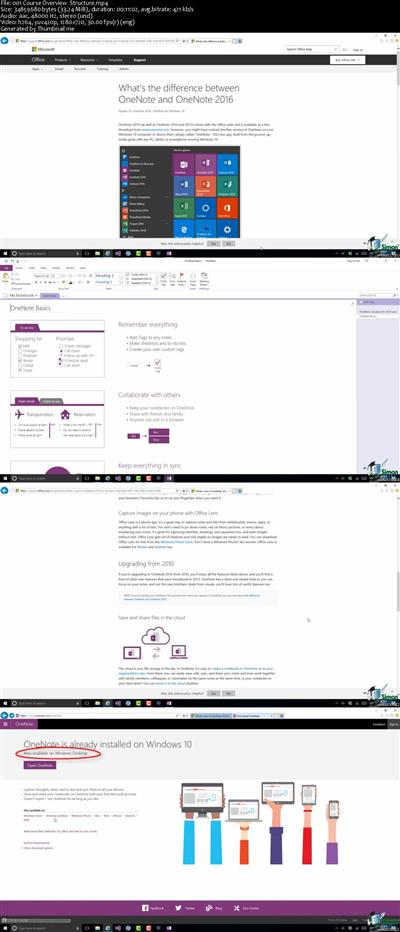
 

1803201709360082.jpg

Macphun's Luminar 2018 (Best Photo Editor)
3.5h | Video: AVC (.MP4) 1280x720 30fps | Audio: AAC 44.1KHz 2ch | 734 MB
Genre: eLearning | Language: English​

Luminar 2018 is the most innovative photo editor available for both MAC and PC. It has many powerful tools for making your photos look stunning and everyone speechless. But you need to know how to use it and how to get most out of it.

Maybe you are a amateur photographer who has done a little bit of photo editing or maybe you have quite a bit of photo editing experience. Either way, I have made this course to help you to make your images look Awesome.

Believe me! Luminar is the most powerful and efficient editing software when it comes to a quick but perfect editing software. The best part of this course is that, that it is very short,and precise. I tried my level to explain each and every tool with the help of practical examples. From the Day 1, you start to edit your photos, without any hassle.

I hope, you enjoy the course. Please contact me anytime for additional questions or any sort of support.

So, lets begin the process of making stunning images.

What are the requirements?

Windows PC or Mac.
Basic computer skills.
No experience of editing images is required.
Skylum's Luminar 2018.
Personal images to start editing.
What am I going to get from this course?

Setup Luminar 2018 to run efficiently.
How to use Luminar 2018 productively.
You will understand the basic tools in Luminar.
Learn the basic flow of Luminar.
Understand the Unique tools in Luminar 2018.
You will learn how easily you can apply Presets to your images.
Export your photos with Presets.
How to save Filter Presets.
Master the Luminar 2018 workflow, just like a pro-photographer.
Edit photos like you imagine, making them look really awesome.
How to develop RAW images really fast.
Learn hidden secrets within the RAW Develop module - for editing precisely.
Export photos directly to your Facebook page.
I could go on since I am obsessed with Luminar. But I think you got the Picture :)
What is the target audience?

People who want their images to look awesome.
People who want to make stunning photos that leave everyone speechless.
People who want to edit their images really fast.
Someone who wants to learn editing within a very short time.
Digital photographers of all levels.
Slightly_more experienced folk who want to trya new powerful editing software.
Someone who is searching for an alternative to Adobe Lightroom CC
Homepage

Recommend Download Link Hight Speed | Please Say Thanks Keep Topic Live ​
 
fe22fb00a79660ee9190cce22d31a117.jpg


PHP MySQL Master from Scratch with Projects
MP4 | Video: AVC 1280x720 | Audio: AAC 44KHz 2ch | Duration: 4.5 Hours | Lec: 56 | 660 MB
Genre: eLearning | Language: English
Become Expert in PHP MySQL Programming​

In this course. You will learn PHP MySQL Master from Scratch with 10 Projects. I use PDO (PHP Data Objects). In addition I also explain to work with MySQLi. No Doubt You will get to know everything about from beginning level to advanced.

Course Outline for PHP MySQL 10 Projects

In this Course. Don't need to learn basic from other. I teach from beginning level. I cover everything step by step. As students can improve their skill.

Software Installation

Learn in detail about how to install software. We also check PHP code on server. We cover this with First PHP program. It is simple code as echo "Hello World"; . Displaying a message on web browser for test the server works fine.

Improve your Basic for Upcoming Projects

Pass Information from Form
Use PHP Coding over forms.
PHP Conditions (If Else)
PHP Function (SUM and Square)
Work with Form
Password Gernerator
Number Generator (For Loop)
Create MySQL Database with PHPMyAdmin
Use of Queries
Project 1 : Sign-in Sign-up Sign-out

Install Database into PHPmyAdmin and Connect to Server
Sign up (Validate and Register a Member)
Sign in (Sign in Member with Username & Password)
Sign out (Redirect Index Page).
Project 2 : Add Members Update and Delete

Project 3 : Page Navigation Search Records and Contact Us Form

In Conclusion

6f5f6ea34745d3918c7f8978a275ba9f.jpg


Recommend Download Link Hight Speed | Please Say Thanks Keep Topic Live ​
 

0b99469ef22519f14f0558c94b0f23d0.jpg


Natural Light Basics: Finding Good Light
MP4 | Video: AVC 1280x720 | Audio: AAC 44KHz 2ch | Duration: 22M | 270 MB
Genre: eLearning | Language: English​

Join award-winning photography Scott Robert Lim as he breaks down lighting basics and how to find great light and solve problems when in difficult lighting situations.

Internationally acclaimed, master photographer, Scott Robert Lim (Photog Cr. AOPA) was awarded the prestigious 2009 WPPI Kodak Award and was inducted into WPPI's Society of Excellence and has earned an Accolade of Outstanding Photographic Achievement by one of the world's largest photographic societies. He is recognized as one of the finest and leading educators in the county and will be honored at Imaging USA 2011. His work has been published in books and magazines distributed worldwide and has taught and mentored many professional photographers around the world. Scott is a popular international speaker with an exciting and inspirational style.


d2fb46713d3f76e1c61444775cc56f3e.jpg


Recommend Download Link Hight Speed | Please Say Thanks Keep Topic Live ​

 

10b0f2987b7adaf503070e387e43bc12.jpg


Energy Healing Hand Positions Mudra Course with 14 MP3 Audio
MP4 | Video: AVC 1280x720 | Audio: AAC 44KHz 2ch | Duration: 1 Hours | Lec: 32 | 390 MB
Genre: eLearning | Language: English​

Harness the power you have at your fingertips to help heal yourself! Existing healers can submit for certification, too!

!

The word Mudra is Sanskrit for "gesture", and in this course I specifically focus on Hand Mudras (so, "hand gestures"). Hand Mudras are a way of enhancing our energetic power within ourselves to help heal a specific area of concern. What's more, they're very easy to do and anybody can do them! This course is designed to introduce newcomers to the world of Hand Mudras, as well as be a great additional learning resource for those who practice energy healing, meditation, and yoga.

Keep in mind that no experience is required to take this course because I created it in a way so anybody can learn and benefit from Hand Mudras! However, it's a brilliant further learning course for other loving healers, or as complement to my Reiki Master Certification course!

What to expect

Once enrolled, you'll need to download the course book, written by Melissa: Energy Healing Hand Positions - A Short Course in Mudras (PDF). The book covers all that you need to know to get started with Hand Mudras - be it for yourself only, or if you're learning in order to help others!

As you progress through this course, you'll learn what got me so interested in Hand Mudras, as well as the basics of energy healing and Chakras, and then a bit about why Hand Mudras actually work from a more scientific standpoint. I'll then teach you what I consider the 7 Main Chakra Hand Mudras are, as well as a further 7 Additional Hand Mudras that I personally use on a regular basis.

Then to help ensure you have everything you need to get the most out of this course, you'll be able to download a total of 14 short Hand Mudra audios (MP3) so it's easier for you to learn the gestures! And because it's important to record your experiences for future reference, I also provide a Hand Mudra Diary Page (PDF) which you can print and record notes for yourself, or for your clients.

Add to that, I'll provide you with 7 Main Chakra Hand Mudra Posters (JPG and PDF) for easy visual reference, as well as a Quick Reference Hand Mudra Poster (JPG and PDF)! Then to further help you're learning, I'll provide my Human Chakra Poster (PDF) to download so you can quickly learn the Chakra locations their and attributes to complement the Chakra Hand Mudras you've learned. And to top it off, you'll also be able to download my 5-minute Stress Relief Meditation Audio (MP3) to give you that mental space you require to relax and heal!

Once you've completed the entire course, you'll have all that you need to start using Hand Mudras - and to even help others learn to do it!

For existing healers, you'll be able to quickly apply and use these techniques with your current skills! And if you're a certified healer, you have the option to receive a customised Certificate of Completion (PDF) and a Digital Seal of Completion (JPG) to add to your list of accomplishments! Just ensure you complete the course 100% then submit a short form at the end of the course!

Some of the additional benefits of this course include fast headache relief and stress relief - as well as help raise your self awareness and intuition! As Hand Mudras become more and more part of your everyday life, you'll wonder why we aen't taught these in school!


600c355950c2b3b7c16c8a4f3c80eaf2.jpg


Recommend Download Link Hight Speed | Please Say Thanks Keep Topic Live ​
 

676637fb75159d0816ed14ea117c7e31.jpg


Core Mathematics
MP4 | Video: AVC 1280x720 | Audio: AAC 44KHz 2ch | Duration: 6.5 Hours | Lec: 33 | 701 MB
Genre: eLearning | Language: English​

Master Numbers and Fundamental Math Operations

Welcome to a course that will enable you to master Numbers and Fundamental Math Operations. This course will teach you all the essential skills required to successfully complete Basic Mathematics. This course is for those students who are in Primary School, parents who want to help their **** to move forward and excel in their Basic Mathematics or anyone who is interested in learning the it.

In this course, you will learn:

· Number Places Values

· Number Forms

· Understanding Numbers

· Rounding Numbers

· Addition of Numbers

· Subtraction of Numbers

· Multiplication of Numbers

· Division of Numbers

· Fact Families

· Checking Answers for +, -, ÷, x


How is the course delivered?

We know visually seeing a problem getting solved is the easiest and the most direct way for a student to learn so we designed the course keeping this in mind. The materials are delivered mostly through videos to make hard subject easy to comprehend. More details on certain lessons are delivered through text files to provide more explanation or examples. The course is taught in plain English, away from cloudy, complicated mathematical jargons and that is to help the student learn the material rather than getting stuck with fancy words.


How can I learn better?

There are quizzes after each section so you can test your knowledge and see how much of the material has sank in. I suggest you go through each lesson several times to better understand the content.


64c745915d7f0fa96d6d7fe68ec5c7e6.jpg


Recommend Download Link Hight Speed | Please Say Thanks Keep Topic Live ​
 

ad2c3ab9ce801b3f78bcd58a0aad43d6.jpg


Autodesk ReCap Pro: Processing Drone Images
MP4 | Video: 720p | Duration: 48:35 | English | Subtitles: VTT | 1372.6 MB

​


Love your drone, but find the data it produces too unwieldy to process on your personal computer? Let Autodesk ReCap Pro do the heavy lifting. ReCap lets you convert images captured from drones into seamless photos, 3D models, and point clouds. You simply upload the drone data to the cloud, and you'll get an email when files are complete and ready for download. Learn how to use ReCap Pro in this fun and fast-paced training course from GIS consultant Gordon Luckett. Discover how to upload imagery and aerial photos to ReCap and process the data so it can be used in other applications, such as InfraWorks and AutoCAD Civil 3D.


Topics include:


Discovering types of data that drones collect
Setting up a ReCap project
Uploading images to ReCap Photo
Visualizing drone data in 2D and 3D
Exporting files from ReCap Pro
Using ReCap files in other Autodesk applications

Recommend Download Link Hight Speed | Please Say Thanks Keep Topic Live ​
 
Zurück
Oben Unten