• Regeln für den Video-Bereich:

    In den Börsenbereich gehören nur Angebote die bereits den Allgemeinen Regeln entsprechen.

    Einteilung

    - Folgende Formate gehören in die angegeben Bereiche:
    - Filme: Encodierte Filme von BluRay, DVD, R5, TV, Screener sowie Telesyncs im Format DivX, XviD und x264.
    - DVD: Filme im Format DVD5, DVD9 und HD2DVD.
    - HD: Encodierte Filme mit der Auflösung 720p oder darüber von BluRay, DVD, R5, TV, Screener sowie Telesyncs im Format x264.
    - 3D: Encodierte Filme von BluRay, die in einem 3D Format vorliegen. Dies gilt auch für Dokus, Animation usw.
    - Serien: Cartoon/Zeichentrick, Anime, Tutorials, Dokumentationen, Konzerte/Musik, Sonstiges sind demnach in die entsprechenden Bereiche einzuordnen, auch wenn sie beispielsweise im High Definition-Format oder als DVD5/DVD9/HD2DVD vorliegen. Ausnahme 3D.
    - Bereich Englisch: Englische Releases gehören immer in diesen Bereich.
    - Bereich Talk: Der Bereich, in dem über die Releases diskutiert werden kann, darf, soll und erwünscht ist.


    Angebot/Beitrag erstellen

    - Ein Beitrag darf erst dann erstellt werden, wenn der Upload bei mindestens einem OCH komplett ist. Platzhalter sind untersagt.
    - Bei einem Scenerelease hat der Threadtitel ausschließlich aus dem originalen, unveränderten Releasenamen zu bestehen. Es dürfen keine Veränderungen wie z.B. Sterne, kleine Buchstaben o.ä. vorgenommen werden. Ausnahme Serienbörse:
    - Bei einem Sammelthread für eine Staffel entfällt aus dem Releasename natürlich der Name der Folge. Beispiel: Die Simpsons S21 German DVDRip XviD - ITG
    - Dementsprechend sind also u.a. verboten: Erweiterungen wie "Tipp", "empfehlenswert", "only", "reup", usw. / jegliche andere Zusatzinformation oder Ergänzung, welche nicht in obiger Beschreibung zu finden ist.

    Aufbau des Angebots und Threadtitel

    Der Titel nach folgendem Muster erstellt zu werden. <Name> [3D] [Staffel] [German] <Jahr> <Tonspur> [DL] [Auflösung] <Quelle> <Codec> - <Group>
    Beispiel: The Dark Knight German 2008 AC3 DVDRip XviD - iND
    Beispiel: The Dark Knight 2008 DTS DL BDRip x264 - iND
    Beispiel: The Dark Knight 2008 AC3 DL BDRip XviD - iND
    Beispiel: The Dark Knight German 2008 AC3 720p BluRay x264 iND
    Beispiel: The Dark Knight 2008 DTS DL 1080p BluRay x264 iND
    Beispiel: Die Simpsons S01 German AC3 DVDRip XviD iND
    Beispiel: Die Simpsons S20 German AC3 720p BluRay x264 iND
    Beispiel: Sword Art Online II Ger Sub 2014 AAC 1080p WEBRip x264 - peppermint
    Entsprechend sind also u.a. verboten: Sonderzeichen wie Klammern, Sterne, Ausrufezeichen, Unterstriche, Anführungszeichen / Erweiterungen wie "Tipp", "empfehlenswert", "only", "reup", usw. / jegliche andere Zusatzinformation oder Ergänzung, welche nicht in obiger Beschreibung zu finden ist
    Ausnahmen hiervon können in den Bereichen geregelt sein.

    Die Beiträge sollen wie folgt aufgebaut werden:
    Überschrift entspricht dem Threadtitel
    Cover
    kurze Inhaltsbeschreibung
    Format, Größe, Dauer sind gut lesbar für Downloader außerhalb des Spoilers zu vermerken
    Nfo sind immer Anzugeben und selbige immer im Spoiler in Textform.
    Sind keine Nfo vorhanden z.B. Eigenpublikationen, sind im Spoiler folgende Dateiinformationen zusätzlich anzugeben :
    Quelle
    Video (Auflösung und Bitrate)
    Ton (Sprache, Format und Bitrate der einzelnen Spuren)
    Untertitel (sofern vorhanden)
    Hosterangabe in Textform außerhalb eines Spoiler mit allen enthaltenen Hostern.
    Bei SD kann auf diese zusätzlichen Dateiinformationen verzichtet werden.

    Alle benötigten Passwörter sind, sofern vorhanden, in Textform im Angebot anzugeben.
    Spoiler im Spoiler mit Kommentaren :"Schon Bedankt?" sind unerwünscht.


    Releases

    - Sind Retail-Release verfügbar, sind alle anderen Variationen untersagt. Ausnahmen: Alle deutschen Retail-Release sind CUT, in diesem Fall sind dubbed UNCUT-Release zulässig.
    - Im Serien-Bereich gilt speziell: Wenn ein Retail vor Abschluss einer laufenden Staffel erscheint, darf diese Staffel noch zu Ende gebracht werden.62
    - Gleiche Releases sind unbedingt zusammenzufassen. Das bedeutet, es ist zwingend erforderlich, vor dem Erstellen eines Themas per Suchfunktion zu überprüfen, ob bereits ein Beitrag mit demselben Release besteht. Ist dies der Fall, ist der bereits vorhandene Beitrag zu verwenden.
    - P2P und Scene Releases dürfen nicht verändert oder gar unter einem iND Tag eingestellt werden.


    Support, Diskussionen und Suche

    - Supportanfragen sind entweder per PN oder im Bereich Talk zu stellen.
    - Diskussionen und Bewertungen sind im Talk Bereich zu führen. Fragen an die Uploader haben ausschließlich via PN zu erfolgen, und sind in den Angeboten untersagt.
    - Anfragen zu Upload-Wünschen sind nur im Bereich Suche Video erlaubt. Antworten dürfen nur auf Angebote von MyBoerse.bz verlinkt werden.


    Verbote

    - Untersagt sind mehrere Formate in einem einzigen Angebotsthread, wie beispielsweise das gleichzeitige Anbieten von DivX/XviD, 720p und 1080p in einem Thread. Pro Format, Release und Auflösung ist ein eigener Thread zu eröffnen.
    - Grundsätzlich ebenso verboten sind Dupes. Uploader haben sich an geeigneter Stelle darüber zu informieren, ob es sich bei einem Release um ein Dupe handelt.
    - Gefakte, nur teilweise lauffähige oder unvollständige Angebote sind untersagt. Dies gilt auch für eigene Publikationen, die augenscheinlich nicht selbst von z.B. einer DVD gerippt wurden. Laufende Serien, bei denen noch nicht alle Folgen verfügbar sind, dürfen erstellt und regelmäßig geupdatet werden.
    - Untersagt sind Angebote, welche nur und ausschließlich in einer anderen Sprache als deutsch oder englisch vorliegen. Ausnahmen sind VORHER mit den Moderatoren zu klären.


    Verstoß gegen die Regeln

    - Angebote oder Beiträge, die gegen die Forenregeln verstoßen, sind über den "Melden"-Button im Beitrag zu melden.
  • Bitte registriere dich zunächst um Beiträge zu verfassen und externe Links aufzurufen.

++ Premium IPTV ++ 7000 Live Sender ++ UHD Qualität ++ Mediathek mit 18.000 Inhalten ++


VenneTV


Englische Tutorials

0e102230617a6a18e9052f1c59ef3eab.jpg


Learn Microsoft Word 2016 - From Beginner to Expert
MP4 | Video: AVC 1280x720 | Audio: AAC 44KHz 2ch | Duration: 3.5 Hours | Lec: 35 | 545 MB
Genre: eLearning | Language: English​

Become a Guru in Word Quickly, Ace the Interview and get the Job!

This is Scott, author and trainer of several books and courses on Microsoft Office products.

But even more importantly, I've actively used Word in real-world situations for over 20 years.

With each new version of Word, I've not only learned what is new for myself and my own benefit, I've built my skills to help teach others and to train many of my colleagues.

In this course, you'll get the benefit of that experience in addition to learning the basics for how to use Word. You'll gain some tips and tricks and learn to avoid common pitfalls people encounter when they're using this program.

We'll be creating robust documents from scratch using real-world examples from my experience in the business world, but don't let that stop you.

The methods learned in this training can be applied anywhere:
· Business
· School
· Home
· Home Business
You name it.

Learning a New program can seem daunting at first.

But by using my award winning "look over my shoulder" training method, we'll work together as if you are sitting right next to me looking over my shoulder. Instead of just going through the interface, tab by tab, learning individual functions we will build projects, from simple and large and dynamic reports using multiple features of Word to complete the task.

Each project builds upon what we've already covered so by the time you complete this course You will learn to think in terms of problem-solving rather than just knowing about each feature

You will quickly discover how to make Word work the way you like to work.
For example, you'll learn how to quickly set up pages for your projects using margins, tabs, and styles.
Frequently used techniques like finding and replacing text, checking spelling, and creating outlines are covered thoroughly.
Documents are likely to include photos, charts, and other graphics. This course shows how to insert, re-size, and format those elements.
If you work with long documents you'll learn how to add headers footnotes, tables of contents and cover pages
If you collaborate with a team, you'll see how to track changes and add comments to a document.
You'll also learn the fine points of printing, how to publish PDF files, and how to send your finished work via e-mail.
The ideal student for this course is either a complete beginner or someone who uses word regularly but doesn't really use too many of the features, maybe typing, changing fonts, bullet points, saving and printing but doesn't really make those professional looking documents that will be either turned in for an assignment or shared with the entire company.

This course is also ideal for someone who uses an older version of Word and wants to see the new features in action.
Or to help on the interview or add a little extra job security.

So, feel free to look through the course description. I look forward to seeing you inside!


68313b04f4a5acb25289c5e382d4772c.jpg


Recommend Download Link Hight Speed | Please Say Thanks Keep Topic Live ​

 

a7abc650ae77bee3490c30377bd1c8ff.jpg


Teaching Techniques: Creating Multimedia Learning
MP4 | Video: 720p | Duration: 56:55 | English | Subtitles: VTT | 372.5 MB​


Students need an education that prepares them to be successful in an ever-changing technical world.
Teachers can help by transforming their lessons into digital student resources. This course shows educators how to move content into interactive and engaging multimedia presentations for differentiated and flipped learning.

Elearning expert Renaldo Lawrence takes a typical lecture-style lesson and breaks down which parts can be transformed into a multimedia project. Renaldo then guides educators through rewriting lesson plans and goals, creating video and audio assets, publishing the project online, and incorporating the new multimedia curriculum into the classroom.

Topics include:
Using multimedia to reach students and parentsPlanning your multimedia projectSetting goalsRecording and editing video and audioStaying organizedSharing the project with the class

Recommend Download Link Hight Speed | Please Say Thanks Keep Topic Live ​

 
28d1763f3a7b0bc9a31133d46830ebd0.jpg


Video Podcasting for Beginners
MP4 | Video: AVC 1280x720 | Audio: AAC 44KHz 2ch | Duration: 1.5 Hours | Lec: 7 | 452 MB
Genre: eLearning | Language: English
Get started with video podcasting today!​

This course details the basics to creating a talk show format video podcast. Featuring 7 lectures laying out easy steps to producing a video podcast.

This course will take about an hour to complete, in easy to digest video lectures.

If you are interested in video podcasting this is the course for you!


64c0ca2b128d503a9b188a4885636488.jpg


Recommend Download Link Hight Speed | Please Say Thanks Keep Topic Live ​
 

34506c23a8530c0dede4e8bd7c8111e5.jpg


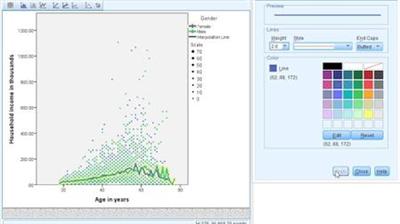
SPSS Statistics Essential Training
MP4 | Video: 720p | Duration: 4:57:12 | English | Subtitles: VTT | 900.3 MB​


SPSS is a statistics and data analysis program for businesses, governments, research institutes, and academic organizations. In these tutorials, author Barton Poulson takes a practical, visual, and non-mathematical approach to SPSS. From importing spreadsheets to creating regression models, to exporting charts, this course covers all the basics, with an emphasis on clarity, interpretation, communicability, and application. Barton will help you:
Build charts, scatterDescriptions, and box DescriptionsCalculate descriptive statistics such as means and standard deviationsUse inferential statistics such as t-tests and chi-squaresEnter and read dataCreate new variables and crosstabulationsModel associations with correlations, contingency tables, and multiple-regression analysisFormat and export presentations to share your dataPlus, learn how to extend the power of SPSS with Python and R. This course is ideal for first-time researchers and those who want to make the most of data in their professional and academic work.

Recommend Download Link Hight Speed | Please Say Thanks Keep Topic Live ​
 

cfb33dc2e504ae0d5c66a41428ed1130.jpg


CCNP Routing (300-101) Cert Prep: Network Principles
MP4 | Video: 720p | Duration: 59:58 | English | Subtitles: VTT | 99.4 MB​


Validate your routing knowledge and expertise by earning a Cisco CCNP Routing and Switching certification. In this course, Greg Sowell prepares you for the Network Principles portion of exam 300-101 ROUTE, Implementing Cisco IP Routing-a qualifying exam for the CCNP Routing and Switching certification. Greg explores some common design elements of modern enterprise networks, as well as the fundamental differences between the dynamic routing protocol types. He also walks through the basic routing process; examines some important details of TCP, UDP, and ICMP; and covers IPv6 protocols.

Recommend Download Link Hight Speed | Please Say Thanks Keep Topic Live ​
 
4f6bdb33582692a981065140106cb47b.jpg


Microsoft Access 2016
MP4 | Video: AVC 1280x720 | Audio: AAC 44KHz 2ch | Duration: 3.5 Hours | 1.37 GB
Genre: eLearning | Language: English​

Microsoft Access is now much more than a way to create desktop databases. It's an easy to use tool for quickly creating browser based database applications that help you run your business. Your data is automatically stored in a SQL database, so it's more secure and scalable than ever, and you can easily share your applications with colleagues. This course will guide you through the basics of relational database design and through the creation of database objects. You will learn how to use forms, query tables and reports to manage data. You will understand the interface, customization and creation editing of the many objects available within the Microsoft Access application. This course is divided in to three separate levels being Basic Microsoft Access, Intermediate Microsoft Access and Advanced Microsoft Access.


146fef2f9fbc298948ea4d439b6b2c07.jpg


Recommend Download Link Hight Speed | Please Say Thanks Keep Topic Live ​
 
a88768682bb501bf0d6475acede38238.jpg


Data Analysis with Pandas and Python
MP4 | Video: AVC 1280x720 | Audio: AAC 44KHz 2ch | Duration: 19 Hours | 2.2 GB
Genre: eLearning | Language: English​

Welcome to the most comprehensive Pandas course available on Udemy! An excellent choice for both beginners and experts looking to expand their knowledge on one of the most popular Python libraries in the world! Data Analysis with Pandas and Python offers 19+ hours of in-depth video tutorials on the most powerful data analysis toolkit available today. Lessons include: installing, sorting, filtering, grouping, aggregating, de-duplicating, pivoting, munging, deleting, merging, visualizing, and more! Why learn pandas? If you've spent time in a spreadsheet software like Microsoft Excel, Apple Numbers, or Google Sheets and are eager to take your data analysis skills to the next level, this course is for you!

Data Analysis with Pandas and Python introduces you to the popular Pandas library built on top of the Python programming language. Pandas is a powerhouse tool that allows you to do anything and everything with colossal data sets - analyzing, organizing, sorting, filtering, pivoting, aggregating, munging, cleaning, calculating, and more! I call it "Excel on steroids"!


e9932e71953adb0350463118dcd43e88.jpg


Recommend Download Link Hight Speed | Please Say Thanks Keep Topic Live ​
 

e36eeca598255a8187ae72289a70fd62.jpg


Designing a Retro-Style Superhero
MP4 | Video: 720p | Duration: 4:57:33 | English | Subtitles: VTT | 2529.6 MB​


Learn what it takes to design and create your own custom silver-age superhero. Join Deke as he starts by tracing a photo to create the hero's body and then jumps into Illustrator for the creation of the final effects. Finally, Deke takes us through the steps to lay out our own custom type to complete the comic.

Topics include:
Turning a person into a silhouetteAdding power and motion with LiquifyDrawing with the Pen and Brush toolsCreating a dramatic backgroundAdding grill lines and flamesInserting talk balloonsCreating a custom comic font

Recommend Download Link Hight Speed | Please Say Thanks Keep Topic Live ​
 

622c58cf843656b7d241e5f04593af9a.jpg


Upgrading Your ASP.NET Core 1.x Web API to 2.0
MP4 | Video: AVC 1280x720 | Audio: AAC 44KHz 2ch | Duration: 1.5 Hours | 246 MB
Genre: eLearning | Language: English​

ASP.NET Core 2 incorporates a few important changes and new features. This course will teach you how to upgrade your existing web API, built with ASP.NET Core 1.x, to ASP.NET Core 2.0.

ASP.NET Core has been updated to a 2.0 version and has many differences that will be covered here. In this course, Upgrading Your ASP.NET Core 1.x Web API to 2.0, you'll learn how to upgrade your existing web API, built with ASP.NET Core 1.x, to ASP.NET Core 2.0. First, you'll discover what these changes are and how .NET Core 2.0, the .NET Standard 2.0, and ASP.NET Core 2.0 are related. Next, you'll explore how to upgrade your existing project files and references to support new features like the run-time store. Finally, you'll learn about what you can change in regards to your code to make use of new ASP.NET Core 2.0 functionality. After this course, your existing ASP.NET Core 1.x web API will be fully upgraded to ASP.NET Core 2.0.


5aa59ac66ff3069536d559a53cfb83af.jpg


Recommend Download Link Hight Speed | Please Say Thanks Keep Topic Live ​
 

74e3fcefd6fa3388a1c4495d8d03ac38.jpg


Toon Boom Animate and Harmony Essential Training
MP4 | Video: 720p | Duration: 5:59:21 | English | Subtitles: VTT | 1541.0 MB​


Learn to use Toon Boom Animate and Toon Boom Harmony to create traditional animated scenes, complex digital character rigs, and even some cool special effects. Author and animator Dermot O' Connor walks through the Toon Boom Animate interface, introduces the program's drawing tools and color controls, and teaches techniques for drawing keys, breakdowns, and in-betweens in a traditional animation style, as well as creating keyframe-based digital animations. Then he shows how to set up, rig, and animate a character, and add finishing touches to your animations, such as moving cameras, sound, and effects.

Note: Dermot uses Toon Boom Animate to demonstrate these techniques, but Toon Boom Harmony and Toon Boom Animate Pro users will also benefit from the training.

Topics include:
Creating scenesDrawing and transforming objectsApplying color and inkDrawing keys and breakdownsEasing in and outNudging in 3D spaceRigging a characterAnimating with forward and inverse kinematicsMorph-tweening charactersAnimating camerasPerforming automatic lip syncsExporting movies and images

Recommend Download Link Hight Speed | Please Say Thanks Keep Topic Live ​
 

ebc6975d87336303b5a07c7697af835e.jpg


Getting Started with React Native
MP4 | Video: AVC 1280x720 | Audio: AAC 44KHz 2ch | Duration: 1 Hours | Lec: 12 | 180 MB
Genre: eLearning | Language: English​

Get up and running with React Native

If you're a developer who has been wanting to get into native development, now is your chance. In this course we'll be talking all about React Native. React Native allows you to build native iOS and Android applications in JavaScript and React.js.

React Native, created by Facebook, bridges this gap by letting you write your user interface in modern JavaScript and automatically transforming it into native platform-specific views.

In this course, you will learn how to write mobile apps in React Native. You will learn how to create, lay out and style components, provide user interaction, and integrate third-party components into your app. Along the way, you'll build a cool cross-platform run tracking app.


9c591640c0e49165ce15f700ef821a07.jpg


Recommend Download Link Hight Speed | Please Say Thanks Keep Topic Live ​
 

330e9621b642545200bf011a618cf787.jpg


Cloud Foundry LiveLessons Video Training
MP4 | Video: AVC 1280x720 | Audio: AAC 48KHz 2ch | Duration: 2 Hours | 3.30 GB
Genre: eLearning | Language: English​

Cloud Foundry LiveLessons provides an introduction to the Cloud Foundry platform. The 11 lessons introduce fundamentals concepts, principles and best practices in Cloud Foundry and cloud-native architecture. You use Cloud Foundry to develop on a public-cloud, deploy and manage applications, integrate with back-services, interact with the Cloud Foundry API, extend the platform with service-brokers, and extend the platform with route-services.

Skill Level

Intermediate to advanced developer

Learn How To

Orchestrate VMs and containers
Get Cloud Foundry
Use multi-tenancy
Install Cloud Foundry on Google Cloud Platform, Microsoft Azure, or Amazon Web Services (AWS)
Using Cloud Foundry Controller REST API, curl, and Java client
Do monitoring and logging
Do scaling and autoscaling
Route services
Implement continuous integration and delivery pipelines
Use BOSH
Use service brokers


573fc62ff70f7d47ae111bc47a31b36f.jpg


Recommend Download Link Hight Speed | Please Say Thanks Keep Topic Live ​
 
Zurück
Oben Unten