




• Regeln für den Video-Bereich:

    In den Börsenbereich gehören nur Angebote die bereits den Allgemeinen Regeln entsprechen.

    Einteilung

    - Folgende Formate gehören in die angegeben Bereiche:
    - Filme: Encodierte Filme von BluRay, DVD, R5, TV, Screener sowie Telesyncs im Format DivX, XviD und x264.
    - DVD: Filme im Format DVD5, DVD9 und HD2DVD.
    - HD: Encodierte Filme mit der Auflösung 720p oder darüber von BluRay, DVD, R5, TV, Screener sowie Telesyncs im Format x264.
    - 3D: Encodierte Filme von BluRay, die in einem 3D Format vorliegen. Dies gilt auch für Dokus, Animation usw.
    - Serien: Cartoon/Zeichentrick, Anime, Tutorials, Dokumentationen, Konzerte/Musik, Sonstiges sind demnach in die entsprechenden Bereiche einzuordnen, auch wenn sie beispielsweise im High Definition-Format oder als DVD5/DVD9/HD2DVD vorliegen. Ausnahme 3D.
    - Bereich Englisch: Englische Releases gehören immer in diesen Bereich.
    - Bereich Talk: Der Bereich, in dem über die Releases diskutiert werden kann, darf, soll und erwünscht ist.


    Angebot/Beitrag erstellen

    - Ein Beitrag darf erst dann erstellt werden, wenn der Upload bei mindestens einem OCH komplett ist. Platzhalter sind untersagt.
    - Bei einem Scenerelease hat der Threadtitel ausschließlich aus dem originalen, unveränderten Releasenamen zu bestehen. Es dürfen keine Veränderungen wie z.B. Sterne, kleine Buchstaben o.ä. vorgenommen werden. Ausnahme Serienbörse:
    - Bei einem Sammelthread für eine Staffel entfällt aus dem Releasename natürlich der Name der Folge. Beispiel: Die Simpsons S21 German DVDRip XviD - ITG
    - Dementsprechend sind also u.a. verboten: Erweiterungen wie "Tipp", "empfehlenswert", "only", "reup", usw. / jegliche andere Zusatzinformation oder Ergänzung, welche nicht in obiger Beschreibung zu finden ist.

    Aufbau des Angebots und Threadtitel

    Der Titel nach folgendem Muster erstellt zu werden. <Name> [3D] [Staffel] [German] <Jahr> <Tonspur> [DL] [Auflösung] <Quelle> <Codec> - <Group>
    Beispiel: The Dark Knight German 2008 AC3 DVDRip XviD - iND
    Beispiel: The Dark Knight 2008 DTS DL BDRip x264 - iND
    Beispiel: The Dark Knight 2008 AC3 DL BDRip XviD - iND
    Beispiel: The Dark Knight German 2008 AC3 720p BluRay x264 iND
    Beispiel: The Dark Knight 2008 DTS DL 1080p BluRay x264 iND
    Beispiel: Die Simpsons S01 German AC3 DVDRip XviD iND
    Beispiel: Die Simpsons S20 German AC3 720p BluRay x264 iND
    Beispiel: Sword Art Online II Ger Sub 2014 AAC 1080p WEBRip x264 - peppermint
    Entsprechend sind also u.a. verboten: Sonderzeichen wie Klammern, Sterne, Ausrufezeichen, Unterstriche, Anführungszeichen / Erweiterungen wie "Tipp", "empfehlenswert", "only", "reup", usw. / jegliche andere Zusatzinformation oder Ergänzung, welche nicht in obiger Beschreibung zu finden ist
    Ausnahmen hiervon können in den Bereichen geregelt sein.

    Die Beiträge sollen wie folgt aufgebaut werden:
    Überschrift entspricht dem Threadtitel
    Cover
    kurze Inhaltsbeschreibung
    Format, Größe, Dauer sind gut lesbar für Downloader außerhalb des Spoilers zu vermerken
    Nfo sind immer Anzugeben und selbige immer im Spoiler in Textform.
    Sind keine Nfo vorhanden z.B. Eigenpublikationen, sind im Spoiler folgende Dateiinformationen zusätzlich anzugeben :
    Quelle
    Video (Auflösung und Bitrate)
    Ton (Sprache, Format und Bitrate der einzelnen Spuren)
    Untertitel (sofern vorhanden)
    Hosterangabe in Textform außerhalb eines Spoiler mit allen enthaltenen Hostern.
    Bei SD kann auf diese zusätzlichen Dateiinformationen verzichtet werden.

    Alle benötigten Passwörter sind, sofern vorhanden, in Textform im Angebot anzugeben.
    Spoiler im Spoiler mit Kommentaren :"Schon Bedankt?" sind unerwünscht.


    Releases

    - Sind Retail-Release verfügbar, sind alle anderen Variationen untersagt. Ausnahmen: Alle deutschen Retail-Release sind CUT, in diesem Fall sind dubbed UNCUT-Release zulässig.
    - Im Serien-Bereich gilt speziell: Wenn ein Retail vor Abschluss einer laufenden Staffel erscheint, darf diese Staffel noch zu Ende gebracht werden.62
    - Gleiche Releases sind unbedingt zusammenzufassen. Das bedeutet, es ist zwingend erforderlich, vor dem Erstellen eines Themas per Suchfunktion zu überprüfen, ob bereits ein Beitrag mit demselben Release besteht. Ist dies der Fall, ist der bereits vorhandene Beitrag zu verwenden.
    - P2P und Scene Releases dürfen nicht verändert oder gar unter einem iND Tag eingestellt werden.


    Support, Diskussionen und Suche

    - Supportanfragen sind entweder per PN oder im Bereich Talk zu stellen.
    - Diskussionen und Bewertungen sind im Talk Bereich zu führen. Fragen an die Uploader haben ausschließlich via PN zu erfolgen, und sind in den Angeboten untersagt.
    - Anfragen zu Upload-Wünschen sind nur im Bereich Suche Video erlaubt. Antworten dürfen nur auf Angebote von MyBoerse.bz verlinkt werden.


    Verbote

    - Untersagt sind mehrere Formate in einem einzigen Angebotsthread, wie beispielsweise das gleichzeitige Anbieten von DivX/XviD, 720p und 1080p in einem Thread. Pro Format, Release und Auflösung ist ein eigener Thread zu eröffnen.
    - Grundsätzlich ebenso verboten sind Dupes. Uploader haben sich an geeigneter Stelle darüber zu informieren, ob es sich bei einem Release um ein Dupe handelt.
    - Gefakte, nur teilweise lauffähige oder unvollständige Angebote sind untersagt. Dies gilt auch für eigene Publikationen, die augenscheinlich nicht selbst von z.B. einer DVD gerippt wurden. Laufende Serien, bei denen noch nicht alle Folgen verfügbar sind, dürfen erstellt und regelmäßig geupdatet werden.
    - Untersagt sind Angebote, welche nur und ausschließlich in einer anderen Sprache als deutsch oder englisch vorliegen. Ausnahmen sind VORHER mit den Moderatoren zu klären.


    Verstoß gegen die Regeln

    - Angebote oder Beiträge, die gegen die Forenregeln verstoßen, sind über den "Melden"-Button im Beitrag zu melden.
  • Bitte registriere dich zunächst um Beiträge zu verfassen und externe Links aufzurufen.

++ Premium IPTV ++ 7000 Live Sender ++ UHD Qualität ++ Mediathek mit 18.000 Inhalten ++


VenneTV


Englische Tutorials

c501eeeabe961f9b2324a159c65b5d08.jpg


A Beginners Guide to Developing Apple TV Apps With TVML Kit
MP4 | Video: AVC 1280x720 | Audio: AAC 44KHz 2ch | Duration: 5.5 Hours | Lec: 53 | 1.23 GB
Genre: eLearning | Language: English​

Learn rapid Apple TV (tvOS) development with no coding experience by developing 2 full Apple TV apps for streaming media

Hey guys! Welcome to the most comprehensive course on the internet that actually teaches you how to develop a fully functional app that streams media content.

This course is focused on learning how to develop Apple TV applications using the TVMLKit Framework. The TVMLKit Framework allows for rapid (quick) development of Apple TV apps. This course is developed to show you how TVMLKit allows for a consistent way of developing tvOS apps based on a template system, whilst still maintaining the intuitive native familiar experince.

My name is Tinashe Munyaka, a developer and designer, and a lover of anything creative! and I'll be walking on this journey with you while we explore the world of Apple TV apps.

What should you expect to learn?

Developing Apple TV apps without any programming or coding knowledge.
Understanding tvOS and TVMLKit
How to go about developing your own apps using TVMLKit
Understand how to design your own Apple TV apps
Learn how to run your Apple TV apps locally in the simulator
Where to get image resources to use in your Apple TV app
Where to find video streaming URL's to use within your app
Where to find audio streaming URL's to use within your app
How to pull in content locally as well as dynamically in your Apple TV app
How to run your own app on your own Apple TV
And loads moreR30;
So why this course on TVML? WellR30;

If you're looking to develop Apple TV apps with much less effort then this course is for you. This course will show you how you can reduce the development time and effort in creating Apple TV apps, as well as shorten the time for you to take your Apple TV app to market.

So, if you want to develop rich media apps where people browse and consume media, with no performance tuning or optimization of the user interface then this course is for you!

Join me as I show you how to create awesome Apple TV apps that offer a great user experience. Cool, can't wait to meet you inside!


f0ef90183ff92a8c83718a53885438d1.jpg


Recommend Download Link Hight Speed | Please Say Thanks Keep Topic Live ​

 

3accc47d40f2ea6eb88ca7d22d7be7cc.jpg


Photo Essay: An Artist at Work
MP4 | Video: 720p | Duration: 1:06:06 | English | Subtitles: VTT | 582.5 MB​


A photo essay is a series of photographs that tell a story about a person, place, event, or trend. In this course, photojournalist Paul Taggart takes us on assignment as he photographs Kevin Carman, an artist in Ventura, California.

Paul, whose work has appeared in publications such the New York Times and National Geographic, shares insights into how he prepares for an assignment, how he engages his subject, and how he takes advantage of unpredictable and unforeseen situations. The course concludes with a look at how the final essay might be sequenced and distributed.

Recommend Download Link Hight Speed | Please Say Thanks Keep Topic Live ​

 

97b70cca80b1e953068d996c200ca50f.jpg


FileMaker Pro 8.5 New Features
MP4 | Video: 540p | Duration: 1:23:39 | English | Subtitles: n/a | 108.1 MB​


Not long after the release of FileMaker Pro 8 - one of the most popular and powerful database applications for both Mac and Windows - FileMaker, Inc. brings us version 8.5. Significant features have been added in this upgrade, including the FileMaker Web Viewer, which allows the addition of a live web page within a record. The new version also includes object functions and scripts, which offer more control over functions, as well as support for Intel-based Macs. Cris Ippolite addresses each of these new features in detail. FileMaker Pro 8 Essential Training, also available in the Online Training Library™, is recommended as a companion to this title, especially for those new to the application. Exercise files accompany the training videos.

Topics include:
Using the FileMaker Web Viewer
Setting up the Web Viewer using templates
Configuring the Web Viewer setup dialog
Utilizing the List Function
Naming Objects
Using the Go to Object script step
Using the GetLayoutObjectAttribute function
Integrating Flash and FileMaker

Recommend Download Link Hight Speed | Please Say Thanks Keep Topic Live ​
 

2c896ed6ecef2f292924135c489cd8e8.jpg


Illustrator CS5 One-on-One: Mastery
MP4 | Video: 540p | Duration: 13:05:22 | English | Subtitles: VTT | 2226.1 MB​


In Illustrator CS5 One-on-One: Mastery, the third and final part of the comprehensive Illustrator One-on-One series, author and industry expert Deke McClelland shows how to take advantage of the wide array of dynamic effects in Illustrator CS5. Deke explores Illustrator's powerful Gradient Mesh feature, great for creating photorealistic airbrushing effects. He also covers graphic styles, the liquify tools, envelope-style distortions, the new Bristle Brushes, 3D text, and perspective drawing. Exercise files accompany the course.

Topics include:
Working with dynamic effectsPlacing artwork as a Photoshop Smart ObjectCreating and editing a Gradient MeshDistorting artwork with an Envelope MeshUsing the Calligraphic, Art, and Scatter BrushesCreating an intricate Pattern BrushImporting and graphing dataCreating a complex pictographDrawing and editing a perspective shapeWorking with the new Perspective Grid toolUsing the 3D Revolve effectCreating 3D type with Extrude & BevelRecording and playing automated actions

Recommend Download Link Hight Speed | Please Say Thanks Keep Topic Live ​
 

276d165f98cf0ec587261326a8c1e2b4.jpg


Photoshop: Curves (2010)
MP4 | Video: 720p | Duration: 1:45:59 | English | Subtitles: VTT | 546.2 MB​


The Curves adjustment in Adobe Photoshop has a reputation for being challenging for some photographers. In this workshop, Photoshop expert Tim Grey takes you step by step through every aspect of the Curves adjustment, helping you truly understand the concepts behind it so that you can quickly and easily maximize tonal range, optimize contrast, and enhance your photos' color balance. Note: This course was recorded in Photoshop CS5, but was created with users of both Photoshop CS5 and Photoshop CS4 in mind.

Topics include:
Reading a curveCreating a Curves adjustmentWorking with the Adjustments panelUsing presets and eyedroppersAdding and adjusting anchor pointsUsing the Luminosity blend modeCurves for colorCreativity with Curves

Recommend Download Link Hight Speed | Please Say Thanks Keep Topic Live ​
 

3d6524b046a1455e9b6c81565f35a6a1.jpg


Outlook for iOS and Android First Look
MP4 | Video: 720p | Duration: 12:51 | English | Subtitles: VTT | 30.5 MB​


Get a first look at the new Outlook app for iOS and Android, a mobile version of your favorite email and calendaring program. Jess Stratton shows how to navigate the app, link your email and cloud storage accounts, and work with mail, calendar events, contacts, and files in the new interface-now optimized for small screens!

Recommend Download Link Hight Speed | Please Say Thanks Keep Topic Live ​
 

732ab902f8075e7595091731af6b156a.jpg


Final Cut Pro X v10.0.9: Commercial Editing Techniques
MP4 | Video: 720p | Duration: 1:55:24 | English | Subtitles: VTT | 925.5 MB​


Editing a concise and captivating, effects-driven commercial spot is a challenging and exciting endeavor. Every single moment counts. In this course Ashley Kennedy walks through the process of building a great 30-second spot, from assessing preproduction materials to delivery to the client. She examines the audience for the commercial, the timing and pacing of the rough cut, transitions and effects, and the final details like color correction that make your project look professional. Along the way, Ashley encounters and resolves creative and technical problems editors often face in the real world.

Topics include:
What is commercial editing?Understanding the product's audience and intentMarking the best shotsLaying out the visual structureBuilding an audio foundationManipulating speedAdding transition effectsAdding graphics, music, and voice-overDelivering the project and receiving feedback

Recommend Download Link Hight Speed | Please Say Thanks Keep Topic Live ​
 

74e015962ffb49ce9d81d7a5619476e7.jpg


JavaBeans Essential Training
MP4 | Video: 720p | Duration: 1:45:10 | English | Subtitles: VTT | 268.9 MB​


Although small-scale Java EE applications can be built without JavaBeans, in the large-scale Java EE world they're needed to separate business logic from presentation. Learn how to build your own JavaBeans and get developer tips for developing enterprise-level applications that are scalable, cross-compatible, and less demanding of server resources. In this course Patrick Royal covers the core concepts behind JavaBeans and explores the syntax, commands, and tools you need to know. He shows how to create session and entity objects, build server-side code, design objects to take advantage of parallel processing, and improve your code with optimization techniques and extensions. He also issues several JavaBeans programming challenges that allow you to test your knowledge along the way.

Topics include:
Building your first simple JavaBeans componentCreating simple entity beans and message-driven beansDefining a primary keyUnderstanding the life cycle of beansCreating home and component interfacesControlling concurrent access to JavaBeans objectsDebugging and optimizing JavaBeans codeEnabling security and encryptionCreating asynchronous methods

Recommend Download Link Hight Speed | Please Say Thanks Keep Topic Live ​
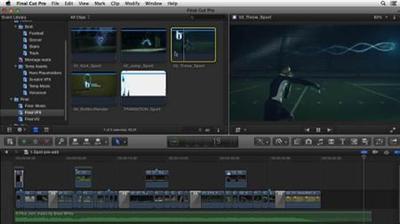
 

c851076bef3fe7ae67d6e19d1b779bf6.jpg


Learning 3ds Max
MP4 | Video: 720p | Duration: 4:15:44 | English | Subtitles: VTT | 1197.7 MB​


Autodesk 3ds Max is a popular and powerful tool used by game developers, visual effects artists, and graphic designers for 3D modeling, animation, and rendering. In this course, educators Dariush and Randi Derakhshani introduce you to this multifaceted software, starting with the interface and how to navigate it. Once you're comfortable getting around 3ds Max, you'll learn how to use its many tools to make models with 3D objects, edit polygonal meshes, create surfaces and models with 2D shapes and splines, and more. All of this is presented in the context of a hands-on project where you create a model of an alarm clock.

Topics include:
The interface and navigationCreating and manipulating objectsWorking with modifiersVertex, edge, and border modelingWorking in Element modeEditable polys and NURMSCreating 3D shapes from 2D shapesVertex sub-object editing for splinesLathing and lofting splines

Recommend Download Link Hight Speed | Please Say Thanks Keep Topic Live ​
 
42931890174c68a908760edc4b8d0a28.jpg


Free Online Synchronous Meeting Tools for Educators
MP4 | Video: AVC 1280x720 | Audio: AAC 44KHz 2ch | Duration: 37M | Lec: 7 | 105 MB
Genre: eLearning | Language: English​

Learn how to identify, navigate and utilize the right meeting tool for you!

"Free Online Synchronous Meeting Tools" will provide participants an overview of the various tools currently available to meet with individuals or groups remotely. Divided into modules, this course is comprised of lectures, weblinks and supplemental resources. Each meeting tool lecture walks participants through the set-up process, user interface, and further discusses the pros and cons of the available features.

At the end of this course, you will be familiar with Join.Me, Google Hangouts, Web Burner, and Zoom and how to incorporate each one into your daily tasks. Using synchronous meeting tools is a great way to become more efficient, gain name recognition, connect with your colleagues, and explain complex concepts. Have you ever tried to explain a complicated process via email? Or, spent hours on the phone talking about an issue, when a quick visual tour would have been simpler? The four synchronous meeting tools you will learn in this course are the answer to these problems, and the best part is - they're free!


96f25d2b94ebc28de43d35dd080e81e7.jpg


Recommend Download Link Hight Speed | Please Say Thanks Keep Topic Live ​
 

b7acfe6565ce9d9e7ae4849becd28e26.jpg


CSS Shorts Weekly
MP4 | Video: 720p | Duration: 4:50:51 | English | Subtitles: VTT | 954.2 MB​


CSS Shorts is a weekly series covering all aspects of CSS, including properties, preprocessors, positioning, floats, and the most up-to-date styling techniques. Instructor Chris Converse returns every Tuesday, bringing you short and timely tips that will help new and experienced web developers alike create more beautiful websites and more efficient code. Tune in and learn how to take more control over the style, layout, and even the user experience of your web designs.

Note: There will be free exercise files for most episodes, which will allow you to follow along with author Chris Converse, as you explore all the possibilities CSS has to offer.

Recommend Download Link Hight Speed | Please Say Thanks Keep Topic Live ​
 
311af3c1468606fd664fec8449cf81aa.jpg


Occlusal Diseases and the Impact of Microtrauma
MP4 | Video: AVC 1280x720 | Audio: AAC 44KHz 2ch | Duration: 2 Hours | 733 MB
Genre: eLearning | Language: English​

Diagnosing occlusal imbalances requires the clinician to evaluate the time and force of dentin wear. Occlusal therapies are deemed more effective when objective diagnosis precedes and guides treatment. This largely depends upon the investigative tools available to the clinician, as well as prior dental education and recent literary science. Occlusal Diseases and the Impact of Mictrotrauma presents current terminology being utilized within the dental field to analyze the pathology and physiology of occlusal wear and associated maladies. Evaluating relationships between chronic occlusal microtrauma, load force stresses, and solutions to these oral conditions, this video is ideally suited for dental students, academics, and clinicians.


baa3daa3ad688ff234832db8293d701e.jpg


Recommend Download Link Hight Speed | Please Say Thanks Keep Topic Live ​
 
Zurück
Oben Unten