• Regeln für den Video-Bereich:

    In den Börsenbereich gehören nur Angebote die bereits den Allgemeinen Regeln entsprechen.

    Einteilung

    - Folgende Formate gehören in die angegeben Bereiche:
    - Filme: Encodierte Filme von BluRay, DVD, R5, TV, Screener sowie Telesyncs im Format DivX, XviD und x264.
    - DVD: Filme im Format DVD5, DVD9 und HD2DVD.
    - HD: Encodierte Filme mit der Auflösung 720p oder darüber von BluRay, DVD, R5, TV, Screener sowie Telesyncs im Format x264.
    - 3D: Encodierte Filme von BluRay, die in einem 3D Format vorliegen. Dies gilt auch für Dokus, Animation usw.
    - Serien: Cartoon/Zeichentrick, Anime, Tutorials, Dokumentationen, Konzerte/Musik, Sonstiges sind demnach in die entsprechenden Bereiche einzuordnen, auch wenn sie beispielsweise im High Definition-Format oder als DVD5/DVD9/HD2DVD vorliegen. Ausnahme 3D.
    - Bereich Englisch: Englische Releases gehören immer in diesen Bereich.
    - Bereich Talk: Der Bereich, in dem über die Releases diskutiert werden kann, darf, soll und erwünscht ist.


    Angebot/Beitrag erstellen

    - Ein Beitrag darf erst dann erstellt werden, wenn der Upload bei mindestens einem OCH komplett ist. Platzhalter sind untersagt.
    - Bei einem Scenerelease hat der Threadtitel ausschließlich aus dem originalen, unveränderten Releasenamen zu bestehen. Es dürfen keine Veränderungen wie z.B. Sterne, kleine Buchstaben o.ä. vorgenommen werden. Ausnahme Serienbörse:
    - Bei einem Sammelthread für eine Staffel entfällt aus dem Releasename natürlich der Name der Folge. Beispiel: Die Simpsons S21 German DVDRip XviD - ITG
    - Dementsprechend sind also u.a. verboten: Erweiterungen wie "Tipp", "empfehlenswert", "only", "reup", usw. / jegliche andere Zusatzinformation oder Ergänzung, welche nicht in obiger Beschreibung zu finden ist.

    Aufbau des Angebots und Threadtitel

    Der Titel nach folgendem Muster erstellt zu werden. <Name> [3D] [Staffel] [German] <Jahr> <Tonspur> [DL] [Auflösung] <Quelle> <Codec> - <Group>
    Beispiel: The Dark Knight German 2008 AC3 DVDRip XviD - iND
    Beispiel: The Dark Knight 2008 DTS DL BDRip x264 - iND
    Beispiel: The Dark Knight 2008 AC3 DL BDRip XviD - iND
    Beispiel: The Dark Knight German 2008 AC3 720p BluRay x264 iND
    Beispiel: The Dark Knight 2008 DTS DL 1080p BluRay x264 iND
    Beispiel: Die Simpsons S01 German AC3 DVDRip XviD iND
    Beispiel: Die Simpsons S20 German AC3 720p BluRay x264 iND
    Beispiel: Sword Art Online II Ger Sub 2014 AAC 1080p WEBRip x264 - peppermint
    Entsprechend sind also u.a. verboten: Sonderzeichen wie Klammern, Sterne, Ausrufezeichen, Unterstriche, Anführungszeichen / Erweiterungen wie "Tipp", "empfehlenswert", "only", "reup", usw. / jegliche andere Zusatzinformation oder Ergänzung, welche nicht in obiger Beschreibung zu finden ist
    Ausnahmen hiervon können in den Bereichen geregelt sein.

    Die Beiträge sollen wie folgt aufgebaut werden:
    Überschrift entspricht dem Threadtitel
    Cover
    kurze Inhaltsbeschreibung
    Format, Größe, Dauer sind gut lesbar für Downloader außerhalb des Spoilers zu vermerken
    Nfo sind immer Anzugeben und selbige immer im Spoiler in Textform.
    Sind keine Nfo vorhanden z.B. Eigenpublikationen, sind im Spoiler folgende Dateiinformationen zusätzlich anzugeben :
    Quelle
    Video (Auflösung und Bitrate)
    Ton (Sprache, Format und Bitrate der einzelnen Spuren)
    Untertitel (sofern vorhanden)
    Hosterangabe in Textform außerhalb eines Spoiler mit allen enthaltenen Hostern.
    Bei SD kann auf diese zusätzlichen Dateiinformationen verzichtet werden.

    Alle benötigten Passwörter sind, sofern vorhanden, in Textform im Angebot anzugeben.
    Spoiler im Spoiler mit Kommentaren :"Schon Bedankt?" sind unerwünscht.


    Releases

    - Sind Retail-Release verfügbar, sind alle anderen Variationen untersagt. Ausnahmen: Alle deutschen Retail-Release sind CUT, in diesem Fall sind dubbed UNCUT-Release zulässig.
    - Im Serien-Bereich gilt speziell: Wenn ein Retail vor Abschluss einer laufenden Staffel erscheint, darf diese Staffel noch zu Ende gebracht werden.62
    - Gleiche Releases sind unbedingt zusammenzufassen. Das bedeutet, es ist zwingend erforderlich, vor dem Erstellen eines Themas per Suchfunktion zu überprüfen, ob bereits ein Beitrag mit demselben Release besteht. Ist dies der Fall, ist der bereits vorhandene Beitrag zu verwenden.
    - P2P und Scene Releases dürfen nicht verändert oder gar unter einem iND Tag eingestellt werden.


    Support, Diskussionen und Suche

    - Supportanfragen sind entweder per PN oder im Bereich Talk zu stellen.
    - Diskussionen und Bewertungen sind im Talk Bereich zu führen. Fragen an die Uploader haben ausschließlich via PN zu erfolgen, und sind in den Angeboten untersagt.
    - Anfragen zu Upload-Wünschen sind nur im Bereich Suche Video erlaubt. Antworten dürfen nur auf Angebote von MyBoerse.bz verlinkt werden.


    Verbote

    - Untersagt sind mehrere Formate in einem einzigen Angebotsthread, wie beispielsweise das gleichzeitige Anbieten von DivX/XviD, 720p und 1080p in einem Thread. Pro Format, Release und Auflösung ist ein eigener Thread zu eröffnen.
    - Grundsätzlich ebenso verboten sind Dupes. Uploader haben sich an geeigneter Stelle darüber zu informieren, ob es sich bei einem Release um ein Dupe handelt.
    - Gefakte, nur teilweise lauffähige oder unvollständige Angebote sind untersagt. Dies gilt auch für eigene Publikationen, die augenscheinlich nicht selbst von z.B. einer DVD gerippt wurden. Laufende Serien, bei denen noch nicht alle Folgen verfügbar sind, dürfen erstellt und regelmäßig geupdatet werden.
    - Untersagt sind Angebote, welche nur und ausschließlich in einer anderen Sprache als deutsch oder englisch vorliegen. Ausnahmen sind VORHER mit den Moderatoren zu klären.


    Verstoß gegen die Regeln

    - Angebote oder Beiträge, die gegen die Forenregeln verstoßen, sind über den "Melden"-Button im Beitrag zu melden.
  • Bitte registriere dich zunächst um Beiträge zu verfassen und externe Links aufzurufen.

++ Premium IPTV ++ 7000 Live Sender ++ UHD Qualität ++ Mediathek mit 18.000 Inhalten ++


VenneTV


Englische Tutorials


ca3104538114a23a19e35a19dcdacb92.jpg


Relay and GraphQL
MP4 | Video: 720p | Duration: 4:46:08 | English | 3360.9 MB​

In this workshop, we'll cover the different parts of the Relay framework and GraphQL, how these two work magically with React, and how they're proposing a shift in all the standard that we use and love today, from REST to MVC.

We'll cover how to work with a GraphQL server, and how to write a GraphQL server. The operations of query and mutation, the arguments, variables, fragments, directives, and other features of GraphQL, and how to use them with Relay and React.

Recommend Download Link Hight Speed | Please Say Thanks Keep Topic Live ​
 

46d88b88f012babe4343fc10473b8631.jpg


Learning Google Apps Script (2013)
MP4 | Video: 720p | Duration: 1:09:28 | English | Subtitles: VTT | 198.3 MB​

Meet Google Apps Script, the master key that unlocks the power of Google Apps. This JavaScript-based language allows you to access Google Apps data, automate tasks, and build your own applications. Join Scott Simpson as he introduces the Google Apps Script environment; defines the common script types, permissions, and classes; and dives into scripting services. Learn to access and edit data from documents and spreadsheets, use cloud storage, set up events and triggers, and create user interfaces like dialogs. Plus, learn to publish and share your script as a web app. At the end of the course, Scott challenges you to pull all the lessons you've learned together and build an app based on some simple parameters.

Topics include:
What is Google Apps Script?Creating and editing files with Apps ServicesStoring data for your scriptUsing events and triggers in containersBuilding custom spreadsheet functionsSharing your script as a web appServing JSON or XML from your scriptPublishing your app in the Chrome Web Store

Recommend Download Link Hight Speed | Please Say Thanks Keep Topic Live ​
 

c17b1eb713c57c71bed1d12daf3fb7c8.jpg


Creating a Handmade Look in After Effects: 3 Compositing and Reusing Elements
MP4 | Video: 720p | Duration: 1:28:33 | English | Subtitles: VTT | 345.3 MB​

So you've gone to a lot of hard work to create amazing, handmade motion graphics. Now learn how to reuse and add new life to what you've done. This After Effects training course is the third part in Owen Lowery's series, designed for mograph artists who want a more handmade, DIY aesthetic-without giving up their digital toolset. In this installment, you'll learn how to take existing assets, isolate and save out individual elements, "dirty" them up, and composite them in a single cohesive look. Owen will even assign you a challenge away from the computer that will result in a grungy texture all your own. Start watching and learn how versatile the Adobe After Effects tools can be when you stretch them beyond their traditional uses and employ some creative problem solving.

Want to create the lo-fi mograph effects seen in this course? Check out Creating a Handmade Look in After Effects 02: Design and Animation.

Topics include:
Saving animation presetsRepurposing assetsCompositing effectsCreating custom vignettesCreating a grunge texture with a scanned imageAdding imperfections to framesExporting your animation

Recommend Download Link Hight Speed | Please Say Thanks Keep Topic Live ​
 

2b095075e123fbd56873c6be445855b8.jpg


SOLIDWORKS: Managing the Design Library
MP4 | Video: 720p | Duration: 1:01:37 | English | Subtitles: VTT | 197.9 MB​

The SOLIDWORKS Design Library makes it easy to locate and reuse your sketches, notes, and favorite features-preventing you from having to complete the same work twice. In this course, discover how to increase your SOLIDWORKS productivity by storing commonly used elements in the Design Library. Elise Moss helps you get started by showing how to add a folder that contains your Design Library elements to SOLIDWORKS, and then link that folder to the Design Library. She then demonstrates how to use this helpful tool to manage features, patterns, annotations, forming tools for sheet metal, and other elements that you'll likely use more than once.

Topics include:
Adding a custom library to SOLIDWORKSDesigning library folder locationsCreating custom annotations for drawingsCreating a grain direction annotationModifying an existing forming toolAdding a forming tool to the Design LibraryCreating a hole pattern for a circuit board componentCreating a feature to be reusedSaving a feature to the Design LibrarySaving a block to the Design Library

Recommend Download Link Hight Speed | Please Say Thanks Keep Topic Live ​
 

05cdb075f6efc51436867c50f7a9145c.jpg


UX Foundations: Prototyping
MP4 | Video: 720p | Duration: 1:18:14 | English | Subtitles: VTT | 475.6 MB​

Prototyping allows designers to quickly and inexpensively explore multiple iterations of designs. Prototypes can be submitted for testing and feedback, leading to better experiences for the business and for users. That's why prototyping is a fundamental skill for any UX designer.

Explore the benefits, techniques, and tools of prototyping in this introductory course with designer Diane Cronenwett. Diane covers the basics of building effective prototypes with the right "fidelity," and getting more valuable feedback from your design testing. Learn how to build simple, satisfying prototypes on paper, and use digital prototyping tools like Moqups, InVision, and Axure to add interactivity and animation.

Topics include:
What is a prototype?How prototyping helps user experienceDefining prototype goalsSketching ideasCreating paper prototypesBuilding low-fidelity and high-fidelity prototypesCreating HTML prototypesTesting and evaluating prototypesChoosing the right prototyping tool

Recommend Download Link Hight Speed | Please Say Thanks Keep Topic Live ​
 

9dfbc8af8798946b2b04eb804061f0f7.jpg


Office 365 for Mac: Learning PowerPoint
MP4 | Video: 720p | Duration: 1:06:28 | English | Subtitles: VTT | 316.6 MB​

This course is the perfect introduction to PowerPoint for Office 365 for Mac. The course first explores the interface and helps viewers create and format great PowerPoint presentations. Author Garrick Chow then shows how to best work with text, images, and multimedia and use the presentation tools to deliver a compelling presentation. The course wraps with instructions for sharing and exporting the finished presentation.

Topics include:
Creating a new PowerPoint presentationAdding slides and sectionsAdding and formatting textAdding video, audio, pictures, and hyperlinksChanging themesWorking with transitionsPresenting and navigating your slide deckPrinting slides and notesSharing and collaborating with others

Recommend Download Link Hight Speed | Please Say Thanks Keep Topic Live ​
 

dc50dcf3d0af954087bc8416836b801b.jpg


100 Courses and Counting: David Rivers on Elearning
MP4 | Video: 720p | Duration: 08:22 | English | Subtitles: VTT | 69.4 MB​

David Rivers has been recording elearning courses for lynda.com for over a decade. He's one of our star authors! In this interview (conducted from his home recording studio in Canada), he offers lessons from his 100-course journey with lynda.com. David shares his process for creating and recording course content, and provides inspiration for other authors who want to turn their knowledge into tutorials for the emerging elearning market.

Recommend Download Link Hight Speed | Please Say Thanks Keep Topic Live ​
 

e7de64ab70f8a9542850134ea29e509b.jpg


Node.js from 0 to Hero with Node, Mongo and Express
MP4 | Video: 720p | Duration: 4:33:58 | English | Subtitles: n/a | 930.3 MB​

This session is for experienced software engineers who want to learn Node.js for the author of best sellers such as Practical Node, Pro Express and React Quickly.

Recommend Download Link Hight Speed | Please Say Thanks Keep Topic Live ​
 

066d1cb635d5754e8cee05fa81b92fef.jpg


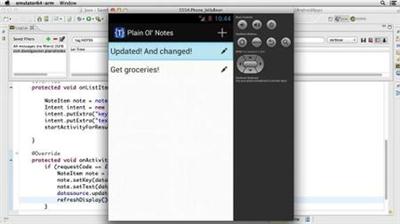
Building a Note-Taking App for Android (2013)
MP4 | Video: 720p | Duration: 3:07:16 | English | Subtitles: VTT | 464.4 MB​

Building an app for one platform just isn't good enough anymore. Android, Windows, and iOS support are all required for a successful product-but learning the different environments is difficult. This course is one of a matched set spanning the three platforms and will demonstrate their similarities and differences. Start with the product most familiar to you, then watch the parallel courses to understand how to bridge your knowledge.

Like its companions, this course will take you through building a complete mobile app from scratch; but this installment uses the Android SDK and Java to get the job done. Author David Gassner shows you how to install the SDK and the Android Developer Toolkit, create a project, save data on a device, build and control screen layouts, and create action bars and icons that control navigation.

These three related courses will use the same assets to develop the same app. (See Building a Note-Taking App for iOS and Building a Note-Taking App for Windows Phone 8 and Windows Store for more information.) Compare and contrast the different steps and discover the similarities and differences!

Topics include:
Previewing the note-taking appCreating virtual devices for testingUnique concepts in AndroidCreating the Eclipse projectUsing local data storageAdding and retrieving data with the Shared Preferences APICreating screen designsCreating and editing notesSupporting older versions of Android with ActionBarSherlock

Recommend Download Link Hight Speed | Please Say Thanks Keep Topic Live ​

 

e8222762162284e2911489e451ce204a.jpg


InDesign: EPUB Typography
MP4 | Video: 720p | Duration: 1:00:41 | English | Subtitles: VTT | 194.1 MB​

Think great EPUB typography is impossible? Think again. Typefaces for screens are multiplying, ereaders are improving, and InDesign CC has more features for customizing EPUBs than ever before. This combination gives designers the freedom and flexibility to build more aesthetically pleasing EPUBs. In this course, Nigel French leads you through the basics of creating EPUBS with good typography in InDesign CC. Learn how to choose fonts for maximum legibility and readability, size and scale type, thread text throughout a layout, and adjust alignment and spacing. Nigel also covers working with special characters, bullets, and paragraph rules.

Note: While most of the lessons are centered on reflowable EPUBs, specific issues for fixed-layout EPUBs are called out along the way.

Topics include:
Embedding fontsConsidering legibility and readabilityChoosing font stylesScaling typeSetting color and contrastThreading textAlignment and spacingIncorporating typographic details: drop caps, bullets, and more

Recommend Download Link Hight Speed | Please Say Thanks Keep Topic Live ​

 

5615cc44748e1c1c4ebf604db09dea66.jpg


Learning Responsive Design
MP4 | Video: 720p | Duration: 2:14:57 | English | Subtitles: VTT | 689.0 MB​

Web projects need to work across multiple devices, screen sizes, and browsing contexts. Web designs need to be responsive to these variables, providing an optimal viewing experience for each scenario. In this course, author James Williamson introduces responsive design to new web designers and fills in any gaps experienced designers may have, while providing a deeper exploration of how current trends in devices, connectivity, and user experience are driving its adoption. The course covers concepts like screen density, fluid grids, and responsive images, as well as actual design strategies that guide you from mock-up to testing.

Topics include:
What is responsive design?Controlling viewportsDesigning for multiple screen densitiesWorking with media queriesUsing fluid gridsBuilding responsive formsOptimizing site performanceBuilding responsive mockupsDeveloping a content strategyDesigning for mobile capabilitiesCreating flexible HTMLTesting responsive designs

Recommend Download Link Hight Speed | Please Say Thanks Keep Topic Live ​

 

379bd509771edcc5c1421bd5e4967fd8.jpg


Database Clinic: MySQL
MP4 | Video: 720p | Duration: 1:59:06 | English | Subtitles: VTT | 373.5 MB​

TheDatabase Clinicseries pits experts and their databases of choice against a series of the same challenges, to highlight the unique capabilities of each database. In this installment of the series, Brad Wheeler demonstrates how MySQL-one of the most widely-used database programs-would rise to meet each task. After going over the strengths and weaknesses of MySQL, Brad shows how to create a database, and quickly load data into MySQL. He also explains how to join data sets; how to search, transform, and perform calculations with your data; and how to use external programming tools to interact with MySQL.

Topics include:
Strengths and weaknesses of MySQLCreating a databaseJoining data setsIntegrating Python with MySQLSearching a databaseCRUD operationsPerforming calculations

Recommend Download Link Hight Speed | Please Say Thanks Keep Topic Live ​

 
Zurück
Oben Unten