• Regeln für den Video-Bereich:

    In den Börsenbereich gehören nur Angebote die bereits den Allgemeinen Regeln entsprechen.

    Einteilung

    - Folgende Formate gehören in die angegeben Bereiche:
    - Filme: Encodierte Filme von BluRay, DVD, R5, TV, Screener sowie Telesyncs im Format DivX, XviD und x264.
    - DVD: Filme im Format DVD5, DVD9 und HD2DVD.
    - HD: Encodierte Filme mit der Auflösung 720p oder darüber von BluRay, DVD, R5, TV, Screener sowie Telesyncs im Format x264.
    - 3D: Encodierte Filme von BluRay, die in einem 3D Format vorliegen. Dies gilt auch für Dokus, Animation usw.
    - Serien: Cartoon/Zeichentrick, Anime, Tutorials, Dokumentationen, Konzerte/Musik, Sonstiges sind demnach in die entsprechenden Bereiche einzuordnen, auch wenn sie beispielsweise im High Definition-Format oder als DVD5/DVD9/HD2DVD vorliegen. Ausnahme 3D.
    - Bereich Englisch: Englische Releases gehören immer in diesen Bereich.
    - Bereich Talk: Der Bereich, in dem über die Releases diskutiert werden kann, darf, soll und erwünscht ist.


    Angebot/Beitrag erstellen

    - Ein Beitrag darf erst dann erstellt werden, wenn der Upload bei mindestens einem OCH komplett ist. Platzhalter sind untersagt.
    - Bei einem Scenerelease hat der Threadtitel ausschließlich aus dem originalen, unveränderten Releasenamen zu bestehen. Es dürfen keine Veränderungen wie z.B. Sterne, kleine Buchstaben o.ä. vorgenommen werden. Ausnahme Serienbörse:
    - Bei einem Sammelthread für eine Staffel entfällt aus dem Releasename natürlich der Name der Folge. Beispiel: Die Simpsons S21 German DVDRip XviD - ITG
    - Dementsprechend sind also u.a. verboten: Erweiterungen wie "Tipp", "empfehlenswert", "only", "reup", usw. / jegliche andere Zusatzinformation oder Ergänzung, welche nicht in obiger Beschreibung zu finden ist.

    Aufbau des Angebots und Threadtitel

    Der Titel nach folgendem Muster erstellt zu werden. <Name> [3D] [Staffel] [German] <Jahr> <Tonspur> [DL] [Auflösung] <Quelle> <Codec> - <Group>
    Beispiel: The Dark Knight German 2008 AC3 DVDRip XviD - iND
    Beispiel: The Dark Knight 2008 DTS DL BDRip x264 - iND
    Beispiel: The Dark Knight 2008 AC3 DL BDRip XviD - iND
    Beispiel: The Dark Knight German 2008 AC3 720p BluRay x264 iND
    Beispiel: The Dark Knight 2008 DTS DL 1080p BluRay x264 iND
    Beispiel: Die Simpsons S01 German AC3 DVDRip XviD iND
    Beispiel: Die Simpsons S20 German AC3 720p BluRay x264 iND
    Beispiel: Sword Art Online II Ger Sub 2014 AAC 1080p WEBRip x264 - peppermint
    Entsprechend sind also u.a. verboten: Sonderzeichen wie Klammern, Sterne, Ausrufezeichen, Unterstriche, Anführungszeichen / Erweiterungen wie "Tipp", "empfehlenswert", "only", "reup", usw. / jegliche andere Zusatzinformation oder Ergänzung, welche nicht in obiger Beschreibung zu finden ist
    Ausnahmen hiervon können in den Bereichen geregelt sein.

    Die Beiträge sollen wie folgt aufgebaut werden:
    Überschrift entspricht dem Threadtitel
    Cover
    kurze Inhaltsbeschreibung
    Format, Größe, Dauer sind gut lesbar für Downloader außerhalb des Spoilers zu vermerken
    Nfo sind immer Anzugeben und selbige immer im Spoiler in Textform.
    Sind keine Nfo vorhanden z.B. Eigenpublikationen, sind im Spoiler folgende Dateiinformationen zusätzlich anzugeben :
    Quelle
    Video (Auflösung und Bitrate)
    Ton (Sprache, Format und Bitrate der einzelnen Spuren)
    Untertitel (sofern vorhanden)
    Hosterangabe in Textform außerhalb eines Spoiler mit allen enthaltenen Hostern.
    Bei SD kann auf diese zusätzlichen Dateiinformationen verzichtet werden.

    Alle benötigten Passwörter sind, sofern vorhanden, in Textform im Angebot anzugeben.
    Spoiler im Spoiler mit Kommentaren :"Schon Bedankt?" sind unerwünscht.


    Releases

    - Sind Retail-Release verfügbar, sind alle anderen Variationen untersagt. Ausnahmen: Alle deutschen Retail-Release sind CUT, in diesem Fall sind dubbed UNCUT-Release zulässig.
    - Im Serien-Bereich gilt speziell: Wenn ein Retail vor Abschluss einer laufenden Staffel erscheint, darf diese Staffel noch zu Ende gebracht werden.62
    - Gleiche Releases sind unbedingt zusammenzufassen. Das bedeutet, es ist zwingend erforderlich, vor dem Erstellen eines Themas per Suchfunktion zu überprüfen, ob bereits ein Beitrag mit demselben Release besteht. Ist dies der Fall, ist der bereits vorhandene Beitrag zu verwenden.
    - P2P und Scene Releases dürfen nicht verändert oder gar unter einem iND Tag eingestellt werden.


    Support, Diskussionen und Suche

    - Supportanfragen sind entweder per PN oder im Bereich Talk zu stellen.
    - Diskussionen und Bewertungen sind im Talk Bereich zu führen. Fragen an die Uploader haben ausschließlich via PN zu erfolgen, und sind in den Angeboten untersagt.
    - Anfragen zu Upload-Wünschen sind nur im Bereich Suche Video erlaubt. Antworten dürfen nur auf Angebote von MyBoerse.bz verlinkt werden.


    Verbote

    - Untersagt sind mehrere Formate in einem einzigen Angebotsthread, wie beispielsweise das gleichzeitige Anbieten von DivX/XviD, 720p und 1080p in einem Thread. Pro Format, Release und Auflösung ist ein eigener Thread zu eröffnen.
    - Grundsätzlich ebenso verboten sind Dupes. Uploader haben sich an geeigneter Stelle darüber zu informieren, ob es sich bei einem Release um ein Dupe handelt.
    - Gefakte, nur teilweise lauffähige oder unvollständige Angebote sind untersagt. Dies gilt auch für eigene Publikationen, die augenscheinlich nicht selbst von z.B. einer DVD gerippt wurden. Laufende Serien, bei denen noch nicht alle Folgen verfügbar sind, dürfen erstellt und regelmäßig geupdatet werden.
    - Untersagt sind Angebote, welche nur und ausschließlich in einer anderen Sprache als deutsch oder englisch vorliegen. Ausnahmen sind VORHER mit den Moderatoren zu klären.


    Verstoß gegen die Regeln

    - Angebote oder Beiträge, die gegen die Forenregeln verstoßen, sind über den "Melden"-Button im Beitrag zu melden.
  • Bitte registriere dich zunächst um Beiträge zu verfassen und externe Links aufzurufen.

++ Premium IPTV ++ 7000 Live Sender ++ UHD Qualität ++ Mediathek mit 18.000 Inhalten ++


VenneTV


Englische Tutorials

7f2f14cfd9bb921ca0b1e0edd54629e6.jpg


Product Creation A-Z: Advanced Product Creation
MP4 | Video: AVC 1280x720 | Audio: AAC 44KHz 2ch | Duration: 2.5 Hours | Lec: 16 | 489 MB
Genre: eLearning | Language: English
Creating Bestselling Products Quickly And On A Budget.​

Welcome to Elite Product Creation! As a member you have full access to this crash course on creating bestselling products quickly and on a budget.

The Elite Product Creation Course consists of 4 modules:


Find Your Niche - In this module I am going to show you how to find and select your niche. It's important to note that your "niche" is your foundation. If you go wrong here the whole house comes falling down no matter what you do in the future. That's why we think this is the most important module of them all.


Create Your Content - In this module you'll learn how to create high value content with an emphasis on solving problems that delivers your message to your audience clearly and effectively. This will help you be seen as an expert in your field and move you light years ahead of your competition.


Deliver Your Product - In this module you'll learn how to deliver your product to your audience. Effective delivery can make or break your product's success. We'll cover everything from the technical aspects of creating your web presence to the different options available to you for creating your members area.


Market Your Product - In this module you'll learn how to effectively market and promote your product. Marketing your product correctly is by far the most important factor in determining the amount of sales and money you will make after launching. You'll also learn the insider secret to gaining massive leverage and kicking your product into high gear using affiliate traffic!


We've only included what we think are the most important factors in creating and launching a successful information product online. We hope you get a lot of value from this course and as always we'd love to hear your feedback!


a2bab0b9482c196658fdab8bdd874de7.jpg


Recommend Download Link Hight Speed | Please Say Thanks Keep Topic Live ​

 
35cede125fa44594811466c23f438a76.jpg


Structuring Stylesheets With RSCSS
.MP4, AVC, 1000 kbps, 1280x720 | English, AAC, 64 kbps, 2 Ch | 1.1 hours | 604 MB
Instructor: Craig Campbell​

"RSCSS" stands for "Reasonable System for CSS Stylesheet Structure". It's a system of concepts and conventions for organizing your CSS styles to keep them from becoming too unwieldy. In this course, I'll teach you the basics of structuring your stylesheets using this system.

We've built a comprehensive guide to help you learn CSS online, whether you're just getting started with the basics or you want to explore more advanced CSS.

More Info


3389433607932a67922e128a8dbd723a.jpg


Recommend Download Link Hight Speed | Please Say Thanks Keep Topic Live ​

 
3e11ed6546c3c011bf73d26df7121080.jpg


Building for Native Debuggability
MP4 | Video: AVC 1280x720 | Audio: AAC 44KHz 2ch | Duration: 45M | 154 MB
Genre: eLearning | Language: English​

With C++ native development, you are one pointer away from a crashing application. What would be great is if there were tools that would find your C++ issues automatically. Fortunately, there are! It's the wonderful Visual Studio C++ compiler and linker. The problem is that everyone just accepts the defaults when creating new C++ projects and end up missing out on some of the best debugging around. Not only can the compiler and linker help find bugs for you, they can help you avoid security holes, too. "Never do anything at run time you can do at compile time."


80ef5ca345b316d9c4b96bbb160e20f3.jpg


Recommend Download Link Hight Speed | Please Say Thanks Keep Topic Live ​
 
736dc1bee7fc7efbd703787aebf40fd0.jpg


Construction Cost Estimating and Cost Control
.MP4, AVC, 500 kbps, 1280x720 | English, AAC, 128 kbps, 2 Ch | 8+ hours | 3.53 GB
Instructor: Ibrahim Odeh, Ph.D., MBA​

This course introduces the types of cost estimation from the conceptual design phase through the more detailed design phase of a construction project. In addition, the course highlights the importance of controlling costs and how to monitor project cash flow. Students will work on a break-even analysis of construction tasks in a project.

More Info


1f03f0bc7152994437b195db54dfe161.jpg


Recommend Download Link Hight Speed | Please Say Thanks Keep Topic Live ​
 
5e1b91c643a2ecc20b13d1c2716fe1ed.jpg


Youtube Marketing + FREE SOFTWARE
MP4 | Video: AVC 1280x720 | Audio: AAC 44KHz 2ch | Duration: 1 Hours | Lec: 23 | 136 MB
Genre: eLearning | Language: English
Youtube Marketing With FREE PREMIUM SOFTWARE​

Youtube Marketing With FREE SOFTWARE.

Do you want to make money using YouTube Marketing??

Are you struggling to get visitors to your youtube video.

Then you know what you are at the right place, my YouTube Playlists method is the best way to bring in more visitors and income from your site or blog from youtube.

You can count on me.

It will work fabulous if you follow my youtube traffic generation system with the FREE software and free premium tools that I provide with the course.

In this course to say frankly, I share everything from my personal experience that I came across to succeed in youtube marketing using playlist method.

---------------------------------------------------------

Tube Channel Adder Software Worth $57 completely Free With This course

---------------------------------------------------------

I will be showing you on how to do proper keyword research for youtube in this course. I will also be explaining on how to use the software and bring in instant natural views to your youtube video.

Let me inform you before we start up, this is not a easy rich scheme.

My system is gonna be time consuming and you need to be consistent to make this system successful.

Nothing comes easy as long as you put on some effort right ? so dont get demotivated here.

You will eventually succeed after following my system and i am providing my exact blueprint in this course so its going to be very easy for you.

You can sit an relax once you start working with the software and the blueprint I provide you in this course. So what are you waiting for ? - i do offer 100% money back guarantee if this course doesn't satisfy you.


eae3bf2ba0bce56411e139a8d11136b5.jpg


Recommend Download Link Hight Speed | Please Say Thanks Keep Topic Live ​
 
afeb20acbae6eacafa7ac17be7bed757.jpg


Fun with Java! Build Complete Desktop & Android Mobile Apps
MP4 | Video: AVC 1280x720 | Audio: AAC 44KHz 2ch | Duration: 12 Hours | Lec: 115 | 3.18 GB
Genre: eLearning | Language: English
Build fun Java desktop apps and Android mobile apps step-by-step! For PC, Linux & Mac!​

Start coding in Java step-by-step with Computer Science Professor Dr. Bryson Payne, author of the Amazon #1 New Release and Top 10 Best Seller in Children's Programming Books, Teach Your **** to Code (2015, now published in five languages)! Dr. Payne's second book, Fun with Java!, will be released in summer 2017, and you can start coding Java and Android apps TODAY! In this course, you'll learn to:

Build Java desktop apps, both text-based and with beautiful GUI windows!
Create native Android mobile apps, using most of the same Java code, for Android phones and tablets.
Design and code playable games and apps starting from scratch, and share them with your friends, or with the world!
Program a colorful, animated, multi-touch drawing app (and two other apps) on your Android phone or tablet by the end of the course!
Learn important programming concepts like variables, loops, functions and object-oriented programming while having fun along the way!
You can learn the #1 Programming Language in the World!

Over 3 Billion Devices run Java, from PC/Mac/Linux to Android devices to TVs, watches, Blu-ray players and more! Fun with Java brings the power of Java and Android programming into your hands, with easy-to-follow videos, crystal-clear audio, and line-by-line code explanations as you build fun, playable apps that you can share!

Everything you need to get started right away

Complete with working code downloads and high-definition videos, you'll be able to work alongside a professor with 19 years' teaching experience and over 30 years of programming knowledge. You'll also receive a Certificate of Completion upon finishing the course.


7994d50900a6c7c2af3309142c436fcf.jpg


Recommend Download Link Hight Speed | Please Say Thanks Keep Topic Live ​
 
22c5cd2753d02ccfc0f6db936d432a11.jpg


SOLIDWORKS Simulation - Save Time with Simplification Methods
MP4 | Video: AVC 1280x720 | Audio: AAC 44KHz 2ch | Duration: 1.5 Hours | 2.29 GB
Genre: eLearning | Language: English
SOLIDWORKS Simulation solutions can be a regular part of your design reducing the need for costly prototypes, and eliminating rework and delays. This course will provide the knowledge of those techniques, from model simplification to solver...​

When using structural simulation, designers and engineers primarily determine the strength and stiffness of a product by reporting component stress and deformation. There are three segments involved in producing outputs that can be used in your design process, pre-processing, calculation time, and post-processing. In this course, SOLIDWORKS Simulation - Save Time with Simplification Methods, you'll be introduced to five major techniques to reduce your calculation time. First, you'll learn symmetry methods whether through modeling or through simulation, and how to use 3D and 2D symmetry restraints. Next, you'll cover contact conditions, hardware considerations, mesh types, and solver choices while comparing solve times for each scenario. This will provide you with useful metrics going forward. Additionally, you'll explore the pre- and post-processing segments, and make those segments more efficient. The aim is to reduce time spent while mouse tracking. Finally, you'll see SOLIDWORKS CAD tools that are very useful when applied to simulation setup. By the end of this course, you'll know the top five ways to reduce your calculation time, and efficiency techniques to speed up your pre- and post-processing time. Software required: SOLIDWORKS.


cc1c34d34cf6945668ee943e34c762f4.jpg


Recommend Download Link Hight Speed | Please Say Thanks Keep Topic Live ​
 
fa9daf70e08bbac2cfbafef16e55548a.jpg


Lynda - Migrating from MVC 5 to ASP.NET Core MVC
Size: 523 MB | Duration: 2h 57m | Video: AVC (.mp4) 1280x720 15&30fps | Audio: AAC 48KHz 2ch
Genre: eLearning | Level: Intermediate | Language: English
ASP.NET Core is the new cross-platform development framework from Microsoft.​

ASP.NET Core is the new cross-platform development framework from Microsoft. Rebuilt from the ground up, ASP.NET Core introduces new features that allow developers to ship their apps to run on Windows, Mac, and Linux machines. In this course, learn how to migrate an existing ASP.NET MVC 5 project to ASP.NET Core MVC to take full advantage of the new features included in .NET Core. Phil Japikse begins by showing how to install and update the .NET Core SDK. He reviews the functionality of the MVC 5 app, explains how to create necessary projects, and discusses migrating static content. Next, he demonstrates how to create a data access layer, complete the server-side migration, set up the HTTP pipeline, add custom items into the dependency injection container, leverage the new project configuration system, and migrate the controllers. Phil then introduces Tag Helpers-one the big new features in ASP.NET Core-and uses them to migrate and simplify the views. Phil also demonstrates how to create and use custom Tag Helpers. To wrap up, he covers working with view components, explaining what they are and why they're helpful. He walks through how to create the server-side view component code, and how to refactor your app and invoke the view component.


* Reviewing the MVC 5 application
* Creating the data access layer
* Adding and updating the models
* Updating the database
* Completing the server-side migration
* Configuring the HTTP pipeline
* Configuring and using dependency injection
* Migrating the views
* Creating view components


afe40ab5e947a694ff720bfdc7e729e1.jpg


Recommend Download Link Hight Speed | Please Say Thanks Keep Topic Live ​
 
9b5b0949641dfde4a8cad2a509924e7b.jpg


Ruby Crash Course
MP4 | Video: AVC 1280x720 | Audio: AAC 44KHz 2ch | Duration: 3 Hours | Lec: 7 | 515 MB
Genre: eLearning | Language: English
A beginner's guide to the Ruby programming language.​

Learn how to use the Ruby programming language!

One of the best features is that you can watch the courses at any speed you want. This means you can speed up the or slow down the video if you want to.

This course is project based so you will not be learning a bunch of useless coding practices. At the end of this course you will have real world apps to use in your portfolio. We feel that project based training content is the best way to get from A to B. Taking this course means that you learn practical, employable skills immediately.

You can use the projects you build in this course to add to your LinkedIn profile. Give your portfolio fuel to take your career to the next level.

Learning how to code is a great way to jump in a new career or enhance your current career. Coding is the new math and learning how to code will propel you forward for any situation. Learn it today and get a head start for tomorrow. People who can master technology will rule the future.

c31a0405a42f758eac7ca6362f40bb3e.jpg


Recommend Download Link Hight Speed | Please Say Thanks Keep Topic Live ​
 
97a3b55994c203de02575a0771398280.jpg


Working with Speedlites: Multiple Flash Photography
MP4 | Video: AVC 1280x720 | Audio: AAC 44KHz 2ch | Duration: 1.5 Hours | 1.04 GB
Genre: eLearning | Language: English​

The Canon Speedlite learning continues! Avowed "Canonista" and author of the Speedliter's Handbook, Syl Arena kicks up the action with more advanced lighting techniques using multiple flashes. In this class, Syl takes you through the how and the why you should take the Speedlite off the top of your camera and explore off-camera flash starting with one Speedlite and moving to multiple flash scenarios.


f96d349c558617ae43fb9ef5ffb78925.jpg


Recommend Download Link Hight Speed | Please Say Thanks Keep Topic Live ​
 
9c90ace78b1d31547ed317852d56fcc9.jpg


Lynda - Learning Web Components
Size: 220 MB | Duration: 1h 24m | Video: AVC (.mp4) 1280x720 15&30fps | Audio: AAC 48KHz 2ch
Genre: eLearning | Level: Intermediate | Language: English
Whether you realize it or not, you are already using web components when you develop.​

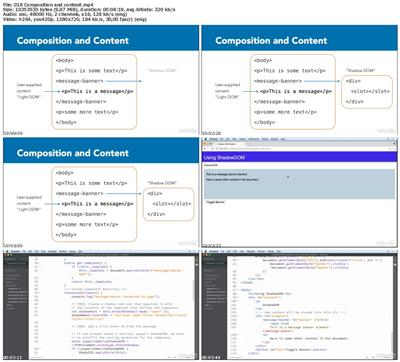
Whether you realize it or not, you are already using web components when you develop. Elements like forms, HTML tags, and more are all web components native to web browsers. Beyond these standard elements, you can also create custom web components to further simplify the process of building and maintaining web applications. This course explains how to make custom encapsulations, imports, templates, and built-in elements by using web component specifications and following web standards. Joe Marini starts the course by going into HTML templates, which provide a browser-native way to declare sections of HTML markup that will be used frequently in your app. Next, he covers HTML imports, explaining how to use them and create reusable modules. Then, he takes you through working with custom elements. To wrap up the course, he discusses Shadow DOM and how to create Shadow DOM to define custom element structure and rendering within a page.


* Web standards
* Customizing web components
* Activating and using templates
* Using HTML imports
* Creating reusable modules
* Defining custom elements
* Customizing elements and styles
* Creating Shadow DOM
* Styling and Shadow DOM


28a08db2d28bd8f4fe12a885c0ac8da0.jpg


Recommend Download Link Hight Speed | Please Say Thanks Keep Topic Live ​
 
afd3a9accbb309cfba29d4896ad00b4b.jpg


Lynda - Cert Prep: Word 2013 Microsoft Office Expert Part One (77-425)
Size: 378 MB | Duration: 2h 27m | Video: AVC (.mp4) 1280x720 30fps | Audio: AAC 48KHz 2ch
Genre: eLearning | Level: Advanced | Language: English
Demonstrate your advanced knowledge of Microsoft Word by becoming a Word 2013 Microsoft Office Specialist (MOS) Expert.​

Demonstrate your advanced knowledge of Microsoft Word by becoming a Word 2013 Microsoft Office Specialist (MOS) Expert. This course, created by certified MOS Master instructor Jennifer McBee, helps you prepare for the Word 2013 Expert Part One exam, the first part of a two-part exam. This course is organized around the exam's four main topic areas: managing and sharing documents, designing advanced documents, creating advanced references, and creating custom Word elements. To begin, Jennifer provides an overview of the certification program and its costs. She then walks through all of the certification objectives, including hands-on experience with downloadable sample documents. She concludes the course with a full-length practice test that emulates exam 77-425, together with solutions to each of the exam challenges.


* Managing and sharing documents
* Setting tracking options
* Restricting editing and limiting authors
* Designing advanced documents
* Customizing field formats
* Using advanced find and replace
* Creating advanced references
* Creating a mail merge
* Creating custom Word elements
* Creating and managing style sets


fae35daa37abe77ccd99000d5089a21f.jpg


Recommend Download Link Hight Speed | Please Say Thanks Keep Topic Live ​
 
Zurück
Oben Unten