• Regeln für den Video-Bereich:

    In den Börsenbereich gehören nur Angebote die bereits den Allgemeinen Regeln entsprechen.

    Einteilung

    - Folgende Formate gehören in die angegeben Bereiche:
    - Filme: Encodierte Filme von BluRay, DVD, R5, TV, Screener sowie Telesyncs im Format DivX, XviD und x264.
    - DVD: Filme im Format DVD5, DVD9 und HD2DVD.
    - HD: Encodierte Filme mit der Auflösung 720p oder darüber von BluRay, DVD, R5, TV, Screener sowie Telesyncs im Format x264.
    - 3D: Encodierte Filme von BluRay, die in einem 3D Format vorliegen. Dies gilt auch für Dokus, Animation usw.
    - Serien: Cartoon/Zeichentrick, Anime, Tutorials, Dokumentationen, Konzerte/Musik, Sonstiges sind demnach in die entsprechenden Bereiche einzuordnen, auch wenn sie beispielsweise im High Definition-Format oder als DVD5/DVD9/HD2DVD vorliegen. Ausnahme 3D.
    - Bereich Englisch: Englische Releases gehören immer in diesen Bereich.
    - Bereich Talk: Der Bereich, in dem über die Releases diskutiert werden kann, darf, soll und erwünscht ist.


    Angebot/Beitrag erstellen

    - Ein Beitrag darf erst dann erstellt werden, wenn der Upload bei mindestens einem OCH komplett ist. Platzhalter sind untersagt.
    - Bei einem Scenerelease hat der Threadtitel ausschließlich aus dem originalen, unveränderten Releasenamen zu bestehen. Es dürfen keine Veränderungen wie z.B. Sterne, kleine Buchstaben o.ä. vorgenommen werden. Ausnahme Serienbörse:
    - Bei einem Sammelthread für eine Staffel entfällt aus dem Releasename natürlich der Name der Folge. Beispiel: Die Simpsons S21 German DVDRip XviD - ITG
    - Dementsprechend sind also u.a. verboten: Erweiterungen wie "Tipp", "empfehlenswert", "only", "reup", usw. / jegliche andere Zusatzinformation oder Ergänzung, welche nicht in obiger Beschreibung zu finden ist.

    Aufbau des Angebots und Threadtitel

    Der Titel nach folgendem Muster erstellt zu werden. <Name> [3D] [Staffel] [German] <Jahr> <Tonspur> [DL] [Auflösung] <Quelle> <Codec> - <Group>
    Beispiel: The Dark Knight German 2008 AC3 DVDRip XviD - iND
    Beispiel: The Dark Knight 2008 DTS DL BDRip x264 - iND
    Beispiel: The Dark Knight 2008 AC3 DL BDRip XviD - iND
    Beispiel: The Dark Knight German 2008 AC3 720p BluRay x264 iND
    Beispiel: The Dark Knight 2008 DTS DL 1080p BluRay x264 iND
    Beispiel: Die Simpsons S01 German AC3 DVDRip XviD iND
    Beispiel: Die Simpsons S20 German AC3 720p BluRay x264 iND
    Beispiel: Sword Art Online II Ger Sub 2014 AAC 1080p WEBRip x264 - peppermint
    Entsprechend sind also u.a. verboten: Sonderzeichen wie Klammern, Sterne, Ausrufezeichen, Unterstriche, Anführungszeichen / Erweiterungen wie "Tipp", "empfehlenswert", "only", "reup", usw. / jegliche andere Zusatzinformation oder Ergänzung, welche nicht in obiger Beschreibung zu finden ist
    Ausnahmen hiervon können in den Bereichen geregelt sein.

    Die Beiträge sollen wie folgt aufgebaut werden:
    Überschrift entspricht dem Threadtitel
    Cover
    kurze Inhaltsbeschreibung
    Format, Größe, Dauer sind gut lesbar für Downloader außerhalb des Spoilers zu vermerken
    Nfo sind immer Anzugeben und selbige immer im Spoiler in Textform.
    Sind keine Nfo vorhanden z.B. Eigenpublikationen, sind im Spoiler folgende Dateiinformationen zusätzlich anzugeben :
    Quelle
    Video (Auflösung und Bitrate)
    Ton (Sprache, Format und Bitrate der einzelnen Spuren)
    Untertitel (sofern vorhanden)
    Hosterangabe in Textform außerhalb eines Spoiler mit allen enthaltenen Hostern.
    Bei SD kann auf diese zusätzlichen Dateiinformationen verzichtet werden.

    Alle benötigten Passwörter sind, sofern vorhanden, in Textform im Angebot anzugeben.
    Spoiler im Spoiler mit Kommentaren :"Schon Bedankt?" sind unerwünscht.


    Releases

    - Sind Retail-Release verfügbar, sind alle anderen Variationen untersagt. Ausnahmen: Alle deutschen Retail-Release sind CUT, in diesem Fall sind dubbed UNCUT-Release zulässig.
    - Im Serien-Bereich gilt speziell: Wenn ein Retail vor Abschluss einer laufenden Staffel erscheint, darf diese Staffel noch zu Ende gebracht werden.62
    - Gleiche Releases sind unbedingt zusammenzufassen. Das bedeutet, es ist zwingend erforderlich, vor dem Erstellen eines Themas per Suchfunktion zu überprüfen, ob bereits ein Beitrag mit demselben Release besteht. Ist dies der Fall, ist der bereits vorhandene Beitrag zu verwenden.
    - P2P und Scene Releases dürfen nicht verändert oder gar unter einem iND Tag eingestellt werden.


    Support, Diskussionen und Suche

    - Supportanfragen sind entweder per PN oder im Bereich Talk zu stellen.
    - Diskussionen und Bewertungen sind im Talk Bereich zu führen. Fragen an die Uploader haben ausschließlich via PN zu erfolgen, und sind in den Angeboten untersagt.
    - Anfragen zu Upload-Wünschen sind nur im Bereich Suche Video erlaubt. Antworten dürfen nur auf Angebote von MyBoerse.bz verlinkt werden.


    Verbote

    - Untersagt sind mehrere Formate in einem einzigen Angebotsthread, wie beispielsweise das gleichzeitige Anbieten von DivX/XviD, 720p und 1080p in einem Thread. Pro Format, Release und Auflösung ist ein eigener Thread zu eröffnen.
    - Grundsätzlich ebenso verboten sind Dupes. Uploader haben sich an geeigneter Stelle darüber zu informieren, ob es sich bei einem Release um ein Dupe handelt.
    - Gefakte, nur teilweise lauffähige oder unvollständige Angebote sind untersagt. Dies gilt auch für eigene Publikationen, die augenscheinlich nicht selbst von z.B. einer DVD gerippt wurden. Laufende Serien, bei denen noch nicht alle Folgen verfügbar sind, dürfen erstellt und regelmäßig geupdatet werden.
    - Untersagt sind Angebote, welche nur und ausschließlich in einer anderen Sprache als deutsch oder englisch vorliegen. Ausnahmen sind VORHER mit den Moderatoren zu klären.


    Verstoß gegen die Regeln

    - Angebote oder Beiträge, die gegen die Forenregeln verstoßen, sind über den "Melden"-Button im Beitrag zu melden.
  • Bitte registriere dich zunächst um Beiträge zu verfassen und externe Links aufzurufen.

++ Premium IPTV ++ 7000 Live Sender ++ UHD Qualität ++ Mediathek mit 18.000 Inhalten ++


VenneTV


Englische Tutorials

d04fbed40e2d91bcced65b9186543ab0.jpg


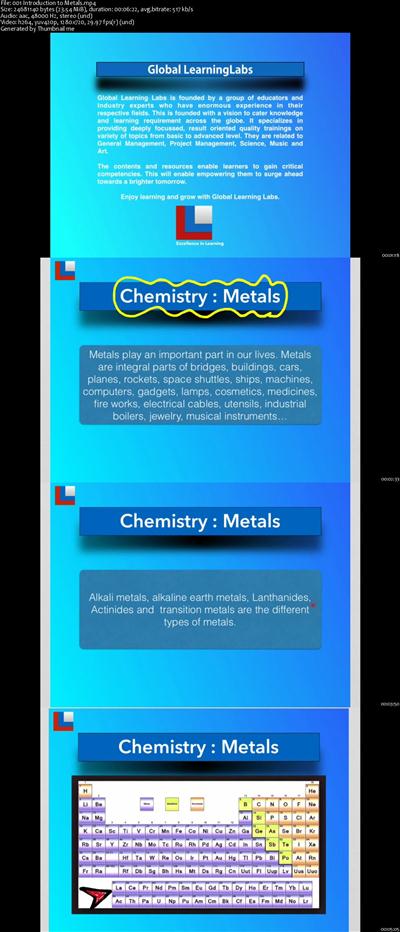
Chemistry : Metals
MP4 | Video: AVC 1280x720 | Audio: AAC 44KHz 2ch | Duration: 3 Hours | Lec: 15 | 509 MB
Genre: eLearning | Language: English
Learn about Metals, their properties, occurrence and extraction in a comprehensively detailed manner.​

Chemistry : Metals is a course meticulously designed to enable better understanding of the subject Metals.

Any learner above middle school level can benefit from the course.

The course is about metals, their occurrence, their physical properties, chemical properties extractions, structure and corrosion.

The course contains many lectures filled with presentations and illustrations. Learners can experience classroom teaching whenever chemical equations are explained.

The course is aptly decided into 15 sections based on various important topics.

Many interdependent contents are sequentially placed in various sections.

There is a total of 3 hours of course content covering various areas.

This course is beneficial to any learner who is a seeker of knowledge. High school students will be able to acheive much better in their grade examinations.


9ad1e38501e4327b798477cfccbe9252.jpg


Recommend Download Link Hight Speed | Please Say Thanks Keep Topic Live ​

 
30677b3fe1636fd24d2d4413238e0628.jpg


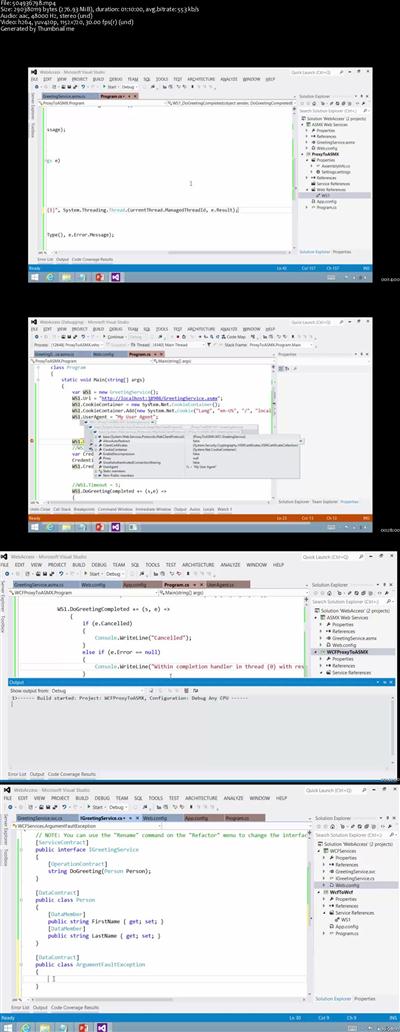
C# ASMX and WCF Service Access
MP4 | Video: AVC 1280x720 | Audio: AAC 44KHz 2ch | Duration: 1 Hours | 262 MB
Genre: eLearning | Language: English​

In recent years, companies have been embracing the Internet and building Web services using ASP.NET's ASMX model and, more recently, Windows Communication Foundation (WCF). In this video, we take a look at how to connect to and consume these services from C#.


47089be583874feea56e96bbb784c344.jpg


Recommend Download Link Hight Speed | Please Say Thanks Keep Topic Live ​

 
e87a5af29bdb1757af8d82f2af558287.jpg


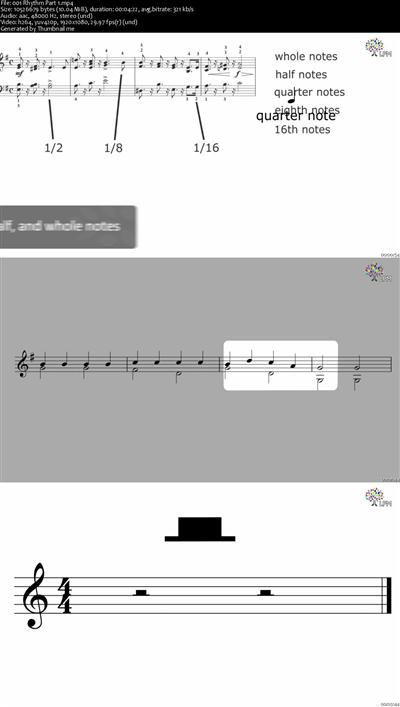
Music Theory For Beginners
MP4 | Video: AVC 1280x720 | Audio: AAC 44KHz 2ch | Duration: 1 Hours | Lec: 10 | 141 MB
Genre: eLearning | Language: English
Arm yourself with the right foundation to pursue your musical dreams​

This course aims to equip beginners in music with the skill to read music and to understand music better. You will be introduced to the various elements on the music score, and we will guide you to learn all the basic theory topics, step by step. You do not have to know anything to take this course, except an interest in music theory!

We will be providing detailed video lessons with numerous practical examples for you to apply your new found knowledge in. This course can will take about a week to complete, and by the end of this course, you will be able to translate the symbols on a music score, into music on your instrument.


f46a0117b826dae47d8284f8ee5798dd.jpg


Recommend Download Link Hight Speed | Please Say Thanks Keep Topic Live ​

 
f04e028f668f4524873d5f8de650b01c.jpg


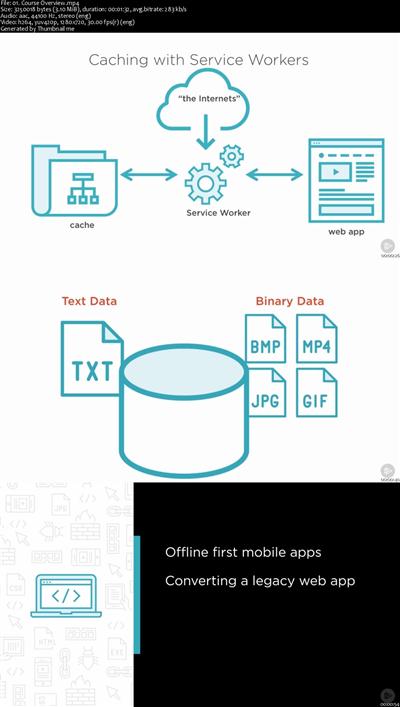
Creating Offline-first Mobile Apps with HTML5
MP4 | Video: AVC 1280x720 | Audio: AAC 44KHz 2ch | Duration: 2.5 Hours | 529 MB
Genre: eLearning | Language: English
This course will teach you how to build offline-first mobile apps using HTML5, offline storage, and service workers.​


3941cbcd9ad5f72326d9c9179ee93d76.jpg


Recommend Download Link Hight Speed | Please Say Thanks Keep Topic Live ​

 
2bedf219376f054ac1c7cbe04e345e94.jpg


Lynda - Windows Server 2016: High Availability
Size: 343 MB | Duration: 2h 23m | Video: AVC (.mp4) 1280x720 15&30fps | Audio: AAC 48KHz 2ch
Genre: eLearning | Level: Intermediate | Language: English
Get a clear understanding of the high-availability features in Windows Server 2016.​

Get a clear understanding of the high-availability features in Windows Server 2016. This course maps to the fifth domain of Exam 70-743, Upgrading Your Skills to MCSA: Windows Server 2016-Implement high availability. Learn how to set up and manage high-availability solutions. Robert McMillen covers configuring network load balancing, creating a failover cluster, setting up and managing a cluster network, and interacting with Hyper-V. Plus, he walks through configuring role-specific settings, creating continuously available shares, and managing cluster movement.


* Configuring network load balancing
* Configuring failover clustering
* Managing clusters
* Interacting with Hyper-V
* Managing failover cluster roles
* Configuring role-specific settings
* Configuring virtual machine monitoring
* Managing cluster movement


a88fa66e13b6b3ed5e1a7d403f6d7c4d.jpg


Recommend Download Link Hight Speed | Please Say Thanks Keep Topic Live ​

 
b231716822b3ffdcd9388d7af501ec7f.jpg


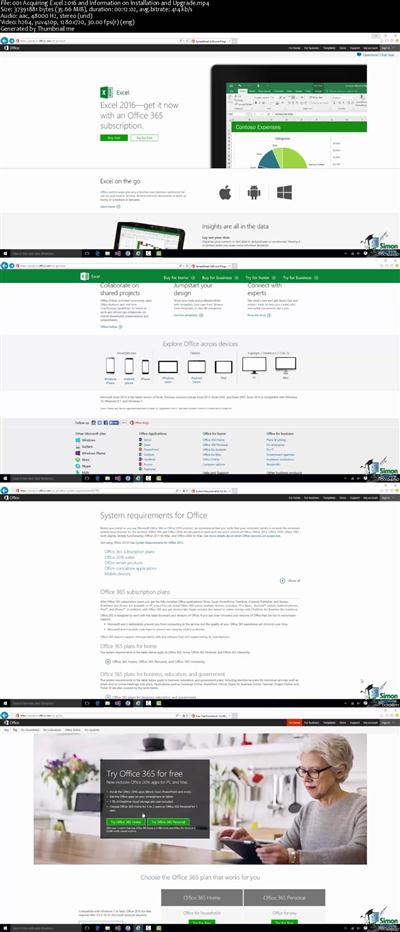
Microsoft Excel, PowerPoint and Word 2016 for Beginners
MP4 | Video: AVC 1280x720 | Audio: AAC 44KHz 2ch | Duration: 22 Hours | Lec: 235 | 4.20 GB
Genre: eLearning | Language: English
The Most Convenient Way to Boost Your Confidence And Learn MS Office 2016 Inside And Out-Quickly, No Travel or Classes.​

The Most Convenient Way to Boost Your Confidence And Learn MS Office 2016 Inside And Out-Quickly, No Travel or Classes.

Master the Ins and Outs of Microsoft Office 2016

Spreadsheets with Excel 2016
Documents with Word 2016
Presentations with PowerPoint 2016
The course is designed for individuals and office professionals who need to master the capabilities of the latest edition of Microsoft Office.

Through 21 hours of video lectures and 3 quizzes, you'll learn the essentials with these 3 popular courses:

Microsoft Excel 2016 for Beginners: Master the Essentials: Create basic spreadsheets and use formulas for tracking expenses.
Learn Microsoft Word 2016 For Beginners - Basics to Advanced: Create documents, embed videos, and set up for online collaboration for joint projects for school or work.
Master Microsoft PowerPoint 2016 the Easy Way: Make slick presentations for your next business meeting using animation, audio/video, and collaborative tools.
Details:

Master Excel 2016 For Complete Beginners In This Helpful, Info-Packed Video Course

Easily learn Excel 2016 for complete beginners
How to get Excel and installation requirements
Helpful discussion of new features in 2016
Getting started with a Workbook
Entering and editing data
Creating charts and graphs
How to create functions
Protecting and securing your data
All lessons in easy step-by-step format
Practice with included exercise files
Excel 2016 From The Beginning

This course assumes you've never worked with Microsoft Excel in your life, or you are upgrading from a previous version. Your professional trainer will start you from the very beginning from installing the program to creating your first Workbook and entering data. Before you know it, you're using Excel 2016 like a pro with advanced functions. You will have the expertise you need to impress the boss at work. You can also use this essential application to accomplish all kinds of tasks for your personal life or business.

If most Excel courses seem to be designed for people who already have experience with the program, this course will be a breath of fresh air. The videos keep things simple and carefully step you through each process.

Contents and Overview

This course starts with where to find Microsoft Excel and installing the program. Then you learn step-by-step, simple 1-2-3 methods for getting up and running with Excel 2016. Watch just the first few videos to have a basic knowledge of Excel. Then continue through the detailed 32 chapters of video lessons and 9 exercise files to gradually become a proficient user.

It's important to note that we don't assume you know anything about Excel 2016. We start from the basics. After installation we discuss what is new with 2016, using Touchscreen, opening a Workbook, and how to use Help to get additional answers when you need them.

Then we show you how to personalize Excel for your own use with exciting Excel Options. We discuss all the Ribbons and Toolbars, entering and editing data, backup and recovery, fill and series, and printing your projects. We also work with formulas, functions, sorting and filtering data, creating charts and graphs, and much more.

Upon completion of this course you will know the essentials of Microsoft Excel 2016.

Become a Word 2016 power user. We start at the very beginning progressing with more than 80 helpful videos.

All you need for work, hobbies, and running your own business. Feel confident with every aspect of Word 2016.

Practice exercises provided to practice what you learned
Designed to help beginners get started
Lessons start right at the very beginning
Progresses slowly with more than 80 helpful videos
A big 6 hours of expert instruction
Learn what's new in Word 2016
Master the most common uses of Word
Learn to create many types of documents
Use the full palette of functions
Experienced users can fill in gaps in knowledge
Work faster with better results and greater confidence
Discover how to use mail merge
Now you can learn Word 2016 from the very beginning. Beautifully designed for beginners to get a great start while helping more experienced users fill in any gaps in their knowledge. You enjoy more than 80 expert tutorial videos that clearly show you how to accomplish every aspect of Word.

Learn what's new in 2016. Now you can be up to date in order to be a true Word power user. With 6 hours of expert instruction, you have an opportunity to cover every inch of Word 2016.

This course is just what you want for being confident with Word in the workplace. Also gives you everything you need to know for personal use, hobbies, non-profit volunteering, or running your own business.

The self-learning video format lets you study on your own schedule. Watch videos as you have time, then come back to learn more later.

Now you can become a master at using one of the world's most popular computer applications - Microsoft Word.

Contents and Overview

Learn Microsoft Word 2016 For Beginners starts with what is new in this latest version. If you already know Word, this can help you get up to speed with 2016 right away. Next we start with a blank document and learn how to create spacing, character choices, save, editing, search and replace, and much more.

Chapter 3 goes into character formatting including cut, copy and paste, auto-correction options, and format painter. We also learn about working with numbers, bullets, and creating an outline.

Then the course covers paragraph formatting, managing lists, and all aspects of creating tables. Because you want your pages to look good, we teach how to control page appearance, sectioning, and all about using graphics.

Learn how to print envelopes, mail merge, along with a practice exercise. These practice opportunities come at the end of each module.

Finally, the course covers using the Thesaurus, spell check, comments, margins, printing and much more. You will also learn about time and effort saving Macros that let you speed through assignments and projects.

Discover the Powerful Features of PowerPoint 2016

Have complete control over your presentation's information
Now have professional presentations for job or project
Quickly create top-notch visuals for your audiences
Feel confident and show off your new powerful slides
Get all of the new tools to master presentation management
Effortlessly add text, graphics, audio, video, charts, tables and SmartArt to your slides
6 hours of professional video with over 70 individual lessons that make everything clearer and easy to remember
Practice what you learned with included exercise files
Use This New Course to Easily Create Beautiful Presentations

PowerPoint 2016 is by far the most popular presentation program in the world as it allows users to create, edit, and show illustrative presentations with the help of attention-grabbing slides. This crash course explains how you can combine the text, 3-D graphics, and multi-media to support your presentation-making needs. Using PowerPoint as a presentation tool is the way to go.

Do you need some visual impact? Well, look no further. Because this course can show you how to take this program and make it do just that. In fact, making your presentation more interesting through the use of multi-media can only help improve your audience's focus. PowerPoint 2016 allows you to use your choice of images, audio clips, and videos to help you get your points across. These important sound effects and visual cues can also help a presenter like yourself, be more improvisational, and interactive, all of which is a very beneficial thing. This course essentially shows you why PowerPoint 2016 is the best and most complete presentation package available. It gives you 80 individual video tutorials that are quite in-depth. It also has exercise files so that you can practice the lessons you've learned.

Everything you need is here so that you can learn how to produce a nice and professional-looking presentation. Once everything is finished, you can begin to prepare your talk. In fact, even if it went well but someone missed your presentation, you could still have them view it online at a time that's convenient for them. Simply upload your presentation to YouTube with everything featured in your work, including all of the slides, commentary, and transitions.

So, whether you need processing, outlining, drawing, graphing, or more elaborate presentation management tools - it's all covered in this easy-to-understand course. You can not only create and modify your own presentations, but gain mastery on it eventually, too. All that is needed on your part is a little practice.

Overview and Contents

PowerPoint 2016 can be used in a number of different yet effective ways to communicate with your audience. Slides are completely customizable. Depending on your approach, you may want to have a presentation that's text-heavy, image-heavy, or some combination of both. Combining the two tends to give your listeners the benefit of both visual aids and notes all at the same time.

PowerPoint 2016 also comes with many new features such as the brand-new transition type, Morph, that can help users make animations, transitions, and object movements across your slides. Pretty neat, right? This course covers that and so much more. It also shows you how to make presentations with alternative forms, styles, and custom layouts which are used by working professionals, teachers, students, medical practitioners, politicians, and countless others. They see the value in this unique course on PowerPoint 2016 as they want to know how to use it to quickly showcase their information and data.

Perfect for those who are looking for a comprehensive and organized method to presentations. Great for those that want to add value to lectures, make more compelling speeches, or enhance studies and reports. So, what are you waiting for now? If you want to learn how to use the latest version of PowerPoint, then this is for you. At the completion of this course, you will have more knowledge, better skills, and be fully prepared to use PowerPoint 2016 for every single one of your complex presentation needs.

When you complete this course, you'll be well on your way to becoming a master at workplace efficiency with the tools available in Microsoft Office 2016.


992b0bebbc13026359ffb5127136257c.jpg


Recommend Download Link Hight Speed | Please Say Thanks Keep Topic Live ​
 
a23ea202324757fd18f5f129f6eee5fc.jpg


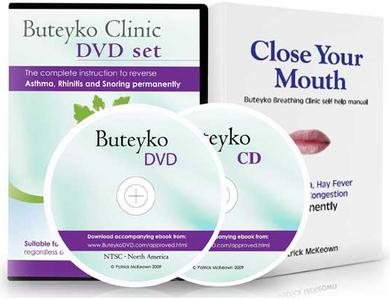
Close Your Mouth: Buteyko Method for Perfect Health
DVDRip | English | MP4 | 720 x 480 | AVC ~927 kbps | 29.970 fps
MPEG Audio | 128 Kbps | 44.1 KHz | 2 channels | 01:46:26 | 777 MB
Genre: eLearning Video / Health, Medicine

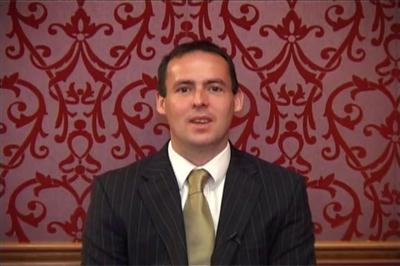
Accredited by the Late Professor Buteyko in 2002, McKeown has since taught thousands of asthmatics how to recover from their condition. His books include the best sellers Asthma free naturally and Close Your Mouth.
His renowned AsthmaCare clinics are now available in eight countries worldwide including the USA, Canada, the UK and Ireland.
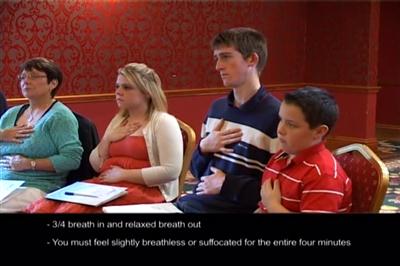
Each exercise and lifestyle guideline is simply and thoroughly detailed to enable YOU to successfully REVERSE asthma, rhinitis, snoring and other breathing difficulties. This DVD is also suitable for COPD.


10526bcd53e52d856de1bc6148be90ff.jpg


0479e2dc80e9a555de65ffccaeb8fd17.jpg


dcd639858ea8f592766167561d96fbb1.jpg


0da93651fc0983ad5accca47502da062.jpg


869da7d4c064b5aeaa23e68ccb833343.jpg


Recommend Download Link Hight Speed | Please Say Thanks Keep Topic Live ​
 
aafeb3c7441fce784c09c3a935c04006.jpg


Betty Edwards - Drawing On The Right Side Of The Brain
DVDRip | AVI | English | 640 x 480 | MPEG-4 ~468 kbps | 15 fps
PCM | 352 Kbps | 22.05 KHz | 1 channel | 01:57:03 | 692 MB
Genre: eLearning Video / Drawing, Painting

Dr. Betty Edwards' drawing lessons on video/DVD are now available! The video or DVD are part of a complete Portfolio that includes all of the materials and tools you need to learn to draw in the comfort of your own home or to use in the classroom as an effective learning tool.


2d7da33017d9cfdbd03683fbe3189402.jpg


e36add85e41c0db32841759cbb3ebb8f.jpg


2993789618a57defc5a61b53c210d5b4.jpg


967b809d51a5cb5914b7acf081d6712b.jpg


c6df65fe535f92f421a117bee4e4cbd0.jpg


7c85a276c539cba0f343337317aa5451.jpg


ea29d7223c3b7a29af304c75a7915a3b.jpg


Recommend Download Link Hight Speed | Please Say Thanks Keep Topic Live ​

 
a75e93f9554bd727f6d161f4c71cee7e.jpg


JavaScript Soup to Nuts: Back to Basics
MP4 | Video: AVC 1280x720 | Audio: AAC 44KHz 2ch | Duration: 39M | 94 MB
Genre: eLearning | Language: English​

JavaScript is the language that fuels the web, but in recent years, it has gained footholds in server-side and native application development as well. With its increasing adoption rate and near universal presence, knowledge of JavaScript is becoming an essential skill for developers. In the inaugural video in this series, Joel begins a comprehensive tour of JavaScript geared for developers already familiar with object-oriented programming.


9700253ad529c3c998ee890a686aca39.jpg


Recommend Download Link Hight Speed | Please Say Thanks Keep Topic Live ​

 
9650bb31be1e9ccaf7ddb72e10a3b12e.jpg


Mastering DNS on Windows Server 2016
MP4 | Video: AVC 1280x720 | Audio: AAC 44KHz 2ch | Duration: 1 Hours | Lec: 12 | 181 MB
Genre: eLearning | Language: English
Learn to Install, Configure and Troubleshoot a Windows 2016 DNS Server​

This course will take you step by step from a complete beginner to an advanced DNS administrator. You will start by learning the complete basics of what DNS is and how it works from a user's perspective. Next you will learn how to use the DNS manager and the different resource record types used by DNS.

Next you will learn how to create a DNS server in a Windows Environment, before moving on to more advanced DNS topics like creating and understanding zones, zone delegation, active directory replication, recursive and iterative queries, and using tools like NSlookup, ADSIEdit and MUCH more!


b4e79245452cb4f6e4dcd66b5b1e9b90.jpg


Recommend Download Link Hight Speed | Please Say Thanks Keep Topic Live ​
 
78909356a82ae44023a011b3587c320f.jpg


Unity Particle System Fundamentals
MP4 | Video: AVC 1280x720 | Audio: AAC 44KHz 2ch | Duration: 1 Hours 41M | 480 MB
Genre: eLearning | Language: English
Have you ever had an amazing game idea, but not the ability to make the effects and visuals come to life? In this course, you'll learn the basic fundamentals of working with particle systems in Unity 5.5. Software required: Unity 5.5.​

Have you ever had an amazing game idea, but not the ability to make the effects and visuals come to life? In this course, you'll learn the basic fundamentals of working with particle systems in Unity 5.5. Software required: Unity 5.5.

Have you ever had an amazing game idea, but not the ability to make the effects and visuals come to life? If so, Unity Particle System Fundamentals, is the perfect course for you, where you'll learn how to create and manipulate particle systems. First, you'll discover particle basics inside of Unity. Next, you'll dive into motion control by adding particle motion to the event, and then cause the particles to appear when you'd like. Finally, you'll wrap up your effects and test them in the scene. When you're finished with this course, you'll not only have an awesome fire effect, but you'll also have the knowledge and skills needed to create your own particle systems in the future. Software required: Unity 5.5.


fa48d4c8f4824dc503f8cf80023ed6f7.jpg


Recommend Download Link Hight Speed | Please Say Thanks Keep Topic Live ​
 
434a94358017fca11754cb6d93ac06df.jpg


R Programming
MP4 | Video: AVC 1280x720 | Audio: AAC 44KHz 2ch | Duration: 7.5 Hours | 17.9 GB
Genre: eLearning | Language: English​

This 15-hour video teaches you how to program in R even if you are unfamiliar with statistical techniques. It starts with the basics of using R and progresses into data manipulation and model building. Users learn through hands-on practice with the code and techniques. New material covers chaining commands, faster data manipulation, new ways to read rectangular data into R, testing code, and the hot package Shiny.

Based on a course on R and Big Data taught by the author at Columbia

Designed from the ground up to help viewers quickly overcome R's learning curve
Packed with hands-on practice opportunities and realistic, downloadable code examples
Presented by an author with unsurpassed experience teaching statistical programming and modeling to novices
For every potential R user: programmers, data scientists, DBAs, marketers, quants, scientists, policymakers, and many others


9a6d98e3450581c3385997d32702221f.jpg


Recommend Download Link Hight Speed | Please Say Thanks Keep Topic Live ​
 
Zurück
Oben Unten