• Regeln für den Video-Bereich:

    In den Börsenbereich gehören nur Angebote die bereits den Allgemeinen Regeln entsprechen.

    Einteilung

    - Folgende Formate gehören in die angegeben Bereiche:
    - Filme: Encodierte Filme von BluRay, DVD, R5, TV, Screener sowie Telesyncs im Format DivX, XviD und x264.
    - DVD: Filme im Format DVD5, DVD9 und HD2DVD.
    - HD: Encodierte Filme mit der Auflösung 720p oder darüber von BluRay, DVD, R5, TV, Screener sowie Telesyncs im Format x264.
    - 3D: Encodierte Filme von BluRay, die in einem 3D Format vorliegen. Dies gilt auch für Dokus, Animation usw.
    - Serien: Cartoon/Zeichentrick, Anime, Tutorials, Dokumentationen, Konzerte/Musik, Sonstiges sind demnach in die entsprechenden Bereiche einzuordnen, auch wenn sie beispielsweise im High Definition-Format oder als DVD5/DVD9/HD2DVD vorliegen. Ausnahme 3D.
    - Bereich Englisch: Englische Releases gehören immer in diesen Bereich.
    - Bereich Talk: Der Bereich, in dem über die Releases diskutiert werden kann, darf, soll und erwünscht ist.


    Angebot/Beitrag erstellen

    - Ein Beitrag darf erst dann erstellt werden, wenn der Upload bei mindestens einem OCH komplett ist. Platzhalter sind untersagt.
    - Bei einem Scenerelease hat der Threadtitel ausschließlich aus dem originalen, unveränderten Releasenamen zu bestehen. Es dürfen keine Veränderungen wie z.B. Sterne, kleine Buchstaben o.ä. vorgenommen werden. Ausnahme Serienbörse:
    - Bei einem Sammelthread für eine Staffel entfällt aus dem Releasename natürlich der Name der Folge. Beispiel: Die Simpsons S21 German DVDRip XviD - ITG
    - Dementsprechend sind also u.a. verboten: Erweiterungen wie "Tipp", "empfehlenswert", "only", "reup", usw. / jegliche andere Zusatzinformation oder Ergänzung, welche nicht in obiger Beschreibung zu finden ist.

    Aufbau des Angebots und Threadtitel

    Der Titel nach folgendem Muster erstellt zu werden. <Name> [3D] [Staffel] [German] <Jahr> <Tonspur> [DL] [Auflösung] <Quelle> <Codec> - <Group>
    Beispiel: The Dark Knight German 2008 AC3 DVDRip XviD - iND
    Beispiel: The Dark Knight 2008 DTS DL BDRip x264 - iND
    Beispiel: The Dark Knight 2008 AC3 DL BDRip XviD - iND
    Beispiel: The Dark Knight German 2008 AC3 720p BluRay x264 iND
    Beispiel: The Dark Knight 2008 DTS DL 1080p BluRay x264 iND
    Beispiel: Die Simpsons S01 German AC3 DVDRip XviD iND
    Beispiel: Die Simpsons S20 German AC3 720p BluRay x264 iND
    Beispiel: Sword Art Online II Ger Sub 2014 AAC 1080p WEBRip x264 - peppermint
    Entsprechend sind also u.a. verboten: Sonderzeichen wie Klammern, Sterne, Ausrufezeichen, Unterstriche, Anführungszeichen / Erweiterungen wie "Tipp", "empfehlenswert", "only", "reup", usw. / jegliche andere Zusatzinformation oder Ergänzung, welche nicht in obiger Beschreibung zu finden ist
    Ausnahmen hiervon können in den Bereichen geregelt sein.

    Die Beiträge sollen wie folgt aufgebaut werden:
    Überschrift entspricht dem Threadtitel
    Cover
    kurze Inhaltsbeschreibung
    Format, Größe, Dauer sind gut lesbar für Downloader außerhalb des Spoilers zu vermerken
    Nfo sind immer Anzugeben und selbige immer im Spoiler in Textform.
    Sind keine Nfo vorhanden z.B. Eigenpublikationen, sind im Spoiler folgende Dateiinformationen zusätzlich anzugeben :
    Quelle
    Video (Auflösung und Bitrate)
    Ton (Sprache, Format und Bitrate der einzelnen Spuren)
    Untertitel (sofern vorhanden)
    Hosterangabe in Textform außerhalb eines Spoiler mit allen enthaltenen Hostern.
    Bei SD kann auf diese zusätzlichen Dateiinformationen verzichtet werden.

    Alle benötigten Passwörter sind, sofern vorhanden, in Textform im Angebot anzugeben.
    Spoiler im Spoiler mit Kommentaren :"Schon Bedankt?" sind unerwünscht.


    Releases

    - Sind Retail-Release verfügbar, sind alle anderen Variationen untersagt. Ausnahmen: Alle deutschen Retail-Release sind CUT, in diesem Fall sind dubbed UNCUT-Release zulässig.
    - Im Serien-Bereich gilt speziell: Wenn ein Retail vor Abschluss einer laufenden Staffel erscheint, darf diese Staffel noch zu Ende gebracht werden.62
    - Gleiche Releases sind unbedingt zusammenzufassen. Das bedeutet, es ist zwingend erforderlich, vor dem Erstellen eines Themas per Suchfunktion zu überprüfen, ob bereits ein Beitrag mit demselben Release besteht. Ist dies der Fall, ist der bereits vorhandene Beitrag zu verwenden.
    - P2P und Scene Releases dürfen nicht verändert oder gar unter einem iND Tag eingestellt werden.


    Support, Diskussionen und Suche

    - Supportanfragen sind entweder per PN oder im Bereich Talk zu stellen.
    - Diskussionen und Bewertungen sind im Talk Bereich zu führen. Fragen an die Uploader haben ausschließlich via PN zu erfolgen, und sind in den Angeboten untersagt.
    - Anfragen zu Upload-Wünschen sind nur im Bereich Suche Video erlaubt. Antworten dürfen nur auf Angebote von MyBoerse.bz verlinkt werden.


    Verbote

    - Untersagt sind mehrere Formate in einem einzigen Angebotsthread, wie beispielsweise das gleichzeitige Anbieten von DivX/XviD, 720p und 1080p in einem Thread. Pro Format, Release und Auflösung ist ein eigener Thread zu eröffnen.
    - Grundsätzlich ebenso verboten sind Dupes. Uploader haben sich an geeigneter Stelle darüber zu informieren, ob es sich bei einem Release um ein Dupe handelt.
    - Gefakte, nur teilweise lauffähige oder unvollständige Angebote sind untersagt. Dies gilt auch für eigene Publikationen, die augenscheinlich nicht selbst von z.B. einer DVD gerippt wurden. Laufende Serien, bei denen noch nicht alle Folgen verfügbar sind, dürfen erstellt und regelmäßig geupdatet werden.
    - Untersagt sind Angebote, welche nur und ausschließlich in einer anderen Sprache als deutsch oder englisch vorliegen. Ausnahmen sind VORHER mit den Moderatoren zu klären.


    Verstoß gegen die Regeln

    - Angebote oder Beiträge, die gegen die Forenregeln verstoßen, sind über den "Melden"-Button im Beitrag zu melden.
  • Bitte registriere dich zunächst um Beiträge zu verfassen und externe Links aufzurufen.

++ Premium IPTV ++ 7000 Live Sender ++ UHD Qualität ++ Mediathek mit 18.000 Inhalten ++


VenneTV


Englische Tutorials

777c908b3e3efb8fac5b2f0bb2ce7471.jpg


SolidWorks: Go from Nothing to Certified Associate Level
MP4 | Video: AVC 1280x720 | Audio: AAC 44KHz 2ch | Duration: 5 Hours | 1.27 GB
Genre: eLearning | Language: English
Learn the skill and knowledge to master SOLIDWORKS to the Associate Certification level starting from ZERO experience​

Learn the skill and knowledge to master SOLIDWORKS to the Associate Certification level starting from ZERO experience

*Since the course is new, we are giving it for a low price... We will increase the price (to 199) within the coming four weeks.

This is a streamlined course to take from knowing nothing about SOLIDWORKS to give you all the knowledge and skills needed to become a certified SOLIDWORKS associate. This course should enable you to, with confidence, use SOLIDWORKS to design your next innovation. After this course, you can proudly list your SOLIDWORKS skills in your resume.

THIS COURSE IS NOT A SHORTCUT TO GET THE CERTIFICATE. We are following a learn-by-doing approach for you to truly master all the skills needed for the certification test.

readmore

About this course:

With this course, you will get:

Full, free lifetime access to 72 lectures (increasing overtime).
All future extra lectures and upgrades will always be free.
Unconditional Udemy 30 days money back guarantee - We are sure you would love the course though :)
Regular free bonuses additions to increase your knowledge. - lots of fun topics!
Today, you can start your journey to become a SOLIDWORKS professional with ZERO prior experience!

I stress that you need no prior experience and there is nothing to buy or pay for!!! You will only need SOLIDWORKS itself.

You will learn:

How to navigate through SOLIDWOKRS interface.
How sketch with different sketch commands.
How to define sketches using relations or distances.
How to use more than 12 different features to create 3D models.
How to modify given parts to match design needs.
How to explore different materials for your models.
How to find your model's mass, volume and center of gravity.
How to assembly different parts into an assembly file.
How to generate drawings from parts and models.
How to interpret different drawing signs.


94d476423032f4d86a7a5b75e948f6a8.jpg


Recommend Download Link Hight Speed | Please Say Thanks Keep Topic Live ​

 
f9c764e92e0ba19bc69ae96eff0118a3.jpg


Lynda - Apache Spark Essential Training
Size: 300 MB | Duration: 1h 27m | Video: AVC (.mp4) 1280x720 15&30fps | Audio: AAC 48KHz 2ch
Genre: eLearning | Level: Intermediate | Language: English
Apache Spark is a powerful platform that provides users with new ways to store and make use of big data.​

Apache Spark is a powerful platform that provides users with new ways to store and make use of big data. In this course, get up to speed with Spark, and discover how to leverage this popular processing engine to deliver effective and comprehensive insights into your data. Instructor Ben Sullins provides an overview of the platform, going into the different components that make up Apache Spark. He shows how to analyze data in Spark using PySpark and Spark SQL, explores running machine learning algorithms using MLib, demonstrates how to create a streaming analytics application using Spark Streaming, and more.

Topics include


* Understanding Spark
* Reviewing Spark components
* Where Spark shines
* Understanding data interfaces
* Working with text files
* Loading CSV data into DataFrames
* Using Spark SQL to analyze data
* Running machine learning algorithms using MLib
* Querying streaming data
* Connecting BI tools to Spark


2427e5aac528b486cc3d96db72f4db0b.jpg


Recommend Download Link Hight Speed | Please Say Thanks Keep Topic Live ​

 
79a27c6add9f25f7a788d81bfe3ac33f.jpg


Microsoft MTA Security Fundamentals: 98-367
MP4 | Video: AVC 1280x720 | Audio: AAC 44KHz 2ch | Duration: 7 Hours | 1.33 GB
Genre: eLearning | Language: English
Wireless security, VPNs, network access protection, Internet Security, viruses & spyware, man-in-the-middle attacks...
​

Wherever there is a network, wired or wireless; there are threats.

Security is undeniably one of the most important components to every company's network: viruses, encryption, spam, permissions, wireless, passwords, firewalls, policies...

Microsoft Technology Associate (MTA) is a recommended entry point into IT certification. Pass just one exam and you'll earn a certification!

This training will show you a detailed example and explanation of a man-in-the-middle attack including sniffing of passwords!

You will also learn:

·Fundamentals of Security Layers
·How to remove viruses and spyware
·Windows Operating System Security
·Network Security (firewalls, UTM, VPNs)
·Security Software Solutions
·Wireless security
·Troubleshooting tools and tips
·Quizzes to help you pass the exam

The course is perfect for anyone who seeks to learn the security fundamentals.

Contents and Overview

In over 5 hours of content including more than 60 lectures this course covers the basics of Microsoft Security Fundamentals. Each chapter closes with a quiz to make sure you can practice exam questions and test your knowledge before moving to the next section.

We start from scratch discussing Security Layers, RADIUS Server, how to manage users and passwords in Windows Server and Network Access Protection.

There is a section dedicated to Security Software where you will understand how to protect a Client, Email and Server.

Stand out from the crowd, learn security fundamentals and pass the MTA exam.


e1b9a94a2e3ceafb8c882d0ef40ae0fd.jpg


Recommend Download Link Hight Speed | Please Say Thanks Keep Topic Live ​
 
d813f19ff7f07bb2c90e318ec983151e.jpg


Business Analysis: Master Stakeholder Profiling in 6 Steps
MP4 | Video: AVC 1280x720 | Audio: AAC 44KHz 2ch | Duration: 2 Hours | Lec: 32 | 4.41 GB
Genre: eLearning | Language: English
Identify, plan, and negotiate for the resources you need on your next project​

Learn how to more effectively identify, negotiate for, and engage the necessary stakeholder resources for your next project through the power of stakeholder profiling.

The Stakeholder Profiling technique works well in any development environment such as agile, iterative, or waterfall, and can be leveraged at any stage of the development life cycle. While ideally used from the project start, this technique is great for projects that are already in motion since it is never too late to engage the right stakeholders.

This course is designed for those seeking to improve their ability to:

Identify and gain access to the right stakeholders.
Avoid missed requirements due to overlooked stakeholders.
Eliminate wasted time in 'all-team' meetings.
Increase stakeholder buy-in and commitment to the requirements.
By the end of the course, you will be able to:

Successfully identify the stakeholders that you need.
Apply a script to conduct stakeholder interviews.
Plan requirements development activities to align with resource availability.
Estimate how much time you will need with each stakeholder.
Overcome challenges with stakeholders who are bottlenecks, unavailable, inexperienced, or simply uncooperative during your next project.
The ideal student for this course is the:

New business analyst that wants to expand on their skills for successfully engaging with stakeholders.
Experienced business analyst looking to sharpen their ability to plan and estimate stakeholder involvement in requirement activities.
Product owners and project managers seeking to better manage the engagement of stakeholder resources.
This course includes 9 modules, 31 lectures, 2 hours and 6 minutes of videos, 10 quizzes, 3 downloadable quick-reference job aids, and a complimentary PDF of 'Chapter 2: Involve the Right Stakeholders' from Roxanne Miller's book The Quest for Software Requirements.


94a87d9052dc348d336a802c2aaeb7a1.jpg


Recommend Download Link Hight Speed | Please Say Thanks Keep Topic Live ​
 
f0472c8b36aca638f01018468e05243a.jpg


Getting Started with Docker Swarm Mode
MP4 | Video: AVC 1280x720 | Audio: AAC 44KHz 2ch | Duration: 6 Hours 10M | 1 GB
Genre: eLearning | Language: English
What if you could throw containers at a cluster of nodes as easily as a single node? This course will teach how you can control a cluster with all the simplicity of managing a single docker engine thanks to Docker Swarm Mode.​

What if you could throw containers at a cluster of nodes as easily as a single node? This course will teach how you can control a cluster with all the simplicity of managing a single docker engine thanks to Docker Swarm Mode.

The docker engine on a single node revolutionized how we run applications. But in production environments, you need more capacity and reliability than a single node can offer. In this course, Getting Started with Docker Swarm Mode, you'll learn how to control a cluster of nodes as easily as a managing a single node. First, you'll discover how to set up a swarm, add nodes, and launch services that describe containers. Next, you'll explore how to route traffic to the cluster and within the cluster, ensure containers recover from failures. Then, you'll learn how to roll out updates and deploy multi application stacks. Finally, you'll cover how to leverage integrated health checking and protect sensitive information with secrets. By the time you're done with this course, you'll have the knowledge to deploy your own swarm.


ae51f873abbee6096349859d66b6ff5a.jpg


Recommend Download Link Hight Speed | Please Say Thanks Keep Topic Live ​
 
125fc21593350cb7b6432eb98345eb9a.jpg


Learn Microsoft Word 2016 For Beginners - Basics to Advanced
MP4 | Video: AVC 1280x720 | Audio: AAC 44KHz 2ch | Duration: 5.5 Hours | Lec: 88 | 1.01 GB
Genre: eLearning | Language: English
Become a Word 2016 power user. We start at the very beginning progressing with more than 80 helpful videos.​

Become a Word 2016 power user. We start at the very beginning progressing with more than 80 helpful videos.

All you need for work, hobbies, and running your own business. Feel confident with every aspect of Word 2016.

Practice exercises provided to practice what you learned
Designed to help beginners get started
Lessons start right at the very beginning
Progresses slowly with more than 80 helpful videos
A big 6 hours of expert instruction
Learn what's new in Word 2016
Master the most common uses of Word
Learn to create many types of documents
Use the full palette of functions
Experienced users can fill in gaps in knowledge
Work faster with better results and greater confidence
Discover how to use mail merge
Now you can learn Word 2016 from the very beginning. Beautifully designed for beginners to get a great start while helping more experienced users fill in any gaps in their knowledge. You enjoy more than 80 expert tutorial videos that clearly show you how to accomplish every aspect of Word.

Learn what's new in 2016. Now you can be up to date in order to be a true Word power user. With 6 hours of expert instruction, you have an opportunity to cover every inch of Word 2016.

This course is just what you want for being confident with Word in the workplace. Also gives you everything you need to know for personal use, hobbies, non-profit volunteering, or running your own business.

The self-learning video format lets you study on your own schedule. Watch videos as you have time, then come back to learn more later.

Now you can become a master at using one of the world's most popular computer applications - Microsoft Word.

Contents and Overview

Learn Microsoft Word 2016 For Beginners starts with what is new in this latest version. If you already know Word, this can help you get up to speed with 2016 right away. Next we start with a blank document and learn how to create spacing, character choices, save, editing, search and replace, and much more.

Chapter 3 goes into character formatting including cut, copy and paste, auto-correction options, and format painter. We also learn about working with numbers, bullets, and creating an outline.

Then the course covers paragraph formatting, managing lists, and all aspects of creating tables. Because you want your pages to look good, we teach how to control page appearance, sectioning, and all about using graphics.

Learn how to print envelopes, mail merge, along with a practice exercise. These practice opportunities come at the end of each module.

Finally, the course covers using the Thesaurus, spell check, comments, margins, printing and much more. You will also learn about time and effort saving Macros that let you speed through assignments and projects.


ff8afc414676b5d9918c7acd9ca1888d.jpg


Recommend Download Link Hight Speed | Please Say Thanks Keep Topic Live ​
 
9c67eeca33ef3d335128df5094551548.jpg


Practical Data Modeling With C# and SQL Server
MP4 | AVC 252kbps | English | 1024x768 | 15fps | 2h 33mins | AAC stereo 109kbps | 393 MB
Genre: Video Training​

A good data model can be the difference between a successful, manageable application and one that breaks with every change request. This course will walk through the design of a practical data model that is refined through each module, using a fun example application for its inspiration.

Practical Data Modeling With C# and SQL Server
Introduction
Our Data Model
Why is the Data Model Important?

Origin Story! Birth of a Data Model
Introduction
Components of a Data Model
Determining the Components for Your Data Model
Our Data Model: Comic Book Catalog
Components of Our Data Model
C# Data Model
SQL Server Data Model
Summary

Clones! Replicants! The Importance of Normalization
Introduction
What is Normalization?
Components of a Data Model, Revisited
Our Data Model: Comic Book Catalog, I
Our Data Model: Comic Book Catalog, II
Zero, One or More Than One
Relationships
Our Data Model: Comic Book Catalog, III
Summary

Coding the Data Model
Introduction
C# Data Model
SQL Server Data Model
Summary

Erased From Existence! Maintaining Data Integrity Over Time
Introduction
What's the Problem?
Components of a Data Model
Our Data Model: Comic Book Catalog
C# Data Model
SQL Server Data Model
Summary

Everything's Connected: Removing Unnecessary Dependencies
Introduction
What's the Problem?
Our Data Model: Comic Book Catalog
C# Data Model
SQL Server Data Model
Summary

Final Issue!
Introduction
A Look Back
Summary


87ab2eedc46e92087c3778c720d4cf1f.jpg


Recommend Download Link Hight Speed | Please Say Thanks Keep Topic Live ​
 
d56a06aaa6ae6bd695f3e9546b5fd69f.jpg


Advanced Routing for Cisco CCNA 200-125/200-105
MP4 | Video: AVC 1280x720 | Audio: AAC 44KHz 2ch | Duration: 4 Hours | 754 MB
Genre: eLearning | Language: English
This course will teach you how routes are added to a routing table, as well as how to tune and troubleshoot multi-area OSPF, EIGRP, and BGP​
.

This course will teach you how routes are added to a routing table, as well as how to tune and troubleshoot multi-area OSPF, EIGRP, and BGP.

Routing protocols are mandatory for moving traffic across large networks. As networks grow in size, you need an understanding of how to manipulate the configurations of routing protocols to behave in a way that is consistent with the administrators design. In this course, Advanced Routing for Cisco CCNA 200-125/200-105, you'll learn what you need to know to be prepared for the Network Services for the CCNA 200-125 exam. First, you'll examine how the routing table operates. Next, you'll learn about advanced OSPF configuration including multi-area OSPF and auto-cost reference bandwidth. Finally, you'll explore EIGRP and BGP. By the end of this course, you'll be able to implement a tuned multi-area OSPF network where you choose the path of traffic through your network.


017b4c8dbf9c9fca53296e6ce612d9b6.jpg


Recommend Download Link Hight Speed | Please Say Thanks Keep Topic Live ​
 
38591599a4c016f99a6dd997181fabab.jpg


Easy Local Server Setup for Web development
MP4 | Video: AVC 1280x720 | Audio: AAC 44KHz 2ch | Duration: 2.5 Hours | Lec: 34 | 419 MB
Genre: eLearning | Language: English
Explore how to setup your own custom local web development environment with 3 different options for local server​

Explore how to setup your own custom local web development environment with 3 different options for local server

Explore 3 different options about setting up and configuring a local server to run on your computer. Local web development environment within minutes customized and ready to go.

Writing web code and trying it out on your own machine can save you time. Setup and run a server that can simulate what your web users will see online. This is amazingly easy to do and can save you time, and allow you to work more efficiency. Without having to bother to upload content to try out server languages saves lots of time when building your applications. Having a database that is easy to setup, use test and remove is an ideal solution for web developers writing code. Try out your applications, debug your applications and whatever you want since its only on your computer. Once its ready and working the way you envision then transfer it to your server for the world to see.

This course contains 3 simple ways to setup a web server and run it on your computer. They all serve different needs, and this course allows you to explore your options. Get the information you need to work more effectively.

Learn to setup XAMPP - a super popular option to get a web server up and running in minutes. Learn about the XAMPP control panel and how to configure your install. Customize you install to function that way you need it. Learn about setting up XAMPP FTP. All the resources and help you need about XAMPP in one place. Explore the basic of PHPmyAdmin, see how to send mail from XAMPP. If you want to run multiple projects on XAMPP let us show you how. Everything about XAMPP to help you start using it in minutes.

Learn how to setup AMPPS - the ultimate local machine with over 300 ready to go apps like WordPress and almost any other popular PHP app you can imagine. Its got information about the apps and they can be installed within a few clicks. Trying out some new PHP apps, is made easy with AMPPS. AMPPS has a lot to offer and this course will walk you through what you need to know to get started. Explore the Admin Panel and the User Panel. See how MySQL and PHPmyadmin works within AMPPS. Information on more tools and options for database. Setup FTP with AMPPS. Create custom domains. Setup WordPress in under 1 minute!! Learn how to backup and restore your websites.

Vagrant Virtual Box localhost - this options gives you even more flexibility to run server side scripts. Customize it all or use the default its up to you. Setting up a Vagrant box is demonstrated in the course. The possibilities are endless. If the previous two options did not do what you need this one surely will. Difficulty of the setup is increased over the other options which are more or less click and go. This one takes some configuration but this course illustrates that it can be made easy. We show you how to install a pre-configured box ready to go and develop on.

Setup your local web development environment with the resources and information provided. This can be made super easy and this course will show you how you to can setup your own local machine. I'm here to help you learn about web development and ready to answer any questions you may have.


6c5a4179d6a590f2d52dd533737aae8a.jpg


Recommend Download Link Hight Speed | Please Say Thanks Keep Topic Live ​
 
59847e5afb44749aae4c08cd4605f0ae.jpg


NUKE Rendering
MP4 | Video: AVC 1280x720 | Audio: AAC 44KHz 2ch | Duration: 3 Hours | 578 MB
Genre: eLearning | Language: English
This course will teach you about the basics on how to render your comp, to advanced information on color space management. You'll also discover every aspect of the Write Node. Software required: NUKE.​

This course will teach you about the basics on how to render your comp, to advanced information on color space management. You'll also discover every aspect of the Write Node. Software required: NUKE.

Get the confidence you need to be able to render easily in NUKE. In this course, NUKE Rendering, you'll learn everything about rendering in NUKE. First, you'll go from the basics on how to render your comp, to advanced information on color space management. Next, you'll go through Look Up tables, color spaces, file formats, variables, and expressions to setup your renders. Finally, you'll discover every aspect of the Write Node. By the end of this course, you'll be really confident about all the facets of rendering in NUKE. Software required: NUKE.

77f0c29ac51db3d9e36abc02b727d876.jpg


Recommend Download Link Hight Speed | Please Say Thanks Keep Topic Live ​
 
53ecaa36d4b1b37ae365276e52412610.jpg


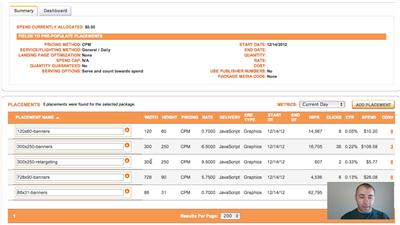
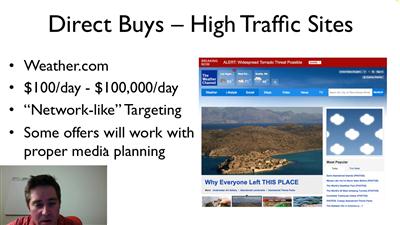
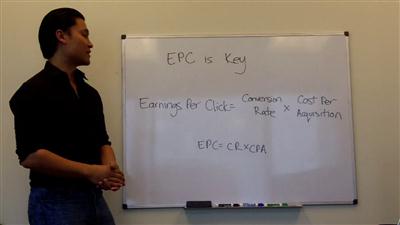
Chad Hamzeh - Traffic BlackBook 2.0
WEBRip | English | MP4 + PDF Guides | 1278 x 720 | AVC ~750 kbps | 10 fps
AAC | 64.5 Kbps | 44.1 KHz | 1 channel | 08:02:15 | 12 GB
Genre: Video Tutorial / Business, Net: Advertising, Web Traffic

Now, for the first time, the team at Knoweldge.ly has gathered together the leaders in paid traffic generation to create a unique video course. One that walks you every step of the way to paid traffic success.

So it doesn't matter if you're a total newcomer to paying for traffic or a traffic generation veteran... you're guaranteed to discover closely guarded tips, strategies and techniques to boost your bottom line.

You'll learn from...

Chad Hamzeh - The man behind the original bestselling Traffic BlackBook program.

After driving hundreds of thousands of clicks as an affiliate Chad now focuses on his own offers and works as a hired gun for marketers looking to explode their business.

Regular Price $997
More Info: Salepage
1a674b40a71cd230c01edd978bca657e.jpg


e8020893b5850fd48b1051574361fbe0.jpg


cfdb434cc498306d67a5d3fde66a9fb7.jpg


d92a1e80b8fcb0e283b8dca58556a07c.jpg


Recommend Download Link Hight Speed | Please Say Thanks Keep Topic Live ​
 
95396c3e248b00a1442601a45ca24b16.jpg


Les Mills - SH'BAM 27 Master Class (2017)
WEBRip | English | MP4 | 960 x 540 | AVC ~800 kbps | 25 fps
AAC | 63.7 Kbps | 44.1 KHz | 2 channels | 00:50:56 | 316 MB
Genre: eLearning Video / Fitness, Cardio Workout, Health

also You can look my other last: Fitness-posts

8e1d31e2ae8838c0825cd90665cc4569.jpg


eb6bc872841ed7450d08ece5995d9d93.jpg


bd41f3f9a3918ff28a5e45d81e08c78e.jpg


Recommend Download Link Hight Speed | Please Say Thanks Keep Topic Live ​
 
Zurück
Oben Unten