• Regeln für den Video-Bereich:

    In den Börsenbereich gehören nur Angebote die bereits den Allgemeinen Regeln entsprechen.

    Einteilung

    - Folgende Formate gehören in die angegeben Bereiche:
    - Filme: Encodierte Filme von BluRay, DVD, R5, TV, Screener sowie Telesyncs im Format DivX, XviD und x264.
    - DVD: Filme im Format DVD5, DVD9 und HD2DVD.
    - HD: Encodierte Filme mit der Auflösung 720p oder darüber von BluRay, DVD, R5, TV, Screener sowie Telesyncs im Format x264.
    - 3D: Encodierte Filme von BluRay, die in einem 3D Format vorliegen. Dies gilt auch für Dokus, Animation usw.
    - Serien: Cartoon/Zeichentrick, Anime, Tutorials, Dokumentationen, Konzerte/Musik, Sonstiges sind demnach in die entsprechenden Bereiche einzuordnen, auch wenn sie beispielsweise im High Definition-Format oder als DVD5/DVD9/HD2DVD vorliegen. Ausnahme 3D.
    - Bereich Englisch: Englische Releases gehören immer in diesen Bereich.
    - Bereich Talk: Der Bereich, in dem über die Releases diskutiert werden kann, darf, soll und erwünscht ist.


    Angebot/Beitrag erstellen

    - Ein Beitrag darf erst dann erstellt werden, wenn der Upload bei mindestens einem OCH komplett ist. Platzhalter sind untersagt.
    - Bei einem Scenerelease hat der Threadtitel ausschließlich aus dem originalen, unveränderten Releasenamen zu bestehen. Es dürfen keine Veränderungen wie z.B. Sterne, kleine Buchstaben o.ä. vorgenommen werden. Ausnahme Serienbörse:
    - Bei einem Sammelthread für eine Staffel entfällt aus dem Releasename natürlich der Name der Folge. Beispiel: Die Simpsons S21 German DVDRip XviD - ITG
    - Dementsprechend sind also u.a. verboten: Erweiterungen wie "Tipp", "empfehlenswert", "only", "reup", usw. / jegliche andere Zusatzinformation oder Ergänzung, welche nicht in obiger Beschreibung zu finden ist.

    Aufbau des Angebots und Threadtitel

    Der Titel nach folgendem Muster erstellt zu werden. <Name> [3D] [Staffel] [German] <Jahr> <Tonspur> [DL] [Auflösung] <Quelle> <Codec> - <Group>
    Beispiel: The Dark Knight German 2008 AC3 DVDRip XviD - iND
    Beispiel: The Dark Knight 2008 DTS DL BDRip x264 - iND
    Beispiel: The Dark Knight 2008 AC3 DL BDRip XviD - iND
    Beispiel: The Dark Knight German 2008 AC3 720p BluRay x264 iND
    Beispiel: The Dark Knight 2008 DTS DL 1080p BluRay x264 iND
    Beispiel: Die Simpsons S01 German AC3 DVDRip XviD iND
    Beispiel: Die Simpsons S20 German AC3 720p BluRay x264 iND
    Beispiel: Sword Art Online II Ger Sub 2014 AAC 1080p WEBRip x264 - peppermint
    Entsprechend sind also u.a. verboten: Sonderzeichen wie Klammern, Sterne, Ausrufezeichen, Unterstriche, Anführungszeichen / Erweiterungen wie "Tipp", "empfehlenswert", "only", "reup", usw. / jegliche andere Zusatzinformation oder Ergänzung, welche nicht in obiger Beschreibung zu finden ist
    Ausnahmen hiervon können in den Bereichen geregelt sein.

    Die Beiträge sollen wie folgt aufgebaut werden:
    Überschrift entspricht dem Threadtitel
    Cover
    kurze Inhaltsbeschreibung
    Format, Größe, Dauer sind gut lesbar für Downloader außerhalb des Spoilers zu vermerken
    Nfo sind immer Anzugeben und selbige immer im Spoiler in Textform.
    Sind keine Nfo vorhanden z.B. Eigenpublikationen, sind im Spoiler folgende Dateiinformationen zusätzlich anzugeben :
    Quelle
    Video (Auflösung und Bitrate)
    Ton (Sprache, Format und Bitrate der einzelnen Spuren)
    Untertitel (sofern vorhanden)
    Hosterangabe in Textform außerhalb eines Spoiler mit allen enthaltenen Hostern.
    Bei SD kann auf diese zusätzlichen Dateiinformationen verzichtet werden.

    Alle benötigten Passwörter sind, sofern vorhanden, in Textform im Angebot anzugeben.
    Spoiler im Spoiler mit Kommentaren :"Schon Bedankt?" sind unerwünscht.


    Releases

    - Sind Retail-Release verfügbar, sind alle anderen Variationen untersagt. Ausnahmen: Alle deutschen Retail-Release sind CUT, in diesem Fall sind dubbed UNCUT-Release zulässig.
    - Im Serien-Bereich gilt speziell: Wenn ein Retail vor Abschluss einer laufenden Staffel erscheint, darf diese Staffel noch zu Ende gebracht werden.62
    - Gleiche Releases sind unbedingt zusammenzufassen. Das bedeutet, es ist zwingend erforderlich, vor dem Erstellen eines Themas per Suchfunktion zu überprüfen, ob bereits ein Beitrag mit demselben Release besteht. Ist dies der Fall, ist der bereits vorhandene Beitrag zu verwenden.
    - P2P und Scene Releases dürfen nicht verändert oder gar unter einem iND Tag eingestellt werden.


    Support, Diskussionen und Suche

    - Supportanfragen sind entweder per PN oder im Bereich Talk zu stellen.
    - Diskussionen und Bewertungen sind im Talk Bereich zu führen. Fragen an die Uploader haben ausschließlich via PN zu erfolgen, und sind in den Angeboten untersagt.
    - Anfragen zu Upload-Wünschen sind nur im Bereich Suche Video erlaubt. Antworten dürfen nur auf Angebote von MyBoerse.bz verlinkt werden.


    Verbote

    - Untersagt sind mehrere Formate in einem einzigen Angebotsthread, wie beispielsweise das gleichzeitige Anbieten von DivX/XviD, 720p und 1080p in einem Thread. Pro Format, Release und Auflösung ist ein eigener Thread zu eröffnen.
    - Grundsätzlich ebenso verboten sind Dupes. Uploader haben sich an geeigneter Stelle darüber zu informieren, ob es sich bei einem Release um ein Dupe handelt.
    - Gefakte, nur teilweise lauffähige oder unvollständige Angebote sind untersagt. Dies gilt auch für eigene Publikationen, die augenscheinlich nicht selbst von z.B. einer DVD gerippt wurden. Laufende Serien, bei denen noch nicht alle Folgen verfügbar sind, dürfen erstellt und regelmäßig geupdatet werden.
    - Untersagt sind Angebote, welche nur und ausschließlich in einer anderen Sprache als deutsch oder englisch vorliegen. Ausnahmen sind VORHER mit den Moderatoren zu klären.


    Verstoß gegen die Regeln

    - Angebote oder Beiträge, die gegen die Forenregeln verstoßen, sind über den "Melden"-Button im Beitrag zu melden.
  • Bitte registriere dich zunächst um Beiträge zu verfassen und externe Links aufzurufen.

++ Premium IPTV ++ 7000 Live Sender ++ UHD Qualität ++ Mediathek mit 18.000 Inhalten ++


VenneTV


Englische Tutorials

a14694fcc6ecda041f11c8f6cddae30c.jpg


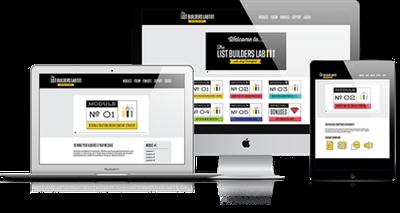
Amy Porterfield - List Builders Lab (2016)
WEBRip | English | MP4 + MP3 + PDF Guides | 1280 x 720 | AVC ~62 kbps | 23.976 fps
AAC | 96 Kbps | 44.1 KHz | 2 channels | 10:18:30 | 2.31 GB
Genre: eLearning Video / Business, Sales, Marketing

Question is...
Are they opting into YOURS?

And whether you've created an online course, or have plans to create one in the near future,
the success of your coaching, consulting, or training business rests heavily on your answer to this question.
If you know without a doubt
that you're not reaching as many QUALIFIED, ready-to-buy subscribers
as you should.

***** or *****

Your current list building tactics feel random-at-best, draining your energy while failing to provide a steady stream of leads and income into your business every single day...

Keep reading
Because what follows could EASILY be the most pivotal moment you look back on 90 days from now when your email list is flushed with 1500+ super engaged leads ready and willing to INVEST in your product.

Yellow arrow
The million dollar question
(And Why I Still Cringe When I Hear It)

You've probably been asked this dozens of times.

Maybe even HUNDREDS.

By business coaches, potential partners, mastermind groups and concerned spouses.

They ask it with the best of intentions.

But even still, it can land like an A-bomb to an entrepreneur's fragile psyche.

Especially when you're already skating on thin ice... unsure how many more hits you can take before the ice cracks and you have to fall back into whatever world you just left behind.

So whats the question
How many people do you have on your list?

UGH.

Still makes me want to slip on my invisible cloak and dig myself a deep digital hole.

And maybe you can relate.

Because in my mind, there's no question more anxiety provoking for an online business owner in their first few years than this one.

It's a question that can make you feel like a total fraud.
(or in my case, a flat out failure).

And I still remember the first time I got asked it.

It was almost a year after I left my job as the head of content for Tony Robbins to go off and do this whole "online business thing".

And despite coming from such a great "traditional" background... one which people always seemed impressed by, I was a total amateur at online marketing.

And my list of just 600 subscribers (mostly concerned friends and family) confirmed it.

Even the few people I DID have on my list were unengaged at best and freebie seekers.

Swiping my free report then disappearing before I even had a chance to say "hello".

But the most painful part about it wasn't the fact that I was spending long nights working my butt off with no results to show for it...

It was that my number of subscribers (or lack thereof) served as a such a constant, clear-cut indicator of my failed efforts.

It was like a calling card for my failure.

But even still....

I'm grateful people asked it.

Grateful that people are asking it to YOU.

Because that single question... and the ACTIONS you take to finally be able to answer it with unshakable confidence, holds the key to your flourishing online business.

But before I could take those actions in my own business
(and grow my list to over 200,000), I had to learn the hard way why building a big
email list of engaged leads and eager buyers was so damn difficult.

Let me know if this sounds familiar...

You labor for days creating the "perfect" lead
magnet...

One you believe your audience will absolutely love.

Throw it onto a simple landing page (maybe you
have Leadpages)...

... and then do your best to channel your
inner-copywriter without sounding like some late
night infomercial guy who speaks in a steady stream
of call-to-actions.

You type up your copy and maybe even feel sorta OK about it.

Who knows... it might actually convert??

And then...

Traffic.

You wait for inspiration to hit - write an epic article - post it to your blog and then throw it up on Facebook, Twitter, Instagram...

Anyone who will have it.

You beg for likes... comments... shares.

And if you're feeling particularly brave, maybe even tag an influencer or two with the hopes they'll take notice and wave their magic wand to make it go viral.

Maybe you get a few bites. A slow trickle of opt-ins.

Enough to count on one hand, but that's OK.

Progress is progress, right?

But you find that the people who DO end up on your list are a strange bunch.

Oh... they LOVE getting that free report you spent days creating.

But your other emails?

You know... the ones where you're actually trying to build a relationship or make an offer?

Nope. Not such a big fan of those.

They disengage. Drop-off.

And you're stuck having to upgrade your email service provider to act as an expensive parking lot for all that digital dust.

Wash, rinse, repeat.

Until you burn out and "pivot" thinking that people just aren't interested in your thing.

And while it's true that a pivot may be what's needed... after working with over 20,000+ students across my programs, I can tell you that in over 90% of the cases, it's not a pivot that's needed... but a better strategy.

Because as popular as list building has become, it's still super hard to get right, and most people who struggle have fallen for one of these 6 deadly mistakes.

MISTAKE #1: BUILDING AN "EMAIL LIST"
Line
I'm going to come right out and say it.

There's a HUGE difference between building an email list and building an email list of soon-to-be buyers.

And being aware of this crucial distinction informs every decision you make.

From the type of lead magnet you create to how you engage with your new leads in the days and weeks following the opt-in.

Most gurus will tell you "the money is in the list".

Better-informed experts will correct them and say "the money is your relationship to the list".

But the truth is...

The money is in your subscriber's relationship to the problem they're trying to solve.

And unless your lead magnet and subsequent messaging confirms and reinforces that relationship, chances are it won't lead to money changing hands.

So to summarize: your job isn't to build an email list. It's to build a list of future buyers.

If you're reading this, then you probably ALREADY know that building a powerful email list of eager buyers is crucial to the success of your business.

No need to remind you of that :)

But maybe you didn't know that by building your list using the system I'm about to share with you (and hitting the crucial tipping point of 1,500 subscribers), you'll also have the power to:

Quickly validate new products BEFORE spending hundreds of hours creating it.
Enjoy substantial cash windfalls just by matching your audience to existing solutions that match their needs (otherwise known as Joint Venture partnerships)
Have the right foundation to start profiting from all those powerful intermediate strategies you keep hearing about. (webinars, sales funnels, surveys, joint ventures, etc.)
Attract higher profile guests and influencers for your podcast or blog that help you grow your reach even faster.
Possess a powerful and consistently growing asset (1,500+ engaged leads) that can literally generate revenue on demand.
Answer with confidence when potential partners and collaborators ask you: "How many people do you have on your list?"
YES, these outcomes are totally within reach for you and your business (even if you're starting from scratch)...

... but they DO depend on you taking a straight line,
step-by-step approach.

One that leverages only the most proven list building strategies available while dodging all those sharp shiny objects that constantly rip a hole through your momentum.

And if you're still with me, then I couldn't be more excited to introduce you to my brand new signature list building system...

I've spent nearly 5 years developing, testing and optimizing the most
complete, proven and FREE methods for generating a consistent flow of
qualified, ready-to-buy email subscribers.

Plus a treasure trove of checklists, cheat sheets and swipe files that hold your hand through every step needed to hit your first 1,500 email subscribers in just 12 short weeks...

... while developing the deliverables and automated systems to add 500 new subscribers each month with almost NO EXTRA EFFORT.

Which as you'll soon see, beats the heck out of the 5K, 10K and even 25K "subscriber" lists that other people in your industry boast about.

Because with List Builder's Lab, we're talking exclusively about engaged, QUALIFIED leads.

People who:
Light up every time your name appears in their inbox.
Become your brand evangelists, championing your material to everyone else they know who shares their problem.
Eagerly pull out their credit card the second you announce a new product launch.

Simple...it's a realistic and highly achievable tipping point.

And since you'll be using some of the most powerful strategies that I've personally used to grow my list to over 200,000 subscribers in a HIGHLY competitive market, you know it works.

List Builder's Lab is the VERY FIRST training of its kind that:

Treats list building as a holistic, integrated process... not just the 'thing" you do to get someone to opt-in.
Takes you step-by-step through the foundational stages of your business so that your messaging is strategically optimized to attract ONLY eager buyers (not freebie seekers).
Gives you a CLEAR strategy for how to continuously engage your subscribers AFTER they opt-in (so that they stick around and become lifelong customers).
Assumes nothing. Quickly takes you from knowing absolutely nothing about list building to generating an email list that makes long time vets of your industry jealous.

STEP #1: DESIGN A SOLUTION-DRIVEN CONTENT STRATEGY
Line
Building a Bulletproof Foundation: Whether you're just getting started or your business is in full swing, you'll finally have a chance to lay down the powerful groundwork that makes list building & selling an absolute BREEZE.
Identify & Implement the SUBTLE differences that separate a cold, unresponsive list of "contacts" and a warm, hyper-responsive list of "will-be" buyers.
The 3 Methods for QUICKLY validating demand: You'll learn how to make absolute certain that there's a market for "your thing" without spending more time than necessary with your "research cap" on.
How to Authentically Position Yourself as the "Expert" and how to communicate the path that got you there in an authentic, sincere way that builds trust and likability.
The 7 Things You MUST Know About Your Audience BEFORE you get started: This is where I take your hand and lead you through some advanced (yet simple) strategies that go beyond just psychographic/demographics. Follow my lead, do the work, and you'll be armed with a highly-actionable audience profile that magnetizes your audience to your brand, makes writing your copy much faster and easier, and allows you to quickly make up for any lost ground to competitors.

Regular Price $297
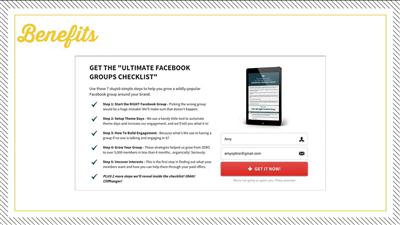
More Info: Salepage

32aaa65a47c6d743392b2cf43985350c.jpg


68d89f062ba509a7d7827e162c04fa01.jpg


a0f8d7a8b42c06f26180d3682ee8917e.jpg


962faffeee889dc39da5d52f03a75a45.jpg


2856c486d4dd0be78867b99e045f32b9.jpg


Recommend Download Link Hight Speed | Please Say Thanks Keep Topic Live ​

 
afe3fbf7a0d1883322d3f1cfa2fcd460.jpg


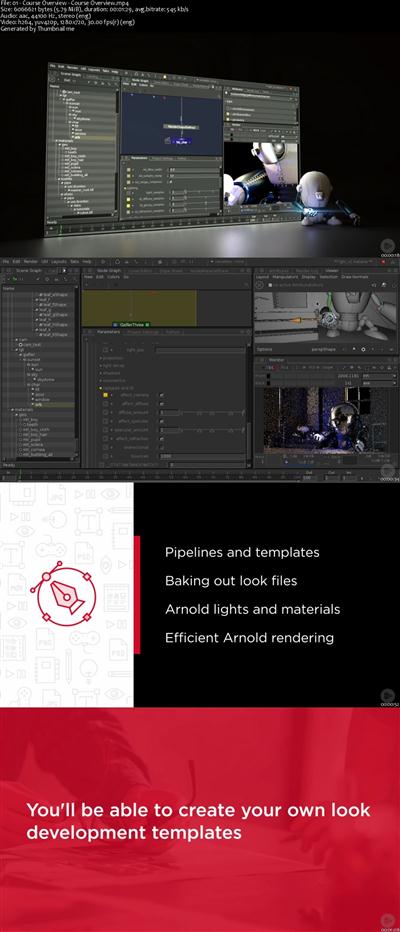
Fundamentals of Arnold for Katana
MP4 | Video: AVC 1280x720 | Audio: AAC 44KHz 2ch | Duration: 3 Hours 9M | 660 MB
Genre: eLearning | Language: English
This course builds on the Katana Essentials course. You'll learn about setting up a lighting and look development pipeline, advanced Katana work flows, as well as lighting and rendering scenes with Arnold. Software required: Katana 2.1.​

Have you ever wanted to know more about rendering and lighting with Arnold inside Katana? If so, Fundamentals of Arnold for Katana, is the perfect course for you because you will learn how professional visual effects studios use Arnold inside of Katana. First, you will learn how to setup a basic look development pipeline with Katana. Next, you will learn how to efficiently create and bake out lookfiles for your assets. Finally, you will learn how to load assets that have been through the Arnold pipeline. Next, you'll light a simple scene using Arnold and it's light types. Finally, you'll edit materials and learn how to create efficient renders. When you're finished with this course, you'll not only have setup templates, have created look development, and lit a simple scene, but you'll also have learned how the professional studios use Katana and Arnold in their lighting pipeline. Software required: Katana 2.1.

7c4a43f9abe7943ec3c434e24d835a34.jpg


Recommend Download Link Hight Speed | Please Say Thanks Keep Topic Live ​

 
a7f340362199412d64e775a32352b4e8.jpg


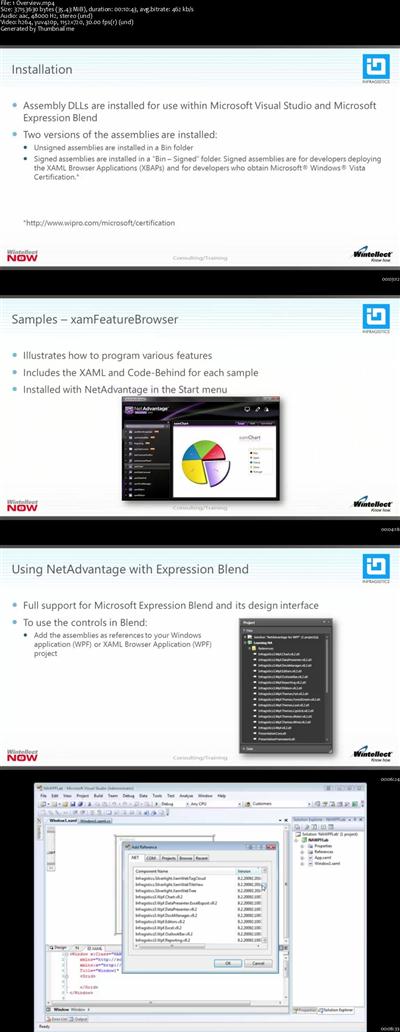
NetAdvantage for WPF
MP4 | Video: AVC 1280x720 | Audio: AAC 44KHz 2ch | Duration: 1.5 Hours | 232 MB
Genre: eLearning | Language: English
Everything you need to get started with NetAdvantage for WPF, including installation and overview.​

User experience is an important consideration when designing an app. This video sets the table for the remaining videos in the series by discussing user-experience principles as well as how NetAdvantage for WPF plays with the MVVM pattern.

NetAdvantage for WPF includes an assortment of controls for managing navigation and layout, including xamRibbon, xamOutlookBar, xamDockManager, and xamTabControl. Learn how to put these controls to work building rich user experiences for WPF apps.

NetAdvantage's xamMonthCalendar control makes it easy to build UXes for entering dates. See this control in action and learn how to style it to match it to your app.

NetAdvantage for WPF boasts an assortment of editor controls for entering and editing content. This module introduces xamMaskedEditor, xamCurrencyEditor, xamNumericEditor, and other editor controls.


fc1e40f59e1637bd9fd65fe93eedcfbb.jpg


Recommend Download Link Hight Speed | Please Say Thanks Keep Topic Live ​

 
713616034db2e0c6705c9b15a41e5add.jpg


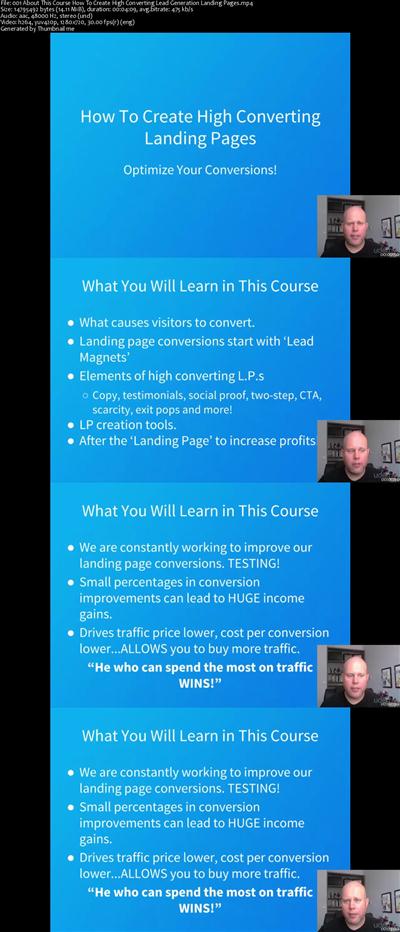
How to Create High Converting Lead Generation Landing Pages
MP4 | Video: AVC 1280x720 | Audio: AAC 44KHz 2ch | Duration: 3.5 Hours | Lec: 29 | 756 MB
Genre: eLearning | Language: English
Watch Your Conversions & Profits Grow by Making High Converting Lead Generation Landing Page​

WHY THIS COURSE?

There are few other things that create a first impression and capture new leads the way a strategically designed lead generation landing page can. Many companies, some of them profiled within these pages, have seen their conversion rates and profits soar thanks to a properly created landing page.

But landing pages are about much more than just creating a simple design and slapping up an email subscription form or download button. They're about carefully combining just enough persuasive content to get the reader's attention, while combining it with an unbeatable offer and a "visually digestible" design.

But is it really that simple?

WHO IS THIS COURSE FOR?

If your site's lead generation landing pages are suffering from poor pay-per-click performance, you're not getting customers to click past the first page or you just want the absolute truth on what really works - today so that you can start optimizing, testing, tracking and reaping the benefits - this is the guide for you.

Whether you're a small business owner just getting started or the head of a Fortune 500 corporation's marketing team who needs real insights that get results - you'll love this guide.

HOW TO USE THIS COURSE

In the video lectures, we'll break down the entire process of creating stellar landing pages from scratch. We'll cover everything from what a landing page is and how it fits into your marketing campaigns, to troubleshooting and what actions to take if your landing page isn't performing well.

WHAT MAKES THIS COURSE UNIQUE?

We've got your back. You'll have a dedicated team of three instructors ready to answer any question you have, or describe something in more detail for you. As with our other courses, this one will be updated over time with fresh content. All updates for life are included.

The extensive content is broken into easily digestible bits you can rapidly absorb. Engaging exercises along the way help you master the methods so you can see results fast. You'll come out with specific strategies AND SKILLS to drive consistent website traffic where and when you need it to profit!


7b2c1e9a74f45a3b79e0adf466787e4a.jpg


Recommend Download Link Hight Speed | Please Say Thanks Keep Topic Live ​
 
a8e829e02248466bd651300ce212ce52.jpg


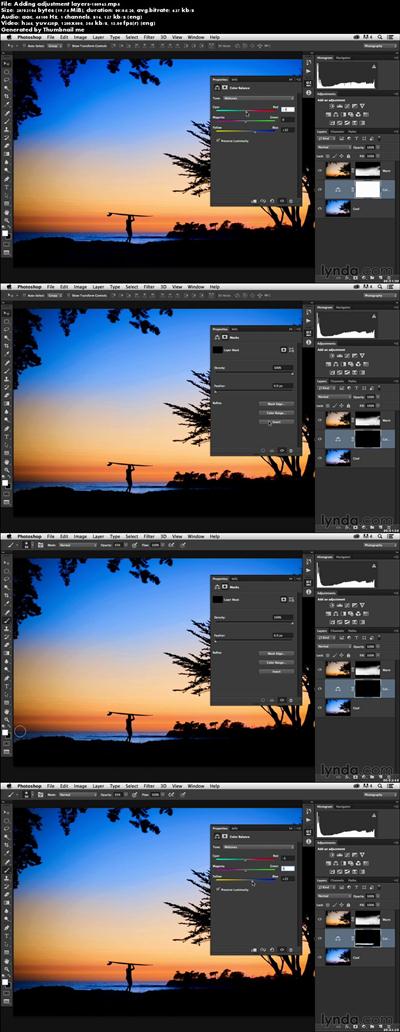
Enhancing a Sunset Photograph with Lightroom and Photoshop
MP4 | Video: 1280x720 | 127 kbps | 44 KHz | Duration: 1 Hours | 559 MB
Genre: eLearning | Language: English​

Learn how to make your dusks and dawns more vivid, vibrant, and alive with Lightroom and Photoshop. This short, project-based course walks you through the steps needed to transform a dull sunset image into a beautiful photo worth sharing, using the tools in Lightroom and Photoshop.
Leveling, cropping, retouching, and tone and contrast adjustments are par for the course, but Chris Orwig also shows how to take advantage of virtual copies to create different color treatments, and then combine those treatments in Photoshop for a really stunning final effect.


94c97493038491d6f499c84ec1073fe0.jpg


Recommend Download Link Hight Speed | Please Say Thanks Keep Topic Live ​

 
c450df65f0957753e18f52ab34883f23.jpg


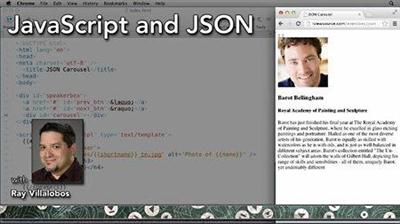
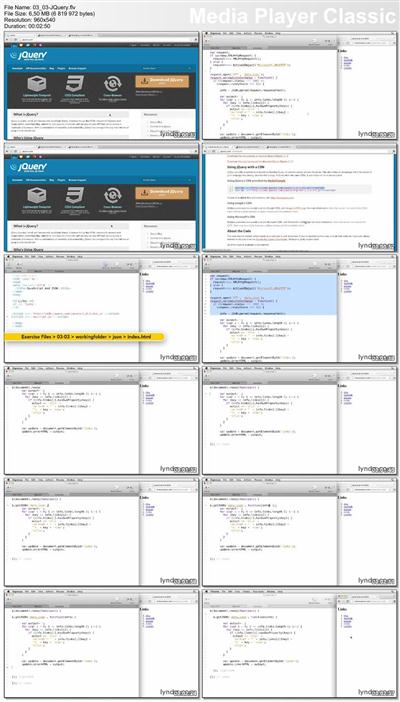
JavaScript and JSON
Duration: 1h 12m | Video: AVC (.flv) 1280x720 15fps | Audio: AAC 48KHz stereo | 192MB
Genre: eLearning | Level: Intermediate | Language: English​

JavaScript Object Notation (JSON) has replaced XML as the core way of sharing data, especially when it comes to JavaScript, since it's so much faster, sleeker, and easier to parse. In this course, dive into working with JSON tools, designing JSON objects, and using different ways to handling JSON data. Author Ray Villalobos also shows how to use AJAX and jQuery to parse your data and feeds, and shows JavaScript and JSON in action in a real-world practical application.


9246fbf88a403bccfda905dfd45e86cc.jpg


Recommend Download Link Hight Speed | Please Say Thanks Keep Topic Live ​
 
e599d41a1687890025bdf93fd73e5c06.jpg


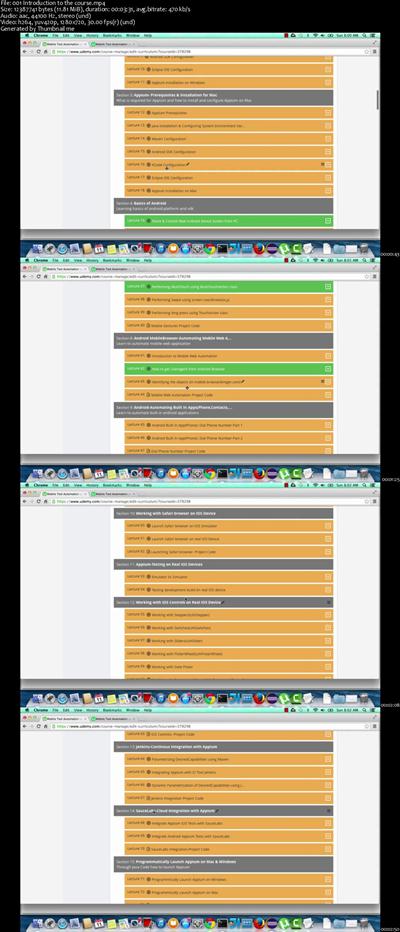
Complete Appium(latest v1.6.3) from Beginners to Advanced
MP4 | Video: AVC 1280x720 | Audio: AAC 44KHz 2ch | Duration: 14 Hours | Lec: 99 | 2.86 GB
Genre: eLearning | Language: English
Learn Appium an Cross Platform Mobile Automation Tool for Android & IOS platforms for Native,Web & Hybrid Apps​

Learn Appium an Cross Platform Mobile Automation Tool for Android & IOS platforms for Native,Web & Hybrid Apps

Are you planning to start your career in the field of Automation?

Are you QA Engineer and looking to explore the mobile automation world?

Do you want to master Appium(Selenium 3.0) for Android & IOS Platforms

Then this is the ideal course for you!!!

In this Appium training course, attendees will learn from scratch assuming that you have no experience with automation.

Learn Why Appium over other open source mobile automation tools
Understanding Appium Architecture
Setting up Pre-requisites and Installing Appium on Windows & (Mac OSX)
Working with Built-In Apps on Android Platform(Phone,Clock...)
Working with Native Apps on Android & IOS Platforms
Working with Mobile Web Browser on Android & IOS Platforms
Performing various mobile gestures(Long Press, Multi Touch, Drag & Drop, Swipe)
Working with various mobile controls on IOS(Sliders,Switches, PickerWheel....)
Identifying mobile elements using Appium Inspector, UIAutomatorViewer
Locating elements using- XPath, CSS,Class, Name, Screen Coordinates(x,y),IOSUIAutomation,AndroidUIAutomator
Creating Page Factory Model framework for Mobile Apps
Creating provisioning profile to test development app on real IOS device
Integrating Appium with SauceLabs for distributing tests on the cloud
Integrating Appium with Continuous Integration tool- Jenkins
Dynamic parametrization of Desired Capabilities through Maven & Jenkins
Launch Appium programmatically on Windows & mac
Record Video and Capture for test runs on iOS & Android
If you still haven't made up your mind attending this course,

Check out the free previews to understand more what this course has to offer

After completing these course you can start writing automation scripts and building mobile frameworks across IOS & Android platforms for Web, Native, Hybrid Apps

Implement Page Factory Approach Framework for Mobile Native Apps by the end of the course


6eb515295169ee65524373ef58cdcbb5.jpg


Recommend Download Link Hight Speed | Please Say Thanks Keep Topic Live ​
 
baf0925ecca2215da970b2abe19d6bd9.jpg


Illustrator for Lunch™ - In Your Face - Pen Tool Practice
MP4 | Video: AVC 1280x720 | Audio: AAC 44KHz 2ch | Duration: 37M | 211 MB
Genre: eLearning | Language: English​

Illustrator for Lunch™ is a series of short video courses you can study in bite size pieces such as at lunchtime. In this course you'll get plenty of practice with the pen tool and the Pathfinder in drawing this portrait. It's also very easy to do even if you can't draw - I promise that we'll do it slowly and that you will make a great illustration.


fd841863204c6c6af7cdf1bb98a7b0aa.jpg


Recommend Download Link Hight Speed | Please Say Thanks Keep Topic Live ​
 
11ecce46898b98787874daed522e3e9f.jpg


Missile Commando with Swift and Sprite Kit
MP4 | Video: AVC 1280x720 | Audio: AAC 44KHz 2ch | Duration: 6 Hours | 846 MB
Genre: eLearning | Language: English
Go retro and program a clone of an arcade classic with Apple's latest coding technology!​

In this Swift and Sprite Kit video tutorial series we will wield our mighty modern programming skills to re-make a classic arcade game. Along the way, we'll also add modern graphics and some new features so the finished product is a more enjoyable app using today's fancier technology. Topics taught includes...

Custom SKNode and SKSpriteNode classes
Programming your own game loops
A myriad of SKActions
Adding and removing children (properly)
Collision detections
Playing sounds
Transitioning SKScenes
And much more!


e969215eef06b716155fd7284f9546ae.jpg


Recommend Download Link Hight Speed | Please Say Thanks Keep Topic Live ​

 
473fc10e74d6b76d786a2c50bd813740.jpg


CAPM Certified Associate in Project Management Exam Prep
MP4 | Video: AVC 1280x720 | Audio: AAC 44KHz 2ch | Duration: 1.5 Hours | Lec: 10 | 146 MB
Genre: eLearning | Language: English
Pass PMI CAPM Exam Prep Certification by Practicing on PMBOK Topics and 500 questions in less than 35 hours​

Pass PMI CAPM Exam Prep Certification by Practicing on PMBOK Topics and 500 questions in less than 35 hours

PMI (Project Management Institute) CAPM (Certified Associate in Project Management) 2017

The Project Management Body of Knowledge or PMBOK that is required for the CAPM or Certified Associate in Project Management exam. CAPM is a well-known certificate and a beginner level in project management and in particular for any project team members such as technical, engineers, testers... CAPM covers the following Knowledge Areas: Project Integration Management, Project Scope Management, Project Time Management, Project Cost Management, Project Quality Management, Project Human Resource Management, Project Communications Management, Project Risk Management, Project Procurement Management, and Project Stakeholder Management. While, PMBOK covers the following process groups: Initiating, Planning, Executing, Monitoring and Controlling, and Closing.

Exam Facts

135 scored questions.
15 unscored questions.
Multiple-choice questions
3 hours length.
Exam Pre-requisite

A high school secondary diploma, or global equivalent.
1500 hours of work on a project team, or 23 hours of formal project management education.
Project management education not required. You only need to practice on exam questions (this course)


60839ed18422e6f9b6feee9a13f66b4b.jpg


Recommend Download Link Hight Speed | Please Say Thanks Keep Topic Live ​
 
82a025ce654568b40782619edd4caed2.jpg


Charles: Web Debugging Proxy for Web and Mobile Apps
MP4 | Video: AVC 1280x720 | Audio: AAC 44KHz 2ch | Duration: 2 Hours | Lec: 16 | 275 MB
Genre: eLearning | Language: English
Great companion at work for Developers and Testers to analyze, debug and fix issues encountered on Web and Mobile Apps​

What is Charles?

Charles is an HTTP proxy / HTTP monitor / Reverse Proxy that enables a developer to view all of the HTTP and SSL / HTTPS traffic between their machine and the Internet. This includes requests, responses and the HTTP headers (which contain the cookies and caching information).

Why Charles for Developers/Testers?

It saves you a lot of time to help you analyze, debug and fix the issue
Record and Monitor all network traffic sent and received by your apps
Test your product(web apps,mobile apps) in different network bandwidths by throttling
Test your local version of code before having to commit to remote server or repository
Change the Request/Response body and headers of any network call
Generate basic load test on your server to analyze its behavior
(and many more)....
In this course, we will be covering the below topics listed-

Introduction, What is Charles?
Installation of Charles
Configuring Charles Proxy for Desktop Browsers- Safari, Chrome, Firefox
Configuring Charles Proxy with Mobile Devices iOS and Android- Emulator/Simulator and Real Devices
Capturing HTTPS traffic by installing SSL Root Certificate
Exploring Key Features of Charles-
Recording
Breakpoints
Network Throttling
DNS Spoofing
Load Testing
Charles Web Interface
Map Local
Caching
(and more)....
Start using this in tool at work, and we promise that this will be a great companion at work saving you a lot of time and improving your productivity. All the very best.


601925fbf586423e91f4592ab800919a.jpg


Recommend Download Link Hight Speed | Please Say Thanks Keep Topic Live ​
 
e7960b3b97067021495d1dffac540027.jpg


Introduction to ERP Systems
MP4 | Video: AVC 1280x720 | Audio: AAC 44KHz 2ch | Duration: 4 Hours | 2.36 GB
Genre: eLearning | Language: English
Learn the principles of ERP systems and how to apply ERP solutions to your company or project.​

The Introduction to ERP Systems course is designed to give a overview of the process of implementing ERP systems. It is generally a practical course, derived from real life experience with many projects in various countries and industries.

Learn about ERP systems, how they work and how to implement them with this comprehensive course, that covers a variety of key topics, including:

What business software is available today, what is ERP
Characteristics of ERP systems
The good, the bad and the ugly side of implementing ERP systems
Types of ERP solutions available today
Costs of the project and budgeting for your ERP system
Implementation phases and timeline
Business model of the ERP systems
IT infrastructure, on-premise and cloud solutions
Integration with other solutions
ERP project lifecycle
Disaster recovery and business continuity
At the end of the course, you will have a clear idea about what ERP systems are, how they are implemented, what the risks and opportunities are and how the implementation should be planned. The course contains much behind the curtain insight, which you can use to select your system better, plan your project more successfully, lower your project cost and achieve better results from the ERP system. For example you will learn that the mid-level ERP systems today are more powerful than ever, turning them into a sweet spot for most projects at the moment. You will also learn that you should start your ERP project with the minimum viable license possible, something that will save you substantial costs in support fees.

The course is designed to be easily understood and followed. You will need some basic knowledge about business and IT concepts, however beyond that the lectures give you comprehensive information about each of the topics covered. That is why the course will be interesting both for beginners in the field and for seasoned users, who need knowledge in specific areas.


223f042076d788d122c9ebf70076a527.jpg


Recommend Download Link Hight Speed | Please Say Thanks Keep Topic Live ​
 
Zurück
Oben Unten