• Regeln für den Video-Bereich:

    In den Börsenbereich gehören nur Angebote die bereits den Allgemeinen Regeln entsprechen.

    Einteilung

    - Folgende Formate gehören in die angegeben Bereiche:
    - Filme: Encodierte Filme von BluRay, DVD, R5, TV, Screener sowie Telesyncs im Format DivX, XviD und x264.
    - DVD: Filme im Format DVD5, DVD9 und HD2DVD.
    - HD: Encodierte Filme mit der Auflösung 720p oder darüber von BluRay, DVD, R5, TV, Screener sowie Telesyncs im Format x264.
    - 3D: Encodierte Filme von BluRay, die in einem 3D Format vorliegen. Dies gilt auch für Dokus, Animation usw.
    - Serien: Cartoon/Zeichentrick, Anime, Tutorials, Dokumentationen, Konzerte/Musik, Sonstiges sind demnach in die entsprechenden Bereiche einzuordnen, auch wenn sie beispielsweise im High Definition-Format oder als DVD5/DVD9/HD2DVD vorliegen. Ausnahme 3D.
    - Bereich Englisch: Englische Releases gehören immer in diesen Bereich.
    - Bereich Talk: Der Bereich, in dem über die Releases diskutiert werden kann, darf, soll und erwünscht ist.


    Angebot/Beitrag erstellen

    - Ein Beitrag darf erst dann erstellt werden, wenn der Upload bei mindestens einem OCH komplett ist. Platzhalter sind untersagt.
    - Bei einem Scenerelease hat der Threadtitel ausschließlich aus dem originalen, unveränderten Releasenamen zu bestehen. Es dürfen keine Veränderungen wie z.B. Sterne, kleine Buchstaben o.ä. vorgenommen werden. Ausnahme Serienbörse:
    - Bei einem Sammelthread für eine Staffel entfällt aus dem Releasename natürlich der Name der Folge. Beispiel: Die Simpsons S21 German DVDRip XviD - ITG
    - Dementsprechend sind also u.a. verboten: Erweiterungen wie "Tipp", "empfehlenswert", "only", "reup", usw. / jegliche andere Zusatzinformation oder Ergänzung, welche nicht in obiger Beschreibung zu finden ist.

    Aufbau des Angebots und Threadtitel

    Der Titel nach folgendem Muster erstellt zu werden. <Name> [3D] [Staffel] [German] <Jahr> <Tonspur> [DL] [Auflösung] <Quelle> <Codec> - <Group>
    Beispiel: The Dark Knight German 2008 AC3 DVDRip XviD - iND
    Beispiel: The Dark Knight 2008 DTS DL BDRip x264 - iND
    Beispiel: The Dark Knight 2008 AC3 DL BDRip XviD - iND
    Beispiel: The Dark Knight German 2008 AC3 720p BluRay x264 iND
    Beispiel: The Dark Knight 2008 DTS DL 1080p BluRay x264 iND
    Beispiel: Die Simpsons S01 German AC3 DVDRip XviD iND
    Beispiel: Die Simpsons S20 German AC3 720p BluRay x264 iND
    Beispiel: Sword Art Online II Ger Sub 2014 AAC 1080p WEBRip x264 - peppermint
    Entsprechend sind also u.a. verboten: Sonderzeichen wie Klammern, Sterne, Ausrufezeichen, Unterstriche, Anführungszeichen / Erweiterungen wie "Tipp", "empfehlenswert", "only", "reup", usw. / jegliche andere Zusatzinformation oder Ergänzung, welche nicht in obiger Beschreibung zu finden ist
    Ausnahmen hiervon können in den Bereichen geregelt sein.

    Die Beiträge sollen wie folgt aufgebaut werden:
    Überschrift entspricht dem Threadtitel
    Cover
    kurze Inhaltsbeschreibung
    Format, Größe, Dauer sind gut lesbar für Downloader außerhalb des Spoilers zu vermerken
    Nfo sind immer Anzugeben und selbige immer im Spoiler in Textform.
    Sind keine Nfo vorhanden z.B. Eigenpublikationen, sind im Spoiler folgende Dateiinformationen zusätzlich anzugeben :
    Quelle
    Video (Auflösung und Bitrate)
    Ton (Sprache, Format und Bitrate der einzelnen Spuren)
    Untertitel (sofern vorhanden)
    Hosterangabe in Textform außerhalb eines Spoiler mit allen enthaltenen Hostern.
    Bei SD kann auf diese zusätzlichen Dateiinformationen verzichtet werden.

    Alle benötigten Passwörter sind, sofern vorhanden, in Textform im Angebot anzugeben.
    Spoiler im Spoiler mit Kommentaren :"Schon Bedankt?" sind unerwünscht.


    Releases

    - Sind Retail-Release verfügbar, sind alle anderen Variationen untersagt. Ausnahmen: Alle deutschen Retail-Release sind CUT, in diesem Fall sind dubbed UNCUT-Release zulässig.
    - Im Serien-Bereich gilt speziell: Wenn ein Retail vor Abschluss einer laufenden Staffel erscheint, darf diese Staffel noch zu Ende gebracht werden.62
    - Gleiche Releases sind unbedingt zusammenzufassen. Das bedeutet, es ist zwingend erforderlich, vor dem Erstellen eines Themas per Suchfunktion zu überprüfen, ob bereits ein Beitrag mit demselben Release besteht. Ist dies der Fall, ist der bereits vorhandene Beitrag zu verwenden.
    - P2P und Scene Releases dürfen nicht verändert oder gar unter einem iND Tag eingestellt werden.


    Support, Diskussionen und Suche

    - Supportanfragen sind entweder per PN oder im Bereich Talk zu stellen.
    - Diskussionen und Bewertungen sind im Talk Bereich zu führen. Fragen an die Uploader haben ausschließlich via PN zu erfolgen, und sind in den Angeboten untersagt.
    - Anfragen zu Upload-Wünschen sind nur im Bereich Suche Video erlaubt. Antworten dürfen nur auf Angebote von MyBoerse.bz verlinkt werden.


    Verbote

    - Untersagt sind mehrere Formate in einem einzigen Angebotsthread, wie beispielsweise das gleichzeitige Anbieten von DivX/XviD, 720p und 1080p in einem Thread. Pro Format, Release und Auflösung ist ein eigener Thread zu eröffnen.
    - Grundsätzlich ebenso verboten sind Dupes. Uploader haben sich an geeigneter Stelle darüber zu informieren, ob es sich bei einem Release um ein Dupe handelt.
    - Gefakte, nur teilweise lauffähige oder unvollständige Angebote sind untersagt. Dies gilt auch für eigene Publikationen, die augenscheinlich nicht selbst von z.B. einer DVD gerippt wurden. Laufende Serien, bei denen noch nicht alle Folgen verfügbar sind, dürfen erstellt und regelmäßig geupdatet werden.
    - Untersagt sind Angebote, welche nur und ausschließlich in einer anderen Sprache als deutsch oder englisch vorliegen. Ausnahmen sind VORHER mit den Moderatoren zu klären.


    Verstoß gegen die Regeln

    - Angebote oder Beiträge, die gegen die Forenregeln verstoßen, sind über den "Melden"-Button im Beitrag zu melden.
  • Bitte registriere dich zunächst um Beiträge zu verfassen und externe Links aufzurufen.

++ Premium IPTV ++ 7000 Live Sender ++ UHD Qualität ++ Mediathek mit 18.000 Inhalten ++


VenneTV


Englische Tutorials

7bfae3d3ae948b70156f80e3b127bc33.jpg


Lynda - Enterprise Agile: Changing Your Culture
Size: 591 MB | Duration: 1h 26m | Video: AVC (.mp4) 1280x720 30fps | Audio: AAC 48KHz 2ch
Genre: eLearning | Level: Intermediate | Language: English
Many organizations deliver products with dozens or even hundreds of teams.​

Many organizations deliver products with dozens or even hundreds of teams. For these organizations, spinning up a few agile teams is just the start. Eventually, they'll want to scale up their agile approach to work on enterprise-level products-a shift that presents a whole new set of challenges. Enterprise agile requires a different organizational mindset along with new roles and practices. There are many different enterprise agile frameworks that will help you with this transformation, but switching to these frameworks isn't your biggest challenge. Enterprise agile is a radical change from how most organizations think about their work. If you don't prepare your teams for this change, then it's unlikely that any enterprise framework will succeed. That's why this course is the first in a four-part series on enterprise agile. In this course, Doug Rose helps you lay the groundwork you'll need to make this radical organizational change. First, learn how to identify your organization's culture. There are many different types of organizational cultures, and each one presents its own set of challenges. Then, see different approaches to making a widespread organizational change. Finally, learn about the common challenges that almost all organizations face when starting enterprise agile.


* Establishing the groundwork
* Understanding the change
* Reviewing organizational culture
* Identifying your organizational culture
* Trying the Kotter approach
* Being fearless
* Evangelizing change
* Changing myths
* Focusing on culture
* Dealing with common challenges


89199dd456c80e948500885d9326ec4d.jpg


Recommend Download Link Hight Speed | Please Say Thanks Keep Topic Live ​
 
c252bd6ed824e292315ae5ad1b260eba.jpg


Lynda - Machine Learning Essential Training: Value Estimations
Size: 157 MB | Duration: 1h 5m | Video: AVC (.mp4) 1280x720 15&30fps | Audio: AAC 48KHz 2ch
Genre: eLearning | Level: Intermediate | Language: English
Value estimation-one of the most common types of machine learning algorithms-can automatically estimate values by looking at related information.​

Value estimation-one of the most common types of machine learning algorithms-can automatically estimate values by looking at related information. For example, a website can determine how much a house is worth based on the property's location and characteristics. In this project-based course, discover how to use machine learning to build a value estimation system that can deduce the value of a home. Follow Adam Geitgey as he walks through how to use sample data to build a machine learning model, and then use that model in your own programs. Although the project featured in this course focuses on real estate, you can use the same approach to solve any kind of value estimation problem with machine learning.


* Setting up the development environment
* Building a simple home value estimator
* Finding the best weights automatically
* Working with large data sets efficiently
* Training a supervised machine learning model
* Exploring a home value data set
* Deciding how much data is needed
* Preparing the features
* Training the value estimator
* Measuring accuracy with mean absolute error
* Improving a system
* Using the machine learning model to make predictions


3caa30bfc67351071ab7f4108943715d.jpg


Recommend Download Link Hight Speed | Please Say Thanks Keep Topic Live ​
 
9b74777cbecb872ef1218bcb2e89f8d5.jpg


Richard Robinson - Mastering Color
HDRips | MP4/AVC, ~1200 kb/s | 960x720 | Duration: 02:17:52 | English: AAC, 64 kb/s (2 ch) | + PDF Guides
Size: 1.36 GB | Genre: Drawing, Painting

Color is one of the most difficult things to master. In fact, 72% of Artists say that color is the biggest obstacle to overcome. It's terribly frustrating because all you want to do is create art! We shouldn't be afraid of color. We should embrace it with open arms!

You can master color and become the artist you have always dreamed of. You can learn how to think about color in a whole new way, a way that you never thought was possible. This is not hype!


screenshot


a08bee292fec7c19d783c71fa8aeb401.jpg


0841c517678769e0f916488d98764ee0.jpg


Recommend Download Link Hight Speed | Please Say Thanks Keep Topic Live ​
 
2e3f09f15a9bbf72314016aabaa95363.jpg


Personal Finance Tips
Updated 3/17/2017 | .MP4, AVC, 2000 kbps, 1280x720 | English, AAC, 128 kbps, 2 Ch | 2.1 hours | 1.3 GB
Instructors: Jane Barratt, Amanda Clayman​

No matter where you are in your financial life, personal finance experts Jane Barratt and Amanda Clayman can help you get a handle on your finances and lay the groundwork for your financial future. Each week, they offer a new tip, designed to help you make smart decisions about your money. They discuss the financial considerations around going back to school, making sure you and your partner are financially compatible, retiring, having a child, paying off loans, and taking care of your pets. They also explain basic economic terms such as economic cycles, what the sharing economy is, and how to manage your asset to cash ratio.

More Info


01f7532f95931333bb2ccb305f4fa39a.jpg


Recommend Download Link Hight Speed | Please Say Thanks Keep Topic Live ​
 
f6632c7e4528787f0a06828899b6362f.jpg


Productivity Masterclass: Become Ultra Productive In 1 Week
MP4 | Video: AVC 1280x720 | Audio: AAC 44KHz 2ch | Duration: 8.5 Hours | Lec: 78 | 1.05 GB
Genre: eLearning | Language: English
Free 263 Pages Course Book, Professional Productivity Hacks, 24/7 Free Support & Access To Private Mentor​

WELCOME TO THE #1 UDEMY PRODUCTIVITY MASTERCLASS

In this course, you will learn how to become ultra productive + you will receive a FREE 263 pages course book! This course is normally being taught as a university program that costs several HUNDRED dollars. For you, I broke down the information, made them comprehensible and put them into an easy-to-understand lecture format! With this course, you will get access to the mind of ultra productive people and will learn how to increase your productivity massively! Come with me on this journey, you will not believe where it will take you.

Being very productive is one of the most important skills in modern day society. If you are not productive, you lose! Make sure that you take as many notes as possible here in this course and that you review the content I teach at least every 2 months. In this course we will focus on the following topics:

1. BASICS OF ULTRA PRODUCTIVITY: I will introduce ultra productivity to you and will show you how you can build your own framework in which you can become ultra productive. We will focus on the following questions:

What are natural productivity cycles and how can I influence them?
What is the prodomo technique and how can I use it to not feel tired after work anymore?
How can I set goals that I will never not achieve?
When should I be taking breaks? Are breaks allowed? (Yes, they are ;) )
What does my decision-making say about my productivity level?
How can I create to do lists that really make positive changes in my life?
How can I use the (10+2)*5 formula and what is it in the first place?
How can I create an environment in which I like to work?
ABOUT THE INSTRUCTOR: How did I became ultra productive?
2. EVERY DAY PRODUCTIVITY HACKS: In this part of the course, I will introduce dozens of every-day productivity hacks to you that will help you to become ultra productive. These hacks include:

Automatic Bill-paying
News Tools
Public Commitments
Alert Hacks
Streamlining the Wardrobe
Hacking Lost Hours
Back and Sync Ups
Exercising Hacks
Stress Management Hacks
The Success Formula
3. MORNING ROUTINE: We will base your morning routine on your physical and psychological state and help you with proven scientific research to develop and use morning routine modules.

What makes a great morning routine and how do I develop one?
How can I impose habits on myself that really work?
How can exercising influence my morning productivity and happiness and how will I not be tired after the exercise so that I cannot be productive during the day?
How does sleep pattern hacking work and how can I help myself sleep better?
In this chapter, I will give you modules that you can use in order to build your own super efficient morning routine:

MODULE #1: Shower Module
MODULE #2: Thought Dumping/Journal Writing
MODULE #3: Meditation Module
MODULE #4: Goal Theory
MODULE #5: Goal Setting Module
MODULE #6: Visioning
MODULE #7: Protein Intake & Daily Breakfast
MODULE #8: Social Media Module
MODULE #9: Uplifting Content Module
MODULE #10: Affirmation
MODULE #11: Loved Ones
MODULE #12: Music (Ambient Songs)
MODULE #13: Mirroring
4. FOOD HACKING: In this chapter, we will focus on the topic of cooking great meals for you morning routine. We will focus on nutritional aspects and I will show you step by step how to come up with great meals that are fast and easy to cook for every morning. We will furthermore focus on supplements and how to use them properly in order to kickstart your morning. We will talk about the following:

Drinking Water As A Measure To Become More Productive
Meal Delivery & How To Go For Healthy Alternatives
The Processing of Food & How It Influences Your Productivity Level
TOP 5 Breakfasts For Productive People
Supplements (BCAAs, Protein Shakes etc.)
5. ADVANCED PRODUCTIVITY: In this chapter, I will show you some more secret hacks for people who want to become ultra productive. We will in detail talk about the power of losses and the wall of motivation and how they can help you to become super productive.

6. PRODUCIVITY SOFTWARE: You will receive free software to stay incredibly productive even after watching this course. These softwares include:


9f960f8ad9b25efd227e7fc105dfad4b.jpg


Recommend Download Link Hight Speed | Please Say Thanks Keep Topic Live ​

 
a5ba4e36cbeba940fb3561339c069e10.jpg


Hands-on JavaScript Project: JSON
MP4 | Video: AVC 1280x720 | Audio: AAC 44KHz 2ch | Duration: 1.5 Hours | 241MB
Genre: eLearning | Language: English
Learn to leverage the power of AJAX to access and display JSON data from your local server, as well as from an external site using an API. You'll also learn how to create JSON files.​

In this course, Hands-on JavaScript Project: JSON, you'll have an opportunity to practice creating and accessing JSON data using JavaScript. First, you'll explore how to create JSON files within a JavaScript file. Next, you'll load those files on your local host using an XML HTTP request. Finally, you'll load them from the Weather Underground site using an API. By the end of this course, you'll have a working example of a hospitality page, where the data is dynamically loaded using AJAX, as well as a weather application where the current weather conditions are displayed for any zip code.


8e02914afb9e84d5e521103a356dc094.jpg


Recommend Download Link Hight Speed | Please Say Thanks Keep Topic Live ​

 
ffb9ac8c704d15d0f8c9985433aee2a3.jpg


Excel Tips Weekly
Updated 3/14/2017 | .MP4, AVC, 1000 kbps, 1280x720 | English, AAC, 128 kbps, 2 Ch | 15.5 hours | 2.85 GB
Instructor: Dennis Taylor​

This tips-based course will show Excel users productivity-boosting tricks, cool hidden features, need-to-know functions, and advanced content on subjects such as using PivotTables for data analysis. Tune in every Tuesday for a new tip from expert Dennis Taylor. Each tutorial is a short, self-contained lesson guaranteed to give you new insights into Excel.

More Info

acdf1da884fff4320c6fab36f14a6353.jpg


Recommend Download Link Hight Speed | Please Say Thanks Keep Topic Live ​

 
89271f15c627f41b77f4ffec2bdf8847.jpg


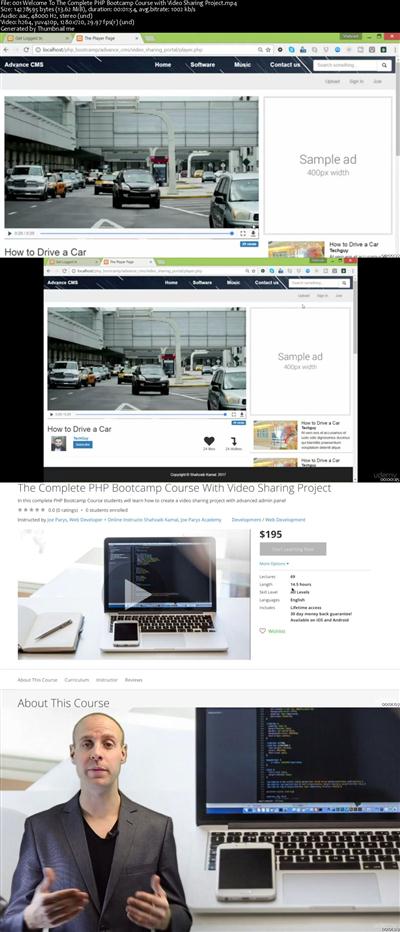
The Complete PHP Bootcamp Course With Video Sharing Project
MP4 | Video: AVC 1280x720 | Audio: AAC 44KHz 2ch | Duration: 14.5 Hours | Lec: 74 | 2.11 GB
Genre: eLearning | Language: English
In this complete PHP Bootcamp Course students will learn how to create a video sharing project with advanced admin panel​

In this course, You will understand PHP from a beginner to advanced approach. You will also be working directly with php functions, understanding how to use MySQL, creating a complete bootstrap based Blog with PHP programming with admin panel, and a complete Video Sharing Website!

With the right mindset, understanding, and application of the teachings in this course, you will instantly begin to move towards understanding and learning how create your own video sharing project and more!

When I learn something new about the topics covered in this course, I add it to the course - at no additional cost to you! This is a course that will continue to add value to you!


5405706e0594533ca302887c9a2a121b.jpg


Recommend Download Link Hight Speed | Please Say Thanks Keep Topic Live ​

 
cb0037734ad9f840e2fa0cda354a986c.jpg


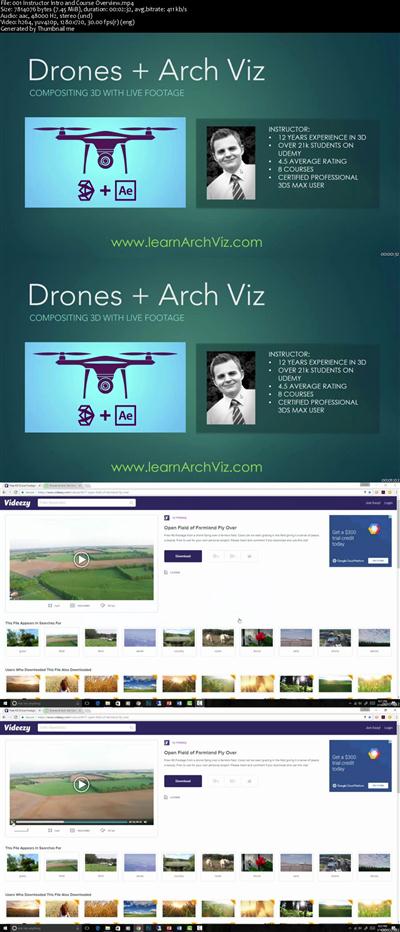
Drones & Arch Viz: Compositing 3d With Live Footage
MP4 | Video: AVC 1280x720 | Audio: AAC 44KHz 2ch | Duration: 1.5 Hours | Lec: 22 | 260 MB
Genre: eLearning | Language: English
Add Drone and other live footage to your workflow by using built-in tools from 3ds Max and Adobe After Effects.​

There are few better ways to present a project to your clients than through aerial fly-overs of a proposed building. Drones have made it easier than ever to aerial footage of your projects sites. In this course you will learn to take drone footage (or really any kind of footage), whether it is shot by you or someone else, and composite in your 3D creations easily and convincingly. 3DS Max and After Effects already have all the built-in tools that you need for creating visual effects using 3D composited into live footage. Follow this course and you will be amazed at how quickly and easily you can be up to speed, creating your own movie-like effects, using software you probably already have access to.

This course is broken down into three main sections:

Inside of After Effects - This is where I will show you how to generate and export 3D camera tracking data for later use in 3DS Max.
Inside 3DS Max - From AE, we will get a camera the exactly matches the zoom angle and movement of our live video footage, but in Max we will have to adjust its scale and rotation in order to get it to match with the real world. Once we have that, we can add any 3D elements we want to the footage.
Bring It All Back Together In After Effects - This is where we will do some compositing. The goal is to make the 3D animation elements and the live footage mesh together seamlessly and convincingly.
This course is hands on. You will be following along with me creating a basic aerial fly-over. You will learn the exact workflow that you need, plus a ton of tips and tricks that will help you to not get hung up when you graduate to your own projects. I have already done all the troubleshooting for you, so learn from my experience. Check out the promo video to learn more about me, and about the project you will creating in the course.

Join the course today for lifetime access!

Check out my other Arch Viz / 3D courses as well (More about those at the end of this course). I have learning opportunities for all levels, and courses that cover various different aspects of the industry.

*This course uses the latest and greatest in the two main software packages that are discussed.

**Frequent updates and additional lectures

***Lifetime access to all content and future content


53cd9fc53c25c2b969d914175973cf41.jpg


Recommend Download Link Hight Speed | Please Say Thanks Keep Topic Live ​

 
8b5e51139fb97dc42af529caf57454c5.jpg


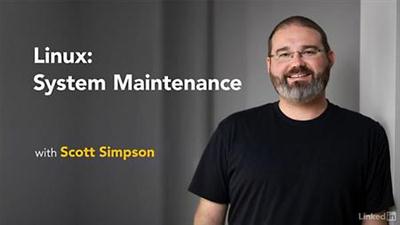
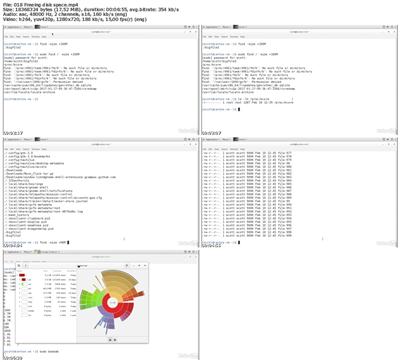
Lynda - Linux: System Maintenance
Size: 231 MB | Duration: 1h 18m | Video: AVC (.mp4) 1280x720 15&30fps | Audio: AAC 48KHz 2ch
Genre: eLearning | Level: Advanced | Language: English
It can be tempting to skimp on regular system maintenance once your computer is up and running.​

It can be tempting to skimp on regular system maintenance once your computer is up and running. That said, it's essential to keep tabs on your machine, and check to see if there are any security problems you should address, and whether your computer is keeping up with its tasks. In this course, dive into the basics of Linux system maintenance. Instructor Scott Simpson explains how to approach any Linux system, to help you get your bearings if a system looks unfamiliar. He also covers system and security logs, troubleshooting the boot process, upgrading software, freeing disk space, and automating reports with scripting.


* Exploring a system
* Exploring load and uptime
* Auditing security access, groups, and users
* Checking memory and process status
* Checking free disk space and disk status
* Interrupting and exploring the GRUB boot loader
* Gaining root access
* Exploring recovery options
* Upgrading software
* Freeing disk space
* Adding a disk
* Setting up a logging server
* Building a summary script


104778fc81e9fd656df6bcc7d0f531f7.jpg


Recommend Download Link Hight Speed | Please Say Thanks Keep Topic Live ​
 
448324d122efd50affe25f36de85f05d.jpg


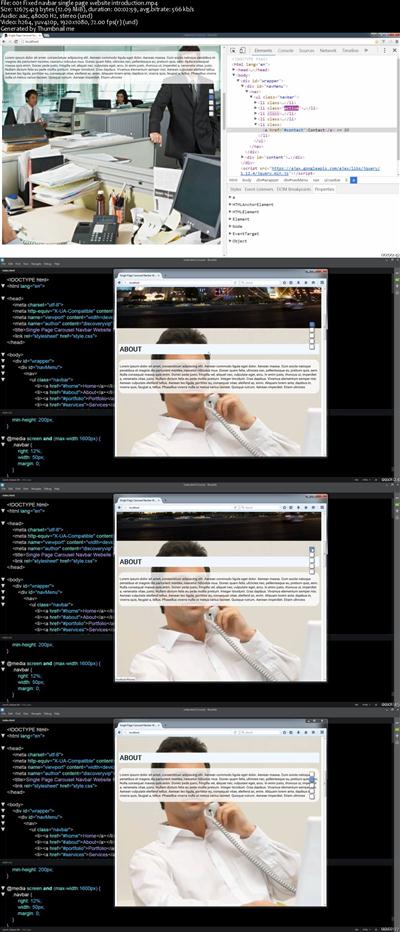
Web Design Make a Single Page Website Carousel controls
MP4 | Video: AVC 1280x720 | Audio: AAC 44KHz 2ch | Duration: 2 Hours | Lec: 24 | 334 MB
Genre: eLearning | Language: English
Create your own custom website HTML CSS and jQuery together step by step learning website creation​

Introduction to designing and building a Single Page responsive website from scratch.

Within the course students will be introduced to planning and designing websites. Learn how to write HTML and CSS code to create a website. Learn about text formatting, graphics, and making functional HTML structure.

Staring with a design concept, from an image carousel, create a modern website that has a floating indicator menu which can automatically animate the scroll process, scrolling the web visitor to the correct section on the page.

This course is perfect for those new to web design and also those who want to expand their portfolio by building unique different types of websites. Everything you need to know from concept to completed site is provided within this course. By the end of the course you too will be able to make a website just like the one within the course.

Understand where to start with web design
HTML CSS jQuery
Wire-frames placeholder text
Learn how to recognise different web page containers, and how to build your HTML to be CSS ready
Learn about writing HTML code
Incorporate web design principles
Enhance your website using text formatting, colors, and styling
format your HTML elements with CSS
Plan design and build a single page responsive website
Create dynamic effects and animate your scroll
Add jQuery to supercharge your website and make it interactive
Learn how HTML CSS and jQuery work together
Everything you need to create a website is included within this course. This course is focused around web design and will be mainly CSS based. HTML is used to structure the pages using common HTML tagging. jQuery is introduced for dynamic functionality. Concepts within jQuery include event handlers, variables, objects and conditional statements. Course will cover linking HTML and CSS to the jQuery methods discussed within the course.

included within this course

HD quality video
Source Code
Examples
Top resources
I'm here to help you learn about web design and ready to answer any questions you may have.

Upon successful completion of this course students will have a solid foundation in the core principles of web design and web development.


c619b37ee8965442442f9d80a9a677e9.jpg


Recommend Download Link Hight Speed | Please Say Thanks Keep Topic Live ​
 
39f1de7b0ca43a03f6703b0849793b6f.jpg


Improving Your Focus
1/3/2017 | .MP4, AVC, 1000 kbps, 1280x720 | English, AAC, 64 kbps, 2 Ch | 56 mins | 419 MB
Instructor: Dave Crenshaw​

In our hectic world, time management alone doesn't cut it. To truly increase your efficiency, it's crucial that you improve your focus as well as tend to your calendar. In this course, productivity expert and best-selling author Dave Crenshaw helps you develop the survival skills to both avoid daily distractions and stay focused on what's most valuable. Curate your digital and physical space to strengthen concentration, discover ways to keep your mind on task, and protect your relationships-both at work and at home-by focusing on what's most important.

Topics include:

Maintaining focus for longer periods of time
Using your calendar to preserve focus
Building a mental firewall
Establishing expectations and boundaries
Making time for others
Avoiding distractions in a digital world
Improving your workspace

More Info


e33d7510f76765f994ed880d17c4ffc8.jpg


Recommend Download Link Hight Speed | Please Say Thanks Keep Topic Live ​

 
Zurück
Oben Unten