• Regeln für den Video-Bereich:

    In den Börsenbereich gehören nur Angebote die bereits den Allgemeinen Regeln entsprechen.

    Einteilung

    - Folgende Formate gehören in die angegeben Bereiche:
    - Filme: Encodierte Filme von BluRay, DVD, R5, TV, Screener sowie Telesyncs im Format DivX, XviD und x264.
    - DVD: Filme im Format DVD5, DVD9 und HD2DVD.
    - HD: Encodierte Filme mit der Auflösung 720p oder darüber von BluRay, DVD, R5, TV, Screener sowie Telesyncs im Format x264.
    - 3D: Encodierte Filme von BluRay, die in einem 3D Format vorliegen. Dies gilt auch für Dokus, Animation usw.
    - Serien: Cartoon/Zeichentrick, Anime, Tutorials, Dokumentationen, Konzerte/Musik, Sonstiges sind demnach in die entsprechenden Bereiche einzuordnen, auch wenn sie beispielsweise im High Definition-Format oder als DVD5/DVD9/HD2DVD vorliegen. Ausnahme 3D.
    - Bereich Englisch: Englische Releases gehören immer in diesen Bereich.
    - Bereich Talk: Der Bereich, in dem über die Releases diskutiert werden kann, darf, soll und erwünscht ist.


    Angebot/Beitrag erstellen

    - Ein Beitrag darf erst dann erstellt werden, wenn der Upload bei mindestens einem OCH komplett ist. Platzhalter sind untersagt.
    - Bei einem Scenerelease hat der Threadtitel ausschließlich aus dem originalen, unveränderten Releasenamen zu bestehen. Es dürfen keine Veränderungen wie z.B. Sterne, kleine Buchstaben o.ä. vorgenommen werden. Ausnahme Serienbörse:
    - Bei einem Sammelthread für eine Staffel entfällt aus dem Releasename natürlich der Name der Folge. Beispiel: Die Simpsons S21 German DVDRip XviD - ITG
    - Dementsprechend sind also u.a. verboten: Erweiterungen wie "Tipp", "empfehlenswert", "only", "reup", usw. / jegliche andere Zusatzinformation oder Ergänzung, welche nicht in obiger Beschreibung zu finden ist.

    Aufbau des Angebots und Threadtitel

    Der Titel nach folgendem Muster erstellt zu werden. <Name> [3D] [Staffel] [German] <Jahr> <Tonspur> [DL] [Auflösung] <Quelle> <Codec> - <Group>
    Beispiel: The Dark Knight German 2008 AC3 DVDRip XviD - iND
    Beispiel: The Dark Knight 2008 DTS DL BDRip x264 - iND
    Beispiel: The Dark Knight 2008 AC3 DL BDRip XviD - iND
    Beispiel: The Dark Knight German 2008 AC3 720p BluRay x264 iND
    Beispiel: The Dark Knight 2008 DTS DL 1080p BluRay x264 iND
    Beispiel: Die Simpsons S01 German AC3 DVDRip XviD iND
    Beispiel: Die Simpsons S20 German AC3 720p BluRay x264 iND
    Beispiel: Sword Art Online II Ger Sub 2014 AAC 1080p WEBRip x264 - peppermint
    Entsprechend sind also u.a. verboten: Sonderzeichen wie Klammern, Sterne, Ausrufezeichen, Unterstriche, Anführungszeichen / Erweiterungen wie "Tipp", "empfehlenswert", "only", "reup", usw. / jegliche andere Zusatzinformation oder Ergänzung, welche nicht in obiger Beschreibung zu finden ist
    Ausnahmen hiervon können in den Bereichen geregelt sein.

    Die Beiträge sollen wie folgt aufgebaut werden:
    Überschrift entspricht dem Threadtitel
    Cover
    kurze Inhaltsbeschreibung
    Format, Größe, Dauer sind gut lesbar für Downloader außerhalb des Spoilers zu vermerken
    Nfo sind immer Anzugeben und selbige immer im Spoiler in Textform.
    Sind keine Nfo vorhanden z.B. Eigenpublikationen, sind im Spoiler folgende Dateiinformationen zusätzlich anzugeben :
    Quelle
    Video (Auflösung und Bitrate)
    Ton (Sprache, Format und Bitrate der einzelnen Spuren)
    Untertitel (sofern vorhanden)
    Hosterangabe in Textform außerhalb eines Spoiler mit allen enthaltenen Hostern.
    Bei SD kann auf diese zusätzlichen Dateiinformationen verzichtet werden.

    Alle benötigten Passwörter sind, sofern vorhanden, in Textform im Angebot anzugeben.
    Spoiler im Spoiler mit Kommentaren :"Schon Bedankt?" sind unerwünscht.


    Releases

    - Sind Retail-Release verfügbar, sind alle anderen Variationen untersagt. Ausnahmen: Alle deutschen Retail-Release sind CUT, in diesem Fall sind dubbed UNCUT-Release zulässig.
    - Im Serien-Bereich gilt speziell: Wenn ein Retail vor Abschluss einer laufenden Staffel erscheint, darf diese Staffel noch zu Ende gebracht werden.62
    - Gleiche Releases sind unbedingt zusammenzufassen. Das bedeutet, es ist zwingend erforderlich, vor dem Erstellen eines Themas per Suchfunktion zu überprüfen, ob bereits ein Beitrag mit demselben Release besteht. Ist dies der Fall, ist der bereits vorhandene Beitrag zu verwenden.
    - P2P und Scene Releases dürfen nicht verändert oder gar unter einem iND Tag eingestellt werden.


    Support, Diskussionen und Suche

    - Supportanfragen sind entweder per PN oder im Bereich Talk zu stellen.
    - Diskussionen und Bewertungen sind im Talk Bereich zu führen. Fragen an die Uploader haben ausschließlich via PN zu erfolgen, und sind in den Angeboten untersagt.
    - Anfragen zu Upload-Wünschen sind nur im Bereich Suche Video erlaubt. Antworten dürfen nur auf Angebote von MyBoerse.bz verlinkt werden.


    Verbote

    - Untersagt sind mehrere Formate in einem einzigen Angebotsthread, wie beispielsweise das gleichzeitige Anbieten von DivX/XviD, 720p und 1080p in einem Thread. Pro Format, Release und Auflösung ist ein eigener Thread zu eröffnen.
    - Grundsätzlich ebenso verboten sind Dupes. Uploader haben sich an geeigneter Stelle darüber zu informieren, ob es sich bei einem Release um ein Dupe handelt.
    - Gefakte, nur teilweise lauffähige oder unvollständige Angebote sind untersagt. Dies gilt auch für eigene Publikationen, die augenscheinlich nicht selbst von z.B. einer DVD gerippt wurden. Laufende Serien, bei denen noch nicht alle Folgen verfügbar sind, dürfen erstellt und regelmäßig geupdatet werden.
    - Untersagt sind Angebote, welche nur und ausschließlich in einer anderen Sprache als deutsch oder englisch vorliegen. Ausnahmen sind VORHER mit den Moderatoren zu klären.


    Verstoß gegen die Regeln

    - Angebote oder Beiträge, die gegen die Forenregeln verstoßen, sind über den "Melden"-Button im Beitrag zu melden.
  • Bitte registriere dich zunächst um Beiträge zu verfassen und externe Links aufzurufen.

++ Premium IPTV ++ 7000 Live Sender ++ UHD Qualität ++ Mediathek mit 18.000 Inhalten ++


VenneTV


Englische Tutorials

6f29038324e0d33a8b0cf46c628841f8.jpg


C# Events, Delegates and Lambdas
WMV | WMV3 166kbps | English | 1024x768 | 15fps | 2h 17mins | WMA2 stereo 128kbps | 377 MB
Genre: Video Training​

This course provides an in-depth look at how events, delegates and lambdas work in the C# language and .NET framework. Events, delegates and lambdas play an important role in the .NET framework but can be difficult to understand as developers first get started with the C# language. If you're interested in gaining a more thorough understanding of how these C# technologies work then you're in the right place! This course focuses solely on events, delegates and lambdas and provides insight into how they can be used in your .NET applications using the C# language.


cd504d3415ceb638cd059bfde219a4e3.jpg


Recommend Download Link Hight Speed | Please Say Thanks Keep Topic Live ​

 
fa1db58d60241a221a063c6f3bd3cfc4.jpg


Lynda - Unreal: Architectural & Industrial Visualization
Size: 4.93 GB | Duration: 3h 16m | Video: AVC (.mp4) 1280x720 15&30fps | Audio: AAC 48KHz 2ch
Genre: eLearning | Level: Intermediate | Language: English
Unreal Engine 4 (UE4) offers a suite of tools made for real-time visualization that you can use to create unique experiences outside of the traditional games industry.​

In this course, learn how to use UE4 to build a first-person perspective project. The course begins by going into asset preparation for UE4, and how to organize assets within the project structure. Next, learn about building materials and lighting for effective and compelling real-time rendering. The course wraps up by looking at three ways you can present your visualization project: as images, as video, and as an interactive, playable game.

Topics include:


* Defining project goals
* Creating an Unreal Engine 4 (UE4) project
* Adjusting first-person project settings
* Creating effective assets
* Exporting assets for UE4
* Importing assets into UE4
* Placing assets in a scene
* Adding and editing collisions
* Working with textures
* Creating a basic material
* Adding a post-process volume


35315247698d7e3efbaaece88a30b774.jpg


Recommend Download Link Hight Speed | Please Say Thanks Keep Topic Live ​

 
3132c359c06bf43ec32b5161cd4ad365.jpg


Photoshop Fundamentals: Class 1 Layers & Blending Modes
MP4 | Video: AVC 1280x720 | Audio: AAC 44KHz 2ch | Duration: 1 Hours 40M | 606 MB
Genre: eLearning | Language: English​

Learn a introduction to photoshop with simple techniques to really make your photos pop. Learn how to use photoshop layers, and different Blending Modes to get cool techniques applied to your photos.


32c8e89b5d480e2fbf5ba0773f6b3c94.jpg


Recommend Download Link Hight Speed | Please Say Thanks Keep Topic Live ​

 
d229f0e906537f2f6f2cb41aef4674f6.jpg


AngularJS and WordPress: Building a Single-Page Application
Size: 80MB | Duration: 0h 31m | Video: AVC (.mp4) 1280x720 15fps | Audio: AAC 48KHz 2ch
Genre: eLearning | Level: Intermediate | Language: English​

Single-page applications are fluid, responsive, and beautiful. They look and perform great-like native mobile apps-without constant calls to the server. With WordPress and a client-side framework like AngularJS, you can create a simple single-page app quickly. In this course, Roy Sivan shows how to build a single-page web app with WordPress, AngularJS, and the WordPress REST API plugin. Roy also reviews creating controllers and routes to get a basic understanding of building a multiview single-page app. Plus, get some tips to transition your single-page app to a native mobile app with AppPresser.


01f3046dad2ffa28126d52f0460d9213.jpg


Recommend Download Link Hight Speed | Please Say Thanks Keep Topic Live ​

 
36d07fe9394f2b5406f15b4256bd2f0a.jpg


Lighting 201 - Single Source Off-Camera Light Shaping
WEBRip | MP4 + PDF Guides | English | 1920 x 1080 | AVC ~2974 kbps | 23.976 fps
AAC | 317 Kbps | 48.0 KHz | 2 channels | 11:06:52 | 15.7 GB
Genre: Video Tutorial / Photographing​


What Makes This Workshop Unique From Lighting 101?

Get the Flash Off Your Camera - Lighting 201 picks up right where Lighting 101 leaves off as we will begin to develop on all of our previous techniques in lighting, light shaping, and light modification. In this workshop, we will focus on creating amazing images with only the use of a single off-camera flash.
Comprehensive Guide to Lighting Gear - As we move into Lighting 201, we will be dealing with far more gear than we previously have in Lighting 101. This workshop begins by helping you better understand and master all the different types of lighting gear and technologies. We discuss everything from budget and inexpensive gear to medium and higher quality gear, all the while stressing that regardless of the type of equipment you use, you will still end up with professional quality results.
Advanced Creative Techniques - In this workshop, we start to emphasize creative light control over corrective light control as show you how to use your single off-camera flash to get interesting new looks to your images. Lighting 201 will teach you everything from backlighting your subjects for creative effect, using light modifiers and DIY gobos to manipulate light, and other techniques to help take your images to the next level.

Recommend Download Link Hight Speed | Please Say Thanks Keep Topic Live ​

 
b0b997cdf19c530c3fec07c672785f01.jpg


Lynda - Photoshop Insider Training: Rethinking the Essentials (updated Feb 24, 2017)
Size: 1.05 GB | Duration: 3h 2m | Video: AVC (.mp4) 1280x720 15&30fps | Audio: AAC 48KHz 2ch
Genre: eLearning | Level: Intermediate | Language: English
If you've been using Photoshop for years, you probably have various techniques and workflows committed to muscle memory.​

If you've been using Photoshop for years, you probably have various techniques and workflows committed to muscle memory. That's great, but are you taking advantage ofeverythingPhotoshopcannow do?Thesoftwarehasevolvedgreatlyoverthelast 25years,andmanypeopledon'talways understand ortakethetimetolearnnewfeatures and work them into their routines. This course, from Adobe's own principal product manager of digital imaging, Bryan O'Neil Hughes, is here to help. Bryan details various Photoshop features, many of them relatively new, that can help photographers and designers alike streamline their work.

Topics include:


* Exploring Photoshop's evolution
* Passing non-raw files to Camera Raw
* Video editing in Camera Raw and Photoshop
* Refining selections
* Getting the most from layers
* Using Photoshop's new design-oriented features like Typekit
* Working "smarter" with Smart Object and Filters
* Making powerful and nondestructive image adjustments
* Sharpening and resizing


15b4f027fd1a1d219925db5086fd09aa.jpg


Recommend Download Link Hight Speed | Please Say Thanks Keep Topic Live ​
 
170a18bf455274dce6587650a611f7f4.jpg


C# Tips and Traps 2
English | .MP4 | h264, yuv420p, 1024x768, 464 kb/s, 1000.00 fp | aac, 44100 Hz, 127 kb/s | 525 MB
Genre: eLearning​

Short-circuit your learning of C# with more handy C# and .NET features.
Whether you're still learning C# or you already have some experience, it's sometimes hard to know what you don't know. This is the follow-up course to C# Tips and Traps and is designed to further short-circuit your C# learning and provides a whole host of useful information about the sometimes under-used or unknown features of both the C# language and the .Net framework. It's suitable for those who are brand new to C# as well as experienced developers looking to "round off" their C# skills and "fill in the gaps".


4e8cca2cdde796206e3a4a05ec8faf1f.jpg


Recommend Download Link Hight Speed | Please Say Thanks Keep Topic Live ​
 
c1797b7c0bd61718206e0b356ad5f5dc.jpg


Lynda - Creating a First Website in Dreamweaver CC 2017
Size: 576 MB | Duration: 2h 8m | Video: AVC (.mp4) 1280x720 15&30fps | Audio: AAC 48KHz 2ch
Genre: eLearning | Level: Beginner | Language: English​

You understand that behind those interactive webpages you encounter is code that is being read and rendered by your browser, and you're ready to understand that code further so you can build a website.

Paul Trani helps you achieve that goal in this course where he explains the fundamentals of web design and shows how to put them into practice. Paul starts by explaining how the web works, and then he dives into the specifics of HTML and CSS. This prepares you for the next thing he demonstrates-how to use Adobe Dreamweaver CC to create webpages. He shows how to lay out your pages and stylize content, followed by how to add navigation. Then, he shows how to make sure your page is responsive so that it can fluidly work across many form factors, like mobile devices. Follow along with Paul to create your first website, complete with headers, footers, multimedia, links to your social profiles, and more.

Topics include:


* Understanding the Internet and websites
* Adding HTML content to a webpage
* Styling content with CSS
* Creating navigation
* Adding more pages to a website
* Creating a flexible layout
* Linking to other pages and websites
* Creating a contact form
* Creating a responsive site for mobile devices
* Uploading and testing the website


8a0e678e73fb20cdeed7d53e44b77f11.jpg


Recommend Download Link Hight Speed | Please Say Thanks Keep Topic Live ​

 
223626b3d4eb534d2c83643c3bbe9823.jpg


Up and Running with Lightroom 6 and Lightroom CC
MP4 | Duration: 5h 01m | Video: AVC (.mp4) 1280x720 15fps | Audio: AAC 48KHz 2ch | Size: 900 MB
Genre: eLearning | Level: Beginner | Language: English​

Powerful, affordable, and available for Macs and Windows PCs alike, Lightroom has become an extremely popular program for photographers of all experience levels. In this course, Jan Kabili provides an approachable introduction to organizing, editing, and sharing photos in Lightroom 6 and Lightroom CC. She shows how to organize and find photos using collections, keywords, and the new People view, and introduces workflows to bring out the best in photos with the Develop module: adjusting exposure, correcting color, sharpening, making local adjustments, and more. Jan also shows how to create panoramas and HDR photos right within Lightroom, and share your project with the world.


a1b9181c2a8a4453ea0f234e25972a3c.jpg


Recommend Download Link Hight Speed | Please Say Thanks Keep Topic Live ​

 
c19d163100d8cdfc843c9592f9873952.jpg


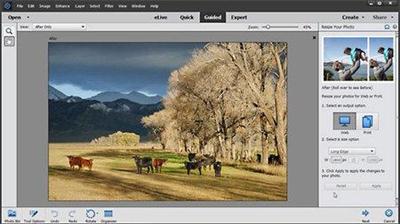
Photoshop Elements 14 Essential Training
Size: 1.26GB | Duration: 5h 07m | Video: AVC (.mp4) 1280x720 15fps | Audio: AAC 48KHz 2ch
Genre: eLearning | Level: Beginner | Language: English​

Get to know the powerful photo organizing, editing, and sharing features of Adobe Photoshop Elements 14, the less expensive version of Photoshop that's ideal for casual photographers who want to achieve professional results. Elements expert Jan Kabili first shows how to import and find photos with the Organizer. She then explains how and when to use each of the editing workspaces: Quick Fix, Guided Edit, and Expert Edit. Using Quick Fix, she shows how to crop and straighten photos, correct lighting and color, and apply effects. She also uses the Expert Edit workspace to build a layered file and create composites. Finally, Jan returns to the Organizer, showing how to find and tag photos, and share them via email and social media.


cd16f42c2c9e89c1ef15f55d31e404d8.jpg


Recommend Download Link Hight Speed | Please Say Thanks Keep Topic Live ​
 
c2a171993166a310859c9cae1c3c753d.jpg


Creating a Calculation Tool with AngularJS
Size: 214MB | Duration: 1h 20m | Video: AVC (.mp4) 1280x720 15fps | Audio: AAC 48KHz 2ch
Genre: eLearning | Level: Beginner | Language: English​

Learn to create a useful web tool that calculates and converts results for your users. In this project, you'll help webpage visitors calculate their energy savings from switching to efficient LED and CFL light bulbs. Chris Converse walks through each step in the process: building the main HTML page, creating the form elements, styling the layout with CSS, and performing calculations on the input using JavaScript and AngularJS's data binding elements. Chris also helps you adjust the layout to display better on small screens and mobile devices. Using these lessons, and the free exercise files, you can build any kind of calculation tool for your clients, from shipping cost to mortgage payment calculators.


b96cca2110039528e2a3867c3a53f8e9.jpg


Recommend Download Link Hight Speed | Please Say Thanks Keep Topic Live ​
 
4e3afd16291f775faa3a47db3a69e8a8.jpg


SIEMENS Solid Edge Certification for Students (2017)
WEBRip | English | MP4 | 1280 x 720 | AVC ~359 kbps | 30 fps
AAC | 192 Kbps | 48.0 KHz | 2 channels | 02:41:56 | 661 MB
Genre: Video Tutorial​


STAND OUT WITH SOLID EDGE CERTIFICATION

Even if you presently know nothing about 3D Design and Siemens Solid Edge this course is geared to accelerate you professional development and validate your skills by preparing you to pass the Solid Edge Level 1 certification exam with confidence. The class and the Siemens Solid Edge software are free to all students.

This course is not a shortcut to certification. To pass you will need to cover all the course material and spend time using and experimenting with Solid Edge and get industry recognized credentials.

Solid Edge with Synchronous Technology is a computer-aided design (CAD) system for mechanical assembly, part modeling, drawing production, and simulation. Solid Edge boosts essential CAD user productivity by capturing engineers' solid modeling design intentions through inference logic and decision-management concepts. Synchronous technology makes it possible to modify the design of any model, without having to know how it was constructed.

Content:

2. 002 Basic Shapes
2:43
3. 003 View Orientation
4:16
4. 004 Drawing Commands
3:22
5. 005 Sketching Simple Shapes
5:41
6. 006 Geometric Relationships
1:56
7. 007 Relate: Additional Geometric Relationships
4:22
8. 008 IntelliSketch
3:33
9. 009 Tangent Constraints
4:19
10. 010 Creating and Dimensioning Sketches
2:48
11. 011 Using Geometric Constraints Together
3:17
12. 012 Crosshatch Sketch Options
3:07
13. 013 Understanding Reference Planes - Lock
3:34
14. 014 Reference Planes - Locking to a Face
3:40
15. 015 Area: Finding the area of a Sketch
3:52
16. 016 Why its Important to Center Parts Around the Axis
2:40
17. 017 Part Painter - Adding Color to Features and Faces
3:08
18. 018 Reference Planes - How to Create Your Own
4:25
19. 019 Trim Command - A Closer Look
4:11
20. 020 Sketching - Creating a Lego Block
3:58
21. 021 Sketching - Putting it All Together and Finding Area
3:51
22. 022 Understanding Why Part Orientation Matters
5:41
23. 023 Orientation and the Best Approach to 3D Design
4:19
24. 024 Physical Properties
4:16
25. 025 Selecting the Correct View to Start a 3D Model
0:56
26. 026 Project to Sketch
3:07
27. 027 Drawing Views
4:00
28. 028 Copy Rotate and Trim Commands
3:58
29. 029 Pattern Rotate 3D
3:56
30. 030 Revolve
2:58
31. 031 Revolve - Creating a Bottle
3:13
32. 032 Revolve and Thinwall
2:07
33. 033 Revolve: Cup
1:42
34. 034 The Magic Wheel - Rotating Faces
3:54
35. 35 Steering Wheel - Modifying Models
3:56
36. 036 Assemblies - The Basics
3:13
37. 037 Assemblies - More Details
2:55
38. 038 Assemblies - Measuring in 3D Space
3:07
39. 039 Assemblies - Measure Minimum Distance
4:36
40. 040 - Practice Exam - What to Expect
2:11
41. Certification Exam
0:00
42. Example 01- Practice Exam
1:49
43. Example 02 - Practice Exam
1:15
44. Example 03 - Practice Exam
1:54
45. Example 04 - Practice Exam
1:41
46. Example 05 - Practice Exam
2:11
47. Example 06 - Practice Exam
1:51
48. Example 07 - Practice Exam
1:58
49. Example 08 - Practice Exam
3:18
50. Example 09 - Practice Exam
2:09
51. Example 10 - Practice Exam
3:04
52. TAKE THE CERTIFICATION EXAM


9f847c9d5edbed133ba4d2eec8742953.jpg


9ddfa16ee348ee2d2af7ef6897d268eb.jpg


Recommend Download Link Hight Speed | Please Say Thanks Keep Topic Live ​
 
Zurück
Oben Unten