• Regeln für den Video-Bereich:

    In den Börsenbereich gehören nur Angebote die bereits den Allgemeinen Regeln entsprechen.

    Einteilung

    - Folgende Formate gehören in die angegeben Bereiche:
    - Filme: Encodierte Filme von BluRay, DVD, R5, TV, Screener sowie Telesyncs im Format DivX, XviD und x264.
    - DVD: Filme im Format DVD5, DVD9 und HD2DVD.
    - HD: Encodierte Filme mit der Auflösung 720p oder darüber von BluRay, DVD, R5, TV, Screener sowie Telesyncs im Format x264.
    - 3D: Encodierte Filme von BluRay, die in einem 3D Format vorliegen. Dies gilt auch für Dokus, Animation usw.
    - Serien: Cartoon/Zeichentrick, Anime, Tutorials, Dokumentationen, Konzerte/Musik, Sonstiges sind demnach in die entsprechenden Bereiche einzuordnen, auch wenn sie beispielsweise im High Definition-Format oder als DVD5/DVD9/HD2DVD vorliegen. Ausnahme 3D.
    - Bereich Englisch: Englische Releases gehören immer in diesen Bereich.
    - Bereich Talk: Der Bereich, in dem über die Releases diskutiert werden kann, darf, soll und erwünscht ist.


    Angebot/Beitrag erstellen

    - Ein Beitrag darf erst dann erstellt werden, wenn der Upload bei mindestens einem OCH komplett ist. Platzhalter sind untersagt.
    - Bei einem Scenerelease hat der Threadtitel ausschließlich aus dem originalen, unveränderten Releasenamen zu bestehen. Es dürfen keine Veränderungen wie z.B. Sterne, kleine Buchstaben o.ä. vorgenommen werden. Ausnahme Serienbörse:
    - Bei einem Sammelthread für eine Staffel entfällt aus dem Releasename natürlich der Name der Folge. Beispiel: Die Simpsons S21 German DVDRip XviD - ITG
    - Dementsprechend sind also u.a. verboten: Erweiterungen wie "Tipp", "empfehlenswert", "only", "reup", usw. / jegliche andere Zusatzinformation oder Ergänzung, welche nicht in obiger Beschreibung zu finden ist.

    Aufbau des Angebots und Threadtitel

    Der Titel nach folgendem Muster erstellt zu werden. <Name> [3D] [Staffel] [German] <Jahr> <Tonspur> [DL] [Auflösung] <Quelle> <Codec> - <Group>
    Beispiel: The Dark Knight German 2008 AC3 DVDRip XviD - iND
    Beispiel: The Dark Knight 2008 DTS DL BDRip x264 - iND
    Beispiel: The Dark Knight 2008 AC3 DL BDRip XviD - iND
    Beispiel: The Dark Knight German 2008 AC3 720p BluRay x264 iND
    Beispiel: The Dark Knight 2008 DTS DL 1080p BluRay x264 iND
    Beispiel: Die Simpsons S01 German AC3 DVDRip XviD iND
    Beispiel: Die Simpsons S20 German AC3 720p BluRay x264 iND
    Beispiel: Sword Art Online II Ger Sub 2014 AAC 1080p WEBRip x264 - peppermint
    Entsprechend sind also u.a. verboten: Sonderzeichen wie Klammern, Sterne, Ausrufezeichen, Unterstriche, Anführungszeichen / Erweiterungen wie "Tipp", "empfehlenswert", "only", "reup", usw. / jegliche andere Zusatzinformation oder Ergänzung, welche nicht in obiger Beschreibung zu finden ist
    Ausnahmen hiervon können in den Bereichen geregelt sein.

    Die Beiträge sollen wie folgt aufgebaut werden:
    Überschrift entspricht dem Threadtitel
    Cover
    kurze Inhaltsbeschreibung
    Format, Größe, Dauer sind gut lesbar für Downloader außerhalb des Spoilers zu vermerken
    Nfo sind immer Anzugeben und selbige immer im Spoiler in Textform.
    Sind keine Nfo vorhanden z.B. Eigenpublikationen, sind im Spoiler folgende Dateiinformationen zusätzlich anzugeben :
    Quelle
    Video (Auflösung und Bitrate)
    Ton (Sprache, Format und Bitrate der einzelnen Spuren)
    Untertitel (sofern vorhanden)
    Hosterangabe in Textform außerhalb eines Spoiler mit allen enthaltenen Hostern.
    Bei SD kann auf diese zusätzlichen Dateiinformationen verzichtet werden.

    Alle benötigten Passwörter sind, sofern vorhanden, in Textform im Angebot anzugeben.
    Spoiler im Spoiler mit Kommentaren :"Schon Bedankt?" sind unerwünscht.


    Releases

    - Sind Retail-Release verfügbar, sind alle anderen Variationen untersagt. Ausnahmen: Alle deutschen Retail-Release sind CUT, in diesem Fall sind dubbed UNCUT-Release zulässig.
    - Im Serien-Bereich gilt speziell: Wenn ein Retail vor Abschluss einer laufenden Staffel erscheint, darf diese Staffel noch zu Ende gebracht werden.62
    - Gleiche Releases sind unbedingt zusammenzufassen. Das bedeutet, es ist zwingend erforderlich, vor dem Erstellen eines Themas per Suchfunktion zu überprüfen, ob bereits ein Beitrag mit demselben Release besteht. Ist dies der Fall, ist der bereits vorhandene Beitrag zu verwenden.
    - P2P und Scene Releases dürfen nicht verändert oder gar unter einem iND Tag eingestellt werden.


    Support, Diskussionen und Suche

    - Supportanfragen sind entweder per PN oder im Bereich Talk zu stellen.
    - Diskussionen und Bewertungen sind im Talk Bereich zu führen. Fragen an die Uploader haben ausschließlich via PN zu erfolgen, und sind in den Angeboten untersagt.
    - Anfragen zu Upload-Wünschen sind nur im Bereich Suche Video erlaubt. Antworten dürfen nur auf Angebote von MyBoerse.bz verlinkt werden.


    Verbote

    - Untersagt sind mehrere Formate in einem einzigen Angebotsthread, wie beispielsweise das gleichzeitige Anbieten von DivX/XviD, 720p und 1080p in einem Thread. Pro Format, Release und Auflösung ist ein eigener Thread zu eröffnen.
    - Grundsätzlich ebenso verboten sind Dupes. Uploader haben sich an geeigneter Stelle darüber zu informieren, ob es sich bei einem Release um ein Dupe handelt.
    - Gefakte, nur teilweise lauffähige oder unvollständige Angebote sind untersagt. Dies gilt auch für eigene Publikationen, die augenscheinlich nicht selbst von z.B. einer DVD gerippt wurden. Laufende Serien, bei denen noch nicht alle Folgen verfügbar sind, dürfen erstellt und regelmäßig geupdatet werden.
    - Untersagt sind Angebote, welche nur und ausschließlich in einer anderen Sprache als deutsch oder englisch vorliegen. Ausnahmen sind VORHER mit den Moderatoren zu klären.


    Verstoß gegen die Regeln

    - Angebote oder Beiträge, die gegen die Forenregeln verstoßen, sind über den "Melden"-Button im Beitrag zu melden.
  • Bitte registriere dich zunächst um Beiträge zu verfassen und externe Links aufzurufen.

++ Premium IPTV ++ 7000 Live Sender ++ UHD Qualität ++ Mediathek mit 18.000 Inhalten ++


VenneTV


Englische Tutorials

87be64a87ee435f351695a661225872d.jpg


Lynda - Angular 2 Testing and Debugging
Size: 228 MB | Duration: 1h 15m | Video: AVC (.mp4) 1280x720 15&30fps | Audio: AAC 48KHz 2ch
Genre: eLearning | Level: Intermediate | Language: English
Errors caused by missing dependencies, undefined variables, or poorly formatted data can cause your web application to stop working.​

In this course, Derek Peruo guides you through the process of analyzing Angular 2 error messages to help track down and eliminate errors. He also shares some tips and tricks for avoiding pitfalls during development and goes into writing custom error handlers to make it easier to work with errors as your application grows.

Topics include:


* Analyzing Angular 2 error messages
* Identifying the causes of common error messages
* Preventing common errors with custom error handling
* Analyzing testing reports
* Reviewing common testing report errors and their likely causes


0206029316caa70ecdd89a399b512313.jpg


Recommend Download Link Hight Speed | Please Say Thanks Keep Topic Live ​

 
1cfa2b80b74d30c1f74562cfc59efd1b.jpg


Soup to Bits: Try Ember
WEBRip | English | MP4 + Project files | 1280 x 720 | AVC ~1500 kbps | 24 fps
AAC | 105 Kbps | 48.0 KHz | 2 channels | 1h 41mn | 1.21 GB
Genre: Video Tutorial / Development, Programming​

In this Soup to Bits episode, we are going to take what we learned from Try Ember and build an application step by step. Nathaniel Bibler and Gregg Pollack will walk you through building a Wilderness Safety Quiz app, which is the quizzing/polling system seen in the Try Ember course.

Nathaniel Bibler
Nate is a software developer who likes to focus on large, multi-part systems and APIs. He can often be found at his lab station drooling over documentation, reconfiguring a web server, or trying to shave 3 more bytes off a graphic.

Gregg Pollack
Gregg is passionate about taking complex topics and teaching them efficiently. He's helped build Envy Labs, Starter Studio, and Code School. He also furthers education through BarCamp in Orlando, the Orlando Ruby Users Group, and the Orlando Tech Events newsletter.


2688b1ade4441faf2c9705b5a38b2b99.jpg


Recommend Download Link Hight Speed | Please Say Thanks Keep Topic Live ​

 
a5117f845bee08465a2dc2e3ce067fd5.jpg


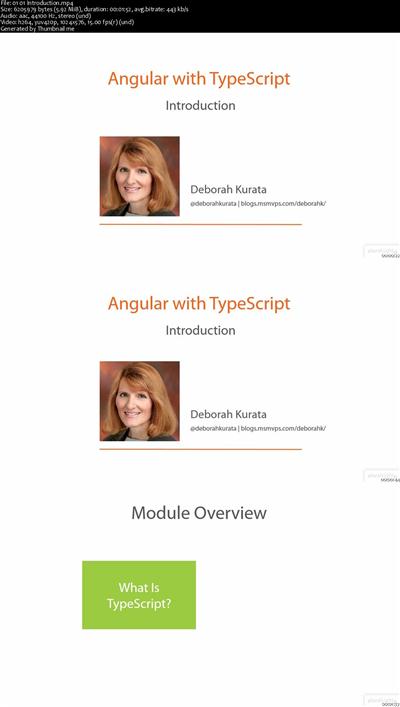
Angular with TypeScript
MP4 | AVC 283kbps | English | 1024x576 | 15fps | 3h 33mins | AAC stereo 192kbps | 767 MB
Genre: Video Training​

Angular is GREAT for building client-side applications for the Web. But since Angular code is developed using JavaScript, Angular has all of the issues that come with coding in JavaScript: no strong data typing, global namespace issues, and lack of class-based object-oriented programming techniques. TypeScript solves these issues *and* makes it easier to build, refactor, and maintain your Angular applications! This course focuses on the basics of building an Angular application with TypeScript.

Introduction
Introduction
What is TypeScript?
Strong Typing
Class-based OOP
TypeScript Is ...
Prerequisites
Getting the Most from This Course
Course Outline

Getting Started
Introduction
Installing TypeScript: Overview
Installing npm
Installing TypeScript
Installing TypeScript Definition Manager
Code Editors
Getting Started with TypeScript in VS Code
Running an Application in VS Code
Summary

Angular Modules and Controllers
Introduction
Sample Application
Creating an Angular Module
Creating an Angular Controller: Overview
Creating an Angular Controller: Interface
Creating an Angular Controller: Class
Creating an Angular Controller: Registration
Creating an Angular Controller: Methods
Summary

TypeScript Modules
Introduction
What Are TypeScript Modules?
Using a TypeScript Module
Summary

Building Business Objects
Introduction
OOP in TypeScript
Defining Business Object Entities
Building an Entity Class: Getting Started
Building an Entity Class: Creating the Class
Using the Entity Class in a Controller
Summary

Building Angular Services
Introduction
Accessing an HTTP Service
Creating a Common Services Angular Module
Building the Service: Getting Started
Building the Service: Creating the Class
Registering the Service
Summary

Using the Data Access Service
Introduction
Mocking the HTTP Responses
Using the Data Access Service
Summary

Routing
Introduction
Defining Routes
Displaying the View
Navigating to a View
Building the Controller
Summary

Final Words
Introduction
Refactoring
What Did We Create?
For More Information
Closing


41f99e2ae5eb8c9b28c65cc778a6da24.jpg


Recommend Download Link Hight Speed | Please Say Thanks Keep Topic Live ​

 
629032b6586e3ed77e9c492ca273c7b5.jpg


Lynda - Angular 2: Widget-Based Architectures
Size: 164 MB | Duration: 0h 52m | Video: AVC (.mp4) 1280x720 15&30fps | Audio: AAC 48KHz 2ch
Genre: eLearning | Level: Intermediate | Language: English
Angular 2 can serve as the primary MVC framework for your application, or it can supplement a server-side solution like Laravel or ASP.​

Angular 2 can serve as the primary MVC framework for your application, or it can supplement a server-side solution like Laravel or ASP. NET. In this course, Derek Peruo guides you through the process of transforming your Angular 2 single-page application (SPA) into a widget-based application for use with server-side frameworks. Plus, he goes into single-page and widget-based architectures, as well as common patterns for communicating between your server-side and client-side frameworks.

Topics include:


* Single-page applications and widget-based applications
* Creating a new Laravel project
* Moving Angular files into Laravel
* Migrating Angular routing and Angular modules
* Using global variables
* Adding stateless API routes
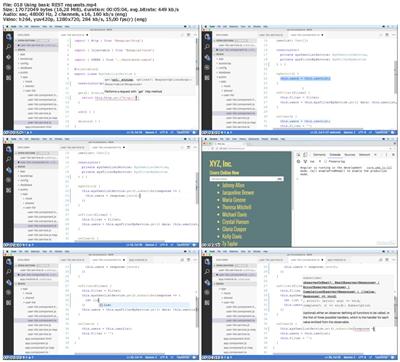
* Using basic REST requests
* Using route parameters in controllers


d5187c4ebb242a9b5de73b78bdc47b17.jpg


Recommend Download Link Hight Speed | Please Say Thanks Keep Topic Live ​

 
1522aa31354818876359152154e6d850.jpg


Lynda - Windows 10: Configure and Support Core Services
Size: 435 MB | Duration: 2h 56m | Video: AVC (.mp4) 1280x720 15&30fps | Audio: AAC 48KHz 2ch
Genre: eLearning | Level: Intermediate | Language: English
In case some of the steps involved in a Windows 10 installation aren't intuitive, this course shows various ways to change the configuration of default services.​

Follow Joli Ballew as she covers networking, storage, data access and usage, and Remote Management. Plus, she shares how to implement Windows Store apps and Windows Store for Business, as well as the Windows Assessment and Deployment Kit, which you'll want to get familiar with if your job involves deploying Windows 10. This course maps to the domain of Exam 70-698, Installing and Configuring Windows 10, a required exam for Microsoft Certified Solutions Associate (MCSA).

Topics include:


* Configuring and supporting network settings
* Connecting to a network and configuring network locations
* Using Windows Firewall
* Managing partitions with Disk Management
* Managing storage with PowerShell
* Creating and configuring a VHD
* Creating and configuring homegroups and folder shares
* Configuring desktop apps and startup options
* Creating and deploying provisioning packages
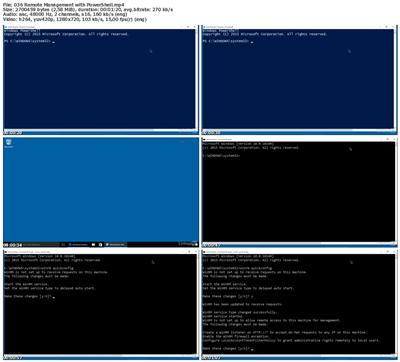
* Using Remote Management tools
* Configuring Remote Assistance and Remote Desktop


683fbcc0713de0de513b9c2911c22e83.jpg


Recommend Download Link Hight Speed | Please Say Thanks Keep Topic Live ​

 
15e3455a3e7451eced05a7c2c3e4653c.jpg


Ethical Hacking: Reconnaissance/Footprinting
MP4 | AVC 90kbps | English | 1024x768 | 15fps | 3h 28mins | AAC stereo 103kbps | 500 MB
Genre: Video Training​

This course is part of the 20 course Ethical Hacking Series. This course starts you at the first phase (out of 5) of hacking. You'll begin the process of probing a system with the intent of attacking and compromising the target. This phase consists of either passively or actively acquiring evidence about a target. The goal is to gather as much data as possible about a would-be target with the goal of getting ample data to make future attacks easier and more directed.

This course is part of the 20 course Ethical Hacking Series. As an Ethical Hacker, you've been asked to do a "Blackbox" attack on a customer's infrastructure. Your first step is finding out as much as you can about the "target." You accomplish this via reconnaissance/footprinting. This is the initial stage in gaining a blueprint of the security profile of a target, and it is accomplished in an organized manner. Reconnaissance is one of the three "pre-attack phases," and results in a unique profile of an organization's networks and systems. "Reconning" an organization is necessary in order to systematically gather all the related data in regards to the technologies deployed within the network. Reconnaissance can take up to 90% of the time during penetration testing or an actual attack. We'll show you how attackers are currently reconning your company, as well as discuss in detail the steps of reconnaissance. Finally we'll look at some possible countermeasures to help discourage attackers.


5bf8543b794cd30301c14a1379b1ba31.jpg


Recommend Download Link Hight Speed | Please Say Thanks Keep Topic Live ​
 
3f06de5e2eedee1e9cc71d34f16708e0.jpg


Lynda - Cert Prep: Outlook 2016 Microsoft Office Specialist (77-731)
Size: 515 MB | Duration: 2h 54m | Video: AVC (.mp4) 1280x720 15&30fps | Audio: AAC 48KHz 2ch
Genre: eLearning | Level: Intermediate | Language: English
Demonstrate your mastery of Outlook 2016 by becoming a Microsoft Office Specialist (MOS).​

In this course, certified MOS Master instructor Megan Hoffman helps you get ready for exam 77-731 by diving into the four main areas of the Outlook 2016 MOS exam: managing the Outlook environment for productivity, managing messages, managing schedules, and managing contacts and groups. Megan begins with an overview of the certification program, and then walks through all of the certification objectives. As you review each topic, you can use downloadable sample documents to practice as you go. Megan wraps up the course with a full-length practice test that emulates the Outlook 2016 MOS exam, together with solutions to each of the exam challenges.

Topics include:


* Comparing the Microsoft Office Specialist certifications
* Reviewing the user interface
* Customizing settings
* Printing and saving information
* Performing search operations in Outlook
* Configuring mail settings
* Automating messages
* Creating messages
* Formatting, organizing, and managing messages
* Creating and managing calendars
* Creating and organizing appointments, events, and meetings
* Managing contacts and groups


48e1912e057c9d8d1316ec6de7d992c1.jpg


Recommend Download Link Hight Speed | Please Say Thanks Keep Topic Live ​
 
f100a2f476fff2480486e49b74a8b0da.jpg


Lynda - Outlook for Mac 2016: Advanced Tips and Tricks
Size: 333 MB | Duration: 2h 0m | Video: AVC (.mp4) 1280x720 15&30fps | Audio: AAC 48KHz 2ch
Genre: eLearning | Level: Intermediate | Language: English
Get tips, tricks, and keyboard shortcuts to improve your efficiency with Outlook for Mac 2016.​

In this course, Gini von Courter shares over 100 power shortcuts to help you save time, increase productivity, and stay organized-whether you're sending emails or managing your task list. Start with Gini's top 10 tips, and power up from there. Learn techniques for quickly organizing your inbox, managing incoming messages, and replying to emails, as well as a few other cool tricks, like dictating email messages in Outlook. This course also helps you manage your appointments, share calendars, work with contacts, and stay on task with Outlook for Mac 2016.

Topics include:


* Finding a contact in seconds flat
* Decluttering your inbox
* Creating text shortcuts with AutoCorrect
* Power searching in mail and calendar
* Dealing with junk mail
* Setting up out-of-office replies
* Saving a search for reuse
* Creating recurring appointments and tasks
* Backing up Outlook data with Time Machine


97d77609a70886f0bdc63816f4247452.jpg


Recommend Download Link Hight Speed | Please Say Thanks Keep Topic Live ​

 
1e4ae7b6d18c20dc47ce558487e661aa.jpg


Adobe Photoshop: Save Time With Actions (+91 Actions Inside)
MP4 | Video: AVC 1280x720 | Audio: AAC 44KHz 2ch | Duration: 1 Hours | 262 MB
Genre: eLearning | Language: English
In This Course you can download and learn how to use Photoshop actions that you can use in your everyday work.​

Photoshop actions are very popular. Actions can save you tons of time and not only. You can also learn and earn from Photoshop actions. In this course I will introduce you Photoshop actions and give you some advice's and tips with best practices.
Also you'll get 91 the most helpful photoshop actions for photographer and video instruction how to use it.
You will have better understanding of Retouch and color-correction processes
You will learn how to automate your Photo Editing Process
Learn how to save your time by adding some automatization
Substantially speed up your post-processing process


176201fc35e386ad7abfcce73a206c68.jpg


Recommend Download Link Hight Speed | Please Say Thanks Keep Topic Live ​

 
50d39f0659dd7ff87bb40e7285c4bb3d.jpg

Build Responsive Websites in an Hour using Portalfin
MP4 | Video: AVC 1280x720 | Audio: AAC 44KHz 2ch | Duration: 41M | Lec: 14 | 170 MB
Genre: eLearning | Language: English
Create Website Builder , Mobile App Builder , Shopping cart or Online Web Application with out Coding​

One stop solution that help User with no prior software knowledge to design and develop complex form, presentation, website, data grid, application, chart, ads and content in various formats. User can also manage projects and tasks, Analyze Data and create RSS Dashboard to track deals, news, sports without writing single line of code.

User can publish all these functionality and widgets to their existing websites, blogs and social media with just click and paste. This reduced time and money to publish ideas and content online with fast output and result. Help them to create effective online presence, create more opportunity increase their business and leads

For companies this product reduces Time and Cost by more than half. Configurable User Interface with no coding increases productivity and support time and automate the entire process easily.

Some of the widgets that help user in day to day life are as below

* Access Facebook Widget in easy and simple way to communicate with friends, relatives.
* Access LinkedIn Widget to view current happening in professional circle.
* Do searches, save criteria using search widget and publish them.
* Search Wikipedia and Bookmark wikis and publish them as widget.
* Create and track children activities, create Task List, Notes, City Time, Weather, Organization chart and Map using Utility Widgets
* Developers and Designers can make Widgets and Templates using Form Designer, Presentation Designer, Code editor, Ajax Editor widgets
* Online form designer widget helps create HTML forms for your blogs, sites, contact and feedback forms by dragging and dropping form elements and publishing it to websites, blogs and receive form submissions.
* Entrepreneur can publish their business plans using Funding Widgets for capital need for their venture.
* Publish Ads and content in different formats using Ads Widgets like carousel, slideshow and catalog.
* Children can create and publish books using book widgets using their ideas.
* Time Line widget to publish events with date and time.
* Publish the generated content, service and product info to websites, blogs, Facebook, LinkedIn, Google+ and other social networking website.
* Publish videos into categories and sorted list using video gallery. Helps Users, Artists, Companies and Business to organize video in categories.
* RSS Widget allows user to subscribe to various Feed and content and publish them to their own blogs, websites.
* Project Management Widget manages projects, tasks and online business to increase productivity, prevent delays and minimize cost.
* Data Analysis Widget creates, edits and customizes Data grid with sorting, filtering, mass selection, pagination and visualization chart .
* Data Visualization Widget To Visualize remote data in the form of bar chat, pie chart and line chart with no coding.
* My Widgets like Bookmark, Weather, Contact, List to Do, Notepad, City Time and calculator helps user in their day to day activities.
* Website Widgets Like Realtor and Restaurant helps realtor and business owners to create their own websites.

* Configurable User interface and Layout Manager allows User to configure page Layout and organize the widgets positions on Layout, so user can select the content and place the content the way user likes.

These Easy-to-use widgets give ease of changing content and publishing work in real time. Adding these widgets to any website, blog, social media is easy just a click and paste.


f149ac9d014bd7c99d91e7ca775b1f6a.jpg


Recommend Download Link Hight Speed | Please Say Thanks Keep Topic Live ​

 
155606e686a618ad35d148c3deec7053.jpg


Successful investing mindset & strategies
MP4 | Video: AVC 1280x720 | Audio: AAC 44KHz 2ch | Duration: 1 Hours | Lec: 22 | 525 MB
Genre: eLearning | Language: English
What I've learned from working with top CEOs and some amazing investors​

I've wanted to put together this course for a long-time and now, I have finally done it. So what is it all about? Reverse engineering the lessons I learned...

Over the past 10 years, I've helped hundreds of investors, advised on hundreds of millions of dollars and been on TV more than 2000+ times (across Asia). I've met some of the world's most interesting investors and sat down with dozens of company CEO's. This course is probably the most basic of investment courses you will find online, but I believe, it contains the most important information.

It's my first online course (go a little easy on me...) so I have launched it on a few key areas I think every single investor needs to spend time developing. The course is broken down into three key areas:

1. Planning - Many investors skimp out on planning. Imagine jumping in a car and not knowing where you want to go. You either run out of fuel or crash. Likewise when it comes to investing, your destination is the ultimate starting point of discovery.

2. Execution - Everybody wants to sit on the beach and brag to their friends about how much money they've made investing, but guest what? Most investors lose and some lose big. Execution requires understanding the game and knowing how to play.

3. Sharpening - The best investors in the world, the top company CEO's (not the jerks who get paid and lose money, I'm talking about those who create value) all believe in continuous improvement. Most investors think they know it all and miss out on the importance of education, skills development and expanding their mindset. This is a huge trap.

Bottom line: This course will make you think about your investments in a different way, help you demystify the technical jargon and help put you back on a path of simplicity. It doesn't have to be rocket science and remember, investing should be enjoyable. I hope that I help you achieve this realisation.


dadf1fb06032901c19b0128425da7a78.jpg


Recommend Download Link Hight Speed | Please Say Thanks Keep Topic Live ​
 
f1e5e23cc12c38b23540f992d5288cf4.jpg


The Daily Hunt - Capturing Your Everyday Moments
MP4 | Video: AVC 1280x720 | Audio: AAC 44KHz 2ch | Duration: 12M | 217 MB
Genre: eLearning | Language: English​

THE DAILY HUNT is a photo scavenger hunt documenting your daily life. This exercise to meant to increase ones awareness of their surroundings and photographic eye. Taking photographs of our seemingly "mundane moments" can push us to look differently at common objects.


bdb3e09415857d58c36cfe2240a55172.jpg


Recommend Download Link Hight Speed | Please Say Thanks Keep Topic Live ​
 
Zurück
Oben Unten