• Regeln für den Video-Bereich:

    In den Börsenbereich gehören nur Angebote die bereits den Allgemeinen Regeln entsprechen.

    Einteilung

    - Folgende Formate gehören in die angegeben Bereiche:
    - Filme: Encodierte Filme von BluRay, DVD, R5, TV, Screener sowie Telesyncs im Format DivX, XviD und x264.
    - DVD: Filme im Format DVD5, DVD9 und HD2DVD.
    - HD: Encodierte Filme mit der Auflösung 720p oder darüber von BluRay, DVD, R5, TV, Screener sowie Telesyncs im Format x264.
    - 3D: Encodierte Filme von BluRay, die in einem 3D Format vorliegen. Dies gilt auch für Dokus, Animation usw.
    - Serien: Cartoon/Zeichentrick, Anime, Tutorials, Dokumentationen, Konzerte/Musik, Sonstiges sind demnach in die entsprechenden Bereiche einzuordnen, auch wenn sie beispielsweise im High Definition-Format oder als DVD5/DVD9/HD2DVD vorliegen. Ausnahme 3D.
    - Bereich Englisch: Englische Releases gehören immer in diesen Bereich.
    - Bereich Talk: Der Bereich, in dem über die Releases diskutiert werden kann, darf, soll und erwünscht ist.


    Angebot/Beitrag erstellen

    - Ein Beitrag darf erst dann erstellt werden, wenn der Upload bei mindestens einem OCH komplett ist. Platzhalter sind untersagt.
    - Bei einem Scenerelease hat der Threadtitel ausschließlich aus dem originalen, unveränderten Releasenamen zu bestehen. Es dürfen keine Veränderungen wie z.B. Sterne, kleine Buchstaben o.ä. vorgenommen werden. Ausnahme Serienbörse:
    - Bei einem Sammelthread für eine Staffel entfällt aus dem Releasename natürlich der Name der Folge. Beispiel: Die Simpsons S21 German DVDRip XviD - ITG
    - Dementsprechend sind also u.a. verboten: Erweiterungen wie "Tipp", "empfehlenswert", "only", "reup", usw. / jegliche andere Zusatzinformation oder Ergänzung, welche nicht in obiger Beschreibung zu finden ist.

    Aufbau des Angebots und Threadtitel

    Der Titel nach folgendem Muster erstellt zu werden. <Name> [3D] [Staffel] [German] <Jahr> <Tonspur> [DL] [Auflösung] <Quelle> <Codec> - <Group>
    Beispiel: The Dark Knight German 2008 AC3 DVDRip XviD - iND
    Beispiel: The Dark Knight 2008 DTS DL BDRip x264 - iND
    Beispiel: The Dark Knight 2008 AC3 DL BDRip XviD - iND
    Beispiel: The Dark Knight German 2008 AC3 720p BluRay x264 iND
    Beispiel: The Dark Knight 2008 DTS DL 1080p BluRay x264 iND
    Beispiel: Die Simpsons S01 German AC3 DVDRip XviD iND
    Beispiel: Die Simpsons S20 German AC3 720p BluRay x264 iND
    Beispiel: Sword Art Online II Ger Sub 2014 AAC 1080p WEBRip x264 - peppermint
    Entsprechend sind also u.a. verboten: Sonderzeichen wie Klammern, Sterne, Ausrufezeichen, Unterstriche, Anführungszeichen / Erweiterungen wie "Tipp", "empfehlenswert", "only", "reup", usw. / jegliche andere Zusatzinformation oder Ergänzung, welche nicht in obiger Beschreibung zu finden ist
    Ausnahmen hiervon können in den Bereichen geregelt sein.

    Die Beiträge sollen wie folgt aufgebaut werden:
    Überschrift entspricht dem Threadtitel
    Cover
    kurze Inhaltsbeschreibung
    Format, Größe, Dauer sind gut lesbar für Downloader außerhalb des Spoilers zu vermerken
    Nfo sind immer Anzugeben und selbige immer im Spoiler in Textform.
    Sind keine Nfo vorhanden z.B. Eigenpublikationen, sind im Spoiler folgende Dateiinformationen zusätzlich anzugeben :
    Quelle
    Video (Auflösung und Bitrate)
    Ton (Sprache, Format und Bitrate der einzelnen Spuren)
    Untertitel (sofern vorhanden)
    Hosterangabe in Textform außerhalb eines Spoiler mit allen enthaltenen Hostern.
    Bei SD kann auf diese zusätzlichen Dateiinformationen verzichtet werden.

    Alle benötigten Passwörter sind, sofern vorhanden, in Textform im Angebot anzugeben.
    Spoiler im Spoiler mit Kommentaren :"Schon Bedankt?" sind unerwünscht.


    Releases

    - Sind Retail-Release verfügbar, sind alle anderen Variationen untersagt. Ausnahmen: Alle deutschen Retail-Release sind CUT, in diesem Fall sind dubbed UNCUT-Release zulässig.
    - Im Serien-Bereich gilt speziell: Wenn ein Retail vor Abschluss einer laufenden Staffel erscheint, darf diese Staffel noch zu Ende gebracht werden.62
    - Gleiche Releases sind unbedingt zusammenzufassen. Das bedeutet, es ist zwingend erforderlich, vor dem Erstellen eines Themas per Suchfunktion zu überprüfen, ob bereits ein Beitrag mit demselben Release besteht. Ist dies der Fall, ist der bereits vorhandene Beitrag zu verwenden.
    - P2P und Scene Releases dürfen nicht verändert oder gar unter einem iND Tag eingestellt werden.


    Support, Diskussionen und Suche

    - Supportanfragen sind entweder per PN oder im Bereich Talk zu stellen.
    - Diskussionen und Bewertungen sind im Talk Bereich zu führen. Fragen an die Uploader haben ausschließlich via PN zu erfolgen, und sind in den Angeboten untersagt.
    - Anfragen zu Upload-Wünschen sind nur im Bereich Suche Video erlaubt. Antworten dürfen nur auf Angebote von MyBoerse.bz verlinkt werden.


    Verbote

    - Untersagt sind mehrere Formate in einem einzigen Angebotsthread, wie beispielsweise das gleichzeitige Anbieten von DivX/XviD, 720p und 1080p in einem Thread. Pro Format, Release und Auflösung ist ein eigener Thread zu eröffnen.
    - Grundsätzlich ebenso verboten sind Dupes. Uploader haben sich an geeigneter Stelle darüber zu informieren, ob es sich bei einem Release um ein Dupe handelt.
    - Gefakte, nur teilweise lauffähige oder unvollständige Angebote sind untersagt. Dies gilt auch für eigene Publikationen, die augenscheinlich nicht selbst von z.B. einer DVD gerippt wurden. Laufende Serien, bei denen noch nicht alle Folgen verfügbar sind, dürfen erstellt und regelmäßig geupdatet werden.
    - Untersagt sind Angebote, welche nur und ausschließlich in einer anderen Sprache als deutsch oder englisch vorliegen. Ausnahmen sind VORHER mit den Moderatoren zu klären.


    Verstoß gegen die Regeln

    - Angebote oder Beiträge, die gegen die Forenregeln verstoßen, sind über den "Melden"-Button im Beitrag zu melden.
  • Bitte registriere dich zunächst um Beiträge zu verfassen und externe Links aufzurufen.

++ Premium IPTV ++ 7000 Live Sender ++ UHD Qualität ++ Mediathek mit 18.000 Inhalten ++


VenneTV


Englische Tutorials


d5fcaf78c346a07c0809fbe5749a7362.jpg

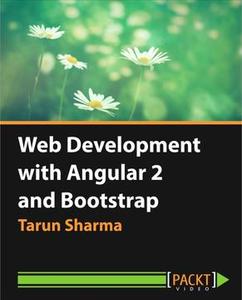
Packt Publishing - Web Development with Angular 2 and Bootstrap
Duration: 5h 40m | Video: h264, yuv420p, 1280x720 | Audio: aac, 44100 Hz, 1 ch | 960 MB
Genre: eLearning, Programming | Language: English​

by Tarun Sharma
Publisher: Packt Publishing
Release Date: January 2017
ISBN: 9781785889646
Topics: AngularJS

Angular 2 is a game changer in the field of web development and enables you to efficiently architect large-scale and maintainable software. It has everything from a powerful view engine to an exceptional data binding framework and a design that embraces modern web development. Bootstrap allows users to quickly get started developing professional-looking responsive web applications. With both joining forces, we burst into modern web development with the very best of development and design.

This course demonstrates how to write dynamic, feature-rich Angular 2 applications with Bootstrap's responsive layouts and end-to-end testing techniques. We will set up our development environment with Angular 2 and ES6 with TypeScript. In Angular 2, everything is a component using TypeScript annotations. This course takes a component-centric approach, using them as the main point of discussion to help you learn the core concepts in Angular 2. You'll also get to grips with Bootstrap to create and design web applications that are elegantly styled with a responsive user interface.

If you have been building applications with 1.x versions of Angular, this course will also lay down the migration steps required to port your application to the newer version without disrupting the functionalities. Throughout this course, you will learn about the advanced features of Angular 2 such as components, views, event handlers, directives, dependency injection, services, routing, and data binding using Bootstrap styling. Finally, we'll end the course by implementing all that you've learned using Angular 2 web components and BootstrapUI.

By the end of the course, you'll be ready to start building quick and efficient applications with a stunning interface that takes advantage of all the new features on offer from both Angular 2 and Bootstrap.

Recommend Download Link Hight Speed | Please Say Thanks Keep Topic Live ​

 

5e5a80263bafd00e7f07c73968c14066.jpg

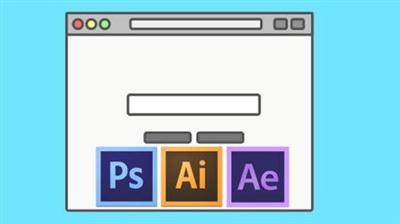
Animating Vector Illustrations
MP4 | Video: AVC 1280x720 | Audio: AAC 44KHz 2ch | Duration: 44M | 359 MB
Genre: eLearning | Language: English​

This class is about illustrating in Adobe Photoshop and Illustrator and animating these shapes using the shape layers in After Effects.

Recommend Download Link Hight Speed | Please Say Thanks Keep Topic Live ​

 

1d1439ebf036ed7f71aacd9404e6c559.jpg

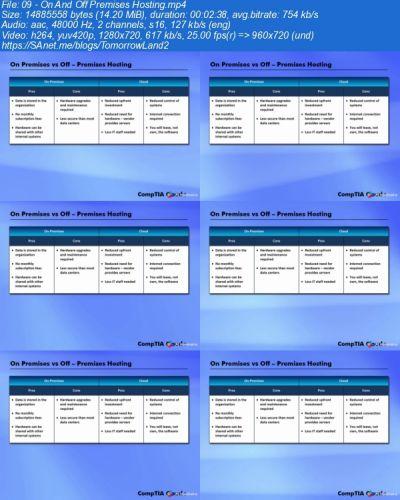
iCollege - CompTIA Cloud+
Duration: 5h 8m | Video: h264, yuv420p, 1280x720 | Audio: aac, 44100 Hz, 1 ch | 2.2 GB
Genre: eLearning, Programming | Language: English​

CompTIA's Cloud+ is a vendor-neutral certification that validates technical competency in methodology required to securely implement and maintain cloud technologies. The Cloud+ certification validates the knowledge and best practices required of IT practitioners working in cloud computing environments, who must understand and deliver cloud infrastructure. Jobs that use CompTIA Cloud+ include: Project manager, cloud computing services, cloud engineer, Manager, data center SAN and Business analyst, cloud computing. Our Cloud+ training course follows the CompTIA objectives, ensuring you receive the training and knowledge needed to succeed.


eb09e242dd66eef3b7845cdd87d49215.jpg


8155d1b7522dcbc5c7405bc1161d4a95.jpg


d3ee515e5dff8d73bd98e47832d8d524.jpg


2754145ea493dd9da59c1b1a86740000.jpg


Recommend Download Link Hight Speed | Please Say Thanks Keep Topic Live ​
[/center]


9f682bf571f47446214c848421a4f8ba.jpg

iCollege - Microsoft 70-346: Managing Office 365 Identities and Requirements
Duration: 6h 18m | Video: h264, yuv420p, 1280x720 | Audio: aac, 44100 Hz, 1 ch | 521 MB
Genre: eLearning, Programming | Language: English​

This course is intended for IT professionals who take part in evaluating, planning, deploying, and operating the Office 365 services, including its dependencies, requirements, and supporting technologies.

This course provides the knowledge and understanding for some of these important job functions:

Provision Office 365
Provision tenants
Add and configure custom domains
Plan a pilot
Plan and implement networking and security in Office 365

Configure DNS records for services
Enable client connectivity to Office 365
Administer rights management (RM)
Manage administrator roles in Office 365
Manage cloud identities

Configure password management
Manage user and security groups
Manage cloud identities with Windows PowerShell
Implement and manage identities by using DirSync

Prepare on-premises Active Directory for DirSync
Set up DirSync [WAAD sync tool]
Manage Active Directory users and groups with DirSync in place
Implement and manage federated identities (single sign-on [SSO])

Plan requirements for Active Directory Federation Services (AD FS)
Install and manage AD FS servers
Install and manage AD FS proxy servers
Monitor and troubleshoot Office 365 availability and usage

Analyze reports
Monitor service health
Isolate service interruption

Module 1 - Provision Office 365

Section 1-1 - Overview of Office 365
Section 1-2 - Provision tenants
Looking around Office 365 - Admin Center
Finalize Office 365 Setup
Manage Tenant Subscriptions
Manage the Licensing Model
Section 1-3 - Add and Configure Custom Domains
Specify Domain Purpose
Move Ownership of DNS to Office 365
Section 1-4 - Plan a Pilot
Run the Office 365 Health-Readiness and Check Tool
Module 2 - Plan and Implement Networking and Security in Office 365

Section 2-1 - Creating DNS Records for Exchange - Lync and SharePoint
Section 2-2 - Enable Client Connectivity to Office 365
Testing for Connectivity
Section 2-3 - Administer Rights Management
Office Integration with Rights Management and How to Protect a Document
Section 2-4 - Manage Administrator Roles in Office 365
Create or Revoke Assignment of Administrative Roles or the Administrative Model
Module 3 - Manage Cloud Identities

Section 3-1 - Configure Password Management
Password Complexity
Password Resets and Administration Center
Section 3-2 - Manage User and Security Groups - Bulk Import
Administration Center - Security Groups
Soft Delete
Multi-Factor Authentication
Section 3-3 - Manage Cloud Identities with Windows PowerShell
Configure Passwords To Never Expire
Create An Account
Bulk User Creation
Bulk Update Of User Properties
Assigning A License To One User
Bulk Assignment Of Licenses
Azure Active Directory cmdlets and Hard Delete Users
Module 4 - Implement And Manage Identities By Using DirSync

Section 4-1 - Prepare On-Premises Active Directory for DirSync
Enable DirSync
Section 4-2 - Setting Up DirSync
Soft Filtering and Password Synchronization
Section 4-3 - Manage Active Directory Users And Groups With DirSync In Place
Demo - Installing DirSync
Module 5 - Implement And Manage Federated Identities - Single Sign-On

Section 5-1 - Plan Requirements For Active Directory Federation Services
Getting Started with Active Directory Federation Services
Namespaces and Certificates
Plan AD FS Internal Topologies and Dependencies
AD FS Proxy Servers
Network Requirements
Multi-Factor Authentication
Section 5-2 - Install and Manage AD FS Servers
Convert From Standard To Federated Domain and Certificate Lifecycle
Demo - Install AD FS
Section 5-3 - Install and Manage AD FS Proxy Servers
Install Required Windows Roles and Features
Demo - Install AD FS Proxy Servers
Module 6 - Monitor and Troubleshoot Office 365 Availability and Usage

Section 6-1 - Monitor and Troubleshoot Office 365
Demo - Reports
Section 6-2 - Service Health Monitoring
RSS Feed
Office 365 Management Pack for System Center Operations Manager - SCOM
Windows PowerShell cmdlets
Section 6-3 - Isolate Service Interruption
Create a Service Request
Microsoft Connectivity Analyzer Tools
Transport Reliability IP Probe - TRIPP
Hybrid Free/Busy Troubleshooter
Microsoft Online Services Diagnostics and Logging - MOSDAL
Course Ending

Recommend Download Link Hight Speed | Please Say Thanks Keep Topic Live ​
 
The Complete Ethical Hacking Course: Go from Beginner to Advanced (All 106 Lectures)

The Complete Ethical Hacking Course: Go from Beginner to Advanced!
English | MP4 | AVC 240kbps | 1280x720 | AAC stereo 65kbps | 25 hours 106 Lectures | Udemy | RAR | 6.63 GB

cse01u2yrj.jpg


Gain the knowledge hackers use to compromise systems and use it to protect your own! If you want to get started as an ethical hacker, learn how network security professionals protect their systems, or take your IT career to the next level you are going to LOVE this course! This course is a sequel to The Complete Ethical Hacking Course: Beginner to Advanced! which over 50,000 students have taken, and was at one point the most popular ethical hacking course in the world! Join us now and receive over 25 hours & 106 Lectures of HD video, and 1 on 1 assistance from experienced network security professionals! We will cover the following topics in this course:

CONTENT​

downloadnowctsl1.gif

Password always: Cassandra

uploadeda0uv0.jpeg


pleasesaythanks07uoq.png

​
 
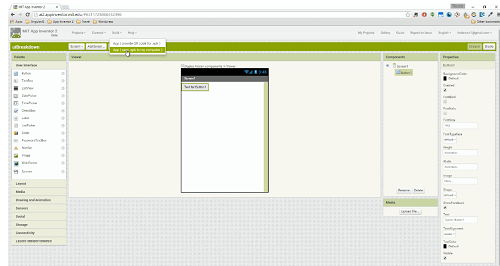
StoneRiver eLearning Build Android Apps with App Inventor 2 No Coding Required

Englisch

stoneriverido0m.png


Beschreibung:

Everybody has a great idea for an app. The problem is, not many of those people have the skills or knowledge required to make that idea a reality. Building an app, regardless of its simplicity or platform, requires certain technical know-how like coding, UX/UI design, and more. App Inventor 2, however, cuts through all of the smoke and allows anyone – even those with no coding experience – to build Android apps from the ground up. This course will teach you how.

- Build Apps Without Learning Code!
- Gain a practical understanding of programming basics
- Navigate and use App Inventor 2 efficiently and effectively
- Create and build your own apps for Android
- Test and update your apps after you’ve built them
- Learn how to publish your app to Google’s Play Store
- Android Apps in an Instant

This course will teach you everything you need to know about building apps – without the complicated coding normally required. If you have a good internet connection, a basic understanding of what an Android app is, and a great idea for an app that doesn’t yet exist, then you’re the perfect candidate! While the course is aimed at beginner programmers or those with no coding experience whatsoever, experienced app builders who want to learn from a new angle will benefit too.
During the 204 lectures and 17 hours of content contained within this course, you’ll learn the basics of programming in a fun and practical way, while creating fully fledged, ready-to-use Android apps. You’ll start off with setting up App Inventor 2 and choosing the options you’ll need for your future apps. Then you’ll get to know the interface and tools before diving straight in and creating not one, not two, but TEN apps. These apps will increase in complexity as you work through them, using features such as the component editor and blocks editor.
When you’ve built your ten apps you’ll also learn how to test, update, and publish them to the Play Store. By the end of this course, you’ll be an advanced app builder using App Inventor 2.
Tools Used
App Inventor 2 is an open source web application originally developed by Google and now maintained by MIT. It is aimed at beginner programmers and specially designed to enable them to build Android apps. It turns complicated coding language into visual drag and drop blocks, so there is no need for the user to learn code before building their apps.
_________________________________________________

Größe: 5,41 GB
Sprache: Englisch
Format: ISO/MP4
Genre: eLearning
Plattform: Windows 32 + 64 Bits
Hoster: Uploaded, Share-Online, Oboom
Passwort: Keins
________________________________________

pid0hyo3ab2o.png


DOWNLOAD:


29e6d732568c564004f4a0d6822c876f.jpg

Docker Swarm: From Beginner to Advanced
MP4 | Video: AVC 1280x720 | Audio: AAC 44KHz 2ch | Duration: 1.5 Hours | Lec: 27 | 236 MB
Genre: eLearning | Language: English​

Learn How To Use Docker Swarm To Manage Docker At Scale

Managing Docker at scale is the next challenge facing IT. This course, Docker Swarm: Native Docker Clustering, will teach you everything you need to know about Docker Swarm, the native solution for managing Docker environments at scale. First, you'll learn how to build highly available, production-grade Swarm clusters. You'll also cover how to secure them with TLS and certificates. Finally, you'll discover how Docker Swarm is used behind the scenes by other technologies such as Docker Datacenter and Universal Control Plane. By the end of this course, you'll have a foundational knowledge of Docker Swarm and you'll know how to use it to manage Docker's infrastructure.

This course is geared towards more technical folks. If you are not sure what Docker is or are new to Docker, please take my free class, Docker Essentials, which you can find by searching for Geoffrey Emery Docker Essentials.If you have some or limited experience with Docker but understand it nonetheless, try my course Docker for Developers, which you can find by searching for Geoffrey Emery Docker for Developers. If you have a good understanding of Docker but are new to Swarm or clustering Docker, then this is the course for you and it will teach you everything you need to know. In this course you will learn about:

1. What Swarm is and why it is great.

2. How to build high availability infrastructure needed for critical applications

3. How to Building Your Swarm Cluster

5. How to use topline security to secure your Swarm Cluster

6. How to deploy your application to a Swarm Cluster

7. How to filter and sort your nodes for optimal deployment

8. How you can use Swarm to integrate with other tools.

By the end of the course you will have everything at your disposal that you need to deploy a Swarm Cluster to AWS.

Recommend Download Link Hight Speed | Please Say Thanks Keep Topic Live ​
 

9f682bf571f47446214c848421a4f8ba.jpg

iCollege - Microsoft 70-346: Managing Office 365 Identities and Requirements
Duration: 6h 18m | Video: h264, yuv420p, 1280x720 | Audio: aac, 44100 Hz, 1 ch | 521 MB
Genre: eLearning, Programming | Language: English​

This course is intended for IT professionals who take part in evaluating, planning, deploying, and operating the Office 365 services, including its dependencies, requirements, and supporting technologies.

This course provides the knowledge and understanding for some of these important job functions:

Provision Office 365
Provision tenants
Add and configure custom domains
Plan a pilot
Plan and implement networking and security in Office 365

Configure DNS records for services
Enable client connectivity to Office 365
Administer rights management (RM)
Manage administrator roles in Office 365
Manage cloud identities

Configure password management
Manage user and security groups
Manage cloud identities with Windows PowerShell
Implement and manage identities by using DirSync

Prepare on-premises Active Directory for DirSync
Set up DirSync [WAAD sync tool]
Manage Active Directory users and groups with DirSync in place
Implement and manage federated identities (single sign-on [SSO])

Plan requirements for Active Directory Federation Services (AD FS)
Install and manage AD FS servers
Install and manage AD FS proxy servers
Monitor and troubleshoot Office 365 availability and usage

Analyze reports
Monitor service health
Isolate service interruption

Module 1 - Provision Office 365

Section 1-1 - Overview of Office 365
Section 1-2 - Provision tenants
Looking around Office 365 - Admin Center
Finalize Office 365 Setup
Manage Tenant Subscriptions
Manage the Licensing Model
Section 1-3 - Add and Configure Custom Domains
Specify Domain Purpose
Move Ownership of DNS to Office 365
Section 1-4 - Plan a Pilot
Run the Office 365 Health-Readiness and Check Tool
Module 2 - Plan and Implement Networking and Security in Office 365

Section 2-1 - Creating DNS Records for Exchange - Lync and SharePoint
Section 2-2 - Enable Client Connectivity to Office 365
Testing for Connectivity
Section 2-3 - Administer Rights Management
Office Integration with Rights Management and How to Protect a Document
Section 2-4 - Manage Administrator Roles in Office 365
Create or Revoke Assignment of Administrative Roles or the Administrative Model
Module 3 - Manage Cloud Identities

Section 3-1 - Configure Password Management
Password Complexity
Password Resets and Administration Center
Section 3-2 - Manage User and Security Groups - Bulk Import
Administration Center - Security Groups
Soft Delete
Multi-Factor Authentication
Section 3-3 - Manage Cloud Identities with Windows PowerShell
Configure Passwords To Never Expire
Create An Account
Bulk User Creation
Bulk Update Of User Properties
Assigning A License To One User
Bulk Assignment Of Licenses
Azure Active Directory cmdlets and Hard Delete Users
Module 4 - Implement And Manage Identities By Using DirSync

Section 4-1 - Prepare On-Premises Active Directory for DirSync
Enable DirSync
Section 4-2 - Setting Up DirSync
Soft Filtering and Password Synchronization
Section 4-3 - Manage Active Directory Users And Groups With DirSync In Place
Demo - Installing DirSync
Module 5 - Implement And Manage Federated Identities - Single Sign-On

Section 5-1 - Plan Requirements For Active Directory Federation Services
Getting Started with Active Directory Federation Services
Namespaces and Certificates
Plan AD FS Internal Topologies and Dependencies
AD FS Proxy Servers
Network Requirements
Multi-Factor Authentication
Section 5-2 - Install and Manage AD FS Servers
Convert From Standard To Federated Domain and Certificate Lifecycle
Demo - Install AD FS
Section 5-3 - Install and Manage AD FS Proxy Servers
Install Required Windows Roles and Features
Demo - Install AD FS Proxy Servers
Module 6 - Monitor and Troubleshoot Office 365 Availability and Usage

Section 6-1 - Monitor and Troubleshoot Office 365
Demo - Reports
Section 6-2 - Service Health Monitoring
RSS Feed
Office 365 Management Pack for System Center Operations Manager - SCOM
Windows PowerShell cmdlets
Section 6-3 - Isolate Service Interruption
Create a Service Request
Microsoft Connectivity Analyzer Tools
Transport Reliability IP Probe - TRIPP
Hybrid Free/Busy Troubleshooter
Microsoft Online Services Diagnostics and Logging - MOSDAL
Course Ending

Recommend Download Link Hight Speed | Please Say Thanks Keep Topic Live ​

 

0e1f30c933865b71cba5caa5421ad98f.jpg

Create a Professional Logo for your business free
MP4 | Video: AVC 1280x720 | Audio: AAC 44KHz 2ch | Duration: 41M | 103 MB
Genre: eLearning | Language: English​

!

Hi there its me Adil Ahmed today i am bringing this awesome class of logo designing and in this class i have discussed all the possible ways to build your personal logo without paying a single cents to other.

So friends why are you waiting for lets enroll to this class and do the works fastly

Recommend Download Link Hight Speed | Please Say Thanks Keep Topic Live ​

 

56a447b82a145dba07860aadae696d43.jpg

Cracking the Code - Steve Morse
WEBRip | English | TS + PDF tabs + MP3 jam tracks | 1920 x 1080 | AVC ~3200 kbps | 25 fps
AAC 192 Kbps 44.1 KHz | 2 channels | 15:16:23 | 4.92 GB​

Genre: eLearning Video / Guitar lesson

Steve Morse's almost mythical musical capabilities need no introduction. Marrying blazing chops to a singular sense of hook writing creativity, his distinctive brand of rootsy American virtuosity has inspired generations of players to think outside of the pentatonic box. Morse is renowned for reeling off what he calls "un-guitaristic" lines of seemingly impossible complexity. These keyboard- and fiddle-inspired trademark phrases often consist of no more than a single note on any given string. This kind of one-note-per-string arpeggio picking is typically regarded as the domain of fingerpickers, not flatpickers. Yet the effortlessness with which Morse nails these gymnastic routines is the obvious clue that something mechanically magical is happening under the hood.
I was fortunate enough to interview Morse for the Cracking the Code documentary project, and the high-speed camera provides a rare look at the mechanical magic of his arpeggio picking technique.

Morse has written on a number of musical topics right here at Guitar World under the "Morse Code" banner. Now it's time to take a crack at identifying the elusive ingredients of his arpeggio code.

Our latest Masters in Mechanics release explores Steve Morse's mind-boggling chops and peerless creativity - including a breakdown of his seemingly-impossible one-note-per-string alternate picking technique.

It includes over two hours of in-depth investigation:

75-minute interview featuring Steve's alternate picking ingenuity
50+ minutes of our trademark in-depth analysis
48 slow-motion examples with tablature
10 minutes of fun behind-the-scenes footage

Recommend Download Link Hight Speed | Please Say Thanks Keep Topic Live ​

 

d20cdb62dbdb75a7cd3d84860d6524b8.jpg

7 Steps to Generate New Business Models
MP4 | Video: AVC 1280x720 | Audio: AAC 44KHz 2ch | Duration: 39M | Lec: 4 | 436 MB
Genre: eLearning | Language: English​

Get an insight into business model generation with Harvard Business School invited guest speaker Carl Atsushi Hirano.

What is a business model? Simply put, business models are structures of corporate activities on how to raise sales and make profit.

Are business models only useful for top executives? The answer is no. Learning about business models can benefit every person in any business, from freelancers to business persons in large organizations.

Learn the basics of business model generation from Harvard Business School invited guest lecturer Carl Hirano Atsushi, and improve your business planning skills starting today.

About the instructor

Carl Atsushi Hirano is well-known as bestselling author in Japan and currently President and CEO of NetStrategy, Inc., Professor at Business Breakthrough University (President Kenichi Ohmae), invited guest speaker at the Harvard Business School, visiting lecturer of Waseda MBA.

Born in the United States, he has a B.A. in economics from the University of Tokyo. Joined the Industrial Bank of Japan (IBJ now merged to Mizuho Financial Group) in 1987, where he was a manager in the International and Investment Banking divisions. He moved to NTTDoCoMo in 1999. There, as head of i-mode strategic alliances, he was a core member of the core project for long-term growth and, embarked on the project to develop and popularize the Mobile Wallet.

In 2007, he founded NetStrategy, Inc., a company providing support for strategic planning, with Dr. Andrei Hagiu, Associate Professor of Harvard Business School.

This course is brought to you by Benesse Corporation, a leading education company in Japan.

Recommend Download Link Hight Speed | Please Say Thanks Keep Topic Live ​

 
Zurück
Oben Unten