• Regeln für den Video-Bereich:

    In den Börsenbereich gehören nur Angebote die bereits den Allgemeinen Regeln entsprechen.

    Einteilung

    - Folgende Formate gehören in die angegeben Bereiche:
    - Filme: Encodierte Filme von BluRay, DVD, R5, TV, Screener sowie Telesyncs im Format DivX, XviD und x264.
    - DVD: Filme im Format DVD5, DVD9 und HD2DVD.
    - HD: Encodierte Filme mit der Auflösung 720p oder darüber von BluRay, DVD, R5, TV, Screener sowie Telesyncs im Format x264.
    - 3D: Encodierte Filme von BluRay, die in einem 3D Format vorliegen. Dies gilt auch für Dokus, Animation usw.
    - Serien: Cartoon/Zeichentrick, Anime, Tutorials, Dokumentationen, Konzerte/Musik, Sonstiges sind demnach in die entsprechenden Bereiche einzuordnen, auch wenn sie beispielsweise im High Definition-Format oder als DVD5/DVD9/HD2DVD vorliegen. Ausnahme 3D.
    - Bereich Englisch: Englische Releases gehören immer in diesen Bereich.
    - Bereich Talk: Der Bereich, in dem über die Releases diskutiert werden kann, darf, soll und erwünscht ist.


    Angebot/Beitrag erstellen

    - Ein Beitrag darf erst dann erstellt werden, wenn der Upload bei mindestens einem OCH komplett ist. Platzhalter sind untersagt.
    - Bei einem Scenerelease hat der Threadtitel ausschließlich aus dem originalen, unveränderten Releasenamen zu bestehen. Es dürfen keine Veränderungen wie z.B. Sterne, kleine Buchstaben o.ä. vorgenommen werden. Ausnahme Serienbörse:
    - Bei einem Sammelthread für eine Staffel entfällt aus dem Releasename natürlich der Name der Folge. Beispiel: Die Simpsons S21 German DVDRip XviD - ITG
    - Dementsprechend sind also u.a. verboten: Erweiterungen wie "Tipp", "empfehlenswert", "only", "reup", usw. / jegliche andere Zusatzinformation oder Ergänzung, welche nicht in obiger Beschreibung zu finden ist.

    Aufbau des Angebots und Threadtitel

    Der Titel nach folgendem Muster erstellt zu werden. <Name> [3D] [Staffel] [German] <Jahr> <Tonspur> [DL] [Auflösung] <Quelle> <Codec> - <Group>
    Beispiel: The Dark Knight German 2008 AC3 DVDRip XviD - iND
    Beispiel: The Dark Knight 2008 DTS DL BDRip x264 - iND
    Beispiel: The Dark Knight 2008 AC3 DL BDRip XviD - iND
    Beispiel: The Dark Knight German 2008 AC3 720p BluRay x264 iND
    Beispiel: The Dark Knight 2008 DTS DL 1080p BluRay x264 iND
    Beispiel: Die Simpsons S01 German AC3 DVDRip XviD iND
    Beispiel: Die Simpsons S20 German AC3 720p BluRay x264 iND
    Beispiel: Sword Art Online II Ger Sub 2014 AAC 1080p WEBRip x264 - peppermint
    Entsprechend sind also u.a. verboten: Sonderzeichen wie Klammern, Sterne, Ausrufezeichen, Unterstriche, Anführungszeichen / Erweiterungen wie "Tipp", "empfehlenswert", "only", "reup", usw. / jegliche andere Zusatzinformation oder Ergänzung, welche nicht in obiger Beschreibung zu finden ist
    Ausnahmen hiervon können in den Bereichen geregelt sein.

    Die Beiträge sollen wie folgt aufgebaut werden:
    Überschrift entspricht dem Threadtitel
    Cover
    kurze Inhaltsbeschreibung
    Format, Größe, Dauer sind gut lesbar für Downloader außerhalb des Spoilers zu vermerken
    Nfo sind immer Anzugeben und selbige immer im Spoiler in Textform.
    Sind keine Nfo vorhanden z.B. Eigenpublikationen, sind im Spoiler folgende Dateiinformationen zusätzlich anzugeben :
    Quelle
    Video (Auflösung und Bitrate)
    Ton (Sprache, Format und Bitrate der einzelnen Spuren)
    Untertitel (sofern vorhanden)
    Hosterangabe in Textform außerhalb eines Spoiler mit allen enthaltenen Hostern.
    Bei SD kann auf diese zusätzlichen Dateiinformationen verzichtet werden.

    Alle benötigten Passwörter sind, sofern vorhanden, in Textform im Angebot anzugeben.
    Spoiler im Spoiler mit Kommentaren :"Schon Bedankt?" sind unerwünscht.


    Releases

    - Sind Retail-Release verfügbar, sind alle anderen Variationen untersagt. Ausnahmen: Alle deutschen Retail-Release sind CUT, in diesem Fall sind dubbed UNCUT-Release zulässig.
    - Im Serien-Bereich gilt speziell: Wenn ein Retail vor Abschluss einer laufenden Staffel erscheint, darf diese Staffel noch zu Ende gebracht werden.62
    - Gleiche Releases sind unbedingt zusammenzufassen. Das bedeutet, es ist zwingend erforderlich, vor dem Erstellen eines Themas per Suchfunktion zu überprüfen, ob bereits ein Beitrag mit demselben Release besteht. Ist dies der Fall, ist der bereits vorhandene Beitrag zu verwenden.
    - P2P und Scene Releases dürfen nicht verändert oder gar unter einem iND Tag eingestellt werden.


    Support, Diskussionen und Suche

    - Supportanfragen sind entweder per PN oder im Bereich Talk zu stellen.
    - Diskussionen und Bewertungen sind im Talk Bereich zu führen. Fragen an die Uploader haben ausschließlich via PN zu erfolgen, und sind in den Angeboten untersagt.
    - Anfragen zu Upload-Wünschen sind nur im Bereich Suche Video erlaubt. Antworten dürfen nur auf Angebote von MyBoerse.bz verlinkt werden.


    Verbote

    - Untersagt sind mehrere Formate in einem einzigen Angebotsthread, wie beispielsweise das gleichzeitige Anbieten von DivX/XviD, 720p und 1080p in einem Thread. Pro Format, Release und Auflösung ist ein eigener Thread zu eröffnen.
    - Grundsätzlich ebenso verboten sind Dupes. Uploader haben sich an geeigneter Stelle darüber zu informieren, ob es sich bei einem Release um ein Dupe handelt.
    - Gefakte, nur teilweise lauffähige oder unvollständige Angebote sind untersagt. Dies gilt auch für eigene Publikationen, die augenscheinlich nicht selbst von z.B. einer DVD gerippt wurden. Laufende Serien, bei denen noch nicht alle Folgen verfügbar sind, dürfen erstellt und regelmäßig geupdatet werden.
    - Untersagt sind Angebote, welche nur und ausschließlich in einer anderen Sprache als deutsch oder englisch vorliegen. Ausnahmen sind VORHER mit den Moderatoren zu klären.


    Verstoß gegen die Regeln

    - Angebote oder Beiträge, die gegen die Forenregeln verstoßen, sind über den "Melden"-Button im Beitrag zu melden.
  • Bitte registriere dich zunächst um Beiträge zu verfassen und externe Links aufzurufen.

++ Premium IPTV ++ 7000 Live Sender ++ UHD Qualität ++ Mediathek mit 18.000 Inhalten ++


VenneTV


Englische Tutorials


6bc7cf60867b867956f6e911e23da721.jpg

Complete Youtube Course Make A Living with These Strategies
MP4 | Video: AVC 1280x720 | Audio: AAC 44KHz 2ch | Duration: 1.5 Hours | Lec: 33 | 356 MB
Genre: eLearning | Language: English​

Complete Guide To Starting a Youtube Channel. Get More Subscribers, Views, Traffic, Make Money without Filming.

As a YouTuber you want your channel to be successful and to grow into a huge channel. Maybe you want this because you want to become YouTube famous or maybe you're in it for the very small amount of money you will make from ads each month.
I will show you how you can take advantage of one of the most important social media sites. I think it is the second most important after google.

YouTube has over a billion users - almost one-third of all people on the Internet - and every day people watch hundreds of millions of hours on YouTube and generate billions of views.

I will explain step by step the importance of getting many subscribers to your youtube channel, and simple tricks to get as many subscribers as you can.

I will show you a simple Formula to make money on Youtube without filming a Video. I will guide you step by step during this process.

I will show you step by step how you must upload your Youtube Videos in Order to Get more Views in a short period of Time. This is based on simple SEO techniques that you can use without any experience.

You can start ranking your videos Higher on Youtube after studying 10 minutes of this course.

I hope you can be one of my Students!

Recommend Download Link Hight Speed | Please Say Thanks Keep Topic Live ​

 

ff89ef5ba6bdadf9f3eaa9121f346334.jpg

The Complete JavaScript Bootcamp
MP4 | Video: AVC 1280x720 | Audio: AAC 44KHz 2ch | Duration: 5 Hours | Lec: 47 | 1.32 GB
Genre: eLearning | Language: English​

Learn Fundamental of JavaScript, jQuery, AngularJS and NodeJS

In this course you will learn very popular programming languages like JavaScript, jQuery, AngularJS and NodeJS

AngularJS is basically a JavaScript framework (an open source web application framework) library, which is distributed as JavaScript file. Mainly used in developing Single Page Application (SPA). It extendes HTML with additional new attributes hence making simple development and making it more responsive at user™s end, since HTML was never design for dynamics views. AngularJS is very easy to understand hence learning it is a fun.

NodeJs is a powerful JavaScript engine that can be used for a variety of tasks. In this course, we™ll learn the basics of working with NodeJS. We™ll work with the core libraries, but also learn about using npm: the Node Package Manager to load and work with any third party package that has been developed for NodeJS. We™ll also look at three ways to write and run a simple web server using node.

Course Topics

JavaScript
Numbers
Variables
String
Arrays
Functions
Conditions
Loops
Events
jQuery
Selectors
Events
Effects
Animations
DOM
Ajax
AngularJS
Expressions
2 way data handling
Form submissions
Filter search
Form validation
NodeJS
Installtion
Intro to NPM
REPL utility
File input and output

Prerequisites

HTML: The student must know how to use HTML tags and attributes. Only a very basic understanding of HTML is assumed.

Notepad++ (Recommended): Notepad++ is a free, open-source text editor. Although JavaScript and HTML can be written using any text editor, Notepad++ is highly recommended because of features such as syntax highlighting and auto-complete.

Recommend Download Link Hight Speed | Please Say Thanks Keep Topic Live ​

 

28061c070b88bb1fc94689dc4e3c2e33.jpg

Fundamentals of Digital Illustration in Photoshop
Duration: 1hr 18m | Video: h264, yuv420p, 1280x720 30fps | Audio: aac, 44100 Hz, 2 ch | 745 MB
Genre: eLearning | Language: English​

In this lesson, we will go over setting up a document in Photoshop, look at the brushes panel and how to customize a brush. We will then create a tonal value drawing using the photoshop tools, marquise, shape, brush, color picker, and clipping mask.

We will also look at the layers palette, and blending. The outcome of this lesson, the student will be able to create a new document, understand the basics of photoshop tools used in digital painting, and will have created a digital drawing. If you are familiar with the document set up, brushes and color feel free to skip ahead to the exercise.

Recommend Download Link Hight Speed | Please Say Thanks Keep Topic Live ​
 

f219b59c2db787854ee11e77ddc47d0d.jpg

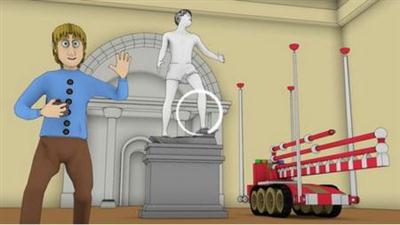
3D Animation with Blender for Beginners
Duration: 3hrs | Video: h264, yuv420p, 1280x720 30fps | Audio: aac, 44100 Hz, 2 ch | 642 MB
Genre: eLearning | Language: English​

In this course you receive a .Blend file with a free character, scene and props created in the amazing and free 3D software called Blender.

The course begins by creating a character pose. This simple pose forms the basis of the characters actions. The characters pose allows for for easy animation throughout the scene. This pose involves parenting or connecting a controller object to the characters hand. The Character will be animated using this object later in the scene.

Next we create a walk cycle for our character. We add a path object to the scene and animate him walking backwards along it as he carefully guides a paint rig into the scene.
To give the character some reactions we will use shape keys that control some simple face movements that are easily animated throughout the scene.

Recommend Download Link Hight Speed | Please Say Thanks Keep Topic Live ​

 

bd88cc27855c68c7f75322101196024b.jpg

O'Reilly - Using MongoDB with Node.js
Duration: 4h 24m | Video: h264, yuv420p, 1280x720 | Audio: aac, 44100 Hz, 2 ch | 2.2 GB
Genre: eLearning | Language: English | Project Files​

by Wes Higbee
Publisher: Infinite Skills
Release Date: April 2016
ISBN: 9781491959084
Topics: MongoDB

Video Description

Using MongoDB with Node.js is the fourth title in Wes Higbee's explanation of all things Node. This course details how to store data - as documents - coming from your JavaScript apps into MongoDB.

There are two popular approaches to interacting with MongoDB: The native driver and Mongoose. In this video, you'll learn about both of these, when to pick one over the other, and something else equally important (and often neglected): How to write maintainable asynchronous MongoDB communications code. Web app developers with a strong command of JavaScript, those wanting to incorporate server-side programming into their development, and those wanting to better understand NoSQL database technology will appreciate this step-by-step guide to using MongoDB with Node.js. Working files are included, allowing you to follow along with the author throughout the lessons.

Understand how the native Node.js MongoDB driver works
Learn to use the Mongoose ODM to communicate with a MongoDB server
Compare asynchronous coding styles: callbacks, promises, generators and async/await
Learn how to serialize JS objects to documents stored in MongoDB.
Explore basic CRUD operations with MongoDB.
Practice debugging, error handling, logging, and monitoring.

Recommend Download Link Hight Speed | Please Say Thanks Keep Topic Live ​
 

508d3e4f159c5a20ab4a595c3208c5ef.jpg

Javascript Essentials
MP4 | Video: AVC 1280x720 | Audio: AAC 44KHz 2ch | Duration: 8.5 Hours | Lec: 34 | 2.02 GB
Genre: eLearning | Language: English​

Learn how Javascript works, some basic API's and finally create a mini project.

Learn the Javascript essentials for web development or any type of programming. Learn all the basics of Javascript including primitive types, arrays, functions, assignment operators, the window object and much more. Also I'll provide clear explanations of objects, constructors and arrays in a clear way for anyone to understand. We'll also dive into some more detail about how Javascript works and even advanced topics like prototype inheritance, scope, execution context and much more. So why should you learn Javascript? Well it's everywhere and is getting even bigger in 2016. It's available to mobile apps, desktop apps, server side nodeJS technology and as always in every single browser around the world. There has never been a better time to learn the basics of Javascript!

Recommend Download Link Hight Speed | Please Say Thanks Keep Topic Live ​
 

5aa9eef7cce0240b8a62eb64c0417704.jpg

Introduction to Project Management Video Training
MP4 | Video: AVC 1280x720 | Audio: AAC 44KHz 2ch | Duration: 3.5 Hours | Lec: 23 | 1.75 GB
Genre: eLearning | Language: English​

Essential Tools and Techniques

If you are thinking to transition into project management or just want a refresher in project management tools and techniques, this course is for you. Discover how to lead a team and manage project constraints such as scope, time and resources. The course will enhance your proficiency in project management. Key topics include:

Overview of popular frameworks, e.g. PMI-PMP®, PRINCE2®, Agile, SDLC, Lean etc.
Developing a project charter
Defining a business case
Gathering requirements
Planning schedule, costs and communication
Reporting progress and managing stakeholders
Differentiating between risks and issues
Managing your team, schedule, costs and quality
Transitioning or closing a project
In addition to video lectures, the course also includes quizzes and supplementary material such as ready-to-use templates and forms.

This course is an introduction to project management concepts and tools. If you are an experienced project manager or want to prepare for the PRINCE2® or PMP® certification exam we recommend to use additional resources to cover exam relevant knowledge areas more in-depth.

Sign up for this course to learn the fundamentals of project management today!

Recommend Download Link Hight Speed | Please Say Thanks Keep Topic Live ​
 

12b8bbe63af20ae9964f8077e50f0399.jpg

BASH Programming Course Master the Linux Command Line
MP4 | Video: AVC 1280x720 | Audio: AAC 44KHz 2ch | Duration: 10.5 Hours | Lec: 51 | 1.94 GB
Genre: eLearning | Language: English​

Go from beginner to advanced with the Linux command line in this BASH programming course!

Welcome! Here you can learn you how to master Linux command line ( BASH ). What do I mean by this? Ever seen a system admin in a movie or some devious hacker using a terminal? Do you want the same knowledge? Well you are in the right place!

This course is designed to take you from beginner to advanced in the Linux command line using bash (Bourne-again shell), a Unix shell and command language. You get 10+ hours of HD videos full of useful tutorials founded on motivation and excitement for learning bash programming! You can count on an answer to every question you ask in the course from a linux command line expert which gives you peace of mind that you can get help with every challenge you have as you learn!

I wish you the very best of luck with your studies and I hope that we shall have some fun together in this course!

Recommend Download Link Hight Speed | Please Say Thanks Keep Topic Live ​

 

f63c7772eaa5f98d58873bd4a47883a9.jpg

InDesign: Placing Images, Scaling Images, Controlling Resolution & Rotating Images
MP4 | Video: AVC 1280x720 | Audio: AAC 44KHz 2ch | Duration: 10M | 105 MB
Genre: eLearning | Language: English​

In this Adobe InDesign class you will learn the ins and outs of placing images in Adobe InDesign. This will give you complete control of your images in InDesign including important properties such as resolution and proportions.

You will cover how to:

Place Images
Work with the correct resolution for print
Replace lost images
Rotate images
Round the corners of your image frames
Keep the correct proportions of your image

Recommend Download Link Hight Speed | Please Say Thanks Keep Topic Live ​
 

97570d05592d0c633a63fb05a265737d.jpg

A Quick Guide to Color in Digital Painting
MP4 | Video: AVC 1280x720 | Audio: AAC 44KHz 2ch | Duration: 11M | 130 MB
Genre: eLearning | Language: English​

To paint traditionally, you must buy colors in the physical form of pigments. Digital painting is different, as you create the colors yourself.

It's a blessing and a curse for you as an artist. A blessing, because you can create more colors than you'll ever need; a curse, because if you don't understand how to do it, your colors will simply look wrong. To manage your colors properly, you need to understand their components: Hue, Saturation, Brightness, and Value. This very short Coffee Break Course will teach you the fundamentals of color that every digital artist should know.

Recommend Download Link Hight Speed | Please Say Thanks Keep Topic Live ​
 

203965c4c0dd0cca002e383e82bbb9af.jpg

Advanced Features in Adobe Illustrator
MP4 | Video: AVC 1280x720 | Audio: AAC 44KHz 2ch | Duration: 1 Hours | Lec: 14 | 174 MB
Genre: eLearning | Language: English​

Advanced Guide to Learning Adobe Illustrator

I have been using Illustrator for over 5 years and I designed this class to focus only on the advanced features you need to learn.

Do I need to know how to draw to use Illustrator?

No! I am a mediocre artist at best. Of course it doesn't hurt to be able to draw, but most of the graphic designers I know are bad to terrible artists.

Some of the things we cover:

Learning Advanced Features
Manipulating Shapes
Stokes and fills
Creating cool 3D effects for texts and logos.

x

Recommend Download Link Hight Speed | Please Say Thanks Keep Topic Live ​
 

1f996e79c20e0eb40934f814ce0b055c.jpg

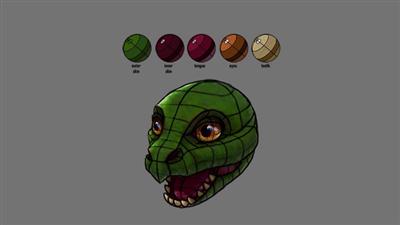
Adobe Photoshop: Creative Explorations, Lighting Effects & More
Duration: 11 Hours | Video: h264, yuv420p, 1280x720 30fps | Audio: aac, 44100 Hz, 2 ch | 4.59GB
Genre: eLearning | Language: English​

Explore the creative side of Adobe® Photoshop®. Take a walk down the filter menu and learn what's lurking in the not-so-obvious filters like Displacement Maps and Lighting Effects. See how the simple text and shape tools can be taken to the next level by incorporating layer styles, clipping masks and more.

Learn which filters have a special relationship with the Adobe® Photoshop® Blending Modes, which allows for unexpectedly creative results
See how puppet warping and layer masks will allow you to make a single layer look as if it's intertwined around another layer
Start to use Adobe® Photoshop® 3D features to add dimension to otherwise flat imagery
Create animated slide shows that better keep your viewer's attention
Add texture to your images to give them more personality

Recommend Download Link Hight Speed | Please Say Thanks Keep Topic Live ​
 
Zurück
Oben Unten