• Regeln für den Video-Bereich:

    In den Börsenbereich gehören nur Angebote die bereits den Allgemeinen Regeln entsprechen.

    Einteilung

    - Folgende Formate gehören in die angegeben Bereiche:
    - Filme: Encodierte Filme von BluRay, DVD, R5, TV, Screener sowie Telesyncs im Format DivX, XviD und x264.
    - DVD: Filme im Format DVD5, DVD9 und HD2DVD.
    - HD: Encodierte Filme mit der Auflösung 720p oder darüber von BluRay, DVD, R5, TV, Screener sowie Telesyncs im Format x264.
    - 3D: Encodierte Filme von BluRay, die in einem 3D Format vorliegen. Dies gilt auch für Dokus, Animation usw.
    - Serien: Cartoon/Zeichentrick, Anime, Tutorials, Dokumentationen, Konzerte/Musik, Sonstiges sind demnach in die entsprechenden Bereiche einzuordnen, auch wenn sie beispielsweise im High Definition-Format oder als DVD5/DVD9/HD2DVD vorliegen. Ausnahme 3D.
    - Bereich Englisch: Englische Releases gehören immer in diesen Bereich.
    - Bereich Talk: Der Bereich, in dem über die Releases diskutiert werden kann, darf, soll und erwünscht ist.


    Angebot/Beitrag erstellen

    - Ein Beitrag darf erst dann erstellt werden, wenn der Upload bei mindestens einem OCH komplett ist. Platzhalter sind untersagt.
    - Bei einem Scenerelease hat der Threadtitel ausschließlich aus dem originalen, unveränderten Releasenamen zu bestehen. Es dürfen keine Veränderungen wie z.B. Sterne, kleine Buchstaben o.ä. vorgenommen werden. Ausnahme Serienbörse:
    - Bei einem Sammelthread für eine Staffel entfällt aus dem Releasename natürlich der Name der Folge. Beispiel: Die Simpsons S21 German DVDRip XviD - ITG
    - Dementsprechend sind also u.a. verboten: Erweiterungen wie "Tipp", "empfehlenswert", "only", "reup", usw. / jegliche andere Zusatzinformation oder Ergänzung, welche nicht in obiger Beschreibung zu finden ist.

    Aufbau des Angebots und Threadtitel

    Der Titel nach folgendem Muster erstellt zu werden. <Name> [3D] [Staffel] [German] <Jahr> <Tonspur> [DL] [Auflösung] <Quelle> <Codec> - <Group>
    Beispiel: The Dark Knight German 2008 AC3 DVDRip XviD - iND
    Beispiel: The Dark Knight 2008 DTS DL BDRip x264 - iND
    Beispiel: The Dark Knight 2008 AC3 DL BDRip XviD - iND
    Beispiel: The Dark Knight German 2008 AC3 720p BluRay x264 iND
    Beispiel: The Dark Knight 2008 DTS DL 1080p BluRay x264 iND
    Beispiel: Die Simpsons S01 German AC3 DVDRip XviD iND
    Beispiel: Die Simpsons S20 German AC3 720p BluRay x264 iND
    Beispiel: Sword Art Online II Ger Sub 2014 AAC 1080p WEBRip x264 - peppermint
    Entsprechend sind also u.a. verboten: Sonderzeichen wie Klammern, Sterne, Ausrufezeichen, Unterstriche, Anführungszeichen / Erweiterungen wie "Tipp", "empfehlenswert", "only", "reup", usw. / jegliche andere Zusatzinformation oder Ergänzung, welche nicht in obiger Beschreibung zu finden ist
    Ausnahmen hiervon können in den Bereichen geregelt sein.

    Die Beiträge sollen wie folgt aufgebaut werden:
    Überschrift entspricht dem Threadtitel
    Cover
    kurze Inhaltsbeschreibung
    Format, Größe, Dauer sind gut lesbar für Downloader außerhalb des Spoilers zu vermerken
    Nfo sind immer Anzugeben und selbige immer im Spoiler in Textform.
    Sind keine Nfo vorhanden z.B. Eigenpublikationen, sind im Spoiler folgende Dateiinformationen zusätzlich anzugeben :
    Quelle
    Video (Auflösung und Bitrate)
    Ton (Sprache, Format und Bitrate der einzelnen Spuren)
    Untertitel (sofern vorhanden)
    Hosterangabe in Textform außerhalb eines Spoiler mit allen enthaltenen Hostern.
    Bei SD kann auf diese zusätzlichen Dateiinformationen verzichtet werden.

    Alle benötigten Passwörter sind, sofern vorhanden, in Textform im Angebot anzugeben.
    Spoiler im Spoiler mit Kommentaren :"Schon Bedankt?" sind unerwünscht.


    Releases

    - Sind Retail-Release verfügbar, sind alle anderen Variationen untersagt. Ausnahmen: Alle deutschen Retail-Release sind CUT, in diesem Fall sind dubbed UNCUT-Release zulässig.
    - Im Serien-Bereich gilt speziell: Wenn ein Retail vor Abschluss einer laufenden Staffel erscheint, darf diese Staffel noch zu Ende gebracht werden.62
    - Gleiche Releases sind unbedingt zusammenzufassen. Das bedeutet, es ist zwingend erforderlich, vor dem Erstellen eines Themas per Suchfunktion zu überprüfen, ob bereits ein Beitrag mit demselben Release besteht. Ist dies der Fall, ist der bereits vorhandene Beitrag zu verwenden.
    - P2P und Scene Releases dürfen nicht verändert oder gar unter einem iND Tag eingestellt werden.


    Support, Diskussionen und Suche

    - Supportanfragen sind entweder per PN oder im Bereich Talk zu stellen.
    - Diskussionen und Bewertungen sind im Talk Bereich zu führen. Fragen an die Uploader haben ausschließlich via PN zu erfolgen, und sind in den Angeboten untersagt.
    - Anfragen zu Upload-Wünschen sind nur im Bereich Suche Video erlaubt. Antworten dürfen nur auf Angebote von MyBoerse.bz verlinkt werden.


    Verbote

    - Untersagt sind mehrere Formate in einem einzigen Angebotsthread, wie beispielsweise das gleichzeitige Anbieten von DivX/XviD, 720p und 1080p in einem Thread. Pro Format, Release und Auflösung ist ein eigener Thread zu eröffnen.
    - Grundsätzlich ebenso verboten sind Dupes. Uploader haben sich an geeigneter Stelle darüber zu informieren, ob es sich bei einem Release um ein Dupe handelt.
    - Gefakte, nur teilweise lauffähige oder unvollständige Angebote sind untersagt. Dies gilt auch für eigene Publikationen, die augenscheinlich nicht selbst von z.B. einer DVD gerippt wurden. Laufende Serien, bei denen noch nicht alle Folgen verfügbar sind, dürfen erstellt und regelmäßig geupdatet werden.
    - Untersagt sind Angebote, welche nur und ausschließlich in einer anderen Sprache als deutsch oder englisch vorliegen. Ausnahmen sind VORHER mit den Moderatoren zu klären.


    Verstoß gegen die Regeln

    - Angebote oder Beiträge, die gegen die Forenregeln verstoßen, sind über den "Melden"-Button im Beitrag zu melden.
  • Bitte registriere dich zunächst um Beiträge zu verfassen und externe Links aufzurufen.

++ Premium IPTV ++ 7000 Live Sender ++ UHD Qualität ++ Mediathek mit 18.000 Inhalten ++


VenneTV


Englische Tutorials


8f362d82cb34de9b333f1a6533c2db92.jpg

How to Earn Money with Domain Flipping Names and websites
1 h | Video: AVC (.MP4) 1280x720 30fps | Audio: AAC 44.1KHz 2ch | 188 MB
Genre: eLearning | Language: English​

Making profits from domain names - $10-$15 per domain startup budget.

What are the requirements?
Course Structure: The course is easy to the learn and very easy to understand.
What am I going to get from this course?
How to Earn Money with Domain Flipping Names and websites For All Level Students.
This course has been designed for All Level marketers who want to make a huge amount of money by flipping domain names.
What is the target audience?
Who is this course for: This course is for you if you are looking to make insane amounts of money online.
This is for you if you have a startup budget of $10-$15 per Domain.

Recommend Download Link Hight Speed | Please Say Thanks Keep Topic Live ​
 

c8d25699df98eb840340553ad58fbf6c.jpg

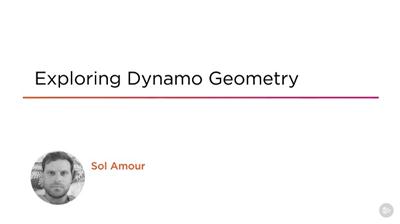
Exploring Dynamo Geometry Video Training
Duration: 1h 54m | Video: h264, yuv420p, 1280x720 30fps | Audio: aac, 44100 Hz, 2 ch | 282 MB
Genre: eLearning | Language: English | Project Files​

Have you ever lamented the fact that Revit is inherently bad at creating curvaceous and organic forms? If so, Exploring Dynamo Geometry will help you by showing you how to create a Glacial Table in Dynamo. First, you'll discover how to approach parametric, flexible, geometry creation through a node-based workflow and understand how Dynamo deals with geometry using a Glacial Table as the exemplar. Next, you'll see the exact same workflow in DesignScript, the native scripting language of Dynamo. Finally, you'll explore how to create randomized, parametric options, choose the most desirable, and learn how to save that date for the recreation of an exact replica at a later date. When you're finished with this course, you'll not only have created a Glacial Table for later use, but you'll have learned how to use Geometry within Dynamo to explore your own creations in the future. Software required: Revit 2016, Dynamo 1.0.0.

Recommend Download Link Hight Speed | Please Say Thanks Keep Topic Live ​
 

0e8df5eff66e6e7e728ba53b356192a7.jpg

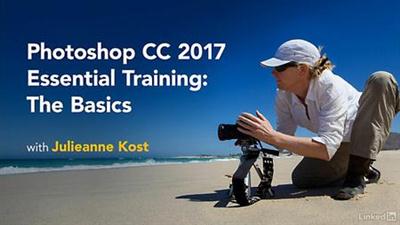
Lynda - Photoshop CC 2017 Essential Training: The Basics
Size: 1.63 GB | Duration: 4h 33m | Video: AVC (.mp4) 1280x720 15&30fps | Audio: AAC 48KHz 2ch
Genre: eLearning | Level: Beginner | Language: English​

Learning how to use Photoshop efficiently and effectively is the best investment you can make to get the most out of your pixels. Photoshop CC Essential Training: The Basics filters out the noise and complexity so that you understand the basic features and concepts you need to use Photoshop effectively, whether you're a photographer or designer. Julieanne Kost reviews the basics of digital imaging, from bit depth to image size, and shows how to use different Photoshop tools to crop and retouch photos, while always maintaining the highest-quality output. She shows the most efficient ways to perform common tasks, including working with layers, making selections, and masking. Along the way, you will learn the secrets of nondestructive editing using Smart Objects, and master features such as adjustment layers, blend modes, filters, and much more-increasing your productivity every step of the way.

Topics include:
* Opening files in Photoshop, Bridge, and Lightroom
* Arranging your workspace
* Modifying keyboard shortcuts
* Changing color mode, bit depth, and document size
* Cropping and straightening images
* Working with layers and layer masks
* Using brushes
* Making detailed selections
* Retouching
* Editing images with the Content-Aware tools
* Using blend modes
* Creating Smart Objects
* Using adjustment layers to change color, tone, contrast, and saturation
* Applying filters

Recommend Download Link Hight Speed | Please Say Thanks Keep Topic Live ​
 

02d4e7a2b1ae2dba6710bacc7990baca.jpg

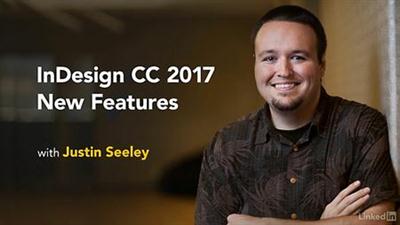
Lynda - InDesign CC 2017: New Features
Size: 55 MB | Duration: 0h 9m | Video: AVC (.mp4) 1280x720 15&30fps | Audio: AAC 48KHz 2ch
Genre: eLearning | Level: Intermediate | Language: English​

InDesign gets better every year. In Creative Cloud 2017, Adobe is offering even more features and enhancements. This course is your tour of the latest and greatest, and will keep you up to date with new features as soon as they are released. Justin Seeley starts with the November 2016 update, featuring multicolumn footnotes and improved arrowheads. Check back often for new InDesign tutorials and tips. We'll update the course every time Adobe releases changes.

Recommend Download Link Hight Speed | Please Say Thanks Keep Topic Live ​
 

14d7421e33a87a2d07f646d29196862f.jpg

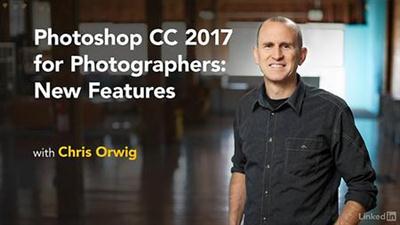
Lynda - Photoshop CC 2017 for Photographers: New Features
Size: 535 MB | Duration: 0h 41m | Video: AVC (.mp4) 1280x720 30fps | Audio: AAC 48KHz 2ch
Genre: eLearning | Level: Beginner | Language: English​

Adobe never stops evolving Creative Cloud-including their flagship photo-editing software, Photoshop. Learn what's new for photographers in the latest version, Photoshop CC 2017. Photographer and educator Chris Orwig reviews the interface updates, such as the new Start screen, updated library, and search, as well as exciting photo-specific enhancements like selection and mask improvements and Face-Aware Liquify, which makes intelligent portrait retouching a snap. Plus, learn about sharing and selling your photos by publishing directly to Adobe Stock. The November 2016 release is just the first of many updates for Photoshop CC 2017. Chris will update the course as soon as new features are released. Check back often for new tutorials.

Recommend Download Link Hight Speed | Please Say Thanks Keep Topic Live ​
 

e7c6607dd5cdb0c279b0c77c4f08ba99.jpg

Lynda - Adobe XD CC: New Features
Size: 269 MB | Duration: 0h 33m | Video: AVC (.mp4) 1280x720 30fps | Audio: AAC 48KHz 2ch
Genre: eLearning | Level: Intermediate | Language: English​

Paul Trani, senior evangelist at Adobe, provides a high-level overview of the new features in Adobe XD (Experience Design) releasing in November 2016. This update is part of the Creative Cloud 2017 overhaul, and offers exciting enhancements such as drawing and importing improvements, new ways to work with color and text, and prototype previewing on devices. This update also pulls your favorite features from other CC applications-layers and symbols-and puts them in this dedicated tool for UX design.

Topics include:
* Drawing and importing shapes and graphics
* Using the new color tools
* Editing area text
* Using layers
* Creating and editing symbols
* Previewing on a device
* Previewing in a browser and adding comments

Recommend Download Link Hight Speed | Please Say Thanks Keep Topic Live ​
 

bce0ebe546def7085af92518b3dc8fc6.jpg

Drawing cute: People
Duration: 14m | Video: h264, yuv420p, 1280x720 30fps | Audio: aac, 44100 Hz, 2 ch | 280 MB
Genre: eLearning | Language: English​

Do you want to impress the little people in your life? You want to draw your own mini-me? You don't have to study arts to draw! Grab a piece of paper and a pen and let yourself free to create cute things that will make you and your friends smile every time you see them!

All these in this 14-minute class, instructed by Vivika Vaina, the founder of The Wandering Deer. As long as you can hold a pen and write you can do this! Drawing can be so much fun! This class is perfect for you that you are afraid to draw, you that think you can't do anything creative -btw YES you can!- but also all type of designers who want to relax making some cute doodles.

Recommend Download Link Hight Speed | Please Say Thanks Keep Topic Live ​
 

f84f7d3e1d860395c08bda88d6ab6e83.jpg

Linux System Administration Fundamentals
MP4 | AVC 156kbps | English | 1024x768 | 15fps | 4h 28mins | AAC stereo 104kbps | 481 MB
Genre: Video Training​

The second exam for the LPIC-1, 117-102 requires you to know a little about scripting and customizing the user environment. So we look at variables, aliases, and functions and how they can be added to login scripts before moving more fully into writing BASH scripts. With this firmly under our belts, we can look at managing the X server and the GUI found on Linux desktops and some servers. This will lead us into understanding users and groups and integration into the Active Directory. To make life easier for us, some tasks will be automated using Cron before finishing up with an explanation of the locale.

Recommend Download Link Hight Speed | Please Say Thanks Keep Topic Live ​
 

1fcbe146d9877ce735bf84029980a787.jpg

Lynda - Premiere Pro CC 2017: New Features
Size: 276 MB | Duration: 0h 54m | Video: AVC (.mp4) 1280x720 30fps | Audio: AAC 48KHz 2ch
Genre: eLearning | Level: Appropriate for all | Language: English​

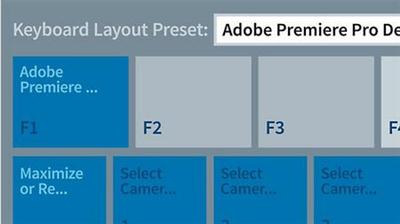
Explore the new features that will get video producers and editors excited about Premiere Pro CC 2017. Author Rich Harrington covers all the changes from the initial November 2016 release, updating the course whenever Adobe makes another change to the software. Learn how to use the new and improved interface and shortcut assignments, learn project management tricks for locking projects and creating sequence presets, and explore the myriad of changes to effects, including new title styles presets, audio effects, and Apple Metal and Lumetri effects, plus closed captioning improvements.

Recommend Download Link Hight Speed | Please Say Thanks Keep Topic Live ​
 

901020c90ff0a08517701799e4c8ea47.jpg

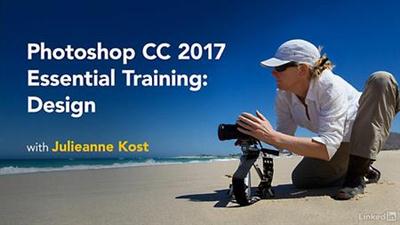
Lynda - Photoshop CC 2017 Essential Training: Design
Size: 1.04 GB | Duration: 3h 45m | Video: AVC (.mp4) 1280x720 15&30fps | Audio: AAC 48KHz 2ch
Genre: eLearning | Level: Beginner | Language: English​

Photoshop is a powerful program used across many industries, from art, photography, film, and design to law enforcement and scientific imaging. In Photoshop CC 2017 Essential Training: Design, Julieanne Kost created a course specifically for designers, with the goal of removing technical barriers so you can master the technology, start creating as soon as possible, and quickly get results. Photoshop CC is loaded with tools and features for making tonal and color adjustments, applying effects and treatments to type and graphics, and distorting, filtering, and layering elements, while always maintaining the highest-quality output. This course shows the most efficient ways to perform common design tasks, including layout, image editing, drawing shapes, and working with type and fonts. Along the way, you will learn the secrets of nondestructive editing using Smart Objects and master features such as layers, artboards, libraries, adjustment layers, filters, blending modes, layer effects, typography, custom brushes, vector masks, and much more-increasing your productivity every step of the way.

Topics include:
* Working with Smart Objects
* Warping and creative transformations
* Reshaping images with Liquify
* Using filters, including blur and patterns
* Creating and modifying shapes
* Applying blend modes
* Applying layer effects and layer styles
* Working with type and fonts
* Painting in Photoshop
* Using and sharing libraries
* Taking advantage of artboards
* Exporting and sharing Photoshop files

Recommend Download Link Hight Speed | Please Say Thanks Keep Topic Live ​
 

1aa034c18b2ef475d3a0fcf6b4960599.jpg

3ds Max Modeling Fundamentals Video Training
Duration: 6h 45m | Video: h264, yuv420p, 1280x720 30fps | Audio: aac, 44100 Hz, 2 ch | 2.2 GB
Genre: eLearning | Language: English | Project Files​

In this course, 3ds Max Modeling Fundamentals, you'll learn plenty of tips and tricks and the fundamentals of some of the most commonly used tools for 3ds Max, all taught in a project-based approach. First, you'll begin by looking at the various types of geometry available to you, and you'll learn how to organize your model into hierarchies and keep your scene clean and efficient. Next, you'll take a look at several modeling tools including polygon modeling tools like Extrude and the Swift Loop tool for adding resolution, spline modeling techniques to create smooth surfaces, and many other tools and techniques as well. Finally, you'll take a look at using a smoothing or subdivision workflow and use modifiers to help shape your models. After watching this course, you'll have a better understanding of how these tools work together, and you'll be able to create your own modeling solutions and come up with a workflow that's comfortable for you.

Recommend Download Link Hight Speed | Please Say Thanks Keep Topic Live ​
 

44bd6a70323333af002e1797122bb9c4.jpg

WordPress Marketing: Profits With Powerful WordPress Plugins
Duration: 9 hours | Video: h264, yuv420p, 1280x720 30fps | Audio: aac, 44100 Hz, 2 ch | 1.23 GB
Genre: eLearning | Language: English | Intermediate Level​

Learn how to sell more products, books, online courses and promote your business with affordable WordPress.

Popular WordPress Marketing Course on Udemy!
This course has over 7,665 students enrolled and learning how to market with WordPress!
20 Lectures packed full of tips
12 5-Star Ratings
5-Star Review - Worth the money

A course that is ideal for people wanting to market their product or service but particularly book authors. Clear and well structured course.

30 Day 100% Risk Free Offer!

Do you want to learn how to market your business better online? Is your website lacking what is needed to reach out to your customers? Are you staying in touch with your current clients? How are you bringing them back to your website? Is your website connected to your social media? These are the tools I have used to sell 1,000 copies of my best selling book. COURSE BONUS: Receive a free full PDF copy of this same book when you finish this course.

Here is some of what you will learn during this course:

What tools to use for creating landing pages.
Finding great themes, plugins and widgets for marketing.
Selling your products with e-commerce tools.
Start your own affordable email marketing list.
How to grow your mailing list with webinars or courses like this one.
How to promote your self-published Kindle book and getting ready to market your next book.
Finding great themes for your brick and mortar store, restaurant or food truck.
How to create forms like the one below so you can sell your product online.

BONUS: Get a free PDF copy of my Best Selling Book.

Don't forget to check out the free preview lectures to sample my course. Are you ready to learn?

Click On "Take This Course" and start earning more revenue now with these proven marketing techniques and affordable WordPress plugins and tools.

What are the requirements?
WordPress Hosting
PC, MAC or Chromebook
Chrome or Firefox
What am I going to get from this course?
Teach you the tools needed to market your small business with WordPress.
Show you more WordPress resources.
Cover examples.
Techniques to sell more with WordPress
Learn about WordPress Marketing Plugins
Learn about WordPress Marketing Themes
What is the target audience?
Familiar With WordPress
Computer and Internet Savvy

Recommend Download Link Hight Speed | Please Say Thanks Keep Topic Live ​

 
Zurück
Oben Unten