




• Regeln für den Video-Bereich:

    In den Börsenbereich gehören nur Angebote die bereits den Allgemeinen Regeln entsprechen.

    Einteilung

    - Folgende Formate gehören in die angegeben Bereiche:
    - Filme: Encodierte Filme von BluRay, DVD, R5, TV, Screener sowie Telesyncs im Format DivX, XviD und x264.
    - DVD: Filme im Format DVD5, DVD9 und HD2DVD.
    - HD: Encodierte Filme mit der Auflösung 720p oder darüber von BluRay, DVD, R5, TV, Screener sowie Telesyncs im Format x264.
    - 3D: Encodierte Filme von BluRay, die in einem 3D Format vorliegen. Dies gilt auch für Dokus, Animation usw.
    - Serien: Cartoon/Zeichentrick, Anime, Tutorials, Dokumentationen, Konzerte/Musik, Sonstiges sind demnach in die entsprechenden Bereiche einzuordnen, auch wenn sie beispielsweise im High Definition-Format oder als DVD5/DVD9/HD2DVD vorliegen. Ausnahme 3D.
    - Bereich Englisch: Englische Releases gehören immer in diesen Bereich.
    - Bereich Talk: Der Bereich, in dem über die Releases diskutiert werden kann, darf, soll und erwünscht ist.


    Angebot/Beitrag erstellen

    - Ein Beitrag darf erst dann erstellt werden, wenn der Upload bei mindestens einem OCH komplett ist. Platzhalter sind untersagt.
    - Bei einem Scenerelease hat der Threadtitel ausschließlich aus dem originalen, unveränderten Releasenamen zu bestehen. Es dürfen keine Veränderungen wie z.B. Sterne, kleine Buchstaben o.ä. vorgenommen werden. Ausnahme Serienbörse:
    - Bei einem Sammelthread für eine Staffel entfällt aus dem Releasename natürlich der Name der Folge. Beispiel: Die Simpsons S21 German DVDRip XviD - ITG
    - Dementsprechend sind also u.a. verboten: Erweiterungen wie "Tipp", "empfehlenswert", "only", "reup", usw. / jegliche andere Zusatzinformation oder Ergänzung, welche nicht in obiger Beschreibung zu finden ist.

    Aufbau des Angebots und Threadtitel

    Der Titel nach folgendem Muster erstellt zu werden. <Name> [3D] [Staffel] [German] <Jahr> <Tonspur> [DL] [Auflösung] <Quelle> <Codec> - <Group>
    Beispiel: The Dark Knight German 2008 AC3 DVDRip XviD - iND
    Beispiel: The Dark Knight 2008 DTS DL BDRip x264 - iND
    Beispiel: The Dark Knight 2008 AC3 DL BDRip XviD - iND
    Beispiel: The Dark Knight German 2008 AC3 720p BluRay x264 iND
    Beispiel: The Dark Knight 2008 DTS DL 1080p BluRay x264 iND
    Beispiel: Die Simpsons S01 German AC3 DVDRip XviD iND
    Beispiel: Die Simpsons S20 German AC3 720p BluRay x264 iND
    Beispiel: Sword Art Online II Ger Sub 2014 AAC 1080p WEBRip x264 - peppermint
    Entsprechend sind also u.a. verboten: Sonderzeichen wie Klammern, Sterne, Ausrufezeichen, Unterstriche, Anführungszeichen / Erweiterungen wie "Tipp", "empfehlenswert", "only", "reup", usw. / jegliche andere Zusatzinformation oder Ergänzung, welche nicht in obiger Beschreibung zu finden ist
    Ausnahmen hiervon können in den Bereichen geregelt sein.

    Die Beiträge sollen wie folgt aufgebaut werden:
    Überschrift entspricht dem Threadtitel
    Cover
    kurze Inhaltsbeschreibung
    Format, Größe, Dauer sind gut lesbar für Downloader außerhalb des Spoilers zu vermerken
    Nfo sind immer Anzugeben und selbige immer im Spoiler in Textform.
    Sind keine Nfo vorhanden z.B. Eigenpublikationen, sind im Spoiler folgende Dateiinformationen zusätzlich anzugeben :
    Quelle
    Video (Auflösung und Bitrate)
    Ton (Sprache, Format und Bitrate der einzelnen Spuren)
    Untertitel (sofern vorhanden)
    Hosterangabe in Textform außerhalb eines Spoiler mit allen enthaltenen Hostern.
    Bei SD kann auf diese zusätzlichen Dateiinformationen verzichtet werden.

    Alle benötigten Passwörter sind, sofern vorhanden, in Textform im Angebot anzugeben.
    Spoiler im Spoiler mit Kommentaren :"Schon Bedankt?" sind unerwünscht.


    Releases

    - Sind Retail-Release verfügbar, sind alle anderen Variationen untersagt. Ausnahmen: Alle deutschen Retail-Release sind CUT, in diesem Fall sind dubbed UNCUT-Release zulässig.
    - Im Serien-Bereich gilt speziell: Wenn ein Retail vor Abschluss einer laufenden Staffel erscheint, darf diese Staffel noch zu Ende gebracht werden.62
    - Gleiche Releases sind unbedingt zusammenzufassen. Das bedeutet, es ist zwingend erforderlich, vor dem Erstellen eines Themas per Suchfunktion zu überprüfen, ob bereits ein Beitrag mit demselben Release besteht. Ist dies der Fall, ist der bereits vorhandene Beitrag zu verwenden.
    - P2P und Scene Releases dürfen nicht verändert oder gar unter einem iND Tag eingestellt werden.


    Support, Diskussionen und Suche

    - Supportanfragen sind entweder per PN oder im Bereich Talk zu stellen.
    - Diskussionen und Bewertungen sind im Talk Bereich zu führen. Fragen an die Uploader haben ausschließlich via PN zu erfolgen, und sind in den Angeboten untersagt.
    - Anfragen zu Upload-Wünschen sind nur im Bereich Suche Video erlaubt. Antworten dürfen nur auf Angebote von MyBoerse.bz verlinkt werden.


    Verbote

    - Untersagt sind mehrere Formate in einem einzigen Angebotsthread, wie beispielsweise das gleichzeitige Anbieten von DivX/XviD, 720p und 1080p in einem Thread. Pro Format, Release und Auflösung ist ein eigener Thread zu eröffnen.
    - Grundsätzlich ebenso verboten sind Dupes. Uploader haben sich an geeigneter Stelle darüber zu informieren, ob es sich bei einem Release um ein Dupe handelt.
    - Gefakte, nur teilweise lauffähige oder unvollständige Angebote sind untersagt. Dies gilt auch für eigene Publikationen, die augenscheinlich nicht selbst von z.B. einer DVD gerippt wurden. Laufende Serien, bei denen noch nicht alle Folgen verfügbar sind, dürfen erstellt und regelmäßig geupdatet werden.
    - Untersagt sind Angebote, welche nur und ausschließlich in einer anderen Sprache als deutsch oder englisch vorliegen. Ausnahmen sind VORHER mit den Moderatoren zu klären.


    Verstoß gegen die Regeln

    - Angebote oder Beiträge, die gegen die Forenregeln verstoßen, sind über den "Melden"-Button im Beitrag zu melden.
  • Bitte registriere dich zunächst um Beiträge zu verfassen und externe Links aufzurufen.

++ Premium IPTV ++ 7000 Live Sender ++ UHD Qualität ++ Mediathek mit 18.000 Inhalten ++


VenneTV


Englische Tutorials


90bdcab6d2ee0382c08fb502c9e8ed06.jpg

Values from NLP Master Practitioner Training
.AVI, DivX, 394 kbps, 640x480 | English, MP3, 160 kbps, 2 Ch | 11.4 hours | 2.7 GB
Instructors: Tad James, Adriana James​

What if you could know...
* The quickest way to understanding the changes in society and the world around you.
* Why people think and behave the way they do.

* Valuable and deep improvements in your career planning, leadership, coaching and management potential.
* How to achieve most dramatic gains in your lifestyle & work style in an unique and highly effective way.

This 6 DVD set is THE journey and the path to real individual evolution - a process of self-discovery.

A LIVE recording of the Values section as taught by Drs. Tad James and Adriana James in our FasTrak NLP Master Practitioner seminar.

For anyone interested in finding out HOW people think - not only for NLP-ers.

A great tool for the deepest insight in the human behavior...

Recommend Download Link Hight Speed | Please Say Thanks Keep Topic Live ​

 

6dfa14dc225a893436cd30009556f513.jpg

Tutsplus - How It Works: React Router
.MP4 | aac, 44100 Hz, stereo | h264, yuv420p, 1280x720, 25fps | 262MB
Genre: E-learning | Language: English​

When creating a single-page web app, routing is how we break up the various functional areas. Routing lets us use URLs to navigate between the logical pages of the application, without having to refresh the browser page. When working with React apps, React Router is the de facto routing solution.

In this course, you'll learn about the underlying concepts of React Router. By following along as Pavan Podila adds routing to a sample application, you'll learn about the React Router API, including configuration, nested routes, navigation, and URL matching.

The app will be built using Webpack and Babel, and it will use the ECMAScript 2015+ syntax.

Recommend Download Link Hight Speed | Please Say Thanks Keep Topic Live ​

 

8085122d3e957accef31754a3384736f.jpg

Tutsplus - How to Become a Web Developer: Learn PHP
.MP4 | aac, 44100 Hz, stereo | h264, yuv420p, 1280x720, 25fps | 428MB
Genre: E-learning | Language: English​

Web development can be confusing at first. There are a number of basic languages and technologies to learn: CSS, HTML, HTTP, and so on. Moreover, applications and sites are often split into two parts: the front-end and the back-end. The front-end is the user's browser, where content is displayed and where styling and interaction happen. However, the back-end is where user data is saved and processed and where web pages are served.

In this course, Envato Tuts+ instructor Jeremy McPeak will teach you one of the fundamental languages for back-end web development: PHP. You'll learn how to set up a server on your own computer for development, and how to create a simple PHP application to render a web page. By the end, your app will be able to receive data from the user and respond to it.

Recommend Download Link Hight Speed | Please Say Thanks Keep Topic Live ​
 

a73830442ea1e62cdf7389202b65a1a9.jpg

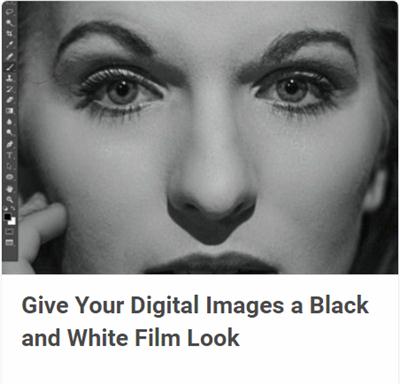
Tutsplus - Give Your Digital Images a Black and White Film Look
.MP4 | aac, 44100 Hz, stereo | h264, yuv420p, 1280x720, 25fps | 515MB
Genre: E-learning | Language: English​

Black and white film is a wonderfully organic, expressive, and emotional way to make pictures. Unfortunately, film is also finicky, inconvenient, and expensive. Digital photography lacks the inherent charm of film-raw digital images tend to be a bit cool and clinical out of camera-but it sure is handy! What if you could have the best of both?

In this course you'll learn how to emulate the look of black and white film with digital processing. By the end of this course, you'll have a hybrid black and white workflow that looks great and is highly flexible.

Recommend Download Link Hight Speed | Please Say Thanks Keep Topic Live ​
 

5582a937d5a2f00732c1af510f9c8d81.jpg

Tutsplus - WordPress Basics: Add Widgets to Your Site
.MP4 | aac, 44100 Hz, stereo | h264, yuv420p, 1280x720, 25fps | 137 MB
Genre: E-learning | Language: English​

Widgets let you add extra content in specific areas of your WordPress site, such as the sidebar and footer. Widgets make it easy to customize your site with menus, text or other content that will be displayed on every page.

In this course, Envato Tuts+ instructor Rachel McCollin will show you how to use this really useful feature of WordPress. You'll learn how to add widgets to the different parts of your site, how to configure and delete them, and also how to use a plugin for rich text editing in your widgets.

Recommend Download Link Hight Speed | Please Say Thanks Keep Topic Live ​
 

84262ff395a240d716ae7b8224a1adf5.jpg

Premiere Pro Masterclass Module 3 - Transitions
Duration: 23m | Video: h264, yuv420p, 1280x720 30fps | Audio: aac, 44100 Hz, 2 ch | 396 MB
Genre: eLearning | Language: English​

This module will cover:
Adding and editing video and audio transitions
Creating custom video and audio transitions
Using keyboard shortcuts to add transitions

If you are looking for a video editing application that will allow you to edit videos however you want them, Adobe Premiere Pro is the best answer. Premiere Pro is used by professionals across the world for every type of production from business & marketing videos, music videos to documentaries, feature films. This full course is the best way to jump right in and start editing.

Recommend Download Link Hight Speed | Please Say Thanks Keep Topic Live ​
 

d0e264dc1d39cfdca72789040d85d1c6.jpg

Tutsplus - Digital Matte Painting for Beginners
.MP4 | aac, 44100 Hz, stereo | h264, yuv420p, 1280x720, 25fps | 1.46GB
Genre: E-learning | Language: English​

A digital matte artist, or digital matte painter (DMP), is today's modern form of a traditional matte painter in the entertainment industry. He or she digitally paints photo-realistic interior and exterior environments that could not have been otherwise created or visited. In this course, digital artist Brian Lee will teach you how to get started with digital matte painting. He will walk you through his process of rendering a realistic post-apocalyptic city scene using Adobe Photoshop.

Recommend Download Link Hight Speed | Please Say Thanks Keep Topic Live ​
 

fd7aa9b18900c6c9dcb0f77531659661.jpg

Add Digital Textures to your Illustrations - with your own brushes!
Duration: 16m | Video: h264, yuv420p, 1280x720 30fps | Audio: aac, 44100 Hz, 2 ch | 212 MB
Genre: eLearning | Language: English​

Welcome to Add Digital textures to your Illustration with your own brushes! In this class I´ll walk you trough my process of creating a textured background that you can use for quotes, product design or even in a stand-alone manner. I´ll show you how to make three different brushes and how to use them to create unlimited designs. So join me and let´s have fun adding textures!

Recommend Download Link Hight Speed | Please Say Thanks Keep Topic Live ​
 

d0aef3e871ac2545080528877222d614.jpg

Tutsplus - How to Use Live Shapes in Illustrator
.MP4 | aac, 44100 Hz, stereo | h264, yuv420p, 1280x720, 25fps | 127MB
Genre: E-learning | Language: English​

In this quick Coffee Break Course, illustrator Simona Pfreundner will introduce you to Live Shapes in Adobe Illustrator CC. You'll get a brief introduction to what Live Shapes are, and then you'll learn how to create something using this very handy feature.

Recommend Download Link Hight Speed | Please Say Thanks Keep Topic Live ​
 

84c64d41fc5a5e5cca64721011b313f3.jpg

Miniature Painting Secrets with Natalya
.WMV, VC-1, 1536 kbps, 852x480 | English, WMA, 96 kbps, 2 Ch | 15 hours | 7.31 GB
Instructor: Natalya Melnik​

More than 13 hours of high quality video covering advanced preparation techniques, painting faces, flesh, freehand and NMM.

4 DVD set, the longest DVD tutorial available anywhere in a single package

Watch as Alexi Z paints GW Teclis from start to finish, complete with commentary with her thoughts on color choice and things to look out for when implementing her secrets.

For intermediate to advanced painters.

Learn how to paint like an international winner! See every brush stroke, and fully understand by watching the complete process. You will never see another tutorial like this!

Recommend Download Link Hight Speed | Please Say Thanks Keep Topic Live ​
 

c3b7cefbfb47e08db9454560836824c4.jpg

Tutsplus - From Sketch to Vector Art in Adobe Illustrator
.MP4 | aac, 44100 Hz, stereo | h264, yuv420p, 1280x720, 25fps | 431MB
Genre: E-learning | Language: English​

In most cases while working as a digital artist, you'll start off with an idea, create a sketch of it, and then turn it into a finished vector illustration. In this short course, instructor Simona Pfreundner will show you how this can be done. You'll learn how to prepare your sketch, create the main shapes to your illustration, add color and gradients, and then add some finishing touches. By the end of this course, you'll be able to take your sketches to the next level!

Recommend Download Link Hight Speed | Please Say Thanks Keep Topic Live ​
 

d943b2cbbaf6c161ab85a672bd7f4c6f.jpg

Lynda - Word 2010: Prepare for the Microsoft Office Specialist Certification Exam (77-881)
Duration: 4h 16m | Video: AVC (.mp4) 1280x720 15&30fps | Audio: AAC 48KHz 2ch | 1.77 GB
Genre: eLearning | Level: Intermediate | Language: English​

Demonstrate your mastery of Microsoft Word. Study to pass the Microsoft Word 2010 certification exam and become a Microsoft Office Specialist. This course, created by Microsoft Certified Trainer Jennifer McBee, helps test-takers prepare for exam 77-881, which covers seven core objectives for Word 2010. Explore the Microsoft certification program and then walk through all the exam objectives in detail. Learn about sharing and maintaining documents, formatting content, applying page layout and reusable content, including illustrations and graphics, proofreading documents, applying references and hyperlinks, and performing mail merge operations. Get hands-on experience with free downloadable practice files and take the challenges to test your skills. The course wraps with a full-length, 50-minute practice exam.

Topics include:
* Preparing for the exam
* Creating new Word documents
* Protecting and sharing documents
* Formatting content using font and paragraph attributes
* Creating tables and custom bullet characters
* Inserting breaks, headers and footers, and watermarks
* Adding and formatting illustrations, graphics, and SmartArt
* Creating Quick Parts from existing objects
* Proofreading documents and configuring AutoCorrect
* Applying endnotes, footnotes, and hyperlinks
* Setting up and executing a mail merge
* Taking a full-length practice exam

Recommend Download Link Hight Speed | Please Say Thanks Keep Topic Live ​
 
Zurück
Oben Unten