• Regeln für den Video-Bereich:

    In den Börsenbereich gehören nur Angebote die bereits den Allgemeinen Regeln entsprechen.

    Einteilung

    - Folgende Formate gehören in die angegeben Bereiche:
    - Filme: Encodierte Filme von BluRay, DVD, R5, TV, Screener sowie Telesyncs im Format DivX, XviD und x264.
    - DVD: Filme im Format DVD5, DVD9 und HD2DVD.
    - HD: Encodierte Filme mit der Auflösung 720p oder darüber von BluRay, DVD, R5, TV, Screener sowie Telesyncs im Format x264.
    - 3D: Encodierte Filme von BluRay, die in einem 3D Format vorliegen. Dies gilt auch für Dokus, Animation usw.
    - Serien: Cartoon/Zeichentrick, Anime, Tutorials, Dokumentationen, Konzerte/Musik, Sonstiges sind demnach in die entsprechenden Bereiche einzuordnen, auch wenn sie beispielsweise im High Definition-Format oder als DVD5/DVD9/HD2DVD vorliegen. Ausnahme 3D.
    - Bereich Englisch: Englische Releases gehören immer in diesen Bereich.
    - Bereich Talk: Der Bereich, in dem über die Releases diskutiert werden kann, darf, soll und erwünscht ist.


    Angebot/Beitrag erstellen

    - Ein Beitrag darf erst dann erstellt werden, wenn der Upload bei mindestens einem OCH komplett ist. Platzhalter sind untersagt.
    - Bei einem Scenerelease hat der Threadtitel ausschließlich aus dem originalen, unveränderten Releasenamen zu bestehen. Es dürfen keine Veränderungen wie z.B. Sterne, kleine Buchstaben o.ä. vorgenommen werden. Ausnahme Serienbörse:
    - Bei einem Sammelthread für eine Staffel entfällt aus dem Releasename natürlich der Name der Folge. Beispiel: Die Simpsons S21 German DVDRip XviD - ITG
    - Dementsprechend sind also u.a. verboten: Erweiterungen wie "Tipp", "empfehlenswert", "only", "reup", usw. / jegliche andere Zusatzinformation oder Ergänzung, welche nicht in obiger Beschreibung zu finden ist.

    Aufbau des Angebots und Threadtitel

    Der Titel nach folgendem Muster erstellt zu werden. <Name> [3D] [Staffel] [German] <Jahr> <Tonspur> [DL] [Auflösung] <Quelle> <Codec> - <Group>
    Beispiel: The Dark Knight German 2008 AC3 DVDRip XviD - iND
    Beispiel: The Dark Knight 2008 DTS DL BDRip x264 - iND
    Beispiel: The Dark Knight 2008 AC3 DL BDRip XviD - iND
    Beispiel: The Dark Knight German 2008 AC3 720p BluRay x264 iND
    Beispiel: The Dark Knight 2008 DTS DL 1080p BluRay x264 iND
    Beispiel: Die Simpsons S01 German AC3 DVDRip XviD iND
    Beispiel: Die Simpsons S20 German AC3 720p BluRay x264 iND
    Beispiel: Sword Art Online II Ger Sub 2014 AAC 1080p WEBRip x264 - peppermint
    Entsprechend sind also u.a. verboten: Sonderzeichen wie Klammern, Sterne, Ausrufezeichen, Unterstriche, Anführungszeichen / Erweiterungen wie "Tipp", "empfehlenswert", "only", "reup", usw. / jegliche andere Zusatzinformation oder Ergänzung, welche nicht in obiger Beschreibung zu finden ist
    Ausnahmen hiervon können in den Bereichen geregelt sein.

    Die Beiträge sollen wie folgt aufgebaut werden:
    Überschrift entspricht dem Threadtitel
    Cover
    kurze Inhaltsbeschreibung
    Format, Größe, Dauer sind gut lesbar für Downloader außerhalb des Spoilers zu vermerken
    Nfo sind immer Anzugeben und selbige immer im Spoiler in Textform.
    Sind keine Nfo vorhanden z.B. Eigenpublikationen, sind im Spoiler folgende Dateiinformationen zusätzlich anzugeben :
    Quelle
    Video (Auflösung und Bitrate)
    Ton (Sprache, Format und Bitrate der einzelnen Spuren)
    Untertitel (sofern vorhanden)
    Hosterangabe in Textform außerhalb eines Spoiler mit allen enthaltenen Hostern.
    Bei SD kann auf diese zusätzlichen Dateiinformationen verzichtet werden.

    Alle benötigten Passwörter sind, sofern vorhanden, in Textform im Angebot anzugeben.
    Spoiler im Spoiler mit Kommentaren :"Schon Bedankt?" sind unerwünscht.


    Releases

    - Sind Retail-Release verfügbar, sind alle anderen Variationen untersagt. Ausnahmen: Alle deutschen Retail-Release sind CUT, in diesem Fall sind dubbed UNCUT-Release zulässig.
    - Im Serien-Bereich gilt speziell: Wenn ein Retail vor Abschluss einer laufenden Staffel erscheint, darf diese Staffel noch zu Ende gebracht werden.62
    - Gleiche Releases sind unbedingt zusammenzufassen. Das bedeutet, es ist zwingend erforderlich, vor dem Erstellen eines Themas per Suchfunktion zu überprüfen, ob bereits ein Beitrag mit demselben Release besteht. Ist dies der Fall, ist der bereits vorhandene Beitrag zu verwenden.
    - P2P und Scene Releases dürfen nicht verändert oder gar unter einem iND Tag eingestellt werden.


    Support, Diskussionen und Suche

    - Supportanfragen sind entweder per PN oder im Bereich Talk zu stellen.
    - Diskussionen und Bewertungen sind im Talk Bereich zu führen. Fragen an die Uploader haben ausschließlich via PN zu erfolgen, und sind in den Angeboten untersagt.
    - Anfragen zu Upload-Wünschen sind nur im Bereich Suche Video erlaubt. Antworten dürfen nur auf Angebote von MyBoerse.bz verlinkt werden.


    Verbote

    - Untersagt sind mehrere Formate in einem einzigen Angebotsthread, wie beispielsweise das gleichzeitige Anbieten von DivX/XviD, 720p und 1080p in einem Thread. Pro Format, Release und Auflösung ist ein eigener Thread zu eröffnen.
    - Grundsätzlich ebenso verboten sind Dupes. Uploader haben sich an geeigneter Stelle darüber zu informieren, ob es sich bei einem Release um ein Dupe handelt.
    - Gefakte, nur teilweise lauffähige oder unvollständige Angebote sind untersagt. Dies gilt auch für eigene Publikationen, die augenscheinlich nicht selbst von z.B. einer DVD gerippt wurden. Laufende Serien, bei denen noch nicht alle Folgen verfügbar sind, dürfen erstellt und regelmäßig geupdatet werden.
    - Untersagt sind Angebote, welche nur und ausschließlich in einer anderen Sprache als deutsch oder englisch vorliegen. Ausnahmen sind VORHER mit den Moderatoren zu klären.


    Verstoß gegen die Regeln

    - Angebote oder Beiträge, die gegen die Forenregeln verstoßen, sind über den "Melden"-Button im Beitrag zu melden.
  • Bitte registriere dich zunächst um Beiträge zu verfassen und externe Links aufzurufen.


Englische Tutorials


8824a4a3a9feb1d04fffb5f231681add.jpg

Tutsplus - Build a Custom Dodge and Burn Photoshop Action
2 Lessons | 10 mins | .MP4 | aac, 44100 Hz, stereo | h264, yuv420p, 1280x720, 25fps | 283MB
Genre: E-learning | Language: English​

Actions are a very powerful post-production tool for photographers, but planning and building them in Adobe Photoshop can be confusing. In this course you'll learn how to build your own actions, starting with a multi-layer dodge and burn action. This action provides you with all the layers you'll need to selectively alter exposure in any image! It's one of the most effective techniques for enhancing your photos in a fast, repeatable, and stylish way.

Recommend Download Link Hight Speed | Please Say Thanks Keep Topic Live ​
 

e49230c6882d6706e8d08b72417fb5cc.jpg

Ruby Programming Fundamentals
Duration: 05:22:30 | Video: h264, yuv420p, 1920x1080 30fps | Audio: aac, 44100 Hz, 2 ch | 1,48 GB
Genre: eLearning | Language: English​

There are some programming languages that require seemingly endless lines of code to make the smallest of programs. There are some languages that are so complex even experts' heads hurt if they try to use them. And then there's Ruby, which has all of the performance of these aforementioned languages and none of the complexity. Productive, powerful, simple and easy to learn, it's the perfect starter language. Oh, and a huge (and growing) number of companies use it too...

Recommend Download Link Hight Speed | Please Say Thanks Keep Topic Live ​
 

8328ea080a3bb83260c81e86c70f6509.jpg

Adobe After Effects CC: Motion Tracking & Compositing Basics
Duration: 54m | Video: h264, yuv420p, 1280x720 30fps | Audio: aac, 44100 Hz, 2 ch | 318 MB
Genre: eLearning | Language: English​

This intermediate course will cover some simple tracking and compositing techniques such as image replacement in moving footage, enhancing an actor's face by removing and cleaning up their pimples/acne, removing objects from your scene and tracking/compositing things onto objects that move in your footage. It will take you from the very beginning of opening After Effects, creating a composition, importing footage, opening Mocha AE for tracking, sending data back to After Effects and performing your composite into your footage.

Your instructor for this course is Will Bartlett. He has been using After Effects since 2006 for commercials, feature films, and animated creative projects. He is the founder of an established video production company in Toronto Canada, and has been the Visual Effects Supervisor and Lead Visual Effects Artist on dozens of projects including feature films and television commercials.

Our team will be available to answer any questions as well as help you with any issues you may come across while making your way through the course. Just reach out in the comment section.
Even if you don't have After Effects you can still take advantage of this course by downloading a free 30 day trial from Adobe, on their website. All you need to do is create a free account with them, it only takes a minute and you will then be able to start downloading After Effects.

Recommend Download Link Hight Speed | Please Say Thanks Keep Topic Live ​
 

ab133aecd413a062b2bb7054f805b7a0.jpg

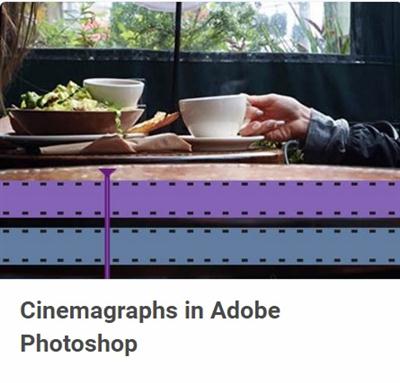
Tutsplus - Cinemagraphs in Adobe Photoshop
Duration: 42m | Video: h264, yuv420p, 1280x720 30fps | Audio: aac, 44100 Hz, 2 ch | 529MB
Genre: eLearning | Language: English​

Cinemagraphs are a fascinating blend between still photos and video. Normally these pieces are created by isolating a small portion of movement from a video clip and surrounding it with corresponding still imagery. In this course you will learn how to take those same concepts and apply them to a more involved piece of creative digital artwork. We'll be compositing multiple images together and using several moving pieces from separate video clips to form a single, animated, fantasy landscape.

Recommend Download Link Hight Speed | Please Say Thanks Keep Topic Live ​
 

d392250860a30c7c8350e57f574adb7c.jpg

Developing Progressive Web Applications Video Training
Duration: 00:34:12 | Video: h264, yuv420p, 1920x10800 30fps | Audio: aac, 44100 Hz, 2 ch | 3,15 GB
Genre: eLearning | Language: English​

A progressive web app (PWA) is a new way to deliver an app-like experience to a mobile device. Instead of downloading an app from a store, the mobile's browser takes the user to the PWA's URL. Visit the URL often enough and the browser asks, "Do you like this PWA?" If the user answers yes, the PWA will show up as an icon on the mobile's home screen. It's a paradigm shift for delivering Internet experiences that's safe to access, SEO discoverable, works online or offline, and shows up on any device. Mobile guru Max Firtman gives you entre to the new world of PWAs in this overview of what they are, how to spot them, how to make them, and why you should make them.

Discover what a progressive web app is and how to recognize one
Review the current features, capabilities, and limitations of PWAs
Understand PWA creation and the challenges you'll face during development
Learn the core technologies: Web app manifest, service workers, and web push notifications
Review PWA starter kits, UI frameworks, PWA validation, and PWA debugging
Understand the basics of PWA web performance optimization
Learn how to move a PWA onto platforms that don't support PWA technology
Maximilano Firtman knows mobile. His site - firt.mobi - tells his story well. 19 years in the field. 10 books (such as the O'Reilly titles Native Web Apps for Android, Web & Native Working Together, and Mobile HTML5) . 3,705 pages written. 198 talks. 388 trainings. 191 (and counting) posts and articles...and virtually all of it about mobile.

Recommend Download Link Hight Speed | Please Say Thanks Keep Topic Live ​

 

ff248c5ff8161520caa6a0f6dfbd9f1c.jpg

Lynda - Becoming a Good Mentor
Duration: 1h 0m | Video: AVC (.mp4) 1280x720 30fps | Audio: AAC 48KHz 2ch | 419 MB
Genre: eLearning | Level: Beginner | Language: English​

Becoming a mentor gives you a way to share your wisdom and knowledge with someone less experienced. People who mentor also benefit; studies have shown they often earn more money and promotions than nonmentors. But there are some important guidelines to consider before you start this mutually beneficial relationship. In the course, professor Ellen Ensher, author of Power Mentoring, explains how to get to know your protégé, shares the dos and don'ts for appropriate self-disclosure, and helps you develop a structure and agenda for each mentoring meeting. She also offers guidance on building trust and chemistry, providing feedback, and helping your protégé make critical career and work decisions and become resilient in the face of challenges. She also helps you address common obstacles, including a protégé that fails to meet expectations or violates trust, and explains how to gracefully exit the relationship.[/

Topics include:
* Building a relationship with your protégé
* Talking and listening with impact
* Giving feedback
* Developing trust
* Setting goals
* Developing your protégé's skills
* Managing mentoring relationships
* Overcoming common obstacles
* How to make time for mentoring

Recommend Download Link Hight Speed | Please Say Thanks Keep Topic Live ​

 

96e10bc7c12e39d0c3b4d0244f9a9c2d.jpg

Learn to Edit Newborn Images with Lightroom and Photoshop
Duration: 32m | Video: h264, yuv420p, 1280x720 30fps | Audio: aac, 44100 Hz, 2 ch | 600 MB
Genre: eLearning | Language: English​

Struggling to get your newborn images to look natural yet beautiful? I will teach you how to edit your newborn images easily in Photoshop and Lightroom with the aim of preserving baby's skintone and texture and not to over-edit their delicate features but to rather let their natural beauty shine through.

Recommend Download Link Hight Speed | Please Say Thanks Keep Topic Live ​

 

1cbb2fa9ff68b353263747c4127ca45d.jpg

Tutsplus - Build a Bookmark Manager With Rails and Vue
8 Lessons | 1.1 hr | .MP4 | aac, 44100 Hz, stereo | h264, yuv420p, 1280x720, 25fps | 637MB
Genre: E-learning | Language: English​

A bookmark manager is a great tool for storing and sharing links to web resources. It's a great project for learning Ruby on Rails too-a simple web app, but one that uses the full stack, from database to interactive JavaScript!

In this course, Envato Tuts+ instructor José Mota will teach you how to build a custom bookmark manager in Ruby on Rails. You'll create a data model, an interface for editing bookmarks, a link shortener, a scraper to get basic information about each linked resource, and even some front-end JavaScript to improve interactivity. You'll also get to create some unusual custom controllers and custom actions.

Recommend Download Link Hight Speed | Please Say Thanks Keep Topic Live ​

 

55f5673d581a32c256d4698ef91aa153.jpg

6 Flexbox Projects for Web Designers
Duration: 1hr 01m | Video: h264, yuv420p, 1280x720 30fps | Audio: aac, 44100 Hz, 2ch | 657MB
Genre: eLearning | Language: English​

The CSS Flexbox model is starting to see more widespread use and is now supported in all major browsers. In this course, Craig Campbell will build upon his CSS: Flexbox Essentials course as he outlines six practical CSS projects for everyday use.

Recommend Download Link Hight Speed | Please Say Thanks Keep Topic Live ​
 

75571d60527e6e9fe6f1bc57a613f9d2.jpg

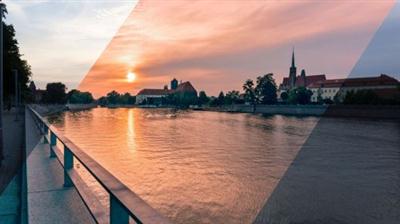
Create Amazing Landscape Images in Photoshop
1.5 h | Video: AVC (.MP4) 1280x720 30fps | Audio: AAC 44.1KHz 2ch | 566MB
Genre: eLearning | Language: English​

Learn how to Use Photoshop in Real time to Create Stunning Landscape Images!

In this Course I am going to show You the easiest techniques to improve Your Images in Photoshop.

I have been teaching Photoshop for over 5 years, and during this time I have been exploring anything I could in this amazing software. Now I am bringing the selected techniques to You, which is just an essence which can lead You to amazing results.

I am not showing theoretical knowledge here that You don't want to know. I prepared this course for people who are looking quick tips and want to see results.

I am the person who love to take images by myself using my digital camera wherever I go. The same as You, I need simple techniques that turn those images into something I can share and impress other people.

No matter if You struggle with underexposed images or overexposed images, whether Your images looks flat or are lacking of colors. I will show You, how to fix all of the issues, and bring new live to Your images.

Enjoy,

Marcin

What are the requirements?
You need Photoshop CC, or version from CS5 +
What am I going to get from this course?
Work in Photoshop
Process Landscape Images in Photoshop
Have a knowledge of basic adjustments in photoshop
Work with Layers in Photoshop
What is the target audience?
Everyone who like to take pictures
people who want to start with photoshop

Recommend Download Link Hight Speed | Please Say Thanks Keep Topic Live ​

 

20319250984f5e0a573ae164768d2c19.jpg

Lynda - Leading Projects Video Training
Duration: 2h 16m | Video: AVC (.mp4) 1280x720 30fps | Audio: AAC 48KHz 2ch | 743 MB
Genre: eLearning | Level: Intermediate | Language: English​

Cross-functional projects are common in today's business environment. Leading these types of projects involves being able to structure teams and plans effectively. In this course, Daniel Stanton provides the techniques needed to adopt an efficient approach using the DIRECT project leadership framework. He explains how to define the scope, investigate options, select a course of action, and execute a plan. He also discusses how to revise processes and help people transition with change. Projects large and small can benefit-from enhancing platforms and launching new products to replacing outdated procedures and breaking ground on new facilities

Topics include:
* Defining the vision
* Documenting the project scope
* Investigating potential options
* Conducting a SWOT analysis
* Selecting a course of action
* Resolving issues
* Building trust with transparency
* Managing project plans
* Identifying risks
* Changing processes
* Helping people transition

Recommend Download Link Hight Speed | Please Say Thanks Keep Topic Live ​

 

4fa4e969890bf03529a3b24adf4c263a.jpg

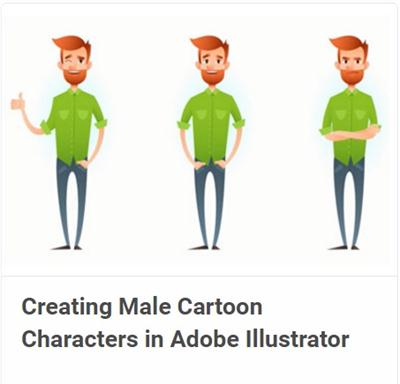
Tutsplus - Creating Male Cartoon Characters in Adobe Illustrator
Duration: 48m | Video: h264, yuv420p, 1280x720 30fps | Audio: aac, 44100 Hz, 2 ch | 504MB
Genre: eLearning | Language: English | Project Files​

Designing characters is not only interesting, but also fun and easy! In this course we'll create a hipster character, drawing his body parts step by step. We'll start with a rough sketch, then sculpt the main shapes, and then color them and finish by adding minor details to our image.

By the end of this course, you'll be able not only to create a fancy unique character, using new techniques, but also to make the illustration versatile and flexible, so that it can be easily adjusted and recolored.

Recommend Download Link Hight Speed | Please Say Thanks Keep Topic Live ​

 
Zurück
Oben Unten