



• Regeln für den Video-Bereich:

    In den Börsenbereich gehören nur Angebote die bereits den Allgemeinen Regeln entsprechen.

    Einteilung

    - Folgende Formate gehören in die angegeben Bereiche:
    - Filme: Encodierte Filme von BluRay, DVD, R5, TV, Screener sowie Telesyncs im Format DivX, XviD und x264.
    - DVD: Filme im Format DVD5, DVD9 und HD2DVD.
    - HD: Encodierte Filme mit der Auflösung 720p oder darüber von BluRay, DVD, R5, TV, Screener sowie Telesyncs im Format x264.
    - 3D: Encodierte Filme von BluRay, die in einem 3D Format vorliegen. Dies gilt auch für Dokus, Animation usw.
    - Serien: Cartoon/Zeichentrick, Anime, Tutorials, Dokumentationen, Konzerte/Musik, Sonstiges sind demnach in die entsprechenden Bereiche einzuordnen, auch wenn sie beispielsweise im High Definition-Format oder als DVD5/DVD9/HD2DVD vorliegen. Ausnahme 3D.
    - Bereich Englisch: Englische Releases gehören immer in diesen Bereich.
    - Bereich Talk: Der Bereich, in dem über die Releases diskutiert werden kann, darf, soll und erwünscht ist.


    Angebot/Beitrag erstellen

    - Ein Beitrag darf erst dann erstellt werden, wenn der Upload bei mindestens einem OCH komplett ist. Platzhalter sind untersagt.
    - Bei einem Scenerelease hat der Threadtitel ausschließlich aus dem originalen, unveränderten Releasenamen zu bestehen. Es dürfen keine Veränderungen wie z.B. Sterne, kleine Buchstaben o.ä. vorgenommen werden. Ausnahme Serienbörse:
    - Bei einem Sammelthread für eine Staffel entfällt aus dem Releasename natürlich der Name der Folge. Beispiel: Die Simpsons S21 German DVDRip XviD - ITG
    - Dementsprechend sind also u.a. verboten: Erweiterungen wie "Tipp", "empfehlenswert", "only", "reup", usw. / jegliche andere Zusatzinformation oder Ergänzung, welche nicht in obiger Beschreibung zu finden ist.

    Aufbau des Angebots und Threadtitel

    Der Titel nach folgendem Muster erstellt zu werden. <Name> [3D] [Staffel] [German] <Jahr> <Tonspur> [DL] [Auflösung] <Quelle> <Codec> - <Group>
    Beispiel: The Dark Knight German 2008 AC3 DVDRip XviD - iND
    Beispiel: The Dark Knight 2008 DTS DL BDRip x264 - iND
    Beispiel: The Dark Knight 2008 AC3 DL BDRip XviD - iND
    Beispiel: The Dark Knight German 2008 AC3 720p BluRay x264 iND
    Beispiel: The Dark Knight 2008 DTS DL 1080p BluRay x264 iND
    Beispiel: Die Simpsons S01 German AC3 DVDRip XviD iND
    Beispiel: Die Simpsons S20 German AC3 720p BluRay x264 iND
    Beispiel: Sword Art Online II Ger Sub 2014 AAC 1080p WEBRip x264 - peppermint
    Entsprechend sind also u.a. verboten: Sonderzeichen wie Klammern, Sterne, Ausrufezeichen, Unterstriche, Anführungszeichen / Erweiterungen wie "Tipp", "empfehlenswert", "only", "reup", usw. / jegliche andere Zusatzinformation oder Ergänzung, welche nicht in obiger Beschreibung zu finden ist
    Ausnahmen hiervon können in den Bereichen geregelt sein.

    Die Beiträge sollen wie folgt aufgebaut werden:
    Überschrift entspricht dem Threadtitel
    Cover
    kurze Inhaltsbeschreibung
    Format, Größe, Dauer sind gut lesbar für Downloader außerhalb des Spoilers zu vermerken
    Nfo sind immer Anzugeben und selbige immer im Spoiler in Textform.
    Sind keine Nfo vorhanden z.B. Eigenpublikationen, sind im Spoiler folgende Dateiinformationen zusätzlich anzugeben :
    Quelle
    Video (Auflösung und Bitrate)
    Ton (Sprache, Format und Bitrate der einzelnen Spuren)
    Untertitel (sofern vorhanden)
    Hosterangabe in Textform außerhalb eines Spoiler mit allen enthaltenen Hostern.
    Bei SD kann auf diese zusätzlichen Dateiinformationen verzichtet werden.

    Alle benötigten Passwörter sind, sofern vorhanden, in Textform im Angebot anzugeben.
    Spoiler im Spoiler mit Kommentaren :"Schon Bedankt?" sind unerwünscht.


    Releases

    - Sind Retail-Release verfügbar, sind alle anderen Variationen untersagt. Ausnahmen: Alle deutschen Retail-Release sind CUT, in diesem Fall sind dubbed UNCUT-Release zulässig.
    - Im Serien-Bereich gilt speziell: Wenn ein Retail vor Abschluss einer laufenden Staffel erscheint, darf diese Staffel noch zu Ende gebracht werden.62
    - Gleiche Releases sind unbedingt zusammenzufassen. Das bedeutet, es ist zwingend erforderlich, vor dem Erstellen eines Themas per Suchfunktion zu überprüfen, ob bereits ein Beitrag mit demselben Release besteht. Ist dies der Fall, ist der bereits vorhandene Beitrag zu verwenden.
    - P2P und Scene Releases dürfen nicht verändert oder gar unter einem iND Tag eingestellt werden.


    Support, Diskussionen und Suche

    - Supportanfragen sind entweder per PN oder im Bereich Talk zu stellen.
    - Diskussionen und Bewertungen sind im Talk Bereich zu führen. Fragen an die Uploader haben ausschließlich via PN zu erfolgen, und sind in den Angeboten untersagt.
    - Anfragen zu Upload-Wünschen sind nur im Bereich Suche Video erlaubt. Antworten dürfen nur auf Angebote von MyBoerse.bz verlinkt werden.


    Verbote

    - Untersagt sind mehrere Formate in einem einzigen Angebotsthread, wie beispielsweise das gleichzeitige Anbieten von DivX/XviD, 720p und 1080p in einem Thread. Pro Format, Release und Auflösung ist ein eigener Thread zu eröffnen.
    - Grundsätzlich ebenso verboten sind Dupes. Uploader haben sich an geeigneter Stelle darüber zu informieren, ob es sich bei einem Release um ein Dupe handelt.
    - Gefakte, nur teilweise lauffähige oder unvollständige Angebote sind untersagt. Dies gilt auch für eigene Publikationen, die augenscheinlich nicht selbst von z.B. einer DVD gerippt wurden. Laufende Serien, bei denen noch nicht alle Folgen verfügbar sind, dürfen erstellt und regelmäßig geupdatet werden.
    - Untersagt sind Angebote, welche nur und ausschließlich in einer anderen Sprache als deutsch oder englisch vorliegen. Ausnahmen sind VORHER mit den Moderatoren zu klären.


    Verstoß gegen die Regeln

    - Angebote oder Beiträge, die gegen die Forenregeln verstoßen, sind über den "Melden"-Button im Beitrag zu melden.
  • Bitte registriere dich zunächst um Beiträge zu verfassen und externe Links aufzurufen.


Englische Tutorials


3a24e6f1a23964620138daf473471a1c.jpg

Data Analytics Using Spark and Hadoop Video Training
Duration: 01:53:50 | Video: h264, yuv420p, 1280x720 30fps | Audio: aac, 44100 Hz, 2 ch | 541 MB
Genre: eLearning | Language: English​

Hadoop and Spark are the stars of the Big Data world. This course covers the basics of Spark and how to use Spark and Hadoop together for big data analytics. Designed for developers, architects, and data analysts with a fundamental understanding of Hadoop, it begins with an overview of how Hadoop and Spark are used in today's big data ecosystem before moving into hands-on labs that demonstrate Spark and Spark-Hadoop integration.
You'll learn about the Spark shell, RDDs, and DataFrames; how to query data in Hadoop Hive Tables from Spark; and how to develop Spark applications and run them on YARN.

Discover how to integrate the Hadoop and Spark big data analytics platforms
Get access to 11 hands-on labs demonstrating the core aspects of Hadoop-Spark integration
Learn the basics of the Spark framework: Spark shell, RDDs and DataFrames
Explore methods for analyzing data in Hadoop HDFS and Hive using Spark
Gain an understanding on how to write Spark applications and run them on YARN

Sujee Maniyam is the co-founder of Elephant Scale, a Big Data training company specializing in Hadoop, NoSQL, and data science. An open-source author/developer since 2000, Sujee ran the analytics company CoverCake for five years, founded the Santa Clara Big Data Guru Meet-Up, developed a Hadoop course for Intel, worked as a software engineer for IBM for six years, and is co-author of the O'Reilly title HBase Design Patterns. He earned a Bachelor of Science in Computer Engineering from the University of Melbourne and holds certifications in both Hadoop and Spark.

Recommend Download Link Hight Speed | Please Say Thanks Keep Topic Live ​

 

30e416693d0b4d2a773ff2213ddb50bd.jpg

Freelance Business: Get Clients With $0 Marketing Budget (2016)
Duration: 2h 30mn | Video: h264, yuv420p, 1920 x 1080 30fps | Audio: aac, 44100 Hz, 2 ch | 1.77 GB
Genre: eLearning | Language: English​

How to find clients and grow your freelance business without any marketing budget. Are you a consultant or a freelancer? Do you have a limited or NO marketing budget? If you answered YES, this is the right course for you. Welcome to this "Marketing For Freelancers - How To Get Clients With $0 Budget" course. I built my social media freelance business without spending any money on marketing. In this course you will see all of my tactics and strategies.Here are the specific things you will learn in this courseHow to find clients without spending any money on marketing
What type of emails are most effective
How to use platforms like craigslist, Fiverr, Upwork, Facebook and Twitter to grow your freelance business
How to leverage the power of networking and referrals to find more clients
If you are just starting out, this course will help you find the first few clients,If you already have clients, this course will help you grow your freelancing business.This course does come with a 30day money back guarantee so there is nothing to lose.ENROLL NOW! and I will see you inside.What are the requirements?
You should have a freelance business or planning on starting one
Willingness to learn and take action

What am I going to get from this course?
Find clients for your freelance business with $0 budget
Grow your freelancing business
Land new clients with specific email templates

What is the target audience?
Consultants and Freelancers of any kind (SEO, Design, Writing, Marketing)
Small medium business owners
Entrepreneurs and solopreneurs

Recommend Download Link Hight Speed | Please Say Thanks Keep Topic Live ​

 

36f3d77c36f757c5ab8760f7e1f8b0d1.jpg

Tutsplus - Build Two Custom Sharpening Actions
2 Lessons | 13 mins | .MP4 | aac, 44100 Hz, stereo | h264, yuv420p, 1280x720, 25fps | 105 MB
Genre: E-learning | Language: English​

Actions are one of Photoshop's most powerful features. Unfortunately, getting started with them can be confusing. In this course you'll learn how to build your own actions starting with two different sharpening actions.

The first action resizes your image, sharpens it, and then adds a watermark-with you in control at every step. The second creates three sharpening layers so you can selectively and creatively sharpen different aspects of your image. Every image you make needs some sharpening, and these actions make it easy and repeatable.

Recommend Download Link Hight Speed | Please Say Thanks Keep Topic Live ​
 

13b0ece7943092f8d1382231d373cfbf.jpg

Tutsplus - How to Plan and Storyboard a Photo Illustration Project
Duration: 45 minutes | Video: h264, yuv420p, 1280x720 30fps | Audio: aac, 44100 Hz, 2 ch | 192MB
Genre: eLearning | Language: English​

Have you ever had an idea for photo illustration, but didn't know where to start? The most successful photo illustration projects use custom photography. This puts control firmly in the hands of their artist: the project is only limited by their imagination and skill. A photo shoot takes planning and preparation, though, in order to create the necessary elements. A storyboard is the key. In this course, you will learn how develop an illustration idea and create a storyboard for your own photo illustration shoot.

Recommend Download Link Hight Speed | Please Say Thanks Keep Topic Live ​
 

aa04431f2841805f480f2cd28692b66a.jpg

Lynda - Box.com Essential Training Video
Duration: 3h 6m | Video: AVC (.mp4) 1280x720 15&30fps | Audio: AAC 48KHz 2ch | 395 MB
Genre: eLearning | Level: Beginner | Language: English]​

Discover how to use Box. com, the free online service for cloud-based storage, file sharing, and collaboration. In this course, instructor David Rivers explores the basics of Box. com. Learn how to sign up for an account, upload and access files, find files, and share links to files with others. Plus, find out how to use other Box services such as Box Edit for document editing, Box Sync for keeping files in sync across multiple devices (including tablets and smartphones), and Box for Business, the upgraded version of Box that provides user management, versioning, and reporting features.

Topics include:
* Creating a Box.com account
* Uploading files and folders
* Tagging files
* Searching for files
* Creating and editing documents with Box Edit
* Sharing links
* Collaborating
* Assigning tasks
* Using Box for Office
* Installing Box Sync
* Using Box on a smartphone or tablet
* Upgrading to Box for Business

Recommend Download Link Hight Speed | Please Say Thanks Keep Topic Live ​

 

ad945c9ea3720ef69b20027da4398679.jpg

Teaching Music: Start teaching a musical instrument successfully
Duration: 01:22:19 | Video: h264, yuv420p, 852x480 30fps | Audio: aac, 44100 Hz, 2 ch | 1234 MB
Genre: eLearning | Language: English​

Being a music teacher can be difficult, specially when you don't have much experience. If you are about to start teaching any musical instrument, this course is for you.
You will get to know your students in order to make a good approach and develop your classes in a successful way. If you are currently teaching but you don't feel that is working, this course will help you too.

You will know what are the considerations if you want to join a music school or to develop your own private studio.

Recommend Download Link Hight Speed | Please Say Thanks Keep Topic Live ​
 

29b3a2365f6a25eafc285a20b96ac5c6.jpg

Tutsplus - How to Use the Brush Tool in Adobe Photoshop
3 Lessons | 13 mins | .MP4 | aac, 44100 Hz, stereo | h264, yuv420p, 1280x720, 25fps | 165 MB
Genre: E-learning | Language: English​

In this Coffee Break Course, Envato Tuts+ Instructor Melody Nieves will help you tackle the basics of the Brush Tool in Adobe Photoshop. From creating your own custom brushes to learning how to use this tool for photo manipulation, digital painting, and more, the possibilities are truly limitless once you master the essentials.

Recommend Download Link Hight Speed | Please Say Thanks Keep Topic Live ​
 

368299424e7bcf48f66eea899182c2f6.jpg

Lynda - Esther Dyson on Cultivating Health at Scale
Duration: 0h 21m | Video: AVC (.mp4) 1280x720 24fps | Audio: AAC 48KHz 2ch | 195 MB
Genre: eLearning | Level: Appropriate for all | Language: English​

Health care is ripe for disruption. There is a case to be made for shifting the focus from a cost to an asset. But how do we get there? What and who has to be involved? LinkedIn Influencer, startup investor, and technology expert Esther Dyson lays out the key components that will help us address one of most urgent problems of our time. She discusses possible solutions to the healthcare crisis, including social impact investors and prevention-oriented funding, and her involvement in the Way to Wellville, an organization that inspires people to do simple things to stay well and to create a healthy community. She also explains how technology can help, and what role for-profit hospitals and hospital admins have to play in any resolution.

Recommend Download Link Hight Speed | Please Say Thanks Keep Topic Live ​
 

cf415f39b8ac0af2a29dc85bdea415f4.jpg

Start Kali Linux, Ethical Hacking and Penetration Testing!
MP4 | Video: AVC 1280x720 | Audio: AAC 44KHz 2ch | Duration: 4 Hours | Lec: 22| 1.58 GB
Genre: eLearning | Language: English​

Learn the basics of ethical hacking, penetration testing, web testing and wifi hacking in kali linux!

You will get to see screen capture live tutorials showing you everything you need to do to get started with ethical hacking and penetration testing including information about all of the topics below!

Learn the basics of what ethical hacking and penetration testing is to decide whether you want to go to an advanced level! Get a full tutorial on how to install VirtualBox o including on Windows 8.1 and gain the ability to run Kali Linux in any environment. See what to do to create the virtual environment and learn the basics of the Linux terminal.

Continue through the course to learn how to stay anonymous with tor and use Virtual Private Networks (VPN). Follow this information with an introduction to the ethical hacking and penetration testing tools you can use to take your learning from beginner to advanced! See how to change a mac address with macchanger. Discover how to use aircrack for wifi hacking, learn about proxychains, and finish with denial of service attacks.

Take this course now to get your learning started fast as an IT security professional online!

What are the requirements?
Reliable and fast internet connection.
Wireless networking card.
What am I going to get from this course?
Step by step instructions for insulation VirtualBox and creating your virtual environment on Windows, Mac, and Linux.
An introduction to attacking networks and breaking passwords.
Tips for remaining anonymous in hacking and penetration testing activities.
A clear understanding of what ethical hacking and penetration testing is.
What is the target audience?
You can begin this course with any level of knowledge and quickly start advancing your skills as an information technology and security expert anywhere in the world!

Recommend Download Link Hight Speed | Please Say Thanks Keep Topic Live ​
 

8ae0fd2070390565b63bc6d402314433.jpg

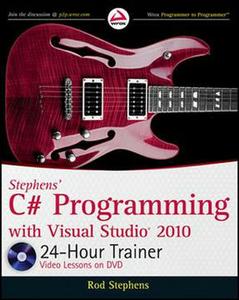
Stephens' C# Programming with Visual Studio 2010 24-Hour Trainer
Duration: 06:39:47 | Video: h264, yuv420p, 800x592 30fps | Audio: aac, 44100 Hz, 2 ch | 1.3 GB
Genre: eLearning | Language: English​

Visual C# has become a leading programming language, resulting in greater career opportunities for Visual C# programmers. This Wrox guide literally shows novice programmers how to program in C# with Microsoft Visual Studio, using both written and visual instruction.
Easy-to-follow lessons reinforced with step-by-step instructions, screencasts, and supplemental exercises make it easy to master Visual C# programming regardless of your learning style. Each lesson begins with a discussion of a concept or technique and proceeds through step-by-step directions for using the technique Visual C# has surpassed Visual Basic as the most popular programming language

Recommend Download Link Hight Speed | Please Say Thanks Keep Topic Live ​
 

d9fa9ec13784c985f73a174becedbc71.jpg

Mograph - Comprehensive Introduction to Maxwell Render for Cinema 4D
Duration: 8h 20m | Video: h264, yuv420p, 1920x1080 30fps | Audio: aac, 44100 Hz, 2 ch | 2.8 GB
Genre: eLearning | Language: English | Project Files​

Cinema 4D Tutorial - Comprehensive Introduction to Maxwell Render from Mograph Plus

In this series of tutorials, lasting more than 8 hours and 20 minutes you will learn a comprehensive introduction in how to use Maxwell Render for Cinema 4D.

Maxwell Render is an unbiased 3D renderer for making photo reallistic images, the good thing about Maxwell Render is that it is really straight forward, it just works.

Lights, cameras, materials, they are all real world and correct, what amazes Mograph Plus the most about Maxwell is the fact that there are very few technical concepts and rendering photoreallistic images couldn't be easier.
We start the course by laying down bunch of rules that are going to be extremely essential when working with maxwell.
Than I show you where to find different Maxwell tools and functions inside Cinema 4d , and walk you through the general workflow to get your job down with maxwell inside Cinema 4d .
The entire next two section of the course will be dedicated to discover Maxwell Material , first we learn what each and every parameter does in this powerful system then we learn how to use Maxwell Material to create real world materials like plastics , woods , metals , transparent objects , fabrics and much more ...
I've worked with different render engines and I can tell you the way maxwell handles creating materials is exceptional and you can create the most complex materials using this system.
Then we start learning about emitters and environment lighting , we walk you through differnt types of emitters like Area emitter , spot emitter and IES emitter , after that we discover different types of environment lighting , including sky dome . physical sky and image based lighting .
And ... multilight feature , this buddy has literally blew me away . using Multilight feature you can adjust every bit of your lighting during or after your render . so if you want to change the intensity or the color of your light after your render has finished you can simply do that using multilight .
Next we learn about cameras in maxwell , the camera in maxwell was built to resemble real world cameras in every aspect , we learn about exposure value , ISO , F-stop , shutter speed , depth d field , motion blur , lens and apreture , white balance and much more .
Then we learn differnt render options in Maxwell , we learn how to use FIRE to interactively preview our scene , how to export still frames and animations , we cover channels and multi-pass rendering in depth . we learn about extra sampling that allows you to focus your resources on specific parts of your render .
In the final section of this course we discover some of the MAXWELL objects and tags including instancing in maxwell , MXS refrence , maxwell sea, maxwell mesher , hair and grass tags , particle and volumetric tags .
Eventhough this course has cinema 4d users in mind but other users can also greatly benefit from it
Maxwell is great , solid , high-end and very straigh-forward and easy to use
So ... Let's start learning Maxwell .

Recommend Download Link Hight Speed | Please Say Thanks Keep Topic Live ​
 

4a5e14a4926b873474ff2ba9bf960b6a.jpg

Securing AWS Using CIS Foundations Benchmark Security Standard
Duration: 3h 12m | Video: h264, yuv420p, 1280x720 30fps | Audio: aac, 44100 Hz, 2 ch | 558 MB
Genre: eLearning | Language: English | Project Files​

Note: Video 10 is dead on site so not included
The Center for Internet Security (CIS) is a collaborative organization that creates directly actionable security configuration checklists. This makes them easier for non-security professionals to implement and provides a great deal of protection for a relatively small effort. This course, Securing AWS Using CIS Foundations Benchmark Security Standard, takes you through the CIS AWS Foundations Benchmark details and teaches you how to implement it at your company. First, you will learn about the benefits of the Benchmarks and the AWS Foundations Benchmark. Next, you will explore the benchmark protections and understand how to apply them. Finally, you'll have access to ready-to-use automation code to create a compliant AWS account. The code formulates a great base from which you can customize and create your own utility sets. By the end of this course, you'll feel confident in your knowledge of the most challenging aspects of compliance with the AWS Foundations Benchmark.

Recommend Download Link Hight Speed | Please Say Thanks Keep Topic Live ​
 
Zurück
Oben Unten