• Regeln für den Video-Bereich:

    In den Börsenbereich gehören nur Angebote die bereits den Allgemeinen Regeln entsprechen.

    Einteilung

    - Folgende Formate gehören in die angegeben Bereiche:
    - Filme: Encodierte Filme von BluRay, DVD, R5, TV, Screener sowie Telesyncs im Format DivX, XviD und x264.
    - DVD: Filme im Format DVD5, DVD9 und HD2DVD.
    - HD: Encodierte Filme mit der Auflösung 720p oder darüber von BluRay, DVD, R5, TV, Screener sowie Telesyncs im Format x264.
    - 3D: Encodierte Filme von BluRay, die in einem 3D Format vorliegen. Dies gilt auch für Dokus, Animation usw.
    - Serien: Cartoon/Zeichentrick, Anime, Tutorials, Dokumentationen, Konzerte/Musik, Sonstiges sind demnach in die entsprechenden Bereiche einzuordnen, auch wenn sie beispielsweise im High Definition-Format oder als DVD5/DVD9/HD2DVD vorliegen. Ausnahme 3D.
    - Bereich Englisch: Englische Releases gehören immer in diesen Bereich.
    - Bereich Talk: Der Bereich, in dem über die Releases diskutiert werden kann, darf, soll und erwünscht ist.


    Angebot/Beitrag erstellen

    - Ein Beitrag darf erst dann erstellt werden, wenn der Upload bei mindestens einem OCH komplett ist. Platzhalter sind untersagt.
    - Bei einem Scenerelease hat der Threadtitel ausschließlich aus dem originalen, unveränderten Releasenamen zu bestehen. Es dürfen keine Veränderungen wie z.B. Sterne, kleine Buchstaben o.ä. vorgenommen werden. Ausnahme Serienbörse:
    - Bei einem Sammelthread für eine Staffel entfällt aus dem Releasename natürlich der Name der Folge. Beispiel: Die Simpsons S21 German DVDRip XviD - ITG
    - Dementsprechend sind also u.a. verboten: Erweiterungen wie "Tipp", "empfehlenswert", "only", "reup", usw. / jegliche andere Zusatzinformation oder Ergänzung, welche nicht in obiger Beschreibung zu finden ist.

    Aufbau des Angebots und Threadtitel

    Der Titel nach folgendem Muster erstellt zu werden. <Name> [3D] [Staffel] [German] <Jahr> <Tonspur> [DL] [Auflösung] <Quelle> <Codec> - <Group>
    Beispiel: The Dark Knight German 2008 AC3 DVDRip XviD - iND
    Beispiel: The Dark Knight 2008 DTS DL BDRip x264 - iND
    Beispiel: The Dark Knight 2008 AC3 DL BDRip XviD - iND
    Beispiel: The Dark Knight German 2008 AC3 720p BluRay x264 iND
    Beispiel: The Dark Knight 2008 DTS DL 1080p BluRay x264 iND
    Beispiel: Die Simpsons S01 German AC3 DVDRip XviD iND
    Beispiel: Die Simpsons S20 German AC3 720p BluRay x264 iND
    Beispiel: Sword Art Online II Ger Sub 2014 AAC 1080p WEBRip x264 - peppermint
    Entsprechend sind also u.a. verboten: Sonderzeichen wie Klammern, Sterne, Ausrufezeichen, Unterstriche, Anführungszeichen / Erweiterungen wie "Tipp", "empfehlenswert", "only", "reup", usw. / jegliche andere Zusatzinformation oder Ergänzung, welche nicht in obiger Beschreibung zu finden ist
    Ausnahmen hiervon können in den Bereichen geregelt sein.

    Die Beiträge sollen wie folgt aufgebaut werden:
    Überschrift entspricht dem Threadtitel
    Cover
    kurze Inhaltsbeschreibung
    Format, Größe, Dauer sind gut lesbar für Downloader außerhalb des Spoilers zu vermerken
    Nfo sind immer Anzugeben und selbige immer im Spoiler in Textform.
    Sind keine Nfo vorhanden z.B. Eigenpublikationen, sind im Spoiler folgende Dateiinformationen zusätzlich anzugeben :
    Quelle
    Video (Auflösung und Bitrate)
    Ton (Sprache, Format und Bitrate der einzelnen Spuren)
    Untertitel (sofern vorhanden)
    Hosterangabe in Textform außerhalb eines Spoiler mit allen enthaltenen Hostern.
    Bei SD kann auf diese zusätzlichen Dateiinformationen verzichtet werden.

    Alle benötigten Passwörter sind, sofern vorhanden, in Textform im Angebot anzugeben.
    Spoiler im Spoiler mit Kommentaren :"Schon Bedankt?" sind unerwünscht.


    Releases

    - Sind Retail-Release verfügbar, sind alle anderen Variationen untersagt. Ausnahmen: Alle deutschen Retail-Release sind CUT, in diesem Fall sind dubbed UNCUT-Release zulässig.
    - Im Serien-Bereich gilt speziell: Wenn ein Retail vor Abschluss einer laufenden Staffel erscheint, darf diese Staffel noch zu Ende gebracht werden.62
    - Gleiche Releases sind unbedingt zusammenzufassen. Das bedeutet, es ist zwingend erforderlich, vor dem Erstellen eines Themas per Suchfunktion zu überprüfen, ob bereits ein Beitrag mit demselben Release besteht. Ist dies der Fall, ist der bereits vorhandene Beitrag zu verwenden.
    - P2P und Scene Releases dürfen nicht verändert oder gar unter einem iND Tag eingestellt werden.


    Support, Diskussionen und Suche

    - Supportanfragen sind entweder per PN oder im Bereich Talk zu stellen.
    - Diskussionen und Bewertungen sind im Talk Bereich zu führen. Fragen an die Uploader haben ausschließlich via PN zu erfolgen, und sind in den Angeboten untersagt.
    - Anfragen zu Upload-Wünschen sind nur im Bereich Suche Video erlaubt. Antworten dürfen nur auf Angebote von MyBoerse.bz verlinkt werden.


    Verbote

    - Untersagt sind mehrere Formate in einem einzigen Angebotsthread, wie beispielsweise das gleichzeitige Anbieten von DivX/XviD, 720p und 1080p in einem Thread. Pro Format, Release und Auflösung ist ein eigener Thread zu eröffnen.
    - Grundsätzlich ebenso verboten sind Dupes. Uploader haben sich an geeigneter Stelle darüber zu informieren, ob es sich bei einem Release um ein Dupe handelt.
    - Gefakte, nur teilweise lauffähige oder unvollständige Angebote sind untersagt. Dies gilt auch für eigene Publikationen, die augenscheinlich nicht selbst von z.B. einer DVD gerippt wurden. Laufende Serien, bei denen noch nicht alle Folgen verfügbar sind, dürfen erstellt und regelmäßig geupdatet werden.
    - Untersagt sind Angebote, welche nur und ausschließlich in einer anderen Sprache als deutsch oder englisch vorliegen. Ausnahmen sind VORHER mit den Moderatoren zu klären.


    Verstoß gegen die Regeln

    - Angebote oder Beiträge, die gegen die Forenregeln verstoßen, sind über den "Melden"-Button im Beitrag zu melden.
  • Bitte registriere dich zunächst um Beiträge zu verfassen und externe Links aufzurufen.


Englische Tutorials


a3157c8a3a7ff0a2253e1d450a7d5bdf.jpg

Linux Academy - Learning Vagrant (2016)
Duration: 2h 18mins | Video: h264, yuv420p, 1920x1080 30fps | Audio: aac, 44100 Hz, 2 ch | | 801 MB
Genre: eLearning | Language: English​

Vagrant allows you to create portable work environments which can be easily reproduced on any system. It's useful for developers and system administrators who want to mimic a server's configuration on their local machine. It's useful for teams who want to quickly get designers and project managers up and running with a local installation. In this introductory course in to vagrant we learn the basic concepts of what vagrant is, how to install it, and how to get started with our own Vagrantfile configs to get up and running.

Content:
Vagrant Intro

What is Vagrant?

00:05:03

Virtualization Overview

00:02:54

Setting Up Vagrant

VirtualBox Installation on OSX

00:02:01

VirtualBox Installation on Windows

00:01:39

VirtualBox Installation on Linux

00:06:53

Vagrant Install With OSX

00:01:29

Vagrant Install With Windows

00:01:24

Vagrant Install With Linux

00:01:50

Vagrant Without VirtualBox?

00:01:06

Using Vagrant

Our First Vagrant Machine

00:02:57

Vagrantfiles

00:05:06

Boxes

00:04:12

(Vagrant Up) Running Vagrant Machines

00:05:08

SSH To Vagrant Machines

00:02:32

Synced Folders

00:03:26

Networking Basics

00:03:44

Environment Management

00:06:06

Automated Provisioning

Provisioners

00:01:53

Installing Apache Manually

00:05:25

Installing Apache / Shell Script

00:06:09

Installing Apache / Chef

00:07:10

Installing Apache / Puppet

00:15:23

Networking

Private Networking

00:03:36

Public Networking

00:02:05

Multiple Machines With Vagrant

Managing Your Multiple Machines

00:03:34

Hands On With Multiple Machines

00:09:50

Boxes

Vagrant Boxes

00:03:47

Basic Box Management

00:05:40

How To Create Boxes From An Existing Environment

00:05:13

Creating Your Own Boxes

00:10:26

Recommend Download Link Hight Speed | Please Say Thanks Keep Topic Live ​
 

89cb7a3c38f1da24dab213820986611f.jpg

Lynda - Linux: Overview and Installation Video Training
Duration: 1h 3m | Video: AVC (.mp4) 1280x720 15&30fps | Audio: AAC 48KHz 2ch | 175 MB
Genre: eLearning | Level: Beginner | Language: English​

Join the Linux revolution. Learn why this open-source operating system is taking over the world. This course covers an overview and basic implementation of CentOS 7, a community-driven server operating system that makes a great introduction to enterprise Linux. Grant McWilliams helps you configure VirtualBox on your local machine, and covers the basics of network configuration, initial software installation, and postinstallation configuration of CentOS, including working with GNOME 3, an open-source desktop environment that makes Linux as easy to run as Mac or Windows. These lessons are the foundation for learning Linux system administration, and critical for getting a CentOS deployment up and running

Topics include:
* Choosing a Linux distribution
* Installing VirtualBox
* Installing CentOS
* Configuring basic Linux settings
* Exploring GNOME 3

Recommend Download Link Hight Speed | Please Say Thanks Keep Topic Live ​
 

7b124d0936e890be9e1f77e952bf7454.jpg

Make Your Images Outstanding in Photoshop
Duration: 38m | Video: h264, yuv420p, 1280x720 30fps | Audio: aac, 44100 Hz, 2 ch | 629 MB
Genre: eLearning | Language: English​

In this I am going to teach You simple methods of Improving Your Images in Photoshop. I love to take pictures wherever I go, for holiday, meeting with my friends. And I know this big disappointment when You look at Your images later on and they doesn't look as good as You wish too.

This is going to change right now with this class. We are going to start from camera raw processing, and I will show You in details what I do and in which panels I work in camera Raw.
Later on we will jump in photoshop to improve our colors, contrasts, and give some special final effects to the image to make it stand out!

Recommend Download Link Hight Speed | Please Say Thanks Keep Topic Live ​
 

d4363d441b98611b334144adaa833009.jpg

Lynda - Managerial Economics
Size: 421 MB | Duration: 1h 20m | Video: AVC (.mp4) 1280x720 30fps | Audio: AAC 48KHz 2ch
Genre: eLearning | Level: Intermediate | Language: English​

Managers can use economics to strategize and solve a variety of business problems, from the mundane to the mission critical.

* Using economics to solve business problems
* Understanding price elasticity
* Demand curve shifts
* Economics of scale vs. scope
* Break-even and what-if analysis
* Profit maximization
* Economics in action

Recommend Download Link Hight Speed | Please Say Thanks Keep Topic Live ​
 

78c045bfd215b54dec4325b80a777448.jpg

Managing Configurations with Azure Automation DSC
October 2016 | MP4 | Video: AVC 1280x720 | Audio: AAC 44KHz 2ch | Duration: 1 Hours 45M | 245 MB
Genre: eLearning | Language: English​

Azure Automation DSC is a cloud-based server management technology. In this course, you will learn how to configure cloud and on-premises servers using Azure Automation DSC.

PowerShell DSC uses a declarative syntax for easy server configuration, but requires a local infrastructure and doesn't scale well. Azure Automation DSC delivers PowerShell DSC as a cloud service, making it more accessible and manageable. This course, Managing Configurations with Azure Automation DSC, starts off by teaching you how to set up your servers to work with Azure Automation DSC. After that, you'll learn how to upload and compile DSC configurations. Finally, the course will wrap up teaching you how to manage the solution using role-based access control (RBAC) and reporting features. By the end of this course, you'll be able to use simple DSC configurations to configure your cloud and on-premises Windows Servers.

Recommend Download Link Hight Speed | Please Say Thanks Keep Topic Live ​
 

c1776f0a0e2a5cf806c848e07677d044.jpg

Masking Women Hair in Photoshop : Part3 (Project 3)
Duration: 19m | Video: h264, yuv420p, 1280x720 30fps | Audio: aac, 44100 Hz, 2 ch | 235 MB
Genre: eLearning | Language: English​

In this class , we will mask women with blonde hair who is wearing bright color dress and also background has not much contrast difference . Check out the challenge lecture to take a look at before and after masking image and understand what we are going to achieve in this class

Recommend Download Link Hight Speed | Please Say Thanks Keep Topic Live ​
 

072ad1a3e42d639b62b057cdd06c9164.jpg

Math Tutor DVD - Differential Equations: Volume 2 - Higher Order Equations
3xDVDRip | English | AVI | 720 x 480 | XviD ~583 kbps | 29.970 fps
MP3 | 192 Kbps | 44.1 KHz | 2 channel | ~11 hours | 3.72 GB​

Genre: eLearning Video / Mathematics
Solving higher order differential equations is challenging for most students simply because the solution methods usually run several pages in length even for the easier problems. The student must identify the type of equation to solve and apply the appropriate solution method, which can lead to valuable lost time on an exam if the wrong solution method is chosen at the outset.

Disk 1
Sect 1: Intro to Higher Order Differential Equations
Sect 2: Identifying Linear Ordinary Differential Equations (ODEs)
Sect 3: Solving Elementary Higher Order ODEs
Sect 4: The Linear Differential Operator
Sect 5: The Wronskian Test For Linearly Independent Solutions
Sect 6: Wronskian Problems

Disk 2
Sect 7: Homogeneous ODEs - Constant Coefficients & Real Roots Part 1
Sect 8: Part 2 of Above
Sect 9: Part 3 of Above
Sect 10: Homogeneous ODEs - Constant Coefficients & Complex Roots Part 1
Sect 11: Part 2 of Above
Sect 12: Part 3 of Above
Sect 13: Non-Homogeneous ODEs Undetermined Coefficients Part 1
Sect 14: Part 2 of Above
Sect 15: Part 3 of Above

Disk 3
Sect 16: Part 4 of Above
Sect 17: Part 5 of Above
Sect 18: Part 6 of Above
Sect 19: Non-Homogeneous ODEs Variation of Parameters Part 1
Sect 20: Part 2 of Above
Sect 21: Part 3 of Above
Sect 22: Part 4 of Above

Recommend Download Link Hight Speed | Please Say Thanks Keep Topic Live ​
 

66408ae9e6ae12b42c8ff74f67daac4f.jpg

Mathematics Describing the Real World: Precalculus and Trigonometry
36xWEBRip | English | AVI + PDF Guidebook | 640 x 480 | XviD ~1210 kbps | 29.970 fps
MP3 | 128 kbps | 48.0 KHz | 2 channels | 18:09:53 | 10.6 GB​

Genre: eLearning / Mathematics
What's the sure road to success in calculus? The answer is simple: Precalculus. Traditionally studied after Algebra II, this mathematical field covers advanced algebra, trigonometry, exponents, logarithms, and much more.

These interrelated topics are essential for solving calculus problems, and by themselves are powerful methods for describing the real world, permeating all areas of science and every branch of mathematics. Little wonder, then, that precalculus is a core course in high schools throughout the country and an important review subject in college.
Unfortunately, many students struggle in precalculus because they fail to see the links between different topics-between one approach to finding an answer and a startlingly different, often miraculously simpler, technique. As a result, they lose out on the enjoyment and fascination of mastering an amazingly useful tool box of problem-solving strategies.

And even if you're not planning to take calculus, understanding the fundamentals of precalculus can give you a versatile set of skills that can be applied to a wide range of fields-from computer science and engineering to business and health care.

Mathematics Describing the Real World: Precalculus and Trigonometry
is your unrivaled introduction to this crucial subject, taught by award-winning Professor Bruce Edwards of the University of Florida. Professor Edwards is coauthor of one of the most widely used textbooks on precalculus and an expert in getting students over the trouble spots of this challenging phase of their mathematics education.

"Calculus is difficult because of the precalculus skills needed for success," Professor Edwards points out, adding, "In my many years of teaching, I have found that success in calculus is assured if students have a strong background in precalculus."

A Math Milestone Made Clear

In 36 intensively illustrated half-hour lectures, supplemented by a workbook with additional explanations and problems, Mathematics Describing the Real World takes you through all the major topics of a typical precalculus course taught in high school or college. Those who will especially benefit from Professor Edwards's lucid and engaging approach include

high school and college students currently enrolled in precalculus who feel overwhelmed and want coaching from an inspiring teacher who knows where students stumble;
parents of students, who may feel out of their depth with the advanced concepts taught in precalculus;
those who have finished Algebra II and are eager to get a head start on the next milestone on the road to calculus;
beginning calculus students who want to review and hone their skills in crucial precalculus topics;
anyone motivated to learn precalculus on his or her own, whether as a home-schooled pupil or as an adult preparing for a new career.

The Powerful Tools of Precalculus

With precalculus, you start to see all of mathematics as a unified whole-as a group of often radically different techniques for representing data, analyzing problems, and finding solutions. And you discover that these techniques are ultimately connected in a beautiful way. Perceiving these connections helps you choose the best tool for a given problem:

Algebraic functions: Including polynomial functions and rational functions, these equations relate the input value of a variable to a single output value, corresponding to countless everyday situations in which one event depends on another.
Trigonometry: Originally dealing with the measurement of triangles, this subject has been vastly enriched by the concept of the trigonometric function, which models many types of cyclical processes, such as waves, orbits, and vibrations.
Exponential and logarithmic functions: Often involving the natural base, e, these functions are built on terms with exponents and their inverse, logarithms, and describe phenomena such as population growth and the magnitude of an earthquake on the Richter scale.
Complex numbers: Seemingly logic-defying, complex numbers are based on the square root of -1, designated by the symbol i. They are essential for solving many technical problems and are the basis for the beautiful patterns in fractal geometry.
Vectors: Quantities like velocity have both magnitude and direction. Vectors allow the direction component to be specified in a form that allows addition, multiplication, and other operations that are crucial in fields such as physics.
Matrices: A matrix is a rectangular array of numbers with special rules that permit two matrices to be added or multiplied. Practically any situation where data are collected in columns and rows can be treated mathematically as a matrix.

In addition, Professor Edwards devotes two lectures to conic sections, slicing a cone mathematically into circles, parabolas, ellipses, and hyperbolas. You also learn when it's useful to switch from Cartesian to polar coordinates; how infinite sequences and series lead to the concept of the limit in calculus; and two approaches to counting questions: permutations and combinations. You close with an introduction to probability and a final lecture that features an actual calculus problem, which your experience in precalculus makes ... elementary!

Real-World Mathematics

Believing that students learn mathematics most effectively when they see it in the context of the world around them, Professor Edwards uses scores of interesting problems that are fun, engaging, and often relevant to real life. Among the many applications of precalculus that you'll encounter are these:

Public health: A student with a new strain of flu arrives at college. How long before every susceptible person is infected? An exponential function called the logistic growth model shows how quickly an epidemic spreads.
Surveying: Suppose you have to measure the diagonal width of a marsh without getting wet. It's a simple matter of walking two sides of a triangle on dry land and then using trigonometry to determine the length of the third side that spans the marsh.
Astronomy: One of the most famous cases involving the sine and cosine functions that model periodic phenomena occurred in 1967, when astronomer Jocelyn Bell detected a radio signal from space at 1.3373-second intervals. It proved to be the first pulsar ever observed.
Acoustics: The special properties of an ellipse explain why a person standing at a given spot in the U.S. Capitol's Statuary Hall can hear a whisper from someone standing 85 feet away.
Computer graphics: How do you make an object appear to rotate on a computer screen? Matrix algebra allows you to move each pixel in an image by a specified angle by multiplying two matrices together.
Probability: Have you ever forgotten your four-digit ATM PIN number? What is the probability that you can guess it? A simple calculation shows that you would have to punch numbers nonstop for many hours before being assured of success.

An Adventure in Mathematical Learning

A three-time Teacher of the Year in the College of Liberal Arts and Sciences at the University of Florida, Professor Edwards has a time-tested approach to making difficult material accessible. In Mathematics Describing the Real World, he enlivens his lectures with study tips and a feature he calls "You Be the Teacher," in which he puts you in the professor's shoes by asking how you would design a particular test problem or answer one of the frequently asked questions he gets in the classroom. For example, are all exponential functions increasing? After you hear Professor Edwards's explanation, you'll know that when someone uses the term "exponentially," you should ask, "Do you mean exponential growth or decay?"-for it can go in either direction. He also gives valuable tips on using graphing calculators, pointing out their amazing capabilities-and pitfalls.

Lectures:

00. Professor Bio
01. An Introduction to Precalculus-Functions
02. Polynomial Functions and Zeros
03. Complex Numbers
04. Rational Functions
05. Inverse Functions
06. Solving Inequalities
07. Exponential Functions
08. Logarithmic Functions
09. Properties of Logarithms
10. Exponential and Logarithmic Equations
11. Exponential and Logarithmic Models
12. Introduction to Trigonometry and Angles
13. Trigonometric Functions-Right Triangle Definition
14. Trigonometric Functions-Arbitrary Angle Definition
15. Graphs of Sine and Cosine Functions
16. Graphs of Other Trigonometric Functions
17. Inverse Trigonometric Functions
18. Trigonometric Identities
19. Trigonometric Equations
20. Sum and Difference Formulas
21. Law of Sines
22. Law of Cosines
23. Introduction to Vectors
24. Trigonometric Form of a Complex Number
25. Systems of Linear Equations and Matrices
26. Operations with Matrices
27. Inverses and Determinants of Matrices
28. Applications of Linear Systems and Matrices
29. Circles and Parabolas
30. Ellipses and Hyperbolas
31. Parametric Equations
32. Polar Coordinates
33. Sequences and Series
34. Counting Principles
35. Elementary Probability
36. GPS Devices and Looking Forward to Calculus

Recommend Download Link Hight Speed | Please Say Thanks Keep Topic Live ​

 

a4cee99cc930eef723a2abc507e5b916.jpg

Lynda - Mental Ray: Control Color Bleed in 3ds Max
Size: 309 MB | Duration: 1h 6m | Video: AVC (.mp4) 1280x720 15fps | Audio: AAC 48KHz 2ch
Genre: eLearning | Level: Intermediate | Language: English​

Color bleed is a common problem in illumination renders, where colors are transferred by reflections from indirect light. By understanding how light works in the real world, and using 3ds Max and mental ray to mimic that behavior virtually, you can prevent most color bleed problems. Join Brian Bradley as he explores GI-specific tools such as Final Gather (FG) and photon-based controls, and nonphysical controls such as the rayswitch map and object properties. These tips are invaluable for lighting and rendering specialists who control or eliminate excessive color bleed in the most fast and efficient manner possible.

Topics include:
* Controlling reflectance
* Understanding how geometry setup affects color bleed
* Choosing color placement carefully
* Using the FG Diffuse Bounce control and Photon Energy setting
* Controlling color bleed via object property controls
* Using the rayswitch map

Recommend Download Link Hight Speed | Please Say Thanks Keep Topic Live ​

 

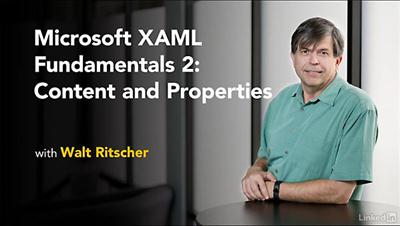
b752610b7db56540c9002048b6e676ba.jpg

Lynda - Microsoft XAML Fundamentals 2: Content and Properties
Size: 315 MB | Duration: 1h 40m | Video: AVC (.mp4) 1280x720 15&30fps | Audio: AAC 48KHz 2ch
Genre: eLearning | Level: Intermediate | Language: English​

If you want to use XAML, the XML-based markup language developed by Microsoft to create better user interfaces for Windows applications, you need to understand how it treats content and properties.

* What does content mean in XAML?
* Using dotPeek to show property values for XAML elements
* Expressing content as objects, lists, or dictionaries in XAML vs. code
* Exploring dependency and attached properties
* Working with attached properties in the grid and canvas
* Using custom dependency properties

Recommend Download Link Hight Speed | Please Say Thanks Keep Topic Live ​

 

da899381fcd48f269c54b6319b5fd1e5.jpg

MikroTik LABS for Beginners (2016)
MP4 | Video: AVC 1280x720 | Audio: AAC 44KHz 2ch | Duration: 2.5 Hours | Lec: 11 | 393 MB
Genre: eLearning | Language: English​

This course guides you to work on MikroTik RouterOS and discover the essential features in it.

If you are lost on knowing how to configure a MikroTik Routerboard, this course can help you with the basics information to have your Routerboard operational. As being an intro course, you will not get into full details of all MikroTik features (which are a lot by the way), but you will be able to know how to connect to it, how to make the basics to intermediate level configurations. MikroTik has been widely used in the last 20 years espcially for WISP in all the world.The course is structured into 5 hands-on labs from which you can gain hands-on access to configure MikroTik routers.

I recommend this course for IT students, network engineers and anyone with some basics computer and IT knowledge who is interested in MikroTik products.

Recommend Download Link Hight Speed | Please Say Thanks Keep Topic Live ​

 

8cfae14a60badd83541a1314f3612cd9.jpg

Modern Software Engineering: Continuous Delivery and Microservices with .NET (MeasureUP Conference)
Duration: 8h | Video: h264, yuv420p, 1280x720 30fps | Audio: aac, 44100 Hz, 2 ch | 3.9 GB
Genre: eLearning | Language: English​

8+ Hours of Video Training

Modern Software Engineering: Continuous Delivery and Microservices with .NET is a video compilation of the MeasureUP 2016 conference in Austin, Texas. MeasureUP ( aims to allow attendees to deliver custom business software of high-quality with great speed. The conference covers topics from methodology and process to deep dives into the most relevant Microsoft platform technologies.

The three conference tracks-Business, Development, and DevOps-focus on how to provide custom business software with a competitive advantage. MeasureUP is an informative, educational conference with more than 11 sessions from well-known and respected professionals and MVPs.

Attendees include IT managers, architects, engineers, developers, and anyone in the critical path of designing, developing, maintaining, and supporting custom business software.

Presentations include

Keynote: Modern Software Delivery-Jeffrey Palermo
An ASP.NET Core All-You-Can-Eat Buffet-James Chambers
Bringing DevOps to the Database-Steve Jones
A Sync Full of C# Tasks-Simon Timms
The Art of Software Development-Rod Paddock
How Docker Simplifies CI/CD-Gabriel Schenker
Building Single-Page Apps with Aurelia and ASP.NET Core-Brian Sullivan
Hello Azure Functions-Shawn Weisfeld
An Introduction to React JS-Chris Harrington
Beautiful Web APIs using ASP.Net Core-Kyle Nunery
Success as a Remote Worker-James Chambers

About the Conference

Jeffrey Palermo, Clear Measure managing partner and CEO, is the conference keynote speaker. Jeffrey specializes in Agile coaching and helps companies double the productivity of software teams. Jeffrey is an MCSD.NET, Microsoft MVP, Certified ScrumMaster, Austin .Net User Group leader, AgileAustin board member, and an INETA speaker and Membership Mentor. He is an ASP.NET expert and has been working with Microsoft on the MVC framework since the initial prototype in March 2007. He is the author of ASP.NET MVC 5 LiveLessons (Sams).

Recommend Download Link Hight Speed | Please Say Thanks Keep Topic Live ​
 
Zurück
Oben Unten