• Regeln für den Video-Bereich:

    In den Börsenbereich gehören nur Angebote die bereits den Allgemeinen Regeln entsprechen.

    Einteilung

    - Folgende Formate gehören in die angegeben Bereiche:
    - Filme: Encodierte Filme von BluRay, DVD, R5, TV, Screener sowie Telesyncs im Format DivX, XviD und x264.
    - DVD: Filme im Format DVD5, DVD9 und HD2DVD.
    - HD: Encodierte Filme mit der Auflösung 720p oder darüber von BluRay, DVD, R5, TV, Screener sowie Telesyncs im Format x264.
    - 3D: Encodierte Filme von BluRay, die in einem 3D Format vorliegen. Dies gilt auch für Dokus, Animation usw.
    - Serien: Cartoon/Zeichentrick, Anime, Tutorials, Dokumentationen, Konzerte/Musik, Sonstiges sind demnach in die entsprechenden Bereiche einzuordnen, auch wenn sie beispielsweise im High Definition-Format oder als DVD5/DVD9/HD2DVD vorliegen. Ausnahme 3D.
    - Bereich Englisch: Englische Releases gehören immer in diesen Bereich.
    - Bereich Talk: Der Bereich, in dem über die Releases diskutiert werden kann, darf, soll und erwünscht ist.


    Angebot/Beitrag erstellen

    - Ein Beitrag darf erst dann erstellt werden, wenn der Upload bei mindestens einem OCH komplett ist. Platzhalter sind untersagt.
    - Bei einem Scenerelease hat der Threadtitel ausschließlich aus dem originalen, unveränderten Releasenamen zu bestehen. Es dürfen keine Veränderungen wie z.B. Sterne, kleine Buchstaben o.ä. vorgenommen werden. Ausnahme Serienbörse:
    - Bei einem Sammelthread für eine Staffel entfällt aus dem Releasename natürlich der Name der Folge. Beispiel: Die Simpsons S21 German DVDRip XviD - ITG
    - Dementsprechend sind also u.a. verboten: Erweiterungen wie "Tipp", "empfehlenswert", "only", "reup", usw. / jegliche andere Zusatzinformation oder Ergänzung, welche nicht in obiger Beschreibung zu finden ist.

    Aufbau des Angebots und Threadtitel

    Der Titel nach folgendem Muster erstellt zu werden. <Name> [3D] [Staffel] [German] <Jahr> <Tonspur> [DL] [Auflösung] <Quelle> <Codec> - <Group>
    Beispiel: The Dark Knight German 2008 AC3 DVDRip XviD - iND
    Beispiel: The Dark Knight 2008 DTS DL BDRip x264 - iND
    Beispiel: The Dark Knight 2008 AC3 DL BDRip XviD - iND
    Beispiel: The Dark Knight German 2008 AC3 720p BluRay x264 iND
    Beispiel: The Dark Knight 2008 DTS DL 1080p BluRay x264 iND
    Beispiel: Die Simpsons S01 German AC3 DVDRip XviD iND
    Beispiel: Die Simpsons S20 German AC3 720p BluRay x264 iND
    Beispiel: Sword Art Online II Ger Sub 2014 AAC 1080p WEBRip x264 - peppermint
    Entsprechend sind also u.a. verboten: Sonderzeichen wie Klammern, Sterne, Ausrufezeichen, Unterstriche, Anführungszeichen / Erweiterungen wie "Tipp", "empfehlenswert", "only", "reup", usw. / jegliche andere Zusatzinformation oder Ergänzung, welche nicht in obiger Beschreibung zu finden ist
    Ausnahmen hiervon können in den Bereichen geregelt sein.

    Die Beiträge sollen wie folgt aufgebaut werden:
    Überschrift entspricht dem Threadtitel
    Cover
    kurze Inhaltsbeschreibung
    Format, Größe, Dauer sind gut lesbar für Downloader außerhalb des Spoilers zu vermerken
    Nfo sind immer Anzugeben und selbige immer im Spoiler in Textform.
    Sind keine Nfo vorhanden z.B. Eigenpublikationen, sind im Spoiler folgende Dateiinformationen zusätzlich anzugeben :
    Quelle
    Video (Auflösung und Bitrate)
    Ton (Sprache, Format und Bitrate der einzelnen Spuren)
    Untertitel (sofern vorhanden)
    Hosterangabe in Textform außerhalb eines Spoiler mit allen enthaltenen Hostern.
    Bei SD kann auf diese zusätzlichen Dateiinformationen verzichtet werden.

    Alle benötigten Passwörter sind, sofern vorhanden, in Textform im Angebot anzugeben.
    Spoiler im Spoiler mit Kommentaren :"Schon Bedankt?" sind unerwünscht.


    Releases

    - Sind Retail-Release verfügbar, sind alle anderen Variationen untersagt. Ausnahmen: Alle deutschen Retail-Release sind CUT, in diesem Fall sind dubbed UNCUT-Release zulässig.
    - Im Serien-Bereich gilt speziell: Wenn ein Retail vor Abschluss einer laufenden Staffel erscheint, darf diese Staffel noch zu Ende gebracht werden.62
    - Gleiche Releases sind unbedingt zusammenzufassen. Das bedeutet, es ist zwingend erforderlich, vor dem Erstellen eines Themas per Suchfunktion zu überprüfen, ob bereits ein Beitrag mit demselben Release besteht. Ist dies der Fall, ist der bereits vorhandene Beitrag zu verwenden.
    - P2P und Scene Releases dürfen nicht verändert oder gar unter einem iND Tag eingestellt werden.


    Support, Diskussionen und Suche

    - Supportanfragen sind entweder per PN oder im Bereich Talk zu stellen.
    - Diskussionen und Bewertungen sind im Talk Bereich zu führen. Fragen an die Uploader haben ausschließlich via PN zu erfolgen, und sind in den Angeboten untersagt.
    - Anfragen zu Upload-Wünschen sind nur im Bereich Suche Video erlaubt. Antworten dürfen nur auf Angebote von MyBoerse.bz verlinkt werden.


    Verbote

    - Untersagt sind mehrere Formate in einem einzigen Angebotsthread, wie beispielsweise das gleichzeitige Anbieten von DivX/XviD, 720p und 1080p in einem Thread. Pro Format, Release und Auflösung ist ein eigener Thread zu eröffnen.
    - Grundsätzlich ebenso verboten sind Dupes. Uploader haben sich an geeigneter Stelle darüber zu informieren, ob es sich bei einem Release um ein Dupe handelt.
    - Gefakte, nur teilweise lauffähige oder unvollständige Angebote sind untersagt. Dies gilt auch für eigene Publikationen, die augenscheinlich nicht selbst von z.B. einer DVD gerippt wurden. Laufende Serien, bei denen noch nicht alle Folgen verfügbar sind, dürfen erstellt und regelmäßig geupdatet werden.
    - Untersagt sind Angebote, welche nur und ausschließlich in einer anderen Sprache als deutsch oder englisch vorliegen. Ausnahmen sind VORHER mit den Moderatoren zu klären.


    Verstoß gegen die Regeln

    - Angebote oder Beiträge, die gegen die Forenregeln verstoßen, sind über den "Melden"-Button im Beitrag zu melden.
  • Bitte registriere dich zunächst um Beiträge zu verfassen und externe Links aufzurufen.


Englische Tutorials


6ff971ea7eb8f4228537ea1f03945537.jpg

Learn Programming from Scratch to Advance Level in C Sharp
MP4 | Video: AVC 1280x720 | Audio: AAC 44KHz 2ch | Duration: 35M | 92 MB
Genre: eLearning | Language: English​

This course is contain complete tricks and real world examples which are required to become a professional programmer. C Sharp language is used to deliver the concepts but outcome of the course is that one who will completed this course will be able to learn any other programming language with in 3 to 4 hours by just scrolling its syntax only. C # sharp provide complete environment and support to develop Any kind of web base or desktop applications. So this course is enrich enough to make you and professional programmer after no need to learn any tools and techniques. Other all the materials discussed in the course lets start and do it.

Recommend Download Link Hight Speed | Please Say Thanks Keep Topic Live ​
 

ac88f3a6d0137173f94597db13e10c60.jpg

Learn SAP Lumira [Fast Track]
MP4 | Video: AVC 1280x720 | Audio: AAC 44KHz 2ch | Duration: 1 Hours | Lec: 16 | 207 MB
Genre: eLearning | Language: English​

Learn how to create amazing informative visualizations and stories using SAP Lumira

In this course you will learn how to use SAP Lumira as a modern BI tool to create outstanding visualization. We will start with an introduction section on how to download and install SAP Lumira then how to get the data set that we are going to use through this course. Then we will focus on how to create a data connection in the 2nd section. We will explain different types of available data connection. after that we will go deep in how to prepare your data before visualizing it. then we will learn how to visualize information using SAP Lumira, creating amazing stories and finally how to share them.

Recommend Download Link Hight Speed | Please Say Thanks Keep Topic Live ​
 

8727639229416b74386494ccf49d5f24.jpg

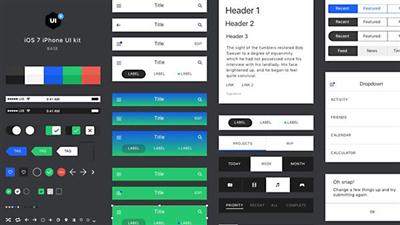
Lynda - Learn Sketch: Style Guides & Asset Libraries
Size: 612 MB | Duration: 0h 54m | Video: AVC (.mp4) 1280x720 15&30fps | Audio: AAC 48KHz 2ch
Genre: eLearning | Level: Intermediate | Language: English​

Do you often have to search for the most recent version of assets? Do you struggle to communicate your brand's style with colleagues and clients? Do you want a more efficient design workflow? Two tools"a digital asset library and comprehensive style guide"can greatly simplify your design process and help you manage downstream changes.

* Building an asset library
* Auto-generating a style guide
* Importing assets
* Naming assets
* Sharing your asset library

Recommend Download Link Hight Speed | Please Say Thanks Keep Topic Live ​
 

3c0128023c8c4326be43.jpg


Learning Path: Real-World Web Design by Erol Staveley - Curator (2016)
WEBRip | English | MP4 | 1280 x 720 | AVC ~502 kbps | 25 fps
AAC | 128 Kbps | 44.1 KHz | 2 channels | 07:03:53 | 2.47 GB
Genre: eLearning Video / Web Development, Programming​

The pressure to make every user experience unique and engaging is only going to rise as UX innovation raises the bar. Stay updated on the latest design tips and techniques and apply them to your own work straight away with this practical Learning Path.[/code]][/SPOILER]Prerequisites: A core understanding of HTML and CSS syntax

Resources: Code downloads and errata:

Responsive Web Design - From Concept to Complete Site

Responsive Web Design: Advancing your Design to the Modern Web

UX Design for Web Developers

Building a Responsive Website with Bootstrap

This path navigates across the following products (in sequential order):

Responsive Web Design - From Concept to Complete Site (2h 04m)
Responsive Web Design: Advancing your Design to the Modern Web (2h 31m)
UX Design for Web Developers (3h 44m)
Building a Responsive Website with Bootstrap (1h 56m)

Table of Contents


Chapter 1 : Responsive Web Design - From Concept to Complete Site
Exploring Responsive Web Design (RWD)
Understanding the Use of RWD
Examples of Adaptive Layouts
Device Breakpoints
Pros/Cons of RWD
Course Overview
Fluid Width Layouts
Working with Percent Width Layouts
Examples of Fluid Layouts
Media Queries
Media Query Code
Testing a Simple Media Query
Best Practices for Media Queries
Testing Media Queries on Actual Mobile Devices
Using RWD Demo Files
Using Sample Files
Overview of the HTML Structure for the Demo Site
CSS Resets and HTML5
HTML for Container, Header, and Navigation
HTML for a four Column Content Area
HTML for a two Column Footer
Using Demo CSS for our Site
Writing the CSS for the Navigation Bar and Logo
Building the CSS for Navigation and its Elements
Tweaking the Navigation Using the Inspect Element
Formatting the Header
Styling the Columns
Formatting Headings and Images in the Columns
Formatting the Footer
Tweaks and Fixes to the Body Layout
Planning for Media Queries
Tablet Media Query for the Body
Using Media Query for the Navigation Bar and Logo
Using Media Query for the Navigation Bar and Logo for Devices Smaller Than the Tablet
Using Media Query for Columns to Reorient Horizontally
More on Column Queries and Footer
Final Tweaks for Phone-Sized Devices
Advanced Features/Considerations
Dealing with Font Size EMs
Using Percent-Based Fonts and Dealing with Problems with EMs and Percent
Demo of EM and Percent-Based Font Sizes
Solution to Issues with REMs
Future Considerations: VM, VH, VMAX, and VMIN
Current Solutions to Text Size Issues and Responsive Background Images
Using Background Images, Adaptive Images, and Bandwidth
Responsive Grids
CSS Pre-processors
Chapter 2 : Responsive Web Design: Advancing your Design to the Modern Web
The Course Overview
What Are Media Queries?
Media Queries "Hello World"
Media Queries Within a CSS File with the @media Rule
Media Query Rule Combination
What Is Responsive Design?
Optimizing for a Specific Device
Creating Responsive Designs with Size Ranges
Mobile Responsiveness
Backward Compatibility
Thinking Fluid
Creating a Site That Responds to Itself
Optimizing Based on Device Resolution
Designing by Aspect Ratio
Talking about Color and Grids
What Are Responsive Frameworks?
The Twitter Bootstrap
Understanding the Twitter Bootstrap CSS Rules
Adding Components
An Example of a Grid Layout
Changing Themes with LESS
The Future of Media Types
Moving into Media Features
Creating Custom Media Queries
Media Query Operators
Working with Media Query Ranges
Chapter 3 : UX Design for Web Developers
The Course Overview
UX Design Fundamentals
Fundamentals of Building a Website
Essentials of Human-centered Design
Empathy Mapping
Problem Definition- User Flows, Decision Tress, and Screen Flows
Intervention Planning
Understanding the Need for Structure
Structure and Information Architecture
The Essential Elements
Design Patterns - Don't Reinvent the Wheel
SERPS as Home Pages and Location-free Browsing
Landing Pages, Templates, and Page Clustering
Responsive Web Design
Wireframing
Building Your Setup
Home Page Wireframes
Envisioning an Information Ecosystem
Formatting Pages and Content Chunking
Creating Interactions
Media Types
Media Annoyances
Using Graphics
Discuss Best Practices in UX Design
Mobile Best Practices
Desktop Best Practices
Usability
Applying Usability to the Home Page
Wireframe Your Mobile Screen
Wireframe Your Tablet Screen
Wireframe Your Desktop Screen
Wireframe Setup for Prototyping
Flushing Out Your Wireframes
Connecting and Building Your Clickable Prototype
LEAN User Testing
Test Your Prototype
Validate and Iterate Your Prototype
UX Course Review
Chapter 4 : Building a Responsive Website with Bootstrap
Introduction
Downloading and Setting Up Files
Integrating Twitter Bootstrap
Getting Started with LESS
The Home Page Part 1 - Building the Home Page
The Home Page Part 2 - The Slider
The Home Page Part 3 - The Grid
The Home Page Part 4 - Call to Action and Features
Completing the Home Page
Adding Styles - Part 1
Adding Styles - Part 2
Additional Page Types and Styles
Setting Up PHP Includes - Part 1
Setting Up PHP Includes - Part 2
Review our Website
Deploy Our Project


Recommend Download Link Hight Speed | Please Say Thanks Keep Topic Live ​
 

8b558e77c67724720933.jpg

Learning Python Web Penetration Testing
MP4 | Video: AVC 1280x720 | Audio: AAC 48KHz 2ch | Duration: 2h 49m | 452 MB
Genre: eLearning | Language: English | Skill Level: Intermediate​

Stop using automated testing tools. Customize and write your own tests with Python! While there are an increasing number of sophisticated ready-made tools to scan systems for vulnerabilities, Python allows testers to write system-specific scripts-or alter and extend existing testing tools-to find, exploit, and record as many security weaknesses as possible. This course will give you the necessary skills to write custom tools for different scenarios and modify existing Python tools to suit your application's needs.

Christian Martorella starts off by providing an overview of the web application penetration testing process and the tools the professionals use to perform these tests. Next he shows how to interact with web applications using Python, HTTP, and the Requests library. Then follow the web application penetration testing methodology. Each section contains practical Python examples. To finish off, Christian shows how to use the tools against a vulnerable web application created specifically for this course.

Note: Learning Python Web Penetration Testing was created by Packt Publishing. We are pleased to host this training in our library.
Topics include:
Understanding web penetration testing
Interacting with web applications via HTTP and the Requests library
Analyzing HTTP responses
Web crawling with Scrapy
Extracting information
Discovering resources
Testing passwords
Detecting and exploiting SQL injection vulnerabilities
Intercepting HTTP requests

Recommend Download Link Hight Speed | Please Say Thanks Keep Topic Live ​
 

3cdd2c4cef581fe66b42982f621be5c0.jpg

Men's Health - The 21-Day MetaShred
.MP4, AVC, 1000 kbps, 720x480 | English, AAC, 96 kbps, 2 Ch | 4.5 hours | 2.42 GB
Instructor: BJ Gaddour​

THE 21-DAY METASHRED is more than a nine-DVD workout program; it's a metabolic body-shredding system that's scientifically designed to help you:

BLAST FAT
DEFINE EVERY MUSCLE
CHISEL YOUR ARMS, SHOULDERS, AND LEGS!

Unlike traditional fitness programs, which can quickly become familiar and boring, THE 21-DAY METASHRED system gives you nine completely different 30-minute workouts to do over the course of 21 days. That's just three workouts a week!

THE 21-DAY METASHRED isn't an easy, no-sweat fitness plan. It's just the opposite. But we make no apologies. Because NOBODY gets serious results without putting in serious effort. Try THE 21-DAY METASHRED and START GETTING the results you really want.

THE 21-DAY METASHRED secret is a cutting-edge method we call high-intensity metabolic cycling. In each 30-minute workout, you'll vary not only your exercise selection, order, and tempo, but also the amount of time you work and rest. So each workout feels like a whole new experience!

Think of every single workout as a microburst to your fat cells, with a 21-day cumulative effect that destroys unwanted belly flab and sends your fitness levels through the roof.

And that's just the start: You can complete the 21-day cycle as many times as you want to keep sculpting, chiseling, and transforming your body. In fact, as you become fitter, we'll show you how to make each workout harder. So you'll never get bored, and you'll never stop getting better!

Recommend Download Link Hight Speed | Please Say Thanks Keep Topic Live ​
 

0726fbe6f34962c1d94e93e6b7992bcb.jpg

Merchandise an Online Shop: Create Your Own Product Lookbook
Duration: 14m | Video: h264, yuv420p, 1280x720 30fps | Audio: aac, 44100 Hz, 2 ch | 258 MB
Genre: eLearning | Language: English​

In this 14-minute class, you'll learn how to create a lookbook with Kate Miss, an independent jewelry and graphic designer who works with artists all around the world to create successful Big Cartel shops.

A lookbook is an artistic depiction of your product in a particular setting beyond straight-on simple product photos. In a digital world, it helps achieve the feel of physical presence, staging, design, and planning that traditional retailers put into a brick-and-mortar store. It helps buyers perceive your product in the way you want.

You'll learn common lookbook concepts, tips for shooting your product, and best practices for finalizing a lookbook that's right for your products and brand. All you need to get started are products to sell!

Recommend Download Link Hight Speed | Please Say Thanks Keep Topic Live ​
 

0fcf5c6870b65efbe80e30f490423d13.jpg

Modern Web Design HTML5 CSS3 beginners guide to Websites
MP4 | Video: AVC 1280x720 | Audio: AAC 44KHz 2ch | Duration: 3 Hours | Lec: 52 | 610 MB
Genre: eLearning | Language: English​

Quick introdcution to HTML and CSS Core concepts, techniques and terminology of modern web design

Modern Website Design and Development in a concise straight to the point format. Learn the basics of creating a website from scratch using HTML5 and CSS3.

All of the core concepts and how to structure your HTML code will be covered within this course. Learn how to properly structure and develop web designs to produce custom original web sites from scratch!

HTML and CSS are cornerstones to modern web design. Knowing how to structure your HTML page properly will make adding styling much easier. CSS allows you to transform your website and present the HTML code in many new and creative ways.

If you are new to HTML and CSS, you will be amazed at how easy it is to create incredible websites. With just a few lines of code, you can accomplish so much.

Taught by an instructor with over 15 years of real world web development experience. This course has everything you need to learn how to create your own websites with HTML and CSS

Fast paced get to the point training, to learn about creating websites from scratch.

This course will cover terminology, concepts and techniques with a focus on the most commonly used core piece, so that you can get started quickly. No wasted time going deep into code that you may never use.

By the end of the course you will have the skills and know how to apply CSS to HTML to make a real website.

I am here to help you learn how to create your own websites and ready to answer any questions you may have.

HTML and CSS are in demand skills, and learning how to design web content will help to separate you from the crowd.

Want to know more, what are you waiting for take the first step. Join now to start learning how you too can create your own custom website today.

Recommend Download Link Hight Speed | Please Say Thanks Keep Topic Live ​
 

e0bb83463edfb8f1e187b12c1feb0d58.jpg

Oracle R12 Order Management Functional Training (2016)
MP4 | Video: AVC 1280x720 | Audio: AAC 44KHz 2ch | Duration: 3.5 Hours | Lec: 11 | 427 MB
Genre: eLearning | Language: English​

Order Management Module

ERP world is really amazing with the variety of business processes and solutions to cater those. Oracle E-Business Suite is one of the largest ERP product used across all types of industries. With this course, we have explained Order Management Module in detail. It is fun to learn how standard business processes are implemented in system. This gives you in-depth knowledge of implementing OM module and covers major part of Order to Cash process. Happy Learning!

Recommend Download Link Hight Speed | Please Say Thanks Keep Topic Live ​
 

c2f408508a9a2dd340b5.jpg


PacktPub: Learning Path - JavaScript Patterns (2016)
WEBRip | English | MP4 | 1280 x 720 | AVC ~449 kbps | 30 fps
AAC | 128 Kbps | 44.1 KHz | 2 channels | 07:50:12 | 3.04 GB​

Genre: eLearning Video / Development, Programming

Prerequisites: A firm understanding of JavaScript and JavaScript (ES5) syntax

Resources: Code downloads and errata:

Learning Object Oriented JavaScript

Learning JavaScript Data Structures and Algorithms

JavaScript Design Patterns 20 Patterns for Advancing Your JavaScript Skills

Mastering JavaScript Design Patterns: A Practical Introduction to Building Better Applications

JavaScript High Performance

This path navigates across the following products (in sequential order):

Learning Object Oriented JavaScript (2h 47m)

Learning JavaScript Data Structures and Algorithms (3h 15m)

JavaScript Design Patterns 20 Patterns for Advancing Your JavaScript Skills (1h 1m)

Mastering JavaScript Design Patterns: A Practical Introduction to Building Better Applications (2h 10m)

JavaScript High Performance (2h 40m)

Table of Contents


Chapter 1 : Learning Object Oriented JavaScript
Setting Up the HTML and CSS
Knowing When the Document is Loaded
Understanding What Objects Are
The Difference between Browsers
Tying Up Loose Ends
Building with Objects
Scoping for Your Scope: 'this' not 'that'
Constructing a Constructor
Reusing Objects
Creating Methods with the Prototype
Augmenting Built-in Objects
Static Properties and Methods
Moving Our Code into a Namespace
Functions that Have Functions
Inheriting Your Parents' Belongings
Creating a Polyfill for Object.create
Overriding Properties and Methods
Creating an Alarm Clock
Turning DIVs into Editable Content in HTML5
Listening to Events
Setting the Alarm Time Dynamically
Dispatching Events
Custom Callbacks
Chapter 2 : Learning JavaScript Data Structures and Algorithms
The Course Overview
What Are Data Structures and Algorithms?
Why Use Data Structures in JavaScript?
Course Format and Datasets Contexts
Introduction to Arrays
Exploring Linked Lists
Introduction to Sets
All about Queues
Exploring Stacks
Introduction to Binary Trees
Exploring Graphs
Describing Algorithms with Big-O Notation
Pathfinding Algorithms
Sorting
Searching
Chapter 3 : JavaScript Design Patterns 20 Patterns for Advancing Your JavaScript Skills
The Course Overview
The Problem with the Global Scope
Moving to One Object and Namespace
The Module Design Pattern
The Module Reveal Pattern
Controlling the Global Access Completely
The Singleton Design Pattern
The Factory Design Pattern
The Abstract Factory Design Pattern
The Builder Design Pattern
The Builder Design Pattern Continued
The Prototype Design Pattern
Abstracting Our Singleton
The Adapter Design Pattern
The Composite Design Pattern
The Decorator Design Pattern
The Fly Weight Design Pattern
The Façade Design Pattern
Getting Things Working Again
The Bridge Design Pattern
The Proxy Design Pattern
The Chain of Responsibility - Part 1
The Chain of Responsibility - Part 2
The Observer Design Pattern - Adding and Dispatching Events
The Observer Design Pattern - Removing Events
The State Design Pattern
Chapter 4 : Mastering JavaScript Design Patterns: A Practical Introduction to Building Better Applications
The Course Overview
Software Design Patterns and Antipatterns
JavaScript Patterns Specifics
Bootstrapping the Project
Adding the Play Functionality
Encapsulating Information
Abstracting Manipulation with DOM Events and Elements
Creating an Adapter to Set Intervals Using Seconds
Using Different Ways to Match Conditions
Modularizing the Application Using Namespaces
Modularizing the Application Using AMD and Require.js
Communication Between Modules
ES6 Modules
Decoupling the Tracks Queue from the Tracks Player
Treating Each Track as a Separate Component
Adding the PubSub Functionality to Tracks
Enabling Track Play and Highlighting the Active Track
Decoupling the Track Model from the View
Formatting Track Time: Two-way Data Binding
Adding a Few Types of Tracks
Implementing Track Removal
Iterating Over Tracks Using a Generator
Iterating Over Tracks Using an Iterator
Adding Nested Tracks and Displaying Them
Fixing the Queue to Work with Nested Tracks
Creating the Server Using Node.js
Returning the Tracks Queue from the Server
Loading Tracks from the Server
Replacing Callbacks with Promises
Binding a Function to a Custom Context
Loading Tracks' Additional Data from the Server
Caching Data Loaded from the Server
Checking for Track Data with a Fallback
Storing Common Tracks Data in Shared Objects
Adding Different Skins for the Player Header
Improving Testability by Inversion of Control
Forcing Function Argument Types
Fixing Models to Support Any String as Attribute Name
Chapter 5 : JavaScript High Performance
Course Overview
Caching Your Scripts
Creating a Cache Buster
Minifying Your Output
Always Declare Your Variables
Creating Location References
Condensing var Definitions
Comparing Explicitly When Appropriate
Using String Accumulator-style
Building Strings with Arrays
Avoiding eval for Object References
Talking to Functions
Avoiding eval
Reducing the Use of Anonymous Functions
OOP - Defining Class Methods and Properties
Picking the Right Loop for the Task
Simplifying Your Loops - Round 1
Reducing the Loop Footprint
Loops, Arrays, and Memory Leaks
Preallocating Size to an Array
Avoiding the Unnecessary
Putting Code Where It Should Be
Clearing Circular References
Using Less Events to Do More
Trading Smoothness for Speed
Clearing Memory Leaks by Always Clearing Intervals
How to Avoid Running Multiple Intervals
Reducing DOM Calls
Reducing Document Reflows
Making It Animate Smoothly
Changing Classes and Not Styles
Adding Scripts as You Need Them Dynamically
Cutting Traveling with HTML5 Validation
Moving Data Processing to the Client Side
What Data Types to Use?
Caching Data
The Issue with Working Directly with HTML Collections
Converting Collection Objects into Arrays
FPS and High Resolution Time - HRT
JavaScript Profiling and Memory Leaks


Recommend Download Link Hight Speed | Please Say Thanks Keep Topic Live ​

 

98518fe3d603ac4d491dafb1855e9470.jpg

Photography Backdrop & Floor Drop DIY
Duration: 38m | Video: h264, yuv420p, 1280x720 30fps | Audio: aac, 44100 Hz, 2 ch | 713 MB
Genre: eLearning | Language: English​

This course will teach you how to build a backdrop and floor drop stand for your photography business. The backdrop can be hidden behind your existing mounted backdrop rollers, it's reversible for having an antique rustic-looking white side (making it look like old boards) and a nice smooth stained wood side. It's broken down into 2' x 8' sections for portability. We will show you from start to finish how to create a durable and lasting backdrop and floor drop. May your photography business be a huge success!

Recommend Download Link Hight Speed | Please Say Thanks Keep Topic Live ​

 

ef33915f85d0c3d551c1e06dfbdde600.jpg

Photoshop is Easy - Create Awesome Duotone Effect (Super Easy!!)
Duration: 15m | Video: h264, yuv420p, 1280x720 30fps | Audio: aac, 44100 Hz, 2 ch | 247 MB
Genre: eLearning | Language: English​

Duotone is one of the cool effect you can create on photoshop, this effect is very simple to create but it produce very cool result. You don't have to master photoshop in order to create this effect, even if you just started learning photoshop you definitely possible to create this effect in less than a minute. yeah, this effect is very simple to create.

At the end of this class you will be able to create your own duotone effect. You can use this effect to create banners, website header, poster, or just posting a quote on instagram.
Alright, without further do let's enroll this class and start creating your own duotone effect.

Recommend Download Link Hight Speed | Please Say Thanks Keep Topic Live ​

 
Zurück
Oben Unten