



• Regeln für den Video-Bereich:

    In den Börsenbereich gehören nur Angebote die bereits den Allgemeinen Regeln entsprechen.

    Einteilung

    - Folgende Formate gehören in die angegeben Bereiche:
    - Filme: Encodierte Filme von BluRay, DVD, R5, TV, Screener sowie Telesyncs im Format DivX, XviD und x264.
    - DVD: Filme im Format DVD5, DVD9 und HD2DVD.
    - HD: Encodierte Filme mit der Auflösung 720p oder darüber von BluRay, DVD, R5, TV, Screener sowie Telesyncs im Format x264.
    - 3D: Encodierte Filme von BluRay, die in einem 3D Format vorliegen. Dies gilt auch für Dokus, Animation usw.
    - Serien: Cartoon/Zeichentrick, Anime, Tutorials, Dokumentationen, Konzerte/Musik, Sonstiges sind demnach in die entsprechenden Bereiche einzuordnen, auch wenn sie beispielsweise im High Definition-Format oder als DVD5/DVD9/HD2DVD vorliegen. Ausnahme 3D.
    - Bereich Englisch: Englische Releases gehören immer in diesen Bereich.
    - Bereich Talk: Der Bereich, in dem über die Releases diskutiert werden kann, darf, soll und erwünscht ist.


    Angebot/Beitrag erstellen

    - Ein Beitrag darf erst dann erstellt werden, wenn der Upload bei mindestens einem OCH komplett ist. Platzhalter sind untersagt.
    - Bei einem Scenerelease hat der Threadtitel ausschließlich aus dem originalen, unveränderten Releasenamen zu bestehen. Es dürfen keine Veränderungen wie z.B. Sterne, kleine Buchstaben o.ä. vorgenommen werden. Ausnahme Serienbörse:
    - Bei einem Sammelthread für eine Staffel entfällt aus dem Releasename natürlich der Name der Folge. Beispiel: Die Simpsons S21 German DVDRip XviD - ITG
    - Dementsprechend sind also u.a. verboten: Erweiterungen wie "Tipp", "empfehlenswert", "only", "reup", usw. / jegliche andere Zusatzinformation oder Ergänzung, welche nicht in obiger Beschreibung zu finden ist.

    Aufbau des Angebots und Threadtitel

    Der Titel nach folgendem Muster erstellt zu werden. <Name> [3D] [Staffel] [German] <Jahr> <Tonspur> [DL] [Auflösung] <Quelle> <Codec> - <Group>
    Beispiel: The Dark Knight German 2008 AC3 DVDRip XviD - iND
    Beispiel: The Dark Knight 2008 DTS DL BDRip x264 - iND
    Beispiel: The Dark Knight 2008 AC3 DL BDRip XviD - iND
    Beispiel: The Dark Knight German 2008 AC3 720p BluRay x264 iND
    Beispiel: The Dark Knight 2008 DTS DL 1080p BluRay x264 iND
    Beispiel: Die Simpsons S01 German AC3 DVDRip XviD iND
    Beispiel: Die Simpsons S20 German AC3 720p BluRay x264 iND
    Beispiel: Sword Art Online II Ger Sub 2014 AAC 1080p WEBRip x264 - peppermint
    Entsprechend sind also u.a. verboten: Sonderzeichen wie Klammern, Sterne, Ausrufezeichen, Unterstriche, Anführungszeichen / Erweiterungen wie "Tipp", "empfehlenswert", "only", "reup", usw. / jegliche andere Zusatzinformation oder Ergänzung, welche nicht in obiger Beschreibung zu finden ist
    Ausnahmen hiervon können in den Bereichen geregelt sein.

    Die Beiträge sollen wie folgt aufgebaut werden:
    Überschrift entspricht dem Threadtitel
    Cover
    kurze Inhaltsbeschreibung
    Format, Größe, Dauer sind gut lesbar für Downloader außerhalb des Spoilers zu vermerken
    Nfo sind immer Anzugeben und selbige immer im Spoiler in Textform.
    Sind keine Nfo vorhanden z.B. Eigenpublikationen, sind im Spoiler folgende Dateiinformationen zusätzlich anzugeben :
    Quelle
    Video (Auflösung und Bitrate)
    Ton (Sprache, Format und Bitrate der einzelnen Spuren)
    Untertitel (sofern vorhanden)
    Hosterangabe in Textform außerhalb eines Spoiler mit allen enthaltenen Hostern.
    Bei SD kann auf diese zusätzlichen Dateiinformationen verzichtet werden.

    Alle benötigten Passwörter sind, sofern vorhanden, in Textform im Angebot anzugeben.
    Spoiler im Spoiler mit Kommentaren :"Schon Bedankt?" sind unerwünscht.


    Releases

    - Sind Retail-Release verfügbar, sind alle anderen Variationen untersagt. Ausnahmen: Alle deutschen Retail-Release sind CUT, in diesem Fall sind dubbed UNCUT-Release zulässig.
    - Im Serien-Bereich gilt speziell: Wenn ein Retail vor Abschluss einer laufenden Staffel erscheint, darf diese Staffel noch zu Ende gebracht werden.62
    - Gleiche Releases sind unbedingt zusammenzufassen. Das bedeutet, es ist zwingend erforderlich, vor dem Erstellen eines Themas per Suchfunktion zu überprüfen, ob bereits ein Beitrag mit demselben Release besteht. Ist dies der Fall, ist der bereits vorhandene Beitrag zu verwenden.
    - P2P und Scene Releases dürfen nicht verändert oder gar unter einem iND Tag eingestellt werden.


    Support, Diskussionen und Suche

    - Supportanfragen sind entweder per PN oder im Bereich Talk zu stellen.
    - Diskussionen und Bewertungen sind im Talk Bereich zu führen. Fragen an die Uploader haben ausschließlich via PN zu erfolgen, und sind in den Angeboten untersagt.
    - Anfragen zu Upload-Wünschen sind nur im Bereich Suche Video erlaubt. Antworten dürfen nur auf Angebote von MyBoerse.bz verlinkt werden.


    Verbote

    - Untersagt sind mehrere Formate in einem einzigen Angebotsthread, wie beispielsweise das gleichzeitige Anbieten von DivX/XviD, 720p und 1080p in einem Thread. Pro Format, Release und Auflösung ist ein eigener Thread zu eröffnen.
    - Grundsätzlich ebenso verboten sind Dupes. Uploader haben sich an geeigneter Stelle darüber zu informieren, ob es sich bei einem Release um ein Dupe handelt.
    - Gefakte, nur teilweise lauffähige oder unvollständige Angebote sind untersagt. Dies gilt auch für eigene Publikationen, die augenscheinlich nicht selbst von z.B. einer DVD gerippt wurden. Laufende Serien, bei denen noch nicht alle Folgen verfügbar sind, dürfen erstellt und regelmäßig geupdatet werden.
    - Untersagt sind Angebote, welche nur und ausschließlich in einer anderen Sprache als deutsch oder englisch vorliegen. Ausnahmen sind VORHER mit den Moderatoren zu klären.


    Verstoß gegen die Regeln

    - Angebote oder Beiträge, die gegen die Forenregeln verstoßen, sind über den "Melden"-Button im Beitrag zu melden.
  • Bitte registriere dich zunächst um Beiträge zu verfassen und externe Links aufzurufen.


Englische Tutorials


cde7620eaa047893caa35be09ccea8c4.jpg

Lynda - Trello for Video Post Production Workflow
Size: 552 MB | Duration: 3h 7m | Video: AVC (.mp4) 1280x720 15&30fps | Audio: AAC 48KHz 2ch
Genre: eLearning | Level: Intermediate | Language: English​

Efficient project management and team communication are the keys to meeting the ever-shrinking deadlines of post-production. Trello is the perfect tool to coordinate editors, assistant editors, producers, vendors, and entire creative teams, whether located in the same physical space or scattered across the globe. Trello for Video Post-Production is a hands-on learning experience in using Trello, Google Drive, and Slack to build your post-production project management system from the ground up-all the way from planning to the delivery of your final masters. This system can apply to scripted projects, unscripted, documentary, reality, and almost any other kind of project imaginable. Filmmaker and professional editor Zack Arnold shows how to create boards and add new cards, attach documents, share media, assign due dates, and link to several different cloud-based storage solutions like Google Drive and Dropbox. Each step of the process is broken down in detail so you understand how to use Trello to its fullest potential. With these tips, you can finally achieve the dream of a post-production workflow that minimizes busywork, paperwork, and email and maximizes your time to be creative.

Recommend Download Link Hight Speed | Please Say Thanks Keep Topic Live ​

 

8f5b090d52a1180ae4ec4c3fce98bc9c.jpg

Lynda - Mastering Meteor: Powerful Reactive Applications with Full-Stack JavaScript
Size: 649 MB | Duration: 3h 14m | Video: AVC (.mp4) 1280x720 15fps | Audio: AAC 48KHz 2ch
Genre: eLearning | Level: Intermediate | Language: English​

Meteor enables end-to-end client and server-side web application development entirely in JavaScript. Its reactive approach makes Meteor a good choice for real-time applications, and the platform provides an excellent option for deployment to mobile. This course gets right under the hood of the Meteor platform, demonstrating how to take advantage of its powerful development engine to build exciting reactive applications. George Mcknight starts by carefully designing an application structure and building a single-page layout with multipage routing and authentication. Then he reviews the database data, and looks at how to work with subscriptions and queries. George also dives into the options for templating, with a look at dynamic Blaze templates and the Spacebars templating language. Learn about event handling and then find out how to test your application using Cucumber and Jasmine. After that, George deploys the application locally on the Meteor server, and then to Amazon to set it up for frequent updates and hot code deployment. Finally, you'll learn how to work with third-party integrations and set up REST endpoints to interact with other external services such as PayPal. Note: This course was created by Packt Publishing. We are pleased to offer this training in our library.

Topics include:
* Scaffolding
* Routing URLs
* Using callback methods
* Setting up user authentication
* Defining a collection
* Setting up subscriptions and queries
* Using templates
* Working with data on the server
* Testing a Meteor application
* Deploying a Meteor application

Recommend Download Link Hight Speed | Please Say Thanks Keep Topic Live ​

 

f58966ae7e8bd3fee6499109f6c0ef9b.jpg

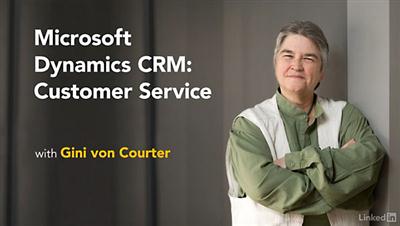
Lynda - Microsoft Dynamics CRM: Customer Service Tutorial
Size: 348 MB | Duration: 2h 18m | Video: AVC (.mp4) 1280x720 15&30fps | Audio: AAC 48KHz 2ch
Genre: eLearning | Level: Beginner | Language: English​

Streamline your customer service operations with Microsoft Dynamics. This course shows you how to setup and use the essential customer service features of this CRM. Learn how to configure workflows so your processes are customized to the needs of your organization. See how to create cases, escalate issues, manage contacts, and document resolutions. Join Microsoft expert Gini von Courter in this course for step-by-step instructions and tips along the way.

Topics include:
* Working with records
* Configuring case forms
* Creating cases and merging cases
* Adding activities to the timeline
* Researching the knowledge base
* Monitoring the dashboard
* Managing queues
* Documenting solutions as articles
* Running and exporting reports

Recommend Download Link Hight Speed | Please Say Thanks Keep Topic Live ​

 

8a0a1a77c094ec1c3e5ed8a51cf13ff5.jpg

Personal Finance Strategies for Debt, Savings, & Retirement (2016)
MP4 | Video: AVC 1280x720 | Audio: AAC 44KHz 2ch | Duration: 1 Hours | Lec: 22 | 113 MB
Genre: eLearning | Language: English​

The ultimate beginners guide to finance for personal debt, savings, and retirement.

Hi, my name is Matt Bernstein, successful Udemy instructor with over 45,000+ students across 186 countries. But, I'm going to make the proper assumption that you have no idea who I am.

So listen, I have a booming voice and like to get straight to the point.

At the end of the course you'll learn how to...

Become financially independent.
Create a plan to pay off debt.
Create a personal savings plan.
Understand specific investment strategies.
Build and increase your credit score.
and finally, Buy a car with minimal human contact, negotiations, and stress.
Who should take this course? Who should not?

Students with full-time incomes, who want to supplement with a portfolio income.
Students who are in debt and need to start saving money.
Students who want to start, and build a credit history.
Students must develop patience and discipline to know that success does not happen overnight, you have to put in the work.
As a very small token of my appreciation:

Recommend Download Link Hight Speed | Please Say Thanks Keep Topic Live ​
 

155140717893b23e60ee781c7cf5d485.jpg

Photoshop for Lunch - Set up Colors, Tints and Shades for Working Smarter in Photoshop
MP4 | Video: AVC 1280x720 | Audio: AAC 44KHz 2ch | Duration: 17M | 70 MB
Genre: eLearning | Language: English​

Photoshop for Lunch™ is a series of short video courses you can study in bite size pieces such as at lunchtime. In this course you'll learn to create small color swatches comprising a color and a tint and shade of that color so you can easily create illustrations with shading and highlighting in Photoshop. You will learn how to make the color swatches in an efficient and smart way. This is the color scheme we will create:

Recommend Download Link Hight Speed | Please Say Thanks Keep Topic Live ​
 

854aa5d894b54652b4a86d03f4ad65d1.jpg

Salt: Getting Started (2016)
September 2016 | MP4 | Video: AVC 1280x720 | Audio: AAC 44KHz 2ch | Duration: 2.5 Hours | 409 MB
Genre: eLearning | Language: English | Project Files​

This course serves as a primer for using Salt to manage system configurations. You're going to get a tour of the critical path elements in Salt so that you can start using it yourself.

Stop configuring your servers by hand! In this course, Salt: Getting Started, you'll see how to automate software installation, configuration changes, and deployments using Salt. First, you'll learn about installation and network configuration; and how to get the Salt software installed and configured. Next, you'll use states (Salt's declarative specification for configuration changes) and learn how to wrangle sensitive information like usernames, passwords, and certificates in a secure way. Finally, you'll wrap up the course learning about automating and coordinating configuration changes across multiple machines using Salt's powerful orchestration mechanism. By the end of this course, you'll have a basic working knowledge of how to install and use Salt to manage Linux systems.

Recommend Download Link Hight Speed | Please Say Thanks Keep Topic Live ​
 

285d8953c2588135bc1cbf75c88ec1a2.jpg

SpeedGrade CC Fundamentals (2016)
September 2016 | MP4 | Video: AVC 1280x720 | Audio: AAC 44KHz 2ch | Duration: 2.5 Hours | 406 MB
Genre: eLearning | Language: English]​

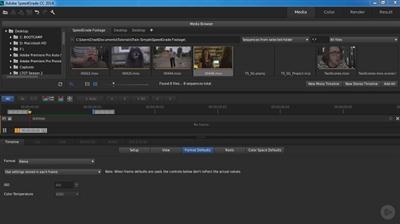
This course will show you how you can successfully apply color-correction masking for creating that perfect look. Take step-by-step lessons to further your knowledge in SpeedGrade. Software required: SpeedGrade CC.

Learn about professional-level color correction and grading tools to make high-quality projects with an extra edge. In this course, SpeedGrade CC Fundamentals, you'll go through the skills needed to use the powerful color correction application. First, you'll start off with learning the SpeedGrade interface and also learning about the key elements of its workspace. Next, you'll learn how to manipulate and manage clips inside SpeedGrade. Then, you'll learn about the basics when it comes to color-correcting and also how to include layers into your color-correcting process. Finally, you'll use SpeedGrade to finalize and export your work. By the end of this course, you'll have a better understanding on how to use SpeedGrade for your color-correcting and grading tools. Software required: SpeedGrade CC.

Recommend Download Link Hight Speed | Please Say Thanks Keep Topic Live ​
 

f3e3e92d59a0078b807ac74c10749ae6.jpg

Testing C# Code in Production with Scientist.NET (2016)
October 2016 | MP4 | Video: AVC 1280x720 | Audio: AAC 44KHz 2ch | Duration: 1.5 Hours | 265 MB
Genre: eLearning | Language: English | Project Files​

Even if we have unit tests in place, problems can still occur when the code is released to production. This course will show you how to use Scientist.NET to test the new code in production to gain greater confidence before starting to use it.

Errors in production code can be costly to fix, more stressful for the development team, and frustrating for the end-user. In this course, Testing C# Code in Production with Scientist.NET, you will get to see how Scientist.NET allows sections of the application to be changed more safely by running both the existing code alongside the new code in production. You'll begin with an introduction to Scientist.NET before installing it and writing your first experiment. Next, you'll learn how to customize the configuration of experiments. Finally, you'll learn how to publish experiment data to SQL Server and analyze experiment results. After completing this course, you'll be ready to start testing code that's already in production using Scientist.NET.

Recommend Download Link Hight Speed | Please Say Thanks Keep Topic Live ​
 

dfb84b5ebe8f54e08980569eef427a1d.jpg

Photoshop to InDesign: Creating Image Masks for Text Wraps
Duration: 19m | Video: h264, yuv420p, 1280x720 30fps | Audio: aac, 44100 Hz, 2 ch | 381 MB
Genre: eLearning | Language: English​

Learn how to select, refine save and export images from Photoshop that are ready to use in Adobe InDesign when you need to create a text wrap.

In this class you will cover, in detail, some creative techniques for preparing text wraps that will useful when deisgning magazine, newsletter and book layouts in Adobe InDesign. We will cover mask creation, the use of adjustment layers along with some tips and tricks along the way not only for using Photoshop for creating text wraps but looking in depth at how you can work with layered Photoshop files in your InDesign projects.

Recommend Download Link Hight Speed | Please Say Thanks Keep Topic Live ​
 

997d0f281ca70bb1890eb0aa8683a9e5.jpg

PHP - SQL For Complete Beginners #2
MP4 | Video: AVC 1280x720 | Audio: AAC 44KHz 2ch | Duration: 16M | 55 MB
Genre: eLearning | Language: English​

PHP programmers create, launch, and maintain websites using the HTML-embedded scripting language known as Hypertext Preprocessor.

This class is the SECOND in the PHP-SQL programming series

This class requires students to have knowledge of HTML. Students are introduced to the terminology and programming concepts of Hypertext Preprocessor (PHP) and how it's used to create websites for large amounts of data, such as online shopping sites. The skills taught in this class include embedding PHP code, writing text files and developing basic programming techniques used in Web applications.

You will learn the basics of PHP and all about variables, functions, conditionals and much more!

PHP is the most popular server-side language used to build dynamic websites, and though it is a very extensive language, this class will take it step-by-step.

The stateless web (HTML, CSS and JavaScript) can only do so much without a dynamic language such as PHP to add the ability to interact with the web server.

You will learn how to make your pages dynamic based upon user interaction, interacting with HTML forms and store and retrieve information from local data sources which include a database.

Objectives for this class:

Understand how server-side programming works on the web.
PHP Basic syntax for variable types and calculations.
Creating conditional structures
Storing data in arrays
Using PHP built-in functions and creating custom functions
Understanding POST and GET in form submission.
How to receive and process form submission data.
Create a database in phpMyAdmin.
Read and process data in a MySQL database.

Recommend Download Link Hight Speed | Please Say Thanks Keep Topic Live ​
 

78512bc173798b32d2e998b6fcf94cc0.jpg

Quickstart AngularJS
MP4 | Video: AVC 1280x720 | Audio: AAC 44KHz 2ch | Duration: 1.5 Hours | Lec: 17 | 554 MB
Genre: eLearning | Language: English​

A quick practical approach to let you know whether AngularJS is the tool of choice for your project as well as you!

AngularJS doesn't have to be hard to learn. Its concepts are bit difficult to grasp at start. This course will not only teaches you how to make applications in AngularJS, but how to start, plan, design and develop an application. How to structure your application into three different components of MVC: Model, View and Controllers. How to code these components using AngularJS. The analysis used to make an application can be used for developing application in any other frameworks like Backbone and Ember.

While making the application called BooKart, you will learn:

How to design, plan and develop your application using MVC
Data Binding to update views automatically
Moving data to scope & business logic to controllers
Organizing your code using Modules
Create Single page application (SPA) using Routing
Dependency Injection to organize your code into small reusable objects
Directives to teach new syntax to HTML and filters for formatting data
Apply animations to different parts of the application
After finishing this course you will be able to convert your static pages to dynamic views using MVC design pattern. You will know most of the Angular concepts like data binding, directives, controllers, scope, filters and animations. You will know how to make single page applications (SPA). AngularJS is a great tool which will add more value to your resume.

Recommend Download Link Hight Speed | Please Say Thanks Keep Topic Live ​
 

bc34c3e0bafeab86caeebf78e91705cc.jpg

ScreenFlow Complete Guide to Screencasting with ScreenFlow
MP4 | Video: AVC 1280x720 | Audio: AAC 44KHz 2ch | Duration: 1 Hours | Lec: 17 | 314 MB
Genre: eLearning | Language: English​

The complete and easy guide to using Screenflow for screencasting, tutorials, online courses, video production, and more

You're here because you want to learn how to create your own video tutorials, online courses, or training with screencast software, right?

It's great to have you here.

Learn how to make professional video tutorials, classes, online courses, and more with Screenflow for Mac.

Screencasting software allows you to record your computer's screen, audio from a microphone, and video from a webcam or connected video source. It is the perfect solution for anyone interested in creating online videos efficiently and professionally.

What makes me qualified to teach you?

My name is Phil and I've built a 6-figure business using ScreenFlow tutorials. Plus, I'm the creator of some of the world's most popular online courses - with over 150,000 students and thousands of 5-star reviews like these ones from this course:

Anyone considering software for screen capture and/or course video/audio editing should do this course. - Alan Brooks

I enjoyed this course and the content helped me complete my first video and upload it to YouTube. I would not have been able to accomplish this without the material in this course. - Steve Spring

Great course. Excellent teacher. Good quality videos and easy to understand. Anyone can take this! - Romulo

My Promise to You

I'll be here for you every step of the way. If you have any questions about the course content or anything related to this topic, you can always post a question in the course or send me a direct message.

I want to make this the best course on how use ScreenFlow. So if there is any way I can improve this course, just tell me and I'll make it happen.

What's this course all about?

Basics of Recording with Screenflow
Complete Editing Techniques
Adding Video and Audio Effects
Improving Your Videos with Annotations and Callouts
Using Text to Improve Your Videos
Exporting Your Videos for HD Viewing
After completion of the course, you will receive a verifiable certificate to show you now have the skills to create professional screencasting videos.

All course materials are downloadable for viewing on any device. After completion of the course, you will receive a verifiable certificate of completion.

Recommend Download Link Hight Speed | Please Say Thanks Keep Topic Live ​
 
Zurück
Oben Unten