• Regeln für den Video-Bereich:

    In den Börsenbereich gehören nur Angebote die bereits den Allgemeinen Regeln entsprechen.

    Einteilung

    - Folgende Formate gehören in die angegeben Bereiche:
    - Filme: Encodierte Filme von BluRay, DVD, R5, TV, Screener sowie Telesyncs im Format DivX, XviD und x264.
    - DVD: Filme im Format DVD5, DVD9 und HD2DVD.
    - HD: Encodierte Filme mit der Auflösung 720p oder darüber von BluRay, DVD, R5, TV, Screener sowie Telesyncs im Format x264.
    - 3D: Encodierte Filme von BluRay, die in einem 3D Format vorliegen. Dies gilt auch für Dokus, Animation usw.
    - Serien: Cartoon/Zeichentrick, Anime, Tutorials, Dokumentationen, Konzerte/Musik, Sonstiges sind demnach in die entsprechenden Bereiche einzuordnen, auch wenn sie beispielsweise im High Definition-Format oder als DVD5/DVD9/HD2DVD vorliegen. Ausnahme 3D.
    - Bereich Englisch: Englische Releases gehören immer in diesen Bereich.
    - Bereich Talk: Der Bereich, in dem über die Releases diskutiert werden kann, darf, soll und erwünscht ist.


    Angebot/Beitrag erstellen

    - Ein Beitrag darf erst dann erstellt werden, wenn der Upload bei mindestens einem OCH komplett ist. Platzhalter sind untersagt.
    - Bei einem Scenerelease hat der Threadtitel ausschließlich aus dem originalen, unveränderten Releasenamen zu bestehen. Es dürfen keine Veränderungen wie z.B. Sterne, kleine Buchstaben o.ä. vorgenommen werden. Ausnahme Serienbörse:
    - Bei einem Sammelthread für eine Staffel entfällt aus dem Releasename natürlich der Name der Folge. Beispiel: Die Simpsons S21 German DVDRip XviD - ITG
    - Dementsprechend sind also u.a. verboten: Erweiterungen wie "Tipp", "empfehlenswert", "only", "reup", usw. / jegliche andere Zusatzinformation oder Ergänzung, welche nicht in obiger Beschreibung zu finden ist.

    Aufbau des Angebots und Threadtitel

    Der Titel nach folgendem Muster erstellt zu werden. <Name> [3D] [Staffel] [German] <Jahr> <Tonspur> [DL] [Auflösung] <Quelle> <Codec> - <Group>
    Beispiel: The Dark Knight German 2008 AC3 DVDRip XviD - iND
    Beispiel: The Dark Knight 2008 DTS DL BDRip x264 - iND
    Beispiel: The Dark Knight 2008 AC3 DL BDRip XviD - iND
    Beispiel: The Dark Knight German 2008 AC3 720p BluRay x264 iND
    Beispiel: The Dark Knight 2008 DTS DL 1080p BluRay x264 iND
    Beispiel: Die Simpsons S01 German AC3 DVDRip XviD iND
    Beispiel: Die Simpsons S20 German AC3 720p BluRay x264 iND
    Beispiel: Sword Art Online II Ger Sub 2014 AAC 1080p WEBRip x264 - peppermint
    Entsprechend sind also u.a. verboten: Sonderzeichen wie Klammern, Sterne, Ausrufezeichen, Unterstriche, Anführungszeichen / Erweiterungen wie "Tipp", "empfehlenswert", "only", "reup", usw. / jegliche andere Zusatzinformation oder Ergänzung, welche nicht in obiger Beschreibung zu finden ist
    Ausnahmen hiervon können in den Bereichen geregelt sein.

    Die Beiträge sollen wie folgt aufgebaut werden:
    Überschrift entspricht dem Threadtitel
    Cover
    kurze Inhaltsbeschreibung
    Format, Größe, Dauer sind gut lesbar für Downloader außerhalb des Spoilers zu vermerken
    Nfo sind immer Anzugeben und selbige immer im Spoiler in Textform.
    Sind keine Nfo vorhanden z.B. Eigenpublikationen, sind im Spoiler folgende Dateiinformationen zusätzlich anzugeben :
    Quelle
    Video (Auflösung und Bitrate)
    Ton (Sprache, Format und Bitrate der einzelnen Spuren)
    Untertitel (sofern vorhanden)
    Hosterangabe in Textform außerhalb eines Spoiler mit allen enthaltenen Hostern.
    Bei SD kann auf diese zusätzlichen Dateiinformationen verzichtet werden.

    Alle benötigten Passwörter sind, sofern vorhanden, in Textform im Angebot anzugeben.
    Spoiler im Spoiler mit Kommentaren :"Schon Bedankt?" sind unerwünscht.


    Releases

    - Sind Retail-Release verfügbar, sind alle anderen Variationen untersagt. Ausnahmen: Alle deutschen Retail-Release sind CUT, in diesem Fall sind dubbed UNCUT-Release zulässig.
    - Im Serien-Bereich gilt speziell: Wenn ein Retail vor Abschluss einer laufenden Staffel erscheint, darf diese Staffel noch zu Ende gebracht werden.62
    - Gleiche Releases sind unbedingt zusammenzufassen. Das bedeutet, es ist zwingend erforderlich, vor dem Erstellen eines Themas per Suchfunktion zu überprüfen, ob bereits ein Beitrag mit demselben Release besteht. Ist dies der Fall, ist der bereits vorhandene Beitrag zu verwenden.
    - P2P und Scene Releases dürfen nicht verändert oder gar unter einem iND Tag eingestellt werden.


    Support, Diskussionen und Suche

    - Supportanfragen sind entweder per PN oder im Bereich Talk zu stellen.
    - Diskussionen und Bewertungen sind im Talk Bereich zu führen. Fragen an die Uploader haben ausschließlich via PN zu erfolgen, und sind in den Angeboten untersagt.
    - Anfragen zu Upload-Wünschen sind nur im Bereich Suche Video erlaubt. Antworten dürfen nur auf Angebote von MyBoerse.bz verlinkt werden.


    Verbote

    - Untersagt sind mehrere Formate in einem einzigen Angebotsthread, wie beispielsweise das gleichzeitige Anbieten von DivX/XviD, 720p und 1080p in einem Thread. Pro Format, Release und Auflösung ist ein eigener Thread zu eröffnen.
    - Grundsätzlich ebenso verboten sind Dupes. Uploader haben sich an geeigneter Stelle darüber zu informieren, ob es sich bei einem Release um ein Dupe handelt.
    - Gefakte, nur teilweise lauffähige oder unvollständige Angebote sind untersagt. Dies gilt auch für eigene Publikationen, die augenscheinlich nicht selbst von z.B. einer DVD gerippt wurden. Laufende Serien, bei denen noch nicht alle Folgen verfügbar sind, dürfen erstellt und regelmäßig geupdatet werden.
    - Untersagt sind Angebote, welche nur und ausschließlich in einer anderen Sprache als deutsch oder englisch vorliegen. Ausnahmen sind VORHER mit den Moderatoren zu klären.


    Verstoß gegen die Regeln

    - Angebote oder Beiträge, die gegen die Forenregeln verstoßen, sind über den "Melden"-Button im Beitrag zu melden.
  • Bitte registriere dich zunächst um Beiträge zu verfassen und externe Links aufzurufen.


Englische Tutorials


ebdb7f85c68eea9b96989e7e23cd45a8.jpg

Udemy - Introduction to Programming
MP4 | Video: AVC 1280x720 | Audio: AAC 44KHz 2ch | Duration: 1.5 Hours | 427 MB
Genre: eLearning | Language: English​

This Intro to programming course is for anyone who has ever thought of learning at least one programming language.

This course will teach you things that are common in most programming languages. After watching this course you will find it easier to pick up and learn any programming language.

Before you decide which programming language you want to learn, go through this introduction to programming course.

Your programming skills begin here, join this course and fast track your learning.

Recommend Download Link Hight Speed | Please Say Thanks Keep Topic Live ​
 

10b5b9d49964bdafbc74cd69054ad3e9.jpg

Windows 10 Day by Day
MP4 | Video: AVC 1280x720 | Audio: AAC 44KHz 2ch | Duration: 30M | 511 MB
Genre: eLearning | Language: English​

There are things you need every day. And if you don't know how to do them - well, then you are lost!So here is your short and sweet class which shows you on the point what to do next and how to do it.We cover it all from using the File Explorer to the Apps in your Startmenu as well as the Taskbar.

Recommend Download Link Hight Speed | Please Say Thanks Keep Topic Live ​
 

6410e82622b32e348e9310445503f901.jpg

Working with TFS 2015 Dev and QA focused (2016)
MP4 | Video: AVC 1280x720 | Audio: AAC 44KHz 2ch | Duration: 3 Hours | Lec: 17 | 458 MB
Genre: eLearning | Language: English​

Learn Team Foundation Server 2015 from ground up

Working with TFS 2015 Dev and QA focused course is designed in such a way that anyone with Zero knowledge in TFS can start learning it and understand how powerful and robust TFS is compared to any other tool available in market.

Team Foundation Server provides a set of collaboration tools that work with your existing IDE or editor, so your team can work effectively on software projects of all shapes and sizes

TFS is more of a

Version control system
Requirement management system
Project Management system
Automated build management system
Testing and release management system
All, the above is otherwise called as Application Lifecycle Management System
With vNext build definition introduced in Team foundation server 2015, it is now much easier to create build definition steps via GUI interface in TFS 2015 web compared to XAML build definition used in previous versions of TFS.

Recommend Download Link Hight Speed | Please Say Thanks Keep Topic Live ​
 

1f1df04b362cb4bb583a61195f994d87.jpg

How to Interview People the Right Way (2016)
MP4 | Video: AVC 1280x720 | Audio: AAC 44KHz 2ch | Duration: 1 Hours | Lec: 15 | 1.71 GB
Genre: eLearning | Language: English​

Improve Your Interviewing Skills for Podcasts, Blogs, Journalism, and Academic Research

Do you need to interview someone but don't know where to start? Do you want to create great interviews that attract audiences and listeners? Are you a podcaster, blogger, journalist, or academic researcher looking to improve your interviewing skills?

The interview is a staple of podcasting and journalism today, but it's often badly done. Most interviewers are making key mistakes that are limiting the potential of their interviews. In this course, learn to illuminate a new topic, tell someone's amazing story, and stand out from the millions of interview recordings on the Internet - without ever having to go to journalism school.Learn those problems - and how to correct them - in this course taught by an experienced journalist and writing professor.The course moves logically through the interview process, including these important topics:

Preparation to make sure you are respected as a interviewer;
Which recording methods to use, as the technological medium can affect you and your interviewee;
How to reduce the inevitable nerves that come with doing interviews;
The importance of using open-ended questions to get people to open up and tell you fascinating stories; and,
How to write up your interviews into blog posts and newspaper or magazine articles that are coherent and interesting to read.
The course also explains the importance of using interview recordings to create an online following of fans, which is vital for marketing a product or service.If you're new to interviewing, the course also provides information on microphones and recording software to get started on interviewing people in-person and online.Try a free preview of the lectures. There's also no risk to you, as Udemy provides a 30-day guarantee if you're not satisfied with the course.

Recommend Download Link Hight Speed | Please Say Thanks Keep Topic Live ​

 

f6630e8cc79f21e64103bc7151afee5a.jpg

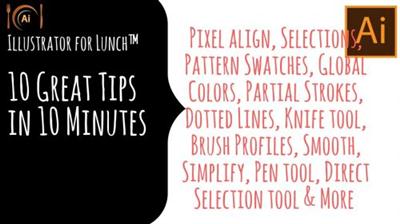
Illustrator for Lunch - 10 in 10 - Ten Top Illustrator Tips in 10 Minutes
MP4 | Video: AVC 1280x720 | Audio: AAC 44KHz 2ch | Duration: 12M | 61 MB
Genre: eLearning | Language: English​

Illustrator for Lunch™ is a series of short video courses you can study in bite size pieces such as at lunchtime. In this course you'll learn Ten Awesome Illustrator tips in 10 minutes. These tips include creating and using Global Colors, using Smooth and Simplify, how to cut a shape using a path, how to make organic strokes around an object and much much more. Here is the result of applying one of the tips - creating an organic style lines around a shape:

Recommend Download Link Hight Speed | Please Say Thanks Keep Topic Live ​

 

90a38969cd9c64c2202f606ae94da36a.jpg

Introduction to 3ds Max 2017 (2016)
October 2016 | MP4 | Video: AVC 1280x720 | Audio: AAC 44KHz 2ch | Duration: 10 Hours | 6.30 GB
Genre: eLearning | Language: English | Project Files​

This in-depth tutorial is designed to help you get a solid understanding of the core features found in 3ds Max, and help you to ease your transition into this very powerful program. Software required: 3ds Max 2017.

3ds Max is a very powerful tool that can help you model, texture, rig, animate, and render your creations. This course, Introduction to 3ds Max 2017, provides a high-level overview of the entire 3D pipeline and gives you the fundamental knowledge you need to start using 3ds Max for your own projects. First, you'll be getting familiar with some of the vocabulary and foundational skills that you'll need in order to begin moving around and working in 3ds Max. From there, you'll move into exploring some of the modeling features found in 3ds Max, and begin building the spaceship that will be your central project for the remainder of this course. Finally, you'll go through the entire process of adding textures and materials to the ship, adding animated movement, animation controls, dynamics, and finally we'll learn how to add lights, shadows, and output our final animated sequence. By the end of this course, you'll be at a point where you feel very comfortable working with 3ds Max. Software required: 3ds Max 2017.

Recommend Download Link Hight Speed | Please Say Thanks Keep Topic Live ​

 

77ba4b722495bdaf9d1274ded923b866.jpg

Introduction to GDAL (2016)
MP4 | Video: AVC 1280x720 | Audio: AAC 44KHz 2ch | Duration: 1.5 Hours | Lec: 8 | 367 MB
Genre: eLearning | Language: English​

using GDAL to process GIS dataDo you have lots of spatial data that you need to process? Do you work with really large datasets that are unmanageable with a traditional GIS? Do you need to access and exchange spatial data in different formats, and different systems? And, has the price of commercial offerings shocked you? If so, this course will teach you how to process very large spatial data, in different formats using simple command line syntax, using the free and open source product GDAL.GDAL is one of the jewels of the open source community, and I want to help you understand how to leverage its power to process spatial data.We'll start off slow, and I will show you how to manipulate raster and vector data with the GDAL command line. Then, before you know it, you'll be writing batch scripts to perform real world GIS processing. Finally, you'll end by creating an Extraction, Translate, and Loading (ETL) tool with a single GDAL command (some people pay thousands of dollars just to complete this task!).Like all my courses, I'll work alongside you so that you actually learn how to do his. Be careful: after taking this course, you may never want to use a GIS GUI again.

Recommend Download Link Hight Speed | Please Say Thanks Keep Topic Live ​

 

775fad7fd0bf711ac28d5212589b63e4.jpg

KelbyOne - Fine Art Photography: Marketing Your Work
Duration: 2 Hours | Video: h264, yuv420p, 1920x1080 30fps | Audio: aac, 44100 Hz, 2 ch | 1.3 GB
Genre: eLearning | Language: English​

In the conclusion of this two-part series Steve Hansen returns to give you a solid understanding of pricing and marketing your fine art photography. You may think of yourself as a photographer, but to be successful in selling your prints you need to be a marketer and sales person before anything else.

It's rewarding to have people enjoying your work through buying your prints, and in this class Steve teaches you the importance of knowing your subject and setting yourself apart, how to use existing events and competitions as marketing tools, how to price your images, how to make a name for your self, and most importantly, how to close the deal and sell your work.

Recommend Download Link Hight Speed | Please Say Thanks Keep Topic Live ​
 

1cc955302ec532bce43abe13ebadb2fd.jpg

Learn to Make an Animated Image Gallery using HTML5
MP4 | Video: AVC 1280x720 | Audio: AAC 44KHz 2ch | Duration: 1 Hours | Lec: 7 | 178 MB
Genre: eLearning | Language: English​

A Quick Guide to Learn Animation in HTML

A short and sweet course for all the HTML5 fans out there. If you are new to HTML5 and wants to get on with creation of some app this course will teach you the nuances of HTML5 development and APIs such as Lightbox.

You will learn the proper use of Syntax and will be creating a full fledged Animated Gallery in HTML5. You can code along with the instructor and can check up with the royalty free code provided with the tutorial. This course will help you master the following

Learn best practices for HTML5
Learn to program with CSS
Learn basic Javascript
Learn to use Lightbox
App Building Techniques

Recommend Download Link Hight Speed | Please Say Thanks Keep Topic Live ​

 

0562cf2c9a6208da62439b017956fde1.jpg

Lynda - After Effects Duik Rigging & Animation Tools
Size: 812 MB | Duration: 5h 7m | Video: AVC (.mp4) 1280x720 30fps | Audio: AAC 48KHz 2ch
Genre: eLearning | Level: Advanced | Language: English​

Speed up your character rigging and animation workflows with Duik, the free script-based toolset for After Effects. Duik is known for its inverse kinematics (IK) rigging and animation tools, but it also can help you save time and add diversity to everyday motion graphics. Owen Lowery takes you on an in-depth tour of all the essential tools in Duik, studded with challenges to test your skills and mini-projects that show Duik in action. Learn how to rig characters with the IK tools, rig bones of puppet pin-based characters, animate a walk cycle, and control keyframe interpolation and speed. Plus, find out how Duik can extend 3D cameras and discover how to create traditional frame-by-frame animation with the Cel Animation tool. Owen also shows how to make a character rig dance, without adding a single keyframe!

Topics include:
* Inverse kinematics
* Character design and rigging
* Automation tools for rigging: Autorig
* IK rigging with puppet pins and bones
* Rigging with Rotation Morph and other rigging tools
* Animating a walk cycle
* Automation tools for animation
* Animation and interpolation tools
* Camera tools

Recommend Download Link Hight Speed | Please Say Thanks Keep Topic Live ​

 

ac1f834245ec431623ac3e4e819c7e4d.jpg

Lynda - Cert Prep: Cisco Certified Entry Networking Technician (100-105)
Size: 805 MB | Duration: 4h 56m | Video: AVC (.mp4) 1280x720 15&30fps | Audio: AAC 48KHz 2ch
Genre: eLearning | Level: Intermediate | Language: English​

CCENT (Cisco Certified Entry Networking Technician) certification "opens the doors to a career in networking. " Study to pass the CCENT Interconnecting Cisco Networking Devices Part 1 (100-105 ICND1) exam with this comprehensive test prep course. Networking expert and best-selling author Todd Lammle covers all of the exam objectives, including internetworking, subnetting, routing, switching, and network security. This test is the first step in achieving CCNA, CCNP, or CCIE certification-the accreditations employers look for most. Todd provides insights from his own 30+ years in networking, along with hands-on examples featuring Cisco routers and switches. Unlike other Cisco exam prep courses, this video-based training helps you see concepts in action and follow along at your own pace. So whether you're taking the test for the first time, or brushing up on key topics for recertification, you can find the time to learn. For more information on the CCENT exam, visit Cisco's website.

Topics include:
* Overview of internetworking
* Ethernet
* The TCP/IP networking model
* Easy subnetting
* VLSM
* Managing Cisco IOS
* Managing Cisco networks and devices
* IP routing
* Layer 2 switching
* VLANs and InterVLAN routing
* Security
* Network address translation
* IPv6

Recommend Download Link Hight Speed | Please Say Thanks Keep Topic Live ​
 

00b6bb80b4955bfa5b52259a3fbaa1a3.jpg

Lynda - Cinematography 01: Narrative Fundamentals
Size: 3.10 GB | Duration: 2h 45m | Video: AVC (.mp4) 1280x720 24fps | Audio: AAC 48KHz 2ch
Genre: eLearning | Level: Beginner | Language: English​

Creative decision making lies at the core of great filmmaking. To shoot a movie, you need to understand how the equipment works, but more importantly, you need to know how the choices you make-composition, exposure, lighting, etc. -impact the way the audience sees the film. The Cinematography series with Bill Dill covers the basics you need to shoot a modern motion picture and tell stories in the most powerful way possible. Part 1 concentrates on narrative filmmaking: creating a world from scratch, using a script. Bill, an ASC cinematographer and professor of film and media arts at Chapman University, introduces the techniques that professional filmmakers use to maintain the illusion of reality in the middle of an otherwise artificial world. Follow along and learn the fundamentals required to shoot a story with a camera. Learn how to plan your production, assemble a crew, choose the right camera and lenses, and make creative choices that best fit the themes, characters, and story of your film. Bill covers the elements of composition, exposure, optics, lighting, and camera movement. Part 2 (coming in November 2016) will show you how to put all these ideas together on set, and deliver the footage to an editor and director for assembly into a complete, coherent, and compelling story.

Topics include:
* Motion picture history
* Preproduction planning
* Working with a crew and actors
* Understanding the story
* Composition in film
* Working with different types of cameras
* Recording, compression, and storage
* Choosing a lens and focal length
* Finding the correct exposure
* Lighting a scene
* Lighting and grip equipment
* Camera movement

Recommend Download Link Hight Speed | Please Say Thanks Keep Topic Live ​
 
Zurück
Oben Unten