• Regeln für den Video-Bereich:

    In den Börsenbereich gehören nur Angebote die bereits den Allgemeinen Regeln entsprechen.

    Einteilung

    - Folgende Formate gehören in die angegeben Bereiche:
    - Filme: Encodierte Filme von BluRay, DVD, R5, TV, Screener sowie Telesyncs im Format DivX, XviD und x264.
    - DVD: Filme im Format DVD5, DVD9 und HD2DVD.
    - HD: Encodierte Filme mit der Auflösung 720p oder darüber von BluRay, DVD, R5, TV, Screener sowie Telesyncs im Format x264.
    - 3D: Encodierte Filme von BluRay, die in einem 3D Format vorliegen. Dies gilt auch für Dokus, Animation usw.
    - Serien: Cartoon/Zeichentrick, Anime, Tutorials, Dokumentationen, Konzerte/Musik, Sonstiges sind demnach in die entsprechenden Bereiche einzuordnen, auch wenn sie beispielsweise im High Definition-Format oder als DVD5/DVD9/HD2DVD vorliegen. Ausnahme 3D.
    - Bereich Englisch: Englische Releases gehören immer in diesen Bereich.
    - Bereich Talk: Der Bereich, in dem über die Releases diskutiert werden kann, darf, soll und erwünscht ist.


    Angebot/Beitrag erstellen

    - Ein Beitrag darf erst dann erstellt werden, wenn der Upload bei mindestens einem OCH komplett ist. Platzhalter sind untersagt.
    - Bei einem Scenerelease hat der Threadtitel ausschließlich aus dem originalen, unveränderten Releasenamen zu bestehen. Es dürfen keine Veränderungen wie z.B. Sterne, kleine Buchstaben o.ä. vorgenommen werden. Ausnahme Serienbörse:
    - Bei einem Sammelthread für eine Staffel entfällt aus dem Releasename natürlich der Name der Folge. Beispiel: Die Simpsons S21 German DVDRip XviD - ITG
    - Dementsprechend sind also u.a. verboten: Erweiterungen wie "Tipp", "empfehlenswert", "only", "reup", usw. / jegliche andere Zusatzinformation oder Ergänzung, welche nicht in obiger Beschreibung zu finden ist.

    Aufbau des Angebots und Threadtitel

    Der Titel nach folgendem Muster erstellt zu werden. <Name> [3D] [Staffel] [German] <Jahr> <Tonspur> [DL] [Auflösung] <Quelle> <Codec> - <Group>
    Beispiel: The Dark Knight German 2008 AC3 DVDRip XviD - iND
    Beispiel: The Dark Knight 2008 DTS DL BDRip x264 - iND
    Beispiel: The Dark Knight 2008 AC3 DL BDRip XviD - iND
    Beispiel: The Dark Knight German 2008 AC3 720p BluRay x264 iND
    Beispiel: The Dark Knight 2008 DTS DL 1080p BluRay x264 iND
    Beispiel: Die Simpsons S01 German AC3 DVDRip XviD iND
    Beispiel: Die Simpsons S20 German AC3 720p BluRay x264 iND
    Beispiel: Sword Art Online II Ger Sub 2014 AAC 1080p WEBRip x264 - peppermint
    Entsprechend sind also u.a. verboten: Sonderzeichen wie Klammern, Sterne, Ausrufezeichen, Unterstriche, Anführungszeichen / Erweiterungen wie "Tipp", "empfehlenswert", "only", "reup", usw. / jegliche andere Zusatzinformation oder Ergänzung, welche nicht in obiger Beschreibung zu finden ist
    Ausnahmen hiervon können in den Bereichen geregelt sein.

    Die Beiträge sollen wie folgt aufgebaut werden:
    Überschrift entspricht dem Threadtitel
    Cover
    kurze Inhaltsbeschreibung
    Format, Größe, Dauer sind gut lesbar für Downloader außerhalb des Spoilers zu vermerken
    Nfo sind immer Anzugeben und selbige immer im Spoiler in Textform.
    Sind keine Nfo vorhanden z.B. Eigenpublikationen, sind im Spoiler folgende Dateiinformationen zusätzlich anzugeben :
    Quelle
    Video (Auflösung und Bitrate)
    Ton (Sprache, Format und Bitrate der einzelnen Spuren)
    Untertitel (sofern vorhanden)
    Hosterangabe in Textform außerhalb eines Spoiler mit allen enthaltenen Hostern.
    Bei SD kann auf diese zusätzlichen Dateiinformationen verzichtet werden.

    Alle benötigten Passwörter sind, sofern vorhanden, in Textform im Angebot anzugeben.
    Spoiler im Spoiler mit Kommentaren :"Schon Bedankt?" sind unerwünscht.


    Releases

    - Sind Retail-Release verfügbar, sind alle anderen Variationen untersagt. Ausnahmen: Alle deutschen Retail-Release sind CUT, in diesem Fall sind dubbed UNCUT-Release zulässig.
    - Im Serien-Bereich gilt speziell: Wenn ein Retail vor Abschluss einer laufenden Staffel erscheint, darf diese Staffel noch zu Ende gebracht werden.62
    - Gleiche Releases sind unbedingt zusammenzufassen. Das bedeutet, es ist zwingend erforderlich, vor dem Erstellen eines Themas per Suchfunktion zu überprüfen, ob bereits ein Beitrag mit demselben Release besteht. Ist dies der Fall, ist der bereits vorhandene Beitrag zu verwenden.
    - P2P und Scene Releases dürfen nicht verändert oder gar unter einem iND Tag eingestellt werden.


    Support, Diskussionen und Suche

    - Supportanfragen sind entweder per PN oder im Bereich Talk zu stellen.
    - Diskussionen und Bewertungen sind im Talk Bereich zu führen. Fragen an die Uploader haben ausschließlich via PN zu erfolgen, und sind in den Angeboten untersagt.
    - Anfragen zu Upload-Wünschen sind nur im Bereich Suche Video erlaubt. Antworten dürfen nur auf Angebote von MyBoerse.bz verlinkt werden.


    Verbote

    - Untersagt sind mehrere Formate in einem einzigen Angebotsthread, wie beispielsweise das gleichzeitige Anbieten von DivX/XviD, 720p und 1080p in einem Thread. Pro Format, Release und Auflösung ist ein eigener Thread zu eröffnen.
    - Grundsätzlich ebenso verboten sind Dupes. Uploader haben sich an geeigneter Stelle darüber zu informieren, ob es sich bei einem Release um ein Dupe handelt.
    - Gefakte, nur teilweise lauffähige oder unvollständige Angebote sind untersagt. Dies gilt auch für eigene Publikationen, die augenscheinlich nicht selbst von z.B. einer DVD gerippt wurden. Laufende Serien, bei denen noch nicht alle Folgen verfügbar sind, dürfen erstellt und regelmäßig geupdatet werden.
    - Untersagt sind Angebote, welche nur und ausschließlich in einer anderen Sprache als deutsch oder englisch vorliegen. Ausnahmen sind VORHER mit den Moderatoren zu klären.


    Verstoß gegen die Regeln

    - Angebote oder Beiträge, die gegen die Forenregeln verstoßen, sind über den "Melden"-Button im Beitrag zu melden.
  • Bitte registriere dich zunächst um Beiträge zu verfassen und externe Links aufzurufen.


Englische Tutorials


d7b3a68ee895b848857a46f176401a98.jpg

Getting Started with Ubuntu Linux: Complete Installation Guide
MP4 | Video: AVC 1280x720 | Audio: AAC 44KHz 2ch | Duration: 29M | 135 MB
Genre: eLearning | Language: English​

If you want to get started using Linux, you will love this class! In this lesson I will show you how to install Ubuntu Linux on both a virtual machine, and as a dual-boot alongside Windows 10. We will cover the following topics in this Skillshare class:

Installing Linux on a virtual machine
Setting up a live USB with UNetbootin (alternative to using a disc)
Disabling fast start
Installation alongside Windows 10
Deleting the Linux partitions
GRUB bootloader fix
Thank you for taking the time to read this, and I hope to see you in the class!

Recommend Download Link Hight Speed | Please Say Thanks Keep Topic Live ​
 

ad6a2dc0d2e9f326bcb020d136d997c1.jpg

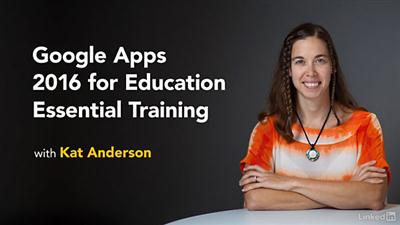
Lynda - Google Apps 2016 for Education Essential Training
Size: 305 MB | Duration: 1h 57m | Video: AVC (.mp4) 1280x720 15&30fps | Audio: AAC 48KHz 2ch
Genre: eLearning | Level: Beginner | Language: English​

Google Apps for Education is designed to help teachers and students collaborate digitally.

* Sending large attachments with Gmail
* Filtering email in Gmail
* Uploading and downloading files in Google Drive
* Creating student assignment folders
* Adjusting Google Docs sharing and security options
* Providing feedback in Docs
* Voice typing and translating content
* Collaborating with Google Sheets
* Presenting with Google Slides
* Creating and sharing Google Forms
* Building a self-grading quiz in Google Forms
* Creating events and appointments in Google Calendar

Recommend Download Link Hight Speed | Please Say Thanks Keep Topic Live ​
 

e93d13ced91f7ef0fa1460fbd6111b7c.jpg

Gumroad - How to Start Portrait Painting
MP4 | Video: AVC 1280x720 | Audio: AAC 44KHz 2ch | Duration: 39M | 450 MB
Genre: eLearning | Language: English​

You will get

+ 30 minute video tutorial with commentary notes

+ Hi-res PSD files

+ Commentary notes text file

Bonus

+ 10 minute brush and smudge demo video

+ My brush set and smudge brush

Recommend Download Link Hight Speed | Please Say Thanks Keep Topic Live ​
 

2f892e2eb7d503b74409930b4584d3eb.jpg

Hand-Lettering Foundations: Skill-Building for Beginners Part 1
MP4 | Video: AVC 1280x720 | Audio: AAC 44KHz 2ch | Duration: 1 Hours | 1.12 GB
Genre: eLearning | Language: English​

In this first class, I'll be teaching you how to draw a simple, single stroke weight alphabet. The goal of these classes are to help those new to lettering and illustration achieve a solid foundation of knowledge and skills, and to learn how to then take these skills and create some great hand-illustrated artwork.

Armed with this knowledge, when you are drawing your letters they will visually look correct and balanced, and will take your drawing from amateur status to something a little more polished.

Practicing drawing the letters to learn their structure will help to strengthen your skills and confidence in illustration as well.

This class series is for anyone, no matter your skill level with drawing or illustrating. It takes lots of practice to get to where you want to go, but well start at the beginning and Ill be walking you through the steps you need to make great lettering pieces. My goal is to help you build your confidence in your lettering and illustration skills so you can move forward and make some wonderful hand lettered and illustrated art!

Recommend Download Link Hight Speed | Please Say Thanks Keep Topic Live ​
 

7094f1aa20c6df6c3de181479dc238db.jpg

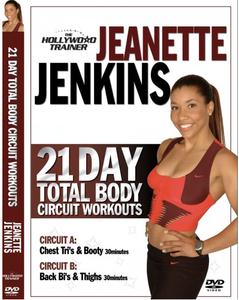
Hollywood Trainer 21 Day Total Body Circuit
DVDRip | English | AVI | 640 x 480 | AVC ~1457 kbps | 23.976 fps
MP3 | 128 Kbps | 48.0 KHz | 2 channels | 01:17:01 | 846 MB​

Genre: eLearning Video / Fitness, Health
Say Good-bye to those love handles, adios to that back fat and move over to those flabby arms and thighs. This workout will take your body from flab to fab in just 30 minutes a day. Circuit training is proven to be one of the most effective methods of training for weight loss because you're getting the fat burning benefits of cardio training and the body sculpting benefits of weight (resistance) training in one workout.

Jeanette Jenkins, founder and president of The Hollywood Trainer has helped thousands of men and women transform their bodies and she has hand picked the best time proven exercises that will blast away body fat, increase your metabolism and reshape your muscles. Don't wait another minute!
Jeanette Jenkins The Hollywood Trainer 21-day TOTAL BODY CIRCUIT - Will take your body from flab to fab in just 30 minutes a day. Alternate back and forth between Circuit A and Circuit B to sculpt and tone your entire body!

This workout includes the best time proven exercises that will blast away body fat, rev up your metabolism and reshape your muscles.

Recommend Download Link Hight Speed | Please Say Thanks Keep Topic Live ​
 

90fd6cddf897d31f347520c4fd7cd088.jpg

How to Backup and Restore Your WordPress Site in 24 Hours
MP4 | Video: AVC 1280x720 | Audio: AAC 44KHz 2ch | Duration: 2 Hours | Lec: 24 | 451 MB
Genre: eLearning | Language: English​

Discover how to easily back-up & restore your Wordpress site in less than 24 hours...

This course is created with the purpose of giving you a blueprint on how to back-up up & restore your Wordpress site. You are not required to have a specific technical background but fundamental knowledge about the WordPress platform is highly recommended.

Who is this WordPress backup & restore site course for?

Have you ever wanted to back-up your website & restore it but felt stuck either because of the technical jargon required in order to initiate the process or by the high-cost products available?

Dont fear, this course is jam packed with material that will help you back-up & move your website in less a day by simply adapting the information given in practice.

Beside the common knowledge about WordPress you dont need to pose any specific technical abilities or knowledge as the course assumes that you are a complete beginner just starting out!

Few of the modules we are going to cover in this WordPress course:

Discover how to easily back-up & restore a site by following a blueprint.
Learn why you must always back-up your site before trying to restore it.
How to use the free plugins in order to schedule automatic back-ups.
Steps required in order to ensure that your site is working properly.
Discover how to enable the two step verification for your site.
How to fix the most common errors associated with the website restore process.
How to properly modify your database and secure it after restoring your website.

Recommend Download Link Hight Speed | Please Say Thanks Keep Topic Live ​
 

eaf757690c873d81b574487be2cbedc2.jpg

How to come up with a podcast or YouTube show concept
MP4 | Video: AVC 1280x720 | Audio: AAC 44KHz 2ch | Duration: 1 Hours | Lec: 19 | 692 MB
Genre: eLearning | Language: English​

Come up with an amazing concept for your YouTube show or podcast, set it up, and hit the ground running

In this course you will learn how to come up with an amazing YouTube and/or podcast show concept that will draw attention of your desired audience, and give you massive exposure, branding and ultimate authority and revenue.

You can use a podcast or a YouTube show to brand yourself personally, or your business.

In the course I give insights from my own experience of creating a YouTube channel with over 1,000,000 views. I also draw on from what I learned by observing other successful podcasters and YouTubers, and present that in the course as well.

I also walk you through how to set up your podcast in under one day so that you can overcome any technical challenges associated with creating a podcast.

Go ahead and get this course, and get your podcast set up quickly and without any glitches or confusion. And begin getting more exposure for your business the very same day you enroll in this course.

Recommend Download Link Hight Speed | Please Say Thanks Keep Topic Live ​
 

423ee7187667a15678ce38a0a65e9ab6.jpg

How to create a website from scratch HTML CSS course
MP4 | Video: AVC 1280x720 | Audio: AAC 44KHz 2ch | Duration: 1 Hours | Lec: 15 | 212 MB
Genre: eLearning | Language: English​

Using HTML and CSS to create a website Learn how to structure HTML and apply CSS to make web templates

This course will demonstrate how to create a website from scratch. Start with a blank page, and HTML and structure it in preparation for applying styling. Add CSS to make your HTML come to life, customize the styling to build out multiple websites.

Learn how to build a website.

Learn what it takes to make your own website, HTML and CSS together to complete a web project.

I've been creating website since 2002, and I'm ready to share my skills with you. Learn by example, as we build a website within this course. Straight forward approach to learning with each step explained as the project is build.

Learn HTML5

HTML5 tags Headers, Footers, Nav, aside, Sections, articles and more.

Learn CSS

CSS floats, fonts, colors, margins, padding, clear and more.

Bonus get google fonts and add them to your web projects.

How to make you website responsive and change the look depending on the size of the viewers screen. Flexible responsive website design.

I am here to help you learn to build websites and ready to answer any questions you may have.

Want to know more, what are you waiting for take the first step. Join now to start learning to build your own website today.

Recommend Download Link Hight Speed | Please Say Thanks Keep Topic Live ​
 

99e987e6a256deb3f75b028d1acde674.jpg

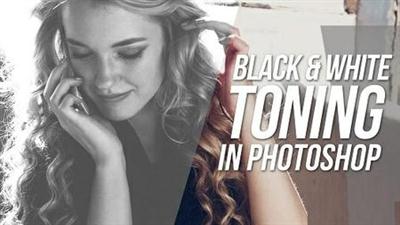
How To Do Black & White Colour Toning In Photoshop
Duration: 18m | Video: h264, yuv420p, 1280x720 30fps | Audio: aac, 44100 Hz, 2 ch | 291 MB
Genre: eLearning | Language: English​

In this lesson, I will show you how to do Black and White Toning in Photoshop. It's a very straightforward technique, one which you can easily apply to your other images.

This tutorial will focus on these certain adjustments:
- Black & White Adjustment Layer.
- Brightness/Contrast Adjustment Layer.
- Exposure Adjustment Layer.
- Selective Colour Adjustment Layer.

Remember that you can always go back and tweak the individual adjustment layers as you progress through your retouching.

Recommend Download Link Hight Speed | Please Say Thanks Keep Topic Live ​
 

7548482815b36429d21462c90e54fec6.jpg

How to Turn any HD Video into a Kindle Book in one day
MP4 | Video: AVC 1280x720 | Audio: AAC 44KHz 2ch | Duration: 2 Hours | Lec: 27 | 802 MB
Genre: eLearning | Language: English​

The Step by Step Guide to turn any HD Video into a Kindle book. Then upload and sell on KDP Select.

The Step by Step Guide to turn any HD Video into a Kindle book. Then upload and sell on KDP Select.

How to Turn your or a HD Video into a Kindle Book

In this course we will use a HD video from Scott Rea from "The ScottReaProject" namely "How To De-bone And Roll A Chicken."

The most in-depth video on, completely boning and rolling a whole chicken,
First,we bone a whole Chicken,then stuff it and tie it into a Chicken cushion.
Then Scott show how to make,Chicken lollipops from the wings.
You end up with a stunning Chicken cushion which not only looks good but is easy to carve.
Many thanks to Scott for his permission and sending the Video

We will turn the above Cooking Videos into Kindle book working with 10 Steps

The Step by Step Guide to turn your Cooking Video into a Cookbook for Kindle. Then upload and sell on Kindle Direct Publishing.

List of Material and Tools

Video
Audio
Kindle Storybook Creator
Free Video to JPG creator
Free MP3 from Video Extractor
Outsourcing
Audio to Text via Fiverr

Recommend Download Link Hight Speed | Please Say Thanks Keep Topic Live ​
 

448f3ff38671d0f54636cb439b2d487e.jpg

INE - Advanced VMware vSphere 6.0
.TS, AVC, 1000 kbps, 640x360 | English, AAC, 64 kbps, 2 Ch | 5.5 hours | 501 MB
Instructor: Donald Bacha​

The Advanced VMware vSphere 6.0 course continues from where the Introduction to VMware vSphere 6.0 course left off. This course starts by covering Network Policies on both Standard and Distributed vSwitches.

Next you will learn about Shared Storage Technologies, multipathing and configuration of VMFS and NFS datastores. Virtual Machines migration techniques including vMotion and Storage vMotion, vCenter Security and Resource Management are covered next. Finally, towards the end of this course you learn the theoretical and configuration aspects of vSphere Advanced features including High Availability, DRS, Storage DRS, DPM and Host Profiles among others.

Recommend Download Link Hight Speed | Please Say Thanks Keep Topic Live ​
 

e56fc658eacd8275157c1afbcb25f86c.jpg

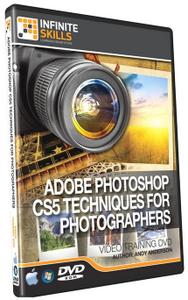
Infinite Skills - Adobe Photoshop CS5 for Photographers
WEBRip | MP4 + Project files | English | 960 x 720 | AVC ~358 kbps | 15 fps
AAC | 128 Kbps | 44.1 KHz | 1 channel | ~10.5 hours | 5.07 GB​

Genre: eLearning Video / Photographing, Adobe Photoshop
Photographers Photoshop CS5 Training Video A Practical Photoshop Training Course That Teaches Real World Skills In this project-based Photographers Photoshop CS5 video tutorial series, you'll quickly have relevant skills for real-world applications.

Follow along with our expert instructor in this training course to get:

Concise, informative and broadcast-quality Photoshop CS5 for Photographers training videos delivered to your desktop
The ability to learn at your own pace with our intuitive, easy-to-use interface
A quick grasp of even the most complex Photoshop CS5 for Photographers subjects because they're broken into simple, easy to follow tutorial videos

Practical working files further enhance the learning process and provide a degree of retention that is unmatched by any other form of Photoshop CS5 for Photographers tutorial, online or offline... so you'll know the exact steps for your own projects.

Contents:

00. Free Demo Movies
01. It Starts With The Camera
02. The Art Of The Scan
03. Organizing Your Images
04. What You See Is What You Get
05. Working With Digital Images
06. Understanding Camera Raw
07. Fixing Common Image Problems
08. Making Selections That Look Natural
09. Setting Up For Color Correction
10. Removing Unwanted Elements
11. Improving Upon Nature
12. Going Retro With Grayscale
13. Generating A Sharper Image
14. Dressing Up Your Images
15. The Art Of The Dodge And Burn
16. Keeping It Real
17. Color Correction Essentials
18. The Power Of Blending Modes
19. Restoring The Past
20. HDR Basics
21. Outputting For The Web
22. Outputting To Print

Recommend Download Link Hight Speed | Please Say Thanks Keep Topic Live ​

 
Zurück
Oben Unten