• Regeln für den Video-Bereich:

    In den Börsenbereich gehören nur Angebote die bereits den Allgemeinen Regeln entsprechen.

    Einteilung

    - Folgende Formate gehören in die angegeben Bereiche:
    - Filme: Encodierte Filme von BluRay, DVD, R5, TV, Screener sowie Telesyncs im Format DivX, XviD und x264.
    - DVD: Filme im Format DVD5, DVD9 und HD2DVD.
    - HD: Encodierte Filme mit der Auflösung 720p oder darüber von BluRay, DVD, R5, TV, Screener sowie Telesyncs im Format x264.
    - 3D: Encodierte Filme von BluRay, die in einem 3D Format vorliegen. Dies gilt auch für Dokus, Animation usw.
    - Serien: Cartoon/Zeichentrick, Anime, Tutorials, Dokumentationen, Konzerte/Musik, Sonstiges sind demnach in die entsprechenden Bereiche einzuordnen, auch wenn sie beispielsweise im High Definition-Format oder als DVD5/DVD9/HD2DVD vorliegen. Ausnahme 3D.
    - Bereich Englisch: Englische Releases gehören immer in diesen Bereich.
    - Bereich Talk: Der Bereich, in dem über die Releases diskutiert werden kann, darf, soll und erwünscht ist.


    Angebot/Beitrag erstellen

    - Ein Beitrag darf erst dann erstellt werden, wenn der Upload bei mindestens einem OCH komplett ist. Platzhalter sind untersagt.
    - Bei einem Scenerelease hat der Threadtitel ausschließlich aus dem originalen, unveränderten Releasenamen zu bestehen. Es dürfen keine Veränderungen wie z.B. Sterne, kleine Buchstaben o.ä. vorgenommen werden. Ausnahme Serienbörse:
    - Bei einem Sammelthread für eine Staffel entfällt aus dem Releasename natürlich der Name der Folge. Beispiel: Die Simpsons S21 German DVDRip XviD - ITG
    - Dementsprechend sind also u.a. verboten: Erweiterungen wie "Tipp", "empfehlenswert", "only", "reup", usw. / jegliche andere Zusatzinformation oder Ergänzung, welche nicht in obiger Beschreibung zu finden ist.

    Aufbau des Angebots und Threadtitel

    Der Titel nach folgendem Muster erstellt zu werden. <Name> [3D] [Staffel] [German] <Jahr> <Tonspur> [DL] [Auflösung] <Quelle> <Codec> - <Group>
    Beispiel: The Dark Knight German 2008 AC3 DVDRip XviD - iND
    Beispiel: The Dark Knight 2008 DTS DL BDRip x264 - iND
    Beispiel: The Dark Knight 2008 AC3 DL BDRip XviD - iND
    Beispiel: The Dark Knight German 2008 AC3 720p BluRay x264 iND
    Beispiel: The Dark Knight 2008 DTS DL 1080p BluRay x264 iND
    Beispiel: Die Simpsons S01 German AC3 DVDRip XviD iND
    Beispiel: Die Simpsons S20 German AC3 720p BluRay x264 iND
    Beispiel: Sword Art Online II Ger Sub 2014 AAC 1080p WEBRip x264 - peppermint
    Entsprechend sind also u.a. verboten: Sonderzeichen wie Klammern, Sterne, Ausrufezeichen, Unterstriche, Anführungszeichen / Erweiterungen wie "Tipp", "empfehlenswert", "only", "reup", usw. / jegliche andere Zusatzinformation oder Ergänzung, welche nicht in obiger Beschreibung zu finden ist
    Ausnahmen hiervon können in den Bereichen geregelt sein.

    Die Beiträge sollen wie folgt aufgebaut werden:
    Überschrift entspricht dem Threadtitel
    Cover
    kurze Inhaltsbeschreibung
    Format, Größe, Dauer sind gut lesbar für Downloader außerhalb des Spoilers zu vermerken
    Nfo sind immer Anzugeben und selbige immer im Spoiler in Textform.
    Sind keine Nfo vorhanden z.B. Eigenpublikationen, sind im Spoiler folgende Dateiinformationen zusätzlich anzugeben :
    Quelle
    Video (Auflösung und Bitrate)
    Ton (Sprache, Format und Bitrate der einzelnen Spuren)
    Untertitel (sofern vorhanden)
    Hosterangabe in Textform außerhalb eines Spoiler mit allen enthaltenen Hostern.
    Bei SD kann auf diese zusätzlichen Dateiinformationen verzichtet werden.

    Alle benötigten Passwörter sind, sofern vorhanden, in Textform im Angebot anzugeben.
    Spoiler im Spoiler mit Kommentaren :"Schon Bedankt?" sind unerwünscht.


    Releases

    - Sind Retail-Release verfügbar, sind alle anderen Variationen untersagt. Ausnahmen: Alle deutschen Retail-Release sind CUT, in diesem Fall sind dubbed UNCUT-Release zulässig.
    - Im Serien-Bereich gilt speziell: Wenn ein Retail vor Abschluss einer laufenden Staffel erscheint, darf diese Staffel noch zu Ende gebracht werden.62
    - Gleiche Releases sind unbedingt zusammenzufassen. Das bedeutet, es ist zwingend erforderlich, vor dem Erstellen eines Themas per Suchfunktion zu überprüfen, ob bereits ein Beitrag mit demselben Release besteht. Ist dies der Fall, ist der bereits vorhandene Beitrag zu verwenden.
    - P2P und Scene Releases dürfen nicht verändert oder gar unter einem iND Tag eingestellt werden.


    Support, Diskussionen und Suche

    - Supportanfragen sind entweder per PN oder im Bereich Talk zu stellen.
    - Diskussionen und Bewertungen sind im Talk Bereich zu führen. Fragen an die Uploader haben ausschließlich via PN zu erfolgen, und sind in den Angeboten untersagt.
    - Anfragen zu Upload-Wünschen sind nur im Bereich Suche Video erlaubt. Antworten dürfen nur auf Angebote von MyBoerse.bz verlinkt werden.


    Verbote

    - Untersagt sind mehrere Formate in einem einzigen Angebotsthread, wie beispielsweise das gleichzeitige Anbieten von DivX/XviD, 720p und 1080p in einem Thread. Pro Format, Release und Auflösung ist ein eigener Thread zu eröffnen.
    - Grundsätzlich ebenso verboten sind Dupes. Uploader haben sich an geeigneter Stelle darüber zu informieren, ob es sich bei einem Release um ein Dupe handelt.
    - Gefakte, nur teilweise lauffähige oder unvollständige Angebote sind untersagt. Dies gilt auch für eigene Publikationen, die augenscheinlich nicht selbst von z.B. einer DVD gerippt wurden. Laufende Serien, bei denen noch nicht alle Folgen verfügbar sind, dürfen erstellt und regelmäßig geupdatet werden.
    - Untersagt sind Angebote, welche nur und ausschließlich in einer anderen Sprache als deutsch oder englisch vorliegen. Ausnahmen sind VORHER mit den Moderatoren zu klären.


    Verstoß gegen die Regeln

    - Angebote oder Beiträge, die gegen die Forenregeln verstoßen, sind über den "Melden"-Button im Beitrag zu melden.
  • Bitte registriere dich zunächst um Beiträge zu verfassen und externe Links aufzurufen.


Englische Tutorials


b4e9d8f8cbf4e53d60e317209635db71.jpg

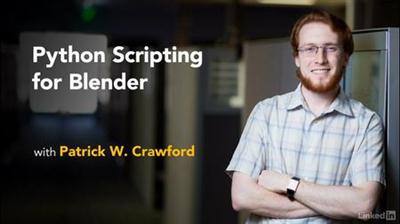
Lynda - Python Scripting for Blender
Size: 289 MB | Duration: 2h 2m | Video: AVC (.mp4) 1280x720 30fps | Audio: AAC 48KHz 2ch
Genre: eLearning | Level: Intermediate | Language: English​

Make Blender better by harnessing the power of Python. Whether you're an artist or a developer, scripting is a great selling point to add to your resume. Once you master the basics, you can automate time-consuming modeling and animation tasks, customize the Blender interface, or even package to share or sell your enhancements to other users. Patrick W. Crawford shows how to use Blender's built-in Python console window and the bpy library to create simple one-line scripts, create custom panels and menus, and build and package add-ons. These techniques will take your Blender skills to the next level and help you enter an exciting new world of Python programming.

Topics include:
* Controlling Blender with code
* Exploring the bpy library
* Creating Blender operators and properties
* Writing scripts
* Auto running scripts
* Drawing interface elements such as panels and menus
* Building a custom add-on

Recommend Download Link Hight Speed | Please Say Thanks Keep Topic Live ​
 

8b36817f88873ac1df070e0666a193c6.jpg

Lynda - Reid Hoffman and Chris Yeh on Creating an Alliance with Employees
Size: 1.57 GB | Duration: 1h 24m | Video: AVC (.mp4) 1280x720 24fps | Audio: AAC 48KHz 2ch
Genre: eLearning | Level: Appropriate for all | Language: English​

How do companies manage talent and provide the best learning and growth opportunities for their employees? How do employees make good on promises to employers while intentionally growing their own careers? In this innovative approach to the employer/employee relationship, LinkedIn founder Reid Hoffman and entrepreneur Chris Yeh provide ways to strengthen the relationship between companies and employees for the mutual benefit to both. Reid and Chris share specific insights from their own experiences with companies like PayPal, Kapost, and LinkedIn, and more.

Topics include:
* Defining a rotational, transformational, or foundational tour of duty
* How to identify each employee's values and aspirations
* Aligning employee, manager, and company goals
* Establishing and leveraging alumni networks

Recommend Download Link Hight Speed | Please Say Thanks Keep Topic Live ​
 

5a5e41cf08c1a6d750026b1523194057.jpg

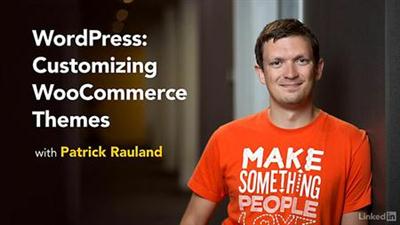
Lynda - WordPress: Customizing WooCommerce Themes
Size: 265 MB | Duration: 1h 24m | Video: AVC (.mp4) 1280x720 15&30fps | Audio: AAC 48KHz 2ch
Genre: eLearning | Level: Beginner | Language: English​

WooCommerce is one of the most popular and trusted ecommerce solutions around. Not just for WordPress but also for anyone who wants to set up a store. Making your theme match the rest of your WooCommerce website can help you create a more professional and trustworthy shopping experience and extend your brand online. This course covers the fundamentals of building custom WooCommerce themes. Learn about using WooCommerce hooks, template overrides, PHP, and CSS to style the different store pages, and add custom imagery and icons to fit your branding. Author Patrick Rauland also introduces UX design techniques that encourage customers to buy, such as highlighting savings and adding social media icons for sharing.

Topics include:
* Selecting a base theme
* Matching theme colors
* Overriding and updating WooCommerce templates
* Using hooks
* Modifying your product page: images, tabs, icons, and more
* Modifying the shop page, including customer savings
* Modifying the checkout page
* A/B testing your changes

Recommend Download Link Hight Speed | Please Say Thanks Keep Topic Live ​
 

d10ddb511c6246736a9ef0f0b26c9bd0.jpg

Manga Effects in Adobe Photoshop
Duration: 22m | Video: h264, yuv420p, 1280x720 30fps | Audio: aac, 44100 Hz, 2 ch | 323 MB
Genre: eLearning | Language: English​

Learn how to incorporate Japanese manga screen tones to your artwork, create your own screentones, and transform your pencil work to solid outlines in this class focusing on Adobe Photoshop!

Recommend Download Link Hight Speed | Please Say Thanks Keep Topic Live ​
 

a1a9aa5e206ed77992f51404787e1f0d.jpg

Master Portrait Editing techniques with Photoshop / Charles
Duration: 32m | Video: h264, yuv420p, 1280x720 30fps | Audio: aac, 44100 Hz, 2 ch | 443 MB
Genre: eLearning | Language: English​

Master powerful Photoshop editing techniques, create stunning portfolio, amaze your clients with beautiful and timeless portraits!

Join me in this class & take your editing skills to entirely new level and turn your images from "flat" or "boring" to striking!
I will teach you all the Photoshop tricks and technics that I have learn during my over 10 years long artistic photography practice. You will learn how to improve your workflow to minimize time spend in digital darkroom and have more fun when shooting photos.
You will learn whole range of the most powerful and flexible portrait editing techniques;
You will be working in "non-destructive" way with Adjustment Layers to massively speed up the editing work;
You will master the most effective and flexible Photoshop tool in terms of photo editing - The Curves Tool
You will learn how to blend multiple adjustments in a seamless way in one image with help of masking techniques
You will learn how to evaluate tonal range in your images with the Histogram Tool and you will be using it as a basic reference in your workflow
You will achieve stunning results with your images and develop your artistic skills

Recommend Download Link Hight Speed | Please Say Thanks Keep Topic Live ​
 

97084ff1aeab3ccfc4f93c83db07c922.jpg

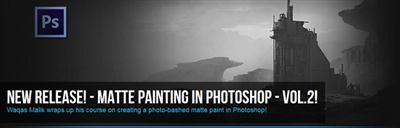
Matte Painting in Photoshop Volume 2
Duration: 1hr 15m | Video: h264, yuv420p, 1280x720 30fps | Audio: aac, 44100 Hz, 2ch | 1.1 GB
Genre: eLearning | Language: English​

This 2D environment design course covers the basic principlesof creating environment design, and the foundation and methods of creating environment design from start to finish. Here you will take a journey through the whole process which is very commonly used in the film and video game industry.

Starting with basics like perspective, lighting, value structure, composition and then taking you through each and every step and ending with the demonstration of good use of photo bashing technique. Here the clearly explained and demonstrated workflow will make it very easy for the beginners to start their artistic journey.

Recommend Download Link Hight Speed | Please Say Thanks Keep Topic Live ​
 

6b9812012324b856dbbbafec0ed2584a.jpg

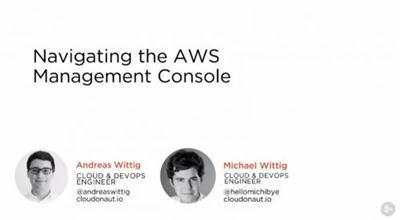
Navigating the AWS Management Console (2016)
September 2016 | MP4 | Video: AVC 1280x720 | Audio: AAC 44KHz 2ch | Duration: 1 Hours | 126 MB
Genre: eLearning | Language: English​

When getting started with AWS, the Management Console is an important tool to navigate through Amazon's cloud. This course helps you get started with AWS and helps you become familiar with the AWS Management Console.

Amazon Web Services is one of the leading public cloud providers and continues to innovate at a very fast pace. This course, Navigating the AWS Management Console, will accelerate your start with AWS. You will begin by creating an AWS account and launching a virtual server in the cloud. You will then see an overview of the Management Console, how to best navigate the console, and how to create shortcuts and group AWS resources for easy access. By the end of this course, you'll be better prepared for your first day with the Amazon Web Services Management Console.

Recommend Download Link Hight Speed | Please Say Thanks Keep Topic Live ​
 

61ffc69ff166ca8835f3e1717f864f35.jpg

ODOO Property Management System Training Video
MP4 | Video: AVC 1280x720 | Audio: AAC 44KHz 2ch | Duration: 1 Hours | Lec: 14 | 828 MB
Genre: eLearning | Language: English​

Video to present list of features under Property Management Module developed by Serpent Consulting Services Pvt. Ltd.

Odoo Property Management System will help you to manage your real estate portfolio with Property valuation, Maintenance, Insurance, Utilities and Rent management with reminders for each KPIs. ODOO's easy to use Content management system help you to display available property on website with its gallery and other details to reach easily to end users. With the help of inbuilt Business Intelligence system it will be more easy to get various analytical reports and take strategical decisions.

The course contains video series of all features available in property management system and brochure of PMS features. It has list of features explained like.

Easy Property Listings and Property upload on portal
Strong CRM system through portal
Property search on demand
Automatic management of office web content and property listings
marketing Campaign (for ex. advertising and related activities)
Tenant Management
Generate new referrals and listings
Finalising the lease/rent and security deposit refund
Repair and maintenance management [ Organising and supervising repair / maintenance work and cost ]
Providing Business intelligence report
Monitoring lease expiration dates
Renewing the lease / contract
Mobile / Tablet responsive web and system UI

Recommend Download Link Hight Speed | Please Say Thanks Keep Topic Live ​
 

bfe25ee16271bdadd2a7552c3e44597e.jpg

Orchard CMS Tutorial : Recipes In Orchard CMS
MP4 | Video: AVC 1280x720 | Audio: AAC 44KHz 2ch | Duration: 42M | Lec: 17 | 150 MB
Genre: eLearning | Language: English​

Using a Recipe to Create a Website, How Recipes work, How to create a Custom Recipe , How to Import/Export Recipes

HELLO WELCOME to this course on Recipes in Orchard CMS

Did you know how Recipes in Orchard can make Creating, Managing and maintaining your websites created using Orchard easier, simpler and quicker too?

Did you know that you can create websites using Orchard on a Production Server within a few minutes using Recipes?

Orchard simplifies the process of setting up a new website by letting you use website recipes. A recipe is an XML file that contains the start up configuration for an Orchard website. When you start Orchard for the first time, you can select a recipe that best matches the type of site you want to set up.

For example, if you want your website to be a blog, you can select the Blog recipe, and much of the configuration work will be done for you.

You can create your own recipes and customize the process of setting a website and configuring Orchard features. Recipes can also instruct Orchard to download and install modules and themes from the Orchard Gallery during website setup.

This course describes

How to use recipes
How to create custom recipes
Export or Import Recipes and
How to create a new website using a Custom Recipe.
Before you join this course I would like to introduce myself to you.

My name is Abhishek Luv and I'm from Mumbai, India. I'm an Orchard Dojo trainer and a contributor to the official Orchard CMS documentation website and I have created numerous courses and tutorial videos on orchard. I'm also the founder of Orchard Beginner. Now, orchard beginner is and will be the one-stop place where you can get started with Orchard CMS , but orchard beginner is still in its initial stage and it will build up pretty soon. And I'm also the founder of the Orchard CMS India community.

Recommend Download Link Hight Speed | Please Say Thanks Keep Topic Live ​
 

bf6252cfdd9229142568566d048b83c6.jpg

Orchard CMS Tutorial : Workflows in Orchard CMS
MP4 | Video: AVC 1280x720 | Audio: AAC 44KHz 2ch | Duration: 1 Hours | Lec: 12 | 131 MB
Genre: eLearning | Language: English​

Learn how to use Workflows in Orchard which provides you tools to create custom workflows for events or activities.

Hello Welcome to this course on "".

Note : More Workflows Demos will be added soon(InProgress).

The Workflows Module in Orchard provides us tools to create custom workflows for events or activities like Content Created, Content Published, Content Removed, Send Email, Timer and many more.

Types of Workflows Activities

Common Workflows Activities
Comments Workflows Activities
Email Workflows Activities
Users Workflows Activities
Workflows Timer
Custom Forms Workflows Activities
Dynamic Forms Workflows Activities
This course shows you how to get started with Workflows in Orchard CMS. And the course consists of 7 Demo tutorial videos on Workflows and how to use workflows to create your own custom workflows for the following things :

Custom Form Submission + Notification using Workflows
Page Published if created by Admin if not Notify the administrator
Closing Comments using Workflows
Redirecting user after form submission using Workflows
Assigning roles for new registering user using Workflows
Comments Moderation Notification using Workflows
Comments Removal User Notification using Workflows
Before you join this course I would like to introduce myself to you.

My name is Abhishek Luv and I'm from Mumbai, India. I'm an Orchard Dojo trainer and a contributor to the official orchard cms documentation website and I have created numerous courses and tutorial videos on orchard. I'm also the founder of Orchard Beginner. Now, orchard beginner is and will be the one-stop place where you can get started with orchard cms , but orchard beginner is still in its initial stage and it will build up pretty soon. And I'm also the founder of the orchard cms india community.

Recommend Download Link Hight Speed | Please Say Thanks Keep Topic Live ​
 

e9100bf4987535dee1769f38352b6e36.jpg

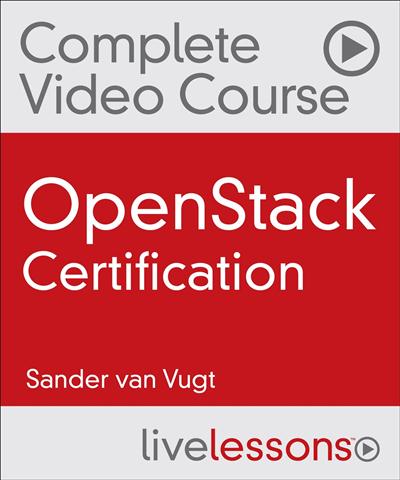
Pearson IT Certification - OpenStack Certification Complete Video Course
Duration: 12h | Video: h264, yuv420p, 1280x720 30fps | Audio: aac, 44100 Hz, 2ch | 3.1 GB
Genre: eLearning | Language: English​

OpenStack Certification Complete Video Course is a unique video product that provides a solid understanding of OpenStack, so you can pass two certification exams: the Certified OpenStack Administrator exam from OpenStack Foundation and the Red Hat Certified System Administrator (RHCSA) in Red Hat OpenStack exam. In addition to helping you study for your chosen exam, this thorough video course provides in-depth insight and knowledge about OpenStack to help IT Administrators, designers, and architects get practical knowledge on how to implement OpenStack-based cloud solutions.

OpenStack Certification Complete Video Course contains 18 individual videos lessons, for a total of more than 7 hours of instruction. The videos consist of audio instruction, whiteboard teaching, live CLI demos, and video screen casts. Every objective for both the openstack.org and the Red Hat exams are covered. Two labs are also included, so you can gain first-hand experience working in the Red Hat and OpenStack platforms.

Skill Level
Beginning to Intermediate

What You Will Learn

OpenStack Basics
OpenStack Components
Deploying Red Hat OpenStack with Packstack
Deploying OpenStack on Ubuntu
Managing OpenStack with Horizon
Managing OpenStack from the Command Line
Managing Back-End Services Managing Keystone
Implementing Object Storage with Swift
Implementing Object Storage with Ceph
Managing Glance Image Services
Managing Cinder Block Storage
Understanding Neutron Networking
Managing Neutron Networking Services
Managing Nova Compute and Instances
Implementing OpenStack
RHCSA OpenStack Final Lab
Certified OpenStack Administrator Final Lab

Who Should Take This Course

The target audience for this course is Linux engineers who want to become certified to work with OpenStack. Other target audience groups include:
IT architects who need to get insight in the working of OpenStack
Developers who need to get insight in the working of OpenStack
ul>

The product focuses on theoretical and practical configuration. Users should have a working knowledge of Linux. The course is apt for experienced Linux or UNIX administrators. The preliminary knowledge that is required to attend this course can be obtained by working through the RHCSA LiveLessons course.

Course Requirements

The ideal target student has some preliminary Linux knowledge already.

Table of Contents Lesson 1: Understanding OpenStack Lesson 2: Exploring OpenStack Components Lesson 3: Deploying Red Hat OpenStack with Packstack Lesson 4: Deploying OpenStack on Ubuntu Lesson 5: Managing OpenStack with Horizon Lesson 6: Managing OpenStack from the Command Line Lesson 7: Managing Back-End Services Lesson 8: Managing Keystone Lesson 9: Implementing Object Storage with Swift Lesson 10: Implementing Object Storage with Ceph Lesson 11: Managing Glance Image Services Lesson 12: Managing Cinder Block Storage Lesson 13: Understanding Neutron Networking Lesson 14: Managing Neutron Networking Services Lesson 15: Managing Nova Compute and Instances Lesson 16: Implementing OpenStack Lesson 17: RHCSA OpenStack Final Lab Lesson 18: Certified OpenStack Administrator Final Lab

Recommend Download Link Hight Speed | Please Say Thanks Keep Topic Live ​

 

9d295ebaca58da429f31868653056aaf.jpg

Pen and Ink Illustration: The Basics for Creating Magical Drawings
Duration: 29m | Video: h264, yuv420p, 1280x720 30fps | Audio: aac, 44100 Hz, 2 ch | 542 MB
Genre: eLearning | Language: English​

If you want to improve your inking, learn more about the medium, or are an absolute beginner, this class is for you!

Some of the things you will learn are:
What Supplies to Get
How Different Tools Act
Line Variation and Why it's Important
Hatching, Cross-Hatching, Stippling, and More
Textures and Illustrative Patterns
Mark Making & Grunge Textures
Other Tips & Tricks
By the end of this class you should feel more comfortable working with ink and excited to try out all the fun stuff we learned. The techniques will take your pen and ink illustration to a whole new level! :)

Recommend Download Link Hight Speed | Please Say Thanks Keep Topic Live ​

 
Zurück
Oben Unten