• Regeln für den Video-Bereich:

    In den Börsenbereich gehören nur Angebote die bereits den Allgemeinen Regeln entsprechen.

    Einteilung

    - Folgende Formate gehören in die angegeben Bereiche:
    - Filme: Encodierte Filme von BluRay, DVD, R5, TV, Screener sowie Telesyncs im Format DivX, XviD und x264.
    - DVD: Filme im Format DVD5, DVD9 und HD2DVD.
    - HD: Encodierte Filme mit der Auflösung 720p oder darüber von BluRay, DVD, R5, TV, Screener sowie Telesyncs im Format x264.
    - 3D: Encodierte Filme von BluRay, die in einem 3D Format vorliegen. Dies gilt auch für Dokus, Animation usw.
    - Serien: Cartoon/Zeichentrick, Anime, Tutorials, Dokumentationen, Konzerte/Musik, Sonstiges sind demnach in die entsprechenden Bereiche einzuordnen, auch wenn sie beispielsweise im High Definition-Format oder als DVD5/DVD9/HD2DVD vorliegen. Ausnahme 3D.
    - Bereich Englisch: Englische Releases gehören immer in diesen Bereich.
    - Bereich Talk: Der Bereich, in dem über die Releases diskutiert werden kann, darf, soll und erwünscht ist.


    Angebot/Beitrag erstellen

    - Ein Beitrag darf erst dann erstellt werden, wenn der Upload bei mindestens einem OCH komplett ist. Platzhalter sind untersagt.
    - Bei einem Scenerelease hat der Threadtitel ausschließlich aus dem originalen, unveränderten Releasenamen zu bestehen. Es dürfen keine Veränderungen wie z.B. Sterne, kleine Buchstaben o.ä. vorgenommen werden. Ausnahme Serienbörse:
    - Bei einem Sammelthread für eine Staffel entfällt aus dem Releasename natürlich der Name der Folge. Beispiel: Die Simpsons S21 German DVDRip XviD - ITG
    - Dementsprechend sind also u.a. verboten: Erweiterungen wie "Tipp", "empfehlenswert", "only", "reup", usw. / jegliche andere Zusatzinformation oder Ergänzung, welche nicht in obiger Beschreibung zu finden ist.

    Aufbau des Angebots und Threadtitel

    Der Titel nach folgendem Muster erstellt zu werden. <Name> [3D] [Staffel] [German] <Jahr> <Tonspur> [DL] [Auflösung] <Quelle> <Codec> - <Group>
    Beispiel: The Dark Knight German 2008 AC3 DVDRip XviD - iND
    Beispiel: The Dark Knight 2008 DTS DL BDRip x264 - iND
    Beispiel: The Dark Knight 2008 AC3 DL BDRip XviD - iND
    Beispiel: The Dark Knight German 2008 AC3 720p BluRay x264 iND
    Beispiel: The Dark Knight 2008 DTS DL 1080p BluRay x264 iND
    Beispiel: Die Simpsons S01 German AC3 DVDRip XviD iND
    Beispiel: Die Simpsons S20 German AC3 720p BluRay x264 iND
    Beispiel: Sword Art Online II Ger Sub 2014 AAC 1080p WEBRip x264 - peppermint
    Entsprechend sind also u.a. verboten: Sonderzeichen wie Klammern, Sterne, Ausrufezeichen, Unterstriche, Anführungszeichen / Erweiterungen wie "Tipp", "empfehlenswert", "only", "reup", usw. / jegliche andere Zusatzinformation oder Ergänzung, welche nicht in obiger Beschreibung zu finden ist
    Ausnahmen hiervon können in den Bereichen geregelt sein.

    Die Beiträge sollen wie folgt aufgebaut werden:
    Überschrift entspricht dem Threadtitel
    Cover
    kurze Inhaltsbeschreibung
    Format, Größe, Dauer sind gut lesbar für Downloader außerhalb des Spoilers zu vermerken
    Nfo sind immer Anzugeben und selbige immer im Spoiler in Textform.
    Sind keine Nfo vorhanden z.B. Eigenpublikationen, sind im Spoiler folgende Dateiinformationen zusätzlich anzugeben :
    Quelle
    Video (Auflösung und Bitrate)
    Ton (Sprache, Format und Bitrate der einzelnen Spuren)
    Untertitel (sofern vorhanden)
    Hosterangabe in Textform außerhalb eines Spoiler mit allen enthaltenen Hostern.
    Bei SD kann auf diese zusätzlichen Dateiinformationen verzichtet werden.

    Alle benötigten Passwörter sind, sofern vorhanden, in Textform im Angebot anzugeben.
    Spoiler im Spoiler mit Kommentaren :"Schon Bedankt?" sind unerwünscht.


    Releases

    - Sind Retail-Release verfügbar, sind alle anderen Variationen untersagt. Ausnahmen: Alle deutschen Retail-Release sind CUT, in diesem Fall sind dubbed UNCUT-Release zulässig.
    - Im Serien-Bereich gilt speziell: Wenn ein Retail vor Abschluss einer laufenden Staffel erscheint, darf diese Staffel noch zu Ende gebracht werden.62
    - Gleiche Releases sind unbedingt zusammenzufassen. Das bedeutet, es ist zwingend erforderlich, vor dem Erstellen eines Themas per Suchfunktion zu überprüfen, ob bereits ein Beitrag mit demselben Release besteht. Ist dies der Fall, ist der bereits vorhandene Beitrag zu verwenden.
    - P2P und Scene Releases dürfen nicht verändert oder gar unter einem iND Tag eingestellt werden.


    Support, Diskussionen und Suche

    - Supportanfragen sind entweder per PN oder im Bereich Talk zu stellen.
    - Diskussionen und Bewertungen sind im Talk Bereich zu führen. Fragen an die Uploader haben ausschließlich via PN zu erfolgen, und sind in den Angeboten untersagt.
    - Anfragen zu Upload-Wünschen sind nur im Bereich Suche Video erlaubt. Antworten dürfen nur auf Angebote von MyBoerse.bz verlinkt werden.


    Verbote

    - Untersagt sind mehrere Formate in einem einzigen Angebotsthread, wie beispielsweise das gleichzeitige Anbieten von DivX/XviD, 720p und 1080p in einem Thread. Pro Format, Release und Auflösung ist ein eigener Thread zu eröffnen.
    - Grundsätzlich ebenso verboten sind Dupes. Uploader haben sich an geeigneter Stelle darüber zu informieren, ob es sich bei einem Release um ein Dupe handelt.
    - Gefakte, nur teilweise lauffähige oder unvollständige Angebote sind untersagt. Dies gilt auch für eigene Publikationen, die augenscheinlich nicht selbst von z.B. einer DVD gerippt wurden. Laufende Serien, bei denen noch nicht alle Folgen verfügbar sind, dürfen erstellt und regelmäßig geupdatet werden.
    - Untersagt sind Angebote, welche nur und ausschließlich in einer anderen Sprache als deutsch oder englisch vorliegen. Ausnahmen sind VORHER mit den Moderatoren zu klären.


    Verstoß gegen die Regeln

    - Angebote oder Beiträge, die gegen die Forenregeln verstoßen, sind über den "Melden"-Button im Beitrag zu melden.
  • Bitte registriere dich zunächst um Beiträge zu verfassen und externe Links aufzurufen.


Englische Tutorials


51cb97662183d3c2560b27390cb9e72b.jpg

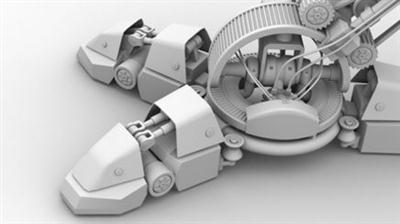
The Foundry - Subdivision Surface Modeling Training Video
Duration: 1hr 45m | Video: h264, yuv420p, 1280x720 30fps | Audio: aac, 44100 Hz, 2ch | 443 MB
Genre: eLearning | Language: English​

A great tutorial for all versions of MODO, including MODO Indie, as this training does not involve any plugins or scripts, just MODO's basic tools for modeling that's been in the package since MODO 401.

This is an updated version of the original subdivision surface training from Luxology and Andy Brown.
In my account it is listed as "R2", as in revision 2.

Detailed descriptions of video tutorial segments
Video segment 1

Devising an approach to modeling the geometry

During this project we assume that you're a modeler in a studio that's just been passed a series of drawings of an asset that needs to be built. Focusing on just one element of the design we look at ways of quickly but accurately mapping it out in three dimensions so the design can be tested. During this process we make use of mesh presets for quick access to appropriate geometry and also MODO's rigging tools to ensure that the integrity of the geometry can be maintained in extremes of movement.

Video segment 2

Creating clean subdivision surfaces

In this video segment we investigate some fundamental techniques for turning the stand-in object into a subdivision surface. We start by looking at a number of techniques for joining geometry to create a clean subdivision surface and elaborate on the design to suggest how an object might have been manufactured and constructed. Finally we detail the object based on how the object works mechanically. During this process we look at how to utilize mesh presets, how to control a subdivision surface, how to judge mesh density and flow, and how to effectively make holes in a subdivision surface so that surface continuity is maintained.

Recommend Download Link Hight Speed | Please Say Thanks Keep Topic Live ​

 

c258e335b127619cca768b12445bb546.jpg

The Zen Of Productivity: Use Your Brain To Be Productive
MP4 | Video: AVC 1280x720 | Audio: AAC 44KHz 2ch | Duration: 2 Hours | Lec: 43 | 1.05 GB
Genre: eLearning | Language: English​

Learn to skyrocket your productivity and understand the concepts behind popular techniques of productivity.

-> This course will teach you a simple, yet very effective way to improve your productivity while WORKING or LEARNING.

Our Brain is very complex. In fact, it is so complex, that scientists haven't fully understand it yet. There are, however, things that are well understood and documented and during this course we will dive into some of these concepts that will demonstrate you how easy it is to be productive.

There's a lot to say about the Brain, but during this course we'll focus on 4 aspects of the brain that will help us become efficient. The first one will reveal the general structure of the brain and will lay the foundation for the rest 3 of them, which are: Attention, Memory and Senses.

-> Productivity has nothing to do with mythology.

In this course, we will debunk some very popular myths about our brain and productivity.

-> Controlling attention is the key to productivity.

In today's world that is full of information, notifications and alerts, it is pretty easy to get distracted from the tasks that we are working on. But at the same time, we need to do more work than never. After taking this course you will know what attention is, how it affects your productivity in a positive or negative way and how to control it.

Have you ever had a great idea come to your mind? And have you later forgotten it and regretted that you could not memorize it? After taking this course you will know how to solve this problem, so the next time an awesome idea comes to you, it will stay with you forever.

Note that you have a 30-day, 100% money-back no questions asked guarantee so you have nothing to lose and tons of time saving and personal discovering to gain.

Click on the Take This Course button in the upper right hand side of your screen and get started now.

Know that You are special! Take this course and find out HOW special you are!

Recommend Download Link Hight Speed | Please Say Thanks Keep Topic Live ​

 

f0987454e4a886543daaca5e0d55824a.jpg

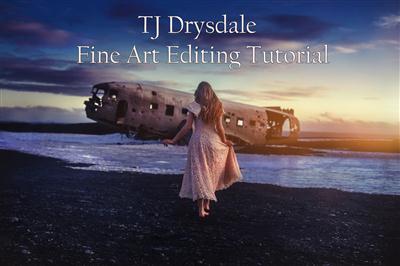
TJ Drysdale - Fine Art Editing Tutorial
Duration: 59m | Video: h264, yuv420p, 1280x720 30fps | Audio: aac, 44100 Hz, 2 ch | 298 MB
Genre: eLearning | Language: English​

Welcome to my Fine Art Editing Tutorial! Whether you are a novice just getting your start in photography, or a seasoned professional looking to improve your workflow, this class will teach you how to unlock lesser known Photoshop tricks. This tutorial takes three of my images and walks you through every step I took to make the scenes in each photo come to life. Take advantage of all that Photoshop has to offer and get ready to learn the tips and tricks I have discovered for adding artistic effects to images!

Recommend Download Link Hight Speed | Please Say Thanks Keep Topic Live ​

 

fab928c68622bc63e5fdcded9336808a.jpg

Total Motion Release - Tom Dalonzo-Baker
WEBRip | MP4 + PDF Guides | English | 640 x 360 | AVC ~1515 kbps | 29.970 fps
AAC | 103 Kbps | 44.1 KHz | 2 channels | ~50 hours | 31.3 GB​

Genre: eLearning Video / Physical Therapy, Health, Rehabilitation
Are you in constant pain and looking for FAST results? Is one of your patients in constant pain and looking for FAST results? If so, then Total Motion Physical Therapy is for you. Our revolutionary pain relief system is used world wide.

Not only has it been proven effective in severe cases, it also lasts. We're friendly and a relaxed environment when you enter the doors at Total Motion Physical Therapy.
Around 2002, Tom Dalonzo-Baker, MPT - had the initial ah-ha moment(s) about TMR. Gradually he began to look for ways to make the process quicker and easier to understand both for therapists and patients. After about 2 ½ years refining the system The FAB 5 (the foundation exercises) were finalized. The FAB 5 are the basic exercises and the basic format that allow people to fix themselves.
About Us

Tom Dalonzo-Baker, MPT is the founder & owner of Total Motion Physical Therapy. With multiple & diverse degrees, its safe to say he has a diverse education & a wide knowledge base. Chip Moseley, MPT, OCS, CSCS is Tom's right hand man playing the role of the lead therapist. Margaret Mitsock, PTA assists in the daily treatment of patients. Deanna Merritt keeps all the daily $$ activities rolling smoothly.

About Tom Dalonzo-Baker
Tom started his first private practice 5 months out of college. Within a year he had established 2 other clinics in North Carolina.

For over 10 years now Tom has shared the Total Motion Release (TMR) Method to over 3,000 clinicians around the world.

TMR was created to help clinicians provide a 1st of it's kind ... simple, initially "weird", patient driven, quick ...
full body assessment & treatment system.

Our TMR Online Platform is the tool that makes this all possible. Total Motion Release is also the first of it's kind TelePT Platform.

Tom resides in Raleigh, NC with his wife Sarah and their 6 children (Amelia, Thomas, Anna Claire, Nate,
Lindley Rose, & Sadie).

Recommend Download Link Hight Speed | Please Say Thanks Keep Topic Live ​
 

eb704355b93e46c7129a563160dcffa4.jpg

Twitter absolute basics
MP4 | Video: AVC 1280x720 | Audio: AAC 44KHz 2ch | Duration: 1 Hours | Lec: 9243 MB
Genre: eLearning | Language: English​

An introduction to Twitter and tweeting

This course is for people who are entirely new to Twitter, or who are struggling to understand it. It describes the absolute basics, such as how to navigate around Twitter on a laptop or desktop computer, or a when using the Twitter app on a smartphone or tablet.

The course is mainly demonstrations and explanations of how to use Twitter.

At just over an hour in total, this course is quick, easy introduction to the world of Twitter and tweeting.

Recommend Download Link Hight Speed | Please Say Thanks Keep Topic Live ​

 

c66d363fa1024fe69f212517f3f10475.jpg

Unity 5 Professional Guide - Develop a 2D Arkanoid Game (2016)
MP4 | Video: AVC 1280x720 | Audio: AAC 44KHz 2ch | Duration: 4 Hours | Lec: 23 | 582 MB
Genre: eLearning | Language: English​

Think, Understand and Develop a 2D game from scratch on Unity 5. Learn about Transformations, Physics, UI and much more!

In this course you'll think, understand and implement a complete working game on Unity3D. This course is designed for those who have at least a basic knowledge of C#, as we won't go through defining each feature of the language. Also, it would be good if you were comfortable with the Unity 5.x interface. If you're not familiar with these two items, you better off with my first course, which will teach you C# and Unity.

Everything that was used throughout the course (including scripts and the working project) is included as a resource on lecture #2, so I got you covered!

The course starts by giving an introduction of how the game works and what kinds of systems we'll have to implement to make it work flawlessly, which should take around 4 hours.

If you're tired of code-alongs with no explanation whatsoever, this is the course for you, as I actually teach and explain every single line I'm writing. I'll also explain all the decisions that were made to make the game work as it is, so you can be assured you'll have the best game development instructor you could ask for.

Recommend Download Link Hight Speed | Please Say Thanks Keep Topic Live ​

 

cc60d73712a1ce2dfe3adf2053c0b0b5.jpg

UX Design Tools: Marvel Training Video
Duration: 1h 48m | Video: AVC (.mp4) 1280x720 15&30fps | Audio: AAC 48KHz 2ch | 256 MB
Genre: eLearning | Level: Intermediate | Language: English​

Prototyping is a big part of any app or web design workflow these days. You can test both the user interaction (UI) and user experience (UX) before you jump into coding. It's a low-risk, low-impact activity with many long-term rewards. And with Marvel, the free web and mobile prototyping app, the process is even easier. In this course, Brian Wood shows how to set up a Marvel app account, design a prototype for an app, link screens, add interactivity, and share your prototype with others for review. Plus, learn how to embed video via links and set up timers to mimic transitions between screens.

Topics include:
* What is Marvel?
* Creating a new Marvel project
* Linking screens
* Adding images
* Setting up screen timers
* Adding video
* Sharing and downloading prototypes

Recommend Download Link Hight Speed | Please Say Thanks Keep Topic Live ​
 

2952f00359de958c214dad3831040987.jpg

Wes Bos - React for Beginners
Duration: ~5hrs | Video: h264, yuv420p, 1910x1030 30fps | Audio: aac, 44100 Hz, 2 ch | 3.10 GB
Genre: eLearning | Language: English​

Upgrade your javascript skills.
Learn React.js in just a couple of afternoons.
A premium step-by-step training course to get you building real world React.js + Firebase apps and website components.

It's time to learn React.js

With a focus on simplicity and readability, this course will have you building real time applications and dynamic website components in no time!

Together, we will build "Catch of the Day" - a real-time app for a trendy seafood market where price and quantity available are variable and can change at a moment's notice. We will build a menu, an order form, and an inventory management area where authorized users can immediately update product details.

What Will I Learn?
How to build an entire App or Website Component in React.js from start to finish.
Understanding React Components and writing markup with JSX
Maintain your Application's State
Communication between components
Working with State and HTML5 LocalStorage
Real time web socket data with Firebase

Creating maintainable code with javascript Modules
URL routing with React Router
Taking advantage of new ES6 Features
+ So much more - Check below for a full listing of videos

Title: React For Beginners
Author: Wes Bos
Videos: 29
Duration: ~5hrs
Language: English

Recommend Download Link Hight Speed | Please Say Thanks Keep Topic Live ​
 

61422ea578057ea11028258edc6d16e2.jpg

WintellectNOW - Building Azure Mobile Apps
Duration: 1h 20m | Video: h264, yuv420p, 1280x1720 | Audio: aac, 48000 Hz, 2 ch | 340 MB
Genre: eLearning | Language: English​

Azure Mobile Apps makes it easier to build rich mobile apps that support authentication, authorization, offline operation, push notifications, and more. It supports popular mobile operating systems such as iOS, Android, and Windows, and can even be used with Xamarin, HTML5, and Cordova. Ready to build the next great mobile app? Let Azure Mobile Apps do the hard work for you!

Recommend Download Link Hight Speed | Please Say Thanks Keep Topic Live ​
 

151bdedcb834414df2753e6de37b298a.jpg

WordPress Content Management
MP4 | Video: AVC 1280x720 | Audio: AAC 44KHz 2ch | Duration: 31M | 123 MB
Genre: eLearning | Language: English​

There are two basic types of content Posts and Pages that you can create in WordPress. When creating posts or pages WordPress uses that author information. You can update your Author profile under the Users tab in the menu.

Users can be updated here as well as new users added. Users profiles can be changed with different color scheme for the WordPress dashboard, keyboard shortcuts and toolbar settings. Users can also change their author details, including bio info and display name. If you want to add additional users to your website dashboard you can add them here.

Recommend Download Link Hight Speed | Please Say Thanks Keep Topic Live ​

 

5f1e476591247a36397132c71922a89b.jpg

WordPress Website in less than 1 hour (2016)
MP4 | Video: AVC 1280x720 | Audio: AAC 44KHz 2ch | Duration: 39M | Lec: 18 | 204 MB
Genre: eLearning | Language: English​

This course will teach you about Wordpress. You will be able to make your own Website in less than an hour.

With this course i want to reach all people who want to create an own website. You will learn about:

Choosing the hosting and the domain
Setting up wordpress and the theme
Editing the menus and the sites
Making use of plugins and widgets
Speeding up your website and getting higher Google ratings
All you need is a computer or a laptop with an internet connection. You will be able to create your own website within a day. If you didn't understand something in the video just comment it and tell me you want a step-by-step instruction and I will upload it soon.

Recommend Download Link Hight Speed | Please Say Thanks Keep Topic Live ​

 

e63de14d0a040ea4fc17839181727a88.jpg

Working with Nulls in C#
September 2016 | MP4 | Video: AVC 1280x720 | Audio: AAC 44KHz 2ch | Duration: 1.5 Hours | 220 MB
Genre: eLearning | Language: English​

Learn how to create, check for, access, and eliminate nulls in your C# applications.

Unexpected null values and NullReferenceExceptions can be a constant source of bugs resulting in wasted time and out of hours support callouts. In this course, Working with Nulls in C#, you're going to learn about the different ways that null values pop up in C# code and how to deal with them. First, you're going to learn the fundamentals of why you get null values and the difference between value and reference types. Next you'll learn how you can use the various C# operators to check for and manipulate nulls. Finally, you'll learn how to think about nulls at a higher abstraction level in your object-oriented code. By the end of this course, you'll understand the different types of objects in C#, how to correctly create nullable value types, how to use C# operators to work with nulls with fewer lines of code, and how to implement the Null Object pattern to remove the need to write repetitive null checking code.

Recommend Download Link Hight Speed | Please Say Thanks Keep Topic Live ​

 
Zurück
Oben Unten