• Regeln für den Video-Bereich:

    In den Börsenbereich gehören nur Angebote die bereits den Allgemeinen Regeln entsprechen.

    Einteilung

    - Folgende Formate gehören in die angegeben Bereiche:
    - Filme: Encodierte Filme von BluRay, DVD, R5, TV, Screener sowie Telesyncs im Format DivX, XviD und x264.
    - DVD: Filme im Format DVD5, DVD9 und HD2DVD.
    - HD: Encodierte Filme mit der Auflösung 720p oder darüber von BluRay, DVD, R5, TV, Screener sowie Telesyncs im Format x264.
    - 3D: Encodierte Filme von BluRay, die in einem 3D Format vorliegen. Dies gilt auch für Dokus, Animation usw.
    - Serien: Cartoon/Zeichentrick, Anime, Tutorials, Dokumentationen, Konzerte/Musik, Sonstiges sind demnach in die entsprechenden Bereiche einzuordnen, auch wenn sie beispielsweise im High Definition-Format oder als DVD5/DVD9/HD2DVD vorliegen. Ausnahme 3D.
    - Bereich Englisch: Englische Releases gehören immer in diesen Bereich.
    - Bereich Talk: Der Bereich, in dem über die Releases diskutiert werden kann, darf, soll und erwünscht ist.


    Angebot/Beitrag erstellen

    - Ein Beitrag darf erst dann erstellt werden, wenn der Upload bei mindestens einem OCH komplett ist. Platzhalter sind untersagt.
    - Bei einem Scenerelease hat der Threadtitel ausschließlich aus dem originalen, unveränderten Releasenamen zu bestehen. Es dürfen keine Veränderungen wie z.B. Sterne, kleine Buchstaben o.ä. vorgenommen werden. Ausnahme Serienbörse:
    - Bei einem Sammelthread für eine Staffel entfällt aus dem Releasename natürlich der Name der Folge. Beispiel: Die Simpsons S21 German DVDRip XviD - ITG
    - Dementsprechend sind also u.a. verboten: Erweiterungen wie "Tipp", "empfehlenswert", "only", "reup", usw. / jegliche andere Zusatzinformation oder Ergänzung, welche nicht in obiger Beschreibung zu finden ist.

    Aufbau des Angebots und Threadtitel

    Der Titel nach folgendem Muster erstellt zu werden. <Name> [3D] [Staffel] [German] <Jahr> <Tonspur> [DL] [Auflösung] <Quelle> <Codec> - <Group>
    Beispiel: The Dark Knight German 2008 AC3 DVDRip XviD - iND
    Beispiel: The Dark Knight 2008 DTS DL BDRip x264 - iND
    Beispiel: The Dark Knight 2008 AC3 DL BDRip XviD - iND
    Beispiel: The Dark Knight German 2008 AC3 720p BluRay x264 iND
    Beispiel: The Dark Knight 2008 DTS DL 1080p BluRay x264 iND
    Beispiel: Die Simpsons S01 German AC3 DVDRip XviD iND
    Beispiel: Die Simpsons S20 German AC3 720p BluRay x264 iND
    Beispiel: Sword Art Online II Ger Sub 2014 AAC 1080p WEBRip x264 - peppermint
    Entsprechend sind also u.a. verboten: Sonderzeichen wie Klammern, Sterne, Ausrufezeichen, Unterstriche, Anführungszeichen / Erweiterungen wie "Tipp", "empfehlenswert", "only", "reup", usw. / jegliche andere Zusatzinformation oder Ergänzung, welche nicht in obiger Beschreibung zu finden ist
    Ausnahmen hiervon können in den Bereichen geregelt sein.

    Die Beiträge sollen wie folgt aufgebaut werden:
    Überschrift entspricht dem Threadtitel
    Cover
    kurze Inhaltsbeschreibung
    Format, Größe, Dauer sind gut lesbar für Downloader außerhalb des Spoilers zu vermerken
    Nfo sind immer Anzugeben und selbige immer im Spoiler in Textform.
    Sind keine Nfo vorhanden z.B. Eigenpublikationen, sind im Spoiler folgende Dateiinformationen zusätzlich anzugeben :
    Quelle
    Video (Auflösung und Bitrate)
    Ton (Sprache, Format und Bitrate der einzelnen Spuren)
    Untertitel (sofern vorhanden)
    Hosterangabe in Textform außerhalb eines Spoiler mit allen enthaltenen Hostern.
    Bei SD kann auf diese zusätzlichen Dateiinformationen verzichtet werden.

    Alle benötigten Passwörter sind, sofern vorhanden, in Textform im Angebot anzugeben.
    Spoiler im Spoiler mit Kommentaren :"Schon Bedankt?" sind unerwünscht.


    Releases

    - Sind Retail-Release verfügbar, sind alle anderen Variationen untersagt. Ausnahmen: Alle deutschen Retail-Release sind CUT, in diesem Fall sind dubbed UNCUT-Release zulässig.
    - Im Serien-Bereich gilt speziell: Wenn ein Retail vor Abschluss einer laufenden Staffel erscheint, darf diese Staffel noch zu Ende gebracht werden.62
    - Gleiche Releases sind unbedingt zusammenzufassen. Das bedeutet, es ist zwingend erforderlich, vor dem Erstellen eines Themas per Suchfunktion zu überprüfen, ob bereits ein Beitrag mit demselben Release besteht. Ist dies der Fall, ist der bereits vorhandene Beitrag zu verwenden.
    - P2P und Scene Releases dürfen nicht verändert oder gar unter einem iND Tag eingestellt werden.


    Support, Diskussionen und Suche

    - Supportanfragen sind entweder per PN oder im Bereich Talk zu stellen.
    - Diskussionen und Bewertungen sind im Talk Bereich zu führen. Fragen an die Uploader haben ausschließlich via PN zu erfolgen, und sind in den Angeboten untersagt.
    - Anfragen zu Upload-Wünschen sind nur im Bereich Suche Video erlaubt. Antworten dürfen nur auf Angebote von MyBoerse.bz verlinkt werden.


    Verbote

    - Untersagt sind mehrere Formate in einem einzigen Angebotsthread, wie beispielsweise das gleichzeitige Anbieten von DivX/XviD, 720p und 1080p in einem Thread. Pro Format, Release und Auflösung ist ein eigener Thread zu eröffnen.
    - Grundsätzlich ebenso verboten sind Dupes. Uploader haben sich an geeigneter Stelle darüber zu informieren, ob es sich bei einem Release um ein Dupe handelt.
    - Gefakte, nur teilweise lauffähige oder unvollständige Angebote sind untersagt. Dies gilt auch für eigene Publikationen, die augenscheinlich nicht selbst von z.B. einer DVD gerippt wurden. Laufende Serien, bei denen noch nicht alle Folgen verfügbar sind, dürfen erstellt und regelmäßig geupdatet werden.
    - Untersagt sind Angebote, welche nur und ausschließlich in einer anderen Sprache als deutsch oder englisch vorliegen. Ausnahmen sind VORHER mit den Moderatoren zu klären.


    Verstoß gegen die Regeln

    - Angebote oder Beiträge, die gegen die Forenregeln verstoßen, sind über den "Melden"-Button im Beitrag zu melden.
  • Bitte registriere dich zunächst um Beiträge zu verfassen und externe Links aufzurufen.


Englische Tutorials


39ffd9b5dadfeec264581dbce73b33ae.jpg

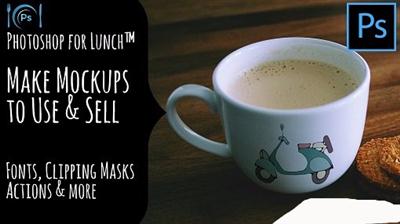
Photoshop for Lunch - Create Mockups to Use and Sell - Blends, Smart Objects, Effects
Duration: 30m | Video: h264, yuv420p, 1280x720 30fps | Audio: aac, 44100 Hz, 2 ch | 135 MB
Genre: eLearning | Language: English​

Photoshop for Lunch™ is a series of short video courses you can study in bite size pieces such as at lunchtime. In this course you'll learn how to mockup designs and pictures onto elements such as pillows, a billboard and a mug. You will learn how to do this so the results look realistic and how to make these designs as saleable reusable templates using Smart Objects. This is one of the effects you will learn to make:

Recommend Download Link Hight Speed | Please Say Thanks Keep Topic Live ​
 

c40a02ee07a1ef46e0eb527f17598eb5.jpg

Photoshop for Lunch - Seamlessly Blend Two Images - Masks, Content Aware Fill
MP4 | Video: AVC 1280x720 | Audio: AAC 44KHz 2ch | Duration: 21M | 86 MB
Genre: eLearning | Language: English​

Photoshop for Lunch™ is a series of short video courses you can study in bite size pieces such as at lunchtime. In this course you'll learn to seamlessly blend two images together using a mask and you will also learn how to create a background you can use for your blend if you don't have enough image to work with. This is the blend we will be making::

Recommend Download Link Hight Speed | Please Say Thanks Keep Topic Live ​
 

b795ebc1bcbd03bad526712cfb50188d.jpg


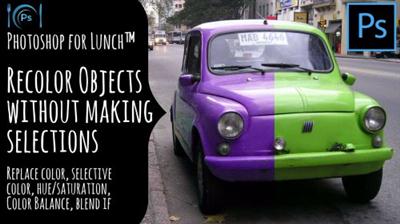
Photoshop for Lunch™ - Recolor Objects without Making Selections - Master Color Change
MP4 | Video: AVC 1280x720 | Audio: AAC 44KHz 2ch | Duration: 23M | 110 MB
Genre: eLearning | Language: English​

Photoshop for Lunch™ is a series of short video courses you can study in bite size pieces such as at lunchtime. In this course you'll learn a range of techniques for changing the color of an object in an image in Photoshop. You will learn to use tools such as Replace Color, Selective Color, Color Balance, Hue/Saturation and Blend If. By the end of the class you will know multiple ways to recolor objects without having to make complex selections.


Recommend Download Link Hight Speed | Please Say Thanks Keep Topic Live ​
 

4bbc47b1d0aaa4a930600c133fea27f5.jpg

Photoshop: Hair strand vector
MP4 | Video: AVC 1280x720 | Audio: AAC 44KHz 2ch | Duration: 24M | 94 MB
Genre: eLearning | Language: English​

Hello and welcome to another class. In this class I will be covering on how to do hair strands for your vector image. It's pretty easy to do and I hope you guys enjoy the tutorial.

Recommend Download Link Hight Speed | Please Say Thanks Keep Topic Live ​
 

fff16a6bca6d330ee727b5bc0332ddbb.jpg

'Picking Poppies' {Full Edit} - Photography Tutorial
Duration: 44m | Video: h264, yuv420p, 1280x720 30fps | Audio: aac, 44100 Hz, 2 ch | 102 MB
Genre: eLearning | Language: English​

This video covers the complete edit from RAW SOOC file to finished edit on my 'Picking Poppies' image. Camera settings, location and lighting information, and the equipment used in creating this image are included in the discussion during this video. You will get an amazing look at many of my favorite editing techniques in this video for a bargain price!

* All post-processing is done using LR5 and CS6. The steps taught should be easily translatable using other versions of Photoshop as well as ACR. I am not versed in Photoshop Elements or ACR, but this is what I have heard from past students who have attended one of my live online classes. If you use different editing software than what I use, purchases are made at your own discretion.

Recommend Download Link Hight Speed | Please Say Thanks Keep Topic Live ​
 

21a175319d4187e18ca65c5dccb49628.jpg

Podcast Essentials: The Bootstrap Marketing Toolkit
Duration: 3.5 hours | Video: h264, yuv420p, 1280x720 | Audio: aac, 44100 Hz, 2 ch | 2.9 GB
Genre: eLearning | Language: English | Skill Level: All Levels​

I honor those who are ready to take action. Each week the price of the course will incrementally go up. So if you are interested in getting in at the very best price its time to take action. The price is headed to $197 so there is no time like the present. :) I look forward to seeing you in the course!

About this course:

Create a Podcast with no technical or audio background
Learn key techniques that will separate you from the amateurs
Full, free lifetime access All future extra lectures and upgrades are always included for free
Unconditional Udemy 30 day money-back guarantee - that's my personal promise of your success!
Bonuses and opportunities for live interaction that will increase your income even more!
Resource Guide with all of the very best places to save you thousands on equipment and services
SEE HOW I GET:
A full time living through my podcasts and voiceover work
Hundreds of thousands of listeners
....with absolutely no skills or background in audio at the beginning
You can create a marketing revolution for yourself, or business with no prior experience in this field. Whether your goal is an income, a hobby, or a business. Podcast Essentials shows the the foundation for creating a podcast with excellence.

I will show you exactly what equipment you will need, where you can find it, and how to get the very best prices.

Based on my momentum in the podcasting industry and voiceover world. I can show you exactly what you need to learn and buy without that expensive learning curve I had to go through myself.

Whether you already have a Podcast or not, you can learn the Essentials that will take you much farther in your Podcasting Journey. It isn't just about talking into a microphone or recording your buddies. Podcasting is a fine art. You have to craft the perfect podcast to attract new listeners, clients, and customers. But if you follow my step by step guide you will have the essentials for true success.

YOU'LL LEARN:

How to nail down a topic
Craft your Unique Story
All about Podcast branding and graphics
What format your podcast should use
The best places to find Voiceover artists for your introduction
All the pro tips on Podcast Equipment and what NOT to buy
Step by Step Mic Equipment Setup
Mic Techniques that will make your voice sound like honey or boom like thunder
Recording Tips Audio Editing from step 1 to done
... and much, much more!
You can have your own niche podcast running in a matter of weeks! Podcasting gives your voice to the world and skyrockets your marketing in ways you will never imagine. But only if done properly with Podcast Essentials at the core.

Anyone can talk into a microphone but only those who take the time for the essentials can make a living doing it.

Click the "take this course" button, top right, now ... your bootstrap marketing all begins with Podcast Essentials.

Rye Taylor- Podcast Strategist and Voiceover Artist

Recommend Download Link Hight Speed | Please Say Thanks Keep Topic Live ​

 

cffaedba378a27bd7771423e87266dd1.jpg

PowerPoint 2016 Advanced Training Course MS Office 365
MP4 | Video: AVC 1280x720 | Audio: AAC 44KHz 2ch | Duration: 1.5 Hours | Lec: 14 | 2.74 GB
Genre: eLearning | Language: English​

Become a PowerPoint 2016 expert | Part of Microsoft Office 365

PowerPoint 2016 Tutorials - Advanced Level

PowerPoint 2016 is included with Microsoft Office 365

This is the third of three PowerPoint 2016 courses and covers topics in more details such as the use of Diagrams and Charts plus Video and Audio techniques. PowerPoint Animation is included.

Hyperlinks, linking and embedding is covered in detail as well as Merging, Comparing & Exporting PowerPoint presentations

Additional Slide Show formatting techniques are covered, such as ˜Custom Slideshows.

Sharing, Design & Compatibility Issues are also covered. By the end of the three courses you will have become expert in the use of Microsoft PowerPoint 2016

Recommend Download Link Hight Speed | Please Say Thanks Keep Topic Live ​

 

2d7724d8f2f8cb6a60996b56d39b515f.jpg

PowerPoint 2016 Foundation Training Course Office 365 (2016) |
MP4 | Video: AVC 1280x720 | Audio: AAC 44KHz 2ch | Duration: 2.5 Hours | Lec: 21 | 2.42 GB
Genre: eLearning | Language: English​

Learn how to use PowerPoint and create impressive presentations. PowerPoint 2016 is included with Microsoft Office 365

PowerPoint 2016 Foundation Tutorials

PowerPoint 2016 is included with Microsoft Office 365

This PowerPoint 2016 Foundation course, as the name implies is aimed at beginners. People who have little or no experience of using PowerPoint 2016.

The course starts by showing you how to create a Presentation and then moves on to show how to manipulate slides and use the built-in in PowerPoint Design Themes. We then explore Font and Paragraph Formatting techniques within PowerPoint 2016.

Next we explore the use of tables, Illustrations and Charts.

After that we look at slide masters and see how to use them to impose a look and feel with your PowerPoint presentation.

Next we examine the use of Footers and Slide Numbering within PowerPoint 2016 Slide Shows

Finally we see how to print your presentations and how to convert a presentation in to a video format.

Recommend Download Link Hight Speed | Please Say Thanks Keep Topic Live ​

 

fb57679cdcebd7a19e14cec7206562ab.jpg

Preparing for CompTIA A+ - Exam 220-901 (2015 Objectives) Training Video
HDRips | MP4/AVC, ~214 kb/s | 1280x720 | Duration: 10:47:07 | English: AAC, 128 kb/s (2 ch) | 1.48 GB
Genre: Development / Programming​

In this project-based Preparing for CompTIA A+ - Exam 220-901 (2015 Objectives) video tutorial series, you'll quickly have relevant skills for real-world applications.

Follow along with our expert instructor in this training course to get:

Concise, informative and broadcast-quality Preparing for CompTIA A+ - Exam 220-901 (2015 Objectives) training videos delivered to your desktop
The ability to learn at your own pace with our intuitive, easy-to-use interface
A quick grasp of even the most complex Preparing for CompTIA A+ - Exam 220-901 (2015 Objectives) subjects because they're broken into simple, easy to follow tutorial videos

Practical working files further enhance the learning process and provide a degree of retention that is unmatched by any other form of Preparing for CompTIA A+ - Exam 220-901 (2015 Objectives) tutorial, online or offline... so you'll know the exact steps for your own projects.

Recommend Download Link Hight Speed | Please Say Thanks Keep Topic Live ​

 

c76640cdb372e1e8692b8fd218958b81.jpg

Processing Underexposed Images in Photoshop
MP4 | Video: AVC 1280x720 | Audio: AAC 44KHz 2ch | Duration: 23M | 355 MB
Genre: eLearning | Language: English​

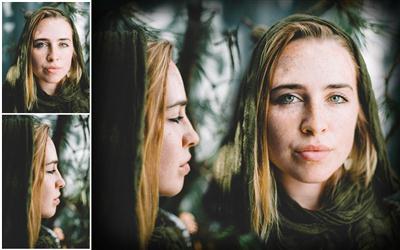
In this class I am going to teach You how to process Your underexposed images, and bring back life into them!

One of the main issue with taking pictures are underexposed images. In this lesson I am showing You how You can bring what's best on the images just in a few very simple steps.

You don't need to have previous knowledge about photoshop or photography. I am going provide You few images for You to practice.

Recommend Download Link Hight Speed | Please Say Thanks Keep Topic Live ​
 

07a653af96988ee897ba1cc450be74f9.jpg

Python for Beginners - The Python Masterclass: 22 HD Hours
MP4 | English | 1920 x 1080 | 3635 kb/s | 29.970 fps | AAC 96.0 kb/s | 14.72 GB
Genre: Training​

Master Python Programming Fundamentals, learn Data Analysis, Web Scrapping and much more ! Beginner to Advanced ! With over 155 lectures and more than 22 hours of HD content, this course explains the most fundamental concepts of Python programming while you work your way through fun and interesting programs and projects based on real life problems.

This course includes quizzes and practical problems after each lecture and section. In addition, the course comes with 5 major practical projects that focus on practical programs where you'll build 5 practical real world applications and full coding screencast of each lecture and a corresponding code notebook so that you can learn in whatever way suites you best.

You will get lifetime access to over 155 lectures plus corresponding notes for the lectures! By the end of this course, you will be able to write codes that will increase your productivity and also list this creative skill on your resume!

So what are you waiting for? Join today and learn Python in a way that will increase your knowledge and advance your career!
What are the requirements?

Access to a computer with an internet connection

What am I going to get from this course?

Learn fundamentals of python programming
Establish a thorough understanding of Object Oriented Programming (OOP)
Breakdown complex problems into smaller and easier problems
Use python to automate tasks, solve real world problems and complete your own projects.
Write Programs that can do text pattern recognition with Regular Expressions
Crawl websites and pull information from various online sources
Create and manipulate arrays by using the numpy library
Use Python for data analysis and web-based visualizations with Pandas module

What is the target audience?

The course is aimed at complete beginners and intermediate programmers. No previous programming experience is assumed!
Computer users who have heard the "code" or "learn coding" message, but want practical reasons to learn programming.
Anyone interested in gaining an understanding of how programming works.
This course is good for QA and IT admins
Office workers, students and administrators who would want to automate repetitive tasks
Aspiring Engineers who would want to add programming skills
Anyone interested in entering the technology field as a career change
Anyone interested in taking the first step towards a career in development or programming

Recommend Download Link Hight Speed | Please Say Thanks Keep Topic Live ​

 

ada31210aef268ec77dba7ada3794bb3.jpg

Quixel Suite 2.2, DDO Essentials
Duration: 2h 17m | Video: h264, yuv420p, 1280x720 | Audio: aac, 44100 Hz, 2 ch | 2.23 GB
Genre: eLearning | Language: English | Project Files​

Have you ever needed to quickly texture assets? This course, Quixel Suite 2.2, DDO Essentials, will show you the process of creating PBR (physically-based rendering) textures and materials. You will start by applying color IDs to your detailed, 3D unwrapped model in any 3D application and then export it to DDO. You will then learn how to easily and realistically texture your model in short order by using some of the PBR textures from thousands of scanned textures inside 3DO. You will also learn how to use different masking techniques to add multiple layers of details such as dirt, moss, or scratches on your model's surface. After completing this course, you'll know the basics and advanced features that you can apply to your model to create high-quality renders of your model for presentation. Required Software: Quixel Suite 2.2.

Recommend Download Link Hight Speed | Please Say Thanks Keep Topic Live ​

 
Zurück
Oben Unten