• Regeln für den Video-Bereich:

    In den Börsenbereich gehören nur Angebote die bereits den Allgemeinen Regeln entsprechen.

    Einteilung

    - Folgende Formate gehören in die angegeben Bereiche:
    - Filme: Encodierte Filme von BluRay, DVD, R5, TV, Screener sowie Telesyncs im Format DivX, XviD und x264.
    - DVD: Filme im Format DVD5, DVD9 und HD2DVD.
    - HD: Encodierte Filme mit der Auflösung 720p oder darüber von BluRay, DVD, R5, TV, Screener sowie Telesyncs im Format x264.
    - 3D: Encodierte Filme von BluRay, die in einem 3D Format vorliegen. Dies gilt auch für Dokus, Animation usw.
    - Serien: Cartoon/Zeichentrick, Anime, Tutorials, Dokumentationen, Konzerte/Musik, Sonstiges sind demnach in die entsprechenden Bereiche einzuordnen, auch wenn sie beispielsweise im High Definition-Format oder als DVD5/DVD9/HD2DVD vorliegen. Ausnahme 3D.
    - Bereich Englisch: Englische Releases gehören immer in diesen Bereich.
    - Bereich Talk: Der Bereich, in dem über die Releases diskutiert werden kann, darf, soll und erwünscht ist.


    Angebot/Beitrag erstellen

    - Ein Beitrag darf erst dann erstellt werden, wenn der Upload bei mindestens einem OCH komplett ist. Platzhalter sind untersagt.
    - Bei einem Scenerelease hat der Threadtitel ausschließlich aus dem originalen, unveränderten Releasenamen zu bestehen. Es dürfen keine Veränderungen wie z.B. Sterne, kleine Buchstaben o.ä. vorgenommen werden. Ausnahme Serienbörse:
    - Bei einem Sammelthread für eine Staffel entfällt aus dem Releasename natürlich der Name der Folge. Beispiel: Die Simpsons S21 German DVDRip XviD - ITG
    - Dementsprechend sind also u.a. verboten: Erweiterungen wie "Tipp", "empfehlenswert", "only", "reup", usw. / jegliche andere Zusatzinformation oder Ergänzung, welche nicht in obiger Beschreibung zu finden ist.

    Aufbau des Angebots und Threadtitel

    Der Titel nach folgendem Muster erstellt zu werden. <Name> [3D] [Staffel] [German] <Jahr> <Tonspur> [DL] [Auflösung] <Quelle> <Codec> - <Group>
    Beispiel: The Dark Knight German 2008 AC3 DVDRip XviD - iND
    Beispiel: The Dark Knight 2008 DTS DL BDRip x264 - iND
    Beispiel: The Dark Knight 2008 AC3 DL BDRip XviD - iND
    Beispiel: The Dark Knight German 2008 AC3 720p BluRay x264 iND
    Beispiel: The Dark Knight 2008 DTS DL 1080p BluRay x264 iND
    Beispiel: Die Simpsons S01 German AC3 DVDRip XviD iND
    Beispiel: Die Simpsons S20 German AC3 720p BluRay x264 iND
    Beispiel: Sword Art Online II Ger Sub 2014 AAC 1080p WEBRip x264 - peppermint
    Entsprechend sind also u.a. verboten: Sonderzeichen wie Klammern, Sterne, Ausrufezeichen, Unterstriche, Anführungszeichen / Erweiterungen wie "Tipp", "empfehlenswert", "only", "reup", usw. / jegliche andere Zusatzinformation oder Ergänzung, welche nicht in obiger Beschreibung zu finden ist
    Ausnahmen hiervon können in den Bereichen geregelt sein.

    Die Beiträge sollen wie folgt aufgebaut werden:
    Überschrift entspricht dem Threadtitel
    Cover
    kurze Inhaltsbeschreibung
    Format, Größe, Dauer sind gut lesbar für Downloader außerhalb des Spoilers zu vermerken
    Nfo sind immer Anzugeben und selbige immer im Spoiler in Textform.
    Sind keine Nfo vorhanden z.B. Eigenpublikationen, sind im Spoiler folgende Dateiinformationen zusätzlich anzugeben :
    Quelle
    Video (Auflösung und Bitrate)
    Ton (Sprache, Format und Bitrate der einzelnen Spuren)
    Untertitel (sofern vorhanden)
    Hosterangabe in Textform außerhalb eines Spoiler mit allen enthaltenen Hostern.
    Bei SD kann auf diese zusätzlichen Dateiinformationen verzichtet werden.

    Alle benötigten Passwörter sind, sofern vorhanden, in Textform im Angebot anzugeben.
    Spoiler im Spoiler mit Kommentaren :"Schon Bedankt?" sind unerwünscht.


    Releases

    - Sind Retail-Release verfügbar, sind alle anderen Variationen untersagt. Ausnahmen: Alle deutschen Retail-Release sind CUT, in diesem Fall sind dubbed UNCUT-Release zulässig.
    - Im Serien-Bereich gilt speziell: Wenn ein Retail vor Abschluss einer laufenden Staffel erscheint, darf diese Staffel noch zu Ende gebracht werden.62
    - Gleiche Releases sind unbedingt zusammenzufassen. Das bedeutet, es ist zwingend erforderlich, vor dem Erstellen eines Themas per Suchfunktion zu überprüfen, ob bereits ein Beitrag mit demselben Release besteht. Ist dies der Fall, ist der bereits vorhandene Beitrag zu verwenden.
    - P2P und Scene Releases dürfen nicht verändert oder gar unter einem iND Tag eingestellt werden.


    Support, Diskussionen und Suche

    - Supportanfragen sind entweder per PN oder im Bereich Talk zu stellen.
    - Diskussionen und Bewertungen sind im Talk Bereich zu führen. Fragen an die Uploader haben ausschließlich via PN zu erfolgen, und sind in den Angeboten untersagt.
    - Anfragen zu Upload-Wünschen sind nur im Bereich Suche Video erlaubt. Antworten dürfen nur auf Angebote von MyBoerse.bz verlinkt werden.


    Verbote

    - Untersagt sind mehrere Formate in einem einzigen Angebotsthread, wie beispielsweise das gleichzeitige Anbieten von DivX/XviD, 720p und 1080p in einem Thread. Pro Format, Release und Auflösung ist ein eigener Thread zu eröffnen.
    - Grundsätzlich ebenso verboten sind Dupes. Uploader haben sich an geeigneter Stelle darüber zu informieren, ob es sich bei einem Release um ein Dupe handelt.
    - Gefakte, nur teilweise lauffähige oder unvollständige Angebote sind untersagt. Dies gilt auch für eigene Publikationen, die augenscheinlich nicht selbst von z.B. einer DVD gerippt wurden. Laufende Serien, bei denen noch nicht alle Folgen verfügbar sind, dürfen erstellt und regelmäßig geupdatet werden.
    - Untersagt sind Angebote, welche nur und ausschließlich in einer anderen Sprache als deutsch oder englisch vorliegen. Ausnahmen sind VORHER mit den Moderatoren zu klären.


    Verstoß gegen die Regeln

    - Angebote oder Beiträge, die gegen die Forenregeln verstoßen, sind über den "Melden"-Button im Beitrag zu melden.
  • Bitte registriere dich zunächst um Beiträge zu verfassen und externe Links aufzurufen.


Englische Tutorials


68803edc576f0c2992ceb30ee3426388.jpg

Industrial Design: Create a Design Proposal in Photoshop with a Tablet
Duration: 34m | Video: h264, yuv420p, 1440x900 30fps | Audio: aac, 44100 Hz, 2 ch | 510 MB
Genre: eLearning | Language: English​

In this class, we're gonna have some fun in Photoshop. We are going to create a design proposal for a pair of headphones by starting out with a simple black silhouette.

If you want to learn how to sketch products in Photoshop, this class is for you.
Here's some of what you will learn:
How to setup a Photoshop document for sketching - Resolution, DPI
What brushes to use (we are going to focus on standard PS brushes)
How to create simple silhouettes as a template for ideation sketches
Understand where to put light and where to add shading
How to create burn points
Creating cutlines or section lines between the different parts of the product
The easiest way to visualize LED light with specific layer blend modes
How to add color to a grey scale rendering in 2 minutes
...and more

Recommend Download Link Hight Speed | Please Say Thanks Keep Topic Live ​
 

3f188c4d1a8cfc2026d7028b4990a458.jpg

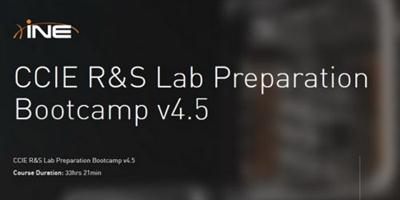
INE - CCIE R&S Lab Preparation Bootcamp v4.5
MP4 | English | 1280 x 720 | 590 kb/s | 29.970 fps | AAC 60.4 kb/s | 6.12 GB
Genre: Training​

Join the world's most highly respected and experienced team of CCIE instructors for this self-paced, 12 day comprehensive CCIE Lab Exam training This bootcamp is designed to refine and consolidate your technical knowledge into an organized and effective strategy for passing your CCIE Lab Exam. In addition to helping you pass the CCIE Lab Exam, you'll learn real-world practical knowledge to carry you past the CCIE lab and into everyday applications you'll use as a CCIE in the field.

Course Outlines

Introduction
Introduction 33min
CCIE Lab Exam Day Expectations 47min
Class Curriculum Overview 13min

Bridging & Switching
Bridging & Switching Part 1 70min
Bridging & Switching Part 2 64min
Bridging & Switching Part 3 57min
Bridging & Switching Part 4 37min

Interior & Exterior Gateway Routing
Interior Gateway Routing Part 1 56min
Interior Gateway Routing Part 2 64min
Interior Gateway Routing Part 3 73min
Exterior Gateway Routing Part 1 73min
Exterior Gateway Routing Part 2 80min
Exterior Gateway Routing Part 3 47min

MPLS
MPLS Part 1 60min
MPLS Part 2 68min
MPLS Part 3 57min
MPLS Part 4 74min

Multicast
Multicast 76min

Recommend Download Link Hight Speed | Please Say Thanks Keep Topic Live ​
 

072316e1479a7e07a1c09acfa94161ed.jpg

InfiniteSkills - In Search of Database Nirvana
Duration: 1h 24m | Video: h264, yuv420p, 1280x720 | Audio: aac, 44100 Hz, stereo, s16 | 303 MB
Genre: eLearning | Language: English​

Companies are looking for a single SQL database engine that can address all their needs - from transactional, to operational, business intelligence, analytical workloads, and more - on a single platform without the latency of data transformation and replication. They are looking for the ultimate database nirvana. But is it even possible?

In this course, which is targeted at advanced level database professionals, big data expert Rohit Jain explores the concept that comes closest to meeting the test: Hybrid transactional/analytical processing or HTAP.

Explore the four key challenges of delivering HTAP with a single query engine
Hear an analysis of the SQL to NoSQL to SQL swinging database pendulum
See how a single query engine can support multiple HTAP workloads
Master the differing responsibilities of a query engine versus a storage engine
Learn how a single query engine can support multiple storage engines serving different needs
Discover how a single query engine can support all data models - normalized, big table, etc.
Understand how to best evaluate enterprise level HTAP technologies

Recommend Download Link Hight Speed | Please Say Thanks Keep Topic Live ​
 

73c9e00ad69775b4821c0da1a0bc46df.jpg

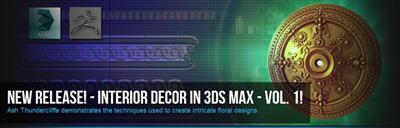
Interior Decor in 3ds Max Volume 1
Length 1h 9m | Video: h264, yuv420p, 1280x720 | Audio: aac, 44100 Hz, stereo, s16 | 848MB
Genre: eLearning | Language: English | Project Files​

In module one of this course, we will begin by learning how to breakdown a piece of reference to a more manageable state we can work from. Once we understand what is required of us to complete the piece we will start creating the base of a ceiling rose followed by the outer trim sections of the ceiling rose.

When creating the trim sections I will show you how to create both simple and complex modular tiling shapes which will add an extra level of detail and intricacy to the ceiling rose with very little effort.

In module 2 we will be looking at the more detailed shapes. Using our broken down reference I will show you how to create each piece used to create the ceiling rose. We will start with the simpler shapes just using 3DS Max box modeling and deformation techniques and then move onto more complex shapes later on. Once we have our shapes completed we will add final adjustments and polish to each piece in Zbrush to give it the hand crafted plaster look we are aiming for.

Finally in module 3 we will take the parts we have made and kit bash them together to create the large shapes shown in the reference. After all shapes are complete we can start deforming them to fit the base ceiling rose we created in module one which will leave us with the completed model.

We then take the model into Zbrush to create a final singular mesh version using masking and deformation techniques and add damage to the model using a custom brush set.

Recommend Download Link Hight Speed | Please Say Thanks Keep Topic Live ​
 

62342314e3c1cc0b977b39e3fe4d0e3d.jpg

Intro C# Programming
MP4 | Video: AVC 1280x720 | Audio: AAC 44KHz 2ch | Duration: 8 Hours | Lec: 37 | 1.58 GB
Genre: eLearning | Language: English​

Learn how to program in C# using Microsoft Visual Studio Express

This course starts with downloading and installing the free version of Visual Studio 2013 Express for Desktop Development, and proceeds through all the important aspects and concepts of writing C# code. After installing Visual Studio, we see how to get started writing the simplest of all possible programs, "Hello World". Then we survey the landscape and look at the documentation on the .NET Framework, the C# Programming Guide, and learn basic C# syntax and keywords. After that we dig into the fundamental elements of expressions, identifiers, data types, and casting. Then before going on further into all the fascinating areas of C# syntax, we take a quick overview of the underlying run time environment, including the CLR, IL, JIT, assemblies, ILDASM, and the GC. From there we go through each major subtopic of C# programming, including control statements, such as decision and looping constructs, exception handling, file IO, object serialization, classes and structs, namespaces, objects, constructors, destructors, and methods, as well as fields, properties, methods and events. At that point we explain the important distinction between value types and reference types, as well as encapsulation and scope of visibility. Next, we explore more advanced topics, such as attributes, method overloading, optional and output parameters, inheritance, interfaces, abstract classes, partial classes, and operator overloading. We then get into functional programming topics, including delegates, events, lambda expressions, and querying data by using LINQ. Then we study generics, extension methods, and the IDisposable interface. Next, we get into even more advanced topics, including dynamic variables, reflection, threading and synchronization, and asynchronous methods. Finally we explore where you will go next in your learning career, including WPF and XAML, Web Sites (ASP.NET Web Forms, ASP.NET MVC, AJAX, jQuery), Web Services (WCF, Web APIs, SOAP, REST), and Cloud Computing (Windows Azure), as well as Windows Store Apps. Additional topics that will be included are security and cryptography, as well as versioning, digital signing, and deploying assemblies.

Recommend Download Link Hight Speed | Please Say Thanks Keep Topic Live ​

 

63d0106738aa372b088ec7294192b5a9.jpg

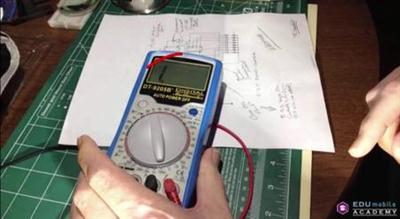
Introduction to Electronics for Makers (2016)
MP4 | Video: AVC 1280x720 | Audio: AAC 44KHz 2ch | Duration: 1 Hours | Lec: 7 | 377 MB
Genre: eLearning | Language: English​

This course teaches the fundamental electrical quantities that you need to understand to begin working with electronics.

This course teaches the fundamental electrical quantities that you need to understand to begin working with electronics. In the course, we cover voltage, current, resistance, and power: how they all fit together, and how they effect one another. The course is intended as the first module of an ongoing series: Electronics for Makers. This demo consists of the first half of the first module. If you want the full course, please look at the other corresponding courses in our profile.

We'll start with voltage and current and their relationship to one another. Power will then be introduced. All circuits consume power in some way, and various components use that power differently. Resistors dissipate power in the form of heat. But they also perform a very important function: they convert voltage to current, and current to voltage. By the end of the first unit, we'll understand that concept fully.In future modules, we'll learn about diodes and transistors, capacitors and inductors, ... eventually working our way up to digital logic and micro controllers.I hope you'll join me on the journey.

Recommend Download Link Hight Speed | Please Say Thanks Keep Topic Live ​

 

68b7a87cc551bb0bc933270ae6fc4969.jpg

Introduction to Game Dynamics with Unity 3D
MP4 | Video: AVC 1280x720 | Audio: AAC 44KHz 2ch | Duration: 2 Hours | Lec: 11 | 357 MB
Genre: eLearning | Language: English​

Learn professional game development techniques using the Unity 3D platform.

From explosion blasts to motorcycle crashes, games are riddled with physical reactions. Find out how to trigger these events, and how to take your character movement beyond walk cycles.

For some visuals, take this random youtube video of GTA V motorcycle crashes. How do you know when a character is supposed to react? And if you do know, how can you make it look realistic? You cant resort to some crouching position set up by an animator, theres a de facto infinite amounts of ways on how a character can get impacted. Or this MK clip. Uppercutted someone and then set up a combo to slam them back to the ground? Cant do it without dynamics.

If you want to create games that people really love, you need to know game dynamics. In this course you will learn game dynamics from a professional game developer using the free and popular Unity 3D game development platform.

What Is Game Dynamics?

Game Dynamics (sometimes confused with Game Mechanics) has been difficult for the game development world to describe using words. The best definition consists of three parts in order to understand the whole idea of Game Dynamics:

Mechanics are the formal rules of the game. The agents, objects, elements and their relationships in the game. They define the game as a rule-based system, specifying what there is, how everything behaves, and how the player can interact with the gameworld.
Dynamics are the emergent behavior that arises from gameplay, when the Mechanics are put into use.
Aesthetics are the emotional response from the players to the gameplay.
More About the Course

This course aims to give you a solid overview of how Game Dynamics can be integrated into any game you're creating, as well as how to use Unity 3D tools such as the Mecanim Animation System to achieve a dynamic game environment.

Recommend Download Link Hight Speed | Please Say Thanks Keep Topic Live ​

 

51974365b91311f2a5d5ba2a8781a8c5.jpg

Introduction to Houdini Pyro
Duration: 4h 16m | Video: h264, yuv420p, 1280x720 | Audio: aac, 44100 Hz, 2 ch | 2.3 GB
Genre: eLearning | Language: English | Project Files​

Whether it's flame-breathing dragons or a simple campfire, digital fire effects are some of the most important elements in film and television, and a key skill for many VFX artists. In this course, Introduction to Houdini Pyro, you'll learn the fundamental concepts of Houdini's powerful Pyro Solver to create multiple fire-based effects. First, you'll learn the shelf tools to get an initial simulation started and examine the individual parts that make up a Pyro simulation. Next, you'll learn how to use these building blocks to create your own campfire effect, adding additional complexity to the simulation as you explore different sourcing solutions and ways to modify the various fields that are part of the solver. Then, you'll adapt what you have learned to create a more complicated Fire Breath effect, further exploring new sourcing methods and capabilities of the Pyro Solver. Finally, you'll explore how to export your data and use the Pyro Shader to create photo-realistic Mantra renders of your fire. By the end of the course, you'll have a better understanding of the tools necessary to light anything imaginable on fire...digitally, of course. Software required: Houdini 15.

Recommend Download Link Hight Speed | Please Say Thanks Keep Topic Live ​

 

56f156b7886f6e32f7e7d87c2285b326.jpg

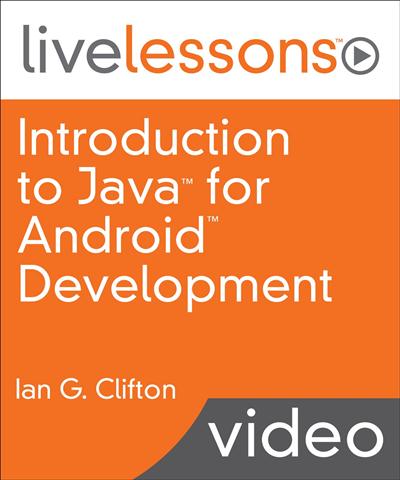
Introduction to Java for Android Development LiveLessons
Duration: 12h 41m | Video: h264, yuv420p, 1280x720 Audio: aac, 44100 Hz, 2 ch | 3.5 GB
Genre: eLearning | Language: English | Project Files​

In this video training, you first get answers to common questions you have when thinking about becoming a developer or programmer. You then download and install the software that makes writing code easier in order to run a simple app. From there, you dig into understanding the strange characters and words that make up that app before focusing on writing completely new code. With a familiarity of basic code, you focus on making the app interactive by listening to a button being pressed. Next, you look at customizing the app's layout and learning programming techniques to write more complex code. Finally, everything comes together with the addition of saving and loading app data. This video training takes you from no programming experience at all to an understanding of the core parts of Java and Android application development.

Skill Level

* Beginner

What You Will Learn

* Install and run the software used to develop Android apps
* Read and write both Java and XML
* Learn object- oriented programming fundamentals
* Add interactivity to an app
* Use abstraction and inheritance to simplify and reuse code
* Create app layouts

Who Should Take This Course b>

* Anyone with an interest in learning Java or Android development, whether to simply tinker or start a new career

Course Requirements

* Basic computer knowledge (how to browse the web and install programs)
* Ability to draw at a preschool level
* No prior programming experience required

Recommend Download Link Hight Speed | Please Say Thanks Keep Topic Live ​

 

bb28b0947bbaacff9ab974417e9dbead.jpg

Introduction to Lighting and Rendering with V-Ray for NUKE
Duration: 3h 24m | Video: h264, yuv420p, 1280x720 | Audio: aac, 44100 Hz, 2 ch | 2.1 GB
Genre: eLearning | Language: English | Project Files​

V-Ray is a powerful rendering engine in today's world of visual effects. For the first time, compositors now have access to its suite of tools directly inside NUKE. In this course, Introduction to Lighting and Rendering with V-Ray for NUKE, you'll learn how to shade character assets and light and render elements in NUKE. First, you'll learn the fundamentals of the V-Ray renderer and the V-Ray camera. Then, you'll learn about V-Ray materials and look development. Then, you'll learn about lighting with V-Ray light and NUKE lights. Finally, you'll learn about multi-pass compositing with V-Ray render elements. By the end of this course, you'll know the basics of V-Ray for NUKE and be ready to light and render CG for your own shots. Software required: NUKE, V-Ray.

Recommend Download Link Hight Speed | Please Say Thanks Keep Topic Live ​

 

fd1c6d4c85d02a2ea1aabfc242b0c645.jpg

Landscapes and Light with Matt Kloskowski
Duration: 78m | Video: h264, yuv420p, 1280x720 30fps | Audio: aac, 44100 Hz, 2 ch | 868 MB
Genre: eLearning | Language: English​

In Landscapes and Light, Matt covers all of the different types of natural light you'll encounter while shooting landscape photography out in the field.

There isn't much you can do to influence the light Mother Nature provides on any given day, but you can learn how to work with it. In this class, Matt will show you amazing tips for how to capture the best possible light when shooting, and he'll discuss the best tools for post-processing and making the most out of any outdoor photo shoot.

Recommend Download Link Hight Speed | Please Say Thanks Keep Topic Live ​

 

5644c58fb4ab7e9969158b04723f1245.jpg

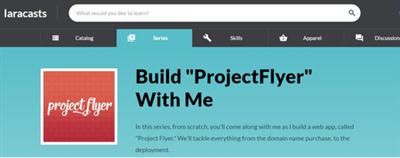
Laracasts - Build "ProjectFlyer" With Me
WEBRip | MP4 | English | 1728 x 1080 | AVC ~1035 kbps | 30 fps
AAC | 235 Kbps | 48.0 KHz | 2 channels | 03:23:12 | 1.36 GB​

Genre: Video Tutorial / Development, Programming
In this series, from scratch, you'll come along with me as I build a web app, called "Project Flyer." We'll tackle everything from the domain name purchase, to the deployment.

Content:
Purchasing the Domain
Initial Setup
Basic Gulp Housekeeping
Initial Scaffolding and Routing
The Flyer Form
Migrations and Models
The Flyer and Photos Relationship
Validating and Persisting Flyers
Elegant Flash Messaging
Preparing the Flyer Page
Bulk File Uploads
The Authentication Layer
Thumbnails
Guards and Authorization
Refactoring Makes Perfect
Service Classes and Alternative Approaches
Unit Testing
Lightbox It
Deleting Photos

Recommend Download Link Hight Speed | Please Say Thanks Keep Topic Live ​
 
Zurück
Oben Unten