• Regeln für den Video-Bereich:

    In den Börsenbereich gehören nur Angebote die bereits den Allgemeinen Regeln entsprechen.

    Einteilung

    - Folgende Formate gehören in die angegeben Bereiche:
    - Filme: Encodierte Filme von BluRay, DVD, R5, TV, Screener sowie Telesyncs im Format DivX, XviD und x264.
    - DVD: Filme im Format DVD5, DVD9 und HD2DVD.
    - HD: Encodierte Filme mit der Auflösung 720p oder darüber von BluRay, DVD, R5, TV, Screener sowie Telesyncs im Format x264.
    - 3D: Encodierte Filme von BluRay, die in einem 3D Format vorliegen. Dies gilt auch für Dokus, Animation usw.
    - Serien: Cartoon/Zeichentrick, Anime, Tutorials, Dokumentationen, Konzerte/Musik, Sonstiges sind demnach in die entsprechenden Bereiche einzuordnen, auch wenn sie beispielsweise im High Definition-Format oder als DVD5/DVD9/HD2DVD vorliegen. Ausnahme 3D.
    - Bereich Englisch: Englische Releases gehören immer in diesen Bereich.
    - Bereich Talk: Der Bereich, in dem über die Releases diskutiert werden kann, darf, soll und erwünscht ist.


    Angebot/Beitrag erstellen

    - Ein Beitrag darf erst dann erstellt werden, wenn der Upload bei mindestens einem OCH komplett ist. Platzhalter sind untersagt.
    - Bei einem Scenerelease hat der Threadtitel ausschließlich aus dem originalen, unveränderten Releasenamen zu bestehen. Es dürfen keine Veränderungen wie z.B. Sterne, kleine Buchstaben o.ä. vorgenommen werden. Ausnahme Serienbörse:
    - Bei einem Sammelthread für eine Staffel entfällt aus dem Releasename natürlich der Name der Folge. Beispiel: Die Simpsons S21 German DVDRip XviD - ITG
    - Dementsprechend sind also u.a. verboten: Erweiterungen wie "Tipp", "empfehlenswert", "only", "reup", usw. / jegliche andere Zusatzinformation oder Ergänzung, welche nicht in obiger Beschreibung zu finden ist.

    Aufbau des Angebots und Threadtitel

    Der Titel nach folgendem Muster erstellt zu werden. <Name> [3D] [Staffel] [German] <Jahr> <Tonspur> [DL] [Auflösung] <Quelle> <Codec> - <Group>
    Beispiel: The Dark Knight German 2008 AC3 DVDRip XviD - iND
    Beispiel: The Dark Knight 2008 DTS DL BDRip x264 - iND
    Beispiel: The Dark Knight 2008 AC3 DL BDRip XviD - iND
    Beispiel: The Dark Knight German 2008 AC3 720p BluRay x264 iND
    Beispiel: The Dark Knight 2008 DTS DL 1080p BluRay x264 iND
    Beispiel: Die Simpsons S01 German AC3 DVDRip XviD iND
    Beispiel: Die Simpsons S20 German AC3 720p BluRay x264 iND
    Beispiel: Sword Art Online II Ger Sub 2014 AAC 1080p WEBRip x264 - peppermint
    Entsprechend sind also u.a. verboten: Sonderzeichen wie Klammern, Sterne, Ausrufezeichen, Unterstriche, Anführungszeichen / Erweiterungen wie "Tipp", "empfehlenswert", "only", "reup", usw. / jegliche andere Zusatzinformation oder Ergänzung, welche nicht in obiger Beschreibung zu finden ist
    Ausnahmen hiervon können in den Bereichen geregelt sein.

    Die Beiträge sollen wie folgt aufgebaut werden:
    Überschrift entspricht dem Threadtitel
    Cover
    kurze Inhaltsbeschreibung
    Format, Größe, Dauer sind gut lesbar für Downloader außerhalb des Spoilers zu vermerken
    Nfo sind immer Anzugeben und selbige immer im Spoiler in Textform.
    Sind keine Nfo vorhanden z.B. Eigenpublikationen, sind im Spoiler folgende Dateiinformationen zusätzlich anzugeben :
    Quelle
    Video (Auflösung und Bitrate)
    Ton (Sprache, Format und Bitrate der einzelnen Spuren)
    Untertitel (sofern vorhanden)
    Hosterangabe in Textform außerhalb eines Spoiler mit allen enthaltenen Hostern.
    Bei SD kann auf diese zusätzlichen Dateiinformationen verzichtet werden.

    Alle benötigten Passwörter sind, sofern vorhanden, in Textform im Angebot anzugeben.
    Spoiler im Spoiler mit Kommentaren :"Schon Bedankt?" sind unerwünscht.


    Releases

    - Sind Retail-Release verfügbar, sind alle anderen Variationen untersagt. Ausnahmen: Alle deutschen Retail-Release sind CUT, in diesem Fall sind dubbed UNCUT-Release zulässig.
    - Im Serien-Bereich gilt speziell: Wenn ein Retail vor Abschluss einer laufenden Staffel erscheint, darf diese Staffel noch zu Ende gebracht werden.62
    - Gleiche Releases sind unbedingt zusammenzufassen. Das bedeutet, es ist zwingend erforderlich, vor dem Erstellen eines Themas per Suchfunktion zu überprüfen, ob bereits ein Beitrag mit demselben Release besteht. Ist dies der Fall, ist der bereits vorhandene Beitrag zu verwenden.
    - P2P und Scene Releases dürfen nicht verändert oder gar unter einem iND Tag eingestellt werden.


    Support, Diskussionen und Suche

    - Supportanfragen sind entweder per PN oder im Bereich Talk zu stellen.
    - Diskussionen und Bewertungen sind im Talk Bereich zu führen. Fragen an die Uploader haben ausschließlich via PN zu erfolgen, und sind in den Angeboten untersagt.
    - Anfragen zu Upload-Wünschen sind nur im Bereich Suche Video erlaubt. Antworten dürfen nur auf Angebote von MyBoerse.bz verlinkt werden.


    Verbote

    - Untersagt sind mehrere Formate in einem einzigen Angebotsthread, wie beispielsweise das gleichzeitige Anbieten von DivX/XviD, 720p und 1080p in einem Thread. Pro Format, Release und Auflösung ist ein eigener Thread zu eröffnen.
    - Grundsätzlich ebenso verboten sind Dupes. Uploader haben sich an geeigneter Stelle darüber zu informieren, ob es sich bei einem Release um ein Dupe handelt.
    - Gefakte, nur teilweise lauffähige oder unvollständige Angebote sind untersagt. Dies gilt auch für eigene Publikationen, die augenscheinlich nicht selbst von z.B. einer DVD gerippt wurden. Laufende Serien, bei denen noch nicht alle Folgen verfügbar sind, dürfen erstellt und regelmäßig geupdatet werden.
    - Untersagt sind Angebote, welche nur und ausschließlich in einer anderen Sprache als deutsch oder englisch vorliegen. Ausnahmen sind VORHER mit den Moderatoren zu klären.


    Verstoß gegen die Regeln

    - Angebote oder Beiträge, die gegen die Forenregeln verstoßen, sind über den "Melden"-Button im Beitrag zu melden.
  • Bitte registriere dich zunächst um Beiträge zu verfassen und externe Links aufzurufen.


Englische Tutorials


fbeb335bd654a60f8ff66de587547379.jpg

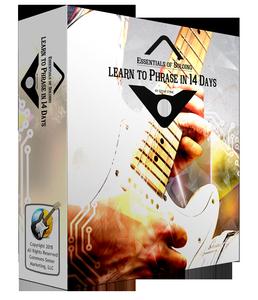
GuitarZoom - Essentials of Soloing - Learn to Phrase in 14
MP4 | AVC 2114kbps | 1280x720 | 30fps | AAC stereo 160kbps | 2.78 GB
Genre: eLearning | Language: English​

Want To Play Your Very Own Solos In Your Own Style? Introducing Steve Stine's...

Part 1: What Is Phrasing And Why Is It Important?

Why scales, licks and other techniques can only take you so far
The OTHER half to playing effective guitar soloâ€s, what it is and how you can apply it to your playing today
How to create breathtaking solos and melodies that capture an audience and wonâ€t let go
How to make your solos and overall guitar playing sound more personal and real (thereâ€s nothing worse than a robotic solo)
Why learning how to feel what youâ€re playing is a crucial element to unlocking mind-blowing solos
How to keep your solos from sounding "monotonous" and robotic by using proper phrasing
How to clear your mind of all the technical and theoretical aspects and just enjoy the flow of music
Why you can identify guitar heroes like Eric Clapton, Slash and Jimi Hendrix just by hearing them play
How to create your own individual style when you play so you can bring out your personal spark whenever you touch a guitar
How to use the skills you know best to create the most inspiring and authentic melodies and solos
Why playing guitar can be very similar to singing
The concept of a "breath" and how it applies to phrasing so you can create natural and realistic melodies and make people "feel" something
The difference between guitar tone/output and phrasing
How to use "vocal techniques" like bending and vibrato to create phrases that sound like YOU
Why speed is only ONE effect and sometime you might need to SLOW DOWN to draw in the listener and create authentic, soul-inspiring solos
One thing you need to avoid when creating phrases in your solos
How to play the "Star-Spangled Banner" in your own style using your own phrases
3 techniques you need to be comfortable with so you can create effective phrases that sound "real"
Playing something that’s "right" vs. playing something that "works" (how to let go of limitations and play with freedom)
Why you don’t have to play only the notes in the scale you’re in to create a melody that works and sounds good
How to use the "box technique" to visualize your phrases so they don’t all sound the same
How to take your strengths and how you "feel" the song to create powerful and explosive phrases of your own style

Part 2: Listening Exercises To Build Up Your Feeling For Phrases

How to listen to songs can grab ideas, phrases and feelings from them to build your own melodies and solos
3 listening exercises to boost your awareness of phrases and how to apply them to your playing
How vocal and guitar parts reflect each other and how you can use that to your advantage
How to avoid over thinking and remain focused on the listening and feeling the music (HINT: donâ€t focus too much on the playing part)
Breakdown of awesome songs from the likes of Jeff Beck, Gary Moore and Joe Satriani and what makes them so good
How to power up your phrasing knowledge and feeling by drawing from other instruments like piano and vocals

Part 3: Creating Your Own Melody And Phrase

How to hear a melody in your head over a simple chord progression
How to take a static chord sound (one repeated chord) and build a melody and phrase on top of it
One trick you can use when you canâ€t hear the melody in your head (remember, theres no right answer)
How to bump up your creativity by using your fingers to search for ideas
Why you should definitely avoid sticking to scale shapes when coming up with new ideas
The type of guitar "effects" you can use to spice up a melody once you have it
How you can use octaves to build up tension to create a killer phrase that will leave the audience gasping for breath
What "complimenting the chord" means and how you can build up your inner musical sense to create mind blowing phrases on the fly
How to listen and respond to the music to help your creative process
Add more color to your phrases by exploring the different types of chords (ie. 7th and Maj 7th)
How to find the "sweet spot" for adding embellishments and licks to really create some explosive phrases and powerful solos

Part 4: Developing Ideas

How to create a melodic concept over a chord progression and improvise over it to spice it up
The 3 "worlds" you want to play from to create jaw-dropping solos
How to create a melody on the fly using note chasing techniques
How to improvise and "meander" as you play to fill in the empty "spaces" with life and color
How to add the licks and patterns you know into your phrases to turn an interesting solo into an earth shattering one

Part 5: Improvisation And Putting It All Together

Space and "air" and when you can add licks and improvise to power up your phrases
"Box Changes" and how to create phrases that donâ€t sound repetitive or robotic
Note and chord chasing to help you build captivating melody
Vocal elements on the guitar to bring your phrases to life and give them an natural and authentic feel
Visual directions and how to visualize what you feel so you can put it on the fretboard and bring it into reality
Melodic creation and how to hear a melody inside your head just by listening to the chords of a song
Volume changes and how to use it to compliment your guitar techniques to maximize their effect and create new ones
Intervallic movements and string skipping
The use of licks and patterns to fill up your phrases
How you can use repetition to build phrases that the audience can follow and feel connected to

Recommend Download Link Hight Speed | Please Say Thanks Keep Topic Live ​

 

b0ed3a6641bf6edd13d763aada57fe5c.jpg

Gumroad - Captured Video Process Training Video
Duration: 2hr 42m | Video: h264, yuv420p, 1280x720 30fps | Audio: aac, 44100 Hz, 2 ch | 341 MB
Genre: eLearning | Language: English​

My take on another favorite childhood classic tale of mine, Peter pan, featuring Tinkerbell captured XD . I wanted this to have a dark feel to it hence her broken wings , hum also I'm not very good with drawing feet so it might not look too good XD but I rely enjoyed painting the table details ~

Comes with
High res
PSD
Video process( tier 3+)

Recommend Download Link Hight Speed | Please Say Thanks Keep Topic Live ​

 

0a2d33141ff31666e0d431938c11467c.jpg

Gumroad - Skin Tight Suit Step by Step Tutorial Pack
Duration: 1hr 45m | Video: h264, yuv420p, 1280x720 30fps | Audio: aac, 44100 Hz, 2 ch | 486 MB
Genre: eLearning | Language: English​

This is my take on "shiny/latext type textures clothing tutorial XD I also made it look a bit sci-fi . I will show though this tutorial steps of how I painting both outfits. in a total of 8 steps with it's own psd/layers. As always it will be from sketch-> color-> painting : ) jpg steps+psd steps+video process tutorial.

This tutorial pack comes with
High res jpgs steps
PSD steps with all layers
Video tutorial (1hr 45 min )

Recommend Download Link Hight Speed | Please Say Thanks Keep Topic Live ​

 

7d708861d6d961767207c467efe1eadf.jpg

How to be a Successful Freelance Translator
MP4 | Video: AVC 1280x720 | Audio: AAC 44KHz 2ch | Duration: 3.5 Hours | Lec: 26 | 536 MB
Genre: eLearning | Language: English​

A beginner's guide to earning a living through translation

This is an introductory course that teaches you how to use your language abilities to work for yourself. You will learn how to earn a living on your own terms, so you can work on projects of your choosing, and can still be available for life's moments.

Learn How To Earn A Living Working Independently Through Freelance Translation.

Use your knowledge of languages to earn money
Learn how to become an independent translation professional
Find out how to work both yourself and for translation agencies, so you can get the best of both worlds
Become familiar with what agencies and clients look for, so you can be better positioned to get hired by them
Learn to view your second language as a second degree

Your second language truly is worth just as much as another university degree. It is a skill that is in high demand, and that can earn you more money and a more comfortable life. This course aims to help you use this skill to its full potential.

This course covers the preparation, how to be discovered by clients, as well as the translation process and, obviously, getting paid. Do you know where to find clients? How do you discern the useful clients from the wastes of time? How can you make sure they pick you as a translator? How will you get paid, and get paid on time? How can you avoid working for a pittance?

Content Overview

This course is structured to serve as reference material, so you can get through the whole course in around one week, but, as your career progresses, you will probably want to go back for refreshers, so to see how various steps can apply to your new situation.

Most of this course will be taught via videos, with some written notes and explanations for those wishing to go further in depth.

By the end of this course, you will be able to use your knowledge of languages to earn your own money online. You will know what is important in working for yourself, how to make yourself employable to new clients, and how to retain them once they have chosen you.

The world is becoming increasingly global, while jobs are less and less secure, and the Internet is, by now, near universal. Combine all these factors, and you have a perfect storm of opportunity for people who speak more than one language.

You've learned your language, and this course concentrates on what to do next, so you can use your abilities to choose jobs and clients that interest you.

Recommend Download Link Hight Speed | Please Say Thanks Keep Topic Live ​

 

a6f1bba1be0a6e384b0d8c55b9219da9.jpg

How to Build an eCommerce Website With Miva Merchant
Duration: 5.5 hours | Video: h264, yuv420p, 1280x720 | Audio: aac, 44100 Hz, 2 ch | 905 MB
Genre: eLearning | Language: English | Skill Level: Expert Level​

This course is intended for all level of Web Professionals (Developers, Designers) but you need a solid foundation in HTML, CSS and familiarity with any programming language. If you know what a variable is, or an if,else statement you'll do great. You do not have to be an expert programmer to take this course.

This course includes a free copy of Miva Merchant which you will sign up for during the initial lesson. This store is a full featured Miva store which you can use as a developer sandbox and is yours to keep as long as you want.

There are over 50 videos in this course each covering a small topic. This course was intended to completed over a series of a few days to a few weeks depending on speed and availability. It is completely self-paced and can be done quicker or longer based on your individual needs.

What are the requirements?

A free developer store is provided for use during this course. Students should have an web developers understanding of HTML, CSS and javascript.

What am I going to get from this course?

Build an ecommerce store using the Miva Merchant Platform. This course takes you from eCommerce rookie to an eCommerce expert. You learn the Miva Merchant template language, Store Morph Technology and how to build a high quality eCommerce Store using Miva Merchant.

What is the target audience?

This course is for web developers with knowledge of HTML, CSS and javascript who are interested in learning how to build a eCommerce Store. If you are a web developer looking to expand your skillset or offer additional services to your clients through eCommerce, this course is for you.

Recommend Download Link Hight Speed | Please Say Thanks Keep Topic Live ​

 

802409f4f281c258a9f80229cf2f08ca.jpg

How to Build an Editorial Calendar for Your Blog Training Video
HDRips | MP4/AVC, ~2421 kb/s | 1920x1080 | Duration: 00:28:28 | English: AAC, 128 kb/s (2 ch) | 441 MB
Genre: Development / Programming​

In this project-based How to Build an Editorial Calendar for Your Blog video tutorial series, you'll quickly have relevant skills for real-world applications.
Follow along with our expert instructor in this training course to get:
Concise, informative and broadcast-quality How to Build an Editorial Calendar for Your Blog training videos delivered to your desktop
The ability to learn at your own pace with our intuitive, easy-to-use interface
A quick grasp of even the most complex How to Build an Editorial Calendar for Your Blog subjects because they're broken into simple, easy to follow tutorial videos

Practical working files further enhance the learning process and provide a degree of retention that is unmatched by any other form of How to Build an Editorial Calendar for Your Blog tutorial, online or offline... so you'll know the exact steps for your own projects.

Recommend Download Link Hight Speed | Please Say Thanks Keep Topic Live ​

 

366227807383aa7b59231e22a583b848.jpg

How to Program: Computer Science Concepts and Python Exercises
MP4 | English | 640 x 360 | 2000 kb/s | 29.970 fps | AAC 256 kb/s | 12.03 GB
Genre: Training​

Learning a new language opens a wealth of opportunities. But there's one language family that provides benefits like no other: the languages of computer programming. Now widely taught in schools-even in elementary schools-programming is an eminently learnable skill that gives you unrivalled problem-solving power you can apply in all areas of life. Programming is also a fun, creative activity that imparts deep insights into how we control the devices that influence virtually every aspect of our lives.

Courses outline
1 What Is Programming? Why Python?
2 Variables: Operations and Input/Output
3 Conditionals and Boolean Expressions
4 Basic Program Development and Testing
5 Loops and Iterations
6 Files and Strings
7 Operations with Lists
8 Top-Down Design of a Data Analysis Program
9 Functions and Abstraction
10 Parameter Passing, Scope, and Mutable Data
11 Error Types, Systematic Debugging, Exceptions
12 Python Standard Library, Modules, Packages
13 Game Design with Functions
14 Bottom-Up Design, Turtle Graphics, Robotics
15 Event-Driven Programming
16 Visualizing Data and Creating Simulations
17 Classes and Object-Oriented Programming
18 Objects with Inheritance and Polymorphism
19 Data Structures: Stack, Queue, Dictionary, Set
20 Algorithms: Searching and Sorting
21 Recursion and Running Times
22 Graphs and Trees
23 Graph Search and a Word Game
24 Parallel Computing Is Here

More information: Homepage

Recommend Download Link Hight Speed | Please Say Thanks Keep Topic Live ​
 

de1f5461753a5601b3fff9cddaf53dfb.jpg

How to Repurpose Content Across Multiple Platforms Training Video
HDRips | MP4/AVC, ~2163 kb/s | 1920x1080 | Duration: 00:21:19 | English: AAC, 128 kb/s (2 ch) | 357 MB
Genre: Content​

In this project-based How to Repurpose Content Across Multiple Platforms video tutorial series, you'll quickly have relevant skills for real-world applications.
Follow along with our expert instructor in this training course to get:

Concise, informative and broadcast-quality How to Repurpose Content Across Multiple Platforms training videos delivered to your desktop
The ability to learn at your own pace with our intuitive, easy-to-use interface
A quick grasp of even the most complex How to Repurpose Content Across Multiple Platforms subjects because they're broken into simple, easy to follow tutorial videos

Practical working files further enhance the learning process and provide a degree of retention that is unmatched by any other form of How to Repurpose Content Across Multiple Platforms tutorial, online or offline... so you'll know the exact steps for your own projects.

Recommend Download Link Hight Speed | Please Say Thanks Keep Topic Live ​
 

c3edd22482bc513ed94fbf19fb066b0e.jpg

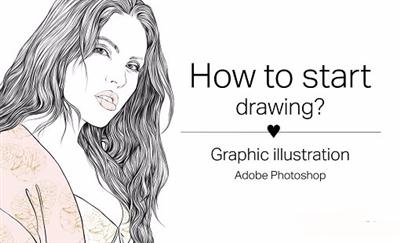
How to start drawing? Graphic illustration - Adobe Photoshop
Duration: 1hr 27m | Video: h264, yuv420p, 1280x720 30fps | Audio: aac, 44100 Hz, 2 ch | 926 MB
Genre: eLearning | Language: English​

You will learn how to create a Digital graphic illustration in step-by-step course. We will study all the necessary tools and techniques used to create illustration. The course is suitable for both beginners and advanced artists who are interested in graphic style and want to transform it in Digital format.

Digital art is a lot of opportunities:
You will learn how to draw, even if you have never done this.
You can create a graphic illustration of the highest quality.
Companies from around the world use digital images for advertising and production every day.
You can duplicate and print your image in any format.
You can send your illustration anywhere in the world in one click.

Recommend Download Link Hight Speed | Please Say Thanks Keep Topic Live ​
 

c7ce750b8a13866343a696b63ac38b56.jpg

How to Use Turbulent Noise to Create a Cool Animated Fire Energy Texture
Duration: 25m | Video: h264, yuv420p, 1280x720 30fps | Audio: aac, 44100 Hz, 2 ch | 138 MB
Genre: eLearning | Language: English​

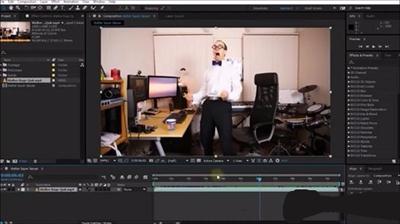
Want to learn how to create the cool SUPER SAIYAN effect from Dragon Ball Z in real life? In this intermediate Adobe After Effects tutorial I will show you exactly how to do that!

In this tutorial you will learn: - How to use Turbulent Noise to create a cool animated fire energy texture - How to composite the fire textures into the shot, both in front of and behind Walter - How to make the Super Saiyan effect appear in sync with Walter going postal -
How to add the lightning into the Super Saiyan effect. For this we will be using some basic expressions - How to add some camera shake to give the overall effect a little bit more intensity This is an INTERMEDIATE tutorial

Recommend Download Link Hight Speed | Please Say Thanks Keep Topic Live ​
 

cd95407f44631fe7157c1653d94b1457.jpg

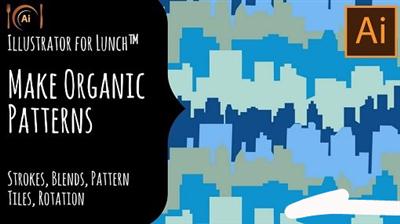
Illustrator for Lunch - Make Custom Organic Patterns - Transform, Scissors, Align, Pattern Swatch
Duration: 36m | Video: h264, yuv420p, 1280x720 30fps | Audio: aac, 44100 Hz, 2 ch | 168 MB
Genre: eLearning | Language: English | Project Files​

Illustrator for Lunch™ is a series of short video courses you can study in bite size pieces such as at lunchtime. In this course you'll learn to make custom organic pattern swatches in Illustrator of the kind which are hard to make using the new Pattern Make tool. These techniques will help you make complex patterns in future. Here are the two patterns we will make :

Recommend Download Link Hight Speed | Please Say Thanks Keep Topic Live ​
 

667ee97ed9159b934e8033d7f39c3e68.jpg

Improved SEO with Rich Snippets and MicroData
MP4 | Video: AVC 1280x720 | Audio: AAC 44KHz 2ch | Duration: 1 Hours | Lec: 13 | 260 MB
Genre: eLearning | Language: English​

Improve your website Search Engine Optimization (SEO) by describing your content with rich snippets and microdata.

This Improved SEO with Rich Snippets and MicroData course will teach you how to add extra information to your web site content to allow Google and other search engines to display advanced "rich snippets" of information to searchers.

Downloadable examples are included showing how to create MicroData for a person, organization, product, offer and product review.

Recommend Download Link Hight Speed | Please Say Thanks Keep Topic Live ​
 
Zurück
Oben Unten