• Regeln für den Video-Bereich:

    In den Börsenbereich gehören nur Angebote die bereits den Allgemeinen Regeln entsprechen.

    Einteilung

    - Folgende Formate gehören in die angegeben Bereiche:
    - Filme: Encodierte Filme von BluRay, DVD, R5, TV, Screener sowie Telesyncs im Format DivX, XviD und x264.
    - DVD: Filme im Format DVD5, DVD9 und HD2DVD.
    - HD: Encodierte Filme mit der Auflösung 720p oder darüber von BluRay, DVD, R5, TV, Screener sowie Telesyncs im Format x264.
    - 3D: Encodierte Filme von BluRay, die in einem 3D Format vorliegen. Dies gilt auch für Dokus, Animation usw.
    - Serien: Cartoon/Zeichentrick, Anime, Tutorials, Dokumentationen, Konzerte/Musik, Sonstiges sind demnach in die entsprechenden Bereiche einzuordnen, auch wenn sie beispielsweise im High Definition-Format oder als DVD5/DVD9/HD2DVD vorliegen. Ausnahme 3D.
    - Bereich Englisch: Englische Releases gehören immer in diesen Bereich.
    - Bereich Talk: Der Bereich, in dem über die Releases diskutiert werden kann, darf, soll und erwünscht ist.


    Angebot/Beitrag erstellen

    - Ein Beitrag darf erst dann erstellt werden, wenn der Upload bei mindestens einem OCH komplett ist. Platzhalter sind untersagt.
    - Bei einem Scenerelease hat der Threadtitel ausschließlich aus dem originalen, unveränderten Releasenamen zu bestehen. Es dürfen keine Veränderungen wie z.B. Sterne, kleine Buchstaben o.ä. vorgenommen werden. Ausnahme Serienbörse:
    - Bei einem Sammelthread für eine Staffel entfällt aus dem Releasename natürlich der Name der Folge. Beispiel: Die Simpsons S21 German DVDRip XviD - ITG
    - Dementsprechend sind also u.a. verboten: Erweiterungen wie "Tipp", "empfehlenswert", "only", "reup", usw. / jegliche andere Zusatzinformation oder Ergänzung, welche nicht in obiger Beschreibung zu finden ist.

    Aufbau des Angebots und Threadtitel

    Der Titel nach folgendem Muster erstellt zu werden. <Name> [3D] [Staffel] [German] <Jahr> <Tonspur> [DL] [Auflösung] <Quelle> <Codec> - <Group>
    Beispiel: The Dark Knight German 2008 AC3 DVDRip XviD - iND
    Beispiel: The Dark Knight 2008 DTS DL BDRip x264 - iND
    Beispiel: The Dark Knight 2008 AC3 DL BDRip XviD - iND
    Beispiel: The Dark Knight German 2008 AC3 720p BluRay x264 iND
    Beispiel: The Dark Knight 2008 DTS DL 1080p BluRay x264 iND
    Beispiel: Die Simpsons S01 German AC3 DVDRip XviD iND
    Beispiel: Die Simpsons S20 German AC3 720p BluRay x264 iND
    Beispiel: Sword Art Online II Ger Sub 2014 AAC 1080p WEBRip x264 - peppermint
    Entsprechend sind also u.a. verboten: Sonderzeichen wie Klammern, Sterne, Ausrufezeichen, Unterstriche, Anführungszeichen / Erweiterungen wie "Tipp", "empfehlenswert", "only", "reup", usw. / jegliche andere Zusatzinformation oder Ergänzung, welche nicht in obiger Beschreibung zu finden ist
    Ausnahmen hiervon können in den Bereichen geregelt sein.

    Die Beiträge sollen wie folgt aufgebaut werden:
    Überschrift entspricht dem Threadtitel
    Cover
    kurze Inhaltsbeschreibung
    Format, Größe, Dauer sind gut lesbar für Downloader außerhalb des Spoilers zu vermerken
    Nfo sind immer Anzugeben und selbige immer im Spoiler in Textform.
    Sind keine Nfo vorhanden z.B. Eigenpublikationen, sind im Spoiler folgende Dateiinformationen zusätzlich anzugeben :
    Quelle
    Video (Auflösung und Bitrate)
    Ton (Sprache, Format und Bitrate der einzelnen Spuren)
    Untertitel (sofern vorhanden)
    Hosterangabe in Textform außerhalb eines Spoiler mit allen enthaltenen Hostern.
    Bei SD kann auf diese zusätzlichen Dateiinformationen verzichtet werden.

    Alle benötigten Passwörter sind, sofern vorhanden, in Textform im Angebot anzugeben.
    Spoiler im Spoiler mit Kommentaren :"Schon Bedankt?" sind unerwünscht.


    Releases

    - Sind Retail-Release verfügbar, sind alle anderen Variationen untersagt. Ausnahmen: Alle deutschen Retail-Release sind CUT, in diesem Fall sind dubbed UNCUT-Release zulässig.
    - Im Serien-Bereich gilt speziell: Wenn ein Retail vor Abschluss einer laufenden Staffel erscheint, darf diese Staffel noch zu Ende gebracht werden.62
    - Gleiche Releases sind unbedingt zusammenzufassen. Das bedeutet, es ist zwingend erforderlich, vor dem Erstellen eines Themas per Suchfunktion zu überprüfen, ob bereits ein Beitrag mit demselben Release besteht. Ist dies der Fall, ist der bereits vorhandene Beitrag zu verwenden.
    - P2P und Scene Releases dürfen nicht verändert oder gar unter einem iND Tag eingestellt werden.


    Support, Diskussionen und Suche

    - Supportanfragen sind entweder per PN oder im Bereich Talk zu stellen.
    - Diskussionen und Bewertungen sind im Talk Bereich zu führen. Fragen an die Uploader haben ausschließlich via PN zu erfolgen, und sind in den Angeboten untersagt.
    - Anfragen zu Upload-Wünschen sind nur im Bereich Suche Video erlaubt. Antworten dürfen nur auf Angebote von MyBoerse.bz verlinkt werden.


    Verbote

    - Untersagt sind mehrere Formate in einem einzigen Angebotsthread, wie beispielsweise das gleichzeitige Anbieten von DivX/XviD, 720p und 1080p in einem Thread. Pro Format, Release und Auflösung ist ein eigener Thread zu eröffnen.
    - Grundsätzlich ebenso verboten sind Dupes. Uploader haben sich an geeigneter Stelle darüber zu informieren, ob es sich bei einem Release um ein Dupe handelt.
    - Gefakte, nur teilweise lauffähige oder unvollständige Angebote sind untersagt. Dies gilt auch für eigene Publikationen, die augenscheinlich nicht selbst von z.B. einer DVD gerippt wurden. Laufende Serien, bei denen noch nicht alle Folgen verfügbar sind, dürfen erstellt und regelmäßig geupdatet werden.
    - Untersagt sind Angebote, welche nur und ausschließlich in einer anderen Sprache als deutsch oder englisch vorliegen. Ausnahmen sind VORHER mit den Moderatoren zu klären.


    Verstoß gegen die Regeln

    - Angebote oder Beiträge, die gegen die Forenregeln verstoßen, sind über den "Melden"-Button im Beitrag zu melden.
  • Bitte registriere dich zunächst um Beiträge zu verfassen und externe Links aufzurufen.


Englische Tutorials


6d3662db6619aab4be27d39238fdef40.jpg

CompuWorks - OneNote 2013: A Complete Guide
HDRips | MP4/AVC, ~370 kb/s | 1280x576 | Duration: 02:09:30 | AAC, 159 kb/s (2 ch) | 524 MB
Genre: eLearning | Language: English​

This course is designed to familiarize users with the general navigation and functionality of OneNote 2013. Students will work with adding content to OneNote Notebooks, reviewing how to use OneNote collaboratively, using OneNote with other applications, and managing notebooks and their content.

Recommend Download Link Hight Speed | Please Say Thanks Keep Topic Live ​
 

2aa168d7ee780b171e3256af8e79c0dc.jpg

CompuWorks - Outlook 2016 Introduction
Duration: 5h 57m | Video: h264, yuv420p, 1280x576 30fps | Audio: aac, 44100 Hz, 2 ch | 1.5 GB
Genre: eLearning | Language: English | Skill Level: Beginner Level​

This course is designed to teach students the basics of Microsoft Outlook 2016 and help them gain familiarity with the Outlook environment and basic functionality. Students will learn the basics of email, how to use the Help feature, how to create and send messages, and how to work with attachments. Students will also learn organizational techniques through the use of folders, views, categories, flags, and searching. Students will review printing options and automatic replies. Additionally, students will learn contact creation and management, calendar use and management, creating appointments and meetings, task and note creation and management, message options, and email signatures.

What are the requirements?
Basic computer skills and understanding of basic email concepts.
What am I going to get from this course?
Learn the basics of Microsoft Outlook
Create and Send Messages
Organize Mail with Folders
Manage and Organize the Outlook Mailbox
Manage the Calendar
Manage Tasks and Notes
Increase Efficiency with Outlook
What is the target audience?
Students who want to gain a solid foundation in Outlook 2016.

Recommend Download Link Hight Speed | Please Say Thanks Keep Topic Live ​
 

4392e32b8c79bf5b3971b499e03d2bac.jpg

CompuWorks - PowerPoint 2016 - Advanced Training Video
Duration: 5h 9m | Video: h264, yuv420p, 1280x576 | Audio: aac, 44100 Hz, stereo, s16 | 1.3GB
Genre: eLearning | Language: English | Skill Level: Expert Level​

In this course, students will learn the various collaboration tools in Microsoft PowerPoint 2016 such as reusing slides, creating slides from Word, and working with Excel. Students will learn to utilize the power of Slide Masters, create custom themes, and design custom templates. In addition, students will learn to create exciting presentations by animating text and objects, add slide transitions, and use advanced graphic features including SmartArt, and audio and video. Finally, students will present like a pro by using advanced presentation features including annotations, hyperlinks and action buttons, timings, recordings, and creating videos, and review additional advanced slideshow options.

Recommend Download Link Hight Speed | Please Say Thanks Keep Topic Live ​
 

a6002c57598b108e6154ea204a88a241.jpg


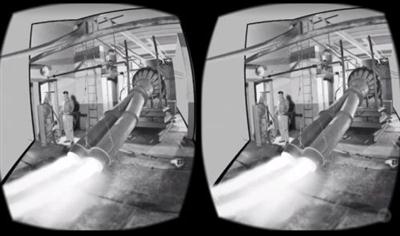
Converting a Photo into a VR Set in 3ds Max
MP4 | Video: AVC 1280x720 | Audio: AAC 44KHz 2ch | Duration: 2 Hours | 1.11 GB
Genre: eLearning | Language: English​

With millions of VR-ready phones in the marketplace, the need for content is huge. This course will help you produce an immersive 3D VR app using a single 2D image, Photoshop, 3ds Max, and Unity 3D. Software Required: Unity 3D, 3ds Max, Photoshop.

Learn how to recreate a historic moment in virtual reality. In this course, Converting a Photo into a VR Set in 3ds Max, you'll learn how to take a single image and convert it into a 3D scene to experience it in VR. First, you'll take a photo from the NASA library and break it into layers. Then, you'll map those layers onto simple 3D geometry and send the scene out to a game engine, where you'll add sound and particles. Finally, you'll produce an app that will play back your VR scene on an Android phone. By the end of this course, you'll be able to take any photo and experience it in immersive VR. Software Required: Unity 3D, 3ds Max, Photoshop.

Recommend Download Link Hight Speed | Please Say Thanks Keep Topic Live ​
 

69f7282b787b933bb9796449956fb6cb.jpg

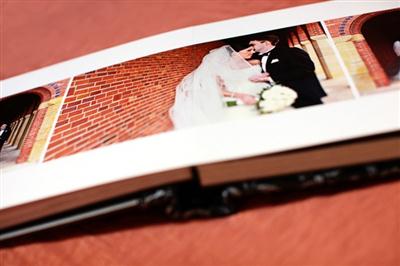
Create a Photo Album: Workflow and Design
Duration: 15+ Hours | Video: h264, yuv420p, 952x536 30fps | Audio: aac, 44100 Hz, 2 ch | 4.09 GB
Genre: eLearning | Language: English​

Learn how to expertly design and create a photo album. Go from image download to finished album design in 8 hours or less! Khara also explains how photo albums can be as good for your workflow as they are for your bottom line. Using a combination of Lightroom, Photoshop, and InDesign, Khara shares the nitty gritty details of how it's done. Khara redefines "workflow" to include some very specific business strategies that simplify everything while helping you avoid the common pitfalls that cause so many headaches! This isn't just another collection of keyboard shortcuts and Lightroom tricks.

And with a special, in-depth look at InDesign, you'll see why it's embraced by designers around the globe (and photographers who are in the know) as the preferred tool of choice for everything from wedding albums to info packets and pricing guides. You'll be ready to hit the ground running and creating a photo album right away!

Recommend Download Link Hight Speed | Please Say Thanks Keep Topic Live ​
 

643ae1ebfd216ba5dafb7d6840395cc6.jpg

Creating a Dynamic Character: Gesture Drawing
MP4 | Video: AVC 1280x720 | Audio: AAC 44KHz 2ch | Duration: 12M | 149 MB
Genre: eLearning | Language: English​

Learn how to create a Dynamic Character with a Strong Presence using Gesture Drawing, one of the fundamentals of Drawing!

This Class is suited for any level of Drawing, either if you want to up your Character Design skills or to learn some of the basics.

For the Class you'll need either a Pencil + Piece of Paper or a Drawing Tablet + Drawing Software of your choice!

I'll be using Manga Studio with my drawing tablet but you're free to use whatever you feel more used to since the important thing to do here is just practice.

Recommend Download Link Hight Speed | Please Say Thanks Keep Topic Live ​
 

b26224dbde28e88e0a2c60ddecafc279.jpg

Creating Abstract Art & Graphics with Cinema 4D, Photoshop, and After Effects
Duration: 28m | Video: h264, yuv420p, 1280x720 30fps | Audio: aac, 44100 Hz, 2 ch | 486 MB
Genre: eLearning | Language: English​

This tutorial is going to show you how to create a cool and simple abstract design using Cinema 4D, Photoshop, and Adobe After Effects. The techniques taught in this course can be applied to other things and can even be used for animation.

Recommend Download Link Hight Speed | Please Say Thanks Keep Topic Live ​
 

bccbc5f8dd28fd18c0c87526ce063ed2.jpg

CSS Tutorials: Learn Basic and Advanced Elements of Cascading Style Sheets
MP4 | Video: AVC 1280x720 | Audio: AAC 44KHz 2ch | Duration: 1 Hours 17M | 342 MB
Genre: eLearning | Language: English​

Cascading Style Sheets (CSS) is a style sheet language used for describing the presentation of a document written in a markup language. Although most often used to set the visual style of web pages and user interfaces written in HTML and XHTML, the language can be applied to any XML document, including plain XML, SVG and XUL, and is applicable to rendering in speech, or on other media. Along with HTML and JavaScript, CSS is a cornerstone technology used by most websites to create visually engaging webpages, user interfaces for web applications, and user interfaces for many mobile applications.
CSS is designed primarily to enable the separation of document content from document presentation, including aspects such as the layout, colors, and fonts. This separation can improve content accessibility, provide more flexibility and control in the specification of presentation characteristics, enable multiple HTML pages to share formatting by specifying the relevant CSS in a separate .css file, and reduce complexity and repetition in the structural content.

This separation of formatting and content makes it possible to present the same markup page in different styles for different rendering methods, such as on-screen, in print, by voice (when read out by a speech-based browser or screen reader) and on Braille-based, tactile devices. It can also be used to display the web page differently depending on the screen size or device on which it is being viewed. Readers can also specify a different style sheet, such as a CSS file stored on their own computer, to override the one the author has specified.

Changes to the graphic design of a document (or hundreds of documents) can be applied quickly and easily, by editing a few lines in the CSS file they use, rather than by changing markup in the documents.

Recommend Download Link Hight Speed | Please Say Thanks Keep Topic Live ​
 

675065e05d96009f0f5f6b0b35ceafe2.jpg

Cyber Security While Traveling
Duration: 54m | Video: h264, yuv420p, 1280x720 Audio: aac, 44100 Hz, 2 ch | 112 MB
Genre: eLearning | Language: English​

Have you ever found yourself on the road connecting to a public access point? If you have, you might have put yourself at risk from a security standpoint. In this course, Cyber Security While Traveling, you'll learn about situations where you're at risk and how to keep your information and electronics secure. First, you'll learn about the important "Travel Triangle of Security." Then, you'll explore different wireless and wired situations as well as the concerns that might come from them. Finally, this course will cover threats and countermeasures with a demonstration on how to best protect yourself. By the end of this course, you'll be able to apply what you've learned about cyber security to keep your data secure, whether in the airport, on the train, or across the globe.

Recommend Download Link Hight Speed | Please Say Thanks Keep Topic Live ​
 

3d67561868cc6856afb7d9e0525a1f18.jpg

Develop Design Skills #3 Low Poly Design
Duration: 44m | Video: h264, yuv420p, 1280x720 30fps | Audio: aac, 44100 Hz, 2 ch | 166 MB
Genre: eLearning | Language: English | Project Files​

Welcome to Develop your Design Skills #3 : Low Poly Design, where I'll take you through the entire process of creating your own low poly art or polygonal art design, from scratch and show you how to get your design skills level up. My name is Jestoni Esteban and I'm a freelance graphic designer.

Throughout the class, we will cover not only how to design a low poly art but also the important things you need to know about this design style and I will walk you through a step-by-step process for designing your first polygon style design from scratch. And even show you how I work and share some tips and tricks in Adobe Illustrator
This course is designed for people who want to learn a new design style or level up their design skills in adobe illustrator.
Thanks for your interest in this class-- I hope you're as excited as I am! If you're ready to learn more and sign up for the course, go ahead and hit that Enroll button. See you in the class!

Recommend Download Link Hight Speed | Please Say Thanks Keep Topic Live ​
 

7db5d99cac24d0eaa9bd4e9db4397269.jpg

Digital Illustration: How to Draw Squared Animals in Adobe Illustrator
Duration: 25m | Video: h264, yuv420p, 1280x720 30fps | Audio: aac, 44100 Hz, 2 ch | 393 MB
Genre: eLearning | Language: English​

Drawing Animals - too boring for you? Looking for some more creative idea? How about .. square animals? Oh yeah! A truly square!

This is a super simple and fun 25 minute class from which you will learn how to draw any animal in my style. I'm going to draw a lion. We'll start with a usual square and at the end of this class you will succeed fully finished, colored square animal! And you will learn the tips and techniques for using Adobe Illustrator tools to work effectively.
And shh! Secret tips and tricks for effective work in Adobe Illustrator are attached! Well, maybe not so secret.. but anyway!

Recommend Download Link Hight Speed | Please Say Thanks Keep Topic Live ​
 

aa170ef513d992cf5ef5baa947d8efef.jpg

DIY iOS Games: A Developer Guide - Anti Candy Crunch
.MP4, AVC, 860 kbps, 1920x1080 | English, AAC, 192 kbps, 2 Ch | 2.5 hours | 1.45 GB
Instructor: Alex Nagy​

Are you tired of reskinning the same old MATCH-3 source codes?

Do you want to leverage the awesome features of a game like Candy Crush Saga, but do not want to be a copycat?

Are you looking for a revolutionary MATCH-4 gameplay?

You are in good place! In this course you will get your hands on our latest source code "Anti Candy Crunch" and you will learn how to set it up and submit it to the App Store. In this course I will submit a reskin called Anti Cookie Crunch. Anti Cookie Crunch is already available on the App Store! Download it to take a look at what the source code can offer.

We wanted to create a game that will turn heads. While researching the market I've found that there are a LOT (some good, some bad) of MATCH-3 source codes.

What will make a bang is a new gameplay: Match 4 candies or more! Do not match 3!

This course takes you by hand and shows you how you can reskin and submit your very own version of Anti Candy Crunch to the App Store.

Features of the Anti Candy Crunch source code include:

Revolutionary MATCH-4 gameplay
Facebook Login
Facebook App Invites
Facebook Share
3 Virtual Currency Pack In-app Purchases - This is where you will make money
No Ads In-app Purchase - This is where you will make money
Ads from AdMob (banner) and Chartboost (interstitial) - This is where you will make money
Rate My App System
More Apps Page
Game Center Leaderboard
Achievements
108 Levels
2 types of gameplay: timed or with moves
User data is saved into Firebase (user data is easily restored)
Facebook Friends and their scores are shown in the Map Scene
Random Level Mode
many more

You will get your hands on the Anti Candy Crunch source code and hands on video tutorials how to put your own reskin of it on the App Store. Take a look at the free Introduction video to find out more.

Enrich your app portfolio with this delightful, addicting, fun and money maker source code! Enroll now!

What are the requirements?

You need to have a Mac
You need to be enrolled in the Apple Developer Program
NO coding skills required

What am I going to get from this course?

create their own version of Anti Candy Crunch - an iOS source code that is provided in the course
set up Facebook, Firebase, AdMob, Chartboost, iTunes Connect for their new version
submit their new version (reskin) of the source code to be published on the App Store

Recommend Download Link Hight Speed | Please Say Thanks Keep Topic Live ​

 
Zurück
Oben Unten