• Regeln für den Video-Bereich:

    In den Börsenbereich gehören nur Angebote die bereits den Allgemeinen Regeln entsprechen.

    Einteilung

    - Folgende Formate gehören in die angegeben Bereiche:
    - Filme: Encodierte Filme von BluRay, DVD, R5, TV, Screener sowie Telesyncs im Format DivX, XviD und x264.
    - DVD: Filme im Format DVD5, DVD9 und HD2DVD.
    - HD: Encodierte Filme mit der Auflösung 720p oder darüber von BluRay, DVD, R5, TV, Screener sowie Telesyncs im Format x264.
    - 3D: Encodierte Filme von BluRay, die in einem 3D Format vorliegen. Dies gilt auch für Dokus, Animation usw.
    - Serien: Cartoon/Zeichentrick, Anime, Tutorials, Dokumentationen, Konzerte/Musik, Sonstiges sind demnach in die entsprechenden Bereiche einzuordnen, auch wenn sie beispielsweise im High Definition-Format oder als DVD5/DVD9/HD2DVD vorliegen. Ausnahme 3D.
    - Bereich Englisch: Englische Releases gehören immer in diesen Bereich.
    - Bereich Talk: Der Bereich, in dem über die Releases diskutiert werden kann, darf, soll und erwünscht ist.


    Angebot/Beitrag erstellen

    - Ein Beitrag darf erst dann erstellt werden, wenn der Upload bei mindestens einem OCH komplett ist. Platzhalter sind untersagt.
    - Bei einem Scenerelease hat der Threadtitel ausschließlich aus dem originalen, unveränderten Releasenamen zu bestehen. Es dürfen keine Veränderungen wie z.B. Sterne, kleine Buchstaben o.ä. vorgenommen werden. Ausnahme Serienbörse:
    - Bei einem Sammelthread für eine Staffel entfällt aus dem Releasename natürlich der Name der Folge. Beispiel: Die Simpsons S21 German DVDRip XviD - ITG
    - Dementsprechend sind also u.a. verboten: Erweiterungen wie "Tipp", "empfehlenswert", "only", "reup", usw. / jegliche andere Zusatzinformation oder Ergänzung, welche nicht in obiger Beschreibung zu finden ist.

    Aufbau des Angebots und Threadtitel

    Der Titel nach folgendem Muster erstellt zu werden. <Name> [3D] [Staffel] [German] <Jahr> <Tonspur> [DL] [Auflösung] <Quelle> <Codec> - <Group>
    Beispiel: The Dark Knight German 2008 AC3 DVDRip XviD - iND
    Beispiel: The Dark Knight 2008 DTS DL BDRip x264 - iND
    Beispiel: The Dark Knight 2008 AC3 DL BDRip XviD - iND
    Beispiel: The Dark Knight German 2008 AC3 720p BluRay x264 iND
    Beispiel: The Dark Knight 2008 DTS DL 1080p BluRay x264 iND
    Beispiel: Die Simpsons S01 German AC3 DVDRip XviD iND
    Beispiel: Die Simpsons S20 German AC3 720p BluRay x264 iND
    Beispiel: Sword Art Online II Ger Sub 2014 AAC 1080p WEBRip x264 - peppermint
    Entsprechend sind also u.a. verboten: Sonderzeichen wie Klammern, Sterne, Ausrufezeichen, Unterstriche, Anführungszeichen / Erweiterungen wie "Tipp", "empfehlenswert", "only", "reup", usw. / jegliche andere Zusatzinformation oder Ergänzung, welche nicht in obiger Beschreibung zu finden ist
    Ausnahmen hiervon können in den Bereichen geregelt sein.

    Die Beiträge sollen wie folgt aufgebaut werden:
    Überschrift entspricht dem Threadtitel
    Cover
    kurze Inhaltsbeschreibung
    Format, Größe, Dauer sind gut lesbar für Downloader außerhalb des Spoilers zu vermerken
    Nfo sind immer Anzugeben und selbige immer im Spoiler in Textform.
    Sind keine Nfo vorhanden z.B. Eigenpublikationen, sind im Spoiler folgende Dateiinformationen zusätzlich anzugeben :
    Quelle
    Video (Auflösung und Bitrate)
    Ton (Sprache, Format und Bitrate der einzelnen Spuren)
    Untertitel (sofern vorhanden)
    Hosterangabe in Textform außerhalb eines Spoiler mit allen enthaltenen Hostern.
    Bei SD kann auf diese zusätzlichen Dateiinformationen verzichtet werden.

    Alle benötigten Passwörter sind, sofern vorhanden, in Textform im Angebot anzugeben.
    Spoiler im Spoiler mit Kommentaren :"Schon Bedankt?" sind unerwünscht.


    Releases

    - Sind Retail-Release verfügbar, sind alle anderen Variationen untersagt. Ausnahmen: Alle deutschen Retail-Release sind CUT, in diesem Fall sind dubbed UNCUT-Release zulässig.
    - Im Serien-Bereich gilt speziell: Wenn ein Retail vor Abschluss einer laufenden Staffel erscheint, darf diese Staffel noch zu Ende gebracht werden.62
    - Gleiche Releases sind unbedingt zusammenzufassen. Das bedeutet, es ist zwingend erforderlich, vor dem Erstellen eines Themas per Suchfunktion zu überprüfen, ob bereits ein Beitrag mit demselben Release besteht. Ist dies der Fall, ist der bereits vorhandene Beitrag zu verwenden.
    - P2P und Scene Releases dürfen nicht verändert oder gar unter einem iND Tag eingestellt werden.


    Support, Diskussionen und Suche

    - Supportanfragen sind entweder per PN oder im Bereich Talk zu stellen.
    - Diskussionen und Bewertungen sind im Talk Bereich zu führen. Fragen an die Uploader haben ausschließlich via PN zu erfolgen, und sind in den Angeboten untersagt.
    - Anfragen zu Upload-Wünschen sind nur im Bereich Suche Video erlaubt. Antworten dürfen nur auf Angebote von MyBoerse.bz verlinkt werden.


    Verbote

    - Untersagt sind mehrere Formate in einem einzigen Angebotsthread, wie beispielsweise das gleichzeitige Anbieten von DivX/XviD, 720p und 1080p in einem Thread. Pro Format, Release und Auflösung ist ein eigener Thread zu eröffnen.
    - Grundsätzlich ebenso verboten sind Dupes. Uploader haben sich an geeigneter Stelle darüber zu informieren, ob es sich bei einem Release um ein Dupe handelt.
    - Gefakte, nur teilweise lauffähige oder unvollständige Angebote sind untersagt. Dies gilt auch für eigene Publikationen, die augenscheinlich nicht selbst von z.B. einer DVD gerippt wurden. Laufende Serien, bei denen noch nicht alle Folgen verfügbar sind, dürfen erstellt und regelmäßig geupdatet werden.
    - Untersagt sind Angebote, welche nur und ausschließlich in einer anderen Sprache als deutsch oder englisch vorliegen. Ausnahmen sind VORHER mit den Moderatoren zu klären.


    Verstoß gegen die Regeln

    - Angebote oder Beiträge, die gegen die Forenregeln verstoßen, sind über den "Melden"-Button im Beitrag zu melden.
  • Bitte registriere dich zunächst um Beiträge zu verfassen und externe Links aufzurufen.


Englische Tutorials


34e69b0d480a2fd719261e5c04194338.jpg

Build an OSX app from scratch - **** multiplication game
MP4 | Video: AVC 1280x720 | Audio: AAC 44KHz 2ch | Duration: 1.5 Hours | Lec: 25 | 332 MB
Genre: eLearning | Language: English​

Learn to make an app with Swift in Xcode in just 1 hour. Build your very own app in just 1 hour!

This course was funded through a massively successful Kickstarter campaign.

Learn to make an app in Xcode in just 1 hour! Learn to code in swift and make your very own app in just 1 hour. Build an app in just 1 hour.

One of the best features is that you can watch the courses at any speed you want. This means you can speed up the or slow down the video if you want to.

This course is project based so you will not be learning a bunch of useless coding practices. At the end of this course you will have real world apps to use in your portfolio. We feel that project based training content is the best way to get from A to B. Taking this course means that you learn practical, employable skills immediately.

You can use the projects you build in this course to add to your LinkedIn profile. Give your portfolio fuel to take your career to the next level.

Learning how to code is a great way to jump in a new career or enhance your current career. Coding is the new math and learning how to code will propel you forward for any situation. Learn it today and get a head start for tomorrow. People who can master technology will rule the future.

You will get full lifetime access to this course for a single one off fee. John Bura has created many games, apps and training courses so he is extremely qualified to teach you how to master technology. This is an instructor that does not only teach, he produces apps. This means you get the most relevant information on how to code. Most courses do not show you practical skills and real world examples.

What makes you a good teacher?

I have released over 40 games and apps that have done very well in the app store.
I run a company called Mammoth Interactive so I am actively in the field building apps and making money
I have been teaching since 2002
I personally love learning online and my life is much better because I have learned online rather than a classroom
I am one of the top 10 highest grossing Udemy teachers
I have been a Udemy instructor since 2011.
I make sure people learn how to make money from their creations.
I have over 150k students worldwide
Who is this class for?

People who want to improve their technical skills
Complete beginners
People who want to make money. I show people the tools on how to make money through various methods of passive income
People who want to get ahead of the pack by learning online.
How you will make money by learning new skills

Learn practical skills
Learn about how leverage your new skills to greater wealth
Learn through practical examples
Why should you learn online?

There is an online education revolution taking place. You may have heard about it in the news or heard it from a friend. Either-way, education is going to be changed forever. In this short course I talk about how Online Education has

Motivated me
Helped my career
Helped me as a teacher
Impacted several lives around the planet
I promise that this course will be better and more effective than reading books. I show how to master technology through the use of video. This course will give you everything you need to thrive in our technological society.

Recommend Download Link Hight Speed | Please Say Thanks Keep Topic Live ​

 

0396910165cbc593b1d7c6532602f04f.jpg

Build WordPress Plugin to extend Beaver Builder (2016)
MP4 | Video: AVC 1280x720 | Audio: AAC 44KHz 2ch | Duration: 2 Hours | Lec: 17 | 311 MB
Genre: eLearning | Language: English​

Learn how to build your own WordPress plugins that allow you to extend Beaver Builder with your own custom modules

Beaver Builder is a powerful and flexible drag and drop design system. Whether you're a beginner or a seasoned professional, you're going to love taking control of your website with Beaver Builder.

Positioning text and images with the WordPress editor is a pain! Beaver Builder's front end drag and drop interface gives you total control over the layout of your pages.

Beaver Builder comes ready to go with a range of modules, but there is a lot of creative ideas yet to be explored with custom modules.

So if you are looking to extend your own experience with Beaver Builder, are an agency looking to build custom modules for you clients, or looking to generate your own income with plugins, then this course is for you!

Recommend Download Link Hight Speed | Please Say Thanks Keep Topic Live ​

 

c9c5b21c6851855b10a546c664c1109a.jpg

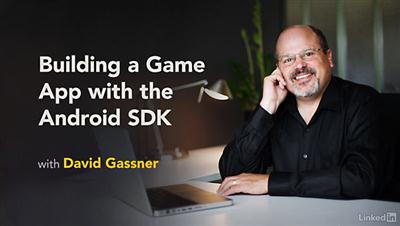
Building a Game App with the Android SDK
Duration: 2h 6m | Video: AVC (.mp4) 1280x720 15&30fps | Audio: AAC 48KHz 2ch | 538 MB
Genre: eLearning | Level: Intermediate | Language: English​

There are many ways to build mobile games, but for most projects you'll find everything you need in the core SDK. Practice Android programming while you learn to build a simple game app with the Android SDK and Java-no C++ or gaming engine required! This project showcases all of the SDK's strengths, including clean, fluid motion; complex game mechanics; and persistent scoring. David Gassner shows how to build the visuals, including the background, menus, and controls, and add animation with the built-in classes in Android. Then he helps you program the game logic. Learn how to define different levels, increment and display scores, manage game resources, and add audio effects-both longer music files with the MediaPlayer component and shorter sound effects with Android's SoundPool class. This project is a fun and rewarding way to learn Android programming, and can be used as a template for your own game apps.

Topics include:
* Working with Java vs. C++
* Creating a new Android project
* Defining the visuals: background, menus, and animation
* Defining and managing levels
* Displaying scores
* Managing limited gaming resources
* Completing the game logic
* Adding audio effects

Recommend Download Link Hight Speed | Please Say Thanks Keep Topic Live ​

 

0f765d34c6c2730b610cd79ebb132689.jpg

C++ Programming Tutorial For Beginners Learn C++ in 2 hours
MP4 | Video: AVC 1280x720 | Audio: AAC 44KHz 2ch | Duration: 2 Hours | Lec: 32 | 1 GB
Genre: eLearning | Language: English​

C++ Programming Tutorial For Beginners, Learn Basics of C++ and start coding,Learn from a experienced instructor,

C++ Tutorial For Beginners

Learn the basic concepts of C++ and start building your own programs with the most popular programming language.

Build a strong foundation in C++ and object-oriented programming with this tutorial for beginners.

·Turbo C++ installation.
·Types and Operators
Classes, and Objects
·Loops and Conditionals
·Arrays and structures
Benefits of C++

C++ is a highly portable language and is often the language of choice for multi-device, multi-platform app development.
C++ is an object-oriented programming language and includes classes, inheritance, polymorphism, data abstraction and encapsulation.
C++ has a rich function library.
C++ allows exception handling, and function overloading which are not possible in C.
C++ is a powerful, efficient and fast language. It finds a wide range of applications from GUI applications to 3D graphics for games to real-time mathematical simulations.
Content and Overview

Suitable for beginning programmers, through this course of 35 lectures and 2 hours of content, youll learn all of the C++ fundamentals and establish a strong understanding of the concept behind object-oriented programming (OOP). Each chapter closes with exercises, putting your new learned skills into practical use immediately.

Starting with the installation of the Turbo C++, this course will take you through C++ data types, operators, and how to use them. By creating classes and objects, youll a establish a strong understanding of OOP.

With these basics mastered, the course will take you through program flow control by teaching you how to use for loops, while loops, and conditional if-else statements to add complexity and functionality to your programs.

Students completing the course will have the knowledge to create functional and useful programs.

By completing this course, you will receive a verifiable certificate .

What am I going to get from this course?

Learn C++ Programming from a professional trainer from your own desk.
35 lectures (2hours of content) teaching you object-oriented programming, classes, objects, loops, and much more!
Suitable for beginner programmers and ideal for users who learn faster when shown.
Visual training method, offering users increased retention and accelerated learning.
COURSE CONTAINS:-

Lecture videos mostly
Basics of C++ programming
Writing interesting programs using C++
Fun quizzes
COURSE REQUIREMENTS:

Interest to learn
Basic computer knowledge
INTENDED AUDIENCE :

Students who don't have basic knowledge about C++ programming.
Students who need a quick revise about basics concepts of C++
Anyone who wants to write computer programs
Beginners
NOT intended for Expert programmers

Recommend Download Link Hight Speed | Please Say Thanks Keep Topic Live ​
 

fcabeafbe440054b68c03b8a0ddfa26f.jpg

Career Academy - Introduction to Project Management PM101
Duration: 9hrs | Video: h264, yuv420p, 1910x1030 30fps | Audio: aac, 44100 Hz, 2 ch | 1.44 GB
Genre: eLearning | Language: English | Workbooks included​

Career Academy is a PMI® Registered Education Provider (REP), provider number 4058.

This series focuses on introducing participants to the practical basics of project management. Focus is placed on the ANSI and IEEE accepted standards for professional project management.

Series Taught By: Martin VanDerSchouw

Course 01 - Introduction & Overview
Part 1 - Introduction & Overview
Part 2 - Tools You Need
Course 02 - Teams & Leadership
Part 1 - Teams & Leadership
Part 2 - Teams
Part 3 - Conflict
Course 03 - Project Communication
Part 1 - Project Communication
Part 2 - Didactic Communications
Part 3 - Basic Meeting Rules
Course 04 - Stakeholder Management
Part 1 - Stakeholder Management
Course 05 - The Basics of Project Management
Part 1 - The Basics of Project Management
Part 2 - Project Needs
Course 06 - Scope and Requirements
Part 1 - Scope and Requirements
Part 2 - Work Breakdown Structures
Part 3 - Displayed Thinking
Course 07 - Developmental Methodologies
Part 1 - Developmental Methodologies
Part 2 - Methodology Types
Part 3 - Selecting a Methodology
Course 08 - Effective Budgets & Schedules
Part 1 - Effective Budgets & Schedules
Part 2 - Resource Estimating
Part 3 - Estimating Techniques
Course 09 - Project Performance
Part 1 - Project Performance
Part 2 - The Keys to Success
Part 3 - Project Performance Key Values
Course 10 - Change Management
Part 1 - Change Management

Workbooks included for each chapter.

Recommend Download Link Hight Speed | Please Say Thanks Keep Topic Live ​
 

a65b4c98de4eab585ba21c9633add127.jpg

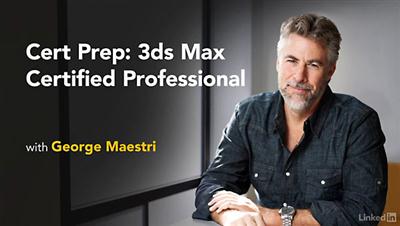
Lynda - Cert Prep: 3ds Max Certified Professional
Duration: 4h 14m | Video: AVC (.mp4) 1280x720 30fps | Audio: AAC 48KHz 2ch | 1023 MB
Genre: eLearning | Level: Intermediate | Language: English​

In a competitive 3D marketplace, certification can be a real boost to your career. 3ds Max certification proves you know the program inside and out, and it's a signal to employers and clients that you are a trustworthy professional. If you have the recommended 400 hours of hands-on experience, you can study to become a 3ds Max Certified Professional with this prep course from George Maestri. George reviews specific skills covered by the certification exam, including modeling, shading, rendering, effects, animation, and rigging. Brush up on topics such as setting up scenes and viewports, transforming objects, modeling polygonal objects, adding cameras and lights, rendering scenes, and configuring particle systems, as well as path animation and character rigging in 3ds Max. This course isn't designed to teach you the basics, but to help you refresh your 3ds Max skills and prepare for the exam topics. Once you're finished with the course, you can feel confident taking the 3ds Max Certified Professional exam.

Topics include:
* What is 3ds Max certification?
* Importing data
* Using scenes
* Configuring viewports
* Transforming, duplicating, and cloning objects
* Polygonal modeling
* Editing splines
* Setting up cameras and lighting
* Working with materials
* Rendering scenes
* Animating models
* Rigging characters

Recommend Download Link Hight Speed | Please Say Thanks Keep Topic Live ​
 

0a26652d286497b44a7de8743edcb68b.jpg

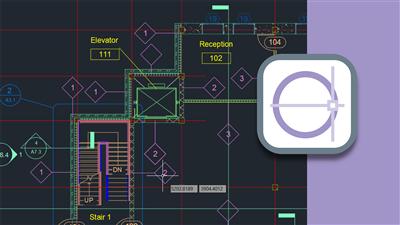
Lynda - Cert Prep: AutoCAD Certified Professional (updated Sep 09, 2016)
Duration: 4h 40m | Video: AVC (.mp4) 1280x720 15&30fps | Audio: AAC 48KHz 2ch | 675 MB
Genre: eLearning | Level: Appropriate for all | Language: English​

Become an Autodesk Certified Professional. This training course helps you study for the certification exam while you reinforce your CAD skills. Shaun Bryant helps you understand the two pathways available: Autodesk Certified User-for new designers who want to demonstrate basic proficiency and a commitment to academic success or career development-and Autodesk Certified Professional-for those who possess more advanced skills and can solve complex workflow and design challenges. He then walks through the basic drawing skills, object manipulation techniques, organization skills, annotations, and layout and print options that are necessary to pass both certifications.

Topics include:
* Creating and publishing AutoCAD files
* Drawing shapes and lines
* Creating isometric drawings
* Transforming objects
* Creating and using arrays
* Organizing objects and layers
* Reusing content with blocks
* Adding text, dimensions, multileaders, and scales
* Creating layouts
* Setting printing and Descriptionting options

Recommend Download Link Hight Speed | Please Say Thanks Keep Topic Live ​
 

e14e094878e72881bafaa0a0a223fe4e.jpg

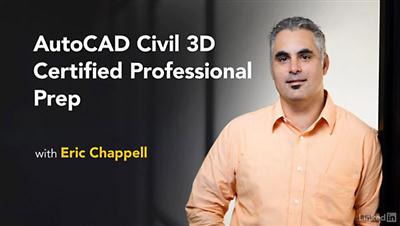
Lynda - Cert Prep: AutoCAD Civil 3D Certified Professional
Duration: 4h 49m | Video: AVC (.mp4) 1280x720 15&30fps | Audio: AAC 48KHz 2ch | 1.36 GB
Genre: eLearning | Level: Intermediate | Language: English​

Civil engineers are passionate about their work, and it shows. But nothing says certified professional like Autodesk certification. Passing the Civil 3D Certified Professional exam proves you know the program inside and out, and it's a signal to employers and clients that you are a trustworthy professional. Study to become an official Civil 3D pro with this prep course from authorized trainer Eric Chappell. He reviews specific skills covered by the 35-question exam, including styles, lines, curves, points, surfaces, parcels, alignments, profiles, corridors, and more. Brush up on topics such as creating and editing surfaces, using styles to control the display of objects, designing parcel layouts, analyzing section views, designing a pipe network, creating a grading model, and building a boundary drawing from survey data. This course isn't designed to teach you the basics, but to help you refresh your Civil 3D skills and prepare for the exam topics and format. Once you're finished with the course, you can feel confident taking the AutoCAD Civil 3D Certified Professional exam.

Topics include:
* Creating and using styles
* Using line, curve, and point creation commands
* Creating and editing surfaces
* Annotating parcels
* Creating alignments
* Designing profiles and profile views
* Creating sections and section views
* Managing and sharing data
* Producing plan documentation such as sheet sets

Recommend Download Link Hight Speed | Please Say Thanks Keep Topic Live ​
 

1dc863e9c50b598c6ceec71d75b095ee.jpg

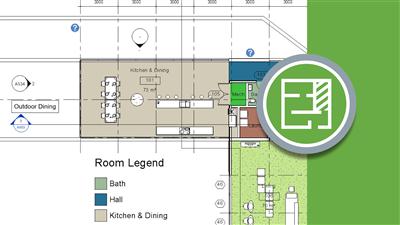
Lynda - Cert Prep: Revit Architecture Certified Professional
Duration: 3h 26m | Video: AVC (.mp4) 1280x720 15fps | Audio: AAC 48KHz 2ch | 926 MB
Genre: eLearning | Level: Intermediate | Language: English​

Revit certification proves you know the program inside and out, and it's a signal to employers and clients that you are a trustworthy professional. Study to become a Revit Architecture Certified Professional with this prep course from Autodesk Certified Instructor Shaun Bryant. He reviews specific skills covered by the 35-question exam, including the key areas in the certification roadmap: collaboration, documentation, modeling, and views. Brush up on topics such as importing and linking existing models and files; tagging elements; creating walls; building new family types; modeling floors, stairs, roofs, and more; creating views and legends; and producing detailed schedules and sheets. Once you're finished with this course, you can feel confident taking the Revit Architecture 2015 Certified Professional exam.

Topics include:
* What is Autodesk certification?
* Importing DWG and image files
* Creating and modifying fill regions
* Changing elements
* Working with family types and parameters
* Modeling different architectural elements
* Controlling visibility
* Creating duplicated views
* Organizing and sorting items in a schedule

Recommend Download Link Hight Speed | Please Say Thanks Keep Topic Live ​
 

75e0ada1d5aa9c02907f9d74031d15da.jpg

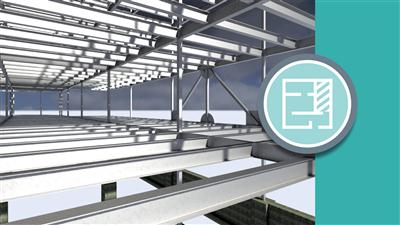
Lynda - Cert Prep: Revit MEP Electrical Certified Professional
Duration: 2h 35m | Video: AVC (.mp4) 1280x720 15&30fps | Audio: AAC 48KHz 2ch | 841 MB
Genre: eLearning | Level: Intermediate | Language: English​

CAD certification is important, especially for engineers who design and test electrical systems. Revit MEP certification proves you know the program inside and out, and it's a signal to employers and clients that you are a trustworthy professional. Study to become a Revit MEP Certified Professional with this prep course from authorized Autodesk trainer Eric Wing. He reviews the specific skills covered by the 35-question exam, including the four key areas covered in the certification objectives: collaboration, modeling, documentation, and views. Brush up on topics such as importing and linking existing models and files; creating floor plans; creating new families and family types; modeling electrical elements such as panels, circuits, fixtures, switches, conduits, and fire alarm and security devices; applying view templates to drawings; and producing detailed views with dimensions and tags. Once you're finished with this course, you can feel confident taking the Revit MEP 2015 Certified Professional exam.

Topics include:
* Importing AutoCAD files into Revit
* Linking Revit models
* Using worksets
* Creating new family types
* Adding and modifying panels, circuits, switches, conduits, and more
* Creating detail views

Recommend Download Link Hight Speed | Please Say Thanks Keep Topic Live ​
 

79349f94683655f312a8966c96a133df.jpg

Lynda - Cert Prep: Revit MEP Mechanical & Plumbing Certified Professional
Duration: 3h 4m | Video: AVC (.mp4) 1280x720 15&30fps | Audio: AAC 48KHz 2ch | 925 MB
Genre: eLearning | Level: Intermediate | Language: English​

CAD certification is important for engineers, especially those designing plumbing and HVAC systems. Revit MEP certification proves you know the program inside and out, and it's a signal to employers and clients that you are a trustworthy professional. Study to become a Revit MEP Certified Professional with this prep course from authorized Autodesk trainer Eric Wing. He reviews the specific skills covered by the 35-question exam, including the four key areas covered in the certification objectives: collaboration, modeling, documentation, and views. Brush up on topics such as importing and linking existing models and files; creating floor plans; tagging elements; creating sheets; creating new families and family types; modeling mechanical equipment such as air terminals and ducts, fixtures, piping, and plumbing; working with heating and cooling zones; and producing plumbing and HVAC plans. Once you're finished with this course, you can feel confident taking the Revit MEP 2015 Certified Professional exam.

Topics include:
* Importing AutoCAD files into Revit
* Linking Revit modeling
* Creating floor plans
* Using worksets
* Creating sheets
* Creating new family types
* Adding and modifying ducts, fixtures, piping, plumbing, and more
* Creating plumbing and HVAC plans

Recommend Download Link Hight Speed | Please Say Thanks Keep Topic Live ​

 

153acc36053c89b8077ab77de3a32195.jpg

Lynda - Cert Prep: Revit Structure Certified Professional
Duration: 2h 53m | Video: AVC (.mp4) 1280x720 15&30fps | Audio: AAC 48KHz 2ch | 937 MB
Genre: eLearning | Level: Intermediate | Language: English​

Revit Structure certification proves you know the program inside and out, and it's a signal to employers and clients that you are a trustworthy professional. Study to become a Revit Structure Certified Professional with this prep course from authorized Autodesk trainer Eric Wing. He covers specific skills covered by the 35-question exam, including the three key areas covered in the certification roadmap: collaboration, modeling, and documentation. Brush up on topics such as working with levels and grids; importing and linking existing models and files; modeling structural elements such as foundations, steel and concrete framing, and stairs and ramps; adding dimensions and annotations to drawings; and producing detailed schedules and sheets. Once you're finished with this course, you can feel confident taking the Revit Structure 2015 Certified Professional exam.

Topics include:
* Creating and modifying levels
* Importing AutoCAD files
* Linking models
* Modeling columns, walls, floors, beam systems, roofs, stairs, and ramps
* Adding and editing text annotations
* Using dimensions
* Creating schedules and standard sheets

Recommend Download Link Hight Speed | Please Say Thanks Keep Topic Live ​

 
Zurück
Oben Unten