• Regeln für den Video-Bereich:

    In den Börsenbereich gehören nur Angebote die bereits den Allgemeinen Regeln entsprechen.

    Einteilung

    - Folgende Formate gehören in die angegeben Bereiche:
    - Filme: Encodierte Filme von BluRay, DVD, R5, TV, Screener sowie Telesyncs im Format DivX, XviD und x264.
    - DVD: Filme im Format DVD5, DVD9 und HD2DVD.
    - HD: Encodierte Filme mit der Auflösung 720p oder darüber von BluRay, DVD, R5, TV, Screener sowie Telesyncs im Format x264.
    - 3D: Encodierte Filme von BluRay, die in einem 3D Format vorliegen. Dies gilt auch für Dokus, Animation usw.
    - Serien: Cartoon/Zeichentrick, Anime, Tutorials, Dokumentationen, Konzerte/Musik, Sonstiges sind demnach in die entsprechenden Bereiche einzuordnen, auch wenn sie beispielsweise im High Definition-Format oder als DVD5/DVD9/HD2DVD vorliegen. Ausnahme 3D.
    - Bereich Englisch: Englische Releases gehören immer in diesen Bereich.
    - Bereich Talk: Der Bereich, in dem über die Releases diskutiert werden kann, darf, soll und erwünscht ist.


    Angebot/Beitrag erstellen

    - Ein Beitrag darf erst dann erstellt werden, wenn der Upload bei mindestens einem OCH komplett ist. Platzhalter sind untersagt.
    - Bei einem Scenerelease hat der Threadtitel ausschließlich aus dem originalen, unveränderten Releasenamen zu bestehen. Es dürfen keine Veränderungen wie z.B. Sterne, kleine Buchstaben o.ä. vorgenommen werden. Ausnahme Serienbörse:
    - Bei einem Sammelthread für eine Staffel entfällt aus dem Releasename natürlich der Name der Folge. Beispiel: Die Simpsons S21 German DVDRip XviD - ITG
    - Dementsprechend sind also u.a. verboten: Erweiterungen wie "Tipp", "empfehlenswert", "only", "reup", usw. / jegliche andere Zusatzinformation oder Ergänzung, welche nicht in obiger Beschreibung zu finden ist.

    Aufbau des Angebots und Threadtitel

    Der Titel nach folgendem Muster erstellt zu werden. <Name> [3D] [Staffel] [German] <Jahr> <Tonspur> [DL] [Auflösung] <Quelle> <Codec> - <Group>
    Beispiel: The Dark Knight German 2008 AC3 DVDRip XviD - iND
    Beispiel: The Dark Knight 2008 DTS DL BDRip x264 - iND
    Beispiel: The Dark Knight 2008 AC3 DL BDRip XviD - iND
    Beispiel: The Dark Knight German 2008 AC3 720p BluRay x264 iND
    Beispiel: The Dark Knight 2008 DTS DL 1080p BluRay x264 iND
    Beispiel: Die Simpsons S01 German AC3 DVDRip XviD iND
    Beispiel: Die Simpsons S20 German AC3 720p BluRay x264 iND
    Beispiel: Sword Art Online II Ger Sub 2014 AAC 1080p WEBRip x264 - peppermint
    Entsprechend sind also u.a. verboten: Sonderzeichen wie Klammern, Sterne, Ausrufezeichen, Unterstriche, Anführungszeichen / Erweiterungen wie "Tipp", "empfehlenswert", "only", "reup", usw. / jegliche andere Zusatzinformation oder Ergänzung, welche nicht in obiger Beschreibung zu finden ist
    Ausnahmen hiervon können in den Bereichen geregelt sein.

    Die Beiträge sollen wie folgt aufgebaut werden:
    Überschrift entspricht dem Threadtitel
    Cover
    kurze Inhaltsbeschreibung
    Format, Größe, Dauer sind gut lesbar für Downloader außerhalb des Spoilers zu vermerken
    Nfo sind immer Anzugeben und selbige immer im Spoiler in Textform.
    Sind keine Nfo vorhanden z.B. Eigenpublikationen, sind im Spoiler folgende Dateiinformationen zusätzlich anzugeben :
    Quelle
    Video (Auflösung und Bitrate)
    Ton (Sprache, Format und Bitrate der einzelnen Spuren)
    Untertitel (sofern vorhanden)
    Hosterangabe in Textform außerhalb eines Spoiler mit allen enthaltenen Hostern.
    Bei SD kann auf diese zusätzlichen Dateiinformationen verzichtet werden.

    Alle benötigten Passwörter sind, sofern vorhanden, in Textform im Angebot anzugeben.
    Spoiler im Spoiler mit Kommentaren :"Schon Bedankt?" sind unerwünscht.


    Releases

    - Sind Retail-Release verfügbar, sind alle anderen Variationen untersagt. Ausnahmen: Alle deutschen Retail-Release sind CUT, in diesem Fall sind dubbed UNCUT-Release zulässig.
    - Im Serien-Bereich gilt speziell: Wenn ein Retail vor Abschluss einer laufenden Staffel erscheint, darf diese Staffel noch zu Ende gebracht werden.62
    - Gleiche Releases sind unbedingt zusammenzufassen. Das bedeutet, es ist zwingend erforderlich, vor dem Erstellen eines Themas per Suchfunktion zu überprüfen, ob bereits ein Beitrag mit demselben Release besteht. Ist dies der Fall, ist der bereits vorhandene Beitrag zu verwenden.
    - P2P und Scene Releases dürfen nicht verändert oder gar unter einem iND Tag eingestellt werden.


    Support, Diskussionen und Suche

    - Supportanfragen sind entweder per PN oder im Bereich Talk zu stellen.
    - Diskussionen und Bewertungen sind im Talk Bereich zu führen. Fragen an die Uploader haben ausschließlich via PN zu erfolgen, und sind in den Angeboten untersagt.
    - Anfragen zu Upload-Wünschen sind nur im Bereich Suche Video erlaubt. Antworten dürfen nur auf Angebote von MyBoerse.bz verlinkt werden.


    Verbote

    - Untersagt sind mehrere Formate in einem einzigen Angebotsthread, wie beispielsweise das gleichzeitige Anbieten von DivX/XviD, 720p und 1080p in einem Thread. Pro Format, Release und Auflösung ist ein eigener Thread zu eröffnen.
    - Grundsätzlich ebenso verboten sind Dupes. Uploader haben sich an geeigneter Stelle darüber zu informieren, ob es sich bei einem Release um ein Dupe handelt.
    - Gefakte, nur teilweise lauffähige oder unvollständige Angebote sind untersagt. Dies gilt auch für eigene Publikationen, die augenscheinlich nicht selbst von z.B. einer DVD gerippt wurden. Laufende Serien, bei denen noch nicht alle Folgen verfügbar sind, dürfen erstellt und regelmäßig geupdatet werden.
    - Untersagt sind Angebote, welche nur und ausschließlich in einer anderen Sprache als deutsch oder englisch vorliegen. Ausnahmen sind VORHER mit den Moderatoren zu klären.


    Verstoß gegen die Regeln

    - Angebote oder Beiträge, die gegen die Forenregeln verstoßen, sind über den "Melden"-Button im Beitrag zu melden.
  • Bitte registriere dich zunächst um Beiträge zu verfassen und externe Links aufzurufen.


Englische Tutorials


d51337e4541be73f86aebba6e9e91ad0.jpg

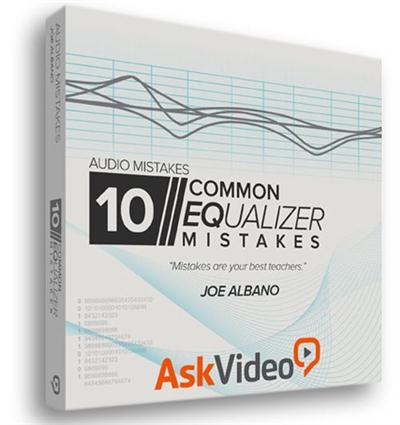
Ask Video - Audio Mistakes (Full Collection)
MP4 | English | 1280 x 720 | 248 kb/s | 30.000 fps | AAC 96.0 kb/s | 1.67 GB
Genre: Training​

"Mistakes are your best teachers." Ask Video - Audio Mistake collection examines 10 Common Compression Mistakes, 10 Common EQ Mistakes, 10 Common Reverb-Delay Mistakes, 10 Common Mastering Mistakes, 10 Common Panning Mistakes, 10 Common Studio Design Mistakes, 10 Common Signal Flow Mistakes, 10 Common Distortion Saturation Mistakes, 10 Common Vocal Recording Mistakes and shows you how to fix them. Let US make the mistakes so YOU don't have to! There's no better way to learn!

- 10 Common Compression Mistakes
- 10 Common EQ Mistakes
- 10 Common Reverb/Delay Mistakes
- 10 Common Mastering Mistakes
- 10 Common Panning Mistakes
- 10 Common Studio Design Mistakes
- 10 Common Signal Flow Mistakes
- 10 Common Distortion/Saturation Mistakes
- 10 Common Vocal Recording Mistakes

Recommend Download Link Hight Speed | Please Say Thanks Keep Topic Live ​
 

7b5bd5a996ed7e4320acccca16de670a.jpg

Become a ******** Technician
HDRips | MP4/AVC, ~76 kb/s | 960x540 | Duration: 5 hours | English: AAC, 59 kb/s (2 ch) | 2.09 GB
Genre: Medicine​

A Video Study Guide for the ******** Technician Certification Exam.

Becoming a ******** technician is a simpler path than most students think. While many students are convinced that becoming certified involves months of schooling -currently this is NOT the case.

To become a certified ******** technician an individual must:

1. Register with the PTCB or ExCPT to take a certification exam. Most states require the PTCB, but the ExCPT is accepted in many states.

2. Study the required material to pass the PTCB or ExCPT examination. (Note: Studying for the exam can be a part of a lengthy/costly college course, but is not required - a simple online video course will be sufficient )

3. Pass your exam!

4. Register with your respective State Board of ********. We provide the web URL for all 50 State Boards of ******** to make registering easy!

This course is designed to help students learn the concepts needed to become a certified ******** technician (C. Ph.T). Many different topics are covered in the course, including ******** law, common abbreviations, commonly used calculations, and many other skills used by ******** technicians in their day to day tasks. Utilizing the advantages of a self-paced course, student will be able to prepare to take the certification exam needed to work as a ******** technician.

Included in this course are how-to videos, drugs lists, commonly seen abbreviations, pharmaceutical calculations, sample test questions, and other resources useful in a successful ******** career.

This course will require additional time and repetition to reinforce skills learned within the included materials. Students are encouraged to take a slow and steady pace in this course - it is designed as a 6-week course but may be longer or shorter depending on the rate of learning by the student.

c22a3af035a0e927272ca8b144da27fe.jpg


---------------------------------------------------------------------------------------------------------------------------------------
Get an Premium Account NitroFlare, Rapidgator For Faster & Unlimited Download,with NO Waiting Time!
---------------------------------------------------------------------------------------------------------------------------------------[/center]

Download (NitroFlare)

---------------------------------------------------------------------------------------------------------------------------------------

Please Don't forget to rate my post if you like it ...
9861a360a2b3c6c7e4d30b8673404be4.jpg


Recommend Download Link Hight Speed | Please Say Thanks Keep Topic Live ​
 

e72b974d34a4410c58977dfd1f58a40f.jpg

RGGEDU - Capture One Pro - 101 Course Tutorial For Photographers
MP4 | Video: h264, yuv420p, 1920x1080 | Audio: aac, 44100 Hz, 2 ch | 2.2 GB
Genre: eLearning | Language: English​

Capture One Pro is a comprehensive 101 level course designed for photographers and retouchers to learn the most powerful RAW processing & post-production workflow program available today. Capture One Pro is highly regarded as an industry leading software and continues to provide professionals with the best tools to take their images to the highest quality available.

Distinguished retoucher and instructor Pratik Naik invites you to a structured 6+ hour course on learning the essentials of Capture One Pro 9. Through his 19 part video series, you'll start at the very beginning with workspaces, catalogs, library management, and then dive into Sessions vs. Catalogs and everything in between to get you started in the software. Pratik demonstrates the ease of understanding Capture One Pro 9 for photographers & retouchers through his patient and clear instruction. This is an organized approach to a comprehensive program essential to anyone that shoots in RAW and wants to get the most out of a RAW file. You don't have to search through hours of content because we've organized the essentials all for you so you can easily reference the files.

Why Learn Capture One?
Capture One Pro 9 is an industry leading software for tethered workflow and RAW processing for a wide variety of formats. It has long been a program that working professionals use to get the most out of their images during a shoot and in the retouching process. The advanced options and control your images get during every step of image creation is unparalleled. Most photographers invest thousands of dollars into their gear to create an image but often overlook the importance of what the most advanced RAW image processing software can do for their workflow, colors, tones, and final product.

General Overview

Closed Captions In English INCLUDED FOR FREE
Win A Free Copy Of Capture One Pro 9- CLICK HERE
New Updates To Capture One Pro Will Be Sent TO ALL Existing Members
Learn The Industry Leading Capture & RAW Software
Learn To Migrate From Lightroom + Get 10% OFF Capture One Pro 9
6 Hours Of HD Video Content Available for Mac, Windows, iOS, Android
Learn Capture One Pro For Photographers & Retouchers
Master The Fundamental Tools Needed To Craft Your Own Style
Learn Workspaces & Catalogs
Learn Library Management
Learn Sessions Versus Catalgs
Learn Keyboard Shortcuts
Learn Toolbars
Learn Capture One vs. Camera RAW
Learn Color Tabs & Variants
Learn The Color Editor
Learn The Exposure Tab
Learn Cropping & Lens Correction
Learn Local Adjustment Brushes
Learn Styles & Presets
Learn Keyboard & Process Recipes
Learn Advanced Color Grading
Learn Retouching Basics
Learn Transferring From Lightroom
Learn Capture One Vs. Lightroom
Learn The True Power Of Your RAW Images

Recommend Download Link Hight Speed | Please Say Thanks Keep Topic Live ​

 

230b2bb82e73b5458188e17f39f79f22.jpg

Complete MongoDB Course Series : Part 4: Performance tuning with Indexes
MP4 | Video: AVC 1280x720 | Audio: AAC 44KHz 2ch | Duration: 17M | 48 MB
Genre: eLearning | Language: English​

Topics Covered in this class:Introduction to Indexes
Understanding Impact of Indexes
Creating Index
Finding Indexes
Dropping Index

In this series of MongoDB classes we will start with basics of MongoDB and then we go on learning advance concepts to build MongoDB based applications.

In this Complete MongoDB Course Series (Part 1 -Part 11), we will start by learning basic concepts of MongoDB, MongoDB installation process, creating databases, Collections, CRUD operations, Indexing, ObjectIds in MongoDB, Aggregation Framework in MongoDB,Data Modeling in MongoDB,Relationships in MongoDB, User/Role Management In MongoDB, Regular Expressions in MongoDB, Map-Reduce in MongoDB.

At the end of this course you will be mastering MongoDB based application development.

Course HighlightsMost comprehensive course series on MongoDB with NoSQL database design approach
Simple, easy and well explained lectures with practical examples

Course ObjectiveMastering MongoDB based application development
Decide where and when to use MongoDB in your application development
Design MongoDB database from start to finish
Differentiate between RDBMS and NoSQL databases
Spot key features and advantages of NoSQL database MongoDB over RDBMS

Recommend Download Link Hight Speed | Please Say Thanks Keep Topic Live ​

 

5db0c8c57b0a560c56a0c0ae573373b1.jpg

Complete MongoDB Course Series Part 3- MongoDB CRUD Operations
MP4 | Video: AVC 1280x720 | Audio: AAC 44KHz 2ch | Duration: 38M | 136 MB
Genre: eLearning | Language: English​

Complete MongoDB Course Series : Part 3- MongoDB CRUD Operations

Topics Covered in this class:Creating/Inserting a document in collection using javascript file
Inserting Array of Documents
Reading a Document - Querying
Reading a Document with $lt, $gt operator
Other Query Operators
Updating Documents
Deleting documents

In this series of MongoDB classes we will start with basics of MongoDB and then we go on learning advance concepts to build MongoDB based applications.

In this Complete MongoDB Course Series (Part 1 -Part 11), we will start by learning basic concepts of MongoDB, MongoDB installation process, creating databases, Collections, CRUD operations, Indexing, ObjectIds in MongoDB, Aggregation Framework in MongoDB,Data Modeling in MongoDB,Relationships in MongoDB, User/Role Management In MongoDB, Regular Expressions in MongoDB, Map-Reduce in MongoDB.

At the end of this course you will be mastering MongoDB based application development.

Course HighlightsMost comprehensive course series on MongoDB with NoSQL database design approach
Simple, easy and well explained lectures with practical examples

Course ObjectiveMastering MongoDB based application development
Decide where and when to use MongoDB in your application development
Design MongoDB database from start to finish
Differentiate between RDBMS and NoSQL databases
Spot key features and advantages of NoSQL database MongoDB over RDBMS databases

Recommend Download Link Hight Speed | Please Say Thanks Keep Topic Live ​

 

89a601f164fcd860a00d8871c6e39f30.jpg

Deep Dive into Webinar Marketing (2016)
MP4 | Video: AVC 1280x720 | Audio: AAC 44KHz 2ch | Duration: 1 Hours | Lec: 18 | 152 MB
Genre: eLearning | Language: English​

When hosting a webinar, make sure you've got the primary basics - content, platform and marketing - covered.

In 2016, webinars became the most powerful marketing channel, surpassing blogs, ecourses and even ebooks.

So, are you preparing to host a webinar or webcast?

We've set the complete webinar marketing guide for you. This webinar marketing strategy guide will take you through a three-step process you can follow to grow your business with webinars. Why? Because...

=====

A successful web event can help strengthen your company's brand awareness
Increase exposure in the market, and generate qualified sales leads. If done right...
It can elevate an organization's credibility and reinforce its position as an industry thought leader.

=====

However, running a high-profile webinar can be intimidating and challenging.

Learn how to host and promote a successful webinar. Start Learning Now!

Recommend Download Link Hight Speed | Please Say Thanks Keep Topic Live ​

 

4947f07fedada501ce54dc412273d9b7.jpg

Lynda - Design a Website with Adobe XD
Duration: 1h 2m | Video: AVC (.mp4) 1280x720 15&30fps | Audio: AAC 48KHz 2ch | 379 MB
Genre: eLearning | Level: Beginner | Language: English​

Learn how to design a website with all the tools and flexibility you need, and then prototype that website so your clients and collaborators can see exactly how it will work. It's all possible with Adobe XD. This course shows everything you need to know to design your first website with Adobe's new prototyping app. Learn how to lay out a design, import graphics, and add headers and body copy. See how to create complex screen designs with repeating lists and grids that are as easy to change as they are to create. Then find out how to add new pages and use screen elements from the iOS, Android, and Windows UI kits that are built right into Adobe XD. Once the design is done, author Paul Trani shows how to add interactions and transitions to demonstrate how the website will "work" from one screen to the next. Plus, learn how to share a fully interactive prototype with other designers and clients, and export artboards and other assets to use in site development.

Topics include:
* Creating and importing graphics
* Adding text and effects
* Creating new pages
* Using Repeat Grid for easy prototyping of lists and recurring elements
* Adding interactions to elements
* Prototyping an entire website
* Sharing and exporting prototypes

Recommend Download Link Hight Speed | Please Say Thanks Keep Topic Live ​
 

c3702bebf29fb566a7cefbf3fe24645a.jpg

Email Communication Done Different (2016)
MP4 | Video: AVC 1280x720 | Audio: AAC 44KHz 2ch | Duration: 36M | Lec: 11 | 621 MB
Genre: eLearning | Language: English​

The first class where Darth Vader and Frank Underwood help teach you about emails.

Email communication is a necessary skill to succeed in the world of business. But it's boring to learn.

I've been through a lot of professional development seminars on emails. They are snoozers. They don't know how to deliver the topic in an engaging way.

So I decided to bring my main dudes Billy and Chad on camera to make it more fun. You'll see what I mean.

In this course:

You'll learn the ETTIQUETTE of business email: how to write emails like a human being, how to match other's tone of voice, and the art of brevity.
We'll talk about EFFECTIVENESS, or writing emails that get the job done: how to get a response to a cold email, get a meeting, and the science of "the hard ask".
You'll see EXAMPLE email threads from all your favorite movie franchises - Jurassic Park, Star Wars, Lord of the Rings, and more! (okay, all of my favorite movie franchises)
This class is designed for beginners. Are you just starting your professional career? Does success at your job largely depend on your email game? Is the world of email communication as foreign to you as the Amazon Jungle?

Then hop on board, and welcome to the ride.

-Nathan, Billy and Chad

Recommend Download Link Hight Speed | Please Say Thanks Keep Topic Live ​

 

cd7ed4b92f32c4a7cc4ab95efe7804d3.jpg

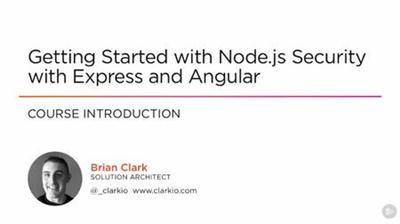
Getting Started with Node.js Security with Express and Angular (2016)
September 2016 | MP4 | Video: AVC 1280x720 | Audio: AAC 44KHz 2ch | Duration: 1.5 Hours | 243 MB
Genre: eLearning | Language: English​

This course will teach you how to apply common security mitigation techniques to a web application built with Angular, Express.js, and Node.js.

Node.js is a server-side JavaScript platform that's rapidly being adopted by many individuals and large companies. This course, Getting Started with Node.js Security with Express and Angular, shows you how to apply secure application development practices to Node.js with Express and Angular by learning some of the security risks that are of concern in this area. You'll see the execution of exploits associated with these risks and follow through with the implementation steps for mitigating each one. First, you'll learn about protecting data from extraction, as well as how to mitigate this risk. Next, you'll learn about how to ensure legitimacy of requests. Finally, you'll learn about blocking content-hijacking and what you can do to prevent it in the first place. By the end of this course, you'll have learned about many of the risks, vulnerabilities, and mitigation techniques, why they are so important, and you'll be more equipped to use secure application development practices.

Recommend Download Link Hight Speed | Please Say Thanks Keep Topic Live ​

 

2ee7d4f5cff6aa4a61b82a397ae60a62.jpg

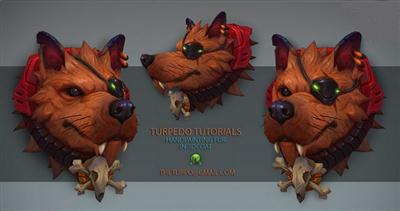
Gumroad - Hand Painting Fur in 3DCoat
Duration: 4h | Video: h264, yuv420p, 1920x1080 | Audio: aac, 48000 Hz, stereo | 3.9GB
Genre: eLearning | Language: English | Project Files Included​

Programs used -

-3DCoat v4.1(Newer and older versions should still work out fine)

You will receive -

-OBJ of the space pirate

-4 hours of HD footage and audio commentary

You will learn -

-Hand painted texturing from scratch

-Materials covered - Fur, eyes, metal, bone, gold, emissive glows

Recommend Download Link Hight Speed | Please Say Thanks Keep Topic Live ​

 

2dc794f34d253fbe7e5616533c6c5987.jpg

How to Create your Own Self Hosted Webinars with No Costs (2016)
MP4 | Video: AVC 1280x720 | Audio: AAC 44KHz 2ch | Duration: 1 Hours | Lec: 7 | 143 MB
Genre: eLearning | Language: English​

Learn my simple but powerful tehnique for creating amazing self hosted Webinars with no financial costs.

Webinars have become in the last years one of the most powerful tool that a business owner can use online to market and sell, especially High Ticket Offers.

Marketers from all around the world use Webinars to connect better with their audience, educate theri market, position themselves as authorities and sell much more in their business.

However, a lot of people that want to run a business online or are doing it already don't use Webinars because of techy obstacles and in 90% of the times because of the costs that runing Webinars through dedicated platforms have.

This course was created to solve this problem by teaching a simple but useful tehnique that will allow you to create your own hosted Webinars with an UNLIMITED NUMBER OF ATENDEES and with the possibility to add DIFFERENT PLUGINS AND ELEMENTS TO YOUR WEBINAR PAGE for FREE.

The course is fully delievered in video format and will take less than 1,5 hours of your time to go through and learn the concepts exposed.I highly encourage you to enroll in this course if you are an online marketer, business owner or you need to have a strong online presence and connect with your audience.I strongly believe that in the start of any business you need to allocate most of your resoruces to the element that brings you the most value and competitive advantage and that is why I've created this course for you, so you can invest your budget in the things that brings most value for your business and not in any unnecessary expensive monthly webinar service.

Recommend Download Link Hight Speed | Please Say Thanks Keep Topic Live ​
 

0832fd37992c2eeb1c2fb4c572ed737e.jpg

iPad Lettering: The Ultimate Guide
Duration: 1hr 20m | Video: h264, yuv420p, 1280x720 30fps | Audio: aac, 44100 Hz, 2 ch | 1.2 GB
Genre: eLearning | Language: English]​

Are you ready to learn the ins and outs of how to use the iPad Pro for all of your hand lettering desires? Look no further! In this JAM-PACKED class primarily using the Procreate software, you will learn everything you need to know to get started, create pieces using special effects, and view some sample projects that should open the door to expand your creativity and address the unlimited options you'll unlock in the digital world!

Here's what you'll discover in each segment:

Main Controls (Procreate) - What do all these buttons do? How do I _______?
Basic Design Edits - Gestures walk-through
Drawing Straight Lines - Use a tap, drag and hold to snap a stroke into a straight line
Ombré Effect - Creating a gradual color blend in your design
Multicolor Lettering - Similar to ombré, using several blended colors inside your design
Texture Lettering - Laying a textured effect to the interior of your letters
Glitter & Foil Overlays - Make your lettering look sparkly or foiled
Using Underlays (2 parts) - Different execution options to incorporate patterns, color, etc.
Wet Effect - Creating wetness/shine on your lettering, producing a "juicy" effect
Drop Shadow - Creating shadows behind your design
Mockup Display - Placing your piece inside a "mockup" frame for online store display
Tracing - Importing your own design to recreate it for perfection
Mirroring - Creating a mirrored effect from a selection
Instant Replay - Instantly replay and export your strokes from beginning to end in a video format
Watercolor Effect - Realistic watercolor background
Practice Sheets - Importing guides for digital practice
Basic Shapes - Simple shapes can bring the perfect focal point into play
Creating Patterns - Creating a pattern from one image
Creating Mandalas - Using Amaziograph app

Recommend Download Link Hight Speed | Please Say Thanks Keep Topic Live ​

 
Zurück
Oben Unten