• Regeln für den Video-Bereich:

    In den Börsenbereich gehören nur Angebote die bereits den Allgemeinen Regeln entsprechen.

    Einteilung

    - Folgende Formate gehören in die angegeben Bereiche:
    - Filme: Encodierte Filme von BluRay, DVD, R5, TV, Screener sowie Telesyncs im Format DivX, XviD und x264.
    - DVD: Filme im Format DVD5, DVD9 und HD2DVD.
    - HD: Encodierte Filme mit der Auflösung 720p oder darüber von BluRay, DVD, R5, TV, Screener sowie Telesyncs im Format x264.
    - 3D: Encodierte Filme von BluRay, die in einem 3D Format vorliegen. Dies gilt auch für Dokus, Animation usw.
    - Serien: Cartoon/Zeichentrick, Anime, Tutorials, Dokumentationen, Konzerte/Musik, Sonstiges sind demnach in die entsprechenden Bereiche einzuordnen, auch wenn sie beispielsweise im High Definition-Format oder als DVD5/DVD9/HD2DVD vorliegen. Ausnahme 3D.
    - Bereich Englisch: Englische Releases gehören immer in diesen Bereich.
    - Bereich Talk: Der Bereich, in dem über die Releases diskutiert werden kann, darf, soll und erwünscht ist.


    Angebot/Beitrag erstellen

    - Ein Beitrag darf erst dann erstellt werden, wenn der Upload bei mindestens einem OCH komplett ist. Platzhalter sind untersagt.
    - Bei einem Scenerelease hat der Threadtitel ausschließlich aus dem originalen, unveränderten Releasenamen zu bestehen. Es dürfen keine Veränderungen wie z.B. Sterne, kleine Buchstaben o.ä. vorgenommen werden. Ausnahme Serienbörse:
    - Bei einem Sammelthread für eine Staffel entfällt aus dem Releasename natürlich der Name der Folge. Beispiel: Die Simpsons S21 German DVDRip XviD - ITG
    - Dementsprechend sind also u.a. verboten: Erweiterungen wie "Tipp", "empfehlenswert", "only", "reup", usw. / jegliche andere Zusatzinformation oder Ergänzung, welche nicht in obiger Beschreibung zu finden ist.

    Aufbau des Angebots und Threadtitel

    Der Titel nach folgendem Muster erstellt zu werden. <Name> [3D] [Staffel] [German] <Jahr> <Tonspur> [DL] [Auflösung] <Quelle> <Codec> - <Group>
    Beispiel: The Dark Knight German 2008 AC3 DVDRip XviD - iND
    Beispiel: The Dark Knight 2008 DTS DL BDRip x264 - iND
    Beispiel: The Dark Knight 2008 AC3 DL BDRip XviD - iND
    Beispiel: The Dark Knight German 2008 AC3 720p BluRay x264 iND
    Beispiel: The Dark Knight 2008 DTS DL 1080p BluRay x264 iND
    Beispiel: Die Simpsons S01 German AC3 DVDRip XviD iND
    Beispiel: Die Simpsons S20 German AC3 720p BluRay x264 iND
    Beispiel: Sword Art Online II Ger Sub 2014 AAC 1080p WEBRip x264 - peppermint
    Entsprechend sind also u.a. verboten: Sonderzeichen wie Klammern, Sterne, Ausrufezeichen, Unterstriche, Anführungszeichen / Erweiterungen wie "Tipp", "empfehlenswert", "only", "reup", usw. / jegliche andere Zusatzinformation oder Ergänzung, welche nicht in obiger Beschreibung zu finden ist
    Ausnahmen hiervon können in den Bereichen geregelt sein.

    Die Beiträge sollen wie folgt aufgebaut werden:
    Überschrift entspricht dem Threadtitel
    Cover
    kurze Inhaltsbeschreibung
    Format, Größe, Dauer sind gut lesbar für Downloader außerhalb des Spoilers zu vermerken
    Nfo sind immer Anzugeben und selbige immer im Spoiler in Textform.
    Sind keine Nfo vorhanden z.B. Eigenpublikationen, sind im Spoiler folgende Dateiinformationen zusätzlich anzugeben :
    Quelle
    Video (Auflösung und Bitrate)
    Ton (Sprache, Format und Bitrate der einzelnen Spuren)
    Untertitel (sofern vorhanden)
    Hosterangabe in Textform außerhalb eines Spoiler mit allen enthaltenen Hostern.
    Bei SD kann auf diese zusätzlichen Dateiinformationen verzichtet werden.

    Alle benötigten Passwörter sind, sofern vorhanden, in Textform im Angebot anzugeben.
    Spoiler im Spoiler mit Kommentaren :"Schon Bedankt?" sind unerwünscht.


    Releases

    - Sind Retail-Release verfügbar, sind alle anderen Variationen untersagt. Ausnahmen: Alle deutschen Retail-Release sind CUT, in diesem Fall sind dubbed UNCUT-Release zulässig.
    - Im Serien-Bereich gilt speziell: Wenn ein Retail vor Abschluss einer laufenden Staffel erscheint, darf diese Staffel noch zu Ende gebracht werden.62
    - Gleiche Releases sind unbedingt zusammenzufassen. Das bedeutet, es ist zwingend erforderlich, vor dem Erstellen eines Themas per Suchfunktion zu überprüfen, ob bereits ein Beitrag mit demselben Release besteht. Ist dies der Fall, ist der bereits vorhandene Beitrag zu verwenden.
    - P2P und Scene Releases dürfen nicht verändert oder gar unter einem iND Tag eingestellt werden.


    Support, Diskussionen und Suche

    - Supportanfragen sind entweder per PN oder im Bereich Talk zu stellen.
    - Diskussionen und Bewertungen sind im Talk Bereich zu führen. Fragen an die Uploader haben ausschließlich via PN zu erfolgen, und sind in den Angeboten untersagt.
    - Anfragen zu Upload-Wünschen sind nur im Bereich Suche Video erlaubt. Antworten dürfen nur auf Angebote von MyBoerse.bz verlinkt werden.


    Verbote

    - Untersagt sind mehrere Formate in einem einzigen Angebotsthread, wie beispielsweise das gleichzeitige Anbieten von DivX/XviD, 720p und 1080p in einem Thread. Pro Format, Release und Auflösung ist ein eigener Thread zu eröffnen.
    - Grundsätzlich ebenso verboten sind Dupes. Uploader haben sich an geeigneter Stelle darüber zu informieren, ob es sich bei einem Release um ein Dupe handelt.
    - Gefakte, nur teilweise lauffähige oder unvollständige Angebote sind untersagt. Dies gilt auch für eigene Publikationen, die augenscheinlich nicht selbst von z.B. einer DVD gerippt wurden. Laufende Serien, bei denen noch nicht alle Folgen verfügbar sind, dürfen erstellt und regelmäßig geupdatet werden.
    - Untersagt sind Angebote, welche nur und ausschließlich in einer anderen Sprache als deutsch oder englisch vorliegen. Ausnahmen sind VORHER mit den Moderatoren zu klären.


    Verstoß gegen die Regeln

    - Angebote oder Beiträge, die gegen die Forenregeln verstoßen, sind über den "Melden"-Button im Beitrag zu melden.
  • Bitte registriere dich zunächst um Beiträge zu verfassen und externe Links aufzurufen.


Englische Tutorials


222ed6073c6f2ebe4ba733a78cab52b2.jpg

Learn to build apps without coding
MP4 | Video: AVC 1280x720 | Audio: AAC 44KHz 2ch | Duration: 2.5 Hours | Lec: 26 | 457 MB
Genre: eLearning | Language: English​

create apps for android and iphone without any coding

Content will be added once in a week, so who enrolled this course earlier will be getting this content without paying any extra once uploaded as this course once enrolled will be in their library forever.

This course will teach you how to develop android, iPhone and iPad apps with zero programming experience.

This course teaches you by building several apps live using several portals available, By the end of the course you will be able to create your own apps for both android and iphone without any programming or coding.

so lets get started.

Recommend Download Link Hight Speed | Please Say Thanks Keep Topic Live ​
 

d60c2361a42cc37cc71a7fd03019818f.jpg

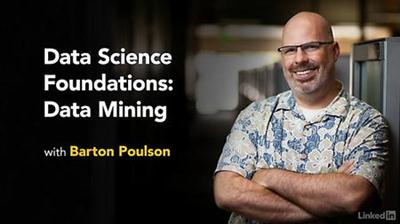
Lynda - Data Science Foundations: Data Mining
Size: 634 MB | Duration: 4h 41m | Video: AVC (.mp4) 1280x720 15&30fps | Audio: AAC 48KHz 2ch
Genre: eLearning | Level: Intermediate | Language: English​

All data science begins with good data. Data mining is a framework for collecting, searching, and filtering raw data in a systematic matter, ensuring you have clean data from the start. It also helps you parse large data sets, and get at the most meaningful, useful information. This course, Data Science Foundations: Data Mining, is designed to provide a solid point of entry to all the tools, techniques, and tactical thinking behind data mining. Barton Poulson covers data sources and types, the languages and software used in data mining (including R and Python), and specific task-based lessons that help you practice the most common data-mining techniques: text mining, data clustering, association analysis, and more. This course is an absolute necessity for those interested in joining the data science workforce, and for those who need to obtain more experience in data mining.

Topics include:
* Prerequisites for data mining
* Data mining using R, Python, Orange, and RapidMiner
* Data reduction
* Data clustering
* Anomaly detection
* Association analysis
* Regression analysis
* Sequence mining
* Text mining

Recommend Download Link Hight Speed | Please Say Thanks Keep Topic Live ​
 

708a7f5134e612344be493e6955f62e4.jpg


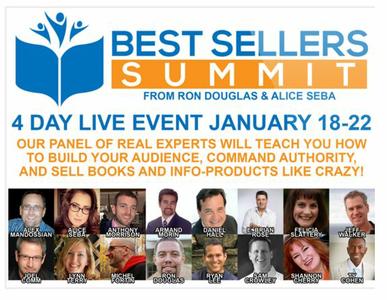
Best Sellers Summit 2016
WEBRip | English | FLV | 1920 x 1080 | AVC ~348 kbps | 5 fps
AAC | 96 Kbps | 44.1 KHz | 2 channels | ~15 hours | 2.33 GB
Genre: Video Tutorial / Business, Sales, Marketing​


Well, there is no need to imagine. This is exactly what happened in January 2016 at the Best Sellers Summit. But don't worry if you missed it. We recorded every moment, transcribed every single word and put together the notes for you.

Here are Just Some of the Strategies
that these Experts Revealed

As you can imagine, a lot of ground was covered in this 17+ hour event. New techniques were revealed and our speakers shared real-life stories and tested strategies to help you build your following and sell more products. Here is a short list of the things they shared.

Simple strategies for ensuring the content you publish produces more opt-ins, leads and customers.
Going from sporadic sales to generating consistent reliable income month after month.
The secrets of receiving the coveted title of New York Times Best Selling Author and they probably aren't what you think.
Creating a long term plan and turning book sales into clients and lucrative speaking engagements.
Easy-to-follow techniques for getting reviews and testimonials, even from authorities in your niche.
Tried and true methods for dramatically increasing the audience for your books and products.
Forget trying to get new customers all the time. Build a tribe of people who can't wait to see what you've got coming next.
How to repurpose all the content you create to increase your exposure, establish your authority and sell more.
How to plan and write your book in just 30 days and defy all bouts of writer's block.
Understanding exactly what your audience needs, so you can deliver the products they already want to buy.
Selling more books by using cutting-edge technology and adding interactive elements like audio and video.
Getting past the seemingingly impenetrable barrier of the ever-busy journalist to get the media attention you deserve.
How to run and monetize a podcast for increased exposure and additional revenue streams...and it's easier than you think.
Putting together easy-to-create books that sell like crazy. You'll learn how to do the research, come up with the concepts and get the up for sale quickly.
Sending the right message to your audience through your content, so they become loyal followers and repeat customers.
Growing a large dedicated audience, even if you don't consider yourself an expert in your niche...without any deceptive techniques.
Secret strategies for understanding your audience and speaking their language, so they'll buy your products and take your recommendations.

And of course....there is plenty more and we've got more details for you. This information-packed event prompted our attendees to declare our event to be the best they've attended....

A Sampling of the Feedback
from Our Best Sellers Summit Attendees

We've received overwhelming positive feedback from the event and haven't even had a chance to ask our attendees for formal testimonials or any of that other typical marketing type stuff. These comments are simply copied and pasted from the comments box in the webinar room where we hosted the event. Here are just a few of them:

"I seriously cannot believe we have received so much valuable information for such an incredibly low price! This was way beyond my expectations! Thank you very much." [Rebecca Hurt]

"Great info in this summit. I've listened to other webinars and there was so much upselling it was a turn-off. Not here. Thanks Ron and Alice! Great bunch of speakers." [Andrea Jarvis]

"Guys, this has been life changing, exactly when I needed it. Thank you so much!" [Ken Brough]

"Thanks for your authenticity...You've encouraged me to polish the gold nuggets created over the years..." [Linda Dunn]

"I have never more certain that I have the skills to make money on line. I am now so confident that I can get to where I need to be now. Thank you so much Alice and Ron." [Joy Cole]

"This was by far the best seminar I've attended, ever! I recenlty retired and have been ruminating furiously, trying to figure out what I want to do and how to do it! You guys and your fantastic presenters have given me some invaluable tools!" [Kristin Volberg]

This whole 4 day webinar is over the top. So much to implement. Thank you both so much and looking forward to the next one! [Selma Bruce]

Now, you might very well be thinking, "Why did I miss this?" Luckily, is just a bit of time to get your specially priced All Access Pass before it's gone for good.

Before we get into that, let us tell you a bit about why created the Best Seller Summit and introduce you to our fabulous speakers, so you can be sure you're in exactly at the right place at the right time to grow your business more than you ever imagined.

also You can watch my other last: Business-posts

Recommend Download Link Hight Speed | Please Say Thanks Keep Topic Live ​
 

2eecdd6e7489f4b735c02b42a103faf8.jpg


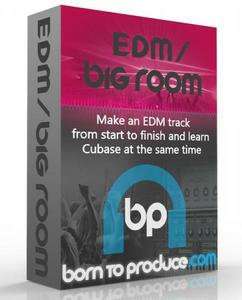
Born To Produce - EDM / Big Room (2016)
WEBRip | English | MP4 + Project files | 1280 x 720 | AVC ~1876 kbps | 29.970 fps
AAC | 132 Kbps | 44.1 KHz | 2 channels | 04:32:00 | 3.67 GB​

Genre: Video Tutorial / Sound Processing

Learn the basics of Cubase, settings, preferences, templates. How to approach a track
Create your own sub bass kick and layering drums to make them fatter
Produce an epic sounding EDM lead synth by layering. How to add interest
Create your own synth presets from scratch
Add FX with automation including interest, dynamics, structure, variation, energy builds and releases
Professionally mix your track to a high standard using automation, EQ, filters, etc.
Master your track at home
Cubase 7 Artist or later and Sylenth VST recommended but not essential

also You can look my other last: Sound Processing-posts

Recommend Download Link Hight Speed | Please Say Thanks Keep Topic Live ​
 

d903795793be0ee7386840e54893285e.jpg

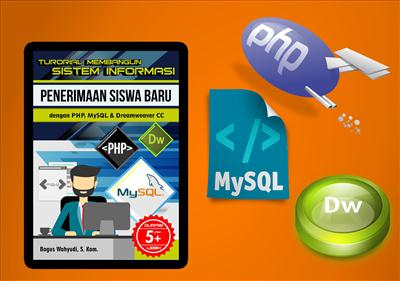
Building the Information Systems Admission of Students with PHP, MySQL and Dreamweaver Volume 1
Duration: 2hr 33m | Video: h264, yuv420p, 1280x720 30fps | Audio: aac, 44100 Hz, 2 ch | 348 MB
Genre: eLearning | Language: English​

Here we will learn to create Web Applications with Information Systems for New Students at High School 2 in Klaten, video tutorial is suitable for you who are curious and want to create a website application especially those of Admission, especially

video tutorial is suitable for those who use it for create a thesis or Task trips can at university (final) on majoring in Computer Science or Information Systems, video tutorial is equipped with open source code the final outcome of the discussion on this video tutorial, not just the video tutorial lasts a very long time, which is 5 hours (shared volume 1 and volume 2), no step is covered, all trainers will open with explicit step by step, starting from xampp installation, installing adobe dreamweaver cc, database design to the creation of web applications in Dreamweaver cc.

Recommend Download Link Hight Speed | Please Say Thanks Keep Topic Live ​
 

4f346b6e11c2fd08df6045cd95087d13.jpg

C Plus Plus programming
MP4 | Video: AVC 1280x720 | Audio: AAC 44KHz 2ch | Duration: 4.5 Hours | 819 MB
Genre: eLearning | Language: English​

A complete C++ programming course with Certification
C++ is the most popular OOPS implementation and can utilized to create video games, small apps, desktop application and even system drivers too. Master the C++ programming language with this affordable course that is very interactive and is not like traditional long and boring lectures. Things are taught in short and simple way in this course.
Programming is fun and is very easy if you start to implement it with small example and this course is ideal for it, So Jump into the course and Learn with Mr Hitesh Choudhary

Recommend Download Link Hight Speed | Please Say Thanks Keep Topic Live ​
 

2d94f1f7d98768a4bc33b48a22eb975d.jpg

Chatbots for Multiple Platforms with No Coding (2016)
MP4 | Video: AVC 1280x720 | Audio: AAC 44KHz 2ch | Duration: 2.5 Hours | Lec: 35 | 406 MB
Genre: eLearning | Language: English​

Build Chatbots for Facebook, Slack, Skype, KiK, Telegram and others. Go from simple to complex Chat bots with no coding.

This course will help you to gain the skills to use one of the fastest growing mobile technologies, Chatbots. Now you too can learn to build sophisticated Chatbots for your customers all with NO Coding.
This course is for those in Web design, marketing and graphics, who want to be able to offer their clients something new and exciting.
I will cover Chatbots for Websites, for Facebook, for KiK, and for Slack - although the bots created can be used also on many other services. I will show you examples of travel bots, entertainment bots, productivity bots, and retail bots.

Recommend Download Link Hight Speed | Please Say Thanks Keep Topic Live ​
 

24a0f817214dd4f879a7ff503f303016.jpg

Complete MongoDB Course Series : Part 1- Introduction to NoSQL Databases & Installation
MP4 | Video: AVC 1280x720 | Audio: AAC 44KHz 2ch | Duration: 26M | 86 MB
Genre: eLearning | Language: English​

In this series of MongoDB classes we will start with basics of MongoDB and then we go on learning advance concepts to build MongoDB based applications.

In this Complete MongoDB Course Series (Part 1 -Part 11), we will start by learning basic concepts of MongoDB, MongoDB installation process, creating databases, Collections, CRUD operations, Indexing, ObjectIds in MongoDB, Aggregation Framework in MongoDB,Data Modeling in MongoDB,Relationships in MongoDB, User/Role Management In MongoDB, Regular Expressions in MongoDB, Map-Reduce in MongoDB.

At the end of this course you will be mastering MongoDB based application development.

Course HighlightsMost comprehensive course series on MongoDB with NoSQL database design approach
Simple, easy and well explained lectures with practical examples

Course ObjectiveMastering MongoDB based application development
Decide where and when to use MongoDB in your application development
Design MongoDB database from start to finish
Differentiate between RDBMS and NoSQL databases
Spot key features and advantages of NoSQL database MongoDB over RDBMS databases

Recommend Download Link Hight Speed | Please Say Thanks Keep Topic Live ​
 

bce50c270c0fd4c7cff2ebc8fe4d1485.jpg

Complete MongoDB Course Series : Part 2 -Basics Of MongoDB
MP4 | Video: AVC 1280x720 | Audio: AAC 44KHz 2ch | Duration: 17M | 57 MB
Genre: eLearning | Language: English​

Topics Covered in this class:Create First Database in MongoDB
Creating Document and Saving it to Collection
Dropping a Database
Creating a Collection - Using db.createCollection(name,options)
Dropping a Collection

In this series of MongoDB classes we will start with basics of MongoDB and then we go on learning advance concepts to build MongoDB based applications.

In this Complete MongoDB Course Series (Part 1 -Part 11), we will start by learning basic concepts of MongoDB, MongoDB installation process, creating databases, Collections, CRUD operations, Indexing, ObjectIds in MongoDB, Aggregation Framework in MongoDB,Data Modeling in MongoDB,Relationships in MongoDB, User/Role Management In MongoDB, Regular Expressions in MongoDB, Map-Reduce in MongoDB.

At the end of this course you will be mastering MongoDB based application development.

Course HighlightsMost comprehensive course series on MongoDB with NoSQL database design approach
Simple, easy and well explained lectures with practical examples

Course ObjectiveMastering MongoDB based application development
Decide where and when to use MongoDB in your application development
Design MongoDB database from start to finish
Differentiate between RDBMS and NoSQL databases
Spot key features and advantages of NoSQL database MongoDB over RDBMS databases

Recommend Download Link Hight Speed | Please Say Thanks Keep Topic Live ​
 

9e279220294ec86eafc7c09309351173.jpg

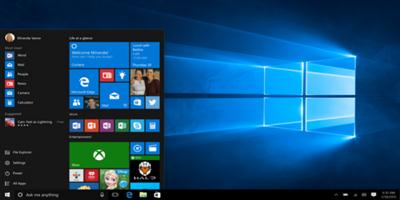
CompuWorks - Windows 10 End User
MP4 | English | 1280 x 720 | 5880 kb/s | 23.976 fps | AAC 317 kb/s | 11.97 GB
Genre: Training​

This course is designed to familiarize users with the Microsoft Windows 10 operating system. Users will login and learn basic functionality and navigation, review new functionality to Windows 10, review file management and customization with File Explorer, customize and personalize various areas out the Windows 10 operating environment, and work with applications and programs including installing, updating, and troubleshooting. Users will also become familiar with Microsoft Edge, the newest Internet browser. Edge functionality and new features will be reviewed.

Introduction
Getting Started in Windows 10
Logging In
The Startup Screen
Exploring the Desktop
General Navigation
Introducing the Action Center and Control Panel
Tablet Mode
Launching Applications
Interacting with Windows
Quitting Applications
Pinning Applications
Customizing the Start Menu
Customizing the Task Bar
Multitasking to Switch Between Multiple Applications
Managing Several Desktops Using Task View

File Management
Overview of the Drive and Folder Structure
Using the Navigation Pane, Details Pane, and Preview Pane
Using Menus and Ribbons
Viewing and Editing File Properties
Creating Files
Selecting, Moving, and Copying Files
Renaming Files and Folders
Deleting and Restoring from the Recycle Bin
Creating and Using Shortcuts
Zipping and Unzipping
Changing the Sort and Group By Options
Adding Columns to the Explorer View
Creating and Using a Library
Adding Files to a Library
Customizing File Explorer and Frequent Places
Configuring Files and Explorer Options
Logging In or Setting Up OneDrive
Storing and Accessing Files in OneDrive
Sharing Files through OneDrive
Syncing Files in OneDrive

Using Edge
Browsing the Web
Customizing Top Sites
Using Tabs
Adding and Using Favorites
Organizing Favorites with Folders
Using the Reading List and Reading View
Using, Saving, and Sharing Web Notes
Downloading Files
Viewing and Clearing History
Cortana: Setting Up
Cortana: Using Cortana
Maps: Searching, Getting Directions, and Choosing a View
Maps: Search Tips and Favorites
Maps: More Search Tips and Map Settings
Photos: Browsing
Photos: Using Editing Tools
Mail: Adding Accounts
Mail: Changing the View
Mail: Sending a Message
People: Adding and Editing Contacts
People: Searching, Linking, and Sharing Contacts
Calendar: Configuring and Viewing
Calendar: Changing Views and Creating and Editing Events
Weather: Adding Favorite Locations
Weather: Viewing Historical Data and Weather Maps

Customizing Windows 10
Managing Accounts and Sign In Options
Changing the Background
Understanding the Lock Screen
Changing Themes
Personalizing Start
Changing Screen Resolution
Adjusting Audio Settings
Managing Sleep and Screen Saver Modes
Changing Default Storage Locations
Managing Devices
Changing Type Settings
Adjusting Mouse and Touchpad Settings
Adjusting AutoPlay Settings

Installing, Updating, and Troubleshooting
Installing Applications from the Windows Store
Installing Applications from the Web
Setting Application Defaults
Setting App Privacy and Permissions
Uninstalling Applications
Configuring Windows Defender and Windows Updates
Accessing Task Manager
Accessing the Action Center to View Messages
Backing Up and Restoring Files and Using Recover

Conclusion
Course Recap

Recommend Download Link Hight Speed | Please Say Thanks Keep Topic Live ​

 

e609328208e6cdc280b1362d1de3f3a5.jpg

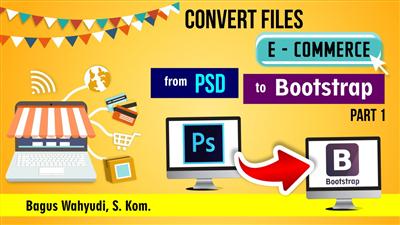
Convert files eCommerce from PSD to Bootstrap Part 1
Duration: 2hr 44m | Video: h264, yuv420p, 1280x720 30fps | Audio: aac, 44100 Hz, 2 ch | 437 MB
Genre: eLearning | Language: English​

In the tutorial "Convert Files eCommerce from PSD to Bootstrap Part 1", I will teach you about how to Convert website design file from Photoshop CC to Bootstrap with clear and out of step by step. In this tutorial, I will divide this tutorial into 2 study session, I hope this tutorial useful, for those of you who want to ask please use the comments in the comments field.

Recommend Download Link Hight Speed | Please Say Thanks Keep Topic Live ​

 

4b35249cd912d58fe484da38df2fe768.jpg

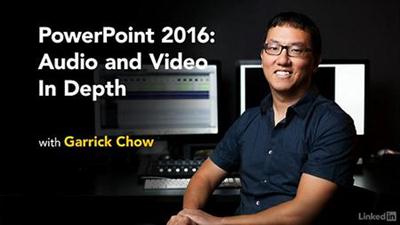
Lynda - PowerPoint 2016: Audio and Video In Depth
Size: 706 MB | Duration: 2h 12m | Video: AVC (.mp4) 1280x720 15&30fps | Audio: AAC 48KHz 2ch
Genre: eLearning | Level: Intermediate | Language: English​

Make your PowerPoint presentations more engaging by incorporating audio and video effectively. In this course, Garrick Chow shows how to work with video and audio clips from a variety of sources, including YouTube and your own computer. He then moves on to the finer points of audio and video editing-directly in PowerPoint. Learn how to record new clips, change a clip's start and end points, add a variety of effects and styles, and set playback options such as volume and looping. Plus, discover how to optimize the compatibility and file size of multimedia presentations so that they can be played on a wide range of computers and devices.

Topics include:
* Linking vs. embedding media
* Understanding file formats
* Adding videos from different sources, including YouTube
* Editing video
* Playing a video inside a shape or as a slide background
* Applying video effects
* Adding audio clips
* Setting playback options
* Saving multimedia presentations

Recommend Download Link Hight Speed | Please Say Thanks Keep Topic Live ​

 
Zurück
Oben Unten