• Regeln für den Video-Bereich:

    In den Börsenbereich gehören nur Angebote die bereits den Allgemeinen Regeln entsprechen.

    Einteilung

    - Folgende Formate gehören in die angegeben Bereiche:
    - Filme: Encodierte Filme von BluRay, DVD, R5, TV, Screener sowie Telesyncs im Format DivX, XviD und x264.
    - DVD: Filme im Format DVD5, DVD9 und HD2DVD.
    - HD: Encodierte Filme mit der Auflösung 720p oder darüber von BluRay, DVD, R5, TV, Screener sowie Telesyncs im Format x264.
    - 3D: Encodierte Filme von BluRay, die in einem 3D Format vorliegen. Dies gilt auch für Dokus, Animation usw.
    - Serien: Cartoon/Zeichentrick, Anime, Tutorials, Dokumentationen, Konzerte/Musik, Sonstiges sind demnach in die entsprechenden Bereiche einzuordnen, auch wenn sie beispielsweise im High Definition-Format oder als DVD5/DVD9/HD2DVD vorliegen. Ausnahme 3D.
    - Bereich Englisch: Englische Releases gehören immer in diesen Bereich.
    - Bereich Talk: Der Bereich, in dem über die Releases diskutiert werden kann, darf, soll und erwünscht ist.


    Angebot/Beitrag erstellen

    - Ein Beitrag darf erst dann erstellt werden, wenn der Upload bei mindestens einem OCH komplett ist. Platzhalter sind untersagt.
    - Bei einem Scenerelease hat der Threadtitel ausschließlich aus dem originalen, unveränderten Releasenamen zu bestehen. Es dürfen keine Veränderungen wie z.B. Sterne, kleine Buchstaben o.ä. vorgenommen werden. Ausnahme Serienbörse:
    - Bei einem Sammelthread für eine Staffel entfällt aus dem Releasename natürlich der Name der Folge. Beispiel: Die Simpsons S21 German DVDRip XviD - ITG
    - Dementsprechend sind also u.a. verboten: Erweiterungen wie "Tipp", "empfehlenswert", "only", "reup", usw. / jegliche andere Zusatzinformation oder Ergänzung, welche nicht in obiger Beschreibung zu finden ist.

    Aufbau des Angebots und Threadtitel

    Der Titel nach folgendem Muster erstellt zu werden. <Name> [3D] [Staffel] [German] <Jahr> <Tonspur> [DL] [Auflösung] <Quelle> <Codec> - <Group>
    Beispiel: The Dark Knight German 2008 AC3 DVDRip XviD - iND
    Beispiel: The Dark Knight 2008 DTS DL BDRip x264 - iND
    Beispiel: The Dark Knight 2008 AC3 DL BDRip XviD - iND
    Beispiel: The Dark Knight German 2008 AC3 720p BluRay x264 iND
    Beispiel: The Dark Knight 2008 DTS DL 1080p BluRay x264 iND
    Beispiel: Die Simpsons S01 German AC3 DVDRip XviD iND
    Beispiel: Die Simpsons S20 German AC3 720p BluRay x264 iND
    Beispiel: Sword Art Online II Ger Sub 2014 AAC 1080p WEBRip x264 - peppermint
    Entsprechend sind also u.a. verboten: Sonderzeichen wie Klammern, Sterne, Ausrufezeichen, Unterstriche, Anführungszeichen / Erweiterungen wie "Tipp", "empfehlenswert", "only", "reup", usw. / jegliche andere Zusatzinformation oder Ergänzung, welche nicht in obiger Beschreibung zu finden ist
    Ausnahmen hiervon können in den Bereichen geregelt sein.

    Die Beiträge sollen wie folgt aufgebaut werden:
    Überschrift entspricht dem Threadtitel
    Cover
    kurze Inhaltsbeschreibung
    Format, Größe, Dauer sind gut lesbar für Downloader außerhalb des Spoilers zu vermerken
    Nfo sind immer Anzugeben und selbige immer im Spoiler in Textform.
    Sind keine Nfo vorhanden z.B. Eigenpublikationen, sind im Spoiler folgende Dateiinformationen zusätzlich anzugeben :
    Quelle
    Video (Auflösung und Bitrate)
    Ton (Sprache, Format und Bitrate der einzelnen Spuren)
    Untertitel (sofern vorhanden)
    Hosterangabe in Textform außerhalb eines Spoiler mit allen enthaltenen Hostern.
    Bei SD kann auf diese zusätzlichen Dateiinformationen verzichtet werden.

    Alle benötigten Passwörter sind, sofern vorhanden, in Textform im Angebot anzugeben.
    Spoiler im Spoiler mit Kommentaren :"Schon Bedankt?" sind unerwünscht.


    Releases

    - Sind Retail-Release verfügbar, sind alle anderen Variationen untersagt. Ausnahmen: Alle deutschen Retail-Release sind CUT, in diesem Fall sind dubbed UNCUT-Release zulässig.
    - Im Serien-Bereich gilt speziell: Wenn ein Retail vor Abschluss einer laufenden Staffel erscheint, darf diese Staffel noch zu Ende gebracht werden.62
    - Gleiche Releases sind unbedingt zusammenzufassen. Das bedeutet, es ist zwingend erforderlich, vor dem Erstellen eines Themas per Suchfunktion zu überprüfen, ob bereits ein Beitrag mit demselben Release besteht. Ist dies der Fall, ist der bereits vorhandene Beitrag zu verwenden.
    - P2P und Scene Releases dürfen nicht verändert oder gar unter einem iND Tag eingestellt werden.


    Support, Diskussionen und Suche

    - Supportanfragen sind entweder per PN oder im Bereich Talk zu stellen.
    - Diskussionen und Bewertungen sind im Talk Bereich zu führen. Fragen an die Uploader haben ausschließlich via PN zu erfolgen, und sind in den Angeboten untersagt.
    - Anfragen zu Upload-Wünschen sind nur im Bereich Suche Video erlaubt. Antworten dürfen nur auf Angebote von MyBoerse.bz verlinkt werden.


    Verbote

    - Untersagt sind mehrere Formate in einem einzigen Angebotsthread, wie beispielsweise das gleichzeitige Anbieten von DivX/XviD, 720p und 1080p in einem Thread. Pro Format, Release und Auflösung ist ein eigener Thread zu eröffnen.
    - Grundsätzlich ebenso verboten sind Dupes. Uploader haben sich an geeigneter Stelle darüber zu informieren, ob es sich bei einem Release um ein Dupe handelt.
    - Gefakte, nur teilweise lauffähige oder unvollständige Angebote sind untersagt. Dies gilt auch für eigene Publikationen, die augenscheinlich nicht selbst von z.B. einer DVD gerippt wurden. Laufende Serien, bei denen noch nicht alle Folgen verfügbar sind, dürfen erstellt und regelmäßig geupdatet werden.
    - Untersagt sind Angebote, welche nur und ausschließlich in einer anderen Sprache als deutsch oder englisch vorliegen. Ausnahmen sind VORHER mit den Moderatoren zu klären.


    Verstoß gegen die Regeln

    - Angebote oder Beiträge, die gegen die Forenregeln verstoßen, sind über den "Melden"-Button im Beitrag zu melden.
  • Bitte registriere dich zunächst um Beiträge zu verfassen und externe Links aufzurufen.


Englische Tutorials


691f70e7b8152219b4fba5fa14afa26c.jpg

Lynda - Landscape Photography: Autumn
Duration: 0h 57m | Video: AVC (.mp4) 1280x720 30fps | Audio: AAC 48KHz 2ch | 391 MB
Genre: eLearning | Level: Intermediate | Language: English​

Capture the beauty of the most colorful season with this collection of shooting and post-processing tips from landscape photographer Justin Reznick. Justin shares a photo album from locations such as Zion National Park, where the striking fall color and clear skies make for amazing photography, and reveals tips for capturing great photos in your own backyard. Learn to incorporate water for more dynamic images, capture color in reflections, create interesting compositions from fallen leaves, and experiment with wide-angle and telephoto lenses. Plus, find out how to make your fall photos look their best with Lightroom.

Recommend Download Link Hight Speed | Please Say Thanks Keep Topic Live ​
 

6a7ef553675eea72cc842e066f22320b.jpg

Landscape Photography Tutorial Series: New Zealand
WEBRip | M4V | English | 1920 x 1080 | AVC ~1806 kbps | 25 fps
AAC ~160 Kbps | 48.0 KHz | 2 channels | 06:42:49 | 8 GB​

Genre: eLearning Video / Photographing
An Online Photography Course for All Skill Levels Are you interested in learning the latest techniques in making your photos look beautiful? You will see how I set up my camera to take photos, how I compose the shot, and how I perform HDR processing and hundreds of other little tricks to make your photos look prettier.

Includes over 4 hours of step-by-step instruction:

- 2.5 hours of post-processing techniques
- 1.5 hours of live-action shots in New Zealand
- Trey's RAW image files so you can follow along

Part 1 - Introduction: 35 Photos in 4 Days
Part 2 - Live Action Shooting
Part 3 - Live Action Shooting
Part 4 - Post Processing Basics
Part 5 - Post Processing Intermediate
Part 6 - Post Processing More Photos
Part 7 - BONUS Q&A Session
Part 8 - Trey's RAW image files

Recommend Download Link Hight Speed | Please Say Thanks Keep Topic Live ​
 

7cc99cf33f751426847e08f0080c1b6b.jpg

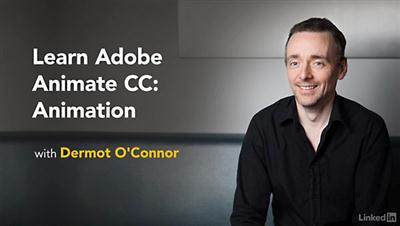
Lynda - Learn Adobe Animate CC: Interactive Animation
Duration: 1h 44m | Video: AVC (.mp4) 1280x720 15&30fps | Audio: AAC 48KHz 2ch | 247 MB
Genre: eLearning | Level: Intermediate | Language: English]​

Learn the most efficient way to create interactive animations for web, mobile, and desktop projects with Adobe Animate CC, the newly relaunched version of Flash Professional. This project-based course features two assignments: an animated web banner that responds to mouse movement, touch input, and clicks, and a three-state interactive animation that plays like a game. Joseph Labrecque shows how to set up the Animate workspace, prepare the stage, use both keyframe and procedural-based workflows, create titles, and program interactions. Plus, learn how to integrate both completed animations into a self-contained responsive webpage

Topics include:
* Implementing desktop and mobile interactions
* Designing an animated web banner
* Creating titles
* Programming the banner
* Publishing the banner
* Designing, programming, and publishing an interactive animation
* Importing visuals and audio
* Integrating Animate animations into a responsive HTML website

Recommend Download Link Hight Speed | Please Say Thanks Keep Topic Live ​
 

474ea1e17f437bd02c4aeb4c15758bba.jpg

Learn how to Implement SAP FI (Configuration) (2016)
MP4 | Video: AVC 1280x720 | Audio: AAC 44KHz 2ch | Duration: 2.5 Hours | Lec: 29 | 265 MB
Genre: eLearning | Language: English​

Step by step guide for implementing financials module in SAP

This course is intended if you want to become a SAP consultant, if you already are, or if you are a user that needs more information of the back end functionalities.The backstage in SAP is configuration. This is where the magic happens.
The FI Module in SAP is the backbone for all the processes that are implemented, and it's configuration is key in order to understand the system functionality, implement the first steps and be able to solve problems that came up at the beginning of the implementation or in production system.

This course covers since the creation of the Company and Company Codes to the creation of P&L statements.

Most of the topics are covered in HD Videos that shows a real system, and step by step configuration instructions.

In great terms, the topics are:

Basic SAP Navigation
Introduction to SAP Configuration Screen
Company Code
Chart of Accounts
Account groups
Field status group
Posting Documents
Taxes
Vendor
Customer
P&L Statements

This course is taught by an instructor with experience in complete SAP implementations and with experience in back-end and front-end user training.While you are taking the course or when you are finished, you would be able to configure the FI module and solve problems. Also the instructor would be available for questions, suggestions and updates in the course.

Recommend Download Link Hight Speed | Please Say Thanks Keep Topic Live ​
 

93aa3cfe254f200e440a56d0accf9a98.jpg

Learn to Setup Websites from Scratch
MP4 | Video: AVC 1280x720 | Audio: AAC 44KHz 2ch | Duration: 3.5 Hours | Lec: 24 | 588 MB
Genre: eLearning | Language: English​

A DIY Guide to Help you Build and Launch your Website

This course is aimed towards complete beginners who want to set up their own website. If you are a complete newbie then you have come to the right place. This is the first basic course you can do to get started with your website. This course starts with a quick refresher on the website components and then quickly help you understand the concepts behind all the technicalities.

After this course you will be able to get a web hosting space and domain name for your self and will be able to run you website with any help. You will learn all about email set up, cpanel and FTP. You will also get a quick little course on HTML and CSS.

This course will also teach you how to set up your WordPress website or Blog. You will learn to set up Joomla and Magneto eCommerce websites. All in all this course will provide you all the tools and techniques you will need to get started on the web.

Course Highlights

Detail discussion on all aspects of website setup and management
Does not assume any programming knowledge
Covers WordPress, Joomla and Magneto
Learn all about web hosting and Domain name system
Be a complete Webmaster in just 3 hours
Get yourself a live website with this quick and easy course.

Recommend Download Link Hight Speed | Please Say Thanks Keep Topic Live ​
 

cf1b60994e2273a1161f7b42b321e324.jpg

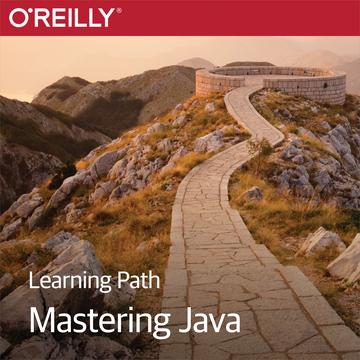
Learning Path Mastering Java
Duration: 16h 3m | Video: h264, yuv420p, 1920x1080 | Audio: aac, 44100 Hz, stereo, s16 | 10 GB
Genre: eLearning | Language: English​

This Learning Path doesn't merely introduce you to advanced Java concepts, it makes sure that you've got the concepts nailed down. After tackling concurrency and network programming, you'll explore functional programming in Java 8 using lambdas, streams, collectors, and more. Next you'll practice testing and static code analysis with JUnit, Spock, and other tools as you complete your journey to advanced Java proficiency.

Recommend Download Link Hight Speed | Please Say Thanks Keep Topic Live ​
 

26eab758e0b3b7deb9c694475576898c.jpg

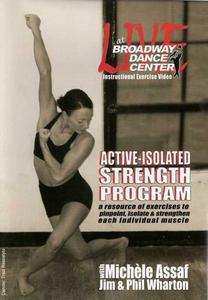
Live At Broadway Dance Center: Active Isolated Strength Program
DVDRip | English | MP4 | 710 x 480 | AVC ~1154 kbps | 25 fps
AAC | 163 Kbps | 44.1 KHz | 2 channels | 01:07:56 | 642 MB​

Genre: eLearning Video / Strength, Fitness, Dance
Active-Isolated Strengthening is a revolutionary technique in which we pinpoint, isolate and strengthen each individual muscle used to perform as a dancer or athlete at your highest potential: a tool box for the feet, ankles, calves, knees, hamstrings, quadriceps, hip and trunk, back and shoulders with step by step instructions tailored to work specific muscle groups.

This training program is backed by sound scientific principles, and can be tailored to your specific goals and needs. Don't wait until you are injured to strengthen! You will learn a wealth of information to keep you at peak performance and out of the doctor's office. This program goes hand in hand with the Active-Isolated Flexibility program also available on DVD.

Recommend Download Link Hight Speed | Please Say Thanks Keep Topic Live ​
 

71a37e42b6e0a18be2b17d713f70e12a.jpg

Martin Graff - Making Internet ****** Work for You
WEBRip | MP4 + MP3 | English | 1280 x 720 | AVC ~2273 kbps | 25 fps
AAC ~160 Kbps | 48.0 KHz | 2 channels | 1h 27mn | 1.56 GB​

Genre: eLearning Video / ******, Relationships , Psychology
Let Martin help to increase your chances of meeting someone through online ****** and Apps! The world of online ****** is a dynamic one with things constantly changing. There are now multitudes of online ****** sites, including those dedicated to finding partners for casual affairs. It is therefore imperative to keep ahead of the game in online ******.

So how can you maximize your chances of finding a romantic partner online? How do other people actually portray themselves online? How do you come across to others online? This session will answer all of these questions and more.

In this workshop session Dr Graff will also give some practical advice on:

* Finding the right ****** site or app for you.
* How to construct your ****** site profile for maximum effect
* How to interact with others online - the way to approach an online liaison with a potential ****** partner.
* The first steps in a first face-to-face meeting.

Recommend Download Link Hight Speed | Please Say Thanks Keep Topic Live ​
 

a2f6d4ad820f1fc34049f830af907ecc.jpg

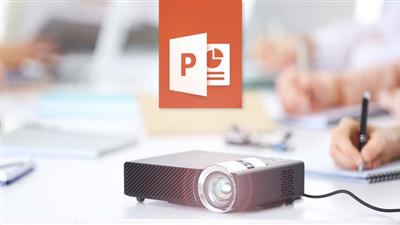
Master Microsoft PowerPoint 2016 the Easy Way (2016)
MP4 | Video: AVC 1280x720 | Audio: AAC 44KHz 2ch | Duration: 6 Hours | Lec: 80 | 2.49 GB
Genre: eLearning | Language: English​

Become an expert at the world's most popular presentation software.

Discover the Powerful Features of This Popular Program

Have complete control over your presentation's information
Now have professional presentations for job or project
Quickly create top-notch visuals for your audiences
Feel confident and show off your new powerful slides
Get all of the new tools to master presentation management
Effortlessly add text, graphics, audio, video, charts, tables and SmartArt to your slides
6 hours of professional video with over 70 individual lessons that make everything clearer and easy to remember
Practice what you learned with included exercise files
Use This New Course to Easily Create Beautiful Presentations

PowerPoint 2016 is by far the most popular presentation program in the world as it allows users to create, edit, and show illustrative presentations with the help of attention-grabbing slides. This crash course explains how you can combine the text, 3-D graphics, and multi-media to support your presentation-making needs. Using PowerPoint as a presentation tool is the way to go.

Do you need some visual impact? Well, look no further. Because this course can show you how to take this program and make it do just that. In fact, making your presentation more interesting through the use of multi-media can only help improve your audience's focus. PowerPoint 2016 allows you to use your choice of images, audio clips, and videos to help you get your points across. These important sound effects and visual cues can also help a presenter like yourself, be more improvisational, and interactive, all of which is a very beneficial thing. This course essentially shows you why PowerPoint 2016 is the best and most complete presentation package available. It gives you 80 individual video tutorials that are quite in-depth. It also has exercise files so that you can practice the lessons you've learned.

Everything you need is here so that you can learn how to produce a nice and professional-looking presentation. Once everything is finished, you can begin to prepare your talk. In fact, even if it went well but someone missed your presentation, you could still have them view it online at a time that's convenient for them. Simply upload your presentation to YouTube with everything featured in your work, including all of the slides, commentary, and transitions.

So, whether you need processing, outlining, drawing, graphing, or more elaborate presentation management tools - it's all covered in this easy-to-understand course. You can not only create and modify your own presentations, but gain mastery on it eventually, too. All that is needed on your part is a little practice.

Overview and Contents

PowerPoint 2016 can be used in a number of different yet effective ways to communicate with your audience. Slides are completely customizable. Depending on your approach, you may want to have a presentation that's text-heavy, image-heavy, or some combination of both. Combining the two tends to give your listeners the benefit of both visual aids and notes all at the same time.

PowerPoint 2016 also comes with many new features such as the brand-new transition type, Morph, that can help users make animations, transitions, and object movements across your slides. Pretty neat, right? This course covers that and so much more. It also shows you how to make presentations with alternative forms, styles, and custom layouts which are used by working professionals, teachers, students, medical practitioners, politicians, and countless others. They see the value in this unique course on PowerPoint 2016 as they want to know how to use it to quickly showcase their information and data.

Perfect for those who are looking for a comprehensive and organized method to presentations. Great for those that want to add value to lectures, make more compelling speeches, or enhance studies and reports. So, what are you waiting for now? If you want to learn how to use the latest version of PowerPoint, then this is for you. At the completion of this course, you will have more knowledge, better skills, and be fully prepared to use PowerPoint 2016 for every single one of your complex presentation needs.

Recommend Download Link Hight Speed | Please Say Thanks Keep Topic Live ​

 

19e871741c60ef452cc10ece2b948f82.jpg

O'reilly - Designing Windows Apps with WPF
Duration: 13h 54m | Video: h264, yuv420p, 1280x720 | Audio: aac, 44100 Hz, stereo, s16 | 3.04GB
Genre: eLearning | Language: English​

You're a software developer with a basic knowledge of C#, but you want to learn how to build a GUI using Windows Presentation Foundation (WPF). In this learning path, you will be taught how to install Visual Studio on your computer, learn about WPF and XAML, and actually work through building a sample application. You will take a look at logical and visual trees, dependency properties, and look and feel issues. Then, once you have these basics under your belt, you will delve deeper into WPF and XAML and examine the core functionality. You will begin to look into property elements and custom dependency properties. Finally, you will take a look at data binding, control and data templates, triggers and dialogs.

Recommend Download Link Hight Speed | Please Say Thanks Keep Topic Live ​

 

1c4f1a9af8f40388ad3bda1fbc0e8620.jpg

PHP Web Application Security
Duration: 5h 18m | Video: h264, yuv420p, 1280x720 | Audio: aac, 44100 Hz, 2 ch | 655 MB
Genre: eLearning | Language: English | Project Files Included​

Web applications are under attack every day. PHP, being one of the most widely-used programming languages on the web, is one of the main targets. Some oddities, especially those of older versions, facilitate some of the attacks. This course, PHP Web Application Security, helps developers to understand security risks, how vulnerabilities can be exploited, and how to avoid those attacks. First you'll learn about how to defend against cross-site scripting, including new approaches such as content security policy. Next, you'll learn about how cross-site request forgery works, why it works so well, and how you can implement protection using PHP. Finally, the course will wrap up by teaching you how to protect against SQL injection attacks, covering not only MySQL, but also other relevant databases PHP supports. By the end of this course, you'll have the knowledge to anticipate and defend against the major threats against web applications today.

Recommend Download Link Hight Speed | Please Say Thanks Keep Topic Live ​

 

fd5377164976772417927c88f4f7edcb.jpg

Sensu - Introduction Training Video
MP4 | Video: AVC 1280x720 | Audio: AAC 44KHz 2ch | Duration: 2 Hours | Lec: 14 | 690 MB
Genre: eLearning | Language: English]​

Get your feet wet with this Next Generation Monitoring Framework!

Sensu is a powerful Next-Generation monitoring framework that is quickly replacing traditional monitoring systems like Zabbix, Icinga, and Nagios.

But diving into a new monitoring system can be difficult without a guide to show you the way! This course can be your guide to understanding how Sensu works and how to deploy it to your infrastructure.

This introductory course will teach you the basics of Sensu's architecture and how to take advantage of the flexibility it provides to build awesome systems.

Contents

In-depth architectural overview
All videos closed-captioned in English. Hear and See for optimal learning!
Step-by-step howto instructions on getting Sensu up and running
Leverage your existing Nagios plugins written in C, Python, or Bash
Take advantage of the plethora of Open Source Sensu plugins in Ruby!
Learn about RabbitMQ, Redis, Ruby Gems, Sensu's API, and more
Use Uchiwa, the awesome open source Dashboard for Sensu
Setup the foundation to build on more intermediate and advanced Sensu topics
When you are finished with this course you will have setup a complete monitoring solution that actually checks things and actually sends email. This is not a theoretical course, it is a practical one that leaves you with skills and infrastructure to build upon.

Let Me Make The Mistakes For You

It's one thing to read docs and get perfect copy-paste command line examples that work. It is another thing to be in real life watching a real engineer fight a live system and try to get it working! I purposely make mistakes just to demonstrate what happens when things go wrong. That gives me an excuse to troubleshoot the problem and then solve it. Then, when you encounter that same mistake in your infrastructure, you will know exactly what to do!

For Dev and Ops Alike

Sysadmins, Devops Practitioners, Infrastructure engineers, SREs, and simply curious software engineers should take this course to better their craft and learn more about what makes Sensu special. It is not your grandfather's monitoring system. It is a modern, scalable, flexible monitoring system with a great API to integrate with your infrastructure.

Even if you don't end up using Sensu in Production, taking this course will still level-up your monitoring game, by increasing the scope of your DevOps toolbox. So enroll today and check it out!

Recommend Download Link Hight Speed | Please Say Thanks Keep Topic Live ​

 
Zurück
Oben Unten