• Regeln für den Video-Bereich:

    In den Börsenbereich gehören nur Angebote die bereits den Allgemeinen Regeln entsprechen.

    Einteilung

    - Folgende Formate gehören in die angegeben Bereiche:
    - Filme: Encodierte Filme von BluRay, DVD, R5, TV, Screener sowie Telesyncs im Format DivX, XviD und x264.
    - DVD: Filme im Format DVD5, DVD9 und HD2DVD.
    - HD: Encodierte Filme mit der Auflösung 720p oder darüber von BluRay, DVD, R5, TV, Screener sowie Telesyncs im Format x264.
    - 3D: Encodierte Filme von BluRay, die in einem 3D Format vorliegen. Dies gilt auch für Dokus, Animation usw.
    - Serien: Cartoon/Zeichentrick, Anime, Tutorials, Dokumentationen, Konzerte/Musik, Sonstiges sind demnach in die entsprechenden Bereiche einzuordnen, auch wenn sie beispielsweise im High Definition-Format oder als DVD5/DVD9/HD2DVD vorliegen. Ausnahme 3D.
    - Bereich Englisch: Englische Releases gehören immer in diesen Bereich.
    - Bereich Talk: Der Bereich, in dem über die Releases diskutiert werden kann, darf, soll und erwünscht ist.


    Angebot/Beitrag erstellen

    - Ein Beitrag darf erst dann erstellt werden, wenn der Upload bei mindestens einem OCH komplett ist. Platzhalter sind untersagt.
    - Bei einem Scenerelease hat der Threadtitel ausschließlich aus dem originalen, unveränderten Releasenamen zu bestehen. Es dürfen keine Veränderungen wie z.B. Sterne, kleine Buchstaben o.ä. vorgenommen werden. Ausnahme Serienbörse:
    - Bei einem Sammelthread für eine Staffel entfällt aus dem Releasename natürlich der Name der Folge. Beispiel: Die Simpsons S21 German DVDRip XviD - ITG
    - Dementsprechend sind also u.a. verboten: Erweiterungen wie "Tipp", "empfehlenswert", "only", "reup", usw. / jegliche andere Zusatzinformation oder Ergänzung, welche nicht in obiger Beschreibung zu finden ist.

    Aufbau des Angebots und Threadtitel

    Der Titel nach folgendem Muster erstellt zu werden. <Name> [3D] [Staffel] [German] <Jahr> <Tonspur> [DL] [Auflösung] <Quelle> <Codec> - <Group>
    Beispiel: The Dark Knight German 2008 AC3 DVDRip XviD - iND
    Beispiel: The Dark Knight 2008 DTS DL BDRip x264 - iND
    Beispiel: The Dark Knight 2008 AC3 DL BDRip XviD - iND
    Beispiel: The Dark Knight German 2008 AC3 720p BluRay x264 iND
    Beispiel: The Dark Knight 2008 DTS DL 1080p BluRay x264 iND
    Beispiel: Die Simpsons S01 German AC3 DVDRip XviD iND
    Beispiel: Die Simpsons S20 German AC3 720p BluRay x264 iND
    Beispiel: Sword Art Online II Ger Sub 2014 AAC 1080p WEBRip x264 - peppermint
    Entsprechend sind also u.a. verboten: Sonderzeichen wie Klammern, Sterne, Ausrufezeichen, Unterstriche, Anführungszeichen / Erweiterungen wie "Tipp", "empfehlenswert", "only", "reup", usw. / jegliche andere Zusatzinformation oder Ergänzung, welche nicht in obiger Beschreibung zu finden ist
    Ausnahmen hiervon können in den Bereichen geregelt sein.

    Die Beiträge sollen wie folgt aufgebaut werden:
    Überschrift entspricht dem Threadtitel
    Cover
    kurze Inhaltsbeschreibung
    Format, Größe, Dauer sind gut lesbar für Downloader außerhalb des Spoilers zu vermerken
    Nfo sind immer Anzugeben und selbige immer im Spoiler in Textform.
    Sind keine Nfo vorhanden z.B. Eigenpublikationen, sind im Spoiler folgende Dateiinformationen zusätzlich anzugeben :
    Quelle
    Video (Auflösung und Bitrate)
    Ton (Sprache, Format und Bitrate der einzelnen Spuren)
    Untertitel (sofern vorhanden)
    Hosterangabe in Textform außerhalb eines Spoiler mit allen enthaltenen Hostern.
    Bei SD kann auf diese zusätzlichen Dateiinformationen verzichtet werden.

    Alle benötigten Passwörter sind, sofern vorhanden, in Textform im Angebot anzugeben.
    Spoiler im Spoiler mit Kommentaren :"Schon Bedankt?" sind unerwünscht.


    Releases

    - Sind Retail-Release verfügbar, sind alle anderen Variationen untersagt. Ausnahmen: Alle deutschen Retail-Release sind CUT, in diesem Fall sind dubbed UNCUT-Release zulässig.
    - Im Serien-Bereich gilt speziell: Wenn ein Retail vor Abschluss einer laufenden Staffel erscheint, darf diese Staffel noch zu Ende gebracht werden.62
    - Gleiche Releases sind unbedingt zusammenzufassen. Das bedeutet, es ist zwingend erforderlich, vor dem Erstellen eines Themas per Suchfunktion zu überprüfen, ob bereits ein Beitrag mit demselben Release besteht. Ist dies der Fall, ist der bereits vorhandene Beitrag zu verwenden.
    - P2P und Scene Releases dürfen nicht verändert oder gar unter einem iND Tag eingestellt werden.


    Support, Diskussionen und Suche

    - Supportanfragen sind entweder per PN oder im Bereich Talk zu stellen.
    - Diskussionen und Bewertungen sind im Talk Bereich zu führen. Fragen an die Uploader haben ausschließlich via PN zu erfolgen, und sind in den Angeboten untersagt.
    - Anfragen zu Upload-Wünschen sind nur im Bereich Suche Video erlaubt. Antworten dürfen nur auf Angebote von MyBoerse.bz verlinkt werden.


    Verbote

    - Untersagt sind mehrere Formate in einem einzigen Angebotsthread, wie beispielsweise das gleichzeitige Anbieten von DivX/XviD, 720p und 1080p in einem Thread. Pro Format, Release und Auflösung ist ein eigener Thread zu eröffnen.
    - Grundsätzlich ebenso verboten sind Dupes. Uploader haben sich an geeigneter Stelle darüber zu informieren, ob es sich bei einem Release um ein Dupe handelt.
    - Gefakte, nur teilweise lauffähige oder unvollständige Angebote sind untersagt. Dies gilt auch für eigene Publikationen, die augenscheinlich nicht selbst von z.B. einer DVD gerippt wurden. Laufende Serien, bei denen noch nicht alle Folgen verfügbar sind, dürfen erstellt und regelmäßig geupdatet werden.
    - Untersagt sind Angebote, welche nur und ausschließlich in einer anderen Sprache als deutsch oder englisch vorliegen. Ausnahmen sind VORHER mit den Moderatoren zu klären.


    Verstoß gegen die Regeln

    - Angebote oder Beiträge, die gegen die Forenregeln verstoßen, sind über den "Melden"-Button im Beitrag zu melden.
  • Bitte registriere dich zunächst um Beiträge zu verfassen und externe Links aufzurufen.


Englische Tutorials


b8e8dce02c683104b32ad37bf4237a5e.jpg

KelbyOne - Creative Panoramic Photography
Duration: 2hr 30m | Video: h264, yuv420p, 1280x720 30fps | Audio: aac, 44100 Hz, 2ch | 966 MB
Genre: eLearning | Language: English​

Photographer Katrin Eismann shares some of her knowledge about preparing for, shooting, merging, and experimenting with panoramic photos.

Recommend Download Link Hight Speed | Please Say Thanks Keep Topic Live ​
 

179ae5aa9391373d6281ef2154cfa6f0.jpg

Lynda - Learn iBooks Author 2016: The Basics
Size: 908 MB | Duration: 1h 0m | Video: AVC (.mp4) 1280x720 30fps | Audio: AAC 48KHz 2ch
Genre: eLearning | Level: Beginner | Language: English​

Want to publish your own book? iBooks Author is a free app for creating beautiful, interactive ebooks on the Mac. In this course, learn the basics of using iBooks Author to create and publish your first ebook. Chris Mattia shows how to install iBooks Author, explores the interface, and then walks through each step in creating a basic ebook. Find out how to choose a template from the nearly 20 different styles, create a book cover, add content, divide it into chapters and sections, embed interactive widgets, and customize the table of contents. Plus, learn how to test your project on real iOS devices and share the final book with Dropbox.

Topics include:
* Installing iBooks Author
* Choosing a template
* Creating a book cover
* Inserting chapters, sections, and pages
* Adding interactive content
* Previewing, publishing, and sharing your book

Recommend Download Link Hight Speed | Please Say Thanks Keep Topic Live ​
 

afd71d99e56a7158f7105149ad47195e.jpg

Learn in SAP how to upload Master Data (LSMW)
MP4 | Video: AVC 1280x720 | Audio: AAC 44KHz 2ch | Duration: 1 Hours | Lec: 18 | 100 MB
Genre: eLearning | Language: English​

A step by step process in order to create an LSMW

Legacy System Migration Workbench

In this course you are going to learn the step by step process for creating and implementing an LSMW inside a SAP System.

The steps are:

Maintain Object Attributes
Maintain Source Structures
Maintain Source Fields
Maintain Structure Relations
Maintain Field Mapping and Conversion Rules
Specify Files
Assign Files
Read Data
Display Read Data
Convert Data
Display Converted Data
Create Batch Input Session
Run Batch Input Session
For more information on financials check our course for FI Configuration

FROM SAP:

The Legacy System Migration Workbench (LSMW) is a tool that supports data migration from legacy systems (non-SAP systems) to SAP systems. It is a cross-platform component of the SAP system.

The LSMW comprises the following main functions:

1. Read data (legacy data in spreadsheet tables and/or sequential files). You can use any combination of PC and server files.

2. Convert data (from the source into the target format).

3. Import data (to the database used by the SAP application).

Recommend Download Link Hight Speed | Please Say Thanks Keep Topic Live ​
 

af83249ee84143a6c463d65720371560.jpg

Learn to Build Websites using Twitter Bootstrap
MP4 | Video: AVC 1280x720 | Audio: AAC 44KHz 2ch | Duration: 2.5 Hours | Lec: 12 | 529 MB
Genre: eLearning | Language: English​

A complete guide to master Twitter Bootstrap

Twitter Bootstrap is the hugely popular and intuitive front end web development technology. It allows developers to create sleek and responsive websites which looks great on smartphones, tablets and desktops. It provides ready to use CSS and HTML templates and you can use them build modern looking websites quickly. It is one of the most popular front end technology which is gaining wide popularity both among the developer and business community.

Our course covers the latest Bootstrap 3 version and will teach you to create elegant and responsive websites. You will start with basic Bootstrap concepts and will then proceed to learn basic CSS rules, Navigation bars, Drop downs, Rows, Grids Media Objects and most of the major bootstrap libraries.

After this course you will be able to quickly create responsive websites using Bootstrap.

Recommend Download Link Hight Speed | Please Say Thanks Keep Topic Live ​
 

543daba94ac16abac2b021c1f172071d.jpg

Learn to make the Perfect Business Plan
MP4 | Video: AVC 1280x720 | Audio: AAC 44KHz 2ch | Duration: 1 Hours | Lec: 11 | 116 MB
Genre: eLearning | Language: English​

A step-by-step Guide to create a perfect Business Plan

This course is made for people who want to quickly and economically draft a plan to structure their idea and create alignment inside their team. With simply terms, students will understand faster how to build their Business Plan.

Its ideal for people that wants to get a direction for their business but dont want (or dont need) to spend months in developing a complete plan such as:

Freelancers,
Existing entrepreneurs looking for growth,
Tech starters with few capital requirements
With simply words, you'll learn how to :

Structure your ideas
Get a clear direction
Create alignment inside your team

Recommend Download Link Hight Speed | Please Say Thanks Keep Topic Live ​
 

26ca3d33d4749cb21958161b9ecb6794.jpg

Lenses 101: Shooting with Primes
Duration: 22m | Video: h264, yuv420p, 1280x720 30fps | Audio: aac, 44100 Hz, 2ch | 418 MB
Genre: eLearning | Language: English​

In this class, we will discover how to shoot with primes. Forget zooming in, how do we pick and choose a prime specific to an image? How do we know which to choose for a shoot? Which one do we start with? What are the benefits and drawbacks when compared to zooms?

These are the guiding questions for this class and for your approach to shooting with primes. We will learn abut what a prime lens is and how to use it to take great photos. This knowledge will further your photographer and also allow you to be more confident on shoots.
Be creative, daring and take great photos, with a whole new understanding of how and why.

Recommend Download Link Hight Speed | Please Say Thanks Keep Topic Live ​
 

490c8d3c04eae9af79748a3a016fed71.jpg

Lynda - Building Flexible Android Apps with the Fragments API
Size: 513 MB | Duration: 2h 27m | Video: AVC (.mp4) 1280x720 15&30fps | Audio: AAC 48KHz 2ch
Genre: eLearning | Level: Intermediate | Language: English​

One of the most common challenges Android developers face is the variation in screen sizes among the thousands of phones, tablets, and other devices that run Android. The Fragments API (introduced in Android 3. 0) provides an elegant solution. With fragments, you can build flexible layouts that adapt to any screen size-and do so dynamically, at runtime. In this course, David Gassner shows how to define a layout, add fragments to activities with Java or XML, create alternative layouts for different screen sizes, and use resource folder names to detect and select the right layout. He also shows you how to communicate between activities and fragments with arguments and callback methods, and use fragments to manage dialogs and shared preferences.

Topics include:
* Configuring Android Studio
* Understanding fragments
* Creating a fragment class and layout
* Adding and removing fragments with Java
* Creating layouts for multiple screens
* Understanding arguments and callback methods
* Passing arguments to a fragment
* Choosing layout at runtime
* Displaying dialogs with fragments
* Using fragments for managing dialogs, shared preferences, and more

Recommend Download Link Hight Speed | Please Say Thanks Keep Topic Live ​

 

2ec4d0efc9cedcbaa78076968d2f7c66.jpg

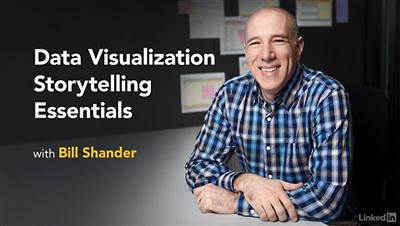
Lynda - Data Visualization Storytelling Essentials
Size: 303 MB | Duration: 1h 37m | Video: AVC (.mp4) 1280x720 15&30fps | Audio: AAC 48KHz 2ch
Genre: eLearning | Level: Intermediate | Language: English​

We are wired for story. We crave it. Storytelling has played an integral role in our ability to make progress. It should come as no surprise, then, that presenting data and information in story form maximizes the effectiveness of our communication. We can create deeper emotional responses in our audience when we present data in story form. Join data visualization expert Bill Shander as he guides you through the process of turning "facts and figures" into "story" to engage and fulfill our human expectation for information. This course is intended for anyone who works with data and has to communicate it to others, whether a researcher, a data analyst, a consultant, a marketer, or a journalist. Bill shows you how to think about, and craft, stories from data by examining many compelling stories in detail.

Topics include:
* Creating a narrative structure for data
* Applying narrative to data
* Identifying what you want to say with the data
* Analyzing what your data is saying
* Determining what your audience needs to hear
* Leveraging tables, charts, and visuals
* Ensuring your narrative provides context and direction

Recommend Download Link Hight Speed | Please Say Thanks Keep Topic Live ​

 

e6afd14564cbdf8cd9c3a3943a503676.jpg

Lynda - Go for Web Development
Size: 373 MB | Duration: 2h 9m | Video: AVC (.mp4) 1280x720 15&30fps | Audio: AAC 48KHz 2ch
Genre: eLearning | Level: Intermediate | Language: English​

Go is on the rise. This open-source programming language (created by Google!) comes with a strong and accessible standard library, and provides a growing ecosystem of tools, libraries, and frameworks that can help you build web applications fast. Go for Web Development gets you started with the language, opening with the classic "Hello world" exercise and culminating in a web application with a strongly designed database back end, useful middleware, UI with an intelligent search function, multi-user authentication, and more. First, learn how to build a web server with Go's extensive standard library. Explore the concepts behind a single-page web application and learn how to create a dynamic user interface, manipulate a database, and use powerful encryption algorithms to implement an authentication system. Next, you'll incorporate more functionality by calling out to external libraries from the database. Finally, it all comes together into an optimized package you can deploy into the wild with Heroku. Note: Go for Web Development was created by Packt Publishing. We are pleased to host this training in our library.

Topics include:
* Creating a route in Go
* Using templates
* Building database connections
* Collecting data
* Using web middleware
* Using the Ace template engine
* Integrating HTTP routers like gorilla/mux
* Authenticating users
* Optimizing a Go codebase

Recommend Download Link Hight Speed | Please Say Thanks Keep Topic Live ​

 

ac92d9988d7fa0d04da3d73e69b2e60f.jpg

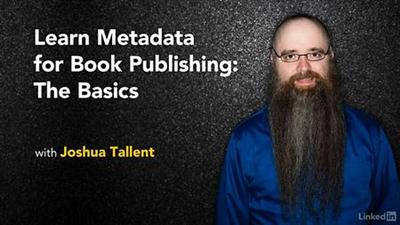
Lynda - Learn Metadata for Book Publishing: The Basics
Size: 223 MB | Duration: 1h 30m | Video: AVC (.mp4) 1280x720 15&30fps | Audio: AAC 48KHz 2ch
Genre: eLearning | Level: Beginner | Language: English​

Metadata is the backbone of the book publishing industry. Without it, publishers can't sell books to retailers, and book sales suffer tremendously. And with the rise of ebooks, it's even more important for publishers and self-published authors to understand how to create quality metadata to help make their books more discoverable online. In this course, you'll learn everything you need to know about book metadata, including how to create XML markup and ONIX files, "the international standard for representing and communicating book industry product information in electronic form. " Joshua Tallent helps you understand how to create tags for titles, series, authors, categories, keywords, physical specifications, prices, and ISBNs. Plus, learn how to add information necessary for selling ebooks, and get real-world examples of how this data is used by retailers.

Topics include:
* Understanding XML markup and the ONIX file structure
* Assigning subject categories in the metadata
* Adding keywords
* Adding descriptive text such as book descriptions, bios, and reviews
* Providing height, width, weight, page count, and other physical specifications
* Specifying price
* Adding images and ebook data

Recommend Download Link Hight Speed | Please Say Thanks Keep Topic Live ​

 

af67f4e94b6bf38b48093732332fa344.jpg

Lynda - Learn Sketch: Creating Vector Graphics
Size: 287 MB | Duration: 1h 30m | Video: AVC (.mp4) 1280x720 15&30fps | Audio: AAC 48KHz 2ch
Genre: eLearning | Level: Intermediate | Language: English​

Sketch makes vector design easy-especially for UX designers who aren't natural illustrators. Dive into Sketch for Mac and learn how to wrangle vector linework, fills and effects, and Bezier curves like a pro. Discover how to edit the different types of Bezier points and curves, and create simple and complex shapes with ease using the Boolean operations. Learn to recreate imagery in vector form, and use layers and symbols to simplify your vector art. Author John-Paul Ballard also shows how to export artwork from Sketch in a variety of formats, including JPG, PDF, and SVG. Challenges issued along the way help you practice creating common UX interface elements, such as toolbars and navigation icons.

Topics include:
* Creating vector objects
* Creating vector icons
* Applying fills, effects, and custom dividers
* Using blending and masking
* Creating symbols
* Editing with Bezier points and Boolean operations
* Exporting to JPG, PDF, SVG, and other formats

Recommend Download Link Hight Speed | Please Say Thanks Keep Topic Live ​
 

04646e88e5555a49ce91fca3f1727907.jpg

Lynda - Migrating to Angular 2
Size: 219 MB | Duration: 1h 25m | Video: AVC (.mp4) 1280x720 15&30fps | Audio: AAC 48KHz 2ch
Genre: eLearning | Level: Intermediate | Language: English​

Angular 2 is a technical and conceptual overhaul of its hugely popular predecessor, AngularJS. To stay ahead, developers who have built and maintained projects with AngularJS need to be able to transition them to Angular 2. Migrating to Angular 2 demonstrates how to create and execute an effective migration plan for Angular applications. It opens with an introduction to the major changes and additions brought by the new framework. Then author Alain Chautard reviews a plan to migrate a sample weather application from its original Angular 1. x codebase. Learn how to migrate blocks of code incrementally, as opposed to porting code in bulk, and get a brief introduction to TypeScript and ECMAScript 6. Along the way, Alain shows you how to gradually deprecate $scope, upgrade services, work with the component router, transition forms, and more. By the end of this course, you'll be up to speed with the fundamental building blocks of Angular 2 development, and fully capable (and confident) transitioning existing Angular 1. x projects to the new environment, ready to explore everything that Angular 2 has to offer. Note: Migrating to Angular 2 was created by Packt Publishing. We are honored to host this training in our library.

Topics include:
* What's new in Angular 2?
* Migrating incrementally
* What are TypeScript and ES6?
* Cleaning up $scopes
* Making components
* Using TypeScript classes
* Upgrading 1.x services, components, and controllers
* Best practices for Angular 2

Recommend Download Link Hight Speed | Please Say Thanks Keep Topic Live ​

 
Zurück
Oben Unten