• Regeln für den Video-Bereich:

    In den Börsenbereich gehören nur Angebote die bereits den Allgemeinen Regeln entsprechen.

    Einteilung

    - Folgende Formate gehören in die angegeben Bereiche:
    - Filme: Encodierte Filme von BluRay, DVD, R5, TV, Screener sowie Telesyncs im Format DivX, XviD und x264.
    - DVD: Filme im Format DVD5, DVD9 und HD2DVD.
    - HD: Encodierte Filme mit der Auflösung 720p oder darüber von BluRay, DVD, R5, TV, Screener sowie Telesyncs im Format x264.
    - 3D: Encodierte Filme von BluRay, die in einem 3D Format vorliegen. Dies gilt auch für Dokus, Animation usw.
    - Serien: Cartoon/Zeichentrick, Anime, Tutorials, Dokumentationen, Konzerte/Musik, Sonstiges sind demnach in die entsprechenden Bereiche einzuordnen, auch wenn sie beispielsweise im High Definition-Format oder als DVD5/DVD9/HD2DVD vorliegen. Ausnahme 3D.
    - Bereich Englisch: Englische Releases gehören immer in diesen Bereich.
    - Bereich Talk: Der Bereich, in dem über die Releases diskutiert werden kann, darf, soll und erwünscht ist.


    Angebot/Beitrag erstellen

    - Ein Beitrag darf erst dann erstellt werden, wenn der Upload bei mindestens einem OCH komplett ist. Platzhalter sind untersagt.
    - Bei einem Scenerelease hat der Threadtitel ausschließlich aus dem originalen, unveränderten Releasenamen zu bestehen. Es dürfen keine Veränderungen wie z.B. Sterne, kleine Buchstaben o.ä. vorgenommen werden. Ausnahme Serienbörse:
    - Bei einem Sammelthread für eine Staffel entfällt aus dem Releasename natürlich der Name der Folge. Beispiel: Die Simpsons S21 German DVDRip XviD - ITG
    - Dementsprechend sind also u.a. verboten: Erweiterungen wie "Tipp", "empfehlenswert", "only", "reup", usw. / jegliche andere Zusatzinformation oder Ergänzung, welche nicht in obiger Beschreibung zu finden ist.

    Aufbau des Angebots und Threadtitel

    Der Titel nach folgendem Muster erstellt zu werden. <Name> [3D] [Staffel] [German] <Jahr> <Tonspur> [DL] [Auflösung] <Quelle> <Codec> - <Group>
    Beispiel: The Dark Knight German 2008 AC3 DVDRip XviD - iND
    Beispiel: The Dark Knight 2008 DTS DL BDRip x264 - iND
    Beispiel: The Dark Knight 2008 AC3 DL BDRip XviD - iND
    Beispiel: The Dark Knight German 2008 AC3 720p BluRay x264 iND
    Beispiel: The Dark Knight 2008 DTS DL 1080p BluRay x264 iND
    Beispiel: Die Simpsons S01 German AC3 DVDRip XviD iND
    Beispiel: Die Simpsons S20 German AC3 720p BluRay x264 iND
    Beispiel: Sword Art Online II Ger Sub 2014 AAC 1080p WEBRip x264 - peppermint
    Entsprechend sind also u.a. verboten: Sonderzeichen wie Klammern, Sterne, Ausrufezeichen, Unterstriche, Anführungszeichen / Erweiterungen wie "Tipp", "empfehlenswert", "only", "reup", usw. / jegliche andere Zusatzinformation oder Ergänzung, welche nicht in obiger Beschreibung zu finden ist
    Ausnahmen hiervon können in den Bereichen geregelt sein.

    Die Beiträge sollen wie folgt aufgebaut werden:
    Überschrift entspricht dem Threadtitel
    Cover
    kurze Inhaltsbeschreibung
    Format, Größe, Dauer sind gut lesbar für Downloader außerhalb des Spoilers zu vermerken
    Nfo sind immer Anzugeben und selbige immer im Spoiler in Textform.
    Sind keine Nfo vorhanden z.B. Eigenpublikationen, sind im Spoiler folgende Dateiinformationen zusätzlich anzugeben :
    Quelle
    Video (Auflösung und Bitrate)
    Ton (Sprache, Format und Bitrate der einzelnen Spuren)
    Untertitel (sofern vorhanden)
    Hosterangabe in Textform außerhalb eines Spoiler mit allen enthaltenen Hostern.
    Bei SD kann auf diese zusätzlichen Dateiinformationen verzichtet werden.

    Alle benötigten Passwörter sind, sofern vorhanden, in Textform im Angebot anzugeben.
    Spoiler im Spoiler mit Kommentaren :"Schon Bedankt?" sind unerwünscht.


    Releases

    - Sind Retail-Release verfügbar, sind alle anderen Variationen untersagt. Ausnahmen: Alle deutschen Retail-Release sind CUT, in diesem Fall sind dubbed UNCUT-Release zulässig.
    - Im Serien-Bereich gilt speziell: Wenn ein Retail vor Abschluss einer laufenden Staffel erscheint, darf diese Staffel noch zu Ende gebracht werden.62
    - Gleiche Releases sind unbedingt zusammenzufassen. Das bedeutet, es ist zwingend erforderlich, vor dem Erstellen eines Themas per Suchfunktion zu überprüfen, ob bereits ein Beitrag mit demselben Release besteht. Ist dies der Fall, ist der bereits vorhandene Beitrag zu verwenden.
    - P2P und Scene Releases dürfen nicht verändert oder gar unter einem iND Tag eingestellt werden.


    Support, Diskussionen und Suche

    - Supportanfragen sind entweder per PN oder im Bereich Talk zu stellen.
    - Diskussionen und Bewertungen sind im Talk Bereich zu führen. Fragen an die Uploader haben ausschließlich via PN zu erfolgen, und sind in den Angeboten untersagt.
    - Anfragen zu Upload-Wünschen sind nur im Bereich Suche Video erlaubt. Antworten dürfen nur auf Angebote von MyBoerse.bz verlinkt werden.


    Verbote

    - Untersagt sind mehrere Formate in einem einzigen Angebotsthread, wie beispielsweise das gleichzeitige Anbieten von DivX/XviD, 720p und 1080p in einem Thread. Pro Format, Release und Auflösung ist ein eigener Thread zu eröffnen.
    - Grundsätzlich ebenso verboten sind Dupes. Uploader haben sich an geeigneter Stelle darüber zu informieren, ob es sich bei einem Release um ein Dupe handelt.
    - Gefakte, nur teilweise lauffähige oder unvollständige Angebote sind untersagt. Dies gilt auch für eigene Publikationen, die augenscheinlich nicht selbst von z.B. einer DVD gerippt wurden. Laufende Serien, bei denen noch nicht alle Folgen verfügbar sind, dürfen erstellt und regelmäßig geupdatet werden.
    - Untersagt sind Angebote, welche nur und ausschließlich in einer anderen Sprache als deutsch oder englisch vorliegen. Ausnahmen sind VORHER mit den Moderatoren zu klären.


    Verstoß gegen die Regeln

    - Angebote oder Beiträge, die gegen die Forenregeln verstoßen, sind über den "Melden"-Button im Beitrag zu melden.
  • Bitte registriere dich zunächst um Beiträge zu verfassen und externe Links aufzurufen.


Englische Tutorials


6bccdc5cf1165a5954949d766b625b0d.jpg

VTC - Wireless Hacking and Security Course
WEBRip | English | MP4 + Project files | 1024 x 768 | AVC ~81.7 kbps | 15 fps
AAC | 66.2 Kbps | 44.1 KHz | 1 channel | ~9 hours | 689 MB​

Genre: Video Tutorial / Networking & Security
This VTC course delivers an in-depth look at wireless security, demonstrating how IEEE 802.11 wireless attacks are carried out and defended against. Veteran instructor Bobby Rogers first provides a foundation in wireless security technologies before he proceeds with practical demonstrations on securing both clients and network devices. He also demonstrates how to monitor wireless networks, capture wireless traffic, and even crack WEP and WPA keys

Content:

01 Introduction

02 Overview of Wireless Networking

03 Wireless Security Basics

04 Wireless Security Protocols

05 Securing Desktop Clients

06 Wireless Access Points

07 Mobile Wireless

08 Securing Bluetooth

09 Hacking Basics

10 Wireless Security Tools

11 Wireless Security Testing Section One

12 Wireless Security Testing Section Two

13 Wireless Security Testing Section Three

14 Legal Issues

15 Wireless Security Best Practices

16 Conclusion

17 Credits

Recommend Download Link Hight Speed | Please Say Thanks Keep Topic Live ​
 

8441a83b3581ce057aa1d7d0ee9051b1.jpg

Web Services Testing using SoapUI
MP4 | Video: AVC 1280x720 | Audio: AAC 44KHz 2ch | Duration: 5 Hours | Lec: 32 | 569 MB
Genre: eLearning | Language: English​

Become an expert in web services testing using the popular tool SoapUI

This is another award winning and popular course from us and we are showcasing it on Udemy for the first time. Just like our other courses, we have kept all the intro and basic course videos for free and available for preview for your convenience so please feel free to explore and test drive it. If you want to become a master in Web Services Testing using SoapUI, look no further and don't lose the opportunity.

Web services are basically application components that communicate over open protocols. HTTP and XML are the baseline for web services. The invention of web services opened new doors for modern web application. Nowadays, we cannot imagine any software or web applications without web services. It has become a crucial part of modern web development. Web services testing is becoming a major part of quality assurance. QA teams require to keep web services in mind while planning for testing web applications. This is why web services testing skills have become very popular in todays IT market. It is still a new technology in the market. As a result, web services testing using SoapUI tool has become one of the most in demand jobs in QA field. Many companies are still facing troubles to find required expertise in web services testing and SoapUI. Finding a end-to-end SoapUI training solution has not been easy yet. We have brought a compact SoapUI training solution that can be affordable to everyone. Our set of SoapUI and Web service training video covered all basic and advanced level concepts of SoapUI including introduction, SoapUI FAQs, Installing SoapUI, Function testing, security testing using SoapUI, Installing local web services, SoapUi tets structure, secret tips for beginners, datadriven testing using SoapUI, JDBC connection, Groovy language, Groovy scripting in SoapUI, creating mock services, CDATA, event handlers, testing REST services, load and performance testing using SoapUI, and creating customizing reports.

Recommend Download Link Hight Speed | Please Say Thanks Keep Topic Live ​
 

7cf852080304e2182c0384a4bd3d8c3b.jpg


What's New in Server 2016?
HDRips | MP4/AVC, ~500 kb/s | 1280x720 | Duration: 02:10:30 | English: AAC, 64 kb/s (2 ch) | 531 MB
Genre: Development / Programming​


Give these Windows Server 2016 features a test drive with all new Nugget-level virtual labs and prepare yourself for the future of Windows Server 2016!

Recommend Download Link Hight Speed | Please Say Thanks Keep Topic Live ​
 

9b84cbc9b3d7a9da191bf287abddc4ea.jpg

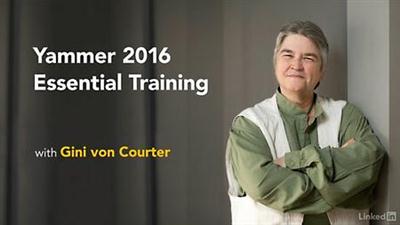
Lynda - Yammer 2016 Essential Training
Size: 382 MB | Duration: 2h 26m | Video: AVC (.mp4) 1280x720 15fps | Audio: AAC 48KHz 2ch
Genre: eLearning | Level: Appropriate for all | Language: English​

Yammer is an enterprise social network for businesses to get work done smarter and faster. It's built by Microsoft but powered by employees like you. In this course, Gini von Courter takes you through all the essential features of Yammer 2016. Learn how Yammer works, and find out how to join or create a Yammer network at your organization. Communicate with posts, messages, and chat; collaborate on files; and create and administer groups. Plus, learn how to get and give feedback with polls and praise. Start now and find out how to foster the kind of collaboration that makes a positive impact on productivity with Yammer.

Topics include:
* How Yammer works
* Joining a Yammer network
* Editing your Yammer profile and turning on notifications
* Using the home feed
* Following people and topics
* Posting messages
* Chatting
* Using Online Now
* Joining Yammer groups
* Participating in conversations
* Polling and praising colleagues
* Collaborating with others using notes
* Sharing Office documents and other files
* Administering a Yammer group

Recommend Download Link Hight Speed | Please Say Thanks Keep Topic Live ​
 
Francine Raymond - A Guide to Keeping Hens In Your Garden
f875b45ad28c6e4ccd4991de95d2b2bb.jpg

DVDRip | MP4/AVC, ~800 kb/s | 576×392 | Duration: 01:16:15 | English: AAC, 80 kb/s (2 ch) | 486 MB

Beautifully produced programme to inspire the keeping of hens in a small garden. This DVD offers an encouraging step by step guide on how to choose, house and care for your flock, giving advice on all aspects from selecting your hens to egg collection.

b83c67f313e2ca56840f19349e3b8718.jpg

[/img]http://i82.fastpic.ru/big/2016/0830/42/8cbe831c756a4a5b35291476a30c9442.jpg[/img]
582d82ca8bbbd8d00333bf2b2cc22ac0.jpg

[/img]http://i84.fastpic.ru/big/2016/0830/d5/9fa3ebddedc4e63bb10664bf1f4e54d5.jpg[/img]

a4dbfd4ab88f6ba472119f50ba41761f.jpg

 
Jason Capital – Creating Sexual Tension
a7e8ed190e799e1a9fb93cc9d31273f0.jpg

Format: 1 PDF, 1 PNG, 1 MP4, 1 MP3 | Language: English | Size: 327 MB

A special tool, given to you at birth.

It's called SEXUAL TENSION.

There's a scene in The Avengers where Tony Stark walks into the main ship of Shield..

He wants to penetrate their computer systems, and get access to all of their most valuable, protected files.

But instead of going into some dark room, logging on to a laptop, and trying to crack the code himself..He distracts everyone in the main room with playful but purposeful conversation, and quietly sets a little device near their computers, where Jarvis, the sarcastic robot assistant, is going to swipe all those secrets for him.

He knows now he can just come back later and the info he needs will already be unlocked for him.

You want to know how to transition from CHARMING her face off to making her crave the satiation of your dick…

…this is how you do it.

You quietly spark some Sexual Tension inside of her, then RELAX..

Chill.

Go fvck with The Hulk, if you want, like Tony Stark does.

Because Sexual Tension is your Jarvis.

It's going to rush-deliver her, to your cock, FOR YOU.

See, when a girl is attracted to a guy, she definitely wants to be around him, and she wants that validation, and interest and attention.

(He gives her some but keeps making her work for more, because he respects female nature, BTW.)

But she doesn't necessarily want to SLEEP with him yet..

Her emotional brain shifts from "be around this guy" to "get pounded by this guy" when you SPARK SEXUAL TENSION..

Because sexual tension in a girl DOES NOT GO AWAY, unless YOU kill the tension later on at some point.

If I tell a girl who feels my HIGH-STATUS and is already attracted to me, "You're so cute and innocent. I bet you and a 6th grader would make a really compatible couple"…

..she's going to feel the TENSION inside of her.

a4dbfd4ab88f6ba472119f50ba41761f.jpg


1608310303370128.jpg

Adobe Illustrator Bite-size
Duration: 1hr 10m | Video: h264, yuv420p, 1280x720 30fps | Audio: aac, 44100 Hz, 2ch | 485 MB
Genre: eLearning | Language: English​

During this class, we'll be covering how to use some of the brushes available within Illustrator as well as creating your own. The objective of the class is to stay away from the Pen tool and re-create the octopus artwork using the other available tools and effects within the software.
This class isn't aimed at beginners but if you know your way a little bit around Illustrator, I'm sure it's easy enough to follow along.
Enjoy the session and look forward to hearing your comments and feedback and hopefully seeing some lovely Octopus illustrations!

Recommend Download Link Hight Speed | Please Say Thanks Keep Topic Live ​
 

1608310303440127.jpg

Adobe Illustrator: Free Tools to Skyrocket your Productivity
Duration: 17m | Video: h264, yuv420p, 1280x720 30fps | Audio: aac, 44100 Hz, 2ch | 171 MB
Genre: eLearning | Language: English​

This course will cover a free plugin for Adobe Illustrator that will add new tools to the side panel. They offer amazing capabilities and they don't cost a thing. I use these tools all the time for those hard-to-figure-out tasks. When you start using them, it will amaze you how much they help.

Part of the free plugin I will cover are a variety of tools that allow you to create curves, arcs and lines tangent to each other and reorient with precision. Adobe Illustrator also does a very bad job of backing up and recovering your files when a crash happens. This set of free plugins includes an auto saving panel that allows you to set your files automatically or manually to save and backup.

Recommend Download Link Hight Speed | Please Say Thanks Keep Topic Live ​
 

1608310303470121.jpg

After Effects 2016 - Complete Tutorial from Novice to Expert
MP4 | Video: AVC 1280x720 | Audio: AAC 44KHz 2ch | Duration: 14.5 Hours | Lec: 160 | 6.83 GB
Genre: eLearning | Language: English​

Create incredible motion graphics and visual effects. Design and deliver professional motion graphics and visual effects

After Effects: The Complete After Effects CC 2016 Tutorials, from Novice to Expert Course.

Restructured, Repackaged to give you an Ultimate Learning Experience.

Motion Graphics is becoming increasingly valuable and important in any video created. Learning how to create these animations using After Effects has become essential. Talents to create these kind of animations are more and more in demand. It is also an easy way to earn money as a freelancer or resell your packaged animations on hundreds of sites on the web.

Learn and Master Motion Graphics in After Effects in this Comprehensive Course:

Understand the concepts behind Animation Techniques
Learn how to Design, Animate, and Sequence a complete Motion Graphics Project
Manipulate all transformations basic and beyond
Learn easy, yet powerful, techniques to create the most complex animations

Mastering After Effects

Learning the fundamentals and beyond of Motion Graphics using Adobe After Effects is a very powerful tool at your fingertips.

You will go through building working animations and learn how to manipulate all transformations. This is not the type of 'Tips and Tricks' here and there course. This Course is a serious learning experience where you get to actually create practical animations and genuinely learn how to use After Effects and become a master animator.

Contents and Overview

You will start with a fast track to get familiar with After Effects and Create a Crash Animation. You will then learn all about the essential transformations using practical animations and useful examples. You will build Projects and Videos from scratch and practically learn more about numerous features and functions of After Effects.

You will go through projects where you will learn how to create animation sequences and package a whole video.

Essential manipulation of the many methods in after affects are covered with emphasis on practical use and not just an overview of methods.

Most importantly throughout the course the spirit of Motion Graphics and how to put together a Motion Graphics Project is thoroughly covered. This will be your most important learning experience. How to Imagine, Create, and Manage all the tools for you to become a Master Animator.

Some of the Techniques you will Learn:

Create your First Motion Graphics Video
How to Design and Animate a full AE Project
Essential Motion Path Techniques
Important Techniques to Help You Create Better Animation
Essential 3D Animation Techniques
Complex and Compound Shapes
Per Character Text Animation and how to use text presets
How to use the Puppet Tools
How to Use Expressions
Animaton Presets - Using, Editing, Creating and Saving Presets
Motion Graphics Time Games
Motion Tracking
Best Exports for YouTube
....
and much more - Check it out
Most Importantly this course offers you the chance to understand, practice and develop your skills as a Motion Graphics Artist.
See you inside the course

Recommend Download Link Hight Speed | Please Say Thanks Keep Topic Live ​

 

1608310303360127.jpg

After Effects: Puppeteering in After Effects
Duration: 47m | Video: h264, yuv420p, 1280x720 30fps | Audio: aac, 44100 Hz, 2ch | 149 MB
Genre: eLearning | Language: English​

This a Unique course to learn 2D Character (Cartoon or Photographic) animation methods and techniques. It's all about Puppeteering a character and/or rigging graphics.

Learn and Master the concepts and tools that you will need to build full 2D Character animations in After Effects CC.
Learning 2D Character animation in After Effects with the two most important techniques is an asset for everyone who wants to work in After Effects.

Master the Puppeteering tool and couple it with the rigging method to create exciting animation:
Understand the concept of Puppeteering in After Effects
Master the Pin tool and create Pins in strategic points
Discover how to use the Puppet Overlap Tool and create levels for your flat characters
Explore of Puppet Starch tool and stiffen areas of you character

Recommend Download Link Hight Speed | Please Say Thanks Keep Topic Live ​

 

1608310303310120.jpg

KelbyOne - Architectural Photography by Richard Riley
Duration: 60m | Video: h264, yuv420p, 1280x720 30fps | Audio: aac, 44100 Hz, 2ch | 578 MB
Genre: eLearning | Language: English​

Photographer Richard Riley invites viewers to follow along as he shoots the interior and exterior of a residential house. As he works, Richard talks about preproduction tips, shot selection, bracketing, lighting techniques, composition, and creating the final exposure in post production.

Recommend Download Link Hight Speed | Please Say Thanks Keep Topic Live ​

 

1608310303520126.jpg

Bite Size Design: Create Fabulous Elements Using Paths & Patterns in Photoshop CC
Duration: 32m | Video: h264, yuv420p, 1280x720 30fps | Audio: aac, 44100 Hz, 2ch | 540 MB
Genre: eLearning | Language: English​

In this class, we will use the Pen tool, Shape tool, and Patterns to create fabulous elements including wreaths, monograms, frames and more! You won't believe how easy it is!

In this series we will be focusing on:
1- Creating design elements for use on Logos, stationery, cards, digital backgrounds, digital scrapbook kits, websites, blogs and more!
2- Learning fun techniques that will bring your designs and design skills to the next level. Plus, time-saving tips and more!
3- Different avenues to market your designs. Where and what types of products and/or services to offer.

What we will cover in this class:
Finding source material
Creative ideas for Patterns
Saving Patterns and sets of Patterns
Introduction to Scripted Patterns
Freeform Pen tool
Creating Monograms, wreaths and more!
Creating Frames
Using the Shape tool to create paths
Layering your elements

Recommend Download Link Hight Speed | Please Say Thanks Keep Topic Live ​

 
Zurück
Oben Unten