• Regeln für den Video-Bereich:

    In den Börsenbereich gehören nur Angebote die bereits den Allgemeinen Regeln entsprechen.

    Einteilung

    - Folgende Formate gehören in die angegeben Bereiche:
    - Filme: Encodierte Filme von BluRay, DVD, R5, TV, Screener sowie Telesyncs im Format DivX, XviD und x264.
    - DVD: Filme im Format DVD5, DVD9 und HD2DVD.
    - HD: Encodierte Filme mit der Auflösung 720p oder darüber von BluRay, DVD, R5, TV, Screener sowie Telesyncs im Format x264.
    - 3D: Encodierte Filme von BluRay, die in einem 3D Format vorliegen. Dies gilt auch für Dokus, Animation usw.
    - Serien: Cartoon/Zeichentrick, Anime, Tutorials, Dokumentationen, Konzerte/Musik, Sonstiges sind demnach in die entsprechenden Bereiche einzuordnen, auch wenn sie beispielsweise im High Definition-Format oder als DVD5/DVD9/HD2DVD vorliegen. Ausnahme 3D.
    - Bereich Englisch: Englische Releases gehören immer in diesen Bereich.
    - Bereich Talk: Der Bereich, in dem über die Releases diskutiert werden kann, darf, soll und erwünscht ist.


    Angebot/Beitrag erstellen

    - Ein Beitrag darf erst dann erstellt werden, wenn der Upload bei mindestens einem OCH komplett ist. Platzhalter sind untersagt.
    - Bei einem Scenerelease hat der Threadtitel ausschließlich aus dem originalen, unveränderten Releasenamen zu bestehen. Es dürfen keine Veränderungen wie z.B. Sterne, kleine Buchstaben o.ä. vorgenommen werden. Ausnahme Serienbörse:
    - Bei einem Sammelthread für eine Staffel entfällt aus dem Releasename natürlich der Name der Folge. Beispiel: Die Simpsons S21 German DVDRip XviD - ITG
    - Dementsprechend sind also u.a. verboten: Erweiterungen wie "Tipp", "empfehlenswert", "only", "reup", usw. / jegliche andere Zusatzinformation oder Ergänzung, welche nicht in obiger Beschreibung zu finden ist.

    Aufbau des Angebots und Threadtitel

    Der Titel nach folgendem Muster erstellt zu werden. <Name> [3D] [Staffel] [German] <Jahr> <Tonspur> [DL] [Auflösung] <Quelle> <Codec> - <Group>
    Beispiel: The Dark Knight German 2008 AC3 DVDRip XviD - iND
    Beispiel: The Dark Knight 2008 DTS DL BDRip x264 - iND
    Beispiel: The Dark Knight 2008 AC3 DL BDRip XviD - iND
    Beispiel: The Dark Knight German 2008 AC3 720p BluRay x264 iND
    Beispiel: The Dark Knight 2008 DTS DL 1080p BluRay x264 iND
    Beispiel: Die Simpsons S01 German AC3 DVDRip XviD iND
    Beispiel: Die Simpsons S20 German AC3 720p BluRay x264 iND
    Beispiel: Sword Art Online II Ger Sub 2014 AAC 1080p WEBRip x264 - peppermint
    Entsprechend sind also u.a. verboten: Sonderzeichen wie Klammern, Sterne, Ausrufezeichen, Unterstriche, Anführungszeichen / Erweiterungen wie "Tipp", "empfehlenswert", "only", "reup", usw. / jegliche andere Zusatzinformation oder Ergänzung, welche nicht in obiger Beschreibung zu finden ist
    Ausnahmen hiervon können in den Bereichen geregelt sein.

    Die Beiträge sollen wie folgt aufgebaut werden:
    Überschrift entspricht dem Threadtitel
    Cover
    kurze Inhaltsbeschreibung
    Format, Größe, Dauer sind gut lesbar für Downloader außerhalb des Spoilers zu vermerken
    Nfo sind immer Anzugeben und selbige immer im Spoiler in Textform.
    Sind keine Nfo vorhanden z.B. Eigenpublikationen, sind im Spoiler folgende Dateiinformationen zusätzlich anzugeben :
    Quelle
    Video (Auflösung und Bitrate)
    Ton (Sprache, Format und Bitrate der einzelnen Spuren)
    Untertitel (sofern vorhanden)
    Hosterangabe in Textform außerhalb eines Spoiler mit allen enthaltenen Hostern.
    Bei SD kann auf diese zusätzlichen Dateiinformationen verzichtet werden.

    Alle benötigten Passwörter sind, sofern vorhanden, in Textform im Angebot anzugeben.
    Spoiler im Spoiler mit Kommentaren :"Schon Bedankt?" sind unerwünscht.


    Releases

    - Sind Retail-Release verfügbar, sind alle anderen Variationen untersagt. Ausnahmen: Alle deutschen Retail-Release sind CUT, in diesem Fall sind dubbed UNCUT-Release zulässig.
    - Im Serien-Bereich gilt speziell: Wenn ein Retail vor Abschluss einer laufenden Staffel erscheint, darf diese Staffel noch zu Ende gebracht werden.62
    - Gleiche Releases sind unbedingt zusammenzufassen. Das bedeutet, es ist zwingend erforderlich, vor dem Erstellen eines Themas per Suchfunktion zu überprüfen, ob bereits ein Beitrag mit demselben Release besteht. Ist dies der Fall, ist der bereits vorhandene Beitrag zu verwenden.
    - P2P und Scene Releases dürfen nicht verändert oder gar unter einem iND Tag eingestellt werden.


    Support, Diskussionen und Suche

    - Supportanfragen sind entweder per PN oder im Bereich Talk zu stellen.
    - Diskussionen und Bewertungen sind im Talk Bereich zu führen. Fragen an die Uploader haben ausschließlich via PN zu erfolgen, und sind in den Angeboten untersagt.
    - Anfragen zu Upload-Wünschen sind nur im Bereich Suche Video erlaubt. Antworten dürfen nur auf Angebote von MyBoerse.bz verlinkt werden.


    Verbote

    - Untersagt sind mehrere Formate in einem einzigen Angebotsthread, wie beispielsweise das gleichzeitige Anbieten von DivX/XviD, 720p und 1080p in einem Thread. Pro Format, Release und Auflösung ist ein eigener Thread zu eröffnen.
    - Grundsätzlich ebenso verboten sind Dupes. Uploader haben sich an geeigneter Stelle darüber zu informieren, ob es sich bei einem Release um ein Dupe handelt.
    - Gefakte, nur teilweise lauffähige oder unvollständige Angebote sind untersagt. Dies gilt auch für eigene Publikationen, die augenscheinlich nicht selbst von z.B. einer DVD gerippt wurden. Laufende Serien, bei denen noch nicht alle Folgen verfügbar sind, dürfen erstellt und regelmäßig geupdatet werden.
    - Untersagt sind Angebote, welche nur und ausschließlich in einer anderen Sprache als deutsch oder englisch vorliegen. Ausnahmen sind VORHER mit den Moderatoren zu klären.


    Verstoß gegen die Regeln

    - Angebote oder Beiträge, die gegen die Forenregeln verstoßen, sind über den "Melden"-Button im Beitrag zu melden.
  • Bitte registriere dich zunächst um Beiträge zu verfassen und externe Links aufzurufen.


Englische Tutorials


0d1ed7065895017a5dfb6bf53018f8b5.jpg

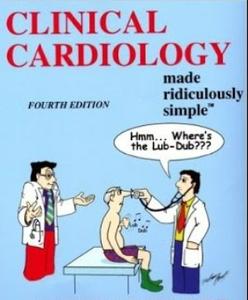
Dr Najeeb - Clinical Cardiology (2016)
9xHDRip | MP4/AVC, ~3302 kb/s | 1920x1080 | Duration: 08:32:59 | English: AAC, 256 kb/s (2 ch) | 11.0 GB
Genre: Medicine​

Dr. Najeeb Lectures are the World's Most Popular Lectures on Basic Medical Sciences. Our videos are being watched by millions of Medical, Dentistry, Nursing and ******** students in over 100 countries.


Recommend Download Link Hight Speed | Please Say Thanks Keep Topic Live ​
 

290fe82c0d8372dd3041a10f28880b82.jpg

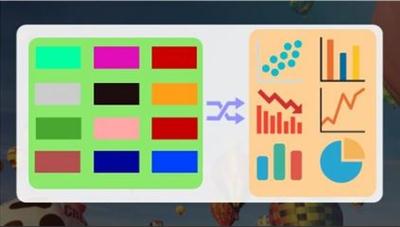
Excel Conditional Formatting Ninja (Basics to Formula based)
MP4 | Video: AVC 1280x720 | Audio: AAC 44KHz 2ch | Duration: 32M | Lec: 9 | 214 MB
Genre: eLearning | Language: English​

Learn Advanced Excel Conditional Formatting to highlight cells based on user defined numeric range & complex conditional

Before you read what I have to say, see what my students are saying about my courses on Excel:

"I would like to tell you that I am very impressed with your courses so far - I particularly like the short videos that allow me to get to a topic quickly and then move on (your competitors mostly offer 20-30 min videos which is a bit much to keep one's attention span). The other gem in your training are the shortcuts, I found no other course with the same insights." by Peter Klugsberger, Australia, ex-McKinsey & Co., served various senior roles (CEO, COO) in various companies

œI thought you knew me - You solved the exact problem which I face at my office in your course by Rajesh Dhoot, India, ex-Sr. Manager, Finance and Accounts, Ultratech Cements " An Aditya Birla Group Co.

----------------------------------------------------------

Automating cell formatting using dynamic conditions help keep an MIS report more user-friendly and functional. This section focuses on Conditional Formatting to highlight cells/ranges with:

Actual vs. Budget Comparison through Arrows
Conditional Formatting with Drop-down list based Input
Data Bars, Color Scales, Icon Sets
Blanks, Errors, Values, Duplicates
Formula based (Colored rows based in user input)
Formula based with AND() - 2-way input Coloring
Formula based with COUNTIFS() - Highlighting inputs if from restricted list
User defined complex conditional logic
We have 7 videos of duration 30 mins. Through practical examples, You'll learn Ninja level application on Excel Conditional Formatting Ninja (Basics to Formula-based)

----------------------------------------------------------

Your Question - Why should I take this mini-course on Excel?

Our Response - Because we cover the following -

Conditional Formatting is one of the most visually appealing techniques in Excel. It is used extensively to create management dashboards, budget & forecast models.

Example - If you have an MIS Data and you wish to focus on one Element/ Department at a time then you should use Conditional formatting to colour a cell or row based on condition.

---------------------------------------------------------

Your Question " So will I learn Data Analysis, Pivot table, Sort & Filter?

Our Response " No. This course covers Excel Conditional Formatting Ninja (Basics to Formula-based).

---------------------------------------------------------

"The courses are really helpful whether in terms of saving time, improving your presentation skills or getting to learn new features. The videos give you the feeling of one to one attention. Moreover, their constant attachment by emailing new tricks is highly appreciating. #thankyouteamyoda" by Arundhati Raychaudhuri, Finance Professional, India

----------------------------------------------------------

Important information before you join:

Once enrolled, you have unlimited, lifetime access to the course!
You will have instant and free access to any updates I'll add to the course.
I will give you my full support regarding any issues or suggestions related to the course.
Guided practice worksheets included for immediate practice
Access to all videos 24 x 7 - learn online from anywhere
A 30-day money back guarantee (we want you to be 100% satisfied)

Recommend Download Link Hight Speed | Please Say Thanks Keep Topic Live ​

 

cd61f5dd2ce400a46abe3c5eec533b6b.jpg

Excel: Sort & Filter Tricks - Basics to Ninja
MP4 | Video: AVC 1280x720 | Audio: AAC 44KHz 2ch | Duration: 1 Hours | Lec: 16 | 327 MB
Genre: eLearning | Language: English​

Learn Advanced Excel: Sort (multi-level, custom, vertical vs. horizontal), Filter shortcuts & calculations with Examples

There are numerous hidden tricks of Sort & Filter which makes data analysis and manoeuvring accurate and fast. This section focusses on:
Vertical Sort - 1-level & 2-level
Custom Sort
Sort Trick - add alternate blank rows in-between existing rows
Horizontal Sorting (Left to Right) - auto-realigning 100s of columns
Filter - Basics
Filter - Choosing the dataset correctly
Filter analysis with shortcuts
Filter - SUBTOTAL() for calculations
Filter - SUBTOTAL() 9 vs. 109 series
Filter - Applying 2 or more Filters simultaneously on the same sheet
Filter - Color Filter & Text Filter
Advanced Filter - Basics
Advanced Filter - Differential Criteria
Advanced Filter - More parameters
We have 14 videos of duration 45 mins. Through practical examples, You'll learn Ninja level application on Excel: Sort & Filter Tricks - Basics to Ninja .

----------------------------------------------------------

Your Question - Why should I take this mini-course on Excel?

Our Response - Sort and Filter are the two most commonly used MIS reporting techniques. Having an in-depth knowledge helps avoid silly mistakes commonly made by professionals while using them.

Focus is also on learning hidden tips and tricks. E.g. Horizontal Sorting (Left to Right) - auto-realigning 100s of columns, Advanced filter
Do's & Don'ts
---------------------------------------------------------

Your Question " So will I learn Pivot table, Vlookup?

Our Response " No. This course covers Excel: Sort & Filter Tricks - Basics to Ninja .

---------------------------------------------------------

"The courses are really helpful whether in terms of saving time, improving your presentation skills or getting to learn new features. The videos give you the feeling of one to one attention. Moreover, their constant attachment by emailing new tricks is highly appreciating. #thankyouteamyoda" by Arundhati Raychaudhuri, Finance Professional, India
----------------------------------------------------------

Important information before you join:

Once enrolled, you have unlimited, lifetime access to the course!
You will have instant and free access to any updates I'll add to the course.
I will give you my full support regarding any issues or suggestions related to the course.
Guided practice worksheets included for immediate practice
Access to all videos 24 x 7 - learn online from anywhere
A 30-day money back guarantee (we want you to be 100% satisfied)
---------------------------------------------------------

If you have read this far, next action is JOINING this course. Invest 45 mins. for a benefit of lifetime Ninja status on Excel: Sort & Filter Tricks - Basics to Ninja!

Recommend Download Link Hight Speed | Please Say Thanks Keep Topic Live ​
 

9bcb3d53db99ef9c8af30f27b4ba7d23.jpg

Excel: What If Analysis with Buttons, Scenarios & Goal Seek (2016)
MP4 | Video: AVC 1280x720 | Audio: AAC 44KHz 2ch | Duration: 1 Hours | Lec: 10 | 330 MB
Genre: eLearning | Language: English​

Learn Advanced Excel: Scroll bar for What If Analysis dashboards, Scenarios & Goal Seek for back calculating answers

Before you read what I have to say, see what my students are saying about my courses on Excel:

"I would like to tell you that I am very impressed with your courses so far - I particularly like the short videos that allow me to get to a topic quickly and then move on (your competitors mostly offer 20-30 min videos which is a bit much to keep one's attention span). The other gem in your training are the shortcuts, I found no other course with the same insights." by Peter Klugsberger, Australia, ex-McKinsey & Co., served various senior roles (CEO, COO) in various companies

"I thought you knew me - You solved the exact problem which I face at my office in your course" by Rajesh Dhoot, India, ex-Sr. Manager, Finance and Accounts, Ultratech Cements - An Aditya Birla Group Co.

----------------------------------------------------------

What-If Analysis enables users to strategize decision making based data involving multiple variables. This section focuses on What If Analysis:

Using Form Control Buttons from Developer Tab (Spin Bar, Scroll Bar)
Limitations of Spin Bar, Scroll Bar
Scenario Managers - to be updated
Goal Seek for back calculating answers
Data Tables Basics (Sensitivity Analysis) - 2 Inputs & 1 Output
Data Tables Basics (Sensitivity Analysis) - with PMT for Loan EMI
Data Tables Basics (Sensitivity Analysis) - 2 Inputs & multiple Output - Question
Data Tables Basics (Sensitivity Analysis) - 2 Inputs & multiple Output - Answer
Ancillary tricks - Conditional Formatting, INDIRECT(), Making text invisible
We have 9 videos of duration 45 mins. Through practical examples, You'll learn Ninja level application on Excel: What If Analysis with Buttons, Scenarios, Goal Seek.

----------------------------------------------------------

Your Question - Why should I take this mini-course on Excel?

Our Response - Quite often, you are required to prepare dashboards to exhibit what if analysis and scenarios. We combine the power of in built features of Excel on "What If Analysis" along with special functions such as INDIRECT(), techniques such as Scroll Bar, Conditional Formatting to make the output report more dynamic.

E.g. Using INDIRECT() and range naming, making 1-output variable data table in multi-output variable report.

---------------------------------------------------------

Your Question - So will I learn Pivot table, Vlookup, Sort & Filter?Our Response - No. This course covers Excel: What If Analysis with Buttons, Scenarios, Goal Seek.

---------------------------------------------------------

"The courses are really helpful whether in terms of saving time, improving your presentation skills or getting to learn new features. The videos give you the feeling of one to one attention. Moreover, their constant attachment by emailing new tricks is highly appreciating. #thankyouteamyoda" by Arundhati Raychaudhuri, Finance Professional, India

----------------------------------------------------------

Important information before you join:

Once enrolled, you have unlimited, lifetime access to the course!
You will have instant and free access to any updates I'll add to the course.
I will give you my full support regarding any issues or suggestions related to the course.
Guided practice worksheets included for immediate practice
Access to all videos 24 x 7 - learn online from anywhere
A 30-day money back guarantee (we want you to be 100% satisfied)

Recommend Download Link Hight Speed | Please Say Thanks Keep Topic Live ​

 

076a9368f83f74b6fbb49e2ea4b918c6.jpg

Firewalls for CCNA Security (210-260) IINS (2016)
August 2016 | MP4 | Video: AVC 1280x720 | Audio: AAC 44KHz 2ch | Duration: 4.5 Hours | 926 MB
Genre: eLearning | Language: English​

This course covers Firewall topics found in the Cisco 210-260 IINS exam. Successful completion of this exam is required to obtain the CCNA Security certification.

This course is designed to help you learn the CCNA Security Firewall topics for both Cisco IOS and Cisco ASA. Each device has a different approach to configuring firewall policy and this course will cover both. First, you'll learn about the ASA and ASAv platforms and you'll configure the ASAv for firewall services using the Cisco VIRL learning platform. Next, you'll discover how to use a Cisco IOS router as a Zone-based firewall platform which is ideal for branch offices. Each module addresses topics found on the CCNA Security exam.

Recommend Download Link Hight Speed | Please Say Thanks Keep Topic Live ​

 

8d51a3642a17bdca6502509416ed3d74.jpg

How to Create Effective Presentations with Great Design Tool
MP4 | Video: AVC 1280x720 | Audio: AAC 44KHz 2ch | Duration: 2.5 Hours | Lec: 34 | 1.10 GB
Genre: eLearning | Language: English​

This course will teach you how to make better presentations using the right tools available free on the Internet.

A well-designed presentation helps you a lot in making that first impression with your target audiences, managers or to get your dream job. However, to create a great presentation that won't suck, you have to put in a great amount of effort, time and resources. But the outcome may not live up to your expectation, and that depends on how well you are with your Powerpoint or Keynote skills. Sometimes, it just doesn't work.

So you have to look for other options. And the good news is, here they are.

In this course, we'll show you how to create great presentations that pop out of the screen and grab your audiences' attention. And even better, we show you top 4 free online tools that can transform the way you make presentations forever.

Recommend Download Link Hight Speed | Please Say Thanks Keep Topic Live ​

 

fe60a84b965988fd911f0c9605f6d89b.jpg

How to get a job in management consulting
.MP4, AVC, 1000 kbps, 1280x720 | English, AAC, 64 kbps, 2 Ch | 2.5 hours | 1.14 GB
Instructors: Aaleem Jiwa, Wang Yip​

A-Z guide on all the tips and tricks you need to get a job in management consulting!

If you are thinking about a career in Management Consulting then this course if for you! Whether you are an experienced hire looking for a career change, or you are a new graduate looking for your first job - we have the tips and tricks to help you get the interview and help you get the job!

This 2.5 hour video course includes a PDF overview of the entire course as well as video content including mock interview questions and responses.

This course has been created by Aaleem Jiwa and Wang Yip - both experienced Management Consultants at Deloitte. Together they have interviewed over 100 people and coached numerous new Management Consultants.

If you want to break into Management Consulting, let us help you navigate the interview process!

What am I going to get from this course?

Over 25 lectures and 2.5 hours of content!
Write a great resume tailored for management consulting
Network with skill and polish
Be able to manage stress associated with interviews
Understand the format of an interview
Know what to say (and what not to say) during an interview
Write a great follow up email

Recommend Download Link Hight Speed | Please Say Thanks Keep Topic Live ​
 

65a5510ecf42ffc763420cb7ed8e00c7.jpg

How to Trade Stock Options Level 1: Start Day Trading
MP4 | Video: AVC 1280x720 | Audio: AAC 44KHz 2ch | Duration: 2.5 Hours | Lec: 30 | 1.20 GB
Genre: eLearning | Language: English​

Learn how to optimize your investments following a proven action plan for day trading stock options.

Day Trading is talked about and seems mysterious. Some people are quietly very successful while the masses are warned about the dangers. The course takes away the complexity and shows the non-technical (and some technical) parts of trading Stock Options.

The course includes examples of good and bad indicators. This course has the rules for trading successfully and why they work.

We start out with basics that you need and go directly to the proven trading system rules. We cover the important elements: What, Why, When and Where.

If you're looking for a fast path to successful trading, and want to enjoy a 4-hour work week, this course can get you very close to that goal. We have a follow-up course, "Stock Options Trading - Make Money & Income From Day Trading" that covers any remaining questions people have, how the software you see in this course works and some trading strategies. Our advanced course: "Day Trading Stock Options 3 - The Cornerstone Method" is now available.

Start your journey to financial success today!

Recommend Download Link Hight Speed | Please Say Thanks Keep Topic Live ​

 

efc23b37fe24e1acaf88fc0f4b9b2e70.jpg

Lynda - Illustrator CC 2015 One-on-One: Fundamentals
Duration: 17h 20m | Video: AVC (.mp4) 1280x720 15&30fps | Audio: AAC 48KHz 2ch | 3.17 GB
Genre: eLearning | Level: Beginner | Language: English​

Want to master the most powerful vector-based drawing program on the planet? It starts with getting the most comprehensive training available. With all-new movies and all-new exercise files, Illustrator CC 2015 One-on-One: Fundamentals is the first in a series of three courses by industry pro Deke McClelland. With these tutorials, you'll be able to create amazing works of art and design. You'll get exactly what you need to know, in the order you need to know it, whenever it's most convenient for you to learn. Start watching to learn how to create multipage documents with artboards; how to draw anything you can imagine with the Pen, Pencil, and Curvature tools; and how to start adding color to your artwork with swatches. Deke also covers drawing shapes, adjusting strokes, formatting text, and painting digitally, with or without a tablet. Each chapter should leave you with a new set of skills-and a sense of accomplishment. And as Creative Cloud evolves, so will we. Check back every time Illustrator updates for new movies, new feature reviews, and new ways to work.

Topics include:
* Opening, creating, saving, and closing documents
* Working with artboards
* Zooming and panning
* Drawing lines, arcs, grids, and spirals
* Drawing shapes
* Creating compound paths
* Working in RGB vs. CMYK color modes
* Creating and applying swatches
* Adjusting the line weight of strokes
* Formatting text
* Building custom paths with the Shape Builder and Join tools
* Freeform drawing with the Pencil
* Painting and erasing artwork
* Painting with a tablet
* Drawing with the Curvature tool

Recommend Download Link Hight Speed | Please Say Thanks Keep Topic Live ​

 

5a0a47e69c18c6fc9072e822fefd19e0.jpg

Illustrator for Lunch™ - Layered Paper Style Collage - Gradients, Graphic Styles, Transform
Duration: 33m | Video: h264, yuv420p, 1280x720 30fps | Audio: aac, 44100 Hz, 2 ch | 135 MB
Genre: eLearning | Language: English​

Illustrator for Lunch™ is a series of short video courses you can study in bite size pieces such as at lunchtime. In this course you'll learn to create a dimensional collage reminiscent of bent paper. You will see how to apply gradients and use Graphic Styles and the Transform tool. Here is the image we will create in the class:

Recommend Download Link Hight Speed | Please Say Thanks Keep Topic Live ​
 

033301ece2040aa33720d1729ebb1e7d.jpg

In-App Purchasing with iOS 7- Consumable and Non-Consumables
MP4 | Video: AVC 1280x720 | Audio: AAC 44KHz 2ch | Duration: 3Hours | Lec: 18 | 456 MB
Genre: eLearning | Language: English​

Earn money from iOS game or app by integrating In-App purchases. Sell coins to unlock features or allow simple upgrades.

If you want a step-by-step understanding of how to create an InAppManager and InAppObserver class, this is the course for you!

If you don't care about creating those classes from scratch and just want to jumpstart into using in-app purchases, this is ALSO the course for you. You're welcome to skip ahead to the Quick Start guide (and copy our InAppManager and InAppObserver classes). You can begin testing purchases or creating an in-game money system within an hour.

Included with the tutorial movies are two source projects, one uses the Sprite Kit template and another uses the starting template for Single View Application. These projects alone make for a valuable reference, but you'll get three hours of tutorials explaining every detail! The source projects have been added to the final movie in the Supplemental Materials tab.

Recommend Download Link Hight Speed | Please Say Thanks Keep Topic Live ​

 

0ce35aafe703e45fa4205465da9b2f4f.jpg

INE - CCNP Data Center Bootcamp
HDRips | FLV/AVC, ~4195 kb/s | 1280x720 | Duration: 16 hours 55 mins | English: AAC, 32.0 KHz (2 ch) | 13,8 GB
Genre: Development / Programming​

Join one of the most experienced instructors in the industry, Brian McGahan, CCIEx4 #8593, CCDE #2013::13 helps prepare you for the CCNP Data Center exams. Each hands-on level allows you to follow along with the material step by step. While you learn about topics on the exam, you will also actively engage with the technology and build your experience base.

Topics:
Course Introduction 21min
Data Center Design Architecture 18min
Problems in Traditional Design 24min
Nexus & MDS Product Family Overview :: Part 1 17min
Nexus & MDS Product Family Overview :: Part 2 18min
Nexus & MDS Product Family Overview :: Part 3 11min
UCS B Series Product Family Overview :: Part 1 22min
UCS B Series Product Family Overview :: Part 2 22min
Nexus Virtual Device Contexts (VDCs) Overview 23min
Implementing VDCs :: Part 1 17min
Implementing VDCs :: Part 2 19min
Implementing Fabric Extenders (FEX) :: Part 1 23min
Implementing Fabric Extenders (FEX) :: Part 2 25min
Implementing Layer 2 Switching on NX-OS :: Part 1 27min
Implementing Layer 2 Switching on NX-OS :: Part 2 25min
Implementing Port Channels on NX-OS 27min
Implementing Virtual Port Channels (vPC) on NX-OS :: Part 1 20min
Implementing Virtual Port Channels (vPC) on NX-OS :: Part 2 19min
Implementing Virtual Port Channels (vPC) on NX-OS :: Part 3 17min
Implementing vPC with FEX :: Part 1 25min
Implementing vPC with FEX :: Part 2 20min
Implementing FabricPath on NX-OS :: Part 1 16min
Implementing FabricPath on NX-OS :: Part 2 19min
Implementing FabricPath on NX-OS :: Part 3 20min
Layer 3 Switching on NX-OS :: Part 1 29min
Layer 3 Switching on NX-OS :: Part 2 27min
Implementing Overlay Transport Virtualization (OTV) :: Part 1 23min
Implementing Overlay Transport Virtualization (OTV) :: Part 2 25min
Implementing Fibre Channel Switching on NX-OS :: Part 1 18min
Implementing Fibre Channel Switching on NX-OS :: Part 2 18min
Implementing Fibre Channel Switching on NX-OS :: Part 3 30min
UCS B Series System Initialization :: Part 1 20min
UCS B Series System Initialization :: Part 2 21min
UCS B Series SAN Connectivity :: Part 1 26min
UCS B Series SAN Connectivity :: Part 2 24min
UCS B Series LAN Connectivity :: Part 1 13min
UCS B Series LAN Connectivity :: Part 2 21min
UCS B Series LAN Connectivity :: Part 3 29min
Implementing Fibre Channel over Ethernet (FCoE) on NX-OS :: Part 1 12min
Implementing Fibre Channel over Ethernet (FCoE) on NX-OS :: Part 2 21min
Implementing Fibre Channel over Ethernet (FCoE) on NX-OS :: Part 3 24min
Implementing Fibre Channel over Ethernet (FCoE) on NX-OS :: Part 4 26min
Implementing Fibre Channel over Ethernet (FCoE) on NX-OS :: Part 5 22min
Implementing Fibre Channel over Ethernet (FCoE) on NX-OS :: Part 6 23min
UCS Platform Emulator 20min
UCS C Series Server Integration 24min

Recommend Download Link Hight Speed | Please Say Thanks Keep Topic Live ​
 
Zurück
Oben Unten