
• Regeln für den Video-Bereich:

    In den Börsenbereich gehören nur Angebote die bereits den Allgemeinen Regeln entsprechen.

    Einteilung

    - Folgende Formate gehören in die angegeben Bereiche:
    - Filme: Encodierte Filme von BluRay, DVD, R5, TV, Screener sowie Telesyncs im Format DivX, XviD und x264.
    - DVD: Filme im Format DVD5, DVD9 und HD2DVD.
    - HD: Encodierte Filme mit der Auflösung 720p oder darüber von BluRay, DVD, R5, TV, Screener sowie Telesyncs im Format x264.
    - 3D: Encodierte Filme von BluRay, die in einem 3D Format vorliegen. Dies gilt auch für Dokus, Animation usw.
    - Serien: Cartoon/Zeichentrick, Anime, Tutorials, Dokumentationen, Konzerte/Musik, Sonstiges sind demnach in die entsprechenden Bereiche einzuordnen, auch wenn sie beispielsweise im High Definition-Format oder als DVD5/DVD9/HD2DVD vorliegen. Ausnahme 3D.
    - Bereich Englisch: Englische Releases gehören immer in diesen Bereich.
    - Bereich Talk: Der Bereich, in dem über die Releases diskutiert werden kann, darf, soll und erwünscht ist.


    Angebot/Beitrag erstellen

    - Ein Beitrag darf erst dann erstellt werden, wenn der Upload bei mindestens einem OCH komplett ist. Platzhalter sind untersagt.
    - Bei einem Scenerelease hat der Threadtitel ausschließlich aus dem originalen, unveränderten Releasenamen zu bestehen. Es dürfen keine Veränderungen wie z.B. Sterne, kleine Buchstaben o.ä. vorgenommen werden. Ausnahme Serienbörse:
    - Bei einem Sammelthread für eine Staffel entfällt aus dem Releasename natürlich der Name der Folge. Beispiel: Die Simpsons S21 German DVDRip XviD - ITG
    - Dementsprechend sind also u.a. verboten: Erweiterungen wie "Tipp", "empfehlenswert", "only", "reup", usw. / jegliche andere Zusatzinformation oder Ergänzung, welche nicht in obiger Beschreibung zu finden ist.

    Aufbau des Angebots und Threadtitel

    Der Titel nach folgendem Muster erstellt zu werden. <Name> [3D] [Staffel] [German] <Jahr> <Tonspur> [DL] [Auflösung] <Quelle> <Codec> - <Group>
    Beispiel: The Dark Knight German 2008 AC3 DVDRip XviD - iND
    Beispiel: The Dark Knight 2008 DTS DL BDRip x264 - iND
    Beispiel: The Dark Knight 2008 AC3 DL BDRip XviD - iND
    Beispiel: The Dark Knight German 2008 AC3 720p BluRay x264 iND
    Beispiel: The Dark Knight 2008 DTS DL 1080p BluRay x264 iND
    Beispiel: Die Simpsons S01 German AC3 DVDRip XviD iND
    Beispiel: Die Simpsons S20 German AC3 720p BluRay x264 iND
    Beispiel: Sword Art Online II Ger Sub 2014 AAC 1080p WEBRip x264 - peppermint
    Entsprechend sind also u.a. verboten: Sonderzeichen wie Klammern, Sterne, Ausrufezeichen, Unterstriche, Anführungszeichen / Erweiterungen wie "Tipp", "empfehlenswert", "only", "reup", usw. / jegliche andere Zusatzinformation oder Ergänzung, welche nicht in obiger Beschreibung zu finden ist
    Ausnahmen hiervon können in den Bereichen geregelt sein.

    Die Beiträge sollen wie folgt aufgebaut werden:
    Überschrift entspricht dem Threadtitel
    Cover
    kurze Inhaltsbeschreibung
    Format, Größe, Dauer sind gut lesbar für Downloader außerhalb des Spoilers zu vermerken
    Nfo sind immer Anzugeben und selbige immer im Spoiler in Textform.
    Sind keine Nfo vorhanden z.B. Eigenpublikationen, sind im Spoiler folgende Dateiinformationen zusätzlich anzugeben :
    Quelle
    Video (Auflösung und Bitrate)
    Ton (Sprache, Format und Bitrate der einzelnen Spuren)
    Untertitel (sofern vorhanden)
    Hosterangabe in Textform außerhalb eines Spoiler mit allen enthaltenen Hostern.
    Bei SD kann auf diese zusätzlichen Dateiinformationen verzichtet werden.

    Alle benötigten Passwörter sind, sofern vorhanden, in Textform im Angebot anzugeben.
    Spoiler im Spoiler mit Kommentaren :"Schon Bedankt?" sind unerwünscht.


    Releases

    - Sind Retail-Release verfügbar, sind alle anderen Variationen untersagt. Ausnahmen: Alle deutschen Retail-Release sind CUT, in diesem Fall sind dubbed UNCUT-Release zulässig.
    - Im Serien-Bereich gilt speziell: Wenn ein Retail vor Abschluss einer laufenden Staffel erscheint, darf diese Staffel noch zu Ende gebracht werden.62
    - Gleiche Releases sind unbedingt zusammenzufassen. Das bedeutet, es ist zwingend erforderlich, vor dem Erstellen eines Themas per Suchfunktion zu überprüfen, ob bereits ein Beitrag mit demselben Release besteht. Ist dies der Fall, ist der bereits vorhandene Beitrag zu verwenden.
    - P2P und Scene Releases dürfen nicht verändert oder gar unter einem iND Tag eingestellt werden.


    Support, Diskussionen und Suche

    - Supportanfragen sind entweder per PN oder im Bereich Talk zu stellen.
    - Diskussionen und Bewertungen sind im Talk Bereich zu führen. Fragen an die Uploader haben ausschließlich via PN zu erfolgen, und sind in den Angeboten untersagt.
    - Anfragen zu Upload-Wünschen sind nur im Bereich Suche Video erlaubt. Antworten dürfen nur auf Angebote von MyBoerse.bz verlinkt werden.


    Verbote

    - Untersagt sind mehrere Formate in einem einzigen Angebotsthread, wie beispielsweise das gleichzeitige Anbieten von DivX/XviD, 720p und 1080p in einem Thread. Pro Format, Release und Auflösung ist ein eigener Thread zu eröffnen.
    - Grundsätzlich ebenso verboten sind Dupes. Uploader haben sich an geeigneter Stelle darüber zu informieren, ob es sich bei einem Release um ein Dupe handelt.
    - Gefakte, nur teilweise lauffähige oder unvollständige Angebote sind untersagt. Dies gilt auch für eigene Publikationen, die augenscheinlich nicht selbst von z.B. einer DVD gerippt wurden. Laufende Serien, bei denen noch nicht alle Folgen verfügbar sind, dürfen erstellt und regelmäßig geupdatet werden.
    - Untersagt sind Angebote, welche nur und ausschließlich in einer anderen Sprache als deutsch oder englisch vorliegen. Ausnahmen sind VORHER mit den Moderatoren zu klären.


    Verstoß gegen die Regeln

    - Angebote oder Beiträge, die gegen die Forenregeln verstoßen, sind über den "Melden"-Button im Beitrag zu melden.
  • Bitte registriere dich zunächst um Beiträge zu verfassen und externe Links aufzurufen.


Englische Tutorials


6a4fdffd935d94b60646fc5c375c3ab0.jpg

Email Marketing Get 80000+ TRAFFIC & Build Huge Email List
MP4 | Video: AVC 1280x720 | Audio: AAC 44KHz 2ch | Duration: 2.5 Hours | 378 MB
Genre: eLearning | Language: English​

Email Marketing: Attract Massive Subscribers with Email Marketing & Seduce Your Audience to Purchase From You.

Email marketing is considered the third overall most effective channel for lead generation for marketers in 2015.

Do you struggle finding and driving decent traffic to your squeeze page, opt-in forms and offers?
Are you a beginner and struggles building an email list?
Do you want to learn email marketing to get more Traffic and email subscribers?
Are you jumping from one technique to another and just getting more confused and frustrated; not getting any traction?
If you want to know how the expert and profitable internet marketers Attract Buyers

Then

Finally, there is one very real, very simple system for creating unstoppable streams of website traffic and making life-changing income online. In fact, once you finish this email marketing training course, your life will be changed for good.

Attract Ultra Targeted Traffic & Build an Email List of Buyers That Are Hungry to Buy Your Product

If you want to make money online... or make more money online... then I can tell you from firsthand experience, this Advanced Email Marketing course is designed for YOU.

*** Real Traffic = Real Email List = Real Money ***

And the beauty is that even if you have never gotten a single website visitor before... even if you don't have a single subscriber before... I will teach you Step By Step how to build an email list and Where to get traffic to promote your own or affiliate products.

Imagine waking up in the morning to your inbox full of sales...

Yes, this is THAT powerful.

Learn email marketing training course from an expert, get the most out of your email marketing campaigns. Learn how to grow your email list, and produce measurable results with a popular email marketing platform.

Start sending unstoppable floods of highly targeted, extremely interested (wallet in hand) traffic that is searching for what you're selling...

Once you learn email marketing, you'll start making huge money online.

Follow my plan and you'll have the kind of business that brings Paying Customers to you month after month after month!

You've got absolutely nothing to lose and so much to gain!

Recommend Download Link Hight Speed | Please Say Thanks Keep Topic Live ​

 

7c0ac3c712abb289101239492c6fff3c.jpg

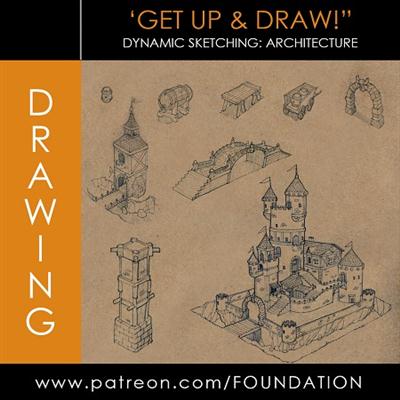
Foundation Patreon - Drawing: Dynamic Sketching - Architecture
Duration: 2h 10m | Video: h264, yuv420p, 1280x720, 30fps | Audio: aac, 48000 Hz, 2 ch | 714 MB
Genre: eLearning | Language: English | Project Files Included​

Foundation Patreon - Drawing: Dynamic Sketching - Architecture Gumroad Contents:
* 2 hour Video Lecture & Demo
* JPG Demo

Recommend Download Link Hight Speed | Please Say Thanks Keep Topic Live ​

 

87523d3dd5b77ebc92f6445f433d1809.jpg

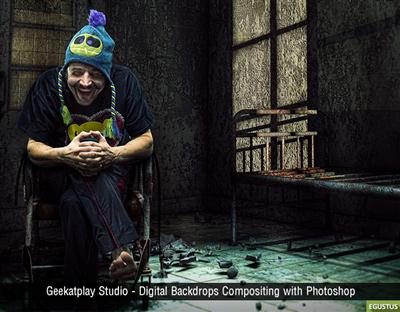
Geekatplay Studio - Digital backdrops, Compositing with Photoshop
Duration: 3h 1m | Video: h264, yuv420p, 1920x1080, 30fps | Audio: aac, 48000 Hz, 2 ch | 2.1 GB
Genre: eLearning | Language: English​

Learn how to create and use digital backdrops through four projects. Each project is divided into two parts: Part 1 is for digital artists and part 2 is for photographers.

In the first part of each project, you'll learn how to build versatile library of easy to find and inexpensive 3D models for incredible looking backdrops; how to import them into Vue; how to set up textures, lighting and rendering; plus how to enhance the rendered image in Adobe Photoshop with tonal mapping and other special techniques. In part 2, you'll learn how to set up your lighting and take photographs meant for use with a digital backdrop; advanced masking techniques, how to seamlessly integrate the photographed image with the digital background using tonal correction and touching up.

Comes with over 20 high resolution digital backdrops rendered in HDR so artists can work with their lighting in Photoshop. The bonus pack also comes with models which are masked out to easily add them to a digital image.

Tutorial highlights
Learning with project based tutorials
Setup light for Photoshooting
Advanced masking in Photoshop
From A to Z, creating backdrops and integrating with photography

Recommend Download Link Hight Speed | Please Say Thanks Keep Topic Live ​
 

c09ef06da2afdf5a8a7d434d8c827f81.jpg

Getting Started in the Dota 2 Workshop
MP4 | Video: AVC 1280x720 | Audio: AAC 44KHz 2ch | Duration: 4.5 Hours | 2.16 GB
Genre: eLearning | Language: English​

Learn how to create a couple armor pieces for a character inside Dota 2 which could be sold on the Dota Store.

It can be tricky to plan out all of the many elements required to make a successful Dota 2 armor set. In , you'll be taken through all the necessary steps you need to get going. First, you'll examine which kind of character to choose and what would be appropriate for them as well as discussing the community itself. Next, you'll learn designing an item set for Dota 2 and also use Substance Painter for texturing in the Dota style. You'll also learn how to sculpt hard surface shapes in Zbrush. Finally, you'll be creating marketing materials for your set. By the end of this course you'll know the process for designing and implementing your own hero item set into Dota 2.

Recommend Download Link Hight Speed | Please Say Thanks Keep Topic Live ​
 

eabd41655f75b18bf6dceb00dada0c3a.jpg

Groove 3 - iOS Exporting Explained
Length: 40min 33sec | Video: h264, yuv420p, 1600x900 | Audio: aac, 44100 Hz, 2 ch | 210 MB
Genre: eLearning | Language: English​

Nothing beats an iPhone or iPad as a portable musical creation device. But how do you get your audio out of your iOS Device when you're ready to take your ideas further? In this video tutorial series, iOS wiz Doug Zangar shows you all your options for moving your audio between applications within iOS as well as exporting out of your mobile device.

First, Doug focuses on the iOS DAW called Auria. He shows you how you can export audio from, and import audio to, Auria, using DropBox, and then demonstrates using AudioCopy to copy and paste the audio within Auria.

After that, Doug movies to GarageBand for iOS. First, he uses GarageBand to upload a project to SoundCloud. Next, he sends a GarageBand project to iCloud Notes, and then reveals how to move a file from the Music Memos app to GarageBand using AirDrop. Finally, Doug uses Messages to export and import stamps into MultiTrack.

Using Meteor Lite, Doug now demonstrates how to export audio via email, and then uses FL Studio HD to export audio using iCloud Drive. Next, Doug uses copy/paste functions within iOS to move audio from MultiTrack to GarageBand.

Moving on, Doug shows you how to use the Open In command to move audio from one app to another, then shows how to import and export audio from the iTunes Library using StudioMini XL.

Wrapping it up, Doug demonstrates how to use WiFi to move audio from iOS to your computer, and lastly, covers iTunes File Sharing to export and import audio.

If you use an iOS music app for your musical sketches or complete works, knowing how to get it off your mobile device and into your computer is a must... Watch "iOS Exporting Explained" today!

Recommend Download Link Hight Speed | Please Say Thanks Keep Topic Live ​
 

23308af51f15398fbbe9e9f4abda9d30.jpg

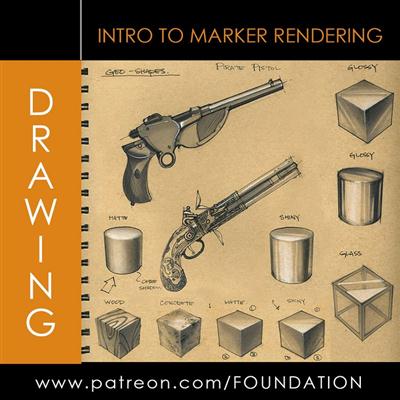
Gumroad - Foundation Patreon - Drawing: Intro to Marker Rendering
Duration 2h 20m | Video: h264, yuv420p, 1280x720 | Audio: aac, 44100 Hz, 2 ch | 1.46GB
Genre: eLearning | Language: English | Project Files Included​

Gumroad Contents:
* 2 hour 20 min Video Lecture & Demo on - Drawing: Intro to Marker Rendering
* JPG Demo & Notes Files

Recommend Download Link Hight Speed | Please Say Thanks Keep Topic Live ​

 

73fb0263d3940bbf1927a5973dcf4204.jpg

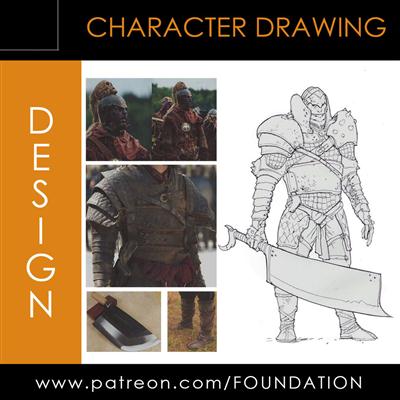
Gumroad - Foundation Patreon -Design - Character Creation Part 1 - 3
Duration 2h 15m | Video: h264, yuv420p, 1280x720, 30fps | Audio: aac, 48000 Hz, 2 ch | 660 MB
Genre: eLearning | Language: English | Project Files Included​

Every Part has a ~45 min Video Lecture & Demo
Every Part has its Notes included

Recommend Download Link Hight Speed | Please Say Thanks Keep Topic Live ​
 

d02dc2b73494b04cac5d9baa544c06ff.jpg

Illustrator - Monkey using Ellipse tool, Path Finder and Pencil tool
MP4 | Video: AVC 1280x720 | Audio: AAC 44KHz 2ch | Duration: 14M | 108 MB
Genre: eLearning | Language: English​

Hi! This class is all about using the ellipse tool to make a Monkey. Its easy and it's fun. By the end of the class you will be amazed by the cool things you can design just using three simple tools of the illustrator software. Path finder to unite and the pencil tool to add a few details.

Recommend Download Link Hight Speed | Please Say Thanks Keep Topic Live ​
 

3d2dc7b9c96ecaee9ac85666adcbccb7.jpg

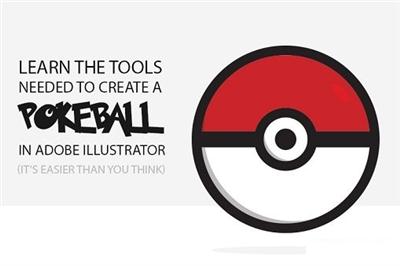
Illustrator Basic Skills: Create A PokeBall With Adobe Illustrator
Duration: 25m | Video: h264, yuv420p, 1280x720, 30fps | Audio: aac, 48000 Hz, 2 ch | 238 MB
Genre: eLearning | Language: English​

In this class I will walk you step by step through the process for creating a PokeBall icon using Adobe Illustrator.

I will cover tools in Adobe Illustrator CC such as:
shape builder
align
live paint bucket
...and more

This class, although intended for novice users, is great for anyone looking to learn new methods and techniques for creating icons and other graphics in Adobe Illustrator as the skills you'll learn can be applied to may other designs.

Recommend Download Link Hight Speed | Please Say Thanks Keep Topic Live ​

 

ed5467d92dac3d2440922ec657ba3117.jpg

Illustrator for Lunch - Make to Sell Printables - Stripes, Grid, Lines & Isometric Grid
Duration: 27m | Video: h264, yuv420p, 1280x720 30fps | Audio: aac, 44100 Hz, 2 ch | 123 MB
Genre: eLearning | Language: English​

Illustrator for Lunch™ is a series of short video courses you can study in bite size pieces such as at lunchtime. In this course you'll learn to create blends and apply gradients and blend modes to the blended elements. Here is an example of one element we will create in addition to the one on the cover image:

Recommend Download Link Hight Speed | Please Say Thanks Keep Topic Live ​
 

e4936e32a0b240551b7079e4ce4dbf86.jpg

Kelbyone - Seeing the Light with Eddie Tapp
MP4 | Video: AVC 1280x720 | Audio: AAC 44KHz 2ch | Duration: 33M | 348 MB
Genre: eLearning | Language: English​

The video series follows one of the industry's best photographers as he explains some of his techniques for creating spectacular lighting.

Recommend Download Link Hight Speed | Please Say Thanks Keep Topic Live ​

 

2e72e3e8224853994f0cf88d422699fe.jpg

Learn Adobe Dreamweaver CS6 - For Absolute Beginners pdated
MP4 | Video: AVC 1280x720 | Audio: AAC 44KHz 2ch | Duration: 16.5 Hours | Lec: 56 | 1.68GB
Genre: eLearning | Language: English​

A beginner level course for those new to Dreamweaver CS6.

In the 12-hour Learn Dreamweaver CS6 video training course, discover how to easily and quickly design your website using this popular web development software. Your professional trainer will teach you the basics and guide you through more advanced features such as adding web content including images, text, multimedia, tables, and links.

The course continues with tips on how to publish and manage your website. Also included are sections covering some of the programming languages used for websites as well as helpful videos that outline new features, keyboard shortcuts, and other Dreamweaver tools.

This is a beginner level course for those being introduced to Dreamweaver and website design for the first time. It's taught at a casual pace so that learners have plenty of time to absorb the information.

Plus, when you sign up for our class, you'll also get these 3 BONUSES in addition to the 40 online course videos:

An online quiz (40 questions) - to test what you've learned.
12 hours of able MP3s to play on your favorite audio device - to help you learn in the car, while you walk, or in the gym.
A certificate of completion to tell everyone you've aced the course.
Where else can you find so many extra tools to help you learn Dreamweaver CS6?!?!

So start learning today. Because being a technology dinosaur isn't going to get you a promotion or raise!

IMPORTANT: This course is for absolute beginners. If you're looking for a fast paced course, consider another course.

All of our videos are high-definition videos, therefore, they are best viewed with the HD setting on, and the videos enlarged.

Recommend Download Link Hight Speed | Please Say Thanks Keep Topic Live ​
 
Zurück
Oben Unten