• Regeln für den Video-Bereich:

    In den Börsenbereich gehören nur Angebote die bereits den Allgemeinen Regeln entsprechen.

    Einteilung

    - Folgende Formate gehören in die angegeben Bereiche:
    - Filme: Encodierte Filme von BluRay, DVD, R5, TV, Screener sowie Telesyncs im Format DivX, XviD und x264.
    - DVD: Filme im Format DVD5, DVD9 und HD2DVD.
    - HD: Encodierte Filme mit der Auflösung 720p oder darüber von BluRay, DVD, R5, TV, Screener sowie Telesyncs im Format x264.
    - 3D: Encodierte Filme von BluRay, die in einem 3D Format vorliegen. Dies gilt auch für Dokus, Animation usw.
    - Serien: Cartoon/Zeichentrick, Anime, Tutorials, Dokumentationen, Konzerte/Musik, Sonstiges sind demnach in die entsprechenden Bereiche einzuordnen, auch wenn sie beispielsweise im High Definition-Format oder als DVD5/DVD9/HD2DVD vorliegen. Ausnahme 3D.
    - Bereich Englisch: Englische Releases gehören immer in diesen Bereich.
    - Bereich Talk: Der Bereich, in dem über die Releases diskutiert werden kann, darf, soll und erwünscht ist.


    Angebot/Beitrag erstellen

    - Ein Beitrag darf erst dann erstellt werden, wenn der Upload bei mindestens einem OCH komplett ist. Platzhalter sind untersagt.
    - Bei einem Scenerelease hat der Threadtitel ausschließlich aus dem originalen, unveränderten Releasenamen zu bestehen. Es dürfen keine Veränderungen wie z.B. Sterne, kleine Buchstaben o.ä. vorgenommen werden. Ausnahme Serienbörse:
    - Bei einem Sammelthread für eine Staffel entfällt aus dem Releasename natürlich der Name der Folge. Beispiel: Die Simpsons S21 German DVDRip XviD - ITG
    - Dementsprechend sind also u.a. verboten: Erweiterungen wie "Tipp", "empfehlenswert", "only", "reup", usw. / jegliche andere Zusatzinformation oder Ergänzung, welche nicht in obiger Beschreibung zu finden ist.

    Aufbau des Angebots und Threadtitel

    Der Titel nach folgendem Muster erstellt zu werden. <Name> [3D] [Staffel] [German] <Jahr> <Tonspur> [DL] [Auflösung] <Quelle> <Codec> - <Group>
    Beispiel: The Dark Knight German 2008 AC3 DVDRip XviD - iND
    Beispiel: The Dark Knight 2008 DTS DL BDRip x264 - iND
    Beispiel: The Dark Knight 2008 AC3 DL BDRip XviD - iND
    Beispiel: The Dark Knight German 2008 AC3 720p BluRay x264 iND
    Beispiel: The Dark Knight 2008 DTS DL 1080p BluRay x264 iND
    Beispiel: Die Simpsons S01 German AC3 DVDRip XviD iND
    Beispiel: Die Simpsons S20 German AC3 720p BluRay x264 iND
    Beispiel: Sword Art Online II Ger Sub 2014 AAC 1080p WEBRip x264 - peppermint
    Entsprechend sind also u.a. verboten: Sonderzeichen wie Klammern, Sterne, Ausrufezeichen, Unterstriche, Anführungszeichen / Erweiterungen wie "Tipp", "empfehlenswert", "only", "reup", usw. / jegliche andere Zusatzinformation oder Ergänzung, welche nicht in obiger Beschreibung zu finden ist
    Ausnahmen hiervon können in den Bereichen geregelt sein.

    Die Beiträge sollen wie folgt aufgebaut werden:
    Überschrift entspricht dem Threadtitel
    Cover
    kurze Inhaltsbeschreibung
    Format, Größe, Dauer sind gut lesbar für Downloader außerhalb des Spoilers zu vermerken
    Nfo sind immer Anzugeben und selbige immer im Spoiler in Textform.
    Sind keine Nfo vorhanden z.B. Eigenpublikationen, sind im Spoiler folgende Dateiinformationen zusätzlich anzugeben :
    Quelle
    Video (Auflösung und Bitrate)
    Ton (Sprache, Format und Bitrate der einzelnen Spuren)
    Untertitel (sofern vorhanden)
    Hosterangabe in Textform außerhalb eines Spoiler mit allen enthaltenen Hostern.
    Bei SD kann auf diese zusätzlichen Dateiinformationen verzichtet werden.

    Alle benötigten Passwörter sind, sofern vorhanden, in Textform im Angebot anzugeben.
    Spoiler im Spoiler mit Kommentaren :"Schon Bedankt?" sind unerwünscht.


    Releases

    - Sind Retail-Release verfügbar, sind alle anderen Variationen untersagt. Ausnahmen: Alle deutschen Retail-Release sind CUT, in diesem Fall sind dubbed UNCUT-Release zulässig.
    - Im Serien-Bereich gilt speziell: Wenn ein Retail vor Abschluss einer laufenden Staffel erscheint, darf diese Staffel noch zu Ende gebracht werden.62
    - Gleiche Releases sind unbedingt zusammenzufassen. Das bedeutet, es ist zwingend erforderlich, vor dem Erstellen eines Themas per Suchfunktion zu überprüfen, ob bereits ein Beitrag mit demselben Release besteht. Ist dies der Fall, ist der bereits vorhandene Beitrag zu verwenden.
    - P2P und Scene Releases dürfen nicht verändert oder gar unter einem iND Tag eingestellt werden.


    Support, Diskussionen und Suche

    - Supportanfragen sind entweder per PN oder im Bereich Talk zu stellen.
    - Diskussionen und Bewertungen sind im Talk Bereich zu führen. Fragen an die Uploader haben ausschließlich via PN zu erfolgen, und sind in den Angeboten untersagt.
    - Anfragen zu Upload-Wünschen sind nur im Bereich Suche Video erlaubt. Antworten dürfen nur auf Angebote von MyBoerse.bz verlinkt werden.


    Verbote

    - Untersagt sind mehrere Formate in einem einzigen Angebotsthread, wie beispielsweise das gleichzeitige Anbieten von DivX/XviD, 720p und 1080p in einem Thread. Pro Format, Release und Auflösung ist ein eigener Thread zu eröffnen.
    - Grundsätzlich ebenso verboten sind Dupes. Uploader haben sich an geeigneter Stelle darüber zu informieren, ob es sich bei einem Release um ein Dupe handelt.
    - Gefakte, nur teilweise lauffähige oder unvollständige Angebote sind untersagt. Dies gilt auch für eigene Publikationen, die augenscheinlich nicht selbst von z.B. einer DVD gerippt wurden. Laufende Serien, bei denen noch nicht alle Folgen verfügbar sind, dürfen erstellt und regelmäßig geupdatet werden.
    - Untersagt sind Angebote, welche nur und ausschließlich in einer anderen Sprache als deutsch oder englisch vorliegen. Ausnahmen sind VORHER mit den Moderatoren zu klären.


    Verstoß gegen die Regeln

    - Angebote oder Beiträge, die gegen die Forenregeln verstoßen, sind über den "Melden"-Button im Beitrag zu melden.
  • Bitte registriere dich zunächst um Beiträge zu verfassen und externe Links aufzurufen.


Englische Tutorials


879f506964a8b55c502b340e027eff2e.jpg

Digitize Your Hand Lettering
Duration: 31m | Video: h264, yuv420p, 1280x720, 30fps | Audio: aac, 48000 Hz, 2 ch | 395 MB
Genre: eLearning | Language: English​

I get so many inquiries of how I digitize my hand lettering from paper and ink so I decided to do a quick lesson to explain. This could be for your calligraphy, handwriting, brush lettering or even simple brush strokes. You will learn how to vectorize your lettering in Illustrator and then how to make a file ready for web (you could upload it to Instagram!) or for print so you could sell it in your shop. This is useful for logos as well.

Recommend Download Link Hight Speed | Please Say Thanks Keep Topic Live ​
 

02ea949538cc697677424d9db93565b5.jpg

DIY Video LIGHT LEAKS: Create & Customize Your Own
MP4 | Video: AVC 1280x720 | Audio: AAC 44KHz 2ch | Duration: 25M | 472 MB
Genre: eLearning | Language: English​

When superimposed over video footage or still photos, a LIGHT LEAK adds a distinct style and feel to your content. You can use them as an overlay and even as a transition between two video clips.

If you go online, you will find that there are a plethora of light leaks already available for sale, and even some for free. But why buy or one when you can do it yourself? In this course I'm going to show you how you can create and customize your own organic light leaks, and then I'll teach you a variety of ways to use them in your projects.

The cool part is, you don't need any professional video or photography equipment to create these. I'll be using all common items you will most likely already own.

Recommend Download Link Hight Speed | Please Say Thanks Keep Topic Live ​
 

2cd020835bc32d66d99d41e1bece0d0f.jpg

Lynda - Drawing 2-Point Perspective
Size: 193 MB | Duration: 1h 16m | Video: AVC (.mp4) 1280x720 30fps | Audio: AAC 48KHz 2ch
Genre: eLearning | Level: Beginner | Language: English​

The principles of perspective allow artists to draw objects so they accurately reflect their height, width, depth, and position relative to one another. In one-point perspective, all lines converge to a single point on the horizon. Two-point perspective addresses the drawing issues we face rendering our subject from the side, where horizontal lines converge to two points on the horizon. Two-point perspective is a critical skill for drawing from life, and creating your own imaginary 3D worlds from scratch. Join artist Amy Wynne in this class as she demonstrates the basics of two-point perspective. After a brief demo of asymmetrical vs. symmetrical perspectives with 3D blocks, she takes us through more complex projects: an imagined street scene, complete with windows, doors, trees, and light posts, and an interior room with furniture. In chapter 5, Amy introduces strategies to strengthen your compositions by improving the illusion of depth. Practicing these techniques will breathe new life into your drawing and give you a new "perspective" on drawing.

Topics include:
Symmetrical vs. asymmetrical perspective
Drawing 3D cubes
Drawing exterior and interior spaces
Adding streets details including trees and powerlines
Drawing furniture
Creating the illusion of depth
Finding a composition to draw from life

S

Recommend Download Link Hight Speed | Please Say Thanks Keep Topic Live ​
 

bfc5d8aab1d1938651825b231077a9fb.jpg

Egghead - AngularJS Application Architecture (2016)
MP4 | AVC 681kbps | English | 1280x720 | 25fps | 1h 41mins | AAC mono 83kbps | 506 MB
Genre: Video Training​

One challenge when learning AngularJS is that most examples are trivial. It is difficult to find materials on learning "real-world" patterns and practices. The joy of Angular is that you are free to build an application in any form that you wish. MCV, MVVM, MVP, MVwhatever... You get to decide! Freedom is wonderful.

"But what if I choose poorly?"

Good question.

This series will demonstrate how to organize and tool your AngularJS application for real work. It's an opinion. A way that has worked on our own projects. Use it as a guide for building the solution that best suits the needs of your projects. All projects are different, but with the right set of modular tools you can build a foundation for success.

Building on the previous series, we are going to refactor Eggly to be modular and scalable. By introducing modules and sub-modules, domain models and state management with ui-router, we will start to establish best practices on how an AngularJS application should not only function, but fit together.

├── 01-egghead-angularjs-angularjs-architecture-series-introduction.mp4
├── 02-egghead-angularjs-angularjs-architecture-file-structure.mp4
├── 03-egghead-angularjs-angularjs-architecture-using-sub-modules.mp4
├── 04-egghead-angularjs-angularjs-architecture-basic-state-with-ui-router.mp4
├── 05-egghead-angularjs-using-ui-router-s-named-views.mp4
├── 06-egghead-angularjs-ui-router-state-params-for-sharing-information.mp4
├── 07-egghead-angularjs-angularjs-architecture-navigating-between-states-with-ui-router.mp4
├── 08-egghead-angularjs-angularjs-architecture-prefer-the-controller-as-syntax.mp4
├── 09-egghead-angularjs-angularjs-architecture-refactor-to-a-data-model.mp4
├── 10-egghead-angularjs-angularjs-architecture-using-http-to-load-json-data.mp4
├── 11-egghead-angularjs-angularjs-architecture-control-your-promises-with-q.mp4
├── 12-egghead-angularjs-angularjs-architecture-edit-and-create-bookmark-states.mp4
├── 13-egghead-angularjs-angularjs-architecture-create-bookmark.mp4
├── 14-egghead-angularjs-angularjs-architecture-edit-bookmark.mp4
├── 15-egghead-angularjs-angularjs-architecture-delete-bookmark.mp4
├── 16-egghead-angularjs-angularjs-architecture-animate-state-transitions-with-ui-router.mp4
└── 17-egghead-angularjs-angularjs-architecture-review.mp4

Recommend Download Link Hight Speed | Please Say Thanks Keep Topic Live ​
 

d593d684491b33571274d6d3a56fb2b4.jpg

Excel for Investment Banking
MP4 | Video: AVC 1280x720 | Audio: AAC 44KHz 2ch | Duration: 6 Hours | 1.09 GB
Genre: eLearning | Language: English​

Become an Excel "Power User" by learning time-saving keyboard shortcuts and lesser-known Excel functions.

For finance professionals, Excel proficiency is an absolute must. Wall Street Prep's "" will give you a competitive edge by turning you into a blazingly fast "Power User." We start with the basics, but very quickly introduce lesser known time-saving keyboard shortcuts and powerful Excel functions and features that you can immediately put to use on the job. The only way to learn Excel is by doing, so you will complete frequently encountered Excel exercises every step of the way.

Lessons include:

Accelerate the internalization of the key time-saving shortcuts via exercise-based internalization drills and video-driven guidance.
Learn how to incorporate and take advantage of the most popular and helpful Excel functions and table features for financial analysis.
Learn to quickly create macro-based shortcuts.
Build data tables and perform sensitivity analysis.
Enhance the presentation of financial and valuation models by adding forms and toggles to your spreadsheet

Recommend Download Link Hight Speed | Please Say Thanks Keep Topic Live ​
 

c51ba5ee58e92e1bf839e5203dac2d30.jpg


Excel Power Map A Power BI Tool for Reporting Professionals
MP4 | Video: AVC 1280x720 | Audio: AAC 44KHz 2ch | Duration: 36M | 138 MB
Genre: eLearning | Language: English​

Learn Excel Power Map, a 3-D data visualization tool to look information in new way that you can't see with 2-D charts.

Welcome to my course on Microsoft Excel Power Map, a new mapping extension for Excel 2013 and Office 365, and is a part of the Excel Power BI extensions.

At the end of the course, you will be able to look at information in new ways using Excel's 3-D data visualization tool, Power Map. A power map lets you discover insights you might not see in traditional 2-D tables and charts.

With this Excel Power Map course, you will learn to Description geographic and temporal data on a 3-D globe or custom map, show it over time, and create visual tours that you can share with other people.

What you will learn from this course:

Mapping data: You will be able to Description more than a million rows of data visually on Bing maps in 3-D format from an Excel table or Data Model in Excel.

Discovering data insights: you will gain new understandings by viewing your data in geographic space and seeing time-stamped data change over time.

Sharing visual stories: You will be able to capture and build cinematic, guided video tours that you can share broadly engaging audiences like never before. Or export tours to video and share them that way as well.

This course is designed for professionals who make reports and presentations in regular basis for their companies. Excel Power Map is an extremely powerful reporting tool. Sometimes we need to get sales reports and we want to identify regions and patterns of sales related to the customers. Acquiring working knowledge in Excel Power Map will take your reporting and presentations to a new high.

Thanks for your interest in my Excel Power Map course!

Recommend Download Link Hight Speed | Please Say Thanks Keep Topic Live ​
 

11c178f009a9c24f2fe355e7a8ff84a2.jpg

Expert Strategies in Product Creation
MP4 | Video: AVC 1280x720 | Audio: AAC 44KHz 2ch | Duration: 1.5 Hours | 452 MB
Genre: eLearning | Language: English​

Product Creation Secrets Proven To Make Money - Top Way To Earn $500 - $10,000 A Month Online With Your Own Ideas

Here's a sample of some of the great things you'll learn:

This is my favorite 'never fail' way to find product ideas EVEN IN SUPER-COMPETITIVE NICHES - Lecture 24
I've tried every 'trick' in the book for creating products and I discovered something I didn't expect. In Section 2, I'll show you the one method that actually works every time
The simple thing you can do in your niche to give yourself a whole series of valuable products you can sell individually (or you can wrap them all together into a $497 masterclass) - Lecture 4
The CRITICAL step you MUST take when you sell your products to make sure buyers become YOUR customers! Don't Miss This! - Lecture 16
Most newbies quit before they finish their first product because they didn't follow this simple rule. I'll show you what to do instead in Lecture 2
The right way to approach product creation...(Handle this situation the wrong way and you may end up wasting weeks of time on a product that no one wants) - Lecture 9
A fantastic method you can use to 'unfreeze' your brain and start a flow of ideas about any topic - Lecture 4
Students told me they learn best by seeing how others do things...so I included real-life examples where you can see exactly how I put a real-life product together...including how I did this course! - Section 2
A step-by-step process anyone can use to reveal sellable product ideas within broad (and competitive) niches - Lecture 2
Most people completely overlook this idea for delivering your product...In Section 3, I'll tell you how to use this free method to connect with your buyers while creating something valuable you can sell! - Lecture 10
In Section 5, I'll show you the 3 platforms where you're products can and should be for sale...most people make the mistake of focusing on just one of these (and their leaving A LOT of money on the table!)
I'll reveal the REAL REASON people hesitate to buy from you when you're first starting out...and what to do about it - Lecture 15
Would you like to take your 'big idea' and finally get it completed and for sale? In Section 3, I will show you exactly what to do today - including how to start earning money now even if you're ultimate goal is to write a 500 page guide - Lecture 9
Unlike most 'other' courses on Udemy, this course is delivered in their preferred teaching method covering the two most common learning styles so you get the proven best learning experience available
Most people have no idea how to promote themselves...in Lecture 15, I'll tell you the most effective (and profitable!) ways to spread the word about you and your products
How to parlay one product into many different profit streams...no other course shares this insider information (but I'll reveal everything to you) - Section 6
Here's how I turn a spreadsheet into a simple project plan for an information product empire so you never have to wonder what to work on next - Lecture 5
The '3-Phase Approach' to writing books that GUARANTEES you'll have a product people want to hand you their hard-earned cash for - Lecture 9
Most people don't know where to begin when they sit down to work on their product. In Video 5, I'll reveal my "Questions Method" for coming up with ideas so you never get stuck again - Lecture 4
Here's a sneaky tactic that quickly allows you to build a following AND get feedback about your products at the same time - Lecture 15
I used to get writers block all the time until I accidentally stumbled across this...In Lecture 24 I reveal what I discovered and how you can use it to never get 'blocked' again
WARNING: When you sell products through these companies, you give up control over the most important (and profitable) part of the sale...I'll tell you what it is and why it matters. Don't miss this video training! - Lecture 17
Here's a strategic method for turning one product into three to GUARANTEE you can get the highest profit from your product - Lecture 12
I'll give you the names of 3 marketplaces where you can safely list your products for sale and connect with other like-minded people - PLUS these businesses take care of all the accounting if you decide to let other marketers promote and sell your products - Lecture 16
Most people believe getting a product in the right format is costly...I'll take you by the hand and explain what formats you should use to do it yourself for free (without jeopordizing quality) - Lecture 8 - 10
How to create an info product people actually want instead of one you "think" they want...a simple way to find out what your customers REALLY need (even if you have no email subscribers or prior customers to ask) - Lecture 9
I'll reveal to you the Free tool pros use to edit recordings...(it's available for Mac or PC) - Lecture 10
The 4 best formats for information products revealed including the fastest and easiest (hint: it's NOT writing ebooks!) - Section 3
Here's one of my favorites! - In Lecture 11, I'll tell you about the product format that commands the highest price...people LOVE information products delivered this way and they pay for it!
I never thought I could write ebooks until I discovered this method I share in Lecture 9. Now I can write several per week
Most people ignore this way of selling information products because they are afraid of it and they don't understand it...I'll debunk the myths and show you why this may be the best way to sell your products...especially when you're just starting out - Lecture 16
If you plan to have others sell your products for you (and you should!)...I'll show you how much to pay them and explain why the more you pay... the better results you get (PLUS what to do to GUARANTEE you make your money back ) - Lecture 16
I'll show you yet another place to put your information products for sale...where millions of BUYERS are shopping every day for new and valuable information - Lecture 17
Use this simple technique to save hours of time in your business...this one seems so obvious and yet most people I meet aren't doing it! - Lecture 20
My special secret for squeezing extra profits out of old or out-dated information products...(if you have products gathering 'virtual dust' on your hard drive - use this to make money from those products today) - Lecture 20
And much, much more...

You'll Also Get These Additional Bonuses

When you enroll in this course right now, you'll also get these companion bonuses that I've put together. This is my NEWEST information...

In this Bonus report, I address one of the biggest problem new product creators have: They don't know what to do next! I've had so many students over time write to me and say "...I got my product created but then I got stuck on what all to do NEXT! My checklist eliminates that problem once and for all giving you a step-by-step checklist of what to do so you start making money and growing your email list with buyers. - Section 4

NEXT - Let me show you exactly how I find unlimited ideas for information products and how I secretly get people who are looking for this information over to my website where I can add them to my email list! - Section 8

Here's How It Works...

When you scroll up and click the green button that says 'Take This Course', you'll go to a secure order page for your credit card information and set up your account with Udemy - if you don't already have one. After you complete the purchase, you'll get instant access to my course so you can start right away.

The transaction is completely secure.

The whole process takes a minute or two to complete and you'll be watching the first lecture within 5 minutes.

Once you get enrolled, I recommend looking through the courses. Watch the lecture for any topic that you need information on right away. Then go back and start the course from the beginning and follow it all the way through.

Keep in mind, the course is yours to keep including all future course updates, new material and changes. PLUS, you can interact with me anytime using the student / instructor chat feature.

Remember: You'll be able to reference this course over and over again as you're building your online business.

Here's a Quick Review Of What You Get

1. Instant access to all 24+ Lectures of my course on how to create information products to sell online.

2. Bonus checklist that shows you exactly what to do after you create your product to get it online and up for sale so you start making money

3. Bonus video where you get to watch over my shoulder while I show you how I find hot topics that I can use to create blog posts or new information products...

4. Students in the course get to interact with me directly via the Udemy chat feature so you can get answers to any questions you have about the course or your particular situation.

Let me ask you, what would happen if this course helped you get to the next level in your online business? What if you got just ONE more sale thanks to the information I share? What would that be worth to you?

Now ask yourself: What if there's a chance this course will teach you how to create product after product you can sell online and finally have financial freedom? What if you really can take what I teach and finally have more time - time to spend with your family...to travel...to do what YOU want?

How much would that be worth to you? A thousand dollars? Ten thousand? More? For most people I know, it would be priceless.

Just the possibility of having this kind of success would be worth the investment. I have personally invested thousands of dollars and four years of my life learning what I share in this course about creating products to sell online.

I only wish that someone had taken all of this valuable information and shared it with me when I was starting out. I wish I would have been able to buy this knowledge and experience for such a low price. And I know that you'll be glad you made the investment in yourself once you have your first success after taking this course.

Here's my question: What do you have for sale online right now? If you keep doing what you've been doing - will next month or next year be any different?

How would it feel to stop spinning your wheels and start making money?

If that would feel good, let's get started. Make the decision right now to scroll up and click 'Take This Course' and I'll see you inside...

Sincerely,

Jim Shirley

P.S. Every tip, every strategy, every technique I share in this course is PROVEN to work. I use them personally in my own business and I know they will work for you too.

P.P.S. This course has a 30 DAY MONEY BACK GUARANTEE - no questions asked. If, for any reason, you decide this course is not for you, simply ask for a refund.

What have you got to lose?

Recommend Download Link Hight Speed | Please Say Thanks Keep Topic Live ​

 

b8cf865e38e151f60a77229387a9039d.jpg

Fiverr Freelancing: Learn from a Fiverr Top Rated Seller
MP4 | Video: AVC 1280x720 | Audio: AAC 44KHz 2ch | Duration: 2.5 Hours | 732 MB
Genre: eLearning | Language: English​

Fiverr: Start a thriving Fiverr business this week by following proven strategies from a Fiverr Top Rated Seller.

Fiverr: In this course, we'll tackle everything, from set up to getting more exposure, so you'll be able to create a hugely successful Fiverr business from scratch or enhance an existing one.

Student testimonial: ★★★★★ This Fiverr Course is Amazing! "...Whether you're new to Fiverr or already well acquainted, this course is worth every cent." - Peta-Ann Smith

Design a Hugely Popular and Highly Profitable Fiverr Service

✔ How I Became a Top Rated Seller in 6 Months & You Can Too!

✔ How to get started selling on Fiverr even if think you have no marketable skills

✔ 6 Tactics That Will Help You Get More Sales on Fiverr

✔ 5 Strategies to Gettting More Reviews on Fiverr

Once enrolled, you'll also have access to myself, a Top Rated and Featured Fiverr seller, so you can get feedback, advice and support as implement these strategies.

Save Yourself Time by Knowing What Works on Fiverr

This course will show you what it takes to be a truly successful Fiverr seller. You'll cover the ins and outs of developing your offer so you'll understand what it takes to create and launch a service that sells. With the tips and strategies you'll learn, you'll be able to save time and effort so you can generate a second income from one or more Fiverr services

Content & Overview

Whether you're looking to build a side income, get paid to learn a new skill or test business ideas at a micro level, this course will help you achieve your goal.

I'll reveal every tactic, trick and secret that I have learnt over the last 1.5 years selling on Fiverr.

This course is a valuable investment to make in yourself especially when you can earn back the cost of it in just a quick few sales on Fiverr.

Recommend Download Link Hight Speed | Please Say Thanks Keep Topic Live ​

 

97216714b4dcf13ac58897b2a8f4277a.jpg

Garageband Tutorial Create A Hip Hop Song in Garageband
MP4 | Video: AVC 1280x720 | Audio: AAC 44KHz 2ch | Duration: 2.5 Hours | 680 MB
Genre: eLearning | Language: English​

Learn the basics of how to produce, write, and record a Hip Hop song in Garageband!

Garageband Tutorial: Create a Hip Hop Song in Garageband!

Do you want to produce your own hip hop tracks, lyrics, and instruments? Have you always wanted to make a hit song, but found that recording and producing it to be difficult and time consuming? Did you open Garageband on your computer only to feel overwhelmed by all the tools and buttons in the software?

What this course is about:

This Garageband course is here to help you build out your own complete hip hop song within Garageband for the Mac. This amazing piece of software can help you create a variety of different hip hop tracks, and this is just the course to get your started!

Garageband is very easy-to-use software for creating beats, music, instrumentals, drum tracks, and even melodies. Garageband has an extensive resource of libraries and presets to get you up and running in no time. It lets you have complete control over audio adjustments so you can get the right sound you're looking for.

You will learn everything, from the basics of writing a hip hop song to the fundamentals of this software. By the end of this course, you will have a complete understanding of how to create your own beats, lyrics, melodies, as well as edit, mix, and master it down into an audio file you can share with the world.

Recommend Download Link Hight Speed | Please Say Thanks Keep Topic Live ​

 

bf054061c3a089a90c46432659ecf9da.jpg

Google Analytics for Creative Professionals
MP4 | Video: AVC 1280x720 | Audio: AAC 44KHz 2ch | Duration: 3.5 Hours | 708 MB
Genre: eLearning | Language: English​

This course will cover how to use Google Analytics, to guide your creative choices. Aimed at creative pros who may be great with design tools, but shy away from spreadsheets, this course cuts through the jargon to deliver lessons that make sense.

Learn how to meld your human intuition and creativity with the latest data-analysis techniques, and transform yourself into a "Creative Data Scientist." This course, , will show you how to read and analyze web traffic, explaining things so that even the most "numbers-phobic" creative can grasp the basic concepts. First, you'll learn how to install analytics on your site and configure it so you see only the information that you need, without getting distracted by things like "Ghost Spam" that clutter up your report. Next, you'll learn how to connect the cold, hard numbers to your creative efforts, so that you can grow your audience by giving them more of what they like - without missing the crucial insights that only a creative professional can have. Finally, you'll learn how to produce and share reports within your organization. By the end of this course, you'll be able to use both data and human creativity to come up with innovative solutions, helping you to become a "Creative Data Scientist."

Recommend Download Link Hight Speed | Please Say Thanks Keep Topic Live ​

 

15e490f8047be287ef9737e4ce8fde4a.jpg


Google Webmaster Tools: All you need to know
MP4 | Video: AVC 1280x720 | Audio: AAC 44KHz 2ch | Duration: 1 Hours | 247 MB
Genre: eLearning | Language: English​

Learn Google Webmaster Tools to optimize your websites for Google. Google webmaster tool is one of the powerful tools.

This course is a very powerful guide to help you getting started with Google Webmaster Tools. Google Webmaster Tools is one of the most powerful tools available on the internet to rank your websites with very fewer efforts. As Google Developer Team maintains this tool, so it is much updated as per the algorithm of Google.

This tool helps you a lot to manage all the errors that may cause you bad rankings. In this video course, you will learn A to Z of Google Webmaster Tools. I structured this course in such a way that both beginners and professionals could get to acquire new things.

I have started this course with an introduction to the dashboard of webmasters tool so that you could easily recognize what are the functions that we could apply. Then you will explore each and every corner of webmaster tools; I have explained all the concepts with live examples from my sample blog so that you can easily apply to your website with no mistakes.

I have explained all the concepts in very detailed manner, but still you get any doubt on any of the part throughout this learning, then I am here to sort out all your doubts.

Recommend Download Link Hight Speed | Please Say Thanks Keep Topic Live ​

 

74fd4aab96f2d9994f6a0ad887de2ded.jpg

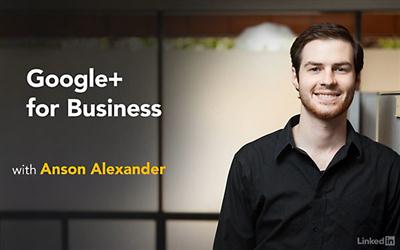
Lynda - Google+ for Business Training Video
Size: 222 MB | Duration: 1h 38m | Video: AVC (.mp4) 1280x800 15&30fps | Audio: AAC 48KHz 2ch
Genre: eLearning | Level: Beginner | Language: English​

Given the influence it has on search results, Google+ is a must-have for businesses. Learn how to develop, implement, and optimize a winning Google+ presence for your own business, in these tutorials with marketing expert Anson Alexander. Discover why Google+ is so crucial to businesses and exactly what goes into a great Google+ business page. Explore the social media platform's community, including Google+ circles, and find out how to develop engaging posts, use notifications and Google Insights to measure engagement, and manage comments and reviews.

Recommend Download Link Hight Speed | Please Say Thanks Keep Topic Live ​

 
Zurück
Oben Unten