• Regeln für den Video-Bereich:

    In den Börsenbereich gehören nur Angebote die bereits den Allgemeinen Regeln entsprechen.

    Einteilung

    - Folgende Formate gehören in die angegeben Bereiche:
    - Filme: Encodierte Filme von BluRay, DVD, R5, TV, Screener sowie Telesyncs im Format DivX, XviD und x264.
    - DVD: Filme im Format DVD5, DVD9 und HD2DVD.
    - HD: Encodierte Filme mit der Auflösung 720p oder darüber von BluRay, DVD, R5, TV, Screener sowie Telesyncs im Format x264.
    - 3D: Encodierte Filme von BluRay, die in einem 3D Format vorliegen. Dies gilt auch für Dokus, Animation usw.
    - Serien: Cartoon/Zeichentrick, Anime, Tutorials, Dokumentationen, Konzerte/Musik, Sonstiges sind demnach in die entsprechenden Bereiche einzuordnen, auch wenn sie beispielsweise im High Definition-Format oder als DVD5/DVD9/HD2DVD vorliegen. Ausnahme 3D.
    - Bereich Englisch: Englische Releases gehören immer in diesen Bereich.
    - Bereich Talk: Der Bereich, in dem über die Releases diskutiert werden kann, darf, soll und erwünscht ist.


    Angebot/Beitrag erstellen

    - Ein Beitrag darf erst dann erstellt werden, wenn der Upload bei mindestens einem OCH komplett ist. Platzhalter sind untersagt.
    - Bei einem Scenerelease hat der Threadtitel ausschließlich aus dem originalen, unveränderten Releasenamen zu bestehen. Es dürfen keine Veränderungen wie z.B. Sterne, kleine Buchstaben o.ä. vorgenommen werden. Ausnahme Serienbörse:
    - Bei einem Sammelthread für eine Staffel entfällt aus dem Releasename natürlich der Name der Folge. Beispiel: Die Simpsons S21 German DVDRip XviD - ITG
    - Dementsprechend sind also u.a. verboten: Erweiterungen wie "Tipp", "empfehlenswert", "only", "reup", usw. / jegliche andere Zusatzinformation oder Ergänzung, welche nicht in obiger Beschreibung zu finden ist.

    Aufbau des Angebots und Threadtitel

    Der Titel nach folgendem Muster erstellt zu werden. <Name> [3D] [Staffel] [German] <Jahr> <Tonspur> [DL] [Auflösung] <Quelle> <Codec> - <Group>
    Beispiel: The Dark Knight German 2008 AC3 DVDRip XviD - iND
    Beispiel: The Dark Knight 2008 DTS DL BDRip x264 - iND
    Beispiel: The Dark Knight 2008 AC3 DL BDRip XviD - iND
    Beispiel: The Dark Knight German 2008 AC3 720p BluRay x264 iND
    Beispiel: The Dark Knight 2008 DTS DL 1080p BluRay x264 iND
    Beispiel: Die Simpsons S01 German AC3 DVDRip XviD iND
    Beispiel: Die Simpsons S20 German AC3 720p BluRay x264 iND
    Beispiel: Sword Art Online II Ger Sub 2014 AAC 1080p WEBRip x264 - peppermint
    Entsprechend sind also u.a. verboten: Sonderzeichen wie Klammern, Sterne, Ausrufezeichen, Unterstriche, Anführungszeichen / Erweiterungen wie "Tipp", "empfehlenswert", "only", "reup", usw. / jegliche andere Zusatzinformation oder Ergänzung, welche nicht in obiger Beschreibung zu finden ist
    Ausnahmen hiervon können in den Bereichen geregelt sein.

    Die Beiträge sollen wie folgt aufgebaut werden:
    Überschrift entspricht dem Threadtitel
    Cover
    kurze Inhaltsbeschreibung
    Format, Größe, Dauer sind gut lesbar für Downloader außerhalb des Spoilers zu vermerken
    Nfo sind immer Anzugeben und selbige immer im Spoiler in Textform.
    Sind keine Nfo vorhanden z.B. Eigenpublikationen, sind im Spoiler folgende Dateiinformationen zusätzlich anzugeben :
    Quelle
    Video (Auflösung und Bitrate)
    Ton (Sprache, Format und Bitrate der einzelnen Spuren)
    Untertitel (sofern vorhanden)
    Hosterangabe in Textform außerhalb eines Spoiler mit allen enthaltenen Hostern.
    Bei SD kann auf diese zusätzlichen Dateiinformationen verzichtet werden.

    Alle benötigten Passwörter sind, sofern vorhanden, in Textform im Angebot anzugeben.
    Spoiler im Spoiler mit Kommentaren :"Schon Bedankt?" sind unerwünscht.


    Releases

    - Sind Retail-Release verfügbar, sind alle anderen Variationen untersagt. Ausnahmen: Alle deutschen Retail-Release sind CUT, in diesem Fall sind dubbed UNCUT-Release zulässig.
    - Im Serien-Bereich gilt speziell: Wenn ein Retail vor Abschluss einer laufenden Staffel erscheint, darf diese Staffel noch zu Ende gebracht werden.62
    - Gleiche Releases sind unbedingt zusammenzufassen. Das bedeutet, es ist zwingend erforderlich, vor dem Erstellen eines Themas per Suchfunktion zu überprüfen, ob bereits ein Beitrag mit demselben Release besteht. Ist dies der Fall, ist der bereits vorhandene Beitrag zu verwenden.
    - P2P und Scene Releases dürfen nicht verändert oder gar unter einem iND Tag eingestellt werden.


    Support, Diskussionen und Suche

    - Supportanfragen sind entweder per PN oder im Bereich Talk zu stellen.
    - Diskussionen und Bewertungen sind im Talk Bereich zu führen. Fragen an die Uploader haben ausschließlich via PN zu erfolgen, und sind in den Angeboten untersagt.
    - Anfragen zu Upload-Wünschen sind nur im Bereich Suche Video erlaubt. Antworten dürfen nur auf Angebote von MyBoerse.bz verlinkt werden.


    Verbote

    - Untersagt sind mehrere Formate in einem einzigen Angebotsthread, wie beispielsweise das gleichzeitige Anbieten von DivX/XviD, 720p und 1080p in einem Thread. Pro Format, Release und Auflösung ist ein eigener Thread zu eröffnen.
    - Grundsätzlich ebenso verboten sind Dupes. Uploader haben sich an geeigneter Stelle darüber zu informieren, ob es sich bei einem Release um ein Dupe handelt.
    - Gefakte, nur teilweise lauffähige oder unvollständige Angebote sind untersagt. Dies gilt auch für eigene Publikationen, die augenscheinlich nicht selbst von z.B. einer DVD gerippt wurden. Laufende Serien, bei denen noch nicht alle Folgen verfügbar sind, dürfen erstellt und regelmäßig geupdatet werden.
    - Untersagt sind Angebote, welche nur und ausschließlich in einer anderen Sprache als deutsch oder englisch vorliegen. Ausnahmen sind VORHER mit den Moderatoren zu klären.


    Verstoß gegen die Regeln

    - Angebote oder Beiträge, die gegen die Forenregeln verstoßen, sind über den "Melden"-Button im Beitrag zu melden.
  • Bitte registriere dich zunächst um Beiträge zu verfassen und externe Links aufzurufen.


Englische Tutorials


657040352c17be1bcff795e583060ba6.jpg

Photo Editing in Lightroom : Film Look
Duration: 17m | Video: h264, yuv420p, 1280x720 30fps | Audio: aac, 44100 Hz, 2 ch | 317 MB
Genre: eLearning | Language: English​

In this class we will using Adobe Lightroom to emulate film.

Recommend Download Link Hight Speed | Please Say Thanks Keep Topic Live ​
 

3c7f6e37c5721355d6f048f29f9a8a86.jpg

Photoshop CC Raw Workshop
Duration: 2hr 43m | Video: h264, yuv420p, 1280x720 30fps | Audio: aac, 44100 Hz, 2 ch | 1.2 GB
Genre: eLearning | Language: English​

To truly make the most of a raw capture, you need to use the best possible methods to convert that image. Adobe Camera Raw, included as part of Photoshop, provides you with a wide variety of tools to help you produce optimal raw conversions. This course will guide you through all of the available options and the best techniques to make sure the converted image is of the highest possible quality.

Topics include:
Opening raw captures
Setting Camera Raw preferences
Zooming and panning
Processing multiple images
Image rotation, cropping, and straightening
White balance and tonal adjustments
Sharpening and noise reduction
Split toning
Compensating for lens vignetting
Focused adjustments

Recommend Download Link Hight Speed | Please Say Thanks Keep Topic Live ​
 

1ee9b445ddc15673173af65205f63c4c.jpg

Photoshop CS5 for Digital Photographers
Duration: 7 Hours | Video: h264, yuv420p, 960x600 30fps | Audio: aac, 44100 Hz, 2 ch | 848 MB
Genre: eLearning | Language: English​

This ground-breaking 5th release of Photoshop Secrets for Digital Photographers, will blow your socks off! Colin has pulled out all the stops. All the workflows have been fine-tuned to take advantage of the new features in Photoshop CS5. Don't just learn the features, integrate the skills into your every day workflow.

Sure, all the new features of CS5 are covered in depth and you will be up to speed in no time. You will learn brand-new, never seen before techniques. But how about this? You will actually understand what you are doing. Unlike many other training courses out there, Colin explains what is happening as well as what to do in his "no nonsense, right to the point" style that has gathered him an impressive following. If you are new to Photoshop, experienced, or someone looking to learn the "correct" way of doing things, look no further. Watch over Colin's shoulder as he demystifies Photoshop CS5. You'll learn all the shortcuts, tips and tricks

Recommend Download Link Hight Speed | Please Say Thanks Keep Topic Live ​
 

f3f1ed6bc58d011efd25b6bb188fbb0e.jpg

Photoshop Portrait Retouching: Skin Techniques
Duration: 3 hrs | Video: h264, yuv420p, 960x600 30fps | Audio: aac, 44100 Hz, 2 ch | 1.03 GB
Genre: eLearning | Language: English​

You will work on professional images by some of the world's best portrait photographers, Clay Blackmore, Maz Mashru, Patrick Ciatto, Brooke Christl - and Jane - and learn how to sculpt faces, blend skin, remove shine, retouch wrinkles ... everything pro retouching artists do on a daily basis.

Taught by Jane Conner-ziser, an internationally respected retouching artist with over 25 years of professional excellence in the portrait industry. This fast loading DVD ROM contains 3 hours of brand new sharp video. The advanced interface allows the user to instantly jump to any of the lessons with complete control over the playback including Full Screen. All the lesson files are included, so you can follow along at your own pace! In addition to all of the project files, you receive Jane's actual layered psd files of each of the finished projects on this disc.

Recommend Download Link Hight Speed | Please Say Thanks Keep Topic Live ​
 

919e9957fa28d42613b69809062f64a0.jpg

PHP for Beginners
MP4 | Video: AVC 1280x720 | Audio: AAC 44KHz 2ch | Duration: 6 Hours | 658 MB
Genre: eLearning | Language: English​

PHP for Beginners: Learn to Code in PHP Using Real World Examples! PHP for Beginners Course 2016

Students consistently say how much they LOVE this course due to its unique delivery method and challenges which enable you to use your new skills immediately.

This PHP for beginners course introduces you to PHP through carefully crafted examples and fully worked mini tasks. LEARNING by DOING is what this course is all about. You will experience real world examples of PHP code use.

Have you seen other courses that use complex terms or that jump steps and leave you thinking "why did that just happen"? You won't find that with this carefully crafted course.

This course has been designed with the coding beginner in mind or those who may have picked up bad habits and wish to refresh their coding skills.

On hand to help and guide you is a renowned national award-winning teacher who has taught 1000s of students over a career of over 25 years.

Highlights of this course include:

Full code from every example and mini task shared with you online
Carefully crafted challenges and full solutions with FULL explanations of every line
Demonstration of a shared coding environment
Dozens of real world examples with more added on a regular basis
A tutor who cares about his students
Regular updates and new challenges
If you want to learn PHP and take your first steps into the world of web development then this PHP for Beginners course is for you.

Every line of code is explained in full detail to ensure that you can progress from absolute beginner to competent coder in a few weeks.

Launch yourself onto a new career path by taking this course now.

Recommend Download Link Hight Speed | Please Say Thanks Keep Topic Live ​
 

73ba174aba10413cf24df7abcd661ab5.jpg

PL/SQL by Example pdated
MP4 | Video: AVC 1280x720 | Audio: AAC 44KHz 2ch | Duration: 5.5 Hours | 988 MB
Genre: eLearning | Language: English​

Learn how to combine the efficiency of SQL and Procedural Language(PL) to build a powerful Application.

Learn to become a PL/SQL developer in just four weeks.

This fast, easy and effective course will take you from zero PL/SQL writing skills to being able to write efficient programs to process data.

PL/SQL is the Oracle Procedural Language extension of SQL. A PL/SQL program can have both SQL statements and procedural statements. In the PL/SQL program, the SQL statements are used to access sets of data stored in a database, while the procedural statements are used to process individual piece of data and control the program flow.

In this course participants will learn

Describe the features and syntax of PL/SQL
Design PL/SQL anonymous blocks that execute efficiently
Use the Oracle supplied PL/SQL packages to generate screen output
Create and debug stored procedures and functions
Design PL/SQL packages to group related constructs
Use PL/SQL programming constructs and conditionally control code flow
Create overloaded package subprograms for more flexibility
Handle runtime errors using Exceptions
Writing manageable code using Records
Storing and processing data using Collections
Processing data using Implicit and Explicit Cursors

Recommend Download Link Hight Speed | Please Say Thanks Keep Topic Live ​
 

c6743e4433cd8ed28f52bc8f9c365341.jpg

PowerPoint & Excel Fusion (+250 PowerPoint Slides) pdated
MP4 | Video: AVC 1280x720 | Audio: AAC 44KHz 2ch | Duration: 6.5 Hours | 702 MB
Genre: eLearning | Language: English​

PowerPoint Design & Excel Charts Fundamentals To Create Stunning PowerPoint Presentations That Are Easily Updatable

PowerPoint and Excel are 2 very different pieces of software, however, this does not mean you cannot use PowerPoint and Excel together. In fact, Management Consultants especially have great knowledge of how to use the 2 softwares to create stunning presentations which are automated, data-driven, beautifully designed and impressive to read. Mastering both PowerPoint and Excel and knowing how to work with both at the same time can be invaluable and that's exactly what I strive to present to you in this course.

What would it be like if each and every one of your PowerPoint presentations were stunning and impressed your attendees, co-workers, senior managers or investors without you saying a word yet?

How about transforming raw data from Excel and turning it into beautiful Charts & Graphs that impress and save you countless hours of work every month?

The "Stunning Presentation" Guarantee

Commit to take action and I GUARANTEE your Presentation skills will improve tremendously. If that's not the case, I will personally train you to achieve the results you desire. But more on the guarantee later...

The Secret

You might have wondered how Management Consultants and Investment Bankers always churn out PowerPoint presentations that look incredible. I mean, give them credit, once you see their decks you instantly think to yourself "This guy sure knows what he's talking about..."

How do they do it? Are they more clever than us? Do they have a talent for crafting presentations and manipulating spreadsheets that we simply don't possess?

No. They simply have more resources available to them & the necessary training to take advantage of them. In fact, I'll even share with you what they have and you might not:

Company specific PowerPoint Templates - they don't have to break a sweat to create amazing looking slides.
Knowledge about PowerPoint Design - they know how to manipulate those templates and make them work for them
Knowledge about Excel Charts & Tables - they manipulate raw data in Excel and link it to PowerPoint effortlessly
Specialised software - they use this to make their charts more interactive in PowerPoint and link them to Excel
So there you go. I've just laid out to you what you need to reach that level.

But imagine how much time & money you would save if you took this course and in little more than 3 hours get to that level...

The Course

This course is specifically built to make you reach that level . Learn exactly how to make full use of Excel & PowerPoint:

PowerPoint Design Fundamentals: Learn how to design PowerPoint decks that will WOW those around you and will make them perceive you as a master presenter
Excel Fundamentals: Create stunning charts & tables that can be seamlessly integrated in your presentations
The Secret Ingredient walkthrough: Learn what software & tricks Management Consultants use to create mind-blowing data-driven presentations.
Plus, 3 bonuses:

A FREE PowerPoint template with over 200 unique slides strategically built for you to reuse in corporate presentations and client pitches. This will drive you results straight out of the box!
The Essential Keyboard Shortcuts PDF to maximise your PowerPoint & Excel efficiency
10 Fill-in-the-Data Done-for-You Secret Charts that make your presentations exciting
The Guarantee

If after 30 days you don't feel like you've taken your presentation skills to another level, then I demand you contact me immediately. Apart from refunding your money, I will personally train you via:

Analysing your PowerPoint template - overall design elements & Excel charts
30 minute coaching call: discuss aspects you struggle with and help you overcome them
I hope you can see by now, there is absolutely no risk when purchasing this course.

Recommend Download Link Hight Speed | Please Say Thanks Keep Topic Live ​

 

8102af19660747a98b962da4f221a062.jpg


Lynda - PowerPoint for Mac 2016 Power Shortcuts
Size: 555 MB | Duration: 2h 1m | Video: AVC (.mp4) 1280x720 15&30fps | Audio: AAC 48KHz 2ch
Genre: eLearning | Level: Advanced | Language: English​

Become a PowerPoint for Mac power user. Get over 30 timesaving shortcuts that will help you create more engaging presentations quickly and easily. Microsoft Office expert David Rivers begins with his top 10 tips, including how to repurpose slides from other presentations, create custom shapes and animations, play sounds, and finesse color and transparency. From there, he offers pro tips on managing files, using little-known keyboard shortcuts, formatting text and inserting media, creating advanced animations, sharing your presentations, and more.

Topics include:
* Animating objects with the Animation Painter
* Creating custom shapes and animations
* Playing sounds
* Accessing recent files fast
* Reducing file size
* Customizing the interface
* Navigating from the keyboard
* Adjusting spacing
* Creating 3D images
* Coordinating transitions
* Reusing slides
* Saving and sharing presentations

Recommend Download Link Hight Speed | Please Say Thanks Keep Topic Live ​

 

35d3469231d692c2aa76503fbdaecb5b.jpg

Powerpoint in 2 Hours: PowerPoint Training for Beginners
Duration: 1hr 42m | Video: h264, yuv420p, 1280x720 30fps | Audio: aac, 44100 Hz, 2 ch | 526 MB
Genre: eLearning | Language: English​

This course will not waste your time, Are you tired of watching tutorials that take hours to explain simple concepts? You came to right place. All this course asks you is 2-3 hours of your life.

This is the class I wish I had when I was trying to learn Powerpoint. I have a unique way of teaching, as I know how it must be overwhelming to learn a very complex software like Powerpoint. Best part of this course is you need no prior experience with Powerpoint.
I will walk you through everything you need to make professional Powerpoint Presentations. From Creating slides to complex animations and transitions.
You will learn by making a powerpoint presentation. This course will make you an expert at using all the Powerpoint Features.
We will learn my making a real world presentation, so that you'll have a better understanding when to use specific features.
Starting with the basics, you'll discover how to work with the new PowerPoint 2013 interface and to design your your slides to look the best. Then, you'll learn to add images, audio, and video for engaging slides. Then you'll learn to create amazing advance animation effects that will blow the mind of your students. You'll also learn the skills needed to grab the attention of the audience.

Recommend Download Link Hight Speed | Please Say Thanks Keep Topic Live ​

 

a74aeb3ad8d817cc1f5decd2e7eb8bb2.jpg

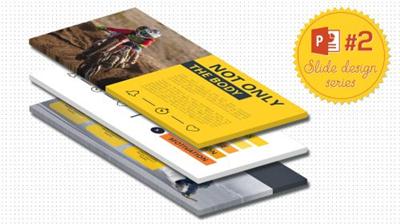
PowerPoint Slide Designâ„ - Fitness, Sport & Lifestyle Slides
MP4 | Video: AVC 1280x720 | Audio: AAC 44KHz 2ch | Duration: 45M | 430 MB
Genre: eLearning | Language: English​

PowerPoint Slide Designâ„ is a series of video courses to give you ideas for presentations & slide design in PowerPoint! It is all about utilizing Powerpoint to its full potential, as an presentation, animation, video editing and video marketing software. In the #2 episode we will design 6 Fitness, Sport & Lifestyle themed Slides!

Recommend Download Link Hight Speed | Please Say Thanks Keep Topic Live ​

 

6a7a60a524a5b4432287b009c21fac34.jpg

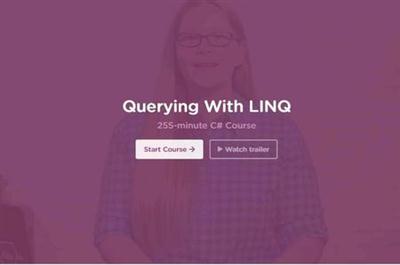
Querying With LINQ
HDRips | MP4/AVC, ~373 kb/s | 1280x720 | Duration: 4 hours | English: AAC, 82 kb/s (2 ch) | 413 MB
Genre: Development / Programming​

Learn to query in C# with LINQ.

What you'll learn

LINQ Query Syntax and Method Syntax
Functional Programming Concepts
Delegates
Object Initialization
Anonymous Types
Implicit Typing

Recommend Download Link Hight Speed | Please Say Thanks Keep Topic Live ​
 

878d9a8e6b1d4cba8145fe0d8929bb7e.jpg

Quick Sprout Traffic SEO University by Neil Patel
MP4 | Video: h264, yuv420p, 960x540 | Audio: aac, 44100 Hz, 2 ch | 6.59 GB
Genre: eLearning | Language: English​

I'm Neil Patel. I'm an online marketer and the co-founder of KISSmetrics and Crazy Egg... The Wall Street Journal named me a top influencer. I've been featured in publications like Inc and Business Insider. And the likes of TechCrunch, NBC and Amazon keep me on speed dial. No exaggeration.

I Will Teach You to Build Your Audience & Establish a Reputation As a Leader - While Making More Money from Your Website.
But to do that, we need to get real. There's no magic pill you can take to "unlock the floodgates" of traffic. But there ARE systems, processes, tactics and practices that WILL attract more visitors who will buy. How do I know that? Because I've not only grown my own startups into multi-million dollar businesses... but I've also consulted for others, with killer results!

You get 135 marketing videos...and counting, that will teach you all of the marketing tactics I use.
Each video takes you step-by-step through an important marketing process for your success.
They answer questions people had after going through my free information.
They're my freshest insights, because I naturally focus on Quick Sprout Traffic U before I focus on my free stuff.
You also get transcripts and links to all the resources mentioned in the videos.
Because I do new videos all the time, you'll always be on top of the online-marketing landscape.
You can suggest new videos and I'll give priority to those ideas over ones that non-members suggest.

Neil Patel's Quick Sprout Traffic U

Startups and content marketers alike are frustrated by the exact same problem today:

"We Know We Need Traffic... But"
BUT Google algorithm updates, like Hummingbird, undo all your hard work
BUT buying AdWords is too expensive in your industry, at your stage of growth
BUT there's so much conflicting free advice - and even the paid stuff is sketchy at best
BUT you've been burned by dodgy SEO guys
BUT you're scared of being penalized for using the wrong SEO tips
I Will Teach You to Build Your Audience and Establish a Reputation As a Leader - While Making More Money from Your Website

But to do that, we need to get real. There's no magic pill you can
take to "unlock the floodgates" of traffic. But there ARE systems,
processes, tactics and practices that WILL attract more visitors who
will buy. How do I know that? Because I've not only grown my own
startups into multi-million dollar businesses... but I've also consulted
for others, with killer results!

SEO
Link building
Content marketing
Social media
Paid advertising
Email marketing
Reputation management
Conversion optimization

Recommend Download Link Hight Speed | Please Say Thanks Keep Topic Live ​

 
Zurück
Oben Unten