
• Regeln für den Video-Bereich:

    In den Börsenbereich gehören nur Angebote die bereits den Allgemeinen Regeln entsprechen.

    Einteilung

    - Folgende Formate gehören in die angegeben Bereiche:
    - Filme: Encodierte Filme von BluRay, DVD, R5, TV, Screener sowie Telesyncs im Format DivX, XviD und x264.
    - DVD: Filme im Format DVD5, DVD9 und HD2DVD.
    - HD: Encodierte Filme mit der Auflösung 720p oder darüber von BluRay, DVD, R5, TV, Screener sowie Telesyncs im Format x264.
    - 3D: Encodierte Filme von BluRay, die in einem 3D Format vorliegen. Dies gilt auch für Dokus, Animation usw.
    - Serien: Cartoon/Zeichentrick, Anime, Tutorials, Dokumentationen, Konzerte/Musik, Sonstiges sind demnach in die entsprechenden Bereiche einzuordnen, auch wenn sie beispielsweise im High Definition-Format oder als DVD5/DVD9/HD2DVD vorliegen. Ausnahme 3D.
    - Bereich Englisch: Englische Releases gehören immer in diesen Bereich.
    - Bereich Talk: Der Bereich, in dem über die Releases diskutiert werden kann, darf, soll und erwünscht ist.


    Angebot/Beitrag erstellen

    - Ein Beitrag darf erst dann erstellt werden, wenn der Upload bei mindestens einem OCH komplett ist. Platzhalter sind untersagt.
    - Bei einem Scenerelease hat der Threadtitel ausschließlich aus dem originalen, unveränderten Releasenamen zu bestehen. Es dürfen keine Veränderungen wie z.B. Sterne, kleine Buchstaben o.ä. vorgenommen werden. Ausnahme Serienbörse:
    - Bei einem Sammelthread für eine Staffel entfällt aus dem Releasename natürlich der Name der Folge. Beispiel: Die Simpsons S21 German DVDRip XviD - ITG
    - Dementsprechend sind also u.a. verboten: Erweiterungen wie "Tipp", "empfehlenswert", "only", "reup", usw. / jegliche andere Zusatzinformation oder Ergänzung, welche nicht in obiger Beschreibung zu finden ist.

    Aufbau des Angebots und Threadtitel

    Der Titel nach folgendem Muster erstellt zu werden. <Name> [3D] [Staffel] [German] <Jahr> <Tonspur> [DL] [Auflösung] <Quelle> <Codec> - <Group>
    Beispiel: The Dark Knight German 2008 AC3 DVDRip XviD - iND
    Beispiel: The Dark Knight 2008 DTS DL BDRip x264 - iND
    Beispiel: The Dark Knight 2008 AC3 DL BDRip XviD - iND
    Beispiel: The Dark Knight German 2008 AC3 720p BluRay x264 iND
    Beispiel: The Dark Knight 2008 DTS DL 1080p BluRay x264 iND
    Beispiel: Die Simpsons S01 German AC3 DVDRip XviD iND
    Beispiel: Die Simpsons S20 German AC3 720p BluRay x264 iND
    Beispiel: Sword Art Online II Ger Sub 2014 AAC 1080p WEBRip x264 - peppermint
    Entsprechend sind also u.a. verboten: Sonderzeichen wie Klammern, Sterne, Ausrufezeichen, Unterstriche, Anführungszeichen / Erweiterungen wie "Tipp", "empfehlenswert", "only", "reup", usw. / jegliche andere Zusatzinformation oder Ergänzung, welche nicht in obiger Beschreibung zu finden ist
    Ausnahmen hiervon können in den Bereichen geregelt sein.

    Die Beiträge sollen wie folgt aufgebaut werden:
    Überschrift entspricht dem Threadtitel
    Cover
    kurze Inhaltsbeschreibung
    Format, Größe, Dauer sind gut lesbar für Downloader außerhalb des Spoilers zu vermerken
    Nfo sind immer Anzugeben und selbige immer im Spoiler in Textform.
    Sind keine Nfo vorhanden z.B. Eigenpublikationen, sind im Spoiler folgende Dateiinformationen zusätzlich anzugeben :
    Quelle
    Video (Auflösung und Bitrate)
    Ton (Sprache, Format und Bitrate der einzelnen Spuren)
    Untertitel (sofern vorhanden)
    Hosterangabe in Textform außerhalb eines Spoiler mit allen enthaltenen Hostern.
    Bei SD kann auf diese zusätzlichen Dateiinformationen verzichtet werden.

    Alle benötigten Passwörter sind, sofern vorhanden, in Textform im Angebot anzugeben.
    Spoiler im Spoiler mit Kommentaren :"Schon Bedankt?" sind unerwünscht.


    Releases

    - Sind Retail-Release verfügbar, sind alle anderen Variationen untersagt. Ausnahmen: Alle deutschen Retail-Release sind CUT, in diesem Fall sind dubbed UNCUT-Release zulässig.
    - Im Serien-Bereich gilt speziell: Wenn ein Retail vor Abschluss einer laufenden Staffel erscheint, darf diese Staffel noch zu Ende gebracht werden.62
    - Gleiche Releases sind unbedingt zusammenzufassen. Das bedeutet, es ist zwingend erforderlich, vor dem Erstellen eines Themas per Suchfunktion zu überprüfen, ob bereits ein Beitrag mit demselben Release besteht. Ist dies der Fall, ist der bereits vorhandene Beitrag zu verwenden.
    - P2P und Scene Releases dürfen nicht verändert oder gar unter einem iND Tag eingestellt werden.


    Support, Diskussionen und Suche

    - Supportanfragen sind entweder per PN oder im Bereich Talk zu stellen.
    - Diskussionen und Bewertungen sind im Talk Bereich zu führen. Fragen an die Uploader haben ausschließlich via PN zu erfolgen, und sind in den Angeboten untersagt.
    - Anfragen zu Upload-Wünschen sind nur im Bereich Suche Video erlaubt. Antworten dürfen nur auf Angebote von MyBoerse.bz verlinkt werden.


    Verbote

    - Untersagt sind mehrere Formate in einem einzigen Angebotsthread, wie beispielsweise das gleichzeitige Anbieten von DivX/XviD, 720p und 1080p in einem Thread. Pro Format, Release und Auflösung ist ein eigener Thread zu eröffnen.
    - Grundsätzlich ebenso verboten sind Dupes. Uploader haben sich an geeigneter Stelle darüber zu informieren, ob es sich bei einem Release um ein Dupe handelt.
    - Gefakte, nur teilweise lauffähige oder unvollständige Angebote sind untersagt. Dies gilt auch für eigene Publikationen, die augenscheinlich nicht selbst von z.B. einer DVD gerippt wurden. Laufende Serien, bei denen noch nicht alle Folgen verfügbar sind, dürfen erstellt und regelmäßig geupdatet werden.
    - Untersagt sind Angebote, welche nur und ausschließlich in einer anderen Sprache als deutsch oder englisch vorliegen. Ausnahmen sind VORHER mit den Moderatoren zu klären.


    Verstoß gegen die Regeln

    - Angebote oder Beiträge, die gegen die Forenregeln verstoßen, sind über den "Melden"-Button im Beitrag zu melden.
  • Bitte registriere dich zunächst um Beiträge zu verfassen und externe Links aufzurufen.


Englische Tutorials


1dc8253539266763939f5bdf7c483fad.jpg

Photoshop CC: Mastering Black & White Photography (With Actions)
Duration: 24m | Video: h264, yuv420p, 1280x720 30fps | Audio: aac, 44100 Hz, 2 ch | 370 MB
Genre: eLearning | Language: English​

In this class You will know everything You need to know about Black & White Conversion in Photoshop as well as in Camera raw! We are going to start simple - You will learn how to do basic Black & White conversion - and what most important, every time we will do this in non-destructive way. We will talk about Black & White Adjustment Layer in Photoshop and then we jump into camera raw to learn how to do Black & Conversion.

In the last lessons we will talk about more creative ways like setting up Black & White effect using Channels and also mixing different techniques together to achieve desired look.
This class is coming with amazing Black & White actions which speed up Your workflow!

Recommend Download Link Hight Speed | Please Say Thanks Keep Topic Live ​

 

4eb420f01dc4abd10cd77338162827ca.jpg

Photoshop CS5 for Photographers by Chris Orwig
Duration: 12hr 24m | Video: h264, yuv420p, 960x540 30fps | Audio: aac, 44100 Hz, 2 ch | 1.6 GB
Genre: eLearning | Language: English​

Photoshop CS5 for Photographers provides comprehensive Photoshop training targeting the needs of photographers. In this course, author Chris Orwig demonstrates the fundamental skills used to enhance digital photos, including managing and correcting color, sharpening, making selections and adjustments, retouching, and printing from Photoshop. In addition to teaching the techniques that enable photographers to refine and publish their photos, the course includes live-action segments that encourage thinking photographically and shooting with Photoshop's capabilities in mind. Exercise files are included with the course.

Topics include:
Calibrating a monitor
Setting up color and file handling preferences
Resizing images
Processing images in Camera Raw
Creating, targeting, and moving layers
Making selections and taking advantage of the Refine Edge feature
Masking and selective sharpening
Improving a photo using Content-Aware Fill and the Puppet Warp tool
Enhancing color, tone, and contrast with Levels
Improving under- and overexposure using blending
Burning and dodging techniques
Converting an image to black and white
Retouching essentials
Publishing images to the web

Recommend Download Link Hight Speed | Please Say Thanks Keep Topic Live ​

 

0fee631d20b0261db2f95728029369ba.jpg

Photoshop CS5: Painting with the Mixer Brush Training
Duration: 2hr26m | Video: h264, yuv420p, 960x540 30fps | Audio: aac, 44100 Hz, 2 ch | 387 MB
Genre: eLearning | Language: English | Skill Level: Intermediate​

Join John Derry, a pioneer in the field of digital painting, as he shows how to master the natural-media painting features introduced in Photoshop CS5 in Photoshop CS5: Painting with the Mixer Brush. This course shows how to use the Mixer Brush, the Bristle Tips feature, and a new mechanism for blending colors in Photoshop to add beautiful, painterly effects to photographs, enhance artwork with paint-like strokes and illustrations, and paint entirely new art from scratch.

This course also covers customizing brush characteristics and surface textures, applying keyboard shortcuts to paint smoothly and efficiently, and using a Wacom tablet to get the most out of Photoshop CS5's painting features. Exercise files are included with the course.

Topics include:
Understanding the axes of motion with a Wacom tablet
Choosing a brush shape and Bristle Tip
Adjusting brush angle
Loading color and control the behavior of the Mixer Brush
Modifying surface texture
Simulating the texture of canvas
Saving tool presets for brushes
Creating a painting from a photograph
Painting from scratch with the Mixer Brush

Recommend Download Link Hight Speed | Please Say Thanks Keep Topic Live ​
 

4dd7b31ca9c40f25600192045668f6e5.jpg

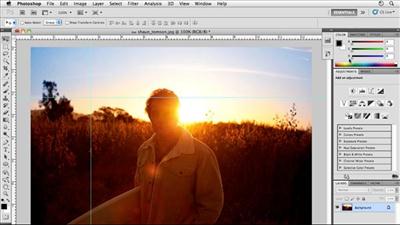
Photoshop for Entrepreneurs : Object Removal
Duration: 18m | Video: h264, yuv420p, 1280x720 30fps | Audio: aac, 44100 Hz, 2 ch | 124 MB
Genre: eLearning | Language: English​

Learn how to remove objects with tools like the healing brush, patch tool, content aware tool, and more!

Sometimes you take that perfect picture but there is one object in the frame that you wish wasn't there. It could be a bird, another person, or anything else that you would like gone from your masterpiece. It may seem like it would be a hard process to get rid of these objects, but it really doesn't have to be!
I'll show you some of the best tools in Photoshop for easily and quickly removing objects that you don't want in your image. You will learn how to use tools such as the healing brush and patch tools to quickly wipe away those objects while still maintaining a great looking image. Here is a sample of a project we will learn in this class:

Recommend Download Link Hight Speed | Please Say Thanks Keep Topic Live ​
 

03045636c5ff60016d6fe012a7c68e81.jpg

Photoshop for Entrepreneurs : Web Design Mockup
Duration: 58m | Video: h264, yuv420p, 1280x720 30fps | Audio: aac, 44100 Hz, 2 ch | 272 MB
Genre: eLearning | Language: English​

Learn how to use grids, guides, and assets inside of Photoshop to create web design mockups for your own website!

Websites are one of the first points of contacts for businesses and brands. Most of the time, entrepreneurs either design their own site with a system like Wordpress, or need to hand this job over to a graphic designer/web developer. If you don't think your website layout through before building it, you will quickly realize how hard putting a website together can be.
I will show you how to easily create a web design mockup before you ever start building out your actual site. You will learn how to research websites that are already out there and look good to generate ideas. Then you will write down some concepts that you want for your own site. Finally, you will design your own mockup using preexisting assets and templates directly from Photoshop!

Recommend Download Link Hight Speed | Please Say Thanks Keep Topic Live ​

 

d399058d3550ab5e15698538dd1d77b5.jpg

Photoshop for Lunch - Create Backgrounds for Projects - Halftones, Sunburst, Patterns
MP4 | Video: AVC 1280x720 | Audio: AAC 44KHz 2ch | Duration: 21M | 140 MB
Genre: eLearning | Language: English​

Photoshop for Lunch™ is a series of short video courses you can study in bite size pieces such as at lunchtime. In this course you'll learn how to make backgrounds to use for logos and elements you create in Photoshop. You will see how to make a sunburst, a halftone gradient and a custom colored and lit pattern background.This is one of the backgrounds we will make::

Recommend Download Link Hight Speed | Please Say Thanks Keep Topic Live ​
 

317951c4fab21e62a6a2dae412ca1575.jpg

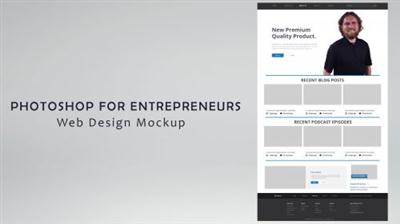
Lynda - Photoshop for Photographers: 2015 Creative Cloud Updates
Size: 1.17 GB | Duration: 2h 4m | Video: AVC (.mp4) 1280x800 15&30fps | Audio: AAC 48KHz 2ch
Genre: eLearning | Level: Intermediate | Language: English​

Creative Cloud delivers the latest Photoshop updates right to your computer. This course is designed for photographers who want to begin integrating these new features into their workflows right away. Author Chris Orwig provides a photocentric guide to Photoshop CC 2015 and he'll add new videos every time Adobe releases an update. To start, Chris shows how to bring back noise with a new addition to the Blur Gallery, find new uses for the Content Aware Move tool, and add adjustments to Smart Objects. He also covers changes to Camera Raw, and selection of smaller but no less important enhancements to both programs.

Recommend Download Link Hight Speed | Please Say Thanks Keep Topic Live ​

 

a5f7139ba5ac9c5cb50b72e4ee0c0146.jpg

Lynda - Premiere Pro CC Essential Training 2015
Duration: 10h 29m | Video: AVC (.mp4) 1280x720 15&30fps | Audio: AAC 48KHz 2ch | 3.83 GB
Genre: eLearning | Level: Appropriate for all | Language: English​

New to Premiere Pro? Start here and learn how to professionally edit video using techniques from the experts. Ashley Kennedy first introduces a fast-track approach that breaks down the entire import-to-output process into eight quick steps-ideal as an overview for new editors, and a good crash course for editors migrating from other platforms. Then she transitions to an expanded workflow, showing how to import media, create a basic rough edit, refine the cut, and introduce music, sound effects, transitions, visual effects, and titles. Along the way, she demonstrates how Premiere Pro integrates with other Creative Cloud applications, and offers keyboard shortcuts and other workflow-enhancing tricks to help you become more efficient in Premiere Pro. The course wraps up with tutorials on color correction, multicam editing, and the export process.

Recommend Download Link Hight Speed | Please Say Thanks Keep Topic Live ​
 

4b63853b48fa629bae6e6da62fdd4412.jpg

Product Management 101
MP4 | Video: AVC 1280x720 | Audio: AAC 44KHz 2ch | Duration: 2 Hours | 241 MB
Genre: eLearning | Language: English​

Learn to be an excellent product manager - from market intelligence and strategy to new product development.

Product Management 101 is an overview of the work of product management - from market intelligence and strategy to new product development. The course has been designed for product managers with 0-5 years of experience, and through a series of lectures we will share industry best practices that span the spectrum of product management work. We will follow this later with Product Management 102, which will focus on lifecycle management, i.e. managing an in-market product or service.

Recommend Download Link Hight Speed | Please Say Thanks Keep Topic Live ​
 

6943aacc11122f3f94fabcff696c31d3.jpg

Quickmigration Office 2003 to 2010 migration training
MP4 | Video: AVC 1280x720 | Audio: AAC 44KHz 2ch | Duration: 1 Hours | 148 MB
Genre: eLearning | Language: English​

Get used to the new functions and features of Office 2010.

This course will learn you the new functions and features of Office 2010.

The course includes:

What's New
MS Word
MS Outlook
MS Excel
MS Powerpoint
Learn the differences between 2003 and 2010. No more time wasting with searching for your favorite features which are relocated in Office 2010.

In this course you will learn how to use the new features in Office 2010. The difference and new features in 2010 will help you work more efficiently.

Recommend Download Link Hight Speed | Please Say Thanks Keep Topic Live ​

 

153e3468244569f5278e5f0a98aa7474.jpg

Ralph Gracie - Finish from the Mount
DVD5 | VIDEO_TS, NTSC, 4620 kbps, 720x480 | English, AC3, 256 kbps, 2 Ch | 42 mins | 1.44 GB
Genre: Martial Arts/BJJ​

For over eighty years, the innovative techniques of Gracie Jiu-Jitsu have proven themselves unstoppable. Learn the same moves that Ralph has used to make himself and others champions. Brazilian Jiu-Jitsu is the fastest growing martial art today. You will be ahead of the competition with the knowledge you gain from these detailed video.

We've all seen Ralph finish from the mount! Now he will take you step by step on how to finish your opponent from the mount!

Recommend Download Link Hight Speed | Please Say Thanks Keep Topic Live ​

 

a978413131f5fee45a92e6c1f5173c3a.jpg

Ralph Gracie - Vale Tudo Takedowns & Closing the Distance
DVD5 | VIDEO_TS, NTSC, 6620 kbps, 720x480 | English, AC3, 256 kbps, 2 Ch | 50 mins | 3.08 GB
Genre: Martial Arts/BJJ​

This tape explains why Ralph is so effective at taking his opponents down. He shows you step by step how to close the distance and take down your opponent down to finish the fight.

For over eighty years, the innovative techniques of Gracie Jiu-Jitsu have proven themselves unstoppable. Learn the same moves that Ralph has used to make himself and others champions. Brazilian Jiu-Jitsu is the fastest growing martial art today. You will be ahead of the competition with the knowledge you gain from these detailed videos.

Recommend Download Link Hight Speed | Please Say Thanks Keep Topic Live ​

 
Zurück
Oben Unten