
• Regeln für den Video-Bereich:

    In den Börsenbereich gehören nur Angebote die bereits den Allgemeinen Regeln entsprechen.

    Einteilung

    - Folgende Formate gehören in die angegeben Bereiche:
    - Filme: Encodierte Filme von BluRay, DVD, R5, TV, Screener sowie Telesyncs im Format DivX, XviD und x264.
    - DVD: Filme im Format DVD5, DVD9 und HD2DVD.
    - HD: Encodierte Filme mit der Auflösung 720p oder darüber von BluRay, DVD, R5, TV, Screener sowie Telesyncs im Format x264.
    - 3D: Encodierte Filme von BluRay, die in einem 3D Format vorliegen. Dies gilt auch für Dokus, Animation usw.
    - Serien: Cartoon/Zeichentrick, Anime, Tutorials, Dokumentationen, Konzerte/Musik, Sonstiges sind demnach in die entsprechenden Bereiche einzuordnen, auch wenn sie beispielsweise im High Definition-Format oder als DVD5/DVD9/HD2DVD vorliegen. Ausnahme 3D.
    - Bereich Englisch: Englische Releases gehören immer in diesen Bereich.
    - Bereich Talk: Der Bereich, in dem über die Releases diskutiert werden kann, darf, soll und erwünscht ist.


    Angebot/Beitrag erstellen

    - Ein Beitrag darf erst dann erstellt werden, wenn der Upload bei mindestens einem OCH komplett ist. Platzhalter sind untersagt.
    - Bei einem Scenerelease hat der Threadtitel ausschließlich aus dem originalen, unveränderten Releasenamen zu bestehen. Es dürfen keine Veränderungen wie z.B. Sterne, kleine Buchstaben o.ä. vorgenommen werden. Ausnahme Serienbörse:
    - Bei einem Sammelthread für eine Staffel entfällt aus dem Releasename natürlich der Name der Folge. Beispiel: Die Simpsons S21 German DVDRip XviD - ITG
    - Dementsprechend sind also u.a. verboten: Erweiterungen wie "Tipp", "empfehlenswert", "only", "reup", usw. / jegliche andere Zusatzinformation oder Ergänzung, welche nicht in obiger Beschreibung zu finden ist.

    Aufbau des Angebots und Threadtitel

    Der Titel nach folgendem Muster erstellt zu werden. <Name> [3D] [Staffel] [German] <Jahr> <Tonspur> [DL] [Auflösung] <Quelle> <Codec> - <Group>
    Beispiel: The Dark Knight German 2008 AC3 DVDRip XviD - iND
    Beispiel: The Dark Knight 2008 DTS DL BDRip x264 - iND
    Beispiel: The Dark Knight 2008 AC3 DL BDRip XviD - iND
    Beispiel: The Dark Knight German 2008 AC3 720p BluRay x264 iND
    Beispiel: The Dark Knight 2008 DTS DL 1080p BluRay x264 iND
    Beispiel: Die Simpsons S01 German AC3 DVDRip XviD iND
    Beispiel: Die Simpsons S20 German AC3 720p BluRay x264 iND
    Beispiel: Sword Art Online II Ger Sub 2014 AAC 1080p WEBRip x264 - peppermint
    Entsprechend sind also u.a. verboten: Sonderzeichen wie Klammern, Sterne, Ausrufezeichen, Unterstriche, Anführungszeichen / Erweiterungen wie "Tipp", "empfehlenswert", "only", "reup", usw. / jegliche andere Zusatzinformation oder Ergänzung, welche nicht in obiger Beschreibung zu finden ist
    Ausnahmen hiervon können in den Bereichen geregelt sein.

    Die Beiträge sollen wie folgt aufgebaut werden:
    Überschrift entspricht dem Threadtitel
    Cover
    kurze Inhaltsbeschreibung
    Format, Größe, Dauer sind gut lesbar für Downloader außerhalb des Spoilers zu vermerken
    Nfo sind immer Anzugeben und selbige immer im Spoiler in Textform.
    Sind keine Nfo vorhanden z.B. Eigenpublikationen, sind im Spoiler folgende Dateiinformationen zusätzlich anzugeben :
    Quelle
    Video (Auflösung und Bitrate)
    Ton (Sprache, Format und Bitrate der einzelnen Spuren)
    Untertitel (sofern vorhanden)
    Hosterangabe in Textform außerhalb eines Spoiler mit allen enthaltenen Hostern.
    Bei SD kann auf diese zusätzlichen Dateiinformationen verzichtet werden.

    Alle benötigten Passwörter sind, sofern vorhanden, in Textform im Angebot anzugeben.
    Spoiler im Spoiler mit Kommentaren :"Schon Bedankt?" sind unerwünscht.


    Releases

    - Sind Retail-Release verfügbar, sind alle anderen Variationen untersagt. Ausnahmen: Alle deutschen Retail-Release sind CUT, in diesem Fall sind dubbed UNCUT-Release zulässig.
    - Im Serien-Bereich gilt speziell: Wenn ein Retail vor Abschluss einer laufenden Staffel erscheint, darf diese Staffel noch zu Ende gebracht werden.62
    - Gleiche Releases sind unbedingt zusammenzufassen. Das bedeutet, es ist zwingend erforderlich, vor dem Erstellen eines Themas per Suchfunktion zu überprüfen, ob bereits ein Beitrag mit demselben Release besteht. Ist dies der Fall, ist der bereits vorhandene Beitrag zu verwenden.
    - P2P und Scene Releases dürfen nicht verändert oder gar unter einem iND Tag eingestellt werden.


    Support, Diskussionen und Suche

    - Supportanfragen sind entweder per PN oder im Bereich Talk zu stellen.
    - Diskussionen und Bewertungen sind im Talk Bereich zu führen. Fragen an die Uploader haben ausschließlich via PN zu erfolgen, und sind in den Angeboten untersagt.
    - Anfragen zu Upload-Wünschen sind nur im Bereich Suche Video erlaubt. Antworten dürfen nur auf Angebote von MyBoerse.bz verlinkt werden.


    Verbote

    - Untersagt sind mehrere Formate in einem einzigen Angebotsthread, wie beispielsweise das gleichzeitige Anbieten von DivX/XviD, 720p und 1080p in einem Thread. Pro Format, Release und Auflösung ist ein eigener Thread zu eröffnen.
    - Grundsätzlich ebenso verboten sind Dupes. Uploader haben sich an geeigneter Stelle darüber zu informieren, ob es sich bei einem Release um ein Dupe handelt.
    - Gefakte, nur teilweise lauffähige oder unvollständige Angebote sind untersagt. Dies gilt auch für eigene Publikationen, die augenscheinlich nicht selbst von z.B. einer DVD gerippt wurden. Laufende Serien, bei denen noch nicht alle Folgen verfügbar sind, dürfen erstellt und regelmäßig geupdatet werden.
    - Untersagt sind Angebote, welche nur und ausschließlich in einer anderen Sprache als deutsch oder englisch vorliegen. Ausnahmen sind VORHER mit den Moderatoren zu klären.


    Verstoß gegen die Regeln

    - Angebote oder Beiträge, die gegen die Forenregeln verstoßen, sind über den "Melden"-Button im Beitrag zu melden.
  • Bitte registriere dich zunächst um Beiträge zu verfassen und externe Links aufzurufen.


Englische Tutorials


2375c81e6314e2b1243f1828702e64cd.jpg

Penguin Live Online Lecture with Paul Green [October 25, 2015]
.MP4, AVC, 2121 kbps, 640x360 | English, AAC, 96 kbps, 2 Ch | 3.5 hours | 1.16 GB
Genre: Magic Tricks​

What will he teach?
Jeopardy
Classic Force
The Odds are With Me

One More Chance
10 Card Poker (Unpublished!)
Everyone In Poker
Cutting the Competition
Two Copper, Silver

There will also be discussion on what it is like to be a "Journeyman" Magician, how to think like a layman, how to develop rapport with an audience, the vision of your performance, and how to develop scripts and routines. You do not want to miss this!

Recommend Download Link Hight Speed | Please Say Thanks Keep Topic Live ​

 

3300c6abc577534c90d34a182d18f696.jpg

Pentester Academy - Android Security and Exploitation for Pentesters
HDRips | MP4/AVC, ~1245 kb/s | 3840x2400 | Duration: 04:34:19 | English: AAC, 248 kb/s (2 ch)
Work Files + PDF Guides​

Size: 3,01 Gb | Genre: Development / Programming / Security

Android Security and Exploitation for Pentesters is a course intended for people who want to get started into Android Security, or even who are a bit familiar with the Android security space but want to learn more about Android Application Security. This is a hands-on course where you will get to reverse applications, find security vulnerabilities, perform debugging and API hooking, use tools like Androguard and Drozer, and a lot more.

Recommend Download Link Hight Speed | Please Say Thanks Keep Topic Live ​

 

1addb509e5d97ddb5975628af42a47ec.jpg

Pentester Academy - Pentesting Android Apps - DIVA
HDRips | MP4/AVC, ~1343 kb/s | 3360x2100 | Duration: 00:58:47 | English: AAC, 250 kb/s (2 ch) | +Work Files | 637 MB
Genre: Development / Programming​

DIVA is Damn Insecure and Vulnerable Application created by Aseem Jakhar, Payatu Labs. It contains various vulnerabilities including flaws in input validation, access control, hardcoding issues and a bunch more. This video course guides the viewer on how to analyse the vulnerabilities in DIVA and possibly exploit them. Using the skills learnt in the DIVA videos along with the Android for Pentesters training, you can apply the same knowledge to the real world application and identify security vulnerabilities in Android apps.

Recommend Download Link Hight Speed | Please Say Thanks Keep Topic Live ​

 

9c2a8bf4d208b38328687330f61395c8.jpg

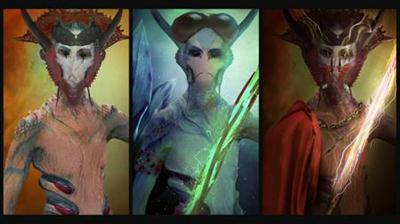
Photo Manipulation Techniques in the Character Design Process
.MP4, AVC, 1000 kbps, 1280x720 | English, AAC, 64 kbps, 2 Ch | 1.5 hours | 1.15 GB
Instructor: Sorin Bechira​

In this course, we develop a thumb sketch for a character and based on that we will develop a character closeup shot to show certain character particulars.

This course introduces designers, photographers, and illustrators to the character concept process, being able to use familiar photo manipulation techniques to a new creative field. This course will show how to interpret a character brief, how to develop a thumb sketch to block the character look and feel, how to modify the main source image to transpose the look and feel of the character and, how to make the transition from a good character concept to a villain character - without using digital painting techniques.

Recommend Download Link Hight Speed | Please Say Thanks Keep Topic Live ​

 

19b332ab5ed41cffeb3a0fd6989c2c37.jpg

Photographing the Fjords of New Zealand with Justin Reznick
Size: 673MB | Duration: 1h 40m | Video: AVC (.mp4) 1280x720 30fps | Audio: AAC 48KHz 2ch
Genre: eLearning | Level: Intermediate | Language: English​

Many people equate New Zealand with rolling hills straight out of Middle Earth, but its Fiordland offer another world of wonder, in the form of sheer cliffs that rise from the ocean as if, in Maorian legend, built by a "titanic mason." Professional landscape photographer Justin Reznick takes us to the edges of these cliffs and back, photographing the beaches, tides, waterfalls, flora, and fauna of the Fiordland, from the top of Mitre Peak to the surface of Mitre Sound. Follow along and find out how Justin prepared for the shoot and what techniques he used to capture his best shots.

Recommend Download Link Hight Speed | Please Say Thanks Keep Topic Live ​
 

cab88c179694269fc84a08ee48356e7a.jpg

Photography Classics - Artistic B&W Conversion - Chris
Duration: 23m | Video: h264, yuv420p, 1280x720 30fps | Audio: aac, 44100 Hz, 2 ch | 337 MB
Genre: eLearning | Language: English​

Master powerful Photoshop black & white conversion techniques, create stunning porfolio, amaze your clients with trendy & timeless vintage black and white images! If you want to learn how to create digital black and white imagery that you can sell with great profit on image stocks like Shutterstock, Istock or Alamy - take this class!

You will be working in "non-destructive" way with Adjustment Layers to massively speed up the editing work;
You will master the most effective and flexible Photoshop tool in terms of photo editing - The Curves Tool
You will learn how to blend multiple adjustments in a seamless way in one image with help of masking techniques
You will achieve stunning results with your images and develop your artistic skills

Recommend Download Link Hight Speed | Please Say Thanks Keep Topic Live ​

 

6c578f9e8bf969da7dfcb67759c7d310.jpg

Photography Classics - Artistic B&W Conversion - Sunrise
Duration: 20m | Video: h264, yuv420p, 12800x720 30fps | Audio: aac, 44100 Hz, 2 ch | 299 MB
Genre: eLearning | Language: English​

Master powerful Photoshop black & white conversion techniques, create stunning porfolio, amaze your clients with trendy & timeless vintage black and white images! If you want to learn how to create digital black and white imagery that you can sell with great profit on image stocks like Shutterstock, Istock or Alamy - take this class!

Recommend Download Link Hight Speed | Please Say Thanks Keep Topic Live ​

 

caf301cacfffa180baa9bd1e65593d6e.jpg

Lynda - Photoshop: 2015 Creative Cloud Updates (updated Jun 21, 2016)
Size: 4.53 GB | Duration: 4h 52m | Video: AVC (.mp4) 1280x720 15&30fps | Audio: AAC 48KHz 2ch
Genre: eLearning | Level: Intermediate | Language: English​

Creative Cloud, Adobe's cloud-based subscription service, delivers the latest imaging innovations in Photoshop CC straight to your computer. Deke McClelland helps you get the most out of these new features and enhancements in this course, centered around changes in 2015 and beyond. New videos will be added every time Adobe releases an update. To start, Deke covers the June 2015 release of Photoshop CC. Tune in and learn how to apply multiply strokes, drop shadows, and other effects to a single layer; work with the new Glyphs panel; trade dynamically linked assets via the Library panel; create multiple artboards in a single document; and preview your designs directly on a mobile device.

Recommend Download Link Hight Speed | Please Say Thanks Keep Topic Live ​
 

17d9e3d8a7bbe55f233b29e176d07770.jpg

Photoshop Basic 2 - Portrait Retouching
Duration: 2hr 3m | Video: h264, yuv420p, 1280x720 30fps | Audio: aac, 44100 Hz, 2 ch | 833 MB
Genre: eLearning | Language: English​

The smallest details will make or break a portrait. Do it right, and you can make the person look great. Here, we are going to discuss problem areas, what to look for, and what you can do about it. Sometimes all it takes is a soft and subtle correction to fix the worst shot, and create the Perfect Portrait.

Some topics include:
Skin Color and Tone
3rd Party Software
Compare Healing Tools
Focus on the eyes
Fixing Teeth
Fixing Shine on Skin
Bulges
Stray Hairs

Recommend Download Link Hight Speed | Please Say Thanks Keep Topic Live ​
 

094ef262ef3ab5ad635b6c7793ba98ce.jpg

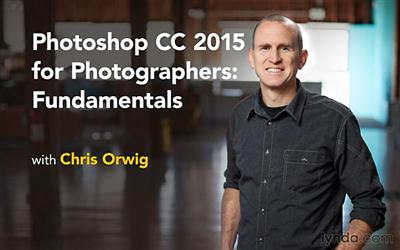
Lynda - Photoshop CC 2015 for Photographers: Fundamentals
Size: 2.19 GB | Duration: 5h 36m | Video: AVC (.mp4) 1280x800 15&30fps | Audio: AAC 48KHz 2ch
Genre: eLearning | Level: Beginner | Language: English​

Photoshop CC 2015 for Photographers provides an introduction to Photoshop aimed specifically at the needs of photographers. In this installment, teacher Chris Orwig covers the most essential skills: cropping, improving exposure, painting color and light with masks, converting to black and white, thinking creatively with filters, retouching, and publishing photos online and in print. In addition, the series is sprinkled with segments that inspire viewers to think photographically and shoot with Photoshop's capabilities in mind.

Recommend Download Link Hight Speed | Please Say Thanks Keep Topic Live ​
 

e5e653725d09b37ff917771f0bb15f6d.jpg

Photoshop CC: Creative Working Techniques (Complete)
Duration: 2hr 30m | Video: h264, yuv420p, 1280x720 30fps | Audio: aac, 44100 Hz, 2 ch | 865 MB
Genre: eLearning | Language: English​

Learn Creative Photoshop Working Techniques and become Photoshop Pro in no Time!

Creative Photoshop Working Techniques are everything You need to know as a successful Photographer or Retoucher - or maybe amateur photoshop user.
Get the key on turning on photos into pieces of art with my practical lessons I have prepared. I designed this course to bring You the most useful and amazing techniques in Your work and split them for a few separated sections.
I truly believe that to learn Photoshop effectively You don't need to know whole theory behind the program, and from my own experience I know that the best way of learning is by doing! Especially when we talk about such an amazing software like Photoshop CC!

What am I going to get from this course?
Comfortably use photoshop
Understand Layers and Layer masks in Photoshop
Able to retouch portraits professionally
Do creative works with lights and shadows in Photoshop
Work with colors and tones in the images
Master black & white photography

Recommend Download Link Hight Speed | Please Say Thanks Keep Topic Live ​
 

e958a3dd135ec555822245bc3d85cc16.jpg

Lynda - Photoshop CC Essential Training 2015
Duration: 12h 28m | Video: AVC (.mp4) 1280x720 15&30fps | Audio: AAC 48KHz 2ch | 3.55 GB
Genre: eLearning | Level: Beginner | Language: English​

Whether you're an experienced creative professional or someone who recently purchased a camera, learning how to use Photoshop efficiently and effectively is the best investment you can make to get the most out of your images. Julieanne Kost filters out the noise and complexity often associated with Photoshop, so you'll feel empowered to get the image results you want. She concentrates on enhancing and compositing photos, as well as automating parts of the process for the most efficient workflow possible. She'll cover cropping, retouching, and combining multiple images, and working with non-image-based assets such as type, shapes, and even video. Along the way, you'll learn the secrets of nondestructive editing with Camera Raw, layers, masks, blending modes, Smart Objects, filters, and more. Start watching to quickly get the professional results you're looking for with Photoshop.

Recommend Download Link Hight Speed | Please Say Thanks Keep Topic Live ​

 
Zurück
Oben Unten