• Regeln für den Video-Bereich:

    In den Börsenbereich gehören nur Angebote die bereits den Allgemeinen Regeln entsprechen.

    Einteilung

    - Folgende Formate gehören in die angegeben Bereiche:
    - Filme: Encodierte Filme von BluRay, DVD, R5, TV, Screener sowie Telesyncs im Format DivX, XviD und x264.
    - DVD: Filme im Format DVD5, DVD9 und HD2DVD.
    - HD: Encodierte Filme mit der Auflösung 720p oder darüber von BluRay, DVD, R5, TV, Screener sowie Telesyncs im Format x264.
    - 3D: Encodierte Filme von BluRay, die in einem 3D Format vorliegen. Dies gilt auch für Dokus, Animation usw.
    - Serien: Cartoon/Zeichentrick, Anime, Tutorials, Dokumentationen, Konzerte/Musik, Sonstiges sind demnach in die entsprechenden Bereiche einzuordnen, auch wenn sie beispielsweise im High Definition-Format oder als DVD5/DVD9/HD2DVD vorliegen. Ausnahme 3D.
    - Bereich Englisch: Englische Releases gehören immer in diesen Bereich.
    - Bereich Talk: Der Bereich, in dem über die Releases diskutiert werden kann, darf, soll und erwünscht ist.


    Angebot/Beitrag erstellen

    - Ein Beitrag darf erst dann erstellt werden, wenn der Upload bei mindestens einem OCH komplett ist. Platzhalter sind untersagt.
    - Bei einem Scenerelease hat der Threadtitel ausschließlich aus dem originalen, unveränderten Releasenamen zu bestehen. Es dürfen keine Veränderungen wie z.B. Sterne, kleine Buchstaben o.ä. vorgenommen werden. Ausnahme Serienbörse:
    - Bei einem Sammelthread für eine Staffel entfällt aus dem Releasename natürlich der Name der Folge. Beispiel: Die Simpsons S21 German DVDRip XviD - ITG
    - Dementsprechend sind also u.a. verboten: Erweiterungen wie "Tipp", "empfehlenswert", "only", "reup", usw. / jegliche andere Zusatzinformation oder Ergänzung, welche nicht in obiger Beschreibung zu finden ist.

    Aufbau des Angebots und Threadtitel

    Der Titel nach folgendem Muster erstellt zu werden. <Name> [3D] [Staffel] [German] <Jahr> <Tonspur> [DL] [Auflösung] <Quelle> <Codec> - <Group>
    Beispiel: The Dark Knight German 2008 AC3 DVDRip XviD - iND
    Beispiel: The Dark Knight 2008 DTS DL BDRip x264 - iND
    Beispiel: The Dark Knight 2008 AC3 DL BDRip XviD - iND
    Beispiel: The Dark Knight German 2008 AC3 720p BluRay x264 iND
    Beispiel: The Dark Knight 2008 DTS DL 1080p BluRay x264 iND
    Beispiel: Die Simpsons S01 German AC3 DVDRip XviD iND
    Beispiel: Die Simpsons S20 German AC3 720p BluRay x264 iND
    Beispiel: Sword Art Online II Ger Sub 2014 AAC 1080p WEBRip x264 - peppermint
    Entsprechend sind also u.a. verboten: Sonderzeichen wie Klammern, Sterne, Ausrufezeichen, Unterstriche, Anführungszeichen / Erweiterungen wie "Tipp", "empfehlenswert", "only", "reup", usw. / jegliche andere Zusatzinformation oder Ergänzung, welche nicht in obiger Beschreibung zu finden ist
    Ausnahmen hiervon können in den Bereichen geregelt sein.

    Die Beiträge sollen wie folgt aufgebaut werden:
    Überschrift entspricht dem Threadtitel
    Cover
    kurze Inhaltsbeschreibung
    Format, Größe, Dauer sind gut lesbar für Downloader außerhalb des Spoilers zu vermerken
    Nfo sind immer Anzugeben und selbige immer im Spoiler in Textform.
    Sind keine Nfo vorhanden z.B. Eigenpublikationen, sind im Spoiler folgende Dateiinformationen zusätzlich anzugeben :
    Quelle
    Video (Auflösung und Bitrate)
    Ton (Sprache, Format und Bitrate der einzelnen Spuren)
    Untertitel (sofern vorhanden)
    Hosterangabe in Textform außerhalb eines Spoiler mit allen enthaltenen Hostern.
    Bei SD kann auf diese zusätzlichen Dateiinformationen verzichtet werden.

    Alle benötigten Passwörter sind, sofern vorhanden, in Textform im Angebot anzugeben.
    Spoiler im Spoiler mit Kommentaren :"Schon Bedankt?" sind unerwünscht.


    Releases

    - Sind Retail-Release verfügbar, sind alle anderen Variationen untersagt. Ausnahmen: Alle deutschen Retail-Release sind CUT, in diesem Fall sind dubbed UNCUT-Release zulässig.
    - Im Serien-Bereich gilt speziell: Wenn ein Retail vor Abschluss einer laufenden Staffel erscheint, darf diese Staffel noch zu Ende gebracht werden.62
    - Gleiche Releases sind unbedingt zusammenzufassen. Das bedeutet, es ist zwingend erforderlich, vor dem Erstellen eines Themas per Suchfunktion zu überprüfen, ob bereits ein Beitrag mit demselben Release besteht. Ist dies der Fall, ist der bereits vorhandene Beitrag zu verwenden.
    - P2P und Scene Releases dürfen nicht verändert oder gar unter einem iND Tag eingestellt werden.


    Support, Diskussionen und Suche

    - Supportanfragen sind entweder per PN oder im Bereich Talk zu stellen.
    - Diskussionen und Bewertungen sind im Talk Bereich zu führen. Fragen an die Uploader haben ausschließlich via PN zu erfolgen, und sind in den Angeboten untersagt.
    - Anfragen zu Upload-Wünschen sind nur im Bereich Suche Video erlaubt. Antworten dürfen nur auf Angebote von MyBoerse.bz verlinkt werden.


    Verbote

    - Untersagt sind mehrere Formate in einem einzigen Angebotsthread, wie beispielsweise das gleichzeitige Anbieten von DivX/XviD, 720p und 1080p in einem Thread. Pro Format, Release und Auflösung ist ein eigener Thread zu eröffnen.
    - Grundsätzlich ebenso verboten sind Dupes. Uploader haben sich an geeigneter Stelle darüber zu informieren, ob es sich bei einem Release um ein Dupe handelt.
    - Gefakte, nur teilweise lauffähige oder unvollständige Angebote sind untersagt. Dies gilt auch für eigene Publikationen, die augenscheinlich nicht selbst von z.B. einer DVD gerippt wurden. Laufende Serien, bei denen noch nicht alle Folgen verfügbar sind, dürfen erstellt und regelmäßig geupdatet werden.
    - Untersagt sind Angebote, welche nur und ausschließlich in einer anderen Sprache als deutsch oder englisch vorliegen. Ausnahmen sind VORHER mit den Moderatoren zu klären.


    Verstoß gegen die Regeln

    - Angebote oder Beiträge, die gegen die Forenregeln verstoßen, sind über den "Melden"-Button im Beitrag zu melden.
  • Bitte registriere dich zunächst um Beiträge zu verfassen und externe Links aufzurufen.


Englische Tutorials


d33f6af7c102fbabcf7d39ff99990d2d.jpg

Lynda - C# Design Patterns
Size: 432 MB | Duration: 1h 22m | Video: AVC (.mp4) 1280x720 15&30fps | Audio: AAC 48KHz 2ch
Genre: eLearning | Level: Intermediate | Language: English​


Implementing design patterns in C# keeps code clean, concise, easy to maintain. Using design patterns establishes consistency that helps developers build better code quickly and solve problems faster. Being able to recognize patterns in inherited code expedites the process of understanding an existing system. Using design patterns improves code readability and testability, while making it more extensible. In this course, developer and technologist Reynald Adolphe explains the purpose and effective use of eight design patterns, including six C# design patterns and two . Net patterns. Specific patterns work as solutions for specific coding challenges, including structural, creational, and behavioral challenges. Reynald helps you learn to identify which patterns work for which problems. He describes each pattern and demonstrates how programmers can leverage them in real-world applications.

Topics include:
* Coding using Factory Method
* Writing with Abstract Factory
* Threading safely with the Singleton pattern
* Working with Concrete Component code in the Decorator pattern
* Setting up the Iterator pattern
* Using the Observer pattern
* Creating a Repository pattern
* Converting to a Unit of Work pattern

Recommend Download Link Hight Speed | Please Say Thanks Keep Topic Live ​

 

50ed518f733b062a3cfbf952a7c4c689.jpg

Camtasia Mac: Going Beyond Screen Recordings
MP4 | Video: AVC 1280x720 | Audio: AAC 44KHz 2ch | Duration: 1 Hours | 235 MB
Genre: eLearning | Language: English​


Learn how to create complex animations, bumpers, and more.

Learn to do more with Camtasia Mac than just screen recordings. Camtasia is a wonderful screen recording program, but hidden inside is a powerful creation tool. Most people miss out on the opportunities that Camtasia provides and instead opt for complicated, expensive software.

In you will learn how to:

Create dynamic text
Develop and publish intro and outro videos
Make custom animations inside of Camtasia
And much more...
If you are looking to do more with Camtasia, this course is for you. Through a series of easy to follow tutorials, you will gain the skills and understanding need to take your Camtasia expertise to the next level.

Recommend Download Link Hight Speed | Please Say Thanks Keep Topic Live ​

 

cac5114300ccd31d7e501c6077af5704.jpg

CGCookie - Fundamentals of Weapon Mechanics in Unity
.MP4, AVC, 1000 kbps, 1920x1080 | English, AAC, 64 kbps, 2 Ch | 1.3 hours | 448 MB
Genre: eLearning | Language: English​


Learn the fundamentals of how a first person shooter weapon operates by incorporating animations, audio clips and scripting.

In this first course of the Unity First Person Shooter flow we'll create a weapon from the ground up. This course is aimed at intermediate to advanced users as we will be covering varying aspects to build this weapon. The project files will include a first person rig that includes a pistol that we will be using in this course. While the course does utilize a pistol, note that all the techniques covered in this course can be applied to any weapon type.

So what will you learn how to build? This course will cover:

Raycasting which will display bullet hole textures to indicate impact
Mecanim animation states to control the various animations of our rig
Using Animation events to call a function at a precise moment
Scripting to control everything including when to call certain animations, audio or functions
Adjusting the rate of fire based on the weapon type
Shooting projectiles for things like a paintball gun or rocket launchers
Utilizing iron sights on a weapon when right clicking

By the end of this course you should feel confident to build your very own FPS weapons from machine guns to pistols to even projectile based weapons. This will be part of a series of courses that will guide you from start to finish on how to build a first person shooter.

Recommend Download Link Hight Speed | Please Say Thanks Keep Topic Live ​
 

577bff3184c41dd6929aedf612cf9f0a.jpg

Chemistry : Metals
MP4 | Video: AVC 1280x720 | Audio: AAC 44KHz 2ch | Duration: 3 Hours | 508 MB
Genre: eLearning | Language: English​


Learn about Metals, their properties, occurrence and extraction in a comprehensively detailed manner.

is a course meticulously designed to enable better understanding of the subject Metals.

Any learner above middle school level can benefit from the course.

The course is about metals, their occurrence, their physical properties, chemical properties extractions, structure and corrosion.

The course contains many lectures filled with presentations and illustrations. Learners can experience classroom teaching whenever chemical equations are explained.

The course is aptly decided into 15 sections based on various important topics.

Many interdependent contents are sequentially placed in various sections.

There is a total of 3 hours of course content covering various areas.

This course is beneficial to any learner who is a seeker of knowledge. High school students will be able to acheive much better in their grade examinations.

Recommend Download Link Hight Speed | Please Say Thanks Keep Topic Live ​
 

8381a3bc2b7bde5d3fa54b46114e80f5.jpg

CINEMA 4D Semi-unbiased Rendering Tutorial
Duration: 2h | Video: MP4, h264, yuv420p, 1280x720 30fps | Audio: 44100 Hz, 2 ch | 2.3GB
Genre: eLearning | Language: English | Project Files Included​


This tutorial will definitely change the way you see rendering at CINEMA 4D and can sometimes totally substitute all main render technologies and features CINEMA 4D offers, because it can play a role of a true physical based rendering engine, but still pretty fast engine. It´s already here with tons of cool features and endless possibilities, such as highly-advanced multi-pass, natively-supported features like Mograph, instances, physical caustics and so on.

Hello everybody

This new tutorial I created is about the rendering in CINEMA 4D. Yes, I know, almost all of us use at least one external rendering engine, but CINEMA 4D offers many really great rendering technologies. However beyond that, we're always on the lookout out for more advanced techniques that provide much more realistic looking pictures. It´s the main reason why so many external rendering engines exist. Just take this list, it´s full of interesting solutions such as: Arnold, VRay, Octane, Corona, Thea, Indigo, Furryball, Iray, etc.
The tutorial features:

Absolutelly unique rendering semi-unbiased approach in CINEMA 4D!
More than 2 hours of very advanced rendering techniques!
The full semi-unbiased "Kid Bike" project is included!
The Tube project also includes all commonly used illumination setups such as lights, AO and GI
Two simple caustics projects are included
Also covers a post-production process (primarily using BlackMagicDesign Fusion, though you may also use any other application you prefer)

Recommend Download Link Hight Speed | Please Say Thanks Keep Topic Live ​

 

c8d9cf5a1f7e2160432436f1f73f3014.jpg

Create Animated 2D Characters with Unity
MP4 | Video: AVC 1280x720 | Audio: AAC 44KHz 2ch | Duration: 3 Hours | 488 MB
Genre: eLearning | Language: English​


Game developers can learn how to create Fully-Animated Characters in Unity, ready for use in your 2D Platformer Game

This course provides a full guide on creating animated 2D characters in Unity.

There are 2 main techniques of animating 2D characters: frame-based and bone-based. We will create a fully functional 2D character with each of these methods. You will learn how to bring your 2d characters to life by making them move and jump around in the scene.

The material in this course is divided into 4 Sections. Section 1 features a short introduction to the course.

In Section 2 we will focus on frame-based technique. You will learn a lot about spritesheets. We will go through all the stages of working with spritesheets from their creation to slicing and creating animations for our characters in Unity from sliced images. We will create a simple script that will let us control our character in the scene. Frame-based workflow is mostly used with pixel art characters and in all the other cases when you have the art for your character's animations arranged in separate frame images.

In Section 3 we will switch to a more advanced bone-based approach. You will learn how to manage animated characters that are assembled from separate body parts. Using bone-based approach will let us customize our characters by adding facial features and clothing items to them. It also offers a lot of flexibility because you can come up with new animations for your character in the middle of your game's development. In this Section we will create a fully animated bone-based character that we can dress up in the next Section of this course.

In Section 4 we will cover character customization. I have prepared 2 clothing kits and we will try them on our bone-based character model from the previous Section. You will learn how to change movement velocity and animation speed of any given Animator state of your character. Several lectures will be dedicated to making our bone-based character jump. We will use an interesting technique of creating multiple jump animations and showing them through a Blend Tree in Unity. You will learn an easy way to create one way platforms in Unity.

I have tried to save the project that I was working in as often as I can so that you can easily pick up the material from any point in this course.

Recommend Download Link Hight Speed | Please Say Thanks Keep Topic Live ​
 

1ebfde8fb7302aff6fc87ea11f83202a.jpg

Create Stunning Infographics to Share your Ideas
Duration: 26m | Video: h264, yuv420p, 1280x720 30fps | Audio: aac, 44100 Hz, 2 ch | 343 MB
Genre: eLearning | Language: English​


In this class, you will learn the easiest way to create stunning Infographics to share your ideas, projects, etc.

You'll also have access to 3 websites where you can find Royalty Free Icons and 4 websites where you can unlimited Free images to use in your Infographic, on your website, or in any design you are doing.

Recommend Download Link Hight Speed | Please Say Thanks Keep Topic Live ​
 

1b163c46537ee6ecb4951bf6ba3ed58c.jpg

Lynda - Creating a Short Film: 04 Working with Actors
Duration: 1h 49m | Video: AVC (.mp4) 1280x720 15&30fps | Audio: AAC 48KHz 2ch | 975 MB
Genre: eLearning | Level: Appropriate for all | Language: English​


Creating a Short Film is a 13-part training series that shows the actual struggles and challenges filmmakers have to overcome to get films made. Chad Perkins and his team made a short film,The Assurance, and documented the process: from writing and directing to editing and screening the film. This installment helps you understand how to direct actors and get the best performances for your own short film. Learn about finding and auditioning actors for different roles and get a deep dive into the theory of acting: being vs. pretending, understanding character motivation, and interpreting the script. From theory, we segue into application, with some acting exercises to keep actors focused and in the zone. Chad also touches on the importance of rehearsals, and provides tips for directing actors on set and getting great voiceover in post. The course closes with an interview with Eva Jane, the lead in The Assurance, and her thoughts on getting into character and working with directors.

Recommend Download Link Hight Speed | Please Say Thanks Keep Topic Live ​
 

76d43512e3cc71069c3a2627b7b00dfa.jpg

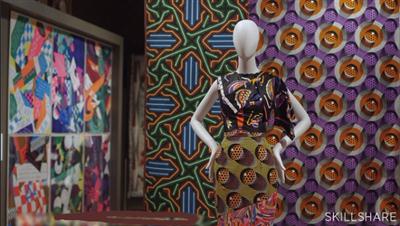
Demystifying Beauty: Inspiration for Design
Duration: 36m | Video: h264, yuv420p, 1280x720 30fps | Audio: aac, 44100 Hz, 2 ch | 678 MB
Genre: eLearning | Language: English​


What do we mean by "beauty"? How can you bring beauty into your own work? Join museum curators Ellen Lupton and Andrea Lipps for a half-hour class exploring beauty!

This course is inspired by the 2016 exhibition Beauty-Cooper Hewitt Design Triennial, the fifth installment in the museum's signature contemporary design exhibition series. With a focus on aesthetic innovation, Beauty celebrates design as a creative endeavor that engages the mind, body, and senses.

In this Skillshare class, the exhibition is brought to life. See how beauty can move us to ask questions; move beyond the decorative; and drive change materially, structurally, and ethically. Every lesson is rich with visuals, examples, and insights that will transform the way you see both art and the world around you.

This class is perfect for graphic designers, creatives, and enthusiasts alike. All you need is a passion for design, a curious eye, and a yearning to understand beauty.

Recommend Download Link Hight Speed | Please Say Thanks Keep Topic Live ​

 

3c6192336c78ae70efa7907b869d98db.jpg

Designing Mobile Apps: How to Transition from Traditional Web Design
Duration: 32m | Video: h264, yuv420p, 1280x720 30fps | Audio: aac, 44100 Hz, 2 ch | 204 MB
Genre: eLearning | Language: English​


Who is this class for? Web and graphic designers, UX designers, developers, and really anyone else who wants to get started designing great experiences for mobile!

Designing a native mobile app for iOS, Android or another platform is a different beast compared to traditional web design. While many of the same design principles apply, there are major differences and considerations unique to mobile.
In this class you'll learn what makes an effective mobile app and tips for designing a great user experience.
We'll cover the constraints you'll need to consider for mobile design, how to pick and choose the right features for your app, and best practices: when to use standard behaviors/interactions and when to explore unique ones. We'll also learn strategies to optimize for different screen sizes, from mobile phones to larger tablets.
What you'll make
Your project will be to create and design a mobile app that is based on an existing desktop app, web app, or website. By starting with existing content, we'll explore how to pare down what's most important to have in your app, and what you can do without. We'll start with designing a few key screens for a mobile phone, but you can choose to extend your app to a tablet version if you'd like!

Recommend Download Link Hight Speed | Please Say Thanks Keep Topic Live ​
 

3a3d02749e85f1f18cad1bcd04feb2a2.jpg

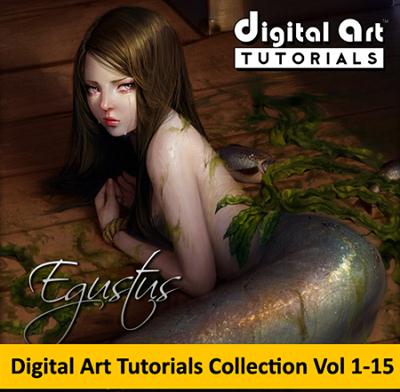
Digital Art Tutorials -- Photoshop Tutorials (Vol 1-15)
MOV+PDF+PSD+Brushes | Video: qtrle, rgb24, 1024x768 | Audio: 44100 Hz, 1 ch | 2.1GB
Genre: eLearning | Language: English | Project Files Included​


Digital Art Tutorials was created with the goal of bringing industry-proven, professional digital art techniques to the masses. Many of our art tutorials are narrated by the very people who developed, or pivotal in the development of, the various workflows and digital art techniques that have become industry standards. Photoshop tutorials include the fields of the classical (digital painting, digital inking, and even the hyper-popular comic coloring), to powerful 3D tutorials (Poser, SketchUp, ZBrush, and more!), Digital Art Tutorials provides straightforward instruction and priceless inspiration. Our instructors take great pride creating educational tools that are both affordable and accessible to amateur hobbyists, students and seasoned professionals alike.

We're so convinced you will love our products, we offer several free start-to-finish Photoshop tutorials, and previews of all our art tutorials. Each digital art tutorial takes you step-by-step through the subject matter with all tools fully visible. No "secret settings" here! Instruction is in realtime, giving unprecedented access into the thought processes behind each stroke of the stylus. All practice files, including (where applicable); sample artwork, model assets, Photoshop brushes and even color palettes are packaged with each Digital Art Tutorials lesson, allowing you to follow the instructor-led tutorial at your own pace.

Whether you've been a digital artist for years, just starting out, or looking to find a way to bridge your traditional skills to the digital art medium, we welcome you to the world of Digital Art Tutorials: The secrets professionals don't want you to know, but use themselves!

1. Comic Book Style
2. Anime Style
3. Grayscale Painting
4. Sketch Painting
5. Comic Book Style: The Spawn Way
6. Digital Painting: Smudge Style
7. Digital Painting: Photo Real
8. Digital Inking: Volume 1
9. Special Effects: Volume 1
10. Beginning Coloring
11 - Digital Painting Super Babes
12 - Beginning Coloring
13 - Digital Painting Monsters & Creatures
14 - Tips & Tricks 1
15 - Tips & Tricks 2

Recommend Download Link Hight Speed | Please Say Thanks Keep Topic Live ​

 

29e1f9b4aa99e8806f41251a70c1a736.jpg

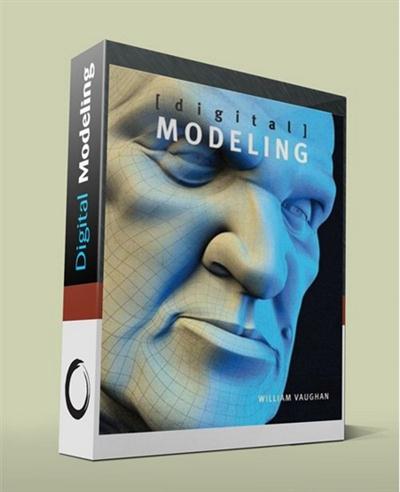
Digital Modeling - William Vaughan - Video , PDF and Companion DVD
English | h264, yuv420p, 800x600, 15.00 fps | aac, 44100 Hz, mono | 7 GB
Genre: eLearning | Language: English​


Professional modeling is the foundation of every aspect of the 3D production pipeline and is essential to the success of any 3D computer graphics project. [digital] Modeling is unlike any other modeling book you've seen-it gets to the core of what it takes to create efficient production-ready models and demystifies the process of producing realistic and jaw-dropping graphics.

Taking a software-neutral approach, it teaches you the essential skills and concepts that you can apply to modeling in any industry 3D software, such as 3ds Max, LightWave 3D, Maya, Modo, Silo, XSI, ZBrush and other leading programs.

Table of Contents
Chapter One Introduction
What Is Digital Modeling?
Chapter Two Understanding a Modeler's Role
Chapter Three Preparing for Modeling
Chapter Four Fundamentals of a Digital Model
Chapter Five Digital Modeling Methods
Chapter Six Professional Modeling Practices
Chapter Seven Polygonal Modeling
Chapter Eight Subdivision Surface Modeling
Chapter Nine Modeling a Realistic Head
Chapter Ten Modeling a Stylized Character
Chapter Eleven Product Modeling for Print Graphics
Chapter Twelve Digital Sculpting
Chapter Thirteen Game Modeling
Chapter Fourteen 3D Printing of Digital Models
Chapter Fifteen Getting a Job in Digital Modeling
Final Thoughts
Index

What's on the Disc
Over six hours of training videos are included on the accompanying DVD
and support the topics covered in this book. Although the examples in the
videos use NewTek's LightWave 3D and Pixologic's ZBrush, the information
covered can be easily translated to any 3D software. There are 18 videos that
explore a wide range of modeling tools and techniques and 3 videos located
in the ZBrush directory that show the entire sculpting process of the creature
maquette in Chapter 12. I recommend viewing these videos once you have
finished reading the book to fully benefit from the information covered. In
addition to the training videos, I've included a video that shows 100 character
models and their topology that can be used as inspiration and reference to
study poly flow.

Some of the images printed in the book contain fine lines in the 3D program
that may not show up clearly on the printed page. You'll find high-res versions
of the images from the book on the disc, allowing you to see more detail.
Mentioned throughout the book is the Tofu the Vegan Zombie award-winning
animated short, Zombie Dearest. This short can also be found on the disc so
grab some popcorn and enjoy.

Recommend Download Link Hight Speed | Please Say Thanks Keep Topic Live ​
 
Zurück
Oben Unten