• Regeln für den Video-Bereich:

    In den Börsenbereich gehören nur Angebote die bereits den Allgemeinen Regeln entsprechen.

    Einteilung

    - Folgende Formate gehören in die angegeben Bereiche:
    - Filme: Encodierte Filme von BluRay, DVD, R5, TV, Screener sowie Telesyncs im Format DivX, XviD und x264.
    - DVD: Filme im Format DVD5, DVD9 und HD2DVD.
    - HD: Encodierte Filme mit der Auflösung 720p oder darüber von BluRay, DVD, R5, TV, Screener sowie Telesyncs im Format x264.
    - 3D: Encodierte Filme von BluRay, die in einem 3D Format vorliegen. Dies gilt auch für Dokus, Animation usw.
    - Serien: Cartoon/Zeichentrick, Anime, Tutorials, Dokumentationen, Konzerte/Musik, Sonstiges sind demnach in die entsprechenden Bereiche einzuordnen, auch wenn sie beispielsweise im High Definition-Format oder als DVD5/DVD9/HD2DVD vorliegen. Ausnahme 3D.
    - Bereich Englisch: Englische Releases gehören immer in diesen Bereich.
    - Bereich Talk: Der Bereich, in dem über die Releases diskutiert werden kann, darf, soll und erwünscht ist.


    Angebot/Beitrag erstellen

    - Ein Beitrag darf erst dann erstellt werden, wenn der Upload bei mindestens einem OCH komplett ist. Platzhalter sind untersagt.
    - Bei einem Scenerelease hat der Threadtitel ausschließlich aus dem originalen, unveränderten Releasenamen zu bestehen. Es dürfen keine Veränderungen wie z.B. Sterne, kleine Buchstaben o.ä. vorgenommen werden. Ausnahme Serienbörse:
    - Bei einem Sammelthread für eine Staffel entfällt aus dem Releasename natürlich der Name der Folge. Beispiel: Die Simpsons S21 German DVDRip XviD - ITG
    - Dementsprechend sind also u.a. verboten: Erweiterungen wie "Tipp", "empfehlenswert", "only", "reup", usw. / jegliche andere Zusatzinformation oder Ergänzung, welche nicht in obiger Beschreibung zu finden ist.

    Aufbau des Angebots und Threadtitel

    Der Titel nach folgendem Muster erstellt zu werden. <Name> [3D] [Staffel] [German] <Jahr> <Tonspur> [DL] [Auflösung] <Quelle> <Codec> - <Group>
    Beispiel: The Dark Knight German 2008 AC3 DVDRip XviD - iND
    Beispiel: The Dark Knight 2008 DTS DL BDRip x264 - iND
    Beispiel: The Dark Knight 2008 AC3 DL BDRip XviD - iND
    Beispiel: The Dark Knight German 2008 AC3 720p BluRay x264 iND
    Beispiel: The Dark Knight 2008 DTS DL 1080p BluRay x264 iND
    Beispiel: Die Simpsons S01 German AC3 DVDRip XviD iND
    Beispiel: Die Simpsons S20 German AC3 720p BluRay x264 iND
    Beispiel: Sword Art Online II Ger Sub 2014 AAC 1080p WEBRip x264 - peppermint
    Entsprechend sind also u.a. verboten: Sonderzeichen wie Klammern, Sterne, Ausrufezeichen, Unterstriche, Anführungszeichen / Erweiterungen wie "Tipp", "empfehlenswert", "only", "reup", usw. / jegliche andere Zusatzinformation oder Ergänzung, welche nicht in obiger Beschreibung zu finden ist
    Ausnahmen hiervon können in den Bereichen geregelt sein.

    Die Beiträge sollen wie folgt aufgebaut werden:
    Überschrift entspricht dem Threadtitel
    Cover
    kurze Inhaltsbeschreibung
    Format, Größe, Dauer sind gut lesbar für Downloader außerhalb des Spoilers zu vermerken
    Nfo sind immer Anzugeben und selbige immer im Spoiler in Textform.
    Sind keine Nfo vorhanden z.B. Eigenpublikationen, sind im Spoiler folgende Dateiinformationen zusätzlich anzugeben :
    Quelle
    Video (Auflösung und Bitrate)
    Ton (Sprache, Format und Bitrate der einzelnen Spuren)
    Untertitel (sofern vorhanden)
    Hosterangabe in Textform außerhalb eines Spoiler mit allen enthaltenen Hostern.
    Bei SD kann auf diese zusätzlichen Dateiinformationen verzichtet werden.

    Alle benötigten Passwörter sind, sofern vorhanden, in Textform im Angebot anzugeben.
    Spoiler im Spoiler mit Kommentaren :"Schon Bedankt?" sind unerwünscht.


    Releases

    - Sind Retail-Release verfügbar, sind alle anderen Variationen untersagt. Ausnahmen: Alle deutschen Retail-Release sind CUT, in diesem Fall sind dubbed UNCUT-Release zulässig.
    - Im Serien-Bereich gilt speziell: Wenn ein Retail vor Abschluss einer laufenden Staffel erscheint, darf diese Staffel noch zu Ende gebracht werden.62
    - Gleiche Releases sind unbedingt zusammenzufassen. Das bedeutet, es ist zwingend erforderlich, vor dem Erstellen eines Themas per Suchfunktion zu überprüfen, ob bereits ein Beitrag mit demselben Release besteht. Ist dies der Fall, ist der bereits vorhandene Beitrag zu verwenden.
    - P2P und Scene Releases dürfen nicht verändert oder gar unter einem iND Tag eingestellt werden.


    Support, Diskussionen und Suche

    - Supportanfragen sind entweder per PN oder im Bereich Talk zu stellen.
    - Diskussionen und Bewertungen sind im Talk Bereich zu führen. Fragen an die Uploader haben ausschließlich via PN zu erfolgen, und sind in den Angeboten untersagt.
    - Anfragen zu Upload-Wünschen sind nur im Bereich Suche Video erlaubt. Antworten dürfen nur auf Angebote von MyBoerse.bz verlinkt werden.


    Verbote

    - Untersagt sind mehrere Formate in einem einzigen Angebotsthread, wie beispielsweise das gleichzeitige Anbieten von DivX/XviD, 720p und 1080p in einem Thread. Pro Format, Release und Auflösung ist ein eigener Thread zu eröffnen.
    - Grundsätzlich ebenso verboten sind Dupes. Uploader haben sich an geeigneter Stelle darüber zu informieren, ob es sich bei einem Release um ein Dupe handelt.
    - Gefakte, nur teilweise lauffähige oder unvollständige Angebote sind untersagt. Dies gilt auch für eigene Publikationen, die augenscheinlich nicht selbst von z.B. einer DVD gerippt wurden. Laufende Serien, bei denen noch nicht alle Folgen verfügbar sind, dürfen erstellt und regelmäßig geupdatet werden.
    - Untersagt sind Angebote, welche nur und ausschließlich in einer anderen Sprache als deutsch oder englisch vorliegen. Ausnahmen sind VORHER mit den Moderatoren zu klären.


    Verstoß gegen die Regeln

    - Angebote oder Beiträge, die gegen die Forenregeln verstoßen, sind über den "Melden"-Button im Beitrag zu melden.
  • Bitte registriere dich zunächst um Beiträge zu verfassen und externe Links aufzurufen.


Englische Tutorials


cb3bb705d6b35edf9875d432d69820c9.jpg

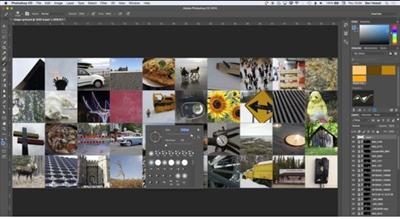
Photoshop: Create an Image Grid with Color Effects
Duration: 20m | Video: h264, yuv420p, 1280x720 30fps | Audio: aac, 44100 Hz, 2 ch | 347 MB
Genre: eLearning | Language: English​


You will learn how to create an image grid, align images perfectly, add cool color effects, control layers perfectly so that you can place text overtop. Take a look at the animated GIF below as it gives you a sneak peek of what you will get when you enrol.'

Recommend Download Link Hight Speed | Please Say Thanks Keep Topic Live ​
 

84042bac69058fe1ebd95536c71c341a.jpg

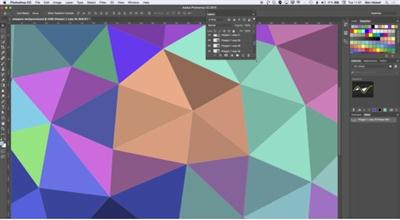
Photoshop: Create Awesome Polygonal Patterns Using Shape Layers, Brushes, Gradients & Layer Masks
Duration: 33m | Video: h264, yuv420p, 1280x720 30fps | Audio: aac, 44100 Hz, 2 ch | 570 MB
Genre: eLearning | Language: English​


In this class you will run through some great techniques using a range of toools in Adobe Photoshop that includes creating custom shapes with the Polygon Tool, customising color fills using brushes and gradient fills as well as making smart use of masks to allow independent color control of different areas of your image.

Recommend Download Link Hight Speed | Please Say Thanks Keep Topic Live ​
 

90974d7e2da94dcf527a89fab1f599eb.jpg

Lynda - Podcasting: Business and Law
Size: 203 MB | Duration: 1h 5m | Video: AVC (.mp4) 1280x720 15&30fps | Audio: AAC 48KHz 2ch
Genre: eLearning | Level: Appropriate for all | Language: English​


Podcasting is a great way to express yourself and connect with fans, but problems can arise when you're discussing provocative people and controversial issues (or using someone else's copyrighted content). In this course, author Rich Stim covers the legal and business issues associated with podcasting. He covers what you can and can't use in your podcasts-to stay on the right side of the law. Rich also explains how to avoid disputes over your podcast, and addresses concerns about running a podcast business: generating an income, branching out when you need to hire help, paying taxes, and protecting your content with trademarks and copyrights. DISCLAIMER: This course is taught by an attorney (or other instructor) and addresses US law concepts that may not apply in all countries. Neither LinkedIn (including Lynda. com) nor the instructor represents you and they are not giving legal advice. The information conveyed through this course is akin to a college or law school course; it is not intended to give legal advice, but instead to communicate information to help viewers understand the basics of the topic presented. The views (and legal interpretations) presented in this course do not necessarily represent the views of LinkedIn or Lynda. com.

Topics include:
* Choosing the right name for your podcast
* Using music and interviews in a podcast
* Understanding government regulations
* Responding to complaints
* Generating podcast income
* Registering podcast trademarks and copyrights

Recommend Download Link Hight Speed | Please Say Thanks Keep Topic Live ​
 

7060462da0eba37de022743cc124cf40.jpg

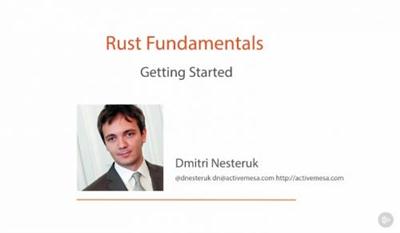
Rust Fundamentals
MP4 | Video: AVC 1280x720 | Audio: AAC 44KHz 2ch | Duration: 4h 37m | 752 MB
Genre: eLearning | Language: English | Project Files Included​


This course introduces Rust: a native code programming language with a focus on safety and correctness.

In this course, , you will be introduced to Rust, a native code programming language. First, you'll see all the syntax and the specifics of the language. Next, you'll be introduced to the fundamental Rust data types and their use in declaration of variables. By the end of this course, you'll have a thorough understanding of Rust and its specific approach to the ideas of memory safety and explicit implementations of mutability, lifetime, and the concepts of sharing/borrowing data.

Recommend Download Link Hight Speed | Please Say Thanks Keep Topic Live ​
 

02426c21f4505c6b3402d66ee21f5edf.jpg

Skillshare - PSD to HTML: Flat Design Build
Duration: 59m | Video: h264, yuv420p, 1280x720 30fps | Audio: aac, 44100 Hz, 2 ch | 1.8 GB
Genre: eLearning | Language: English​


In this course we'll take the PSD design from Craig Campbell's Mastering Flat Design course, and convert it into a fully functional HTML/CSS web page. If you want to learn about the design process then check out Craig's course, but if you're more interested in how to turn a flat design into HTML, let's get started!

Recommend Download Link Hight Speed | Please Say Thanks Keep Topic Live ​
 

917bde11ce33a02fffd14dff85dcd30e.jpg

Tuts+ Premium - Advanced OOP In PHP With Tests
Duration: 3.5 Hrs | Video: h264, yuv420p, 1280x720 30fps | Audio: aac, 44100 Hz, 2 ch | 832 MB
Genre: eLearning | Language: English​


This course builds on OOP in PHP With Tests. In this course we will continue where we left off previously and we will start programming at a faster pace. We will consider architecture problems and use test-driven development to devise solutions for problems like object creation and persistence.

Each lesson will take the source code one step closer to our goal. We will define the requirements for this course project in a planning session in which we will define the tasks we need to complete, and we will track those tasks through a kanban-style planning board. This will let us follow our progress through the course.

Recommend Download Link Hight Speed | Please Say Thanks Keep Topic Live ​
 

c0608c84d23970e539a73b31f88c1b16.jpg

PMP Exam Preparation
MP4 | Video: AVC 1280x720 | Audio: AAC 44KHz 2ch | Duration: 9.5 Hours | 1.53 GB
Genre: eLearning | Language: English​

Master Project Management

PMP Exam Preparation course is designed to help you prepare for the PMP Exam, the course is designed to help professionals and beginners to learn how to manage project efficiently & effectively through the Project Management Life cycle.

PMP Exam Preparation course target different audience, beginner who just begin into project management and professional project managers who are planning to clear their PMP exam.

PMP Exam Preparation course will cover the 5 process group, 10 Knowledge areas, and 47 processes, this course is delivered by instructor who have years of experience in training and who have been managing project with some of the top organizations.

PMP Exam Preparation course require to have the Official PMP Pmbok 5th Edition.

Student will have access to some of the best materials, PM templates, and banks of questions.

Recommend Download Link Hight Speed | Please Say Thanks Keep Topic Live ​
 

6475aa35514e7c4eb99e27207d27e9ac.jpg

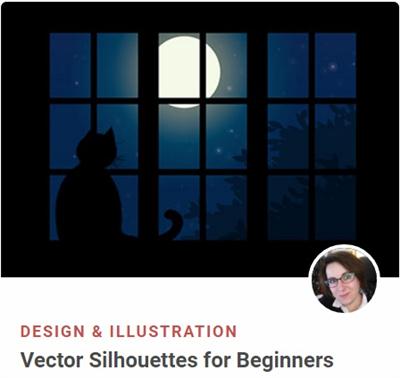
Vector Silhouettes for Beginners
Duration: 1.2 Hours | Video: h264, yuv420p, 1280x720 30fps | Audio: aac, 44100 Hz, 2 ch | 1.3 GB
Genre: eLearning | Language: English​


Silhouettes are fun, quick and easy projects to take on if you want to learn new tools and processes in any software. In this course, Sharon Milne is going to teach you how to use essential tools in Adobe Illustrator while creating two silhouette-based projects. This course is perfect for beginners with a very basic knowledge of Adobe Illustrator, and it includes no use of the Pen Tool!

Recommend Download Link Hight Speed | Please Say Thanks Keep Topic Live ​
 

7b5662959f0175831137f9cba3f30230.jpg

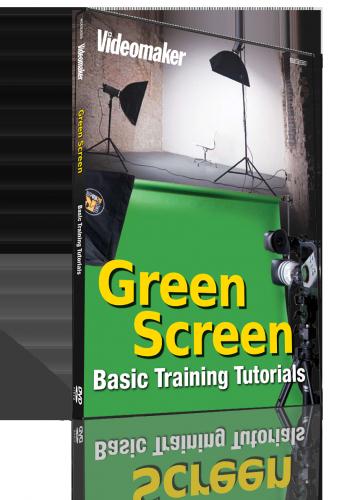
Videomaker - Green Screen Basic Training
.MPEG, AVC, 10.8 Mbps, 1280x720 | English, MP3, 384 kbps, 2 Ch | 24 mins | 1.98 GB
Genre: eLearning | Language: English​


Subject: Video Production
Pulling off professional green screen effects is all in the techniques. The experts at Videomaker show you how in 6 step-by-step easy to follow tutorial training sessions. Everything from building a green screen, to pulling off fun effects like flying.

4 Steps to Build Your Own Green Screen
In this DIY tutorial, we show you how to make your own green screen with frame. Learn how to build the frame, attach the cloth and prep the materials for your own Do-It-Yourself green screen fun!

Green Screen Setup
How to properly set up your green screen backdrop, lighting, and camera. We will go over some common errors and their solutions.

How to Light Green Screens for Simple Special Effects
In this tutorial we show you how to light a green screen, look for common errors and fix them along the way. This will make it easier to pull a key when editing.

Create Top Special Effects with Outdoor Green Screen
How to use a green screen outdoors for chromakey. Learn about the lighting, obstacles and proper usage of the elements outdoors to add to the effect.

How to Make Flying Special Effects with Green Screen
Learn how to use a green screen to show your subject launch off the ground and fly through the air.

Using a Full-body Green Screen to Create a Website Spokesperson Effect
The steps that you need to follow to be able to create a website video spokesperson walk-on effect.

Recommend Download Link Hight Speed | Please Say Thanks Keep Topic Live ​

 

7484703d71a7c898a5897c4e15cf0a34.jpg

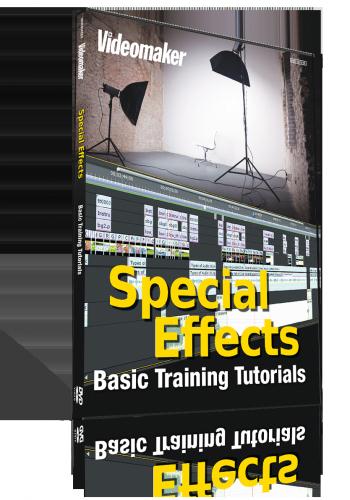
Videomaker - Special Effects Basic Training
.MP4, AVC, 5997 kbps, 1280x720 | English, AAC, 192 kbps, 2 Ch | 27 mins | 1.2 GB

Making movie-like special effects doesn't have to be difficult. Our experts at Videomaker show you how easy it is to make your own using 6 step-by-step training tutorials. Learnhow to make realistic blood, design elements, light sabers and more.​


Basic Movie Effects
How to make the Star Trek and Multiplicity effects, using only cross dissolves, overlays, cropping and layers.

Creating Fake Blood
How to create realistic looking blood using only corn syrup, red and blue dye, cocoa powder and corn starch.

Design Elements: Ink Drops and Spreads
Using everyday household items to create ink drop and ink spread visual design elements for titles and graphics.

Stop-Motion Light Painting
We show you how to create an animated light paint effect, using stop-motion animation and open-shutter imaging stills.

Light Saber FX
Learn how to build a light saber and then make it come to life, using rotoscoping techniques.

Simple Special FX
Learn how to make realistic looking rain for your video shoots, speed up the background of your videos and shoot during the day to make it look like night.

Recommend Download Link Hight Speed | Please Say Thanks Keep Topic Live ​

 

e75b747e10171bd6badbda170e879afa.jpg

Write quicker HTML5 and CSS 3 Productivity Hacks with Emmet
MP4 | Video: AVC 1280x720 | Audio: AAC 44KHz 2ch | Duration: 1.5 Hours | 279 MB
Genre: eLearning | Language: English​


Change the way to write HTML 5 and CSS 3 codes. A faster way that will increase your productivity to write codes

Hello everyone and welcome to . Before we even begin to talk about this course, lets be very clear, this is not a course that teaches HTML and CSS from basics. This course is something that you take after learning HTML and CSS. This course will be a game changer for you. With Emmet you can quickly write a bunch of code, wrap code with new tags, quickly traverse and select important code parts and even more.

Best part is, you will stay at your favorite editor. It might be Coda, sublime text, Atom, brackets or any other. Emmet is just a plugin that saves time.

A lot of students learn HTML and css; in fact they are very good at it. But let's be honest, we are little lazy to write our code. What if we say that you have to write only a few words and editor will understand everything for you. Make your editor smart with Emmet.

This course will start from teaching the installation of Emmet on almost every popular editor and then we will move to get friendly with productivity hacks with Emmet. We will explore the concepts of creating child's, siblings and climbing up the tree structure to create DOM structure. We will learn the shortcuts for ID's and Classes. One of my favorite one is Lorem Ipsum text generator. Next comes up the various Doctypes generators. Further we will talk about HTML tag generation.

Next we will move towards CSS and will learn to link the CSS files quickly. Further we will explore the margins, padding and color shortcuts.

At first you will feel like magic and yes it is very magical to write code at such a fast speed. So, enough of talking and let's get productive with emmet.

Recommend Download Link Hight Speed | Please Say Thanks Keep Topic Live ​

 

ac66515953317d95ebf9fcd2e97cb6d7.jpg

ADOBE INDESIGN CS5: BEGINNER
MP4 | Video: h264, yuv420p, 800x600 | Audio: aac, 44100 Hz, 1 ch | 579MB
Genre: eLearning | Language: English | Project Files Included​


InDesign is the leading professional page layout program created by Adobe Systems Inc. Using it, graphic designers can integrate photographs and graphics with text to create both long and short publications such as brochures, catalogs, magazines, etc.

Adobe InDesign CS5: Beginner offers an introduction to the fundamentals of layout & design including page-set-up, working with text & graphics and building basic object, paragraph & text styles to get new users and users switching from other software packages up and running. Work files are included.

Recommend Download Link Hight Speed | Please Say Thanks Keep Topic Live ​

 
Zurück
Oben Unten