• Regeln für den Video-Bereich:

    In den Börsenbereich gehören nur Angebote die bereits den Allgemeinen Regeln entsprechen.

    Einteilung

    - Folgende Formate gehören in die angegeben Bereiche:
    - Filme: Encodierte Filme von BluRay, DVD, R5, TV, Screener sowie Telesyncs im Format DivX, XviD und x264.
    - DVD: Filme im Format DVD5, DVD9 und HD2DVD.
    - HD: Encodierte Filme mit der Auflösung 720p oder darüber von BluRay, DVD, R5, TV, Screener sowie Telesyncs im Format x264.
    - 3D: Encodierte Filme von BluRay, die in einem 3D Format vorliegen. Dies gilt auch für Dokus, Animation usw.
    - Serien: Cartoon/Zeichentrick, Anime, Tutorials, Dokumentationen, Konzerte/Musik, Sonstiges sind demnach in die entsprechenden Bereiche einzuordnen, auch wenn sie beispielsweise im High Definition-Format oder als DVD5/DVD9/HD2DVD vorliegen. Ausnahme 3D.
    - Bereich Englisch: Englische Releases gehören immer in diesen Bereich.
    - Bereich Talk: Der Bereich, in dem über die Releases diskutiert werden kann, darf, soll und erwünscht ist.


    Angebot/Beitrag erstellen

    - Ein Beitrag darf erst dann erstellt werden, wenn der Upload bei mindestens einem OCH komplett ist. Platzhalter sind untersagt.
    - Bei einem Scenerelease hat der Threadtitel ausschließlich aus dem originalen, unveränderten Releasenamen zu bestehen. Es dürfen keine Veränderungen wie z.B. Sterne, kleine Buchstaben o.ä. vorgenommen werden. Ausnahme Serienbörse:
    - Bei einem Sammelthread für eine Staffel entfällt aus dem Releasename natürlich der Name der Folge. Beispiel: Die Simpsons S21 German DVDRip XviD - ITG
    - Dementsprechend sind also u.a. verboten: Erweiterungen wie "Tipp", "empfehlenswert", "only", "reup", usw. / jegliche andere Zusatzinformation oder Ergänzung, welche nicht in obiger Beschreibung zu finden ist.

    Aufbau des Angebots und Threadtitel

    Der Titel nach folgendem Muster erstellt zu werden. <Name> [3D] [Staffel] [German] <Jahr> <Tonspur> [DL] [Auflösung] <Quelle> <Codec> - <Group>
    Beispiel: The Dark Knight German 2008 AC3 DVDRip XviD - iND
    Beispiel: The Dark Knight 2008 DTS DL BDRip x264 - iND
    Beispiel: The Dark Knight 2008 AC3 DL BDRip XviD - iND
    Beispiel: The Dark Knight German 2008 AC3 720p BluRay x264 iND
    Beispiel: The Dark Knight 2008 DTS DL 1080p BluRay x264 iND
    Beispiel: Die Simpsons S01 German AC3 DVDRip XviD iND
    Beispiel: Die Simpsons S20 German AC3 720p BluRay x264 iND
    Beispiel: Sword Art Online II Ger Sub 2014 AAC 1080p WEBRip x264 - peppermint
    Entsprechend sind also u.a. verboten: Sonderzeichen wie Klammern, Sterne, Ausrufezeichen, Unterstriche, Anführungszeichen / Erweiterungen wie "Tipp", "empfehlenswert", "only", "reup", usw. / jegliche andere Zusatzinformation oder Ergänzung, welche nicht in obiger Beschreibung zu finden ist
    Ausnahmen hiervon können in den Bereichen geregelt sein.

    Die Beiträge sollen wie folgt aufgebaut werden:
    Überschrift entspricht dem Threadtitel
    Cover
    kurze Inhaltsbeschreibung
    Format, Größe, Dauer sind gut lesbar für Downloader außerhalb des Spoilers zu vermerken
    Nfo sind immer Anzugeben und selbige immer im Spoiler in Textform.
    Sind keine Nfo vorhanden z.B. Eigenpublikationen, sind im Spoiler folgende Dateiinformationen zusätzlich anzugeben :
    Quelle
    Video (Auflösung und Bitrate)
    Ton (Sprache, Format und Bitrate der einzelnen Spuren)
    Untertitel (sofern vorhanden)
    Hosterangabe in Textform außerhalb eines Spoiler mit allen enthaltenen Hostern.
    Bei SD kann auf diese zusätzlichen Dateiinformationen verzichtet werden.

    Alle benötigten Passwörter sind, sofern vorhanden, in Textform im Angebot anzugeben.
    Spoiler im Spoiler mit Kommentaren :"Schon Bedankt?" sind unerwünscht.


    Releases

    - Sind Retail-Release verfügbar, sind alle anderen Variationen untersagt. Ausnahmen: Alle deutschen Retail-Release sind CUT, in diesem Fall sind dubbed UNCUT-Release zulässig.
    - Im Serien-Bereich gilt speziell: Wenn ein Retail vor Abschluss einer laufenden Staffel erscheint, darf diese Staffel noch zu Ende gebracht werden.62
    - Gleiche Releases sind unbedingt zusammenzufassen. Das bedeutet, es ist zwingend erforderlich, vor dem Erstellen eines Themas per Suchfunktion zu überprüfen, ob bereits ein Beitrag mit demselben Release besteht. Ist dies der Fall, ist der bereits vorhandene Beitrag zu verwenden.
    - P2P und Scene Releases dürfen nicht verändert oder gar unter einem iND Tag eingestellt werden.


    Support, Diskussionen und Suche

    - Supportanfragen sind entweder per PN oder im Bereich Talk zu stellen.
    - Diskussionen und Bewertungen sind im Talk Bereich zu führen. Fragen an die Uploader haben ausschließlich via PN zu erfolgen, und sind in den Angeboten untersagt.
    - Anfragen zu Upload-Wünschen sind nur im Bereich Suche Video erlaubt. Antworten dürfen nur auf Angebote von MyBoerse.bz verlinkt werden.


    Verbote

    - Untersagt sind mehrere Formate in einem einzigen Angebotsthread, wie beispielsweise das gleichzeitige Anbieten von DivX/XviD, 720p und 1080p in einem Thread. Pro Format, Release und Auflösung ist ein eigener Thread zu eröffnen.
    - Grundsätzlich ebenso verboten sind Dupes. Uploader haben sich an geeigneter Stelle darüber zu informieren, ob es sich bei einem Release um ein Dupe handelt.
    - Gefakte, nur teilweise lauffähige oder unvollständige Angebote sind untersagt. Dies gilt auch für eigene Publikationen, die augenscheinlich nicht selbst von z.B. einer DVD gerippt wurden. Laufende Serien, bei denen noch nicht alle Folgen verfügbar sind, dürfen erstellt und regelmäßig geupdatet werden.
    - Untersagt sind Angebote, welche nur und ausschließlich in einer anderen Sprache als deutsch oder englisch vorliegen. Ausnahmen sind VORHER mit den Moderatoren zu klären.


    Verstoß gegen die Regeln

    - Angebote oder Beiträge, die gegen die Forenregeln verstoßen, sind über den "Melden"-Button im Beitrag zu melden.
  • Bitte registriere dich zunächst um Beiträge zu verfassen und externe Links aufzurufen.


Englische Tutorials


920b9712a1e1fa85f3f49da2a7b18aea.jpg

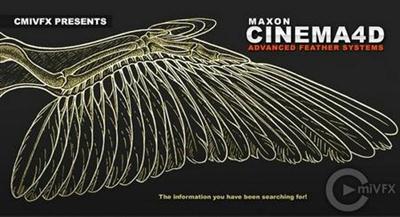
cmiVFX - Cinema 4D Advanced Feather Systems
Duration: 2hr 22m | Video: h264, yuv420p, 1280x720 30fps | Audio: aac, 48000 Hz, 2 ch | 902 MB
Genre: eLearning | Language: English​


Exciting last minute video release by cmiVFX just in time for NAB! The long awaited Advanced Feather Systems video is now available and will not disappoint! Take control over exact feather placements on wings and body, multiple lengths and directions, dynamic controls and geometrical substitutions for non-hair based mechanical wings.

This might be one of the most entertaining videos on the subject ever made. Fast paced, yet extremely thorough. You will be a feather expert immediately after watching this video. Why wait for all your peers to excel past you in general CG knowledge when it has never been so easy to learn?

Recommend Download Link Hight Speed | Please Say Thanks Keep Topic Live
 

ea9c0e23925d0b4481b3f7cd909c7a0b.jpg

CP101x - Corel Painter 2015 Essential Training
MP4 | Video: AVC 1280x720 | Audio: AAC 44KHz 2ch | Duration: 1 Hours | 168 MB
Genre: eLearning | Language: English

Learn essentials of Corel Painter 2015 with GURasis & PlexStreet


In this Corel Painter 2015 Essential Training course, GURasis Anand will teach you the usage of core tools and exploring the interface of the new Corel Painter 2015. You will learn about the tools and their workings in Painter. This course is designed for the absolute beginner without any experiance required either of Corel Painter or painting itself.

You will start by ing and installing Corel Painter 2015 trial. Then, you will be learning to get around the interface of painter 2015 and working with files and best practices for a more efficient workflow in Corel Painter. You will learn to navigate painter effectively and finding tools faster. From there, GURasis will teach you about brushes and their controls and how to use cloner brushes. You will learn about using Color tools and Painter 2015 Shortcuts. You will learn to work in layers.

Once you have completed this Corel Painter 2015 training course, you will be fully capable of using the tools and brushes in Painter to create your own digital artwork.

Topics Covered:

Exploring Interface of Corel Painter 2015
Brushes and Brush Controls
Corel Painter 2015: Color tools
Corel Painter 2015: Shortcuts
Working in Layers
Setting up and customizing Corel Painter 2015
This Course is part of another larger course taught by GURasis named "Learn to Paint a digital Portrait from a Photograph".

You can save the time GURasis has spent exploring and learning the techniques used by today's professionals of The Digital Art by taking this course.

Recommend Download Link Hight Speed | Please Say Thanks Keep Topic Live
 

104bc58758151473464defae098cbded.jpg

CPA Marketing Strategies to Launch a Successful CPA Campaign
MP4 | Video: AVC 1280x720 | Audio: AAC 44KHz 2ch | Duration: 1 Hours | 73 MB
Genre: eLearning | Language: English

Discover the amazing potential of CPA Marketing and how it will increase sales for your business.


PPC advertising has been around for a while now and has established itself as the primary model for advertising on the web.

Of course, PPC advertising is 'Pay Per Click' advertising, which basically means that you only pay as an advertiser when someone actually clicks on your ad.

This is different from paying for a fixed spot in a magazine or on a website because you only pay when your ad generates views. For the advertiser, this is a very good deal because it essentially means that you only pay when you are successful.

An advert that sits on a website not attracting any clicks will actually cost you nothing and you will thus be able to ensure that you get a very high ROI (return on investment). This is even more true if you use CPA advertising, which is in many ways the natural evolution of PPC.

CPA essentially stands for 'Cost Per Action' or 'Cost Per Acquisition' and in this sense, you only pay when your advert is actually successful in doing what it is setting out to do. You only pay for an ad that converts " giving you guaranteed returns on that investment.

Well, in reality you will sometimes still pay per click but even then CPA gives you a figure for how much each action is costing you " allowing you to calculate your precise profit margin. This is the metric that every advertiser should be most interested in. Essentially, this is the point in which the ad becomes profitable and if you only pay for that then you have a situation where everyone is guaranteed to win.

CPA is a relatively new form of PPC but it is one that is rapidly catching on for obvious reasons. If you want to evolve your current marketing campaign in a way that can only improve your ROI and if you want to get one step ahead of the competition, then this is something you should be learning.

Recommend Download Link Hight Speed | Please Say Thanks Keep Topic Live
 

e5e9698d8aca56c11018715e166b26fb.jpg

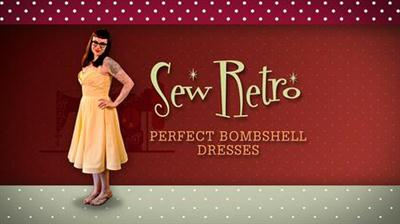
Craftsy - Sew Retro: Perfect Bombshell Dresses
.MP4, AVC, 2500 kbps, 1280x720 | English, AAC, 192 kbps, 2 Ch | 15 Lessons | 5.6 hours | 6.32 GB
Instructor: Gretchen Hirsch​

Welcome to Sew Retro: Perfect Bombshell Dresses. I am so excited that you've decided to join me for this course. We're going to use some very cool techniques that will result in you having the vintage-style dress of your dreams. This bustier sarong-style dress is the perfect thing to get that sexy Tiki vibe. But you can also make it in an elegant, understated fabric for a perfectly modern vibe. You'll learn how to make a molded bodice with underlining, boning, bust padding, a waist stay, and a lining. And then that lovely draped skirt provides the perfect counterpoint to the complex bodice.

Contents:

Lesson 01 Course Introduction
Lesson 02 Using the Downloadable Pattern
Lesson 03 Cutting Out the Muslin
Lesson 04 Fitting the Muslin Bodice
Lesson 05 Modifications for Larger Busts
Lesson 06 Making Pattern Adjustments
Lesson 07 Underlining What Why How
Lesson 08 Starting the Outer Bodice
Lesson 09 Finishing the Outer Bodice
Lesson 10 Cutting the Sarong Skirt
Lesson 11 Making the Skirt
Lesson 12 Adding the Zipper
Lesson 13 Adding Boning
Lesson 14 Finishing Details
Lesson 15 Finishing with Hem Vent

Recommend Download Link Hight Speed | Please Say Thanks Keep Topic Live
 

fac36c62b641a522f12b0030000ed93b.jpg

Crash course: How to use your Mac Computer effectively
MP4 | Video: AVC 1280x720 | Audio: AAC 44KHz 2ch | Duration: 1.5 Hours | 308 MB
Genre: eLearning | Language: English

Learn how to become an expert at using your apple computer with these easy to follow tips.


Welcome to the crash course on Mac Operating System (commonly referred to as (Mac OSX))!

Mac computers are wonderful, stable, carefully designed and well built - no doubt about that. And it's safe to assume that almost always, there is an easy and cool way to do things in (Mac OSX). But many people think that with Mac computers, one needs to purchase many extra software packages, which come built in with Windows computers. If you have the same views, I have a great news for you! Your Mac computer is full of tools and functionalities which you probably have never had a chance to explore, so you're missing out on a lot of cool stuff. And that is why I created this course to make your life easier and better :)

This course is also for those who switched from Windows to (Mac OSX), and are learning the new operating system. I know how confusing and frustrating it can be, but don't worry as I got you covered!

In this hands on course, I have carefully put together many tricks and best practices in the form of short video tutorials. It took me years (well, literally!) to learn them, but with this course, you can learn them super fast with minimal effort. These wonderful tips and hacks will save your time and energy, and will have a big impact on your productivity. Thanks to Udemy, this course will take you from a beginner to an advanced level user in no time! After taking this course, you would be able to navigate the (Mac OSX) with swipes and keyboard shortcuts like a breeze, and would be able to minimise computer slowdowns like a boss.

This course will be regularly updated and I will be adding more tips as I explore them, or whenever a new version of (Mac OSX) is released!

Recommend Download Link Hight Speed | Please Say Thanks Keep Topic Live
 

1c7a62c62efa064e9457035b51a9cd52.jpg

Create a business website with WordPress
MP4 | Video: AVC 1280x720 | Audio: AAC 44KHz 2ch | Duration: 4 Hours | 2.24 GB
Genre: eLearning | Language: English

Complete guide on creating a Business Website in WordPress. A premium theme is included!


Ever wondering how those beautiful website out there are created? Do all your competitors or fellow business owners use fancy and expensive agency to do that? The answer is no.

WordPress provides you with all you need to create a stunning business website. Themes are around for many years now but every day more people use these themes. With a theme you get a professional, well supported and fully functional website design with lots of extras. With these theme you can create a professional looking website on your own.

This course includes a premium $69 dollar theme for free. With this theme you can get started right away. So no need for extra expenses. Just sign-up for this course, learn how to create a stunning website and build that website for you business right away.

The course will teach you how to do this in just two and a half hours.

WordPress is a classical CMS (Content Management System) that has been around for ages. With WordPress you can create a lot more that just a Blog. We can create business pages, online applications and online stores. The big companies in the world start using WordPress. Due to its opensource character and its many extension possibilities you can do almost everything in WordPress.

Themes expand the possibilities of WordPress on the look&feel axis. With a theme you cane customize the look and feel, and most themes offer extra functionality as well. For example contact forms, banners, sliders or other cool looking features for your website.

Get enrolled today and take advantage of this unique deal. Udemy offers you a 30 day money back guarantee, no questions asked.

Recommend Download Link Hight Speed | Please Say Thanks Keep Topic Live
 

9a65c359a0ca4d365592cd333c168094.jpg

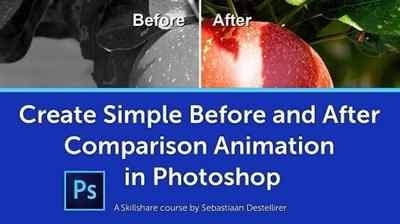
Create Simple Before and After Comparison Animation in Photoshop
Duration: 40m | Video: h264, yuv420p, 1280x720, 30fps | Audio: aac, 48000 Hz, 2 ch | 617 MB
Genre: eLearning | Language: English​


In this Class you will learn Step-by-Step how to make a Simple Before and After Comparison Animation inside Photoshop.

It takes a bit of time to set it up, but once you have it ready you can easily reuse it again by simply swapping out the images with new ones, and you have your new Comparison Animation ready.

Recommend Download Link Hight Speed | Please Say Thanks Keep Topic Live
 

a1ea5d033291844de228e3b6f8088a22.jpg

Create WordPress Plugins
MP4 | Video: AVC 1280x720 | Audio: AAC 44KHz 2ch | Duration: 2.5 Hours | 1.84 GB
Genre: eLearning | Language: English

Complete guide on creating WordPress Plugins with a real life API using PHP, JSON and Ajax.


This step-by-step course will teach you how to create your own plugin for WordPress . When you are finished with the course you will know how to create a fully functional Plugin that is created with PHP, HTML, CSS and AJAX and uses data we get from the New York Times using an API!

Over 2 hours of video in which you will learn everything you need to know to get you started with creating plugins. I will tot only teach how to create a plugin but also what to do and what not to do. But there is more. We are working with an Application Programming Interface (API). With that API we fetch real time data from the New York Times and show that on our website. With the techniques you learn, you can build your own plugin, with an admin page, front-end widget or shortcodes. You can even get data from other API's out there, like Twitter or Facebook. I know the whole idea of creating a plugin can be overwhelming, do do not hesitate to contact me, i will make sure I guide you and help you. If you are not pleased with the content, you can ask for a 100% refund, no questions asked.

For this course you will need a basic understanding of HTML, CSS and PHP. This course will not teach you how to write PHP but how to create a WordPress plugin with PHP.

Recommend Download Link Hight Speed | Please Say Thanks Keep Topic Live
 

1791ac59cd0c4f550db779993d0c421c.jpg

Creating Custom Houdini Solvers with VEX Wrangles
Size: 1.18 GB | Duration: 5h 24m | Video: AVC (.mp4) 1280x720 30fps | Audio: AAC 44.1KHz 2ch
Genre: eLearning | Level: Advanced | Language: English​


Often while working on high-end feature films, TV shows, or commercials, it is necessary to create completely procedural setups that are both robust and controllable. This course, Creating Custom Houdini Solvers with VEX Wrangles, is designed to teach you techniques and workflows to help achieve exactly that. In this course, you will learn how to create sophisticated setups that are required to achieve a completely procedural sticky slime system. First, you will learn to utilize Wrangle nodes extensively with VEX scripting to create a dynamic Sticky Constraint Solver that will be the driving force behind the whole system. In addition to the Sticky Constraint Solver, you will learn how Wrangle nodes can be used inside a DOP Network to control a Position-Based Dynamics Solver, otherwise known as the Grain Solver. The course will also take you through how FLIP simulations can be used to complement the effect. By the end of this course, you'll have the practical skills to achieve robust, controllable and procedural setups for high-end Houdini VFX projects. Required Software: Houdini 15.


Creating Custom Houdini Solvers with VEX Wrangles

Recommend Download Link Hight Speed | Please Say Thanks Keep Topic Live
 

20726bf58122324570f583ff65f5dbee.jpg

Creating E-Commerce Websites With Drupal
MP4 | Video: AVC 1280x720 | Audio: AAC 44KHz 2ch | Duration: 2 Hours | 674 MB
Genre: eLearning | Language: English

Quickly build websites to sell products, digital s, and memberships. No coding required!


Drupal is a CMS platform very similar to WordPress, but much more powerful. Plugins (called modules) are free, open source, with open support. This allows you to customize and add functionality to your website without paying for expensive plugins.

Use these various tools and skills to begin listing and selling your products on your own store today! Save time by removing the hurdles that come with programming and designing websites from scratch.

Build an online store in Just a Few Hours

Step by step instructions from selecting a host, to accepting credit card payments
Tips driving traffic to your website and optimizing for search engine results
Sell physical products, recurring products such as memberships, or digital s
Easily edit the content on your website without writing a single line of code
Tools to allow users to easily share your website content
Setup an e-mail collection process to send out beautiful newsletters to potential customers
Learn key Drupal skills like building content types, blocks, views, and more
Skills you learn in this course can be used to build any type of website, and even land you an entry level Drupal developer job
Save tons of time by avoiding the hurdles that come with learning code
Start earning money from your own online store today!
First, I'll show you how to choose a web host, create a MySQL database, and upload your files via FTP. Then, you'll learn how to install and setup the Drupal platform on your database.

From there, you'll be creating various product types and creating blocks and views. You can create basic websites with simple features or more complex ones with many different pages and functionality.

Then, you'll see how to drive traffic to your newly created websites by writing blogs, enabling sharing buttons, building an e-mail list, and search engine optimization (SEO)!

Whether you know nothing about building websites or you just need a quicker way to develop them for clients, this is the best course for you! Additional lectures may be added to the course, plus you'll get prompt, friendly, responsive support by email or on the Udemy forums to help you every step of the way and answer any questions you may have.

Recommend Download Link Hight Speed | Please Say Thanks Keep Topic Live

 

e2efb23f5a90f4fee98374f6ae4cc62a.jpg

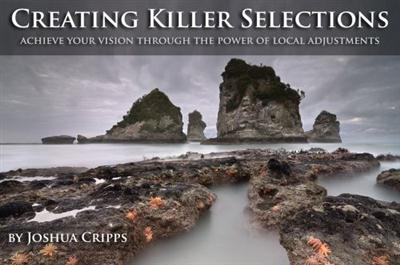
Creating Killer Selections - Achieve Your Vision Through Power of Local Adjustments
Duration: 2 Hours | Video: h264, yuv420p, 1920x1080 30fps | Audio: aac, 44100 Hz, 2 ch | 1.1 GB
Genre: eLearning | Language: English | Project Materials Included​


The ability to selectively edit an image via layer masks lies at the center of Photoshop's editing power. But masks are only as good as the selections used to create them, and if you're not taking advantage of all the amazing selection tools in Photoshop's arsenal then your images aren't going to be as beautiful as they should be. Follow along with this tutorial to learn incredible techniques to take your selections to the next level.

Refined Selections via Color Channels
Anywhere you have contrast within an image you can create an amazing selection, if you know how. Learn to use the RGB color channels of your image to easily create incredibly detailed and refined selections and masks. Then learn how to utilize curves and special blend modes to further refine your selections to make razor-sharp masks. You will also learn how to non-destructively edit your masks so that you can edit, reuse, and modify your masks without having to start over.

Advanced Luminosity Selections
After understanding how to create amazing selections via the color channels of your image, you will learn how to make even more targeted, refined, and precise selections using the black and white tonal values of your photos. By using these techniques (commonly called Luminosity Masks) you will gain unparalleled control over your image editing. Brighten, darken, or add contrast and saturation to any area of your image with incredible precision. Learn how to adjust skies, trees, rocks, or water completely independently of any other part of an image. This is the ultimate in advanced selections in Photoshop.

3 Chapters and 7 Individual Videos covering:
Creating and modifying basic selections.
Creating advanced selections via color channels.
Creating advanced selections via luminosity values.
Over 2 hours of in-depth video content for intermediate / advanced users
Hi-res photos for you to edit along with the videos

Recommend Download Link Hight Speed | Please Say Thanks Keep Topic Live

 

ec96bd7a4519a50cea0b5226600000ae.jpg

CSSCasts; CSS libraries Plugins Tips & Tricks for Developers
MP4 | Video: AVC 1280x720 | Audio: AAC 44KHz 2ch | Duration: 4.5 Hours | 1.82 GB
Genre: eLearning | Language: English​


Learn & Practice latest Essentials CSS libraries, plugins with new cool tips & tricks - 2 New Video added every week !

Students are welcomed to request new videos based on CSS

This course is pretty unique on udemy. this is CSS screen casts. this course will grow every week by 2 new videos based on essentials but modern and latest CSS libraries plugins ideas with cool tips and tricks. The most important aspect of this course is student can suggest or request for making videos on their request and i will try to make that video as soon as possible but the request which get highest vote will be made first.

I will always love to help as soon as possible if any students get stuck with in their life real world project.

-What you will learn in this course ?

In simple : Almost Everything about CSS

How..

To create layout.
to use modern tricks to solve particular problems
To style your content.
To keep your css clean , modern and faster.
To stay Web standard and current CSS developer
To use libraries.
To use Plugins.
Much much more -

Materials Included: to keep you in the road of success !

all the Exercise file will be included in their respected video
html files
css files
jpg
png
libs
icons
psd
etc
Well i do my very best to explain each and every detail of the particular topic i cover on the video with multiple demo and examples . your totally welcome to ask any questions or doubts and request for new videos based on the css library , plugins or any topics releted to CSS.

So now get in and let's get started!


CSSCasts; CSS libraries Plugins Tips & Tricks for Developers

Recommend Download Link Hight Speed | Please Say Thanks Keep Topic Live

 
Zurück
Oben Unten