• Regeln für den Video-Bereich:

    In den Börsenbereich gehören nur Angebote die bereits den Allgemeinen Regeln entsprechen.

    Einteilung

    - Folgende Formate gehören in die angegeben Bereiche:
    - Filme: Encodierte Filme von BluRay, DVD, R5, TV, Screener sowie Telesyncs im Format DivX, XviD und x264.
    - DVD: Filme im Format DVD5, DVD9 und HD2DVD.
    - HD: Encodierte Filme mit der Auflösung 720p oder darüber von BluRay, DVD, R5, TV, Screener sowie Telesyncs im Format x264.
    - 3D: Encodierte Filme von BluRay, die in einem 3D Format vorliegen. Dies gilt auch für Dokus, Animation usw.
    - Serien: Cartoon/Zeichentrick, Anime, Tutorials, Dokumentationen, Konzerte/Musik, Sonstiges sind demnach in die entsprechenden Bereiche einzuordnen, auch wenn sie beispielsweise im High Definition-Format oder als DVD5/DVD9/HD2DVD vorliegen. Ausnahme 3D.
    - Bereich Englisch: Englische Releases gehören immer in diesen Bereich.
    - Bereich Talk: Der Bereich, in dem über die Releases diskutiert werden kann, darf, soll und erwünscht ist.


    Angebot/Beitrag erstellen

    - Ein Beitrag darf erst dann erstellt werden, wenn der Upload bei mindestens einem OCH komplett ist. Platzhalter sind untersagt.
    - Bei einem Scenerelease hat der Threadtitel ausschließlich aus dem originalen, unveränderten Releasenamen zu bestehen. Es dürfen keine Veränderungen wie z.B. Sterne, kleine Buchstaben o.ä. vorgenommen werden. Ausnahme Serienbörse:
    - Bei einem Sammelthread für eine Staffel entfällt aus dem Releasename natürlich der Name der Folge. Beispiel: Die Simpsons S21 German DVDRip XviD - ITG
    - Dementsprechend sind also u.a. verboten: Erweiterungen wie "Tipp", "empfehlenswert", "only", "reup", usw. / jegliche andere Zusatzinformation oder Ergänzung, welche nicht in obiger Beschreibung zu finden ist.

    Aufbau des Angebots und Threadtitel

    Der Titel nach folgendem Muster erstellt zu werden. <Name> [3D] [Staffel] [German] <Jahr> <Tonspur> [DL] [Auflösung] <Quelle> <Codec> - <Group>
    Beispiel: The Dark Knight German 2008 AC3 DVDRip XviD - iND
    Beispiel: The Dark Knight 2008 DTS DL BDRip x264 - iND
    Beispiel: The Dark Knight 2008 AC3 DL BDRip XviD - iND
    Beispiel: The Dark Knight German 2008 AC3 720p BluRay x264 iND
    Beispiel: The Dark Knight 2008 DTS DL 1080p BluRay x264 iND
    Beispiel: Die Simpsons S01 German AC3 DVDRip XviD iND
    Beispiel: Die Simpsons S20 German AC3 720p BluRay x264 iND
    Beispiel: Sword Art Online II Ger Sub 2014 AAC 1080p WEBRip x264 - peppermint
    Entsprechend sind also u.a. verboten: Sonderzeichen wie Klammern, Sterne, Ausrufezeichen, Unterstriche, Anführungszeichen / Erweiterungen wie "Tipp", "empfehlenswert", "only", "reup", usw. / jegliche andere Zusatzinformation oder Ergänzung, welche nicht in obiger Beschreibung zu finden ist
    Ausnahmen hiervon können in den Bereichen geregelt sein.

    Die Beiträge sollen wie folgt aufgebaut werden:
    Überschrift entspricht dem Threadtitel
    Cover
    kurze Inhaltsbeschreibung
    Format, Größe, Dauer sind gut lesbar für Downloader außerhalb des Spoilers zu vermerken
    Nfo sind immer Anzugeben und selbige immer im Spoiler in Textform.
    Sind keine Nfo vorhanden z.B. Eigenpublikationen, sind im Spoiler folgende Dateiinformationen zusätzlich anzugeben :
    Quelle
    Video (Auflösung und Bitrate)
    Ton (Sprache, Format und Bitrate der einzelnen Spuren)
    Untertitel (sofern vorhanden)
    Hosterangabe in Textform außerhalb eines Spoiler mit allen enthaltenen Hostern.
    Bei SD kann auf diese zusätzlichen Dateiinformationen verzichtet werden.

    Alle benötigten Passwörter sind, sofern vorhanden, in Textform im Angebot anzugeben.
    Spoiler im Spoiler mit Kommentaren :"Schon Bedankt?" sind unerwünscht.


    Releases

    - Sind Retail-Release verfügbar, sind alle anderen Variationen untersagt. Ausnahmen: Alle deutschen Retail-Release sind CUT, in diesem Fall sind dubbed UNCUT-Release zulässig.
    - Im Serien-Bereich gilt speziell: Wenn ein Retail vor Abschluss einer laufenden Staffel erscheint, darf diese Staffel noch zu Ende gebracht werden.62
    - Gleiche Releases sind unbedingt zusammenzufassen. Das bedeutet, es ist zwingend erforderlich, vor dem Erstellen eines Themas per Suchfunktion zu überprüfen, ob bereits ein Beitrag mit demselben Release besteht. Ist dies der Fall, ist der bereits vorhandene Beitrag zu verwenden.
    - P2P und Scene Releases dürfen nicht verändert oder gar unter einem iND Tag eingestellt werden.


    Support, Diskussionen und Suche

    - Supportanfragen sind entweder per PN oder im Bereich Talk zu stellen.
    - Diskussionen und Bewertungen sind im Talk Bereich zu führen. Fragen an die Uploader haben ausschließlich via PN zu erfolgen, und sind in den Angeboten untersagt.
    - Anfragen zu Upload-Wünschen sind nur im Bereich Suche Video erlaubt. Antworten dürfen nur auf Angebote von MyBoerse.bz verlinkt werden.


    Verbote

    - Untersagt sind mehrere Formate in einem einzigen Angebotsthread, wie beispielsweise das gleichzeitige Anbieten von DivX/XviD, 720p und 1080p in einem Thread. Pro Format, Release und Auflösung ist ein eigener Thread zu eröffnen.
    - Grundsätzlich ebenso verboten sind Dupes. Uploader haben sich an geeigneter Stelle darüber zu informieren, ob es sich bei einem Release um ein Dupe handelt.
    - Gefakte, nur teilweise lauffähige oder unvollständige Angebote sind untersagt. Dies gilt auch für eigene Publikationen, die augenscheinlich nicht selbst von z.B. einer DVD gerippt wurden. Laufende Serien, bei denen noch nicht alle Folgen verfügbar sind, dürfen erstellt und regelmäßig geupdatet werden.
    - Untersagt sind Angebote, welche nur und ausschließlich in einer anderen Sprache als deutsch oder englisch vorliegen. Ausnahmen sind VORHER mit den Moderatoren zu klären.


    Verstoß gegen die Regeln

    - Angebote oder Beiträge, die gegen die Forenregeln verstoßen, sind über den "Melden"-Button im Beitrag zu melden.
  • Bitte registriere dich zunächst um Beiträge zu verfassen und externe Links aufzurufen.


Englische Tutorials


c0d10561a6e18b196b306f1f3e318e32.jpg

Lynda - Outlook 2013: Prepare for the Microsoft Office Specialist Certification Exam (77-423)
Size: 589 MB | Duration: 3h 16m | Video: AVC (.mp4) 1280x720 15&30fps | Audio: AAC 48KHz 2ch
Genre: eLearning | Level: Beginner | Language: English​


Get ready for the Microsoft Office Specialist Outlook 2013 certification exam. Microsoft Master Instructor Megan Hoffman helps test takers prepare for exam 77-423, which covers the four main skill sets in Outlook 2013: customizing the Outlook interface, and managing messages, calendars, and contacts. The course first explores the MOS certification program and highlights its cost, format, and objectives. Megan then explains how to manage the Outlook environment by customizing settings, automating Outlook, printing and saving, and searching in Outlook. Learn how to manage messages, including creating, formatting, and organizing messages, and manage schedules, including creating and managing the calendar, appointments, meetings, and events. Learn to manage notes, tasks, journals, contacts, and groups. Challenges exercises are included along the way, and the course concludes with a full-length practice exam.

Topics include:
* Preparing for the exam
* Reviewing exam objectives
* Customizing Outlook settings
* Printing and saving information
* Creating and formatting messages
* Creating new calendars
* Creating appointments, events, and meetings
* Managing tasks and notes
* Creating contacts and groups
* Importing contacts
* Taking a full-length practice exam

Recommend Download Link Hight Speed | Please Say Thanks Keep Topic Live

 

ff37ca978570985f4322dfefa4f5daed.jpg

Perspective Sketching the Easy Way: From Coffee Cups to Cars
MP4 | Video: AVC 1280x720 | Audio: AAC 44KHz 2ch | Duration: 1 Hours | 1 GB
Genre: eLearning | Language: English

Learn to sketch anything in perspective using the Cloud Sketching technique


Hi, I'm Marouane, industrial designer originally from Stockholm, Sweden, now living and working in South Florida. Welcome to my class on perspective sketching!

What's the course about?
Many of us have seen the conventional way of sketching in perspective. Whether it's 2-point or 3 point perspective, they ALL follow certain rules. In this class, I'm going to show you a completely different way of perspective sketching that I think you will like. We are also going to cover how to unblock a sketchers block and boost your creativity.

I like to get to the point as quickly as possible and when it comes to sketching. I like to jump right into sketching the product or object instead of setting up an entire grid system of perspective guidelines.

I want to show you a technique I've been using for years now. Something I call "Cloud sketching". It's about turning your sketches and designs into "clouds" on the paper, capture the proportions and perspective with the help of ellipses and simple geometries. No grid system necessary.

Once this is done, we can start to add the details and really design our "cloud" into whatever we intended it to be. Sounds strange? It will all make sense inside the course, I promise.

Who is this course for?
This course is for anyone interested in drawing or sketching. It suits beginners who are just starting out with drawing as well as experienced designers and artists. I think there's something in this class for everyone, if you keep an open mind.
Thank you for taking interest in my course, I hope to see you inside.

Recommend Download Link Hight Speed | Please Say Thanks Keep Topic Live

 

baaf6519d105b0a3f5707bc7a27bb07e.jpg

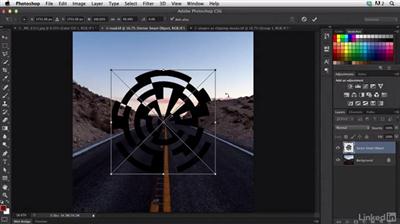
Photoshop Cinemagraph Tutorial: Start to Finish
MP4 | Video: AVC 1280x720 | Audio: AAC 48KHz 2ch | Duration: 1h 24m | 612 MB
Genre: eLearning | Language: English​


Put your stills into motion with cinemagraphs. A cinemagraph is a still image that contains a trace of subtle motion: wisps of hair in the breeze, water running through a stream, or a dog's tail wagging.You can use numerous tools for creating cinemagraphs, and one of the best is Photoshop. With Photoshop's masking, compositing, and video features, you can combine the layers of a still image with video that makes a cinemagraph come to life. Photographer, author, and educator Seán Duggan shows you how.


Photoshop Cinemagraph Tutorial: Start to Finish

Recommend Download Link Hight Speed | Please Say Thanks Keep Topic Live

 

2b5670afd48c13558d34632d446b87a5.jpg

Lynda - Photoshop: Create a Satyr Using Layer Styles
Size: 836 MB | Duration: 1h 21m | Video: AVC (.mp4) 1280x720 15&30fps | Audio: AAC 48KHz 2ch
Genre: eLearning | Level: Intermediate | Language: English​


Photoshop is a great tool for creature creators. You can use it to create composites, or use its digital painting toolset, as shown here, to create fine art and concept drawings. In this course, artist Rayce Bird takes a hand-drawn sketch and brings it to life in Photoshop, showing how to use one particular feature, layer styles, to make interesting and realistic textures for a well-known fantasy creature: a satyr.

Topics include:
* Importing a sketch into Photoshop
* Adding gray shades and smudging
* Introducing color, shadows, and highlights
* Adding texture with layer styles
* Using blur to concentrate the viewer's eye
* Color correcting the final image

Recommend Download Link Hight Speed | Please Say Thanks Keep Topic Live
 

57be6fa164e7f9987c6cc748750ae949.jpg

Photoshop for Designers: Working with Illustrator
Size: 2.3GB | Duration: 4h 1m | Video: AVC (.mp4) 1280x720 15&30fps | Audio: AAC 48KHz 2ch
Genre: eLearning | Level: Intermediate | Language: English​


This installment of Photoshop for Designers shows how to combine Adobe Illustrator and Photoshop, taking advantage of the strongest features in each program. Learn how to work with symbols, custom brushes, Live Paint, creative filters, clipping masks, and more, while following along with veteran graphic designer and teacher Nigel French. Nigel explains the relationship between Photoshop and Illustrator and walks through hands-on projects such as a montage, a movie poster, and a print ad, while demonstrating how to work back and forth between the two applications.

Recommend Download Link Hight Speed | Please Say Thanks Keep Topic Live
 

b1c3d4ba9b1dc63b79c55a7f712b8dc0.jpg

Photoshop: Quick & Easy Digital Painting Like a Professional
MP4 | Video: AVC 1280x720 | Audio: AAC 44KHz 2ch | Duration: 1.5 Hours | 537 MB
Genre: eLearning | Language: English​


Create professional-looking digital paintings using powerful brush tools in Photoshop, even if you "can't draw."

This quick and dirty course will help you make original, custom digital paintings and illustrations using Adobe Photoshop (or any similar program) in just a matter of minutes that look professional and can be used online, in videos and animations, or for print purposes such as on a poster, letterhead, even a T-shirt or other products.

Please note that free 30 day trial versions of Photoshop are available for from Adobe's website.

Save money making your own unique digital images and illustrations (and stop paying others to do them for you) and develop skills that can help you start making money creating professional-looking images for others. You can also use these simple techniques to make unique images and illustrations as free gifts for friends and family.

You also don't need to know how to draw. There are actually a HUGE number of graphic designers who CAN NOT draw... but they make up for it by using techniques like the ones in this course and naturally, learning more about layout design, composition, color, typography, and other fundamentals of visual literacy.

You can decide how much time you will spend on each image which will then affect your end results. As you do more and more, you can be cranking these out in a matter of minutes and could actually make a little illustration/digital painting business creating these for others on websites like Fiverr, Elance, and other freelancing websites.

I'm a tenured Associate Professor of Digital Media and the Program Director of Film & Digital Media at The American University of Rome and a practicing award-winning multimedia artist.

I have over 15 years of experience teaching students all over the world using my tried and true custom approach (turning complex information into something simple, memorable, easy-to-understand in as short amount of time as possible) to ensure that you get the
most important, relevant, and useful information that can be applied immediately to your art, work, and everyday life.

New bonus lectures and resources will continue to be added and timely design advice will be provided in the discussion forum. I love to help and always respond to inquiries and discussions ASAP.

Please Note: All students who enroll in this course also will receive periodic free and discounted access to my other top-rated current and upcoming courses.

Empower yourself now by enrolling in this digital painting course and join our growing learning community!


Photoshop: Quick & Easy Digital Painting Like a Professional

Recommend Download Link Hight Speed | Please Say Thanks Keep Topic Live
 

9386c4f962da172560ba427cb6352fcc.jpg

Pluralsight - SAP Business Warehouse Query Fundamentals
Size: 360MB | Duration: 2h 23m | Video: AVC (.mp4) 1280x720 15fps | Audio: AAC 44.1KHz 2ch
Genre: eLearning | Level: Beginner | Language: English​


Creating a business analysis often requires several days, and without the right tooling, it can be full of errors once it's finished. This course, SAP Business Warehouse Query Fundamentals, will teach you how to create analyses efficiently and accurately by showing you the fundamentals of creating SAP BW Queries in the Query Designer. We are going to build a BW based Excel workbook. I want you to follow the exercises, because you will be able to perform important tasks in the system. First, you'll be introduced to the Plan and Actual Sales Comparison Workbook that you'll develop throughout the course, learning how to develop the master data tables and infocube, as well as basic data warehousing concepts. Next, you'll work in the Query Designer, creating two different queries and setting properties and filters for each. Finally, you'll finish the column structure of your query and create virtual key figures for it. After watching this course, you'll be able to boost your analytical productivity and answer complex business questions based on the quality database of SAP Business Warehouse with ease.

Recommend Download Link Hight Speed | Please Say Thanks Keep Topic Live
 

0b14a964f4d7cfca722772e5df52e018.jpg

PostgreSQL Playbook for Developer DBAs
MP4 | Video: AVC 1280x720 | Audio: AAC 44KHz 2ch | Duration: 2 Hours 35m | 481 MB
Genre: eLearning | Language: English​


If you're a Database Administrator looking to quickly update your skillset, this course is for you. Each module stands alone and teaches practical tasks you'll need to do on the job, such as optimizing hardware, benchmarking your server, and more.

Developers often inherit the job of Database Administrator as their companies grow, and the database needs someone to look after it. As a new DBA, you need to quickly understand how to secure your server, optimize performance, and safeguard your data. The modules of this course, , stand alone and do not require you to go in order; each one will teach you how to do a different kind of task in PostgreSQL that you'll need to know as a DBA. You'll cover tasks in areas such as hardware and security, backing up and restoring your data, as well as fixing slow queries by adding indexes, and more. Finally, you'll learn about three hosted solutions for database management. By the end of this course, you will have gained several skills that you'll be able to use to perform everyday tasks on the job as a DBA.


PostgreSQL Playbook for Developer DBAs

Recommend Download Link Hight Speed | Please Say Thanks Keep Topic Live
 

e65cd88de0b1f794d69ab103ef0691c7.jpg

PowerPoint 2013: Prepare for the Microsoft Office Specialist Certification Exam (77-422)
MP4 | Video: AVC 1280x720 | Audio: AAC 48KHz 2ch | Duration: 3h 33m | 1.16 GB
Genre: eLearning | Language: English


Get ready for the PowerPoint 2013 MOS certification exam. Microsoft Master Instructor Megan Hoffman helps test takers prepare for exam 77-422, which covers the five main skill sets in PowerPoint 2013.

The course first explores the MOS certification program and highlights its cost, format, and objectives. Megan then steps viewers through all the MOS exam objectives, explaining how to create and manage presentations, work with slides and shapes, create slide content, apply transitions and other effects, manage multiple presentations, and more.

Challenge exercises are included along the way, and the course concludes with a full-length practice exam.

Recommend Download Link Hight Speed | Please Say Thanks Keep Topic Live

 

56f26cc25107b4ca4696fc35166a2a19.jpg

Prime Studio Product Design
MP4 | Video: AVC 1280x720 | Audio: AAC 48KHz 2ch | Duration: 14M | 241 MB
Genre: eLearning | Language: English​


Prime Studio doesn't design products to suit themselves; they build products that fit their client's DNA. Founder Stuart Lee has assembled a multicultural team that uses software and old-school techniques like sketching to come up with innovative, functional product designs. Meet the designers of Prime Studio and learn about the process behind their new line of collapsible home products, Squish, in this short film. Find out how the designers go from sketches, to CAD models, to prototypes; how they integrate feedback from the factory into manufacturing; and how they tie the whole design together with a smart logo and branded packaging.


Prime Studio Product Design

Recommend Download Link Hight Speed | Please Say Thanks Keep Topic Live
 

f99358a7e526c577a37568e26b1a620f.jpg

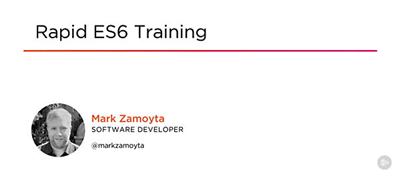
Rapid ES6 Training
Size: 444MB | Duration: 4h 16m | Video: AVC (.mp4) 1280x720 15fps | Audio: AAC 44.1KHz 2ch
Genre: eLearning | Level: Intermediate | Language: English​


ES6 is a major update to the JavaScript language-it now looks and feels modern, and the updated features fix many problems with the earlier JavaScript versions. If you want to keep your JavaScript developing skills up to date, this course, Rapid ES6 Training, will help you to do that. You'll cover major new features including Iterators, Generators, symbols, and a built-in Promise library. You'll also learn about arrays collections. Finally, you'll discover the new meta-programming features with the Reflect API and Proxy API. By the end of this course, you will have a foundational knowledge of one of the latest web language features, ES6, and you'll be able to use it to write your code better.


Rapid ES6 Training

Recommend Download Link Hight Speed | Please Say Thanks Keep Topic Live

 

38b7bec48343e2de064557e4e19a5298.jpg

Pluralsight - SQL Server: Scaling SQL Server 2012 and 2014: Part 2
Size: 438MB | Duration: 2h 46m | Video: AVC (.mp4) 1280x720 15fps | Audio: AAC 44.1KHz 2ch
Genre: eLearning | Level: Intermediate | Language: English​


When considering how to improve the scalability of a SQL Server workload, many people jump to the conclusion that scaling up or scaling out are the only answers. This course, SQL Server: Scaling SQL Server 2012 and 2014: Part 2, builds on the earlier "Scaling SQL Server 2012 - Part 1" course and will show you a huge number of things you can do to improve performance and scalability. First, you'll learn about configuration issues in hardware, storage, Windows, and SQL Server, and you'll also see demonstrations of some of the issues and tools to help you find the issues in the first place. Finally, you'll get an explanation of some of the techniques and features you can use to scale up or scale out, once you've configured the system correctly. By the end of this course, you'll be able to improve the performance and scalability of a SQL Server workload.

Recommend Download Link Hight Speed | Please Say Thanks Keep Topic Live
 
Zurück
Oben Unten