• Regeln für den Video-Bereich:

    In den Börsenbereich gehören nur Angebote die bereits den Allgemeinen Regeln entsprechen.

    Einteilung

    - Folgende Formate gehören in die angegeben Bereiche:
    - Filme: Encodierte Filme von BluRay, DVD, R5, TV, Screener sowie Telesyncs im Format DivX, XviD und x264.
    - DVD: Filme im Format DVD5, DVD9 und HD2DVD.
    - HD: Encodierte Filme mit der Auflösung 720p oder darüber von BluRay, DVD, R5, TV, Screener sowie Telesyncs im Format x264.
    - 3D: Encodierte Filme von BluRay, die in einem 3D Format vorliegen. Dies gilt auch für Dokus, Animation usw.
    - Serien: Cartoon/Zeichentrick, Anime, Tutorials, Dokumentationen, Konzerte/Musik, Sonstiges sind demnach in die entsprechenden Bereiche einzuordnen, auch wenn sie beispielsweise im High Definition-Format oder als DVD5/DVD9/HD2DVD vorliegen. Ausnahme 3D.
    - Bereich Englisch: Englische Releases gehören immer in diesen Bereich.
    - Bereich Talk: Der Bereich, in dem über die Releases diskutiert werden kann, darf, soll und erwünscht ist.


    Angebot/Beitrag erstellen

    - Ein Beitrag darf erst dann erstellt werden, wenn der Upload bei mindestens einem OCH komplett ist. Platzhalter sind untersagt.
    - Bei einem Scenerelease hat der Threadtitel ausschließlich aus dem originalen, unveränderten Releasenamen zu bestehen. Es dürfen keine Veränderungen wie z.B. Sterne, kleine Buchstaben o.ä. vorgenommen werden. Ausnahme Serienbörse:
    - Bei einem Sammelthread für eine Staffel entfällt aus dem Releasename natürlich der Name der Folge. Beispiel: Die Simpsons S21 German DVDRip XviD - ITG
    - Dementsprechend sind also u.a. verboten: Erweiterungen wie "Tipp", "empfehlenswert", "only", "reup", usw. / jegliche andere Zusatzinformation oder Ergänzung, welche nicht in obiger Beschreibung zu finden ist.

    Aufbau des Angebots und Threadtitel

    Der Titel nach folgendem Muster erstellt zu werden. <Name> [3D] [Staffel] [German] <Jahr> <Tonspur> [DL] [Auflösung] <Quelle> <Codec> - <Group>
    Beispiel: The Dark Knight German 2008 AC3 DVDRip XviD - iND
    Beispiel: The Dark Knight 2008 DTS DL BDRip x264 - iND
    Beispiel: The Dark Knight 2008 AC3 DL BDRip XviD - iND
    Beispiel: The Dark Knight German 2008 AC3 720p BluRay x264 iND
    Beispiel: The Dark Knight 2008 DTS DL 1080p BluRay x264 iND
    Beispiel: Die Simpsons S01 German AC3 DVDRip XviD iND
    Beispiel: Die Simpsons S20 German AC3 720p BluRay x264 iND
    Beispiel: Sword Art Online II Ger Sub 2014 AAC 1080p WEBRip x264 - peppermint
    Entsprechend sind also u.a. verboten: Sonderzeichen wie Klammern, Sterne, Ausrufezeichen, Unterstriche, Anführungszeichen / Erweiterungen wie "Tipp", "empfehlenswert", "only", "reup", usw. / jegliche andere Zusatzinformation oder Ergänzung, welche nicht in obiger Beschreibung zu finden ist
    Ausnahmen hiervon können in den Bereichen geregelt sein.

    Die Beiträge sollen wie folgt aufgebaut werden:
    Überschrift entspricht dem Threadtitel
    Cover
    kurze Inhaltsbeschreibung
    Format, Größe, Dauer sind gut lesbar für Downloader außerhalb des Spoilers zu vermerken
    Nfo sind immer Anzugeben und selbige immer im Spoiler in Textform.
    Sind keine Nfo vorhanden z.B. Eigenpublikationen, sind im Spoiler folgende Dateiinformationen zusätzlich anzugeben :
    Quelle
    Video (Auflösung und Bitrate)
    Ton (Sprache, Format und Bitrate der einzelnen Spuren)
    Untertitel (sofern vorhanden)
    Hosterangabe in Textform außerhalb eines Spoiler mit allen enthaltenen Hostern.
    Bei SD kann auf diese zusätzlichen Dateiinformationen verzichtet werden.

    Alle benötigten Passwörter sind, sofern vorhanden, in Textform im Angebot anzugeben.
    Spoiler im Spoiler mit Kommentaren :"Schon Bedankt?" sind unerwünscht.


    Releases

    - Sind Retail-Release verfügbar, sind alle anderen Variationen untersagt. Ausnahmen: Alle deutschen Retail-Release sind CUT, in diesem Fall sind dubbed UNCUT-Release zulässig.
    - Im Serien-Bereich gilt speziell: Wenn ein Retail vor Abschluss einer laufenden Staffel erscheint, darf diese Staffel noch zu Ende gebracht werden.62
    - Gleiche Releases sind unbedingt zusammenzufassen. Das bedeutet, es ist zwingend erforderlich, vor dem Erstellen eines Themas per Suchfunktion zu überprüfen, ob bereits ein Beitrag mit demselben Release besteht. Ist dies der Fall, ist der bereits vorhandene Beitrag zu verwenden.
    - P2P und Scene Releases dürfen nicht verändert oder gar unter einem iND Tag eingestellt werden.


    Support, Diskussionen und Suche

    - Supportanfragen sind entweder per PN oder im Bereich Talk zu stellen.
    - Diskussionen und Bewertungen sind im Talk Bereich zu führen. Fragen an die Uploader haben ausschließlich via PN zu erfolgen, und sind in den Angeboten untersagt.
    - Anfragen zu Upload-Wünschen sind nur im Bereich Suche Video erlaubt. Antworten dürfen nur auf Angebote von MyBoerse.bz verlinkt werden.


    Verbote

    - Untersagt sind mehrere Formate in einem einzigen Angebotsthread, wie beispielsweise das gleichzeitige Anbieten von DivX/XviD, 720p und 1080p in einem Thread. Pro Format, Release und Auflösung ist ein eigener Thread zu eröffnen.
    - Grundsätzlich ebenso verboten sind Dupes. Uploader haben sich an geeigneter Stelle darüber zu informieren, ob es sich bei einem Release um ein Dupe handelt.
    - Gefakte, nur teilweise lauffähige oder unvollständige Angebote sind untersagt. Dies gilt auch für eigene Publikationen, die augenscheinlich nicht selbst von z.B. einer DVD gerippt wurden. Laufende Serien, bei denen noch nicht alle Folgen verfügbar sind, dürfen erstellt und regelmäßig geupdatet werden.
    - Untersagt sind Angebote, welche nur und ausschließlich in einer anderen Sprache als deutsch oder englisch vorliegen. Ausnahmen sind VORHER mit den Moderatoren zu klären.


    Verstoß gegen die Regeln

    - Angebote oder Beiträge, die gegen die Forenregeln verstoßen, sind über den "Melden"-Button im Beitrag zu melden.
  • Bitte registriere dich zunächst um Beiträge zu verfassen und externe Links aufzurufen.

*** Bestes IPTV *** bester Preis *** gratis Test ***


Englische Tutorials

4cf87cfa4caa7e3b0e1e4c15fe6a9440.jpg


JAVA: Struts| Spring| Hibernate| JSP| EJB| JSF| JWS| MAVEN
Published 7/2024
Created by EDUCBA Bridging the Gap
MP4 | Video: h264, 1280x720 | Audio: AAC, 44.1 KHz, 2 Ch
Genre: eLearning | Language: English | Duration: 539 Lectures ( 72h 8m ) | Size: 24.7 GB


Java Frameworks with Struts, Spring, Hibernate, JSP, EJB, JSF, JWS, MAVEN, ANT, Intellij Idea, XML, SOAP, RESTful


What you'll learn:

Understanding the Java Struts Framework: Students will gain a foundational understanding of the Struts 2 framework, including its architecture, core concepts
Setting Up Development Environments: Learn how to set up development environments using Netbeans and Eclipse for Java Struts and Spring frameworks.
Building and Managing Web Applications: Acquire skills to build and manage web applications using Java Struts, including creating actions, interceptors.
Core Concepts of Java Spring Framework: Master the core concepts of the Spring framework, such as Inversion of Control (IoC), dependency injection, and Spring
Spring Bean Management: Understand the lifecycle of Spring beans, different scopes, and the use of annotations for configuration.
Developing an Online Shopping Application: Gain hands-on experience in developing an online shopping application using the Spring framework.
Database Integration: Learn to integrate databases with Spring, manage database connectivity, and perform CRUD operations.
Java Build Tools: Learn to use Java build tools such as MAVEN and ANT, understand their importance, and how to streamline the build processes using these tools
Working with Hibernate: Understand Hibernate architecture, setup, and various mapping strategies (Table-Per-Hierarchy, Table-Per-Concrete class.
Implementing Advanced Features: Develop advanced features in web applications, such as implementing actions and interceptors in Struts.

Requirements:
Basic Java Knowledge: Students should have a fundamental understanding of Java programming concepts, including object-oriented principles, classes, and methods.
Experience with Java Development Tools: Familiarity with Java development tools like Eclipse or NetBeans is recommended, as the course will involve practical coding exercises in these environments.
Understanding of Web Technologies: A basic understanding of web technologies such as HTML, CSS, and JavaScript will be helpful for grasping the web application development aspects of the course.
Knowledge of SQL and Databases: Students should have a basic understanding of SQL and relational databases to effectively learn database integration and operations.
Familiarity with Basic Software Development Concepts: Understanding software development lifecycle concepts and version control systems like Git will be beneficial.
Understanding of MVC Architecture: Knowledge of the Model-View-Controller (MVC) architectural pattern will help students grasp the core concepts of the Struts and Spring frameworks.
Access to Development Environment: Students need access to a development environment with Java SDK, a compatible IDE (Eclipse/NetBeans), and necessary build tools (MAVEN/ANT).
Willingness to Learn and Practice: A proactive attitude towards learning new technologies and a willingness to engage in hands-on practice will enhance the learning experience.
Basic Understanding of Object-Relational Mapping (ORM): Familiarity with the concept of ORM will be helpful for understanding Hibernate s role in managing database operations.
Preliminary Knowledge of Build Tools: Basic knowledge of Java build tools such as MAVEN and ANT can be useful but is not mandatory as some foundational aspects will be covered in the course.

Description:
Introduction:Dive into the world of Java frameworks with this comprehensive course designed to equip you with the knowledge and skills needed to build robust, scalable, and efficient applications. Whether you are a beginner or an experienced developer, this course will guide you through the intricacies of Java frameworks like Struts, Spring, Hibernate, and many more, ensuring you have a solid understanding and hands-on experience in using these powerful tools.Section 1: Java Struts FrameworkIn this section, you will explore the Java Struts framework, starting with an overview of Java Netbeans and the basics of Struts 2. You'll learn how to set up Apache Tomcat, understand the Struts 2 architecture, and work on practical examples, including login functionality and file uploaders. This section also covers advanced topics such as creating actions, interceptors, and utilizing the Value Stack and OGNL.Section 2: Java SpringSpring is a cornerstone of modern Java development. This section introduces you to the Spring framework, covering essential concepts like Inversion of Control (IoC), dependency injection, and Spring AOP. Through detailed lectures and examples, you'll learn how to set up Spring in Eclipse, create Hello World applications, and work with Spring beans, scopes, and life cycle methods. Advanced topics include autowiring, annotations, and AOP (Aspect-Oriented Programming).Section 3: Java Spring Case Study - Creating an Online Shopping AppApply your Spring knowledge in a practical case study by developing an online shopping application. This section guides you through the entire development process, from setting up your J2EE framework to creating a registration and login system, implementing database connectivity, and ensuring seamless integration with the Spring framework. By the end of this section, you'll have a fully functional online shopping app.Section 4: Java Build Tools - MAVEN and ANTLearn about the essential Java build tools MAVEN and ANT in this section. Understand the importance of these tools in Java development, and get hands-on experience in implementing examples. This section also covers XML, Java web services, core Java concepts, servlet technology, and more. You'll gain the skills needed to streamline your build processes and manage dependencies efficiently.Section 5: Java HibernateHibernate is a powerful ORM (Object-Relational Mapping) tool. In this section, you'll get introduced to Hibernate architecture and learn how to set up and configure Hibernate for your projects. Through practical examples, you'll understand Hibernate mapping strategies (TPH, TPC, TPS), work with annotations, and manage database operations. This section ensures you can leverage Hibernate to handle complex data interactions in your applications.Section 6: IntelliJ IDEA with ProjectsMaster the IntelliJ IDEA IDE in this section. From installation requirements to exploring its features and functionalities, you'll learn how to efficiently navigate and use IntelliJ IDEA for your Java projects. Topics include GIT integration, Maven projects, code inspections, debugging, database integration, and working with Groovy. This section will boost your productivity and streamline your development workflow.Section 7: JavaServer Pages (JSP)JavaServer Pages (JSP) is a technology used to create dynamic web content. This section covers the fundamentals of JSP, including scriptlets, declarations, expression tags, directives, MVC patterns, and exception handling. Through detailed examples, you'll learn how to create JSP applications, handle form data, and implement common web functionalities like registration and login systems.Section 8: Enterprise JavaBeans (EJB) with Case StudiesEJB is a key component of enterprise-level Java applications. This section introduces you to the EJB environment, different types of session beans, message-driven beans, and more. Through case studies, you'll gain practical experience in implementing EJBs, deploying them, and understanding their role in enterprise applications.Section 9: Java EE/J2EE - JavaServer Faces (JSF)JavaServer Faces (JSF) is a powerful framework for building user interfaces for web applications. This section covers the JSF lifecycle, UI components, navigation, validation, error handling, and event handling. You'll also learn about Facelets, a templating system for JSF, and develop a sample JSF application to consolidate your learning.Section 10: Java Web Services JWS TrainingWeb services are essential for building interconnected applications. This section introduces you to web services, focusing on Java XML, SOAP, and RESTful services. You'll learn how to create, deploy, and consume web services in Java, ensuring you can build applications that communicate seamlessly over the web.Conclusion:By the end of this course, you will have a comprehensive understanding of various Java frameworks and tools. You'll be equipped to build and manage robust Java applications, from simple web projects to complex enterprise solutions. This course provides a strong foundation and practical skills, making you a proficient Java developer ready to tackle real-world challenges.

Who this course is for:
Aspiring Java Developers: Individuals looking to deepen their Java programming skills and gain expertise in modern Java frameworks for building robust and scalable web applications.
Intermediate Java Programmers: Developers with a basic understanding of Java who want to advance their knowledge and practical skills in frameworks like Struts, Spring, and Hibernate.
Web Developers: Professionals interested in integrating Java-based technologies with web development to create dynamic, server-side web applications.
Software Engineers: Engineers seeking to broaden their skill set by learning advanced Java frameworks and tools used in enterprise application development.
Database Administrators: Individuals who want to understand how Java frameworks interact with databases and improve their knowledge of ORM tools like Hibernate.
Computer Science Students: Students who have completed foundational Java coursework and are looking to apply their knowledge in a more advanced, practical context.
IT Professionals: IT professionals aiming to transition into a Java development role or enhance their current Java development skills for career advancement.
Tech Enthusiasts: Technology enthusiasts who are passionate about learning new frameworks and tools in the Java ecosystem to stay current with industry trends.
Project Managers: Managers who want to gain a deeper understanding of the technologies their development teams are using to better manage projects and workflows.
Entrepreneurs: Start-up founders or entrepreneurs who are looking to develop Java-based applications and need a solid understanding of the frameworks and tools available.


497749036_java_struts_spring_hibernate_jsp_ejb_jsf_jws_maven.jpg


Download from RapidGator


Premium Links


Download from Keep2Share


Download from UploadGig



116c5554ed2b90fe02d733ebce5917bb.jpg


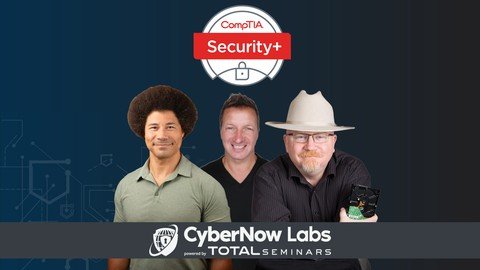
Total: Comptia Security+ Certification Course + Exam Sy0-701
Last updated 7/2024
MP4 | Video: h264, 1920x1080 | Audio: AAC, 44.1 KHz
Language: English | Size: 20.55 GB | Duration: 20h 18m

Everything you need to pass the CompTIA Security+ (SY0-701) exam from Mike Meyers, Dan Lachance, and Lyndon Williams!


What you'll learn
This is a complete and comprehensive CompTIA Security+ Certification (SY0-701) course. It is designed to prepare you to take and pass the CompTIA exam.
You will have the knowledge and confidence to pass the CompTIA exam AND the skills to be a great IT security tech.
Your new skills and the CompTIA Security+ cert will help you land a great security tech job or advance your cybersecurity career.
This course is ideal as both a study tool and an on-the-job reference for IT security tasks.


Requirements
Basic familiarity with computers and networks.
There are no specific prerequisites, since the course covers all the topics in detail.
It is a good idea to have an understanding of CompTIA A+ and Network+, or to be certified in these topics. You can learn more about these certifications from our Mike Meyers Total Seminars CompTIA A+ and Network+ Certification courses on Udemy.


Description
The new CompTIA Security+ exam launched November 8th, 2023. Prep for your studies with our new video course covering all the updated objectives that were changed for the SY0-701 exam.Welcome to the TOTAL: CompTIA Security+ Certification (SY0-701), a course from the production studios of Total Seminars with subject matter experts Mike Meyers, Dan Lachance, and Lyndon Williams.This course covers everything you need to know to pass your CompTIA Security+ (SY0-701) certification exam, include a practice exam. This course will ensure you have the knowledge and skills to be a great entry-level cybersecurity tech AND help make sure you are ready to pass the CompTIA Security+ exam. Mike Meyers is well known as the "Alpha Geek." Mike is widely known as the #1 CompTIA author and instructor with over 1 million books in print. Dan Lachance is a highly motivated and passionate IT evangelist. He is a consultant, trainer, and author with over 20 years of experience in the IT security industry. Lyndon Williams creates innovative cybersecurity solutions with Cisco, Palo Alto, and Juniper platforms to provide business acceleration and produce intelligent, resilient automated response and remediation systems. He is also an instructor for CyberNow Labs, teaching students the necessary skills to start their journey toward becoming Cybersecurity Analysts.This course shows you how to:Apply the three A s of security: authentication, authorization, and accountingScan your wired or wireless network and assess it for various weaknessesUse cryptography to assure integrity of data through hashing and confidentiality of data through symmetric/asymmetric cryptosystems and public key infrastructure (PKI)Understand critical concepts in risk management, like setting up alerts, responding to incidents, and mitigating vulnerabilitiesIdentify how hackers are trying to get into your network, IT infrastructure, and physical assets and how security techs help prevent those breachesPrevent attacks ranging from simple malware to sophisticated exploits to social engineering that take advantage of people s trust, relationships, and lack of knowledgeSecure an enterprise environment, including creating incident response reports and disaster recovery plans as well as establishing business continuityWHY SHOULD I TAKE THIS COURSE?Total Seminars has an excellent reputation in the IT training industry, offering a wide variety of training tools. This course s subject matter experts, Mike Meyers, Dan Lachance, and Lyndon Williams, have a combined 60+ years of experience. Mike has created training materials for thousands of schools, corporations, and government agencies, and has taught numerous seminars for the FBI, DEA, and many other corporate partners; he also wrote several bestselling CompTIA certification guides. Dan is the owner of Lachance IT Consulting, Inc., and has taught many online IT training courses in addition to his work as a network and server consultant and IT security auditor. Lyndon Williams is a dedicated instructor and CISO of a top-level company. He uses his on-the-job knowledge to teach students how to use their new cybersecurity proficiency in real-world scenarios.This course will also prepare you for the CompTIA Security+ exam, which is an industry-standard certification, compliant with ISO 17024 standards, accredited by ANSI, and approved by the U.S. Department of Defense. If you re looking to advance your career, this certification is a great place to start. 96% of HR managers use IT certifications as screening or hiring criteria during recruitment.WHAT S COVERED?The course covers all the CompTIA Security+ (SY0-701) objective domains:General Security Concepts - 12%Threats, Vulnerabilities, and Mitigations - 22%Security Architecture - 18%Security Operations - 28%Security Program Management and Oversight - 20%EXAM INFOExam code: SY0-701Max. 90 questions (performance-based and multiple choice)Length of exam: 90 minutesPassing score: 750 (on a scale of 100-900)Exam voucher cost: $392 USD (be sure to go to Total Seminars' website for discount vouchers!)Recommended experience: CompTIA Network+ and two years of experience working in a security/ systems administrator job roleTesting provider: Pearson VUE (in-person and online at-home options available)HOW DO I TAKE THE COMPTIA SECURITY+ EXAM?Buy an exam voucher (get your discount voucher at Total Seminars' website), schedule your exam on the Pearson VUE website, and then take the exam at a qualifying Pearson VUE testing center or virtually using their OnVue option.Schedule through a testing center: pearsonvue. comSchedule an at-home (or at-work) exam: onvue. comWHAT KIND OF JOB CAN I GET WITH A COMPTIA SECURITY+ CERTIFICATION?Security or systems administratorSecurity engineer/analystSecurity IT auditorIT project managerBeginner cybersecurity specialistJunior IT auditorJunior penetration tester

Overview
Section 1: Chapter 0 - About Security+

Lecture 1 Introduction to the CompTIA Security+ (SY0-701) Exam Prep Course

Lecture 2 About the CompTIA Security+ (SY0-701) Exam

Lecture 3 How to Take Your CompTIA Security+ (SY0-701) Exam

Section 2: Chapter 1 - Risk Management

Lecture 4 Defining Business Risk

Lecture 5 Threat Actors, Part 1

Lecture 6 Threat Actors, Part 2

Lecture 7 Threat Intelligence

Lecture 8 Risk Management Concepts

Lecture 9 Security Controls

Lecture 10 Risk Assessments and Treatments

Lecture 11 Quantitative Risk Assessments

Lecture 12 Qualitative Risk Assessments

Lecture 13 Security and the Information Life Cycle

Lecture 14 Data Destruction

Lecture 15 Chapter 1 Exam Question Review

Lecture 16 Wiping Disks with the dd Command Lab

Lecture 17 Chapter 1 Ask Me Anything (AMA)

Section 3: Chapter 2 - Foundations of Cryptography

Lecture 18 Cryptography Basics

Lecture 19 Hashing

Lecture 20 Cryptographic Attacks

Lecture 21 Password Cracking

Lecture 22 Password Cracking Demo

Lecture 23 Chapter 2 Exam Question Review

Lecture 24 SSH Public Key Authentication Lab

Lecture 25 Chapter 2 Ask Me Anything (AMA)

Section 4: Chapter 3 - Physical Security

Lecture 26 Physical Security Overview

Lecture 27 Physical Security

Lecture 28 Keylogger Demo

Lecture 29 Environmental Controls

Lecture 30 Chapter 3 Exam Question Review

Lecture 31 Physical Security Lab

Lecture 32 Chapter 3 Ask Me Anything (AMA)

Section 5: Chapter 4 - Identity and Account Management

Lecture 33 Identification, Authentication, and Authorization

Lecture 34 Enabling Multifactor Authentication

Lecture 35 Authorization

Lecture 36 Accounting

Lecture 37 Authentication Methods

Lecture 38 Access Control Schemes

Lecture 39 Account Management

Lecture 40 Network Authentication

Lecture 41 Identity Management Systems

Lecture 42 Chapter 4 Exam Question Review

Lecture 43 Creating Linux Users and Groups Lab

Lecture 44 Chapter 4 Ask Me Anything (AMA)

Section 6: Chapter 5 - Tools of the Trade

Lecture 45 Touring the CLI

Lecture 46 Shells

Lecture 47 The Windows Command Line

Lecture 48 Microsoft PowerShell

Lecture 49 Linux Shells

Lecture 50 Network Scanners

Lecture 51 Network Scanning with Nmap

Lecture 52 Network Protocol Analyzers

Lecture 53 Using Wireshark to Analyze Network Traffic

Lecture 54 Using tcpdump to Analyze Network Traffic

Lecture 55 Log Files

Lecture 56 Centralized Logging

Lecture 57 Cybersecurity Benchmark Tools

Lecture 58 Configuring Linux Log Forwarding

Lecture 59 Chapter 5 Exam Question Review

Lecture 60 Linux Shell Script Lab

Lecture 61 Nmap Lab

Lecture 62 Chapter 5 Ask Me Anything (AMA)

Section 7: Chapter 6 - Securing Individual Systems

Lecture 63 Malware

Lecture 64 Weak Configurations

Lecture 65 Common Attacks

Lecture 66 Overflow Attacks

Lecture 67 Password Attacks

Lecture 68 Bots and Botnets

Lecture 69 Disk RAID Levels

Lecture 70 Securing Hardware

Lecture 71 Securing Endpoints

Lecture 72 Securing Data with Encryption

Lecture 73 Chapter 6 Exam Question Review

Lecture 74 Linux Software RAID Lab

Lecture 75 Secure Enclave Lab in macOS

Lecture 76 Chapter 6 Ask Me Anything (AMA)

Section 8: Chapter 7 - Securing The Basic LAN

Lecture 77 Data Protection

Lecture 78 Cryptographic Methods

Lecture 79 Symmetric Cryptosystems

Lecture 80 Symmetric Block Modes

Lecture 81 Asymmetric Cryptosystems

Lecture 82 Understanding Digital Certificates

Lecture 83 Trust Models

Lecture 84 Public Key Infrastructure

Lecture 85 Certificate Types

Lecture 86 Touring Certificates

Lecture 87 Network Architecture Planning

Lecture 88 The OSI Model

Lecture 89 ARP Cache Poisoning

Lecture 90 Other Layer 2 Attacks

Lecture 91 Network Planning

Lecture 92 Zero Trust Network Access (ZTNA) 2.0

Lecture 93 Load Balancing

Lecture 94 Securing Network Access

Lecture 95 Honeypots

Lecture 96 Static and Dynamic Code Analysis

Lecture 97 Firewalls

Lecture 98 Proxy Servers

Lecture 99 Web Filtering

Lecture 100 Network and Port Address Translation

Lecture 101 IP Security (IPsec)

Lecture 102 SD-WAN and SASE

Lecture 103 Virtual Private Networks (VPNs)

Lecture 104 Intrusion Detection and Prevention Systems (IDS/IPS)

Lecture 105 Chapter 7 Exam Question Review

Lecture 106 Linux Snort IDS Lab

Lecture 107 Chapter 7 Ask Me Anything (AMA)

Section 9: Chapter 8 - Securing Wireless LANs

Lecture 108 Wi-Fi Encryption Standards

Lecture 109 RFID, NFC, and Bluetooth

Lecture 110 Wi-Fi Coverage and Performance

Lecture 111 Wi-Fi Discovery and Attacks

Lecture 112 Cracking WPA2

Lecture 113 Wi-Fi Hardening

Lecture 114 Chapter 8 Exam Question Review

Lecture 115 WPA2 Cracking Lab

Lecture 116 Chapter 8 Ask Me Anything (AMA)

Section 10: Chapter 9 - Securing Virtual and Cloud Environments

Lecture 117 Defending a Public Server

Lecture 118 Common Attacks and Mitigations

Lecture 119 DDoS Attacks in the Real World

Lecture 120 Containers and Software-Defined Networking

Lecture 121 Hypervisors and Virtual Machines

Lecture 122 Cloud Deployment Models

Lecture 123 Cloud Service Models

Lecture 124 Securing the Cloud

Lecture 125 Chapter 9 Exam Question Review

Lecture 126 Docker Container Lab

Lecture 127 Chapter 9 Ask Me Anything (AMA)

Section 11: Chapter 10 -Securing Dedicated and Mobile Systems

Lecture 128 Industrial Control System (ICS)

Lecture 129 Internet of Things (IoT) Devices

Lecture 130 Connecting to Dedicated and Mobile Systems

Lecture 131 Security Constraints for Dedicated Systems

Lecture 132 Mobile Device Deployment and Hardening

Lecture 133 Chapter 10 Exam Question Review

Lecture 134 Smartphone Hardening Lab

Lecture 135 Embedded Systems

Lecture 136 Chapter 10 Ask Me Anything (AMA)

Section 12: Chapter 11 - Secure Protocols and Applications

Lecture 137 DNS Security

Lecture 138 FTP Packet Capture

Lecture 139 Secure Web and E-mail

Lecture 140 Request Forgery Attacks

Lecture 141 Cross-Site Scripting Attacks

Lecture 142 Web Application Security

Lecture 143 OWASP Top 10

Lecture 144 Web App Vulnerability Scanning

Lecture 145 Chapter 11 Exam Question Review

Lecture 146 OWASP ZAP Web App Scan Lab

Lecture 147 Chapter 11 Ask Me Anything (AMA)

Section 13: Chapter 12 - Testing Infrastructure

Lecture 148 Testing Infrastructure Overview

Lecture 149 Social Engineering Attacks

Lecture 150 Vulnerability Assessments

Lecture 151 Penetration Testing

Lecture 152 The Metasploit Framework

Lecture 153 Chapter 12 Exam Question Review

Lecture 154 Chapter 12 Ask Me Anything (AMA)

Section 14: Chapter 13 - Business Security Impact

Lecture 155 Introduction to Business Security

Lecture 156 Business Impact Analysis

Lecture 157 Data Types and Roles

Lecture 158 Personnel Risk and Policies

Lecture 159 Attestation

Lecture 160 Internal Audits and Assessments

Lecture 161 External Audits and Assessments

Lecture 162 Third-Party Risk Management

Lecture 163 Agreement Types

Lecture 164 Change Management

Lecture 165 Technical Change Management

Lecture 166 What Is Automation and Orchestration?

Lecture 167 Benefits of Automation and Orchestration

Lecture 168 Use Cases of Automation and Orchestration

Lecture 169 Other Considerations of Automation and Orchestration

Lecture 170 Putting It All Together

Lecture 171 Exploring the NIST Frameworks

Section 15: Chapter 14 - Dealing with Incidents

Lecture 172 Incident Response Overview

Lecture 173 Incident Response Plans (IRPs)

Lecture 174 IRP Testing

Lecture 175 Threat Analysis and Mitigating Actions

Lecture 176 Digital Forensics

Lecture 177 Business Continuity and Alternate Sites

Lecture 178 Data Backup

Lecture 179 Chapter 14 Exam Question Review

Lecture 180 Autopsy Forensic Browser Lab

Lecture 181 Chapter 14 Ask Me Anything (AMA)

Section 16: Practice Exam

Section 17: Bonus Lecture

Lecture 182 Bonus Video

This course is intended for anyone who is preparing for an introductory-level cybersecurity position or looking to improve their security skills and become CompTIA Security+ certified.


Homepage


498208901_45-touring-the-cli_s.jpg


ddac783b263cc0f0dde74077bb03a682.jpg


Artificial Intelligence Master Class
Published 7/2024
Created by Pantech eLearning
MP4 | Video: h264, 1280x720 | Audio: AAC, 44.1 KHz, 2 Ch
Genre: eLearning | Language: English | Duration: 30 Lectures ( 18h 26m ) | Size: 21.1 GB

AI Mastery with Practical Projects


What you'll learn:
Pantechelearning is the Best Training Institute for Python, Java, AI, ML and Android in Hyderabad and Chennai, India which provides online and classroom Course.
Learn, practice and implement to get at Low Price with High Value Certification. Learn in demand latest Industrial Skills.
Exploring Python, ML libraries from NLP to Deep Learning with our Artificial Intelligence Masterclass Program
Learn with 45 Hours of Training, with 10+ Capstone Project with Assignments and Top 100 Interview Questions to Crack the High Paid Demand Job

Requirements:
No Prior Knowledge Required to take this Master Class, We Covered from Scratch to Advanced Concepts in single Course

Description:
AI Mastery - From Basics to Advanced AlgorithmsArtificial Intelligence (AI), and Data Science offer abundant career opportunities in India and globally, particularly in fields such as image processing, pattern analysis, marketing, and data analysis. Our AI Masterclass offers an immersive journey into the dynamic world of Data Science and Artificial Intelligence (AI). Designed for aspiring professionals and enthusiasts alike, this comprehensive program equips participants with the essential skills and knowledge needed to excel in the rapidly evolving field of AI.Our AI Masterclass is designed to equip participants with comprehensive technical training in Machine Learning concepts and algorithms. Detailed explanations of Python code and algorithms used in data science and AI applications. Key Technologies and Tools Covered:Anaconda Navigator & NumPy: Essential tools for data manipulation and scientific computing.Python Programming Language: A versatile and user-friendly language widely used in AI, ML, IoT, and blockchain.Python Packages/Libraries: Includes NumPy, Pandas, Matplotlib, OpenCV, Scikit-learn, Keras, and TensorFlow.SVM and NN Algorithms: Learn to implement Support Vector Machines (SVM) and Neural Networks (NN) for AI applications.Our program combines theoretical knowledge with extensive hands-on sessions, interactive discussions with industry experts, assignments, and practical exercises.Whether you're starting your career journey or seeking to advance your skills, this masterclass offers a structured pathway to becoming proficient in AI technologies and applications. Prepare yourself for the future of technology with hands-on experience and practical knowledge that will set you apart in the competitive World.Join AI Mastery, Learn, Apply and Innovate!


Who this course is for:
Interest to Learn Artificial Intelligence


Homepage


497226698_51-object-track-based-on-color_s.jpg


8f9c359f9514436163006cc12cd1f6f3.jpg


Complete A.I. & Machine Learning, Data Science Bootcamp
Last updated 5/2024
MP4 | Video: h264, 1920x1080 | Audio: AAC, 44.1 KHz
Language: English | Size: 30.37 GB | Duration: 43h 55m

Learn Data Science, Data Analysis, Machine Learning (Artificial Intelligence) and Python with Tensorflow, Pandas & more!


What you'll learn
Become a Data Scientist and get hired
Master Machine Learning and use it on the job
Deep Learning, Transfer Learning and Neural Networks using the latest Tensorflow 2.0
Use modern tools that big tech companies like Google, Apple, Amazon and Meta use
Present Data Science projects to management and stakeholders
Learn which Machine Learning model to choose for each type of problem
Real life case studies and projects to understand how things are done in the real world
Learn best practices when it comes to Data Science Workflow
Implement Machine Learning algorithms
Learn how to program in Python using the latest Python 3
How to improve your Machine Learning Models
Learn to pre process data, clean data, and analyze large data.
Build a portfolio of work to have on your resume
Developer Environment setup for Data Science and Machine Learning
Supervised and Unsupervised Learning
Machine Learning on Time Series data
Explore large datasets using data visualization tools like Matplotlib and Seaborn
Explore large datasets and wrangle data using Pandas
Learn NumPy and how it is used in Machine Learning
A portfolio of Data Science and Machine Learning projects to apply for jobs in the industry with all code and notebooks provided
Learn to use the popular library Scikit-learn in your projects
Learn about Data Engineering and how tools like Hadoop, Spark and Kafka are used in the industry
Learn to perform Classification and Regression modelling
Learn how to apply Transfer Learning

Requirements
No prior experience is needed (not even Math and Statistics). We start from the very basics.
A computer (Linux/Windows/Mac) with internet connection.
Two paths for those that know programming and those that don't.
All tools used in this course are free for you to use.

Description
Become a complete A.I., Data Scientist and Machine Learning engineer! Join a live online community of 900,000+ engineers and a course taught by industry experts that have actually worked for large companies in places like Silicon Valley and Toronto. Graduates of Andrei s courses are now working at Google, Tesla, Amazon, Apple, IBM, JP Morgan, Meta, + other top tech companies. You will go from zero to mastery!Learn Data Science and Machine Learning from scratch, get hired, and have fun along the way with the most modern, up-to-date Data Science course on Udemy (we use the latest version of Python, Tensorflow 2.0 and other libraries). This course is focused on efficiency: never spend time on confusing, out of date, incomplete Machine Learning tutorials anymore. We are pretty confident that this is the most comprehensive and modern course you will find on the subject anywhere (bold statement, we know).This comprehensive and project based course will introduce you to all of the modern skills of a Data Scientist and along the way, we will build many real world projects to add to your portfolio. You will get access to all the code, workbooks and templates (Jupyter Notebooks) on Github, so that you can put them on your portfolio right away! We believe this course solves the biggest challenge to entering the Data Science and Machine Learning field: having all the necessary resources in one place and learning the latest trends and on the job skills that employers want. The curriculum is going to be very hands on as we walk you from start to finish of becoming a professional Machine Learning and Data Science engineer. The course covers 2 tracks. If you already know programming, you can dive right in and skip the section where we teach you Python from scratch. If you are completely new, we take you from the very beginning and actually teach you Python and how to use it in the real world for our projects. Don't worry, once we go through the basics like Machine Learning 101 and Python, we then get going into advanced topics like Neural Networks, Deep Learning and Transfer Learning so you can get real life practice and be ready for the real world (We show you fully fledged Data Science and Machine Learning projects and give you programming Resources and Cheatsheets)!The topics covered in this course are:- Data Exploration and Visualizations- Neural Networks and Deep Learning- Model Evaluation and Analysis- Python 3- Tensorflow 2.0- Numpy- Scikit-Learn- Data Science and Machine Learning Projects and Workflows- Data Visualization in Python with MatPlotLib and Seaborn- Transfer Learning- Image recognition and classification- Train/Test and cross validation- Supervised Learning: Classification, Regression and Time Series- Decision Trees and Random Forests- Ensemble Learning- Hyperparameter Tuning- Using Pandas Data Frames to solve complex tasks- Use Pandas to handle CSV Files- Deep Learning / Neural Networks with TensorFlow 2.0 and Keras- Using Kaggle and entering Machine Learning competitions- How to present your findings and impress your boss- How to clean and prepare your data for analysis- K Nearest Neighbours- Support Vector Machines- Regression analysis (Linear Regression/Polynomial Regression)- How Hadoop, Apache Spark, Kafka, and Apache Flink are used- Setting up your environment with Conda, MiniConda, and Jupyter Notebooks- Using GPUs with Google ColabBy the end of this course, you will be a complete Data Scientist that can get hired at large companies. We are going to use everything we learn in the course to build professional real world projects like Heart Disease Detection, Bulldozer Price Predictor, Dog Breed Image Classifier, and many more. By the end, you will have a stack of projects you have built that you can show off to others.Here s the truth: Most courses teach you Data Science and do just that. They show you how to get started. But the thing is, you don t know where to go from there or how to build your own projects. Or they show you a lot of code and complex math on the screen, but they don't really explain things well enough for you to go off on your own and solve real life machine learning problems. Whether you are new to programming, or want to level up your Data Science skills, or are coming from a different industry, this course is for you. This course is not about making you just code along without understanding the principles so that when you are done with the course you don t know what to do other than watch another tutorial. No! This course will push you and challenge you to go from an absolute beginner with no Data Science experience, to someone that can go off, forget about Daniel and Andrei, and build their own Data Science and Machine learning workflows. Machine Learning has applications in Business Marketing and Finance, Healthcare, Cybersecurity, Retail, Transportation and Logistics, Agriculture, Internet of Things, Gaming and Entertainment, Patient Diagnosis, Fraud Detection, Anomaly Detection in Manufacturing, Government, Academia/Research, Recommendation Systems and so much more. The skills learned in this course are going to give you a lot of options for your career. You hear statements like Artificial Neural Network, or Artificial Intelligence (AI), and by the end of this course, you will finally understand what these mean!Click Enroll Now and join others in our community to get a leg up in the industry, and learn Data Scientist and Machine Learning. We guarantee this is better than any bootcamp or online course out there on the topic. See you inside the course!Taught By:Daniel Bourke:A self-taught Machine Learning Engineer who lives on the internet with an uncurable desire to take long walks and fill up blank pages.My experience in machine learning comes from working at one of Australia's fastest-growing artificial intelligence agencies, Max Kelsen.I've worked on machine learning and data problems across a wide range of industries including healthcare, eCommerce, finance, retail and more.Two of my favourite projects include building a machine learning model to extract information from doctors notes for one of Australia's leading medical research facilities, as well as building a natural language model to assess insurance claims for one of Australia's largest insurance groups.Due to the performance of the natural language model (a model which reads insurance claims and decides which party is at fault), the insurance company were able to reduce their daily assessment load by up to 2,500 claims.My long-term goal is to combine my knowledge of machine learning and my background in nutrition to work towards answering the question "what should I eat?".Aside from building machine learning models on my own, I love writing about and making videos on the process. My articles and videos on machine learning on Medium, personal blog and YouTube have collectively received over 5-million views.I love nothing more than a complicated topic explained in an entertaining and educative matter. I know what it's like to try and learn a new topic, online and on your own. So I pour my soul into making sure my creations are accessible as possible.My modus operandi (a fancy term for my way of doing things) is learning to create and creating to learn. If you know the Japanese word for this concept, please let me know.Questions are always welcome.Andrei Neagoie:Andrei is the instructor of the highest rated Development courses on Udemy as well as one of the fastest growing. His graduates have moved on to work for some of the biggest tech companies around the world like Apple, Google, Amazon, JP Morgan, IBM, UNIQLO etc... He has been working as a senior software developer in Silicon Valley and Toronto for many years, and is now taking all that he has learned, to teach programming skills and to help you discover the amazing career opportunities that being a developer allows in life. Having been a self taught programmer, he understands that there is an overwhelming number of online courses, tutorials and books that are overly verbose and inadequate at teaching proper skills. Most people feel paralyzed and don't know where to start when learning a complex subject matter, or even worse, most people don't have $20,000 to spend on a coding bootcamp. Programming skills should be affordable and open to all. An education material should teach real life skills that are current and they should not waste a student's valuable time. Having learned important lessons from working for Fortune 500 companies, tech startups, to even founding his own business, he is now dedicating 100% of his time to teaching others valuable software development skills in order to take control of their life and work in an exciting industry with infinite possibilities. Andrei promises you that there are no other courses out there as comprehensive and as well explained. He believes that in order to learn anything of value, you need to start with the foundation and develop the roots of the tree. Only from there will you be able to learn concepts and specific skills(leaves) that connect to the foundation. Learning becomes exponential when structured in this way. Taking his experience in educational psychology and coding, Andrei's courses will take you on an understanding of complex subjects that you never thought would be possible. See you inside the course!

Overview
Section 1: Introduction

Lecture 1 Course Outline

Lecture 2 Join Our Online Classroom!

Lecture 3 Exercise: Meet Your Classmates & Instructor

Lecture 4 Asking Questions + Getting Help

Lecture 5 Your First Day

Section 2: Machine Learning 101

Lecture 6 What Is Machine Learning?

Lecture 7 AI/Machine Learning/Data Science

Lecture 8 ZTM Resources

Lecture 9 Exercise: Machine Learning Playground

Lecture 10 How Did We Get Here?

Lecture 11 Exercise: YouTube Recommendation Engine

Lecture 12 Types of Machine Learning

Lecture 13 Are You Getting It Yet?

Lecture 14 What Is Machine Learning? Round 2

Lecture 15 Section Review

Lecture 16 Monthly Coding Challenges, Free Resources and Guides

Section 3: Machine Learning and Data Science Framework

Lecture 17 Section Overview

Lecture 18 Introducing Our Framework

Lecture 19 6 Step Machine Learning Framework

Lecture 20 Types of Machine Learning Problems

Lecture 21 Types of Data

Lecture 22 Types of Evaluation

Lecture 23 Features In Data

Lecture 24 Modelling - Splitting Data

Lecture 25 Modelling - Picking the Model

Lecture 26 Modelling - Tuning

Lecture 27 Modelling - Comparison

Lecture 28 Overfitting and Underfitting Definitions

Lecture 29 Experimentation

Lecture 30 Tools We Will Use

Lecture 31 Optional: Elements of AI

Section 4: The 2 Paths

Lecture 32 The 2 Paths

Lecture 33 Python + Machine Learning Monthly

Lecture 34 Endorsements On LinkedIN

Section 5: Data Science Environment Setup

Lecture 35 Section Overview

Lecture 36 Introducing Our Tools

Lecture 37 What is Conda?

Lecture 38 Conda Environments

Lecture 39 Mac Environment Setup

Lecture 40 Mac Environment Setup 2

Lecture 41 Windows Environment Setup

Lecture 42 Windows Environment Setup 2

Lecture 43 Linux Environment Setup

Lecture 44 Sharing your Conda Environment

Lecture 45 Jupyter Notebook Walkthrough

Lecture 46 Jupyter Notebook Walkthrough 2

Lecture 47 Jupyter Notebook Walkthrough 3

Section 6: Pandas: Data Analysis

Lecture 48 Section Overview

Lecture 49 Downloading Workbooks and Assignments

Lecture 50 Pandas Introduction

Lecture 51 Series, Data Frames and CSVs

Lecture 52 Data from URLs

Lecture 53 Quick Note: Upcoming Videos

Lecture 54 Describing Data with Pandas

Lecture 55 Selecting and Viewing Data with Pandas

Lecture 56 Quick Note: Upcoming Videos

Lecture 57 Selecting and Viewing Data with Pandas Part 2

Lecture 58 Manipulating Data

Lecture 59 Manipulating Data 2

Lecture 60 Manipulating Data 3

Lecture 61 Assignment: Pandas Practice

Lecture 62 How To Download The Course Assignments

Section 7: NumPy

Lecture 63 Section Overview

Lecture 64 NumPy Introduction

Lecture 65 Quick Note: Correction In Next Video

Lecture 66 NumPy DataTypes and Attributes

Lecture 67 Creating NumPy Arrays

Lecture 68 NumPy Random Seed

Lecture 69 Viewing Arrays and Matrices

Lecture 70 Manipulating Arrays

Lecture 71 Manipulating Arrays 2

Lecture 72 Standard Deviation and Variance

Lecture 73 Reshape and Transpose

Lecture 74 Dot Product vs Element Wise

Lecture 75 Exercise: Nut Butter Store Sales

Lecture 76 Comparison Operators

Lecture 77 Sorting Arrays

Lecture 78 Turn Images Into NumPy Arrays

Lecture 79 Exercise: Imposter Syndrome

Lecture 80 Assignment: NumPy Practice

Lecture 81 Optional: Extra NumPy resources

Section 8: Matplotlib: Plotting and Data Visualization

Lecture 82 Section Overview

Lecture 83 Matplotlib Introduction

Lecture 84 Importing And Using Matplotlib

Lecture 85 Anatomy Of A Matplotlib Figure

Lecture 86 Scatter Plot And Bar Plot

Lecture 87 Histograms And Subplots

Lecture 88 Subplots Option 2

Lecture 89 Quick Tip: Data Visualizations

Lecture 90 Plotting From Pandas DataFrames

Lecture 91 Quick Note: Regular Expressions

Lecture 92 Plotting From Pandas DataFrames 2

Lecture 93 Plotting from Pandas DataFrames 3

Lecture 94 Plotting from Pandas DataFrames 4

Lecture 95 Plotting from Pandas DataFrames 5

Lecture 96 Plotting from Pandas DataFrames 6

Lecture 97 Plotting from Pandas DataFrames 7

Lecture 98 Customizing Your Plots

Lecture 99 Customizing Your Plots 2

Lecture 100 Saving And Sharing Your Plots

Lecture 101 Assignment: Matplotlib Practice

Section 9: Scikit-learn: Creating Machine Learning Models

Lecture 102 Section Overview

Lecture 103 Scikit-learn Introduction

Lecture 104 Quick Note: Upcoming Video

Lecture 105 Refresher: What Is Machine Learning?

Lecture 106 Quick Note: Upcoming Videos

Lecture 107 Scikit-learn Cheatsheet

Lecture 108 Typical scikit-learn Workflow

Lecture 109 Optional: Debugging Warnings In Jupyter

Lecture 110 Getting Your Data Ready: Splitting Your Data

Lecture 111 Quick Tip: Clean, Transform, Reduce

Lecture 112 Getting Your Data Ready: Convert Data To Numbers

Lecture 113 Note: Update to next video (OneHotEncoder can handle NaN/None values)

Lecture 114 Getting Your Data Ready: Handling Missing Values With Pandas

Lecture 115 Extension: Feature Scaling

Lecture 116 Note: Correction in the upcoming video (splitting data)

Lecture 117 Getting Your Data Ready: Handling Missing Values With Scikit-learn

Lecture 118 NEW: Choosing The Right Model For Your Data

Lecture 119 NEW: Choosing The Right Model For Your Data 2 (Regression)

Lecture 120 Quick Note: Decision Trees

Lecture 121 Quick Tip: How ML Algorithms Work

Lecture 122 Choosing The Right Model For Your Data 3 (Classification)

Lecture 123 Fitting A Model To The Data

Lecture 124 Making Predictions With Our Model

Lecture 125 predict() vs predict_proba()

Lecture 126 NEW: Making Predictions With Our Model (Regression)

Lecture 127 NEW: Evaluating A Machine Learning Model (Score) Part 1

Lecture 128 NEW: Evaluating A Machine Learning Model (Score) Part 2

Lecture 129 Evaluating A Machine Learning Model 2 (Cross Validation)

Lecture 130 Evaluating A Classification Model 1 (Accuracy)

Lecture 131 Evaluating A Classification Model 2 (ROC Curve)

Lecture 132 Evaluating A Classification Model 3 (ROC Curve)

Lecture 133 Reading Extension: ROC Curve + AUC

Lecture 134 Evaluating A Classification Model 4 (Confusion Matrix)

Lecture 135 NEW: Evaluating A Classification Model 5 (Confusion Matrix)

Lecture 136 Evaluating A Classification Model 6 (Classification Report)

Lecture 137 NEW: Evaluating A Regression Model 1 (R2 Score)

Lecture 138 NEW: Evaluating A Regression Model 2 (MAE)

Lecture 139 NEW: Evaluating A Regression Model 3 (MSE)

Lecture 140 Machine Learning Model Evaluation

Lecture 141 NEW: Evaluating A Model With Cross Validation and Scoring Parameter

Lecture 142 NEW: Evaluating A Model With Scikit-learn Functions

Lecture 143 Improving A Machine Learning Model

Lecture 144 Tuning Hyperparameters

Lecture 145 Tuning Hyperparameters 2

Lecture 146 Tuning Hyperparameters 3

Lecture 147 Note: Metric Comparison Improvement

Lecture 148 Quick Tip: Correlation Analysis

Lecture 149 Saving And Loading A Model

Lecture 150 Saving And Loading A Model 2

Lecture 151 Putting It All Together

Lecture 152 Putting It All Together 2

Lecture 153 Scikit-Learn Practice

Section 10: Supervised Learning: Classification + Regression

Lecture 154 Milestone Projects!

Section 11: Milestone Project 1: Supervised Learning (Classification)

Lecture 155 Section Overview

Lecture 156 Project Overview

Lecture 157 Project Environment Setup

Lecture 158 Optional: Windows Project Environment Setup

Lecture 159 Step 1~4 Framework Setup

Lecture 160 Note: Code update for next video

Lecture 161 Getting Our Tools Ready

Lecture 162 Exploring Our Data

Lecture 163 Finding Patterns

Lecture 164 Finding Patterns 2

Lecture 165 Finding Patterns 3

Lecture 166 Preparing Our Data For Machine Learning

Lecture 167 Choosing The Right Models

Lecture 168 Experimenting With Machine Learning Models

Lecture 169 Tuning/Improving Our Model

Lecture 170 Tuning Hyperparameters

Lecture 171 Tuning Hyperparameters 2

Lecture 172 Tuning Hyperparameters 3

Lecture 173 Quick Note: Confusion Matrix Labels

Lecture 174 Evaluating Our Model

Lecture 175 Note: Code change in upcoming video

Lecture 176 Evaluating Our Model 2

Lecture 177 Evaluating Our Model 3

Lecture 178 Finding The Most Important Features

Lecture 179 Reviewing The Project

Section 12: Milestone Project 2: Supervised Learning (Time Series Data)

Lecture 180 Section Overview

Lecture 181 Project Overview

Lecture 182 Downloading the data for the next two projects

Lecture 183 Project Environment Setup

Lecture 184 Step 1~4 Framework Setup

Lecture 185 Exploring Our Data

Lecture 186 Exploring Our Data 2

Lecture 187 Feature Engineering

Lecture 188 Turning Data Into Numbers

Lecture 189 Filling Missing Numerical Values

Lecture 190 Filling Missing Categorical Values

Lecture 191 Fitting A Machine Learning Model

Lecture 192 Splitting Data

Lecture 193 Challenge: What's wrong with splitting data after filling it?

Lecture 194 Custom Evaluation Function

Lecture 195 Reducing Data

Lecture 196 RandomizedSearchCV

Lecture 197 Improving Hyperparameters

Lecture 198 Preproccessing Our Data

Lecture 199 Making Predictions

Lecture 200 Feature Importance

Section 13: Data Engineering

Lecture 201 Data Engineering Introduction

Lecture 202 What Is Data?

Lecture 203 What Is A Data Engineer?

Lecture 204 What Is A Data Engineer 2?

Lecture 205 What Is A Data Engineer 3?

Lecture 206 What Is A Data Engineer 4?

Lecture 207 Types Of Databases

Lecture 208 Quick Note: Upcoming Video

Lecture 209 Optional: OLTP Databases

Lecture 210 Optional: Learn SQL

Lecture 211 Hadoop, HDFS and MapReduce

Lecture 212 Apache Spark and Apache Flink

Lecture 213 Kafka and Stream Processing

Section 14: Neural Networks: Deep Learning, Transfer Learning and TensorFlow 2

Lecture 214 Section Overview

Lecture 215 Deep Learning and Unstructured Data

Lecture 216 Setting Up With Google

Lecture 217 Setting Up Google Colab

Lecture 218 Google Colab Workspace

Lecture 219 Uploading Project Data

Lecture 220 Setting Up Our Data

Lecture 221 Setting Up Our Data 2

Lecture 222 Importing TensorFlow 2

Lecture 223 Optional: TensorFlow 2.0 Default Issue

Lecture 224 Using A GPU

Lecture 225 Optional: GPU and Google Colab

Lecture 226 Optional: Reloading Colab Notebook

Lecture 227 Loading Our Data Labels

Lecture 228 Preparing The Images

Lecture 229 Turning Data Labels Into Numbers

Lecture 230 Creating Our Own Validation Set

Lecture 231 Preprocess Images

Lecture 232 Preprocess Images 2

Lecture 233 Turning Data Into Batches

Lecture 234 Turning Data Into Batches 2

Lecture 235 Visualizing Our Data

Lecture 236 Preparing Our Inputs and Outputs

Lecture 237 Optional: How machines learn and what's going on behind the scenes?

Lecture 238 Building A Deep Learning Model

Lecture 239 Building A Deep Learning Model 2

Lecture 240 Building A Deep Learning Model 3

Lecture 241 Building A Deep Learning Model 4

Lecture 242 Summarizing Our Model

Lecture 243 Evaluating Our Model

Lecture 244 Preventing Overfitting

Lecture 245 Training Your Deep Neural Network

Lecture 246 Evaluating Performance With TensorBoard

Lecture 247 Make And Transform Predictions

Lecture 248 Transform Predictions To Text

Lecture 249 Visualizing Model Predictions

Lecture 250 Visualizing And Evaluate Model Predictions 2

Lecture 251 Visualizing And Evaluate Model Predictions 3

Lecture 252 Saving And Loading A Trained Model

Lecture 253 Training Model On Full Dataset

Lecture 254 Making Predictions On Test Images

Lecture 255 Submitting Model to Kaggle

Lecture 256 Making Predictions On Our Images

Lecture 257 Finishing Dog Vision: Where to next?

Section 15: Storytelling + Communication: How To Present Your Work

Lecture 258 Section Overview

Lecture 259 Communicating Your Work

Lecture 260 Communicating With Managers

Lecture 261 Communicating With Co-Workers

Lecture 262 Weekend Project Principle

Lecture 263 Communicating With Outside World

Lecture 264 Storytelling

Lecture 265 Communicating and sharing your work: Further reading

Section 16: Career Advice + Extra Bits

Lecture 266 Endorsements On LinkedIn

Lecture 267 Quick Note: Upcoming Video

Lecture 268 What If I Don't Have Enough Experience?

Lecture 269 Learning Guideline

Lecture 270 Quick Note: Upcoming Videos

Lecture 271 JTS: Learn to Learn

Lecture 272 JTS: Start With Why

Lecture 273 Quick Note: Upcoming Videos

Lecture 274 CWD: Git + Github

Lecture 275 CWD: Git + Github 2

Lecture 276 Contributing To Open Source

Lecture 277 Contributing To Open Source 2

Lecture 278 Exercise: Contribute To Open Source

Lecture 279 Coding Challenges

Section 17: Learn Python

Lecture 280 What Is A Programming Language

Lecture 281 Python Interpreter

Lecture 282 How To Run Python Code

Lecture 283 Latest Version Of Python

Lecture 284 Our First Python Program

Lecture 285 Python 2 vs Python 3

Lecture 286 Exercise: How Does Python Work?

Lecture 287 Learning Python

Lecture 288 Python Data Types

Lecture 289 How To Succeed

Lecture 290 Numbers

Lecture 291 Math Functions

Lecture 292 DEVELOPER FUNDAMENTALS: I

Lecture 293 Operator Precedence

Lecture 294 Exercise: Operator Precedence

Lecture 295 Optional: bin() and complex

Lecture 296 Variables

Lecture 297 Expressions vs Statements

Lecture 298 Augmented Assignment Operator

Lecture 299 Strings

Lecture 300 String Concatenation

Lecture 301 Type Conversion

Lecture 302 Escape Sequences

Lecture 303 Formatted Strings

Lecture 304 String Indexes

Lecture 305 Immutability

Lecture 306 Built-In Functions + Methods

Lecture 307 Booleans

Lecture 308 Exercise: Type Conversion

Lecture 309 DEVELOPER FUNDAMENTALS: II

Lecture 310 Exercise: Password Checker

Lecture 311 Lists

Lecture 312 List Slicing

Lecture 313 Matrix

Lecture 314 List Methods

Lecture 315 List Methods 2

Lecture 316 List Methods 3

Lecture 317 Common List Patterns

Lecture 318 List Unpacking

Lecture 319 None

Lecture 320 Dictionaries

Lecture 321 DEVELOPER FUNDAMENTALS: III

Lecture 322 Dictionary Keys

Lecture 323 Dictionary Methods

Lecture 324 Dictionary Methods 2

Lecture 325 Tuples

Lecture 326 Tuples 2

Lecture 327 Sets

Lecture 328 Sets 2

Section 18: Learn Python Part 2

Lecture 329 Breaking The Flow

Lecture 330 Conditional Logic

Lecture 331 Indentation In Python

Lecture 332 Truthy vs Falsey

Lecture 333 Ternary Operator

Lecture 334 Short Circuiting

Lecture 335 Logical Operators

Lecture 336 Exercise: Logical Operators

Lecture 337 is vs ==

Lecture 338 For Loops

Lecture 339 Iterables

Lecture 340 Exercise: Tricky Counter

Lecture 341 range()

Lecture 342 enumerate()

Lecture 343 While Loops

Lecture 344 While Loops 2

Lecture 345 break, continue, pass

Lecture 346 Our First GUI

Lecture 347 DEVELOPER FUNDAMENTALS: IV

Lecture 348 Exercise: Find Duplicates

Lecture 349 Functions

Lecture 350 Parameters and Arguments

Lecture 351 Default Parameters and Keyword Arguments

Lecture 352 return

Lecture 353 Exercise: Tesla

Lecture 354 Methods vs Functions

Lecture 355 Docstrings

Lecture 356 Clean Code

Lecture 357 *args and **kwargs

Lecture 358 Exercise: Functions

Lecture 359 Scope

Lecture 360 Scope Rules

Lecture 361 global Keyword

Lecture 362 nonlocal Keyword

Lecture 363 Why Do We Need Scope?

Lecture 364 Pure Functions

Lecture 365 map()

Lecture 366 filter()

Lecture 367 zip()

Lecture 368 reduce()

Lecture 369 List Comprehensions

Lecture 370 Set Comprehensions

Lecture 371 Exercise: Comprehensions

Lecture 372 Python Exam: Testing Your Understanding

Lecture 373 Modules in Python

Lecture 374 Quick Note: Upcoming Videos

Lecture 375 Optional: PyCharm

Lecture 376 Packages in Python

Lecture 377 Different Ways To Import

Lecture 378 Next Steps

Lecture 379 Bonus Resource: Python Cheatsheet

Section 19: Extra: Learn Advanced Statistics and Mathematics for FREE!

Lecture 380 Statistics and Mathematics

Section 20: Where To Go From Here?

Lecture 381 Become An Alumni

Lecture 382 Thank You

Lecture 383 Thank You Part 2

Section 21: BONUS SECTION

Lecture 384 Special Bonus Lecture

Anyone with zero experience (or beginner/junior) who wants to learn Machine Learning, Data Science and Python,You are a programmer that wants to extend their skills into Data Science and Machine Learning to make yourself more valuable,Anyone who wants to learn these topics from industry experts that don t only teach, but have actually worked in the field,You re looking for one single course to teach you about Machine learning and Data Science and get you caught up to speed with the industry,You want to learn the fundamentals and be able to truly understand the topics instead of just watching somebody code on your screen for hours without really getting it ,You want to learn to use Deep learning and Neural Networks with your projects,You want to add value to your own business or company you work for, by using powerful Machine Learning tools.


498851239_complete_ai_machine_learning_data_science_bootcamp.jpg


Download from RapidGator


Premium Links


Download from Keep2Share


Download from UploadGig



b9a187dd189adc5aa5c18555e308e4fe.jpg


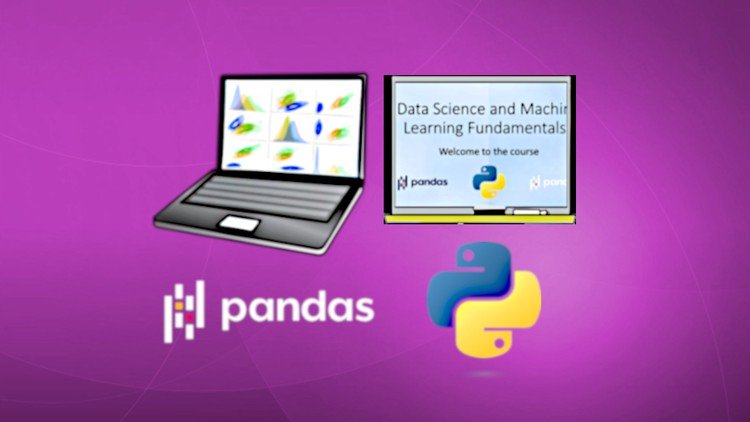
Data Science and Machine Learning Fundamentals [2024]
Last updated 7/2024
MP4 | Video: h264, 1280x720 | Audio: AAC, 44.1 KHz, 2 Ch Language: English | Duration: 47h 51m | Size: 20.1 GB

Learn to master Data Science and Machine Learning Fundamentals with Python and Pandas


What you'll learn
Knowledge about Data Science and Machine Learning theory, algorithms, methods, best practices, and tasks
Deep hands-on knowledge about Data Science and Machine Learning, and know how to do common Data Science and Machine Learning tasks
The ability to handle common Data Science and Machine Learning tasks with confidence
Master Python for Data Handling
Master Pandas for Data Handling
Knowledge and practical hands-on knowledge of Scikit-learn, Stats models, Matplotlib, Seaborn, and many other Python libraries
Detailed and deep, Master knowledge of Regression Prediction, Classification, and Cluster analysis
Advanced knowledge of A.I. prediction models and automatic model creation
Advanced Knowledge of Text Mining, Text Mining Tasks, and Emotion Mining


Requirements
The four ways of counting (+-*/)
Everyday experience with Windows, Linux, or Mac-OS


Description
This course is an exciting hands-on view of the fundamentals of Data Science and Machine LearningData Science and Machine Learning are developing on a massive scale. Everywhere you look in society, the world wide web, or in technology, you will find Data Science and Machine Learning algorithms working behind the scenes to analyze and optimize all aspects of our lives, businesses, and our society. Data Science and Machine Learning with Artificial Intelligence are some of the hottest and fastest-developing areas right now. This course will teach you the fundamentals of Data Science and Machine Learning. This course has exclusive content that will teach you many new things regardless of if you are a beginner or an experienced Data Scientist, and aspires to be one of the best Udemy courses in terms of education and value. You will learn aboutRegression and Prediction with Machine Learning models using supervised learning. This course has the most complete and fundamental master-level regression content packages on Udemy, with hands-on, useful practical theory, and automatic Machine Learning algorithms for model building, feature selection, and artificial intelligence. You will learn about models ranging from linear regression models to advanced multivariate polynomial regression models.Classification with Machine Learning models using supervised learning. You will learn about the classification process, classification theory, and visualizations as well as some useful classifier models, including the very powerful Random Forest Classifier Ensembles and Voting Classifier Ensembles.Cluster Analysis with Machine Learning models using unsupervised learning. In this part of the course, you will learn about unsupervised learning, cluster theory, artificial intelligence, explorative data analysis, and seven useful Machine Learning clustering algorithms ranging from hierarchical cluster models to density-based cluster models.The fundamentals of Data Science and Machine Learning. This course gives a very solid foundation and knowledge base for Data Science and Machine Learning jobs or studies.Advanced A.I. prediction models and automatic model creation. This video course includes videos where the use of very powerful algorithms for automatic model creation is taught.Advanced Text Mining and Automation. You will learn to mine text data and the fundamentals of Text and Emotion Mining such as Tokenization, text data preparation, spell checking, lemmatization, stemming, and classification of text data. Mastering Python for data handling.Mastering Pandas for data handling.This course includesa comprehensive and easy-to-follow teaching package for Mastering Python and Pandas for data handling, which makes anyone able to learn the course contents regardless of beforehand knowledge of programming, tabulation software, Python, Pandas, Data Science, or Machine Learning.an optional possibility to use the Anaconda Cloud Notebook for cloud computing.an easy-to-follow guide for downloading, installing, and setting up the Anaconda Distribution, which makes anyone able to install the Python Data Science and Machine Learning environment for this course.content that will teach you many new things, regardless of if you are a beginner or an experienced Data Scientist.a large collection of unique content, and will teach you many new things that only can be learned from this course on Udemy.A complete masterclass package for Data Science and Machine Learning.A course structure built on a proven and professional framework for learning.A compact course structure and no killing time.Is this course for you?This course is for you, regardless if you are a beginner or an experienced Data Scientist. This course is for you, regardless if you have no education or are experienced with a Ph.D.Course requirementsThe four ways of counting (+-*/)Basic everyday experience with either Windows, Linux, Mac OS, or similar operating systemsAfter completing this course, you will haveKnowledge about Data Science and Machine Learning theory, algorithms, methods, best practices, and tasks.Deep hands-on knowledge of Data Science and Machine Learning, and know how to do common Data Science and Machine Learning tasks.The ability to handle common Data Science and Machine Learning tasks with confidence.Knowledge to Master Python for Data Handling.Knowledge to Master Pandas for Data Handling.Knowledge and practical hands-on knowledge of Scikit-learn, Stats models, Matplotlib, Seaborn, and many other Python libraries.Detailed and deep Master knowledge of Regression Prediction, Classification, and Cluster Analysis.Advanced knowledge of A.I. prediction models and automatic model creation.Advanced Knowledge of Text Mining, Text Mining Tasks, and Emotion Mining.

Who this course is for
This course is for you, regardless if you are a beginner or experienced Data Scientist, regardless if you have a Ph.D., or no education or experience at all.


Homepage

498802019_data_science_and_machine_learning_fundamentals_2024.jpg


Download from RapidGator


Premium Links


Download from Keep2Share


Download from UploadGig



f3e524d99933d6d8830c14e35703c6a7.jpg


Barre Training at Home
Published 7/2024
MP4 | Video: h264, 1280x720 | Audio: AAC, 44.1 KHz, 2 Ch Language: English | Duration: 21h 15m | Size: 27.7 GB

Supplementary physical training for dancers


What you'll learn
Improve balance and coordination
Build strength and stamina
Low-impact full-body workout
Great as a supplement to dance classes


Requirements
No experience needed. If you have a chair, and a mat, you can use them as props.


Description
Barre training is a type of workout inspired by elements of ballet, yoga, and pilates. It is a perfect supplemental training for dancing as it is low impact and suitable for all levels. Each barre class is designed to be a full-body, muscle endurance workout and is divided into different sections that focus on major muscle groups including the arms, legs, glutes, and core. A barre class focuses on low-impact, high-intensity movements designed to strengthen your body in ways that few other workouts canIt is a great way for dancers to build up:- Balance Strength Mobility Stability Stamina- Control- Precision Posture And all from the comfort of your home! We will move to energetic, upbeat music and I will guide you through all the exercises in a follow-along way you do not need to remember any sequences during the class, and no previous experience is necessary!Every class is around 1 hour and includes a warming-up and a cooling down. The classes can be taken in any order, and you can repeat each class as often as you like.*Always listen to your own body. If you have previous injuries, or something feels uncomfortable, adapt the exercise to feel comfortable for you. The exercises should be challenging but nothing should feel uncomfortable or painful during the class.

Who this course is for
Social dancers who want to improve their general movement technique


Homepage

498776645_barre_training_at_home.jpg


Download from RapidGator


Premium Links


Download from Keep2Share


Download from UploadGig



0f1a7450f1e1e0831b5edcb3071e9dda.jpg


45-Day Arduino Bootcamp
Published 7/2024
Created by Educational Engineering Team,Educational Engineering
MP4 | Video: h264, 1280x720 | Audio: AAC, 44.1 KHz, 2 Ch
Genre: eLearning | Language: English | Duration: 421 Lectures ( 40h 13m ) | Size: 21.7 GB


Comprehensive Bootcamp: Learn Arduino Programming, Electronics, and Project Development


What you'll learn:

Understand the basics of Arduino programming and electronics.
Set up and configure an Arduino board for various projects.
Design, create, and test Arduino-based projects.
Apply advanced programming techniques to develop innovative Arduino applications.

Requirements:
No programming experience needed. You will learn everything you need to know.
Basic understanding of electronics is helpful but not required.
An Arduino starter kit is recommended for hands-on practice.
A computer with internet access to follow along with the course materials.

Description:
Unlock the Power of Arduino and Transform Your Ideas into Reality!Welcome to the Master Arduino in 45 Days Bootcamp! This comprehensive course is designed to take you from a beginner to an advanced Arduino programmer in just 45 days. Whether you're a hobbyist, student, or professional, this bootcamp will provide you with the skills and knowledge you need to bring your creative ideas to life.Course Highlights:40 hours and 13 minutes of in-depth video content covering everything from the basics of Arduino to advanced programming techniques.Step-by-step instructions to set up and test your Arduino to ensure you are ready to start building projects immediately.Learn to plan, create, film, and edit your projects, making your learning process not only educational but also practical and hands-on.A well-structured curriculum that guides you through each phase of learning, ensuring a smooth and comprehensive learning experience.Optional captions and accessibility features to support all learners.About the Instructor: The Educational Engineering Team has years of experience in teaching Arduino and electronics. With a passion for technology and a knack for making complex topics easy to understand, the team is dedicated to helping you succeed.What Students Are Saying: "This bootcamp exceeded my expectations. The step-by-step instructions and practical projects helped me understand Arduino like never before!" - Jane D."I was a complete beginner, but now I feel confident in my Arduino skills. Highly recommended!" - Mark S.Ready to Get Started? Enroll Now and take the first step towards mastering Arduino and bringing your innovative ideas to life!What You Will LearnThe fundamentals of Arduino programming and electronicsHow to set up and configure your ArduinoCreating and testing your own Arduino projectsAdvanced programming techniques and project developmentFilming and editing your projects for presentationWho Is This Course ForBeginners who want to start learning Arduino from scratchStudents looking to enhance their electronics and programming skillsHobbyists interested in building and designing their own projectsProfessionals seeking to incorporate Arduino into their work or projectsRequirementsBasic understanding of electronics (optional but helpful)An Arduino starter kit (recommended)A computer with internet accessEnthusiasm to learn and create

Who this course is for:
Beginners who want to start learning Arduino from scratch.
Students looking to enhance their electronics and programming skills.
Hobbyists interested in building and designing their own Arduino projects.
Professionals seeking to incorporate Arduino into their work or projects.


498851885_45-day_arduino_bootcamp.jpg


Download from RapidGator


Premium Links


Download from Keep2Share


Download from UploadGig



ec914d8bb0e83273433a1bd7e3817331.jpg


30 Days of Yoga & Yoga Nidra
Published 7/2024
Created by Caroline Wirthle
MP4 | Video: h264, 1280x720 | Audio: AAC, 44.1 KHz, 2 Ch
Genre: eLearning | Language: English | Duration: 30 Lectures ( 19h 36m ) | Size: 23 GB


30 Days to a Transformed You: Yoga and Yoga Nidra for Complete Mind-Body Renewal


What you'll learn:

Master essential beginner yoga poses to build strength, flexibility, and improve posture.
Deepen relaxation and reduce stress through guided yoga nidra meditations.
Develop a consistent daily practice to cultivate inner peace and improve overall well-being.
Experience the transformative power of yoga and meditation in just 30 days.
Learn the techniques of yoga nidra and its profound effects on sleep, anxiety, and mood.

Requirements:
All you need is your willingness to learn and grow.
A comfortable space and a yoga mat are all you need to begin your journey.
Enhance your practice with yoga blocks or everyday items like books or water bottles for extra support.
Create a cozy sanctuary with cushions and blankets to fully embrace deep relaxation during savasana.
This course is accessible to all levels, so come as you are and embark on this transformative journey.
Remember, your body is your best teacher listen to it and have fun! This course is a guide, not a prescription. If anything feels funky, chat with your doctor first.

Description:
Are you ready to experience the life-changing benefits of yoga and deep relaxation? Join me on a 30-day journey that will revitalize your body, calm your mind, and awaken your spirit.What you'll gain:Increased flexibility and strength: Discover the joy of movement as you build a stronger, more supple body.Reduced stress and anxiety: Melt away tension and find inner peace with gentle yoga flows and guided Yoga Nidra meditations.Improved sleep and energy levels: Experience the restorative power of deep relaxation and wake up feeling refreshed and energized.Enhanced focus and mental clarity: Cultivate mindfulness and tap into your inner wisdom.A greater sense of self-awareness and connection: Explore your inner landscape and uncover your true potential.Who is this course for?Beginners: This course is perfect for those new to Yoga or Yoga Nidra.Experienced practitioners: Deepen your practice and explore new techniques.Anyone seeking stress relief, better sleep, or a more mindful life: This course offers a holistic approach to well-being.What's included:30 daily yoga classes (30-40 minutes each)30 guided Savasana practices using Yoga Nidra techniques (10-15 minutes each)Step-by-step instructions and modificationsAre you ready to transform your life from the inside out? Enroll now and embark on this incredible journey of self-discovery and renewal.

Who this course is for:
This course is perfect for absolute beginners eager to discover the world of yoga and meditation.
Busy professionals seeking a simple yet effective way to de-stress and unwind.
Anyone looking to improve sleep quality, reduce anxiety, and boost their mood.
Those curious about yoga and yoga nidra and its profound benefits for deep relaxation.
Individuals seeking a gentle and accessible form of exercise to enhance flexibility and strength.


498776696_30_days_of_yoga__yoga_nidra.jpg


Download from RapidGator


Premium Links


Download from Keep2Share


Download from UploadGig



348b17f762766c86b5e99ee7098ff781.jpg


Unreal Engine 5 C++: Advanced Action RPG
Published 7/2024
Created by Vince Petrelli
MP4 | Video: h264, 1280x720 | Audio: AAC, 44.1 KHz, 2 Ch
Genre: eLearning | Language: English | Duration: 280 Lectures ( 41h 5m ) | Size: 28.3 GB


Create advanced RPG combat experience in Unreal Engine 5 through Gameplay Ability System using C++


What you'll learn:

Powerful melee combo system with light and heavy attacks
Make use of Gameplay Ability System to create engaging RPG combat experience
Advanced enemy AI using custom BTTask, BTTDecorator, BTService
Environment Query System for advanced AI behaviors
Directional hit react and rolling
Melee block and parry
Special weapon abilities and rage ability with cost and cooldown
Robust UI notify system
Survival combat game mode that spawns enemies in waves
Main menu, pause menu, winning/losing screen plus a loading screen
Performant target lock system
Different types of enemy with melee and long-ranged abilities
Custom C++ ability task/latent action for combat
Best practices for using asynchronous and synchronous loading
Data-oriented combat stats design
Industry-standard code practices with easily extendable code structure

Requirements:
Some basic C++ experience with Unreal is required

Description:
Welcome to "Unreal Engine 5 C++: Advanced Action RPG"! The most comprehensive RPG course you'll ever find online.In this course, you'll learn how to use Gameplay Ability System to create a complex RPG combat experience and implement exciting features like a combo system with light and heavy attacks, directional rolling, hit reactions, blocking, parrying, target locking, special abilities with cooldowns, AI avoidance, advanced enemy AI with strafing and projectile attacks, an epic boss fight, and much more. In the first section, we ll set up our hero character for the gameplay ability system and proceed with input binding using native gameplay tags and data assets. Once our character can navigate the level, we ll combine GAS with linked animation layers to create a melee combo system featuring light and heavy attacks. With these elements in place, we ll introduce enemy characters, adding attributes, combat feedback, character death, and a robust UI notification system. You ll also learn to use asynchronous loading for startup data and create a custom function library for handling damage.Next, we ll implement AI avoidance and strafing using a blend of Blueprint and C++ behavior tree nodes to craft advanced AI behaviors. We ll incorporate the crowd following component for detour crowd avoidance and explore behavior tree node types and the environment query system to determine strafing locations.With our enemies capable of dealing damage, we ll refine our hero s combat abilities by adding directional rolling, directional hit reactions, blocking, parrying, and target locking. You ll learn to use motion warping for dynamic rolling distances and handle most of the heavy lifting in C++ for the target lock ability.Following this, we ll introduce a ranged enemy that shoots projectiles and retreats when approached. We ll then add a boss character complete with a boss bar, powerful melee attacks, and the ability to summon other enemies. Once our combat system is fully functional, we ll develop a survival game mode with enemy waves. We ll create multiple widgets, including a win screen, lose screen, pause menu, and main menu. Finally, we ll port everything to a real map for epic battles against our enemies.This comprehensive RPG course is unmatched online. With detailed code changes provided in each lecture and a step-by-step approach, there s no better time to create your dream RPG project. What are you waiting for? Join the course and start your RPG adventure today!

Who this course is for:
Learners who want to build an action RPG project
Learners who want to level up their C++ skills
Learners who want to write clean, professional and extendable code


498812883_unreal_engine_5_c-_advanced_action_rpg.jpg


Download from RapidGator


Premium Links


Download from Keep2Share


Download from UploadGig


641a1faa825367aaf53b02f53e535195.jpg


Complete Pixel Art Megacourse: Beginner to Expert
Last updated 9/2022
Duration: 31h 17m | Video: .MP4, 1920x1080 30 fps | Audio: AAC, 44.1 kHz, 2ch | Size: 44.1 GB
Genre: eLearning | Language: English

Learn how to create pixel art and illustrate like a pro with this step-by-step course!


What you'll learn
The principles of Pixel Art
How to use Procreate, Aseprite and Piskel
How to create line art by using lines and shapes in pixel art style
How to do shading and use colour correctly
How to draw figures at different sizes
How to design characters
How to create portraits
How to make different backgrounds
How to animate your pixel art
How to create specific types of pixel art for different game genres
The theory behind your creative choices


Requirements
No previous knowledge of pixel art creation required
A desire to learn!
A positive attitude!


Description
Learn Pixel Art!
Create like a pro!
Have you ever wanted to create your own pixel art? In the era of digital technology, we see hundreds of pixel drawings and animations everywhere around us. Maybe you want to make portrait sprites and show them off on social media, or perhaps you want to create animations for the games industry. Whether you re a hobbyist artist or hoping to make a career out of it, making pixel art isn t only for the pros. You can take any idea from sketch to a final image or animation - and we re here to teach you how.
In this course, you re going to learn everything about pixel art in Procreate and other pixel art softwares, from line art, to shading, adding colour, and finally to getting your pixel art creations fully animated. You ll even learn how to create specific types of pixel art for all relevant game genres, such as Fighting Games, Platformers, RPG style, Topdown view and Isometric view.
Our instructor has years of experience not only in pixel art, but also in teaching, and the expertly-crafted syllabus is designed to be easy to follow and thorough. We ve even included plenty of examples explained and created on-screen for you to study. That s why this is the only Pixel art course you ll ever need to create impeccable digital art and illustrate like a pro!
Start digitalizing your art today!
After taking this course you ll be able to
Use different digital art softwares
Create your own pixel art
Make animations
Make character designs in pixel art style
Create pixel art for fighting games, platform games, and in isometric view
Who this course is for
Anyone who wants to learn to create pixel art - no experience needed!
Artists/designers who want to learn new styles
Anyone with specialised needs (cartoonists, digital artists, pixel artists, illustrators, animators)


Homepage

498819482_complete-pixel-art-megacourse-beginner-to-expert.jpg


Download from RapidGator


Premium Links


Download from Keep2Share


Download from UploadGig



3381bf3e4137dfe517dbf7140ed8c83b.jpg


Complete Guide in HTML, CSS & JavaScript: 2024 Edition
Last updated 7/2024
Duration: 35h38m | Video: .MP4, 1920x1080 30 fps | Audio: AAC, 48 kHz, 2ch | Size: 21.7 GB
Genre: eLearning | Language: English

A detailed step by step web development practical guide designed to help beginners become professional developers.


What you'll learn
Learn Ways to Deploy Website Online
Create interactive websites using HTML, CSS & Javascript
Create both simple and complex HTML and CSS forms
Shift to a developer's mindset
Ability to implement responsive website navigation bars
Create your own website to showcase your skills.
Skill and ability to deploy websites.
Learn about web-server and how to manage your website.
Use this full course as your developer's reference, everytime you need refreshers on a relevant topic.
Learn API: Application Programming Interface
and more...


Requirements
Computer with internet connectivity
Basic computer knowledge


Description
This course is designed and intended for beginners who want to shift or start a career in web development. A step by step guide along with computer tips and techniques is provided during this course. The course covers an in-depth project-based study in HTML, CSS & Javascript and the students will also learn how to launch or deploy their website online. This is focused on learning by doing approach instead of theories. Concepts and theories are also being taught, but only when it is very relevant to create an actual project.
Finishing the course will not only make students be knowledgeable about these three technologies, but they will also learn associated technologies such as FTP applications, content delivery network resources, external web resources. Therefore, they will have enough working knowledge to get started in the field of web development.
Students will learn the different modern techniques that will make them proficient enough to build responsive websites.
This course covers the whole core spectrum of web development, with emphasis and focus on practical examples, guiding students through the intricacies of designing, programming, debugging, and most importantly deploying applications. It is an objective of this course to empower students with a well-rounded skill set, capacitating them to code and deploy their own app to an actual webserver. This is designed in providing them the flexibility to specialize in a particular area or seamlessly transition to other technologies. By building upon the foundations laid out in this curriculum, students will gain the confidence to explore and expand their expertise, offering them the freedom to chart their own path in the dynamic field of software development.
Who this course is for
Students who want to learn web development from scratch.


Homepage

498840687_complete-guide-in-html-css-javascript.jpg


Download from RapidGator


Premium Links


Download from Keep2Share


Download from UploadGig



adb93d8a9cdccdabf2f0aa9b3eb24e5a.jpg


Ionic 7+ & Nodejs: Beginner To Pro-Build Food Delivery App
Last updated 7/2024
MP4 | Video: h264, 1920x1080 | Audio: AAC, 44.1 KHz
Language: English | Size: 73.77 GB | Duration: 83h 36m

Build Food Delivery App & many more with Ionic 7+ Angular, Capacitor 5 & Nodejs (Typescript) as Backend with MongoDB


What you'll learn
Build Native apps for iOS & Android using Angular and the powerful features that Ionic offers along with Capacitor
Learn Nodejs (Typescript) with MongoDB from Basics to Advanced with proper & optimised coding file structure
Build Food Delivery App like Swiggy / Zomato / Uber-Eats (includes Customer App & Admin Panel in the Same App) with Ionic Angular & Capacitor, Nodejs (backend)
Learn to build Native Apps & Progressive Web Apps (PWAs) using Ionic Capacitor with Nodejs
Using Redis for Blacklisting RefreshTokens
Learn to Send Mails using SendGrid
Integrate Payment Gateways like Razorpay & STRIPE
Learn the Basic Fundamentals of Ionic & Nodejs coupled with Advanced Features
Learn to use different Capacitor Plugins (also with Cordova) & Resolve all encountered issues in it
Test iOS & Android Apps on Real Devices (including Emulators & Simulators) and Publish those Apps to their respective stores (App Store & Google Play Store)
Learn to Deploy Nodejs to Heroku
Clean Coding Best Approaches
Upload Images to Cloudinary
Upgrade to Ionic 7 Modular & Standalone
Support Chat App using Web Sockets - Coming Soon


Requirements
One should be little familiar with modern web development: HTML, CSS, JavaScript
A brief understanding of Angular and Typescript would be beneficial, but not ultimately required.


Description
Building Full-Stack Applications (i.e. frontend + backend) with the MEAN stack is very popular - in this course, you will learn it from scratch at the example of a complete project!MEAN stands for MongoDB, Express.js, Angular (Ionic Framework using Angular) and Node.js - and combined, these four technologies allow you to build amazing web & mobile applications.Ionic is one of the most exciting & evolving technologies you should learn at the moment. It empowers you to build leading cross-platform mobile apps (native mobile apps) for iOS and Android, and also Progressive Web Apps (PWAs) using one codebase (written in HTML, JS and CSS)This course will introduce you to Ionic step by step and gradually adding more and more Ionic components. It teaches you the latest version of Ionic from scratch with no prior knowledge needed about it.Angular allows you to create awesome web applications powered by TypeScript / JavaScript. We will use it to build web applications that can be compiled into native mobile apps, running on any iOS or Android device, also teach you to build progressive web apps with same codebase simultaneously.The Ionic framework allows you to build Native Mobile Apps using your existing Angular, HTML, JS and CSS knowledge. Ionic provides a lot of beautiful components (which you'll learn about in this course) that can be used to create Native-like User Interfaces (UI).Capacitor (a tool provided by the Ionic team) will be used to then build a native mobile app for iOS/ Android based on your code. This allows you to publish your application on all possible devices (desktop and mobile) without having to learn lots of different languages! So with Ionic, you can use one codebase to create 3 different apps (iOS, Android, web).Node.js is probably THE most popular and modern server-side programming language you can dive into these days!Node.js developers are in high demand. Not to mention its applications in build workflows for projects of all sizes.No wonder that hybrid frameworks like Ionic are extremely popular and getting into high demand day by day and connecting it with one of the best backend technologies i.e., NodeJs & MongoDB as the database makes it a complete full stack course!.This course will teach you all of that! From scratch with zero prior knowledge assumed. Though if you do bring some knowledge, you'll of course be able to quickly jump into the course modules that are most interesting to you.My name is Nikhil Agarwal and I'm a professional web & app developer. I love creating awesome applications that are challenging & amazing.This course takes you from being a newbie(zero) to expert (advanced level) in Full Stack Development, taking a very practice-orientated route. At first you will gain all the basics knowledge along with that you ll build an app to use main Capacitor plugins & some basics concepts about Ionic. In the basics of Ionic you ll learn about its rich component library, how to fetch and handle user input, how to store data and access native device features and much more! After bagging all the basics, you'll build a realistic app (similar to Swiggy / Zomato / Uber-Eats) in this course.You'll dive into all important Ionic components & concepts such as navigation, user input, native device features (e.g. camera, geolocation, call, contacts, local notifications, share etc.), storage,http, authentication! Along with that You'll dive into basics of NodeJs, creating simple-complex APIs with optimise Coding Approaches and easy to understand file structure.Since building apps is only part of the fun, you'll of course also learn how to run your apps either in the browser, on an emulator/simulator or on real device!Here s a quick rundown of what you are going to learn in this course?- How to set up environment for Ionic projects in Windows & MAC & - How to run native apps in Emulator, Simulator & real devices for both iOS & Android. Also, testing app in browser, with all debugging tools- The basics about Ionic - How navigation works, how your project is structured and you use its rich component library- How to use the many beautiful components Ionic provides- How to use modals, alerts, toasts and many, many more useful UI components- How to fetch and handle user input through inputs, text-fields, dropdowns, dialogs etc.- How to authenticate users and access web servers to store & load data- How to work with different Capacitor plugins for PWAs & Native Mobile Apps (using Capacitor )- Clean Coding Practice along with App Styling & theming- NodeJs with Typescript as Backend with proper coding approaches & file structure- Handling middlewares, errors, authentication, security measures etc.- Using Redis for blacklisting refreshtokens, sending mail using Sendgrid and Gmail- & many moreFinally, you'll learn how to configure your app and publish App to the App Store or Google Play Store (or as a progressive web app) & even deploy NodeJs Backend to HerokuDoes this sound great?I can't wait to welcome you in this course! :)

Overview
Section 1: Course Introduction & How to get my Support

Lecture 1 Welcome to this Course

Lecture 2 Course Outline

Lecture 3 How to get the Most out of this Course

Lecture 4 How to Reach Out to Me through other medium?

Lecture 5 Join our Discord Community

Lecture 6 Learn more from my Youtube Channel

Section 2: Introduction to Ionic Framework

Lecture 7 Module Introduction

Lecture 8 What is Ionic?

Lecture 9 What is Angular?

Lecture 10 Understanding Ionic Ecosystem & How it Works

Lecture 11 Evolution of Ionic

Lecture 12 Ionic App - Compiled or Hybrid

Lecture 13 Capacitor vs Cordova

Section 3: Setting up the Environment

Lecture 14 Module Introduction

Lecture 15 Install Nodejs

Lecture 16 Creating your first project

Lecture 17 Setup Visual Studio Code Editor & Understand Ionic Project Structure

Lecture 18 Important News

Lecture 19 Create & understand NgModule & Standalone Projects

Section 4: Building Native Apps with Capacitor

Lecture 20 Module Introduction

Lecture 21 Creating an Android App & Running in Emulator & Real Android Device

Lecture 22 How to fix Android Emulator Error (also fix JAVA_HOME issue) during Live reload

Lecture 23 Creating an iOS App & Running in Simulator & Real iOS Device

Lecture 24 Fix problems in M1 MacBook Pro (with cocoapods installation)

Section 5: Ionic Basics

Lecture 25 Module Introduction

Lecture 26 Ionic Starter Templates

Lecture 27 Ionic Routing & Navigations

Lecture 28 Ionic Navigation using NavController

Lecture 29 Ionic + Angular Page Lifecycle

Lecture 30 How to use Services in Ionic

Lecture 31 How to use Shared Components in Ionic

Lecture 32 Use of Promise async await try catch

Lecture 33 Spread Operators

Lecture 34 constructor vs ngOnInit

Lecture 35 Model vs Interface

Section 6: Working with HTTP Requests

Lecture 36 Module Introduction

Lecture 37 What is REST API

Lecture 38 Fetch all Data & Display in App

Lecture 39 Fetch Single Data & Display in App

Lecture 40 How to use HTTP POST, PUT Methods

Lecture 41 How to Deal with CORS Issue

Section 7: Debugging Ionic Apps

Lecture 42 Module Introduction

Lecture 43 Debugging Ionic App using console.log()

Lecture 44 Debugging using Browser DevTools & Breakpoints

Lecture 45 Debugging the App UI & Performance

Lecture 46 Debugging Android Apps in Real Device or Emulator

Lecture 47 Debugging IOS Apps in Real Device or Simulator

Section 8: Styling & Theming Ionic Apps

Lecture 48 Module Introduction

Lecture 49 Starting with CSS Utilities

Lecture 50 Setting Global Theme Variables

Lecture 51 Setting all Theme Colors at once

Lecture 52 Creating a New Theme Color

Lecture 53 Setting Global Styles

Lecture 54 Setting Platform-Specific Styles

Lecture 55 Styling Core Components with Variables

Lecture 56 Component-Specific CSS Variables & Custom Rules

Lecture 57 Using Dark Mode

Section 9: Using Some Native Device Features

Lecture 58 Module Introduction

Lecture 59 Network & Toast

Lecture 60 Share

Lecture 61 Camera - take picture, get from photos & share image via email

Lecture 62 Resolve image display issue using webPath

Lecture 63 Contacts - access phone contacts

Lecture 64 Call Number & Test on iOS

Lecture 65 Local Notifications

Lecture 66 Attached Source Code

Section 10: Ionic Components Overview

Lecture 67 Module Introduction

Lecture 68 Attributes, Property & Slots

Lecture 69 Ionic Grid (ion-grid)

Lecture 70 Grid Column (ion-col) Sizes & Responsiveness

Lecture 71 Grid Row & Column Alignments

Lecture 72 ion-grid vs ion-list

Lecture 73 ion-item, ion-label & ion-text

Lecture 74 Media Items (Image Elements) & Swipable List Items

Lecture 75 Understanding Virtual Scrolling

Lecture 76 Implementing Virtual Scrolling (ion-virtual-scroll)

Lecture 77 Implementing Infinite Scrolling (ion-infinite-scroll)

Lecture 78 Segmented Buttons

Lecture 79 Adding a Spinner (ion-spinner)

Lecture 80 Using the Loading Controller

Lecture 81 Using the ActionSheet Controller

Lecture 82 ion-refresher

Lecture 83 ion-slides (deprecated)

Lecture 84 ion-popover

Lecture 85 Attached Source Code

Section 11: Integrating PWA Elements

Lecture 86 Module Introduction

Lecture 87 Adding PWA Elements

Lecture 88 Implementing PWA Elements for Camera and Toast

Lecture 89 Attached Source Code

Section 12: Inline Components

Lecture 90 Module Introduction

Lecture 91 ion-actionsheet

Lecture 92 ion-accordion

Lecture 93 ion-alert

Lecture 94 ion-breadcrumbs

Lecture 95 ion-popover

Lecture 96 ion-loading

Lecture 97 What's new in ion-input, textarea, select

Lecture 98 ion-modal

Lecture 99 ion-toast

Lecture 100 Some explanation and tips

Lecture 101 Attached Source Code

Section 13: Getting Started with Food Delivery App

Lecture 102 Module Introduction

Lecture 103 Creating a Blank Project for Food Delivery App

Lecture 104 Setting up Tabs Layout & apply Theming in a Blank Project

Lecture 105 Design Banners using Swiperjs (Landing Screen)

Lecture 106 Designing App Landing Screen (Home Page)

Lecture 107 Remove unnecessary css if found

Lecture 108 Refractor Code for Home Screen (with shared components & skeleton loading)

Lecture 109 Designing Search Screen

Lecture 110 Refractoring Code for Search Screen (also Creating Empty-Screen Component)

Lecture 111 Design Restaurant Menu Screen (Items Page)

Lecture 112 Add Items To Cart

Lecture 113 Refractor Code for Items Page

Lecture 114 Design Cart Screen

Lecture 115 Making Cart Functional

Lecture 116 Refractor Code for Cart Screen

Lecture 117 Design Account Screen

Lecture 118 Refractor Code for Account Screen

Lecture 119 Designing All Addresses Screen

Lecture 120 Refractor Code for Address Screen

Lecture 121 Attached Source Code

Section 14: State Management

Lecture 122 Module Introduction

Lecture 123 Using Common Services

Lecture 124 Using RxJS Subjects & Subscriptions for State Management

Lecture 125 Using Service for Cart & Storage

Lecture 126 Reorder Functionality

Lecture 127 Attached Source Code

Section 15: Structuring data using Models

Lecture 128 Module Introduction

Lecture 129 Address Model

Lecture 130 Restaurant Model

Lecture 131 Category Model

Lecture 132 Item Model

Lecture 133 Cart Model

Lecture 134 Order Model

Lecture 135 Attached Source Code

Section 16: Working with Google Maps

Lecture 136 Module Introduction

Lecture 137 API Setup & Integration in App

Lecture 138 Design Add Address Screen

Lecture 139 Adding the Google Maps SDK

Lecture 140 Adding Marker & Integrating Native Capacitor Geolocation

Lecture 141 Using Geocoding API & adding Address

Lecture 142 Update Address

Lecture 143 Refractor Code

Lecture 144 Attached Source Code

Section 17: Implementing Modals

Lecture 145 Module Introduction

Lecture 146 Opening a Modal

Lecture 147 Search location modal using Places API

Lecture 148 How to Search Places from different Country or whole World

Lecture 149 Updating Marker position

Lecture 150 Bug fixes

Lecture 151 Change Marker using Geolocation

Lecture 152 Integrating Modal in Cart Page

Lecture 153 Integrating Modal in Home Page

Lecture 154 Fixing Bugs in Search-location Modal

Lecture 155 Using Modal for Editing Profile

Lecture 156 Finishing Touches

Lecture 157 Attached Source Code

Section 18: Introduction to Nodejs, expressjs & mongoDB

Lecture 158 Module Introduction

Lecture 159 What is Nodejs

Lecture 160 Nodejs Architecture

Lecture 161 How Node Works

Lecture 162 What is Expressjs

Lecture 163 What is MongoDB

Lecture 164 Install Nodejs & MongoDB

Lecture 165 Understanding different request types in a server

Section 19: Setup Nodejs project & deep dive into its basics

Lecture 166 Module Introduction

Lecture 167 Creating new Nodejs Project & Setting it up (for Typescript)

Lecture 168 Understanding Routing Basics

Lecture 169 Understanding Middleware Basics

Lecture 170 Connecting to MongoDB

Lecture 171 Handling Environment Variables

Lecture 172 Structuring Nodejs Project

Lecture 173 Error Handling

Lecture 174 Accessing Request Variables

Lecture 175 Basics of Schema (Models)

Lecture 176 Implementing Request Validation & Overview of Http Error Status Code

Lecture 177 Attached Source Code

Section 20: User Authentication with Nodejs

Lecture 178 Module introduction

Lecture 179 Design Sign-in Screen

Lecture 180 Create Auth Service

Lecture 181 Design Sign-up Screen

Lecture 182 Create Forgot Password Screen

Lecture 183 Creating a User & understand CORS with Solution

Lecture 184 Refractor code

Lecture 185 Preparing for User Email Verification

Lecture 186 Send Verification Email using SendGrid & Gmail and Check for Unique Email A/c

Lecture 187 Resend Verification Email

Lecture 188 Encrypting password using bcrypt

Lecture 189 Design Email Verification (OTP) Screen

Lecture 190 What is JWT & how it works

Lecture 191 Implementing JWT for User Authentication

Lecture 192 Store Token & Setup Http Token Interceptor in Ionic App

Lecture 193 Setup Auth Middleware for Backend APIs

Lecture 194 Adding an Auth Guard in Ionic App

Lecture 195 Connecting OTP Screen with Backend APIs

Lecture 196 Design Reset password in Ionic App

Lecture 197 Creating Backend APIs & Connecting with Reset Password functionality in Frontend

Lecture 198 Optimising Code

Lecture 199 Logging out a User in Ionic App

Lecture 200 Fetch & Update Profile in Account page

Lecture 201 Using OTP Screen also as Component everywhere - Part 1

Lecture 202 Using OTP Screen also as Component everywhere - Part 2

Lecture 203 Attached Source Code

Section 21: Working with Admin Panel in same Ionic app for Live Data Seeding using Nodejs

Lecture 204 Module Introduction

Lecture 205 Setup Admin Panel with Role based Auth Routing

Lecture 206 Protecting OTP Screen Route and fixing some minor bugs

Lecture 207 Upload Banner Images and Display in App

Lecture 208 Important News about Swiper JS

Lecture 209 Refractor code

Lecture 210 Insert Cities in Mongodb Database

Lecture 211 Design Add Restaurant Screen

Lecture 212 Inserting Restaurant, Category documents in MongoDB using Nodejs - Part 1

Lecture 213 Inserting Restaurant, Category documents in MongoDB using Nodejs - Part 2

Lecture 214 Fetch Neaby Restaurants in Home & Search Screen using Geospatial Queries - Part1

Lecture 215 Fetch Neaby Restaurants in Home & Search Screen using Geospatial Queries - Part2

Lecture 216 Add Restaurant Menu Items (also learning mongodb populate & projection) - Part 1

Lecture 217 Add Restaurant Menu Items (also learning mongodb populate & projection) - Part 2

Lecture 218 Fetch Restaurant Menu Items (also optimise few designs)

Lecture 219 Perform CRUD Operations for User Addresses

Lecture 220 Fix Bugs in Cart, place order & fetch user orders

Lecture 221 Attached Source Code

Section 22: Implementing few Optimizations in Our App

Lecture 222 Module Introduction

Lecture 223 Using Auto-Login Guard in Ionic App

Lecture 224 Using ENUM in our Ionic app

Lecture 225 Confirm Alert message for Logout

Lecture 226 Optimise Login, Signup error message design & change dotstyle in Cart Screen

Lecture 227 Fix location model bug in Home page & optimise edit address code

Lecture 228 Converting Cart Model into an Interface

Lecture 229 Refractoring all Services

Lecture 230 Fix Cart Service check distance bug & refractor Cart page code

Lecture 231 Fixing Menu Screen items auto-scrolling bug

Lecture 232 Optimising Login & Signup Screen Designs

Lecture 233 Create City Interface & Optimising Add Restaurant Screen Design

Lecture 234 Converting Modals in Cart, Account & Edit-Address Screens into Sheet Modal

Lecture 235 Make Banner Clickable in Ionic App

Lecture 236 Implementing Dotenv file in our Nodejs App

Lecture 237 Attached Source Code

Section 23: Adding Pagination feature in Ionic App using Nodejs

Lecture 238 Module Introduction

Lecture 239 Implementing Pagination in Address Screen

Lecture 240 Implementing Pagination in Orders list in Account Screen

Lecture 241 Pagination in Restaurants list in Home & Search Screen

Lecture 242 Attached Source Code

Section 24: Implementing Refresh Token for Strong JWT Authentication

Lecture 243 Module Introduction

Lecture 244 Creating Refresh Token & Sending in Ionic App, also generate random secret keys

Lecture 245 Auto-generate new Access & Refresh Tokens when Access token expires

Lecture 246 Attached Source Code

Section 25: Blacklisting Refresh Tokens using Redis & applying few optimisations

Lecture 247 Module Introduction

Lecture 248 Understanding why blacklist RefreshTokens needed & Setting up Redis in MacOS

Lecture 249 Setting up Redis in Windows

Lecture 250 Setup Redis with Nodejs & Connect it with Local Server in your System

Lecture 251 Connecting to Redis Enterprise (Server) for free with Nodejs

Lecture 252 Optimise UserController in Nodejs to send only required User fields in frontend

Lecture 253 Blacklist RefreshToken in Nodejs using Redis & Optimise Token Interceptor

Lecture 254 Clear User Refresh Token from Redis database on Logout

Lecture 255 Brief on how to manage RefreshToken in Redis if same account in multiple device

Lecture 256 Attached Source Code

Section 26: Integrate COD & RAZORPAY Payment Options and test in Android & iOS

Lecture 257 Module Introduction

Lecture 258 Design Payment Option Screen & Prepare for Ordering

Lecture 259 Place Order via COD

Lecture 260 Fixing Current Date Timezone & Port Number issue in Nodejs

Lecture 261 Fixing Address Change Detection in Cart

Lecture 262 Add Android & iOS platforms with permissions & Integrate RAZORPAY in test mode

Lecture 263 Integrate Razorpay payment gateway in Live Mode

Lecture 264 Test App in Android & iOS using LiveReload

Lecture 265 Attached Source Code

Section 27: Fixing error messages for no records available in Nodejs

Lecture 266 Module Introduction

Lecture 267 Optimising Restaurant Controller for no records found

Lecture 268 Optimising OrderController for no records found

Lecture 269 Optimising AddressController for no records found

Lecture 270 Attached Source Code

Section 28: Indexing in MongoDB

Lecture 271 Module Introduction

Lecture 272 What is MongoDB Indexing

Lecture 273 Understanding types of Indexing & a brief about various operators

Lecture 274 Using geoNear(for distance), nearSphere & geoWithin in Restaurant controller

Lecture 275 Attached Source Code

Section 29: Fix some Security Loopholes & optimise apps

Lecture 276 Module Introduction

Lecture 277 Applying Strict Role based Restrictions

Lecture 278 Restrict entry in Payment option page if email unverified

Lecture 279 Optimise catch() code

Lecture 280 Some final optimisation touches to our apps

Lecture 281 Implementing Edit Profile picture feature in App - Part 1

Lecture 282 Implementing Edit Profile picture feature in App - Part 2

Lecture 283 Attached Source Code

Section 30: Deploy Nodejs App for production to Heroku

Lecture 284 Module Introduction

Lecture 285 Horizontal vs Vertical Scaling

Lecture 286 Understanding MongoDB Replication

Lecture 287 Deploying Nodejs App to Heroku

Lecture 288 Checking Files in Heroku & Understanding about Heroku filesystem problem

Lecture 289 How to do Load Testing?

Lecture 290 Attached Source Code

Section 31: Preparing Ionic App for Production

Lecture 291 Module Introduction

Lecture 292 Customise StatusBar & install SplashScreen plugin in Ionic App

Lecture 293 Preparing Android App Configurations & Understanding Hardware BackButton

Lecture 294 Preparing iOS App Configurations

Lecture 295 Generate Custom Icons & SplashScreens for Android & iOS

Lecture 296 Preparing environment.prod.ts file

Lecture 297 Attached Source Code

Section 32: Publishing Ionic App to Play Store & App Store

Lecture 298 Module Introduction

Lecture 299 Publishing iOS App on App Store

Lecture 300 Publishing Android App on Play Store

Lecture 301 Useful Links & Tips

Lecture 302 Attached Source Code

Section 33: Upload Images in Cloudinary using Nodejs & learn to exclude REDIS

Lecture 303 Module Introduction

Lecture 304 Setup & Integrate Cloudinary API in NodeJS

Lecture 305 Testing File Upload in Cloudinary using NodeJS

Lecture 306 Shifting Banner Images to Cloudinary & Modify Add Banner

Lecture 307 Shifting Restaurant Images to Cloudinary & Modify Add Restaurant

Lecture 308 Shifting Menu Images to Cloudinary & Modify Add Menu

Lecture 309 Upload Profile Image to Cloudinary & learn to exclude Redis from NodeJS

Lecture 310 Attached Source Code

Section 34: Integrate Stripe Payment Gateway & Optimise App with latest RxJS changes

Lecture 311 Module Introduction

Lecture 312 Optimise Ionic App with new RxJS changes

Lecture 313 Integrate STRIPE API

Lecture 314 Install Stripe Plugin & prepare functionality in Ionic App

Lecture 315 Prepare Nodejs App with Stripe plugin

Lecture 316 Test Stripe in Android & iOS (Test & Live Mode)

Lecture 317 Attached Source Code

Section 35: Converting to Ionic Standalone (from NgModule)

Lecture 318 Module Introduction

Lecture 319 What's new in Ionic

Lecture 320 Creating Ionic 7 Project & Understanding File Structure

Lecture 321 Upgrade Ionic 6 project to Ionic 7 (Modular Approach like Ionic 6)

Lecture 322 Convert to Ionic Standalone Approach

Lecture 323 Replace HttpClientModule with provideHttpClient() - with interceptors

Lecture 324 Update Ionic Components with latest features

Lecture 325 Attached Source Code

Section 36: Push Notifications

Lecture 326 Implementing Push Notifications using Firebase

Lecture 327 Implementing Push Notifications using OneSignal

Section 37: Bonus videos

Lecture 328 Ionic Angular - Profile screen UI (universal)

This course is for everyone (whether beginner or already a Developer) who wants to become an Advanced-level full stack Developer with popular technologies like Ionic Angular & Nodejs.,This course is for everyone interested in diving into the development of native mobile apps for iOS and Android using one codebase.,This course is also for everyone interested in learning Nodejs as Backend and become a full stack developer.,It is useful for Web developers as well as App developers.,Anyone with little knowledge of HTML, CSS, JS can easily enrol in this course but that's not mandatory.


Homepage


499426948_164-install-nodejs-mongodb_s.jpg


Zurück
Oben Unten