• Regeln für den Video-Bereich:

    In den Börsenbereich gehören nur Angebote die bereits den Allgemeinen Regeln entsprechen.

    Einteilung

    - Folgende Formate gehören in die angegeben Bereiche:
    - Filme: Encodierte Filme von BluRay, DVD, R5, TV, Screener sowie Telesyncs im Format DivX, XviD und x264.
    - DVD: Filme im Format DVD5, DVD9 und HD2DVD.
    - HD: Encodierte Filme mit der Auflösung 720p oder darüber von BluRay, DVD, R5, TV, Screener sowie Telesyncs im Format x264.
    - 3D: Encodierte Filme von BluRay, die in einem 3D Format vorliegen. Dies gilt auch für Dokus, Animation usw.
    - Serien: Cartoon/Zeichentrick, Anime, Tutorials, Dokumentationen, Konzerte/Musik, Sonstiges sind demnach in die entsprechenden Bereiche einzuordnen, auch wenn sie beispielsweise im High Definition-Format oder als DVD5/DVD9/HD2DVD vorliegen. Ausnahme 3D.
    - Bereich Englisch: Englische Releases gehören immer in diesen Bereich.
    - Bereich Talk: Der Bereich, in dem über die Releases diskutiert werden kann, darf, soll und erwünscht ist.


    Angebot/Beitrag erstellen

    - Ein Beitrag darf erst dann erstellt werden, wenn der Upload bei mindestens einem OCH komplett ist. Platzhalter sind untersagt.
    - Bei einem Scenerelease hat der Threadtitel ausschließlich aus dem originalen, unveränderten Releasenamen zu bestehen. Es dürfen keine Veränderungen wie z.B. Sterne, kleine Buchstaben o.ä. vorgenommen werden. Ausnahme Serienbörse:
    - Bei einem Sammelthread für eine Staffel entfällt aus dem Releasename natürlich der Name der Folge. Beispiel: Die Simpsons S21 German DVDRip XviD - ITG
    - Dementsprechend sind also u.a. verboten: Erweiterungen wie "Tipp", "empfehlenswert", "only", "reup", usw. / jegliche andere Zusatzinformation oder Ergänzung, welche nicht in obiger Beschreibung zu finden ist.

    Aufbau des Angebots und Threadtitel

    Der Titel nach folgendem Muster erstellt zu werden. <Name> [3D] [Staffel] [German] <Jahr> <Tonspur> [DL] [Auflösung] <Quelle> <Codec> - <Group>
    Beispiel: The Dark Knight German 2008 AC3 DVDRip XviD - iND
    Beispiel: The Dark Knight 2008 DTS DL BDRip x264 - iND
    Beispiel: The Dark Knight 2008 AC3 DL BDRip XviD - iND
    Beispiel: The Dark Knight German 2008 AC3 720p BluRay x264 iND
    Beispiel: The Dark Knight 2008 DTS DL 1080p BluRay x264 iND
    Beispiel: Die Simpsons S01 German AC3 DVDRip XviD iND
    Beispiel: Die Simpsons S20 German AC3 720p BluRay x264 iND
    Beispiel: Sword Art Online II Ger Sub 2014 AAC 1080p WEBRip x264 - peppermint
    Entsprechend sind also u.a. verboten: Sonderzeichen wie Klammern, Sterne, Ausrufezeichen, Unterstriche, Anführungszeichen / Erweiterungen wie "Tipp", "empfehlenswert", "only", "reup", usw. / jegliche andere Zusatzinformation oder Ergänzung, welche nicht in obiger Beschreibung zu finden ist
    Ausnahmen hiervon können in den Bereichen geregelt sein.

    Die Beiträge sollen wie folgt aufgebaut werden:
    Überschrift entspricht dem Threadtitel
    Cover
    kurze Inhaltsbeschreibung
    Format, Größe, Dauer sind gut lesbar für Downloader außerhalb des Spoilers zu vermerken
    Nfo sind immer Anzugeben und selbige immer im Spoiler in Textform.
    Sind keine Nfo vorhanden z.B. Eigenpublikationen, sind im Spoiler folgende Dateiinformationen zusätzlich anzugeben :
    Quelle
    Video (Auflösung und Bitrate)
    Ton (Sprache, Format und Bitrate der einzelnen Spuren)
    Untertitel (sofern vorhanden)
    Hosterangabe in Textform außerhalb eines Spoiler mit allen enthaltenen Hostern.
    Bei SD kann auf diese zusätzlichen Dateiinformationen verzichtet werden.

    Alle benötigten Passwörter sind, sofern vorhanden, in Textform im Angebot anzugeben.
    Spoiler im Spoiler mit Kommentaren :"Schon Bedankt?" sind unerwünscht.


    Releases

    - Sind Retail-Release verfügbar, sind alle anderen Variationen untersagt. Ausnahmen: Alle deutschen Retail-Release sind CUT, in diesem Fall sind dubbed UNCUT-Release zulässig.
    - Im Serien-Bereich gilt speziell: Wenn ein Retail vor Abschluss einer laufenden Staffel erscheint, darf diese Staffel noch zu Ende gebracht werden.62
    - Gleiche Releases sind unbedingt zusammenzufassen. Das bedeutet, es ist zwingend erforderlich, vor dem Erstellen eines Themas per Suchfunktion zu überprüfen, ob bereits ein Beitrag mit demselben Release besteht. Ist dies der Fall, ist der bereits vorhandene Beitrag zu verwenden.
    - P2P und Scene Releases dürfen nicht verändert oder gar unter einem iND Tag eingestellt werden.


    Support, Diskussionen und Suche

    - Supportanfragen sind entweder per PN oder im Bereich Talk zu stellen.
    - Diskussionen und Bewertungen sind im Talk Bereich zu führen. Fragen an die Uploader haben ausschließlich via PN zu erfolgen, und sind in den Angeboten untersagt.
    - Anfragen zu Upload-Wünschen sind nur im Bereich Suche Video erlaubt. Antworten dürfen nur auf Angebote von MyBoerse.bz verlinkt werden.


    Verbote

    - Untersagt sind mehrere Formate in einem einzigen Angebotsthread, wie beispielsweise das gleichzeitige Anbieten von DivX/XviD, 720p und 1080p in einem Thread. Pro Format, Release und Auflösung ist ein eigener Thread zu eröffnen.
    - Grundsätzlich ebenso verboten sind Dupes. Uploader haben sich an geeigneter Stelle darüber zu informieren, ob es sich bei einem Release um ein Dupe handelt.
    - Gefakte, nur teilweise lauffähige oder unvollständige Angebote sind untersagt. Dies gilt auch für eigene Publikationen, die augenscheinlich nicht selbst von z.B. einer DVD gerippt wurden. Laufende Serien, bei denen noch nicht alle Folgen verfügbar sind, dürfen erstellt und regelmäßig geupdatet werden.
    - Untersagt sind Angebote, welche nur und ausschließlich in einer anderen Sprache als deutsch oder englisch vorliegen. Ausnahmen sind VORHER mit den Moderatoren zu klären.


    Verstoß gegen die Regeln

    - Angebote oder Beiträge, die gegen die Forenregeln verstoßen, sind über den "Melden"-Button im Beitrag zu melden.
  • Bitte registriere dich zunächst um Beiträge zu verfassen und externe Links aufzurufen.

*** Bestes IPTV *** bester Preis *** gratis Test ***


Englische Tutorials

a17e3269c7d08350634e45a4569a8f1c.jpg


Master Plumbing, Firefighting, And Hvac With This All-In-One
Published 1/2024
MP4 | Video: h264, 1920x1080 | Audio: AAC, 44.1 KHz
Language: English | Size: 34.15 GB | Duration: 28h 22m

Master 3 Trades in 1! Plumbing, Firefighting & HVAC with Video & Study Materials


What you'll learn
Mastering Calculations: Perform accurate calculations for sizing pipes, ductwork across all three systems
Understanding Interconnected Systems: Gain a holistic view of how plumbing, firefighting, and HVAC systems work together seamlessly within a building
Gain hands-on experience through video demonstrations and simulations, building confidence in practical tasks.
Boost your earning potential with valuable expertise in three critical building systems.


Requirements
No prior experience in plumbing, firefighting, or HVAC is required. Basic understanding of math for calculations (fractions, decimals, percentages) would be helpful. Familiarity with reading diagrams and blueprints is recommended. High school diploma or equivalent may be required for certain training programs.


Description
Master 3 Trades in 1! Plumbing, Firefighting & HVAC with Video & Study MaterialsBecome the ultimate home hero with this comprehensive training package!Tired of calling different professionals for leaks, flames, and chills? This course equips you with the essential skills and knowledge to tackle them all, mastering three in-demand trades: Plumbing, Firefighting, and HVAC.No prior experience needed! We guide you step-by-step, from the fundamentals to advanced techniques, through:Engaging video tutorials: Learn at your own pace with clear, concise explanations and practical demonstrations.Comprehensive study materials: Master calculations with detailed Excel sheets and PDFs covering all essential formulas.Real-world case studies: Apply your knowledge to solve practical problems and gain confidence in your skills.By the end of this course, you'll:Understand the core principles of Plumbing, Firefighting, and HVAC systems.Perform routine maintenance and repairs with ease.Identify and troubleshoot common problems in each system.Make informed decisions about your home's comfort and safety.Gain a valuable skill set that can open doors to new career opportunities.This course includes:Lifetime access to all materials: Revisit and reinforce your learning anytime.Active community forum: Connect with fellow learners and instructors for support and advice.Regular updates: Stay ahead of the curve with new content and industry insights.

Overview
Section 1: PLUMBING

Lecture 1 01-INTRODUCTION PLUMBING SESSION

Lecture 2 02-SESSION ON PLUMBING FIXTURES

Lecture 3 03-UNDERSTANDING NBC, IPC CODES

Lecture 4 04-UNDERSTANDING CIBSE BRITISH PLUMBING CODES

Lecture 5 05-SESSION ON PIPES, FITTINGS & VALVES

Lecture 6 06-SESSION ON WATER DISTRIBUTION SYSTEM - PART 1

Lecture 7 6-SESSION ON WATER DISTRIBUTION SYSTEM - PART 2

Lecture 8 7- SESSION ON WSFU & DFU PIPE SIZING CALCULATIONS

Lecture 9 8- WATER SUPPLY & DRAINAGE LAYOUTS

Lecture 10 09-SESSION ON PUMP HEAD CALCULATION

Lecture 11 10- RAIN WATER HARVESTING CALCULATION

Lecture 12 11-SESSION ON RAIN WATER PROCEDURE - BRITISH METHOD, ASHGHAL

Lecture 13 12-GULF CALCULATION

Lecture 14 13-GULF CALCULATION CONTINUED

Lecture 15 14-SESSION ON STEP BY STEP PLUMBING PROJECT CALCULATION

Lecture 16 15 -SCHEMATIC DRAWINGS PLUMBING

Lecture 17 16-STP, SWIMMING POOL TOPIC

Section 2: FIREFIGHTING

Lecture 18 Introduction

Lecture 19 02-FIRE FIGHTING BASICS

Lecture 20 03-UNDERSTANDING NFPA 13 CODES

Lecture 21 04-UNDERSTANDING NFPA 13 & 14

Lecture 22 05-HYDRAULIC CALCULATION

Lecture 23 06-ELITE SOFTWARE CLASS 01

Lecture 24 07 - ELITE CALCULATION CLASS 02

Lecture 25 08-MIST SYSTEM & FM 200 GAS SUPPRESSION SYSTEM

Lecture 26 09-FOAM SYSTEM

Lecture 27 10-STORAGE REQUIREMENTS

Lecture 28 11-SCHEMATIC DRAWING

Lecture 29 12-FIRE EXTINGUISHER NFPA, PA SYSTEM & CCTV TOPIC

Lecture 30 13-FIRE ALARM SYSTEM

Lecture 31 14-STAIRWELL PRESSUIRZATION

Recent engineering graduates or individuals with a technical background seeking to enter the booming MEP field. Professionals looking to transition from related fields like mechanical into MEP design.


Homepage


469631326_8-7-session-on-wsfu-dfu-pipe-sizing-calculations_s.jpg


188c75cb7e06f8fabc01a16bddd9233d.jpg


Full Stack Java developer - Java + JSP + Spring Restful + JS
Last updated 12/2023
MP4 | Video: h264, 1280x720 | Audio: AAC, 44.1 KHz, 2 Ch Language: English | Duration: 80h 21m | Size: 38.3 GB

Full Stack Java - Java, JSP Servlets JSTL, Hibernate, Spring, Java Web-service/RestFul API, Spring boot, JavaScript


What you'll learn
Build a fully functioning web application through a simplistic step from a professional trainer
Java programming language
Learn Java server pages, servlets, and JSTL from the basics to advance
Understand building web forms with JSP
Apply validations on the forms
Use the web template to make the web application incredible
Create-Deploy Servlets & Understand Servlet Lifecycle
Learn how to Handle Session in JSP
Develop Dynamic Web Applications
Learn MVC in JSP
Forms under JSP and Servlets
Collection
Learn the concept related to Generics
Add validations on form data
Adding records into the database
Updating record(s) into database
Deleting record(s) into database
Spring Framework
Web Services RestFul API
Spring Boot
Spring Boot Restful API
JavaScript

Requirements
Basics of Java programming knowledge(Optional)
A computer/Laptop
JDK (Java development kit)
IDE (Eclipse, VS Code, IntelliJ IDEA)
Passion to learn new things

Description
Embark on an enriching journey to elevate your career in the ever-evolving realm of IT with our Full Stack Java Developer course. Whether you're a seasoned IT professional looking to expand your skillset or a newcomer eager to explore the world of web development, our comprehensive course is meticulously crafted to cater to all levels of expertise.

The course begins with a solid foundation in Java, ensuring a seamless transition for beginners and a perfect refresher for those with existing Java knowledge. Dive deep into Java fundamentals, exploring key concepts such as Lambdas Expression, Java Generics, Collections, Multithreading, and File handling. Our expertly designed curriculum doesn't just stop at the basics; we guide you through the details of debugging in IntelliJ IDEA, ensuring you develop the crucial skill of identifying and fixing errors efficiently.

As you progress, immerse yourself in the dynamic universe of web development with a focus on JSP and Servlets, essential components in building robust Java web applications. Harness the power of Hibernate and Spring framework, both built on the latest Java 17 LTS version, to master the art of seamless data persistence and efficient application development.

Our course places a special emphasis on mastering Spring Boot REST, a vital component in contemporary web development. Explore RESTful APIs and gain a profound understanding of JavaScript basics, essential for creating dynamic and interactive web pages. Dive into JSTL and Restful Microservices concepts, covering the legacy part of the course built on Java 8, ensuring you are well-versed in both the latest advancements and established practices.

Take your skills to the next level with in-depth coverage of advanced topics such as HATEOS introduction, Junit, and testing methods, as well as Testing exceptions. Our commitment to providing a holistic learning experience means you'll not only grasp the theoretical aspects but also gain practical insights through hands-on exercises and real-world projects.

Join our course, and benefit from a curriculum that is carefully curated to align with the demands of the ever-evolving IT landscape. Whether you're aiming for a career transition or seeking to enhance your existing skills, our Full Stack Java Developer course is your gateway to success in the dynamic and high-demand field of web development.

Course Highlights

High-quality video content

Course materials (Project files and quizzes)

More than 650+ Lectures and 70+ hours of video content

Latest tools and software versions used

Course built on the latest JAVA 17 LTS version

Legacy concepts (Additional content on Java 8)

Uncover the top skills taught in our course

Java Programming

Spring Framework

Back-End Development

Server-Side Architecture

What you ll learn

Enhance your foundational understanding of Java to seamlessly transition into advanced frameworks such as Spring, Java EE, and JavaScript.

Develop expertise in the latest Java version, Java 17, while also mastering earlier iterations including Java 8.

Elevate your programming skills with comprehensive Java fundamentals for a holistic grasp of key concepts essential for advanced development.

Build a fully functioning web application through a simplistic step from a professional trainer

Java programming language

Learn Java server pages(JSP), Servlets, and JSTL from the basics to advance

Understand building web forms with JSP

Apply validations on the forms

Use the web template to make the web application incredible

Learn how to Handle Sessions in JSP

Develop Dynamic Web Applications

Learn MVC in JSP

Forms under JSP and Servlets

Collection

Learn the concept related to Generics

Add validations on form data

Adding records to the database

Updating record(s) into a database

Deleting record(s) into a database

Spring Framework

Web Services RestFul API

Spring Boot

Spring Boot Restful API

JavaScript

Course Curriculum Content

Decision-making under Java

Object-oriented programming concepts

Collections framework & debugging

Generics

Multi-threading

Lambdas

File Handling under Java

Understand building web forms with JSP

Apply validations on the forms

Create & Deploy Java Servlets

Learn how to Handle Sessions in JSP

Develop Dynamic Web Applications

Forms under JSP and Servlets

Adding records to the database

Updating record(s) into a database

Deleting record(s) into a database

Image/File upload

Hibernate Connect with the database and perform CRUD operation

Hibernate Query Language Basics

Spring Framework

Inversion of control

Spring Beans

Resource-based URIs for CRUD methods

JSON response

HATEOAS - get links from resources

Idempotence of HTTP Methods

Method parameter and return type

Spring Boot REST API

Spring Boot JWT token generator

Integration of H2 database in Spring Boot

Web template Integration

Update Profile (Account) on the Spring Boot Blog

Adding Spring security into the application

Spring security login, adding rules and Bcrypt password

Web App with spring boot

Sending email for password reset

Email Service in Spring Boot

Docker and WSL on Windows

Spring Boot OAuth2 JWT token generator

Spring Boot OAuth2 JWT Adding Public-private KeyGenerator

Spring boot JWT JPA Auth Controller

Build Add Album API

Keywords, datatypes in JavaScript

Normal functions and expression functions in JavaScript

Foreach methods

JavaScript - Dom Object

JavaScript - Callback functions

Junit

Set Junit test method

Testing exceptions

Learn Legacy content of Micro-web services and JSTL from the basics to advanced (developed on Java 8)

Concluding the curriculum, explore the legacy content of micro-web services and JSTL, delving into the basics to advanced concepts, all developed on Java 8. This course is designed for aspiring developers and professionals seeking a holistic understanding of Java programming, web development, and associated technologies. Sharpen your skills, and elevate your career with this comprehensive and hands-on curriculum.

Course Overview

Java Fundamentals

Explore the intricacies of decision-making in Java.

Master object-oriented programming concepts for efficient code organization.

Dive into the powerful Collections framework and debugging techniques.

Harness the flexibility of Generics for enhanced code reusability.

Conquer the complexities of multi-threading and understand Lambdas for concise, functional programming.

Gain proficiency in file handling to manage data seamlessly.

Web Development with JSP and Servlets

Learn to build interactive web forms using JSP.

Implement form validations for a seamless user experience.

Develop and deploy Java Servlets for dynamic web applications.

Understand session management in JSP for enhanced user interactions.

Explore database integration: add, update, and delete records effortlessly.

Master the art of image and file uploads for versatile web applications.

Hibernate for Database Operations

Establish a robust connection between Hibernate and databases.

Delve into Hibernate Query Language (HQL) basics.

Perform CRUD operations seamlessly with Hibernate.

Spring Framework & REST API Overview

Grasp the concept of Inversion of Control (IoC) for flexible application architecture.

Dive into Spring Beans for modular and scalable development.

Utilize resource-based URIs for CRUD methods and handle JSON responses.

Implement HATEOAS principles for resource discoverability.

Ensure the idempotence of HTTP methods for robust APIs.

Spring Boot Mastery

Navigate the seamless transition from Spring Boot 2.7 to Spring Boot 3 migrations.

Enhance your applications by integrating Spring Security, Thymeleaf tags, and Restful APIs into Spring Boot projects.

Implement validations in the Register Form and introduce a sleek Profile page on the Blog application.

Incorporate user account support to elevate your Spring applications.

Implement JWT token generation for secure authentication.

Integrate the H2 database seamlessly.

Explore web template integration for polished user interfaces.

Strengthen application security with Spring Security and Bcrypt password hashing.

Develop functionalities like profile updates and password reset emails.

JavaScript

Master keywords and data types in JavaScript.

Differentiate between normal functions and expression functions.

Harness the power of forEach method for efficient array processing.

Gain proficiency in DOM manipulation and understand callback functions.

JUnit

Gain a solid understanding of the fundamentals of the JUnit testing framework.

Learn how to structure and implement effective JUnit test methods for robust and reliable testing.

Explore techniques for testing exceptions, ensuring your code handles unexpected scenarios seamlessly.

Micro-Web Services and JSTL

Dive into the legacy content of micro-web services, exploring both basic and advanced concepts.

Master the intricacies of JavaServer Pages Standard Tag Library (JSTL) for efficient web development.

Bonus Modules

Explore Docker and WSL on Windows for containerized development.

Implement OAuth2 with JWT token generation for secure authentication.

Develop Album API with Spring Boot.

Key Learning Objectives

Java Fundamentals: Master core Java concepts, including multi-threading, Lambdas, Collections framework, and file handling.

Hibernate: Explore Hibernate, learn to build applications using JSP and Hibernate, and perform CRUD operations.

Spring Framework: Dive into the Spring framework, covering Inversion of Control, Dependency Injection, and more.

Spring Boot: Gain in-depth knowledge of Spring Boot, covering migrations, security integration, Thymeleaf tags, and Restful API implementation.

JavaScript Basics: Understand essential JavaScript concepts, including objects, loops, decision-making, array methods, and asynchronous JavaScript.

Course Features

Understand the end-to-end process of building web forms with JSP and Servlets.

Acquire a strong foundation in object-oriented programming, covering core concepts, method parameters, return types, arrays, collections, and debugging.

Implement sessions in JSP for efficient web application management.

Apply a wide range of concepts to projects, allowing you to practice and reinforce your new skills.

Why Choose This Course?

Comprehensive Content

Covering essential concepts, tools, functions, and topics required for Java Developers in the web application development process.

Unique Teaching Style: Experience a unique and easy-to-understand teaching approach that caters to various learning styles.

Hands-On Approach: Learn by doing with a hands-on approach that lets you practice and reinforce your learning.

Career Enhancement: Improve your career prospects as an IT professional by acquiring in-demand skills.

Why Learn Full Stack Java Development?

In today's digital era, where web applications drive businesses, full-stack Java Developers are in high demand. Mastering Full Stack Java Development empowers you to create dynamic and static web content, offering a skill set that is crucial in the ever-evolving IT landscape.

About the Instructor

Our experienced instructor, with over 8 years of teaching IT to 200,000+ students, is also a seasoned web application developer. His unique teaching style ensures that you not only grasp the concepts but also enjoy the learning process.

No Question Asked - Money Back Guarantee!

We are confident in the quality of our course. If, for any reason, you are not satisfied within the first 30 days, we offer a full refund no questions asked. Your success is our priority!

Enroll Now and Secure Your Future as a Full Stack Java Developer!

Take the leap and enroll in our Full Stack Java Developer course today! With our easy-to-follow curriculum and personalized support, you'll be amazed at how quickly you can master Java, Spring Boot REST, and JavaScript. Remember, practice makes perfect, and your efforts will shape your success.

Don't miss the opportunity to propel your career forward and unlock your full potential in the world of IT.

Join us on this exciting adventure towards becoming a Full Stack Java Developer expert!

Enroll now and take the first step to redefine your career in web development.

See you on the course!

Who this course is for
Java programmers seeking to enhance their skill set by delving into web application development.
Aspiring developers aiming to specialize in web application creation.
Professionals keen on expanding their expertise in Java development.
Future developers of web applications.
Individuals with a goal to efficiently build swift web applications using Java.


Homepage

470419014_full_stack_java_developer_-_java_-_jsp_-_spring_restful_-_js.jpg


Premium Links


ec80d35a5465bf5702627573a0def5f8.jpg


2.5D Platformer - Unreal Engine Like A Professional Game Dev
Published 1/2024
Created by Hyper Dev
MP4 | Video: h264, 1280x720 | Audio: AAC, 44.1 KHz, 2 Ch
Genre: eLearning | Language: English | Duration: 157 Lectures ( 32h 44m ) | Size: 25 GB


Skills To Make A Full Game In Unreal Engine 5


What you'll learn
Planning and execution a fully functional and fun to play 2.5D platformer using the Unreal Engine
Work Ethic and personal management skills for indie game development success
Creating with Unreal Engine 5 and maximising the power of blueprints
Bringing together Code, Level Design, Art, Animation and Sound design to make fun games by using design thinking

Requirements
A good grasp of the English Language
A solid base of mathematical understanding. You must know how Addition, Multiplication, Division and Subtraction works at a reasonable level.
Some Programming knowledge such as knowing what a Variable is will be useful in understanding how Unreal Engine Blueprint work.
Artistic experience with Photoshop, Illustrator or any other drawing application will be a plus, but not needed to benefit from the course.
Sound and Video experience is a plus, but not needed to benefit from the course.
Experience with Unity Engine is a plus, but not needed to benefit from the course.
The will to succeed through small work steps leading to big outcomes.

Description
A well paced course that teaches you how to create a 2.5D platformer in Unreal Engine. Hi, I m the Hyper Dev. I ve been working in the design and game development industry for 4 years now.2D platformers are one of the best ways to get into game design. Learn how to get a platformer up and running in a fully playable state. You will go from a blank project through all the steps a good game developer takes to make a fully playable game.I created this course as a way to help young Game Designers get all the knowledge they need to get started on their indie game development journey. The pacing is set just right so you never get confused or go into a topic without the right amount of knowledge.Through the course you aren t just going to make a copy paste of what I make. Instead, I m going to teach you how to think like a game designer so you will be able to create the games that you want to.My hope for you is that after this course you will go out and finish the game idea that you have had on your mind and launch it. As an avid gamer myself, I can t wait to go on the journey you will create.

Who this course is for
Beginner and intermediate game developers looking to learn how to use Unreal Engine
Former Unity Developers shifting over from coding in C++ to using Blueprints in Unreal Engine
Tutorial Hoppers who are looking for a more rounded course about game development where you make a small but satisfying game.
Artists looking for a way to combine their work with game develpment tools to make a game by themselves


470329755_2-5d_platformer_-_unreal_engine_like_a_professional_game_dev.jpg


Premium Links


e7157cc1429a15a40aca4407bfbff3f7.jpg


Django And React: Build a Multi-vendor E-commerce Website
Published 1/2024
Created by Destiny Franks
MP4 | Video: h264, 1280x720 | Audio: AAC, 44.1 KHz, 2 Ch
Genre: eLearning | Language: English | Duration: 137 Lectures ( 35h 52m ) | Size: 30 GB


Create your online shop with Django and React! Build a store from the ground up in 2024.


What you'll learn:

Build an Ecommerce website using Django with React
Full featured shopping cart and checkout experience
Advanced Payment gateway integration with PayPal, Stripe & credit/debit payments
Robust product rating & review system
Admin area to manage customers, products & orders
Vendor dashboard to manage seller product, orders, customers, coupons, reviews, settings e.t.c
Product search, carousel, pagination, filtering & more

Requirements:
No top-programming experience is needed
Basic HTML & CSS Skills
Basic JavaScript Knowlege
Pen and Book
Access to internet
A computer devices (any spec will work :)

Description:
Do you want to build your own multivendor e-commerce website using the top trending technologies of 2024?Do you want to build a system like Amazon or Etsy where other buyers can sell their products?Do you want to learn professional Django and react in 2024 to land a job at top tech companies?If "yes" is your answer to these questions, then...This course is your ultimate guide to building a powerful, scalable multivendor e-commerce website using the cutting-edge Django framework and React for a dynamic frontend.No prior experience with Django or React? No worries! This course takes you from beginner to master, step-by-step, equipping you with the skills and confidence to launch your own multi-vendor e-commerce empire.Here's what you'll learn:part 1: Django Backend:Mastering Django Fundamentals: Understand the core concepts of Django, including models, views, templates, and databases.Building a Secure and Scalable Backend: Develop robust authentication, authorization, and user management systems.Product and Inventory Management: Create dynamic product listings, manage inventory levels, and handle variations.Vendor Onboarding and Management: Set up a seamless vendor registration and approval process; manage vendor profiles and permissions.Order Processing & Fulfillment: Implement efficient order processing workflows, integrate with payment gateways, and manage shipping options.API Development and Integrations: Build secure APIs for vendor interactions and seamless integration with third-party services.Robust Authentication System: A high-end authentication system using JSON web tokens (the best authentication system) in 2024.Part 2: React Frontend:React Essentials: Grasp the fundamentals of React, including components, state management, and routing.Building a Dynamic User Interface: Design and develop a user-friendly and responsive frontend for both buyers and vendors.Search and Filtering: Implement advanced search and filtering functionalities to enhance the user experience.Shopping Cart & Checkout: Build a secure and intuitive shopping cart system with a smooth checkout process.Real-time Updates and Notifications: Implement dynamic updates and notifications for orders, reviews, and other activities.Email Feature: Implement an advanced emailing system for sending invoices, order confirmations, and new sale notifications to vendors.Vendor Dashboards: Create personalized dashboards for vendors to manage products, orders, and performance.Vendor Dashboards: Create personalized dashboards for vendors to manage products, orders, and performance.Extra Features:Marketing and Promotions: Learn how to implement marketing strategies and promotional tools to attract both buyers and vendors.SEO Optimization: Optimize your website for search engines and maximize organic traffic.Security and Analytics: Implement robust security measures and track key metrics to improve your platform's performance.Deployment and Scalability: Learn how to deploy your website to production and scale it to meet growing demand.By the end of this course, you will:Build a fully functional multivendor e-commerce website from scratch.Master the power of Django and React for web development.Gain the skills and confidence to launch your own multivendor business.Become a valuable asset in the e-commerce industry.Don't miss this opportunity to unlock your entrepreneurial potential and become a multivendor e-commerce master!

Who this course is for:
Those looking to build a multivendor e-commerce startup
Django & or React JS developers looking to enhance there skills


470410371_django_and_react_build_a_multi-vendor_e-commerce_website.jpg


Premium Links


daf6aab1601230e722b348a909dbc509.jpg


Comprehensive Human Psychology Course 2nd Edition
Published 1/2024
Created by Bilal Semih Bozdemir
MP4 | Video: h264, 1280x720 | Audio: AAC, 44.1 KHz, 2 Ch
Genre: eLearning | Language: English | Duration: 155 Lectures ( 31h 17m ) | Size: 28.5 GB


Comprehensive Human Psychology Course 2nd Edition


What you'll learn:

In this course, you will learn the details of the relevant courses with information from expert sources.
This course will take you one step further in your student life or career or profession.
This course will be a step forward for many further steps.
You will feel what you have learned in this course in your daily life.

Requirements:
There are no prerequisites to take this course.
This course is suitable for everyone of all ages.
This course is suitable for all people from all walks of life and all levels of education.
You will feel what you have learned in this course in your daily life.

Description:
Human psychology is the study of the mind and behavior with the goal of understanding why people think, feel, and behave the way they do. Cognitive processes, emotions, personality characteristics, social interactions, and developmental changes over the lifetime are all studied by psychologists. They describe, predict, and explain human behavior using various psychological models and ideas. Psychologists study internal mental processes to obtain insight into how people receive and interpret information, make choices, and solve issues. Human psychology is the study of the mind and behavior with the goal of understanding the motivations underlying people's ideas, feelings, and behaviors. It is vital to recognize that human psychology is a complicated science with many different viewpoints and ideas. Human psychology is the study of the mind and behavior, with the goal of understanding why people think, feel, and behave the way they do. Psychology is a scientific field that studies human behavior and mental processes. It combines several methodologies and ideas to investigate themes including perception, memory, learning, motivation, emotions, personality, social interactions, and development. Human psychology is the study of the mind and behavior with the goal of understanding why people think, feel, and behave the way they do. Psychologists use research techniques to collect and evaluate data to acquire insights into human behavior. They investigate people's cognitive processes, emotions, personality characteristics, social interactions, and developmental changes across time. Human psychology is a branch of psychology that studies the workings of the human mind and behavior. It is divided into many subfields, including cognitive psychology, social psychology, developmental psychology, and clinical psychology. Human psychology is the study of the mind and behavior with the goal of understanding the motivations underlying people's ideas, feelings, and behaviors. It entails investigating a variety of aspects that influence human behavior, including as cognitive processes, emotions, personality characteristics, social interactions, and developmental changes. Human psychology is the scientific study of the mind and behavior, including cognitive processes, emotions, personality characteristics, social interactions, and developmental changes. Human psychology is the study of the mind and behavior with the goal of understanding why people think, feel, and behave the way they do. Human psychology is the scientific study of the mind and behavior with the goal of understanding the motivations underlying people's ideas, feelings, and behaviors. Human psychology is the study of the mind and behavior, with the goal of understanding why people think, feel, and behave the way they do. Human psychology is the scientific study of the mind and behavior with the goal of understanding why people think, feel, and behave the way they do. Human psychology is the scientific study of the mind and behavior with the goal of understanding the motivations underlying people's ideas, feelings, and behaviors. Human psychology is the scientific study of the mind and behavior, with themes such as perception, memory, learning, motivation, emotions, personality, social interactions, and developmental processes being investigated. Human psychology is the study of the mind and behavior with the goal of understanding why people think, feel, and behave the way they do. Human psychology is the scientific study of the mind and behavior, with themes such as perception, memory, learning, motivation, emotions, personality, social interactions, and developmental processes being investigated. Human psychology is the scientific study of the mind and behavior, including cognitive processes, emotions, personality characteristics, social interactions, and developmental changes. Human psychology is the scientific study of the mind and behavior with the goal of understanding why people think, feel, and behave the way they do.

Who this course is for:
This course is especially suitable for those who want to improve themselves in these courses, whether professional or not.


470379251_comprehensive_human_psychology_course_2nd_edition.jpg


Premium Links


f687b1aeb463c616c0eb4d00a9faaa55.jpg


The Ultimate Front End Web Development Course
Published 1/2024
Created by Supriyo Kundu
MP4 | Video: h264, 1280x720 | Audio: AAC, 44.1 KHz, 2 Ch
Genre: eLearning | Language: English | Duration: 405 Lectures ( 66h 3m ) | Size: 28 GB


Learn HTML ,CSS ,Javascript ,ES6+ ,Jquery ,AJAX ,Bootstrap5 ,React ,Redux ,Flex ,Grid ,SASS and Master Web Development


What you'll learn:

You will Learn everything you need to become complete Front End Web Developer
Learn PSD to responsive HTML/CSS websites with PSD to HTML Portfolio Project
Learn PSD to React JS Website with Project
Learn CSS Flex , CSS Grid and learn creating CSS Layouts
Learn CSS Animations , creating Awesome Hover Effects with Projects
Learn CSS concepts in depth
Learn Javascript , ES6+ , Advanced Javascript
Learn JQuery , AJAX with Projects
Learn Bootstrap 5 and Learn Creating Responsive Web Design
Learn Creating Bootstrap Components with Projects
Learn React JS , React Router , State Management , Context API , Redux , React Redux

Requirements:
Softwares Used : Text Editor - Sublime Text , Code Editor - Visual Studio Code
No Prior Programming Knowledge required . Just be open and start taking lectures with positive mind set

Description:
Welcome to one of the Biggest Front End Web Development Course !! If you are searching for 1-Stop Course to Learn Front End Web Development from scratch to Master Level where u can feel confident yourself for Designing and Creating Awesome Websites , this course is for youHere in this Course , everything is covered that you need to become a Successful Front end Web Developer Also if you are preparing yourself for job interviews , this course is going to help you a lotFollowing are the Topics that are covered here in this Course :HTML CSSJavascriptES6+Advanced JavascriptJQueryAJAXCSS FLEXCSS SASSCSS AnimationsBootstrap 5Creating Components using BootstrapForms using BootstrapReact JS ( React Router , React Hooks , React Components Communication , State Management , Context API , Reducers etc)ReduxReact ReduxPSD to HTML/CSSPSD to REACT Websiteand Many MoreFollowing are the Projects that are Created here in this Course :Many CSS Hover Effects Projects10 CSS Loader Animations ProjectsCharacter Animations ProjectsCSS Layout ProjectsMini Website Creation using CSS Grid Javascript and JQuery Projects (Working with Array methods , Dom Manipulation , Dom Traversal , Asynchronous Javascript etc)Ajax Projects (Auto Suggestion , Autofetching , Data Submission etc)Bootstrap Projects ( Custom Navigation , Custom Animated Carousel, Modal , Accordion etc )Mega PSD to HTML/CSS Project (Portfolio Website )Mega PSD to REACT Website ProjectMini Cricket APP using React JSand Many MoreEvery Concept is covered in detailsThis Course is jam-packed with Projects , Examples and Challenges which makes your learning process easy And also if you have any issue understanding some concept , feel free to let me know via Q/A section or you can message me .

Who this course is for:
If you want to become a Complete Front End Web Developer, this course is for you
If you want to Learn PSD to HTML/CSS , this course is for you
If you want to Learn Creating Responsive Websites , this course is for you
If you want to Learn Creating React JS SPA websites , this course is for you


470389488_the_ultimate_front_end_web_development_course.jpg


Premium Links


6435038b400a7d5bf8a851e6c2fa2f59.jpg


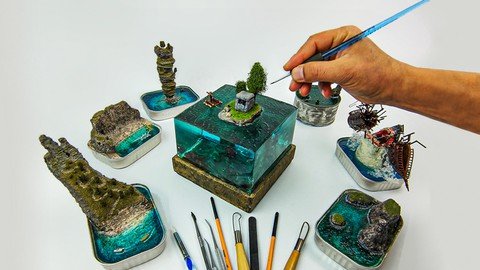
How To Make A To Z Diorama And Material Information
Published 1/2024
MP4 | Video: h264, 1280x720 | Audio: AAC, 44.1 KHz
Language: English | Size: 27.24 GB | Duration: 10h 20m

Diorama, Miniature, Model and Handmade Hobby Products Applied Production Techniques


What you'll learn
Information of All the Materials i Use
Which Materials Should Be Purchased and Which Should Not
What is Epoxy and How to Use it
What is Polymer Clay. How to Model
How To Paint And All The Techniques I Use
Tissue Types and Construction
Diorama, Model, Miniature Making
Diorama Planning
Diorama Beginning Techniques
Chemical Products and Usage Techniques
What is Rtv2 How to Buy Silicone Mold
What is Polyurethane How to Use
How to Make a Diorama, Beginner Intermediate and Professional level

Requirements
I'm giving you the material information, you can get the ones that will work for you.
After watching my course and deciding what to do, you will make a material list.

Description
Diorama, Miniature, Model and Handmade Hobby Products Production TechniquesDiorama is the three-dimensional modeling of a real or fictional event, moment or story with the help of light plays. It can also be defined as a large three-dimensional painting made for exhibition purposes.I have been sharing all the techniques I have learned and applied about Diorama and Miniature art since 2017. By using and improving these techniques, you will be able to make Miniatures, Models, Dioramas and Handmade Hobby Accessories.I will explain how to apply different materials with each other and enable you to come up with unique projects.With or without dexterity, you will create magnificent works by applying the techniques I have shown in my course.Who Is The Training Set For?Training set; I have prepared it for both beginners, intermediate level and professional artists. I have shared many techniques to be used in miniature art together in order to appeal to a very wide audience. A comprehensive training set that contains a lot of detailed information on diorama, miniatures, models and handmade accessories!Open, watch and apply this tutorial. For any question you may have, you will receive a response within 24 hours at the latest.What We Will Learn in Our Course You can review our curriculumLOGIN Who is Mustafa Erbir Major WorksMATERIAL INFORMATION Cutting and Cutting Tools Carving Inlay Tools Paint Types Adhesives Brushes Electrical Supplies Chemicals Electrical Machines Complementary Materials Styrofoam What are the types of Styrofoam? How to Cut and Shape Styrofoam Styrofoam Bonding Giving Texture to StyrofoamCHEMICAL PRODUCTS AND USAGE TECHNIQUES Plaster Preparation and Casting Technique Getting a Silicone Mold with Rtv2 What is Powder Phosphorus and How to Use it What is Polyurethane How is it used?PAINTING TECHNIQUES What is Primer Paint How to Use How To Paint Paint Mixtures And Shading Washing Technique Aging and Contamination Technique Light and Shadow in PaintingTISSUE TYPES AND CONSTRUCTIONS How to Make Soil Texture How to Make Mud Texture How to Make Stone Brick Texture How to Make a Plastered Wall Texture Grass Texture And Artificial Powder Grass Making How to Plant Static Grass How to Make Asphalt Texture How to Make Water and Mud Splash Effect How to Make Stone and Rock Texture How to Make Metal Texture How to Make Wood TextureEPOXY What is Epoxy, Types and Properties How To Fix Grainy And Fuzzy Epoxy Epoxy Coloring Preparing a Mold with Plexiglass Calculation of Epoxy Casting to Size Epoxy Casting Techniques How to Make a Puddle How to Make Raindrop Effect in Water How to Make Wave EffectPOLYMER CLAY What is Polymer Clay? What are its Types? Dough Softening Cutting & Mowing Giving Texture Molding Cooking Modelling PaintingDIORAMA PLANNING Story Scaling Material Selection Stage designWE MAKE DIORAMAS BEGINNING LEVEL Applied Project ConstructionWE MAKE DIORAMAS INTERMEDIATE LEVEL Applied Project ConstructionWE MAKE DIORAMA PROFESSIONAL LEVEL Applied Project Construction

Overview
Section 1: LOGIN

Lecture 1 Major Works

Section 2: MATERIAL INFORMATION

Lecture 2 Cutting & Mowing Tools

Lecture 3 Carving Inlay Tools

Lecture 4 Paint Types

Lecture 5 Adhesives

Lecture 6 Brushes

Lecture 7 Electrical Supplies

Lecture 8 Chemicals

Lecture 9 Electrical Machines

Lecture 10 Complementary Materials

Section 3: STYROFOAM

Lecture 11 What are the types of Styrofoam

Lecture 12 How to Cut and Shape Styrofoam

Lecture 13 Styrofoam Bonding

Lecture 14 Giving Texture to Styrofoam

Section 4: CHEMICAL PRODUCTS AND USAGE TECHNIQUES

Lecture 15 Plaster Preparation and Casting Technique

Lecture 16 What is Uv Resin How to Use

Lecture 17 Getting a Silicone Mold with Rtv2

Lecture 18 What is Powder Phosphorus and How to Use it

Lecture 19 What is Polyurethane How is it used

Section 5: PAINTING TECHNIQUES

Lecture 20 What is Primer Paint How to Use

Lecture 21 Paint Mixes And Toning

Lecture 22 How to Paint

Lecture 23 Washing Technique

Lecture 24 Aging And Contamination Technique

Lecture 25 Light and Shadow in Painting

Section 6: TISSUE TYPES AND CONSTRUCTIONS

Lecture 26 How to Make Soil Texture

Lecture 27 How to Make Mud Texture

Lecture 28 How to Make Stone Brick Texture

Lecture 29 How to Make a Plastered Wall Texture

Lecture 30 Grass Texture And Artificial Powder Grass Making

Lecture 31 How to Plant Static Grass

Lecture 32 How to Make Water And Mud Splash Effect

Lecture 33 How to Make Asphalt Texture

Lecture 34 How to Make Stone and Rock Texture

Lecture 35 How to Make Metal Texture

Lecture 36 How to Make Wood Texture

Lecture 37 How to Make Tree Texture

Lecture 38 How to Make a Miniature Tree

Section 7: EPOXY

Lecture 39 What is Epoxy, Types and Properties

Lecture 40 How To Fix Grainy And Fuzzy Epoxy

Lecture 41 Epoxy Coloring

Lecture 42 Making a Mold with Plexiglass

Lecture 43 Calculation of Epoxy Cast to Measure

Lecture 44 Epoxy Casting Techniques 1

Lecture 45 Epoxy Casting Techniques 2

Lecture 46 How to Make a Puddle

Lecture 47 How to Make Raindrop Effect in Water

Lecture 48 How to Make a Wave Effect

Section 8: POLYMER CLAY

Lecture 49 What is Polymer Clay What are its Types

Lecture 50 Dough Softening

Lecture 51 Cutting Mowing

Lecture 52 Giving Texture

Lecture 53 Forming

Lecture 54 Cooking

Lecture 55 Modelling

Lecture 56 Painting

Section 9: DIORAMA PLANNING

Lecture 57 Story

Lecture 58 Scaling

Lecture 59 Material Selection

Lecture 60 Stage design

Section 10: WE MAKE DIORAMAS BEGINNING LEVEL

Lecture 61 Applied Project Construction

Section 11: WE MAKE DIORAMAS INTERMEDIATE LEVEL

Lecture 62 Applied Project Construction

Section 12: WE MAKE DIORAMA PROFESSIONAL LEVEL

Lecture 63 Applied Project Construction

Architects, Landscape Architects, Interior Architects, Handicraftsmen, Hobbies, Models, Miniatures and Diorama Art.,Those who are interested in Models and Miniatures but want to do but cannot.,Those who want to do very well in miniature, model, diorama and hobby works,Those who are engaged in handicrafts and want to make unique projects with new techniques,Everyone from Beginner to Professional will learn new techniques


470329862_how_to_make_a_to_z_diorama_and_material_information.jpg


Premium Links


f26dde60a414dc18c74783548b4434b2.jpg


Unreal Engine 5:Advance Locomotion System Als (Intermediate)
Published 5/2024
MP4 | Video: h264, 1920x1080 | Audio: AAC, 44.1 KHz
Language: English | Size: 41.57 GB | Duration: 27h 18m

Intermediate course for Having advanced animations for triple A advance locomotion system or ALS with Advance UI and PCG


What you'll learn
Advancer locomotion system
PCG
Distance matching
Sync groups
Link animations
Advance UI
AI


Requirements
It is beginner friendly but it is better to watch at least one beginner course


Description
Have you ever wondered why your game animations don't quite reach the polished level of AAA titles like Alan Wake 2? It's all about the system behind the scenes called ALS, or Advanced Locomotion System.In this course, we delve into the intricacies from the ground up, starting with idle animations. We progress through cycle animations, utilizing the latest features of Unreal Engine to ensure seamless transitions with precise distance matching. Additive animations bring a natural sway to characters while walking or jogging.Pivot animations enhance the fluidity of sudden direction changes, followed by a deep dive into turn-in-place systems for lifelike motion. We cover crouching mechanics, master jumping animations for smooth execution, and synchronize all movements seamlessly with sync groups.Moving onto firearm mechanics, we employ layered systems for organized code, coupled with advanced foot tracing techniques for realistic ground interaction. Weapon animations, including reloading and firing sequences, are meticulously crafted.Audio immersion is key, adjusting footstep volume dynamically based on character speed, while visual effects like impact reactions and muzzle flashes add depth to the experience. UI elements, inspired by modern designs, provide vital information about ammunition and health status.Pickup systems are modularized for flexibility, while landscape and procedural content generation are explored in-depth. Meet the formidable ****** enemy, boasting a variety of attacks and behaviors.But mastering these techniques isn't without guidance. Learn advanced debugging methods, from visual aids like arrows to blueprint organization tricks. Join our vibrant Discord community, where myself and fellow enthusiasts, like Max, are on hand to offer support and insight.Embark on this journey with us and unlock the secrets to elevating your game animations to AAA standards. Let's begin together

Overview
Section 1: 01.Project Setup ( Beginner )

Lecture 1 Introduction

Lecture 2 01.Create Blank project

Lecture 3 02.Import character

Section 2: 02.Blueprint communication ( Intermediate )

Lecture 4 03.Gamemode and character class

Lecture 5 04.Animation blueprint

Lecture 6 05.Blueprint casting

Lecture 7 06.Blueprint Interface

Lecture 8 07.Property access

Section 3: 03.Idle Animations ( Pro )

Lecture 9 08.Import Animations

Lecture 10 09.Enhanced input

Lecture 11 10.Equiped gun enum

Lecture 12 11.Pass equipedGun to animation blueprint

Lecture 13 12.State machines and shared rules

Lecture 14 13.Blend poses

Lecture 15 14.Blend poses by enums

Lecture 16 15.Dynamic sequence with blend inertialization

Section 4: 04.Linked animations ( Pro )

Lecture 17 16.Animation layers

Lecture 18 17.Animation layer interfaces

Lecture 19 18.Link anim class

Lecture 20 19.Animation blueprint childs

Lecture 21 20.Inertilize blending

Section 5: 05.Organizing our work ( Beginner )

Lecture 22 21.Be more Organize

Section 6: 06.Character movement ( Beginner )

Lecture 23 22.Look Around enhanced input

Lecture 24 23.Movement enhanced input

Lecture 25 24.Character movement

Section 7: 07.Cycle Animation Part01 ( Intermediate )

Lecture 26 25.Import animations

Lecture 27 26.Move forward animation

Lecture 28 27.Aiming enhanced input

Lecture 29 28.Use structs and enums for character movement data

Lecture 30 29.Use maps for gate setting

Lecture 31 30.Update gate function

Lecture 32 31.Recieve current gate in animation blueprint

Lecture 33 32.Belnd posses with gates

Lecture 34 33.Use layer interfaces for cycle

Lecture 35 34.Get base animation blueprint in layer blueprint

Lecture 36 35.cycle on update

Lecture 37 36.Select animation for cycle

Lecture 38 37.Edit selection in property matrix

Section 8: 08.Debug Options ( Intermediate )

Lecture 39 38.Debug a Enumaration variable

Lecture 40 39.Debug a float value

Lecture 41 40.Draw debug arrow

Lecture 42 41.Debug draw vector function

Lecture 43 42.Debug draw vector string

Lecture 44 43.ALS Debug system

Lecture 45 44.Slow mode

Section 9: 09.Cycle animation Part02 ( Pro )

Lecture 46 45.Calculate velocity Locomotion Data

Lecture 47 46.Debug velocity Locomotion Data

Lecture 48 47.Create calculate locomotion direction function

Lecture 49 48.Going backward calculation

Lecture 50 49.Going forward calculation

Lecture 51 50.Going right and left Calculation

Lecture 52 51.Make calculate direction function more modular

Lecture 53 52.Direction deadzone

Lecture 54 53.Forward Dead zone

Lecture 55 54.Backward Dead zone

Lecture 56 55.Right Dead zone

Lecture 57 56.Left Dead zone

Lecture 58 57.Select animations with directions

Lecture 59 58.Select animations with structs

Lecture 60 59.Stride Warping

Lecture 61 60.Orientation warping

Section 10: 10.Lean animations ( Intermediate )

Lecture 62 61.Import animations

Lecture 63 62.Lean blend space

Lecture 64 63.Apply additive

Lecture 65 64.Calculate Lean angle

Lecture 66 65.Lean for backward animation

Section 11: 11.Stop Animations ( Pro )

Lecture 67 66.Import animations

Lecture 68 67.Get acceleration data

Lecture 69 68.Debug acceleration data

Lecture 70 69.Old way of Stop animation logic

Lecture 71 70.Use animation layers

Lecture 72 71.Distance matching explained

Lecture 73 72.Predict Stop location of charcter

Lecture 74 73.Sequence evaluator setup

Lecture 75 74.Set correct animations

Lecture 76 75.Play animation with sequence evaluator

Lecture 77 76.Distance match to target

Lecture 78 77.Distance curve

Lecture 79 78.Stop at angle

Lecture 80 79.Little talk

Section 12: 12.Start Animations ( Pro )

Lecture 81 80.Import animations

Lecture 82 81.Start State

Lecture 83 82.Start to cycle direction chnage rule

Lecture 84 83.Gate changed rule

Lecture 85 84.Max transition per frame

Lecture 86 85.Start layer

Lecture 87 86.Select animations

Lecture 88 87.Set animation in on update

Lecture 89 88.Distance matching

Lecture 90 89.Rules blend logic

Lecture 91 90.Warping Settings

Section 13: 13.Pivot animations ( Pro )

Lecture 92 91.Import animations

Lecture 93 92.Pivot state

Lecture 94 93.Going to pivot state with dot product

Lecture 95 94.First rule of going to cycle

Lecture 96 95.Anim notify state

Lecture 97 96.Pivot state machine

Lecture 98 97.Pivot state rule

Lecture 99 98.Setup Pivot anims

Lecture 100 99.Acceleration locomotion direction

Lecture 101 100.Select animations

Lecture 102 101.Check which part of pivot we are in

Lecture 103 102.Check selected animation

Lecture 104 103.Distance matching to target for stop part

Lecture 105 104.AdvanceTime by distance matching

Lecture 106 105.Orientation warping for pivot

Section 14: 14.Turn in place ( Pro )

Lecture 107 106.Import animations

Lecture 108 107.Rotate root bone

Lecture 109 108.Update root yaw offset

Lecture 110 109.Make character mesh to stay at the same angle

Lecture 111 110.Root yaw offset mode

Lecture 112 111.Debug root yaw offset

Lecture 113 112.SetUp accumulate Mode

Lecture 114 113.Setup BelndOut mode

Lecture 115 114.Interp root yaw offset to zero

Lecture 116 115.Velocity locomotion angle with offset

Lecture 117 116.Turn in place animation Explained

Lecture 118 117.How to extract Root motion Z

Lecture 119 118.Extract Root motion Z for all turn animations

Lecture 120 119.Is turning curve

Lecture 121 120. Create Is turning curve for all turning animations

Lecture 122 121.Turn In Place States

Lecture 123 122.Turn in place entry state rule

Lecture 124 123.Should turn Left variable

Lecture 125 124.Setup Turn in place Entry

Lecture 126 125.Select animations for turning

Lecture 127 126.Play turn in place animation

Lecture 128 127.Turn in place recovery rule

Lecture 129 128.Turn in place recovery animation

Lecture 130 129.Proccess turn yaw curve

Lecture 131 130.Turn character mesh with curves

Lecture 132 131.Go back to Idle rule

Section 15: 15.Crouch gate ( Intermediate )

Lecture 133 132.Import animations

Lecture 134 133.Crouch gate

Lecture 135 134.Crouch state changed

Lecture 136 135.Go to crouch pose

Lecture 137 136.Stance transition state

Lecture 138 137.Stance transition rules

Lecture 139 138.Crouch start logic

Lecture 140 139.Crouch start animations

Lecture 141 140.Crouch cycle

Lecture 142 141.Crouch cycle rule

Lecture 143 142.Crouch Stop logic

Lecture 144 143.Crouch stop animations

Lecture 145 144.Fix Crouch start forward animation

Lecture 146 145.Crouch pivot logic

Lecture 147 146.Crouch pivot animations

Lecture 148 147.Crouch turn logic

Lecture 149 148.Extarct root bone curve

Lecture 150 149.Is trun curve

Lecture 151 150.Crouch turn in place animations

Lecture 152 151.Fix 180 turn

Section 16: 16.Jump Animations ( Pro )

Lecture 153 152.Import Animations

Lecture 154 153.Input mapping for jumping

Lecture 155 154.Jump logic explained

Lecture 156 155.Jump selector

Lecture 157 156.Is jumping

Lecture 158 157.Is Falling

Lecture 159 158.Jump start loop

Lecture 160 159.Time to jump apex

Lecture 161 160.Jump Layers

Lecture 162 161.Jump for other weapons

Lecture 163 162.Jump fall loop

Lecture 164 163.Fall land layer

Lecture 165 164.Distance to ground calculation

Lecture 166 165.Pass ground distance to animation blueprint

Lecture 167 166.Fall loop to fall land rule

Lecture 168 167.Distance macth to target for jump fall land

Lecture 169 168.Distance curve for jump land

Lecture 170 169.End in air conduit

Lecture 171 170.Prepare additive animations for recovery

Lecture 172 171.Jump interups

Lecture 173 172.Jump Fall Land recovery apply additive Layer

Lecture 174 173.Recovery state machine

Lecture 175 174.Recovery additive state

Lecture 176 175.Time falling calculation

Lecture 177 176.Fix time falling

Section 17: 17.Sync Groups ( Intermediate )

Lecture 178 177.why we want to use sync groups

Lecture 179 178.How sync froup works

Lecture 180 179.Sync markers

Lecture 181 180.Sync animations together

Lecture 182 181.Blend options

Section 18: 18.Aim offset ( Intermediate )

Lecture 183 182.Import animations

Lecture 184 183.Set additive options for unarmed Aim offset animations

Lecture 185 184.Prepare the rest of animations

Lecture 186 185.Unarm aim offset setup

Lecture 187 186.Aim offset for rifle and pistol

Lecture 188 187.Aim offset layer

Lecture 189 188.Set aim offsets for blend spaces

Lecture 190 189.get Aim pitch

Section 19: 19.Weapons ( Pro )

Lecture 191 190.Import weapons

Lecture 192 191.unequiped place for guns

Lecture 193 192.Equiped socket

Lecture 194 193.Add guns to character class

Lecture 195 194.Equipe gun logic

Lecture 196 195.hand ik retargetting

Lecture 197 196.Two bone ik

Lecture 198 197.Virtual bones

Section 20: 20.Foots ( Intermediate )

Lecture 199 198.Foot placement

Lecture 200 199.Disbale foot placement when jumping

Section 21: 21.Weapons animations ( Intermediate )

Lecture 201 200.Import animations

Lecture 202 201.Fire input action

Lecture 203 202.Rate of fire

Lecture 204 203.Anim montages

Lecture 205 204.Slot in animation blueprint

Lecture 206 205.Play Weapon fire animations

Lecture 207 206.Input action for reload

Lecture 208 207.Play reload animations

Lecture 209 208.Upper body slot

Lecture 210 209.Blend mask

Lecture 211 210.Disable left hand IK

Section 22: 22.Updates Section ( Intermediate )

Lecture 212 211.Introduction

Lecture 213 212.Coruch aim fix

Lecture 214 213.Zoom for aiming

Lecture 215 214.Use timeline and lerp for aiming

Lecture 216 215.Create Datatables for gate settings

Lecture 217 216.Use dataTables

Lecture 218 217.Update Gate

Lecture 219 218.Update crouch gate settings

Lecture 220 219.Blend In and Out for layers

Section 23: 23.Audio ( Intermediate )

Lecture 221 220.Import sounds

Lecture 222 221.Play fire sound

Lecture 223 222.Create meta sound

Lecture 224 223.Meta sound preset

Lecture 225 224.Impact point line trace function

Lecture 226 225.Impact sound

Lecture 227 226.Sound attenuation

Lecture 228 227.Physics material

Lecture 229 228.Use surface type

Lecture 230 229.Pistol realod sounds

Lecture 231 230.Rifle reload sounds

Lecture 232 231.Custom anim notifie

Lecture 233 232.Line trace for surface type

Lecture 234 233.Surface type land sounds

Lecture 235 234.Anim notfiy for walk and jog

Lecture 236 235.Anim notify child for left and right foot

Lecture 237 236.Metasound For left and right foot

Lecture 238 237.Add sound to all animations

Lecture 239 238.Change volume of sound in metasound with blueprint

Lecture 240 239.Change volume based on speed

Section 24: 24.Visual effects ( Intermediate )

Lecture 241 240.Import effects

Lecture 242 241.Muzzle flash and shell eject for pistol

Lecture 243 242.Rifle shel eject and muzzle flash

Lecture 244 243.Organize codes

Lecture 245 244.Fire tracer for pistol

Lecture 246 245.Fire tracer for Rifle

Lecture 247 246.Niagara debries effect

Lecture 248 247.Debries effect for rifle

Section 25: 25.Weapons UI ( Intermediate )

Lecture 249 248.Import Textures

Lecture 250 249.Create materials for Textures

Lecture 251 250.Crosshair UI

Lecture 252 251.Bullet and clip variables

Lecture 253 252.Debug sysytem

Lecture 254 253.Pistol bullet manager

Lecture 255 254.Reload Manualy

Lecture 256 255.Pistol reload custom event

Lecture 257 256.Rifle bullet and clip amounts

Lecture 258 257.Rifle reload system

Lecture 259 258.Pistol UI BackGround

Lecture 260 259.Horizental and vertical boxes

Lecture 261 260.Pistol bullet and clips Wrap boxes

Lecture 262 261.Change bullet and clip amount with blueprint

Lecture 263 262.Comunicate with widget blueprint

Lecture 264 263.Attach widget to pistol

Lecture 265 264.Proccess widget

Lecture 266 265.Rifle UI

Lecture 267 266.Reload problem fix

Lecture 268 267.Aim and change weapon problem with widgets fix

Section 26: 26.Health bar UI ( Intermediate )

Lecture 269 268.Import files

Lecture 270 269.Create materials for static meshes

Lecture 271 270.Create sockets

Lecture 272 271.Add to character

Lecture 273 272.Health bar material Explained

Lecture 274 273.Healbar color changing

Lecture 275 274.Increase health function

Lecture 276 275.Decrease health

Lecture 277 276.Update health UI

Lecture 278 277.Decrease shield

Lecture 279 278.Increase shield

Lecture 280 279.Update shield UI

Section 27: 27.Pickups ( Intermediate )

Lecture 281 280.Import files

Lecture 282 281.Create Item blueprint

Lecture 283 282.Add pad to item

Lecture 284 283.Change color based of Item type

Lecture 285 284.Pickup niagara effects

Lecture 286 285.Pickup health and shield

Lecture 287 286.Pickup clips for weapons

Section 28: 28.Landscape ( Intermediate )

Lecture 288 287.Import files

Lecture 289 288.Landscape painting

Section 29: 29.PCG Basic ( Beginner )

Lecture 290 289.Surface sampler on landscape

Lecture 291 290.Debug options

Lecture 292 291.Sampler settings

Lecture 293 292.Transform node

Lecture 294 293.Density filter

Lecture 295 294.Attribute Noise

Section 30: 30.Jungle PCG ( Pro )

Lecture 296 295.Create spline blueprint

Lecture 297 296.Spline data and sampler

Lecture 298 297.Distance node

Lecture 299 298.scale by density

Lecture 300 299.Scale by density Problem

Lecture 301 300.Create road in jungle

Section 31: 31.Bonus Section Road PCG ( pro )

Lecture 302 301.Create road sample

Lecture 303 302.Road sample Tags

Lecture 304 303.Copy and Pase road sample

Lecture 305 304.Randomize misc groups

Lecture 306 305.Randomize everything

Lecture 307 306.Add road to landscape

Section 32: 32.****** Character ( Intermediate )

Lecture 308 307.Import files

Lecture 309 308.Setup ****** blueprint

Lecture 310 309.Shoot ******

Lecture 311 310.HealthSysytem for ******

Lecture 312 311.Check where we are hitting the ******

Lecture 313 312.Damage base on the bones

Lecture 314 313.Decrease health

Lecture 315 314.****** health bar UI

Lecture 316 315.Update health UI

Lecture 317 316.Show and hide health bar

Lecture 318 317.Pop up damage number

Section 33: 33.****** AI ( Intermediate )

Lecture 319 318.AI setup

Lecture 320 319.****** movement

Lecture 321 320.Chase player if player get close to ******

Lecture 322 321.Chase player if player shoot the ******

Lecture 323 322.foot placement fix

Lecture 324 323.****** death animation

Lecture 325 324.Dead check decorator

Lecture 326 325.****** walk animation

Lecture 327 326.Create attack custom task

Lecture 328 327.****** attack animation

Lecture 329 328.****** decrease health of character

Section 34: 34.Bug reports

Lecture 330 329.Switching empty weapon

Everyone interested in creating games

Homepage


472740578_72-71distance-matching-explained_s.jpg


0cbe3c9ad80de248d1147c48fd4f32b3.jpg


Computer, Enhance! Programming courses, interviews, commentary
Casey Muratori | Duration: 69 h | Video: H264 1920x1080 | Audio: AAC 48 kHz 2ch | 117 GB | Language: English

This series is designed for programmers who know how to write programs, but don t know how hardware runs those programs. It s designed to bring you up to speed on how modern CPUs work, how to estimate the expected speed of performance-critical code, and the basic optimization techniques every programmer should know.
Contents

1. Welcome to the Performance-Aware Programming Series!
2. Waste
3. Instructions Per Clock
4. Monday Q&A (2023-02-05)
5. Single Instruction, Multiple Data
6. Caching
7. Monday Q&A #2 (2023-02-12)
8. Multithreading
9. Python Revisited
10. Monday Q&A #3 (2023-02-20)
11. The Haversine Distance Problem
12. Instruction Decoding on the 8086
13. Decoding Multiple Instructions and Suffixes
14. Monday Q&A #4 (2023-03-06)
15. Opcode Patterns in 8086 Arithmetic
16. Monday Q&A #5 (2023-03-13)
17. 8086 Decoder Code Review
18. Monday Q&A #6 (2023-03-20)
19. Using the Reference Decoder as a Shared Library
20. Simulating Non-memory MOVs
21. Simulating ADD, SUB, and CMP
22. Simulating Conditional Jumps
23. Monday Q&A #7 (2023-04-10)
24. Simulating Memory
25. Simulating Real Programs
26. Monday Q&A #8 (2023-04-17)
27. Other Common Instructions
28. The Stack
29. Monday Q&A #9 (2023-04-24)
30. Estimating Cycles
31. Monday Q&A #10 (2023-05-08)
32. From 8086 to x64
33. Monday Q&A #11 (2023-05-15)
34. 8086 Simulation Code Review
35. Monday Q&A #12 (2023-05-22)
36. Generating Haversine Input JSON
37. Monday Q&A #13 (2023-05-29)
38. Writing a Simple Haversine Distance Processor
39. Monday Q&A #14 (2023-06-05)
40. Initial Haversine Processor Code Review
41. Monday Q&A #15 (2023-06-12)
42. Introduction to RDTSC
43. Monday Q&A #16 (2023-06-19)
44. Monday Q&A #17 (2023-06-26)
45. Instrumentation-Based Profiling
46. Monday Q&A #18 (2023-07-03)
47. Profiling Nested Blocks
48. Monday Q&A #19 (2023-07-10)
49. Profiling Recursive Blocks
50. Monday Q&A #20 (2023-07-17)
51. A First Look at Profiling Overhead
52. Comparing the Overhead of RDTSC and QueryPerformanceCounter
53. Monday Q&A #21 (2023-07-31)
54. Q&A #22 (2023-08-15)
55. Measuring Data Throughput
56. Q&A #23 (2023-08-21)
57. Repetition Testing
58. Q&A #24 (2023-08-28)
59. Monitoring OS Performance Counters
60. Q&A #25 (2023-09-04)
61. Page Faults
62. Q&A #26 (2023-09-11)
63. Probing OS Page Fault Behavior
64. Q&A #27 (2023-09-18)
65. Four-Level Paging
66. Q&A #28 (2023-09-25)
67. Analyzing Page Fault Anomalies
68. Q&A #29 (2023-10-02)
69. Q&A #30 (2023-10-09)
70. Faster Reads with Large Page Allocations
71. Q&A #31 (2023-10-23)
72. Memory-Mapped Files
73. Q&A #32 (2023-10-30)
74. Inspecting Loop Assembly
75. Q&A #33 (2023-11-06)
76. Q&A #34 (2023-11-13)
77. Analyzing Dependency Chains
78. Q&A #35 (2023-11-20)
79. Linking Directly to ASM for Experimentation
80. Q&A #36 (2023-11-27)
81. CPU Front End Basics
82. Q&A #37 (2023-12-04)
83. Branch Prediction
84. Q&A #38 (2023-12-11)
85. Code Alignment
86. Q&A #39 (2024-01-09)
87. Q&A #40 (2024-01-18)
88. The RAT and the Register File
89. Q&A #41 (2024-01-23)
90. Q&A #42 (2024-01-29)
91. Execution Ports and the Scheduler
92. Q&A #43 (2024-02-06)
93. Increasing Read Bandwidth with SIMD Instructions
94. Q&A #44 (2024-02-26)
95. Cache Size and Bandwidth Testing
96. Q&A #45 (2024-03-04)
97. Non-Power-of-Two Cache Size Testing
98. Q&A #46 (2024-03-11)
99. Latency and Throughput, Again
100. Q&A #47 (2024-03-18)
101. Unaligned Load Penalties
102. Q&A #48 (2024-03-25)
103. Q&A #49 (2024-04-02)
104. Q&A #50 (2024-04-08)
105. Cache Sets and Indexing
106. Q&A #51 (2024-04-18)
107. Q&A #52 (2024-04-29)
108. Non-temporal Stores
109. Q&A #53 (2024-05-06)
110. Prefetching
111. Q&A #54 (2024-05-13)


Homepage


472739826_monday-q-a-2-2023-02-12-_s.jpg


1b10327e98e71e8b3add7bbfe6d79598.jpg


Photography Masterclass: A Complete Guide to Photography
Last updated 4/2024
Duration: 31h 21m | Video: .MP4, 1920x1080 30 fps | Audio: AAC, 48 kHz, 2ch | Size: 46.2 GB
Genre: eLearning | Language: English

The Best Online Professional Photography Class: How to Take Amazing Photos for Beginners & Advanced Photographers


What you'll learn
You will know how to take amazing photos that impress your family and friends
You will know how the camera truly works, so you can take better photos using manual settings
You will know how to photograph in different scenarios like family portraits, landscapes, aerial, product, wildlife, and much more
You will know how to compose images beautifully with basic photography rules
You will know how to light your subjects with flash and natural lighting
You will know how to edit your photos like a professional
You will know how to make money with photography
You will know how to take better photos with your smart phones


Requirements
You should be excited to learn photography, and ready to take action!
No fancy camera is required, having camera (even a smartphone) will help you learn as we prompt you with practice activities.
No prior knowledge of photography is required - this course is geared for absolute beginners.


Description
ALWAYS UPDATED WITH NEW LESSONS
+ Free instant access to a 276-page guidebook
+ Free access to our exclusive member student photography community
+ $100+ worth of Lightroom Presets Added to the course
+ Inspirational Student Photos book with 52 weeks of Weekly Challenges
This online photography course will teach you how to take amazing images and even sell them, whether you use a smartphone, mirrorless or DSLR camera.
This photography course is designed to teach you the ins and outs of photography, even if you have little to no experience with it, to help create profitable images that help you stand out from the crowd and sell.
Master Photography Techniques to Create Extraordinary Images!
While there are plenty of digital photography courses that focus on specific styles or how to use gear, it's hard to find a comprehensive course like this one, which is for beginner to advanced photographers.
This course is designed for all levels of photographers who want to improve their skills, take stellar images, and make money with their photos - especially great for any DSLR or mirrorless camera user.
What will you learn
Understand how cameras work and what gear you need
Master shooting in manual mode and understanding your camera
Know what equipment you should buy no matter what your budget is
Follow our practical demonstrations to see how we shoot in real-world scenarios
Use composition, lighting, and proper settings to take better photos
Edit photos professionally to make them look even better
Learn start a photography business and make money from your new skills
Styles of photography you will learn
Portrait photography
Long exposure photography
Landscape photography
Product photography
Low light photography
Sports and action photography
Street photography
Architecture photography
Event and wedding photography
Aerial and drone photography
Wildlife photography
Night photography
DSLR photography
Mirrorless photography
Smartphone photography
and more!
Improve Your Photography Techniques, Acquire Clients, And Make More Money
Regardless of what your level of experience is or what type of camera you use, this in-depth course is designed to provide you with everything you need to take your photography skills to the next level.
Whether you prefer taking photos of nature, animals, or people, a great photographer knows how to compose a shot, light it, and edit it. By honing these skills, you can sell your photos so you can turn your passion into a career. This course shows you how.
Unlike other photography classes that are more limited in scope, this complete course teaches you how to take amazing photos and how to make money by selling them.
Contents and Overview
This course is aimed at teaching photographers what it takes to improve your techniques to earn more money.
You'll start with the basics and tackle how a camera operates, the types of cameras and lenses available, and equipment you'll need for accomplishing your goals. You'll then dive into the different styles of photography you can focus on.
You'll learn about your camera settings (DSLR, mirrorless, or other), including how to shoot in manual mode. You'll use stabilization tools and master how to properly compose and light a scene. You'll even learn how to take great photos with a smartphone or tablet and how to edit images.
So you can sell your photos, you'll learn how to brand yourself, create a portfolio and website, and find freelance work or a full-time position. Gain insight into licensing, fair use, and more. And if you want to get into wedding photography, you'll learn how to start your own business.
By the end of this master course, your confidence as a photographer will soar. You'll have a thorough understanding of your camera and gear so you can use them to their fullest potential to take unforgettable photos and start a profitable photography career.
What camera should you use?
A DSLR camera or mirrorless camera is a great option for taking this course. It doesn't have to be an expensive or fancy model. Any interchangeable lens camera like a DSLR or mirrorless is fine. You can even use a smartphone or point and shoot camera, although you may not have all the manual settings and options that we cover in this course.
Who are the


Homepage

472741107_142-case-study-think-creatively-to-build-your-portfolio-get-your-first-clients.jpg


471613ee7be824018648b721519c727f.jpg


Master Java Programming - Complete Beginner to Advanced
Published 5/2024
Created by GeeksforGeeks (GfG)
MP4 | Video: h264, 1280x720 | Audio: AAC, 44.1 KHz, 2 Ch
Genre: eLearning | Language: English | Duration: 222 Lectures ( 31h 3m ) | Size: 38.6 GB


Learn Java Basics, Conditional statement ,Looping, Functional Programming, OOPs Concept, Collections and more


What you'll learn:

Comprehensive Understanding of Core Java and Oops Concepts
Advanced Problem-Solving and Debugging
Mastery of Java Standard Libraries
Hands-On Experience with Core Java Projects

Requirements:
No programming experience required

Description:
A comprehensive and beginner-friendly course designed to help you start learning Java from scratch. Master Java basics, variables, data types, input and output, operators, and more as you build a strong foundation in Java programming with us! Gain in-depth knowledge of object-oriented programming (OOP) concepts, control flow, looping, collections, and lambda expressions, and learn how to solve coding problems efficiently in Java.Java is a widely-used and in-demand programming language that can unlock the door to better-paying job opportunities. Whether you're a new programmer aiming to learn new skills or an experienced coder looking to expand your knowledge, this course will help you match your skills with your ambitions.The course has been curated by GeeksforGeeks CEO Mr. Sandeep Jain along with other experts who will definitely help you learn & skill up. You can try out some Java programming examples for practice.Elevate your career prospects with Java, a versatile and highly sought-after language in today's tech landscape. By completing this course, you'll not only build a strong programming foundation but also open doors to diverse career opportunities, making it a valuable investment in your skill development journey.Become a master in JAVA programming to start a rewarding career. Join the learning wave today!

Who this course is for:
Anyone Interested in Java
Aspiring Programmers and Computer Science Students
Career Changers
IT Professionals


472567289_master_java_programming_-_complete_beginner_to_advanced.jpg


Download from RapidGator


Premium Links


Download from Keep2Share


Download from UploadGig


e6c0ee9d0dba6bd9a42391582fe36bbb.jpg


CBTNuggets - Linux Professional Institute Security Essentials (020-100)
Released 4/2024
MP4 | Video: h264, 1920x1080 | Audio: AAC, 44.1 KHz, 2 Ch
Genre: eLearning | Language: English | Duration: 164 Lessons ( 19h 53m ) | Size: 33.1 GB


This entry-level Linux Professional Institute Security Essentials (020-100) training prepares cybersecurity professionals to implement best practices in security maintenance, identify vulnerabilities, and respond effectively to incidents in Linux-based IT infrastructures.

If you want a career in cybersecurity, you should plan on eventually mastering Linux security. The Linux operating system or permutations of it exist on networks all over the world sometimes powering entire networks and other times running individual devices. It's a fundamental skill of a security professional to know the ins and outs of Linux security, and that's exactly what this course gives you.

You'll learn the basics of cybersecurity that apply in any environment, as well as the techniques and tools that are particular to Linux environments. The LPI Security Essentials is an excellent start for a career in cybersecurity, and this course will prepare you for it in the fastest way possible.

After completing this Linux training you'll know how to implement best practices in security maintenance, identify vulnerabilities, and respond effectively to incidents in Linux-based IT infrastructures.

For anyone who manages their Linux training, this Linux training can be used to onboard new cybersecurity professionals, curated into individual or team training plans, or as a Linux reference resource.

Linux Professional Institute Security Essentials (020-100): What You Need to Know
This Linux Professional Institute Security Essentials (020-100) training has videos that cover topics such as

Understanding the theoretical fundamentals of network security
Securing and configuring Linux systems and devices running Linux
Monitoring systems and networks for unusual or malicious activity
Responding to and reporting incidents
Managing secure network communications
Who Should Take Linux Professional Institute Security Essentials (020-100) Training?
This Linux Professional Institute Security Essentials (020-100) training is considered entry-level Linux training, which means it was designed for cybersecurity professionals. This basic security essentials skills course is valuable for new IT professionals with at least a year of experience with cybersecurity and experienced cybersecurity professionals looking to validate their Linux skills.

New or aspiring cybersecurity professionals. At the start of your cybersecurity career, you have to make some hard choices about where to invest your time and money while learning systems and technologies. This course is an obvious choice because it covers general and foundational knowledge without getting too in the weeds, and Linux is used on networks of all sizes all over the world.

Experienced cybersecurity professionals. If you plan on continuing your cybersecurity career, earning the LPI Security Essentials certification is an excellent way to demonstrate commitment to global standards and professionalism. Your previous experience will prepare you for most of what you'll find on the 020-100, but this course will quickly round out any rough patches and prepare you for the cert.


472567270_linux_professional_institute_security_essentials_020-100.jpg


Download from RapidGator


Premium Links


Download from Keep2Share


Download from UploadGig


Zurück
Oben Unten