• Regeln für den Video-Bereich:

    In den Börsenbereich gehören nur Angebote die bereits den Allgemeinen Regeln entsprechen.

    Einteilung

    - Folgende Formate gehören in die angegeben Bereiche:
    - Filme: Encodierte Filme von BluRay, DVD, R5, TV, Screener sowie Telesyncs im Format DivX, XviD und x264.
    - DVD: Filme im Format DVD5, DVD9 und HD2DVD.
    - HD: Encodierte Filme mit der Auflösung 720p oder darüber von BluRay, DVD, R5, TV, Screener sowie Telesyncs im Format x264.
    - 3D: Encodierte Filme von BluRay, die in einem 3D Format vorliegen. Dies gilt auch für Dokus, Animation usw.
    - Serien: Cartoon/Zeichentrick, Anime, Tutorials, Dokumentationen, Konzerte/Musik, Sonstiges sind demnach in die entsprechenden Bereiche einzuordnen, auch wenn sie beispielsweise im High Definition-Format oder als DVD5/DVD9/HD2DVD vorliegen. Ausnahme 3D.
    - Bereich Englisch: Englische Releases gehören immer in diesen Bereich.
    - Bereich Talk: Der Bereich, in dem über die Releases diskutiert werden kann, darf, soll und erwünscht ist.


    Angebot/Beitrag erstellen

    - Ein Beitrag darf erst dann erstellt werden, wenn der Upload bei mindestens einem OCH komplett ist. Platzhalter sind untersagt.
    - Bei einem Scenerelease hat der Threadtitel ausschließlich aus dem originalen, unveränderten Releasenamen zu bestehen. Es dürfen keine Veränderungen wie z.B. Sterne, kleine Buchstaben o.ä. vorgenommen werden. Ausnahme Serienbörse:
    - Bei einem Sammelthread für eine Staffel entfällt aus dem Releasename natürlich der Name der Folge. Beispiel: Die Simpsons S21 German DVDRip XviD - ITG
    - Dementsprechend sind also u.a. verboten: Erweiterungen wie "Tipp", "empfehlenswert", "only", "reup", usw. / jegliche andere Zusatzinformation oder Ergänzung, welche nicht in obiger Beschreibung zu finden ist.

    Aufbau des Angebots und Threadtitel

    Der Titel nach folgendem Muster erstellt zu werden. <Name> [3D] [Staffel] [German] <Jahr> <Tonspur> [DL] [Auflösung] <Quelle> <Codec> - <Group>
    Beispiel: The Dark Knight German 2008 AC3 DVDRip XviD - iND
    Beispiel: The Dark Knight 2008 DTS DL BDRip x264 - iND
    Beispiel: The Dark Knight 2008 AC3 DL BDRip XviD - iND
    Beispiel: The Dark Knight German 2008 AC3 720p BluRay x264 iND
    Beispiel: The Dark Knight 2008 DTS DL 1080p BluRay x264 iND
    Beispiel: Die Simpsons S01 German AC3 DVDRip XviD iND
    Beispiel: Die Simpsons S20 German AC3 720p BluRay x264 iND
    Beispiel: Sword Art Online II Ger Sub 2014 AAC 1080p WEBRip x264 - peppermint
    Entsprechend sind also u.a. verboten: Sonderzeichen wie Klammern, Sterne, Ausrufezeichen, Unterstriche, Anführungszeichen / Erweiterungen wie "Tipp", "empfehlenswert", "only", "reup", usw. / jegliche andere Zusatzinformation oder Ergänzung, welche nicht in obiger Beschreibung zu finden ist
    Ausnahmen hiervon können in den Bereichen geregelt sein.

    Die Beiträge sollen wie folgt aufgebaut werden:
    Überschrift entspricht dem Threadtitel
    Cover
    kurze Inhaltsbeschreibung
    Format, Größe, Dauer sind gut lesbar für Downloader außerhalb des Spoilers zu vermerken
    Nfo sind immer Anzugeben und selbige immer im Spoiler in Textform.
    Sind keine Nfo vorhanden z.B. Eigenpublikationen, sind im Spoiler folgende Dateiinformationen zusätzlich anzugeben :
    Quelle
    Video (Auflösung und Bitrate)
    Ton (Sprache, Format und Bitrate der einzelnen Spuren)
    Untertitel (sofern vorhanden)
    Hosterangabe in Textform außerhalb eines Spoiler mit allen enthaltenen Hostern.
    Bei SD kann auf diese zusätzlichen Dateiinformationen verzichtet werden.

    Alle benötigten Passwörter sind, sofern vorhanden, in Textform im Angebot anzugeben.
    Spoiler im Spoiler mit Kommentaren :"Schon Bedankt?" sind unerwünscht.


    Releases

    - Sind Retail-Release verfügbar, sind alle anderen Variationen untersagt. Ausnahmen: Alle deutschen Retail-Release sind CUT, in diesem Fall sind dubbed UNCUT-Release zulässig.
    - Im Serien-Bereich gilt speziell: Wenn ein Retail vor Abschluss einer laufenden Staffel erscheint, darf diese Staffel noch zu Ende gebracht werden.62
    - Gleiche Releases sind unbedingt zusammenzufassen. Das bedeutet, es ist zwingend erforderlich, vor dem Erstellen eines Themas per Suchfunktion zu überprüfen, ob bereits ein Beitrag mit demselben Release besteht. Ist dies der Fall, ist der bereits vorhandene Beitrag zu verwenden.
    - P2P und Scene Releases dürfen nicht verändert oder gar unter einem iND Tag eingestellt werden.


    Support, Diskussionen und Suche

    - Supportanfragen sind entweder per PN oder im Bereich Talk zu stellen.
    - Diskussionen und Bewertungen sind im Talk Bereich zu führen. Fragen an die Uploader haben ausschließlich via PN zu erfolgen, und sind in den Angeboten untersagt.
    - Anfragen zu Upload-Wünschen sind nur im Bereich Suche Video erlaubt. Antworten dürfen nur auf Angebote von MyBoerse.bz verlinkt werden.


    Verbote

    - Untersagt sind mehrere Formate in einem einzigen Angebotsthread, wie beispielsweise das gleichzeitige Anbieten von DivX/XviD, 720p und 1080p in einem Thread. Pro Format, Release und Auflösung ist ein eigener Thread zu eröffnen.
    - Grundsätzlich ebenso verboten sind Dupes. Uploader haben sich an geeigneter Stelle darüber zu informieren, ob es sich bei einem Release um ein Dupe handelt.
    - Gefakte, nur teilweise lauffähige oder unvollständige Angebote sind untersagt. Dies gilt auch für eigene Publikationen, die augenscheinlich nicht selbst von z.B. einer DVD gerippt wurden. Laufende Serien, bei denen noch nicht alle Folgen verfügbar sind, dürfen erstellt und regelmäßig geupdatet werden.
    - Untersagt sind Angebote, welche nur und ausschließlich in einer anderen Sprache als deutsch oder englisch vorliegen. Ausnahmen sind VORHER mit den Moderatoren zu klären.


    Verstoß gegen die Regeln

    - Angebote oder Beiträge, die gegen die Forenregeln verstoßen, sind über den "Melden"-Button im Beitrag zu melden.
  • Bitte registriere dich zunächst um Beiträge zu verfassen und externe Links aufzurufen.

*** Bestes IPTV *** bester Preis *** gratis Test ***


Englische Tutorials

b16786d268ab2ee7786cee38de72f12a.jpg


The Complete Guide to Unity 3D : Making an Action Shooter
Last updated 3/2024
Created by Alex Dev
MP4 | Video: h264, 1280x720 | Audio: AAC, 44.1 KHz, 2 Ch
Genre: eLearning | Language: English + srt | Duration: 256 Lectures ( 53h 42m ) | Size: 42 GB


Level up your C# and Unity knowledge and create your very own Action-Shooter.


What you'll learn:

Learn C#, a modern versatile programming language.
Develop strong and transferrable problem-solving skills.
Learn Object-Oriented Programming in Real-World Scenarios
Acquire a Comprehensive Understanding of Game Design Principles
Create playable game projects - good for your portfolio, or just for your own sense of achievement.
Write Clean, Maintainable Code and Design Scalable Game Architectures

Requirements:
PC or Mac capable of running Unity 2020 or later
Basics of C# will be helpful, but not required.
Ideal for motivated beginners ready for a rewarding challenge.

Description:
Ready to level up your game-making skills and step into the world of 3D game creation? Look no further than this comprehensive and standalone course, designed to take you through the process step by step, even if you have no previous experience in game development. I've even included a 1.5 - hour crash course for those who have zero knowledge in Unity. While it's better to have some experience and knowledge of C#, don't worry if you don't have it, because I'll cover everything you need to know to create an astonishing action-packed video game.A unique asset pack of 3D models was created specifically for this course. Once you complete the course, you can keep these along with the scripts you'll create and use them however you like.Throughout this course, you'll learn how to create a versatile player controller using an Entity Component System (ECS). You'll discover how to setup New Input System, how to animate 3D characters, manage camera controls, and understand the essentials of 3D physics, including colliders, mass, and velocity. Moving forward in the course, we focus on how to create an advanced and expandable weapons system, essential for any shooter game. This includes creating a variety of weapons and learning how to setup both the logic and animations for visuals to bring them to life in your shooter game. We're going to place a heavy focus on optimizing game performance and personal workflow to ensure the FPS doesn't drop below 120 and your project does not turn into an unmanageable disaster. At the end of each section, we'll clean up the project, and you'll have access to my projects for downloading. This allows you to double-check your work or start from a specific point of the course, if you wish to do so. In the next part of the course, you'll learn to craft challenging enemies for your game's enemies. We're going to create melee enemies with different weapons and attack sets who use shields for protection, dodge your bullets, and throw items at you. Ranged enemies can use covers to hide, throw grenades, and advance from different angles. We'll also introduce two bosses with unique abilities. All of this will serve as a great example for you to become very sophisticated in enemy AI design. Then, we're going to learn how to design procedural level generation. This system will allow you to create an endless number of levels, significantly reducing development time and ensuring that your game offers fresh, engaging content for players every time they play. To improve gameplay even further, we're going to develop a quest system. You will learn how to create different missions and setup different goals for the player. Next, we'll build a functional and scalable UI to bring your game to completion. Then, we're elevating the experience by integrating new gameplay element - CARS! You'll master creating a versatile car system, allowing you to fine-tune vehicle behavior in every way possible. We'll finish the course by adding an audio system and visual polish, making your game not only engaging and fun to play but transforming it into an immersive experience that's both visually stunning and audibly rich. This phase includes smoothing out bugs and enhancing mechanics, ensuring every aspect of your game shines and operates seamlessly. It s about elevating your game's overall quality, ensuring it s not just functional but exceptionally polished. After mastering these comprehensive skills and polishing your game to perfection, it will be time to celebrate your significant achievement. This course isn't just about learning; it's about recognizing the hard work you've put into transforming your dream game into reality!And there you have it! A journey from the basics to a fully polished, high-quality video game. And you can start that journey with a single click. Enroll in the course today and learn how to create games you've always wanted.

Who this course is for:
Anyone who wants to make a high-quality video game.
Anyone who wants to make shooter, survival, or roguelike.
People who want to create and publish their own games.
Beginners with an interest in learning game development.
Developers who want to re-skill across to game
People interested in working in the game design industry.
Enthusiasts eager for a deep dive into game mechanics and Unity's potential.


466840094_the_complete_guide_to_unity_3d__making_an_action_shooter.jpg


02086d60af0752283bb3a87a79906cca.jpg


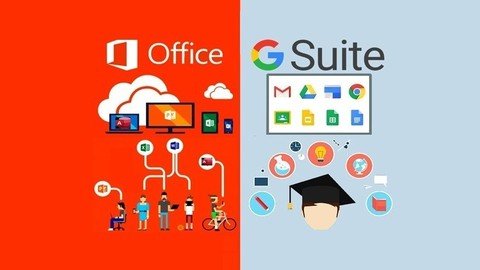
Master Office Productivity: Ms Office + Google Office Suite
Published 1/2024
MP4 | Video: h264, 1920x1080 | Audio: AAC, 44.1 KHz
Language: English | Size: 20.01 GB | Duration: 30h 37m

Maximize Efficiency: Mastering MS Office & Google Suite for Ultimate Productivity in the Modern Workplace


What you'll learn
Effortless Excel Mastery: Uncover the power of formulas, pivot tables, and data visualization to transform your spreadsheet skills.
Word Wiz: Craft documents like a pro with advanced formatting, collaborative editing, and time-saving shortcuts in MS Word.
Powerful PowerPoint Prowess: Elevate your presentations with engaging slides, animations, and storytelling techniques.
Access Authority: Demystify Microsoft Access, and become proficient in database creation, management, and reporting.
Google Docs Dynamo: Collaborate seamlessly, master version control, and unleash the full potential of Google Docs for team success.
Sheets Sorcerer: Dive into Google Sheets magic learn formulas, charts, and collaborative data manipulation for unparalleled efficiency.
Slides Maestro: Command attention with dynamic presentations using Google Slides animations, collaboration, and impactful design.
Email Ninja Skills: Manage your inbox effectively, use filters, and employ Gmail features for a clutter-free and productive email experience.
Forms Guru: Master Google Forms for surveys, quizzes, and data collection unlocking insights with ease.
Google Calendar Zen: Optimize your schedule, share events, and stay organized with Google Calendar mastery.
Data Collaboration Commando: Seamlessly integrate MS Excel and Google Sheets for collaborative data analysis and reporting.
Integrate and Innovate: Seamlessly integrate MS Office and Google Suite applications for a cohesive and efficient workflow.
Masterful Macros: Unlock the potential of macros in Excel, automating repetitive tasks and boosting your spreadsheet efficiency.
How to use Google Drive for File storage and synchronization service to increase efficiency and productivity
Create a professional looking website with Google Sites
Learn Google Keep - one of the best note taking service

Requirements
Basic Computer Knowledge

Description
Unleash your full professional potential with our comprehensive course, "Master Office Productivity: MS Office + Google Office Suite." This transformative program is meticulously crafted to equip you with an extensive skill set in both Microsoft Office and Google Workspace, ensuring you stand out in today's competitive job market.Course Highlights:1. Microsoft Office Mastery:Excel: Dive deep into advanced data analysis, formulae, and visualization techniques.Word: Craft polished documents, automate tasks, and collaborate seamlessly.Access: Harness the power of databases for efficient data management.PowerPoint: Create captivating presentations with impactful visuals and animations.2. Google Workspace Expertise:Sheets: Master spreadsheet functionalities for data analysis and visualization.Docs: Collaborate in real-time on professional documents, reports, and more.Slides: Design engaging presentations with dynamic features and collaboration.Drive: Streamline file management, sharing, and collaboration in the cloud.Forms: Create surveys, quizzes, and forms with ease for effective data collection.Keeps: Organize thoughts, ideas, and tasks seamlessly for enhanced productivity.Meet: Navigate virtual meetings effortlessly, maximizing remote collaboration.Why Choose Our Course?1. Comprehensive Curriculum:Our course leaves no stone unturned, covering a vast array of functionalities in both MS Office and Google Suite. From basic operations to advanced features, you'll gain a holistic understanding.2. Hands-On Learning:Dive into practical, real-world scenarios that simulate actual workplace demands. Develop skills through hands-on exercises, ensuring you're job-ready upon completion.3. Expert Instructors:Learn from industry experts with extensive experience in both Microsoft and Google platforms. Benefit from their insights, tips, and best practices to excel in your professional journey.4. Job-Relevant Skills:Acquire skills that are directly applicable to today's workplace. Employers seek candidates who are proficient in both MS Office and Google Workspace, making you a valuable asset in any organization.5. Flexibility and Accessibility:Access the course content at your own pace, from anywhere in the world. Our user-friendly platform allows you to revisit lessons and practice exercises whenever needed.6. Certification of Completion:Upon successfully completing the course, receive a certification that validates your expertise. Showcase your accomplishment on your resume and LinkedIn profile to impress potential employers.7. Lifetime Updates:Stay ahead of the curve with lifetime access to course updates. As Microsoft and Google evolve, so does our course content, ensuring you remain at the forefront of technological advancements.Unlock Your Potential:Invest in yourself and embark on a journey to mastering the tools that drive efficiency and productivity in the modern workplace. Whether you're a student, professional, or entrepreneur, this course is tailored to elevate your skills and boost your career prospects.Enroll now and take the first step toward becoming a proficient user of MS Office and Google Office Suite. Transform your professional life with the knowledge and expertise gained from our comprehensive course. Don't just meet expectations exceed them!

Overview
Section 1: MS Office - Microsoft Excel

Lecture 1 Excel Intro - New File and Title Bar

Lecture 2 Customize Ribbons and Quick Access Toolbar

Lecture 3 Excel structure

Lecture 4 Data Entry and Formatting

Lecture 5 Autofill in Excel

Lecture 6 Flash Fill in Excel

Lecture 7 Cell Reference

Lecture 8 Operators based Equation

Lecture 9 Math Function

Lecture 10 Advance Math Function

Lecture 11 Database Math Function

Lecture 12 Text Function - Upper, Lower, Proper, Trim

Lecture 13 Text Function - Right, Left and Find Function

Lecture 14 Text Function - Find Related Task Solution

Lecture 15 Text Function - Left, Right and Find Function Nesting

Lecture 16 Text Function - MID Function

Lecture 17 Text Function - Concatenate Function

Lecture 18 Text Function - Concatenate Task Solution

Lecture 19 Concat and Textjoin Function

Lecture 20 Text Function - Replace Function

Lecture 21 Text Function - Replace Task Solution

Lecture 22 Text Function - Substitute Function

Lecture 23 Text Function - Rept, Len and Task

Lecture 24 Task Solution - Substitute and Len Nesting

Lecture 25 Numbervalue Function in Excel

Lecture 26 Text to Column

Lecture 27 Workbook Protect

Lecture 28 Protect Sheet

Lecture 29 Hide Formulas and unlocked Cell

Lecture 30 Protect File with Password

Lecture 31 If Function - Logical Test

Lecture 32 If Function - Nested IF Function

Lecture 33 IF Function Task Solution

Lecture 34 IF Function - Advance Level Task

Lecture 35 IF Function - Advance Level Task Solution

Lecture 36 IFS in Excel

Lecture 37 AND , OR Function

Lecture 38 XOR Function

Lecture 39 Pivot Table in Excel

Lecture 40 Power Pivot in Excel

Lecture 41 Goal Seek - What if Analysis

Lecture 42 Solver in Excel

Lecture 43 Scenario Manager - What if Analysis

Lecture 44 PMT function - EMI Calculator

Lecture 45 Data Table - Create Loan Table

Lecture 46 Pduration Function

Lecture 47 Print Option in Excel - Part 1

Lecture 48 Print Option in Excel - Part 2

Lecture 49 Draw Tab in Excel

Lecture 50 Chart Preparation

Lecture 51 Chart Preparation - Designing and Format

Lecture 52 Chart Customization Part 1

Lecture 53 Chart Customization Part 2

Lecture 54 Pie Chart in Excel

Lecture 55 Power Map in Excel

Lecture 56 Quick Analysis and Chart Recommendation

Lecture 57 Filter Option in Excel

Lecture 58 Date and Color Filter

Lecture 59 Advanced Filter Option

Lecture 60 Sorting and Custom Sort

Lecture 61 Group, Ungroup and Subtotal

Lecture 62 Conditional Formatting - Apply

Lecture 63 Conditional Formatting - Types of Rules

Lecture 64 Conditional Formatting - Mange Rules

Lecture 65 Data Validation

Lecture 66 Data Validation - Input message and Error Alert

Lecture 67 Define Name Feature

Lecture 68 Hyperlink in Excel

Lecture 69 Vlookup Function

Lecture 70 Vlookup with Iferror

Lecture 71 Array Vlookup Function

Lecture 72 Hlookup Function in Excel

Lecture 73 Match and Index Function

Lecture 74 Match and Index Nesting

Lecture 75 Vlookup TRUE

Lecture 76 Lookup and Reference Function Trick

Lecture 77 XLOOKUP Function

Lecture 78 Date and Time setting

Lecture 79 Date and Time Format

Lecture 80 Date and Time Functions

Lecture 81 DATEDIF Function

Lecture 82 NETWORKDAYS Function

Lecture 83 Macro Recording in Excel

Lecture 84 Macro Recording Example in Excel

Lecture 85 Ways to Run Macros in Excel

Section 2: MS Office - Microsoft Access

Lecture 86 Access Introduction

Lecture 87 Create Table in MS Access

Lecture 88 Create Form from Table

Lecture 89 Create Blank Form in Access

Lecture 90 Creating Report in Access

Lecture 91 How to Import and Export in Access

Lecture 92 Query in Access

Lecture 93 SQL Queries part 1

Lecture 94 SQL Queries part 2

Section 3: MS Office - Microsoft Word

Lecture 95 MS Word Introduction

Lecture 96 Font Formatting

Lecture 97 Paragraph Options

Lecture 98 Bullets and Numbering

Lecture 99 Sorting Option

Lecture 100 Styles in Word - Heading Pattern

Lecture 101 Collapse and Expand Section in Word

Lecture 102 Page , Cover Page and Page Break

Lecture 103 Creating Table in Word

Lecture 104 Pictures in MS Word

Lecture 105 Picture and Live Layout in Word

Lecture 106 Shapes in MS Word

Lecture 107 SmartArt in MS Word - Create Hierarchy Structure

Lecture 108 Chart and Screenshot

Lecture 109 Bookmark and Cross Reference

Lecture 110 Hyperlink in Word

Lecture 111 Header and Footer and Page no

Lecture 112 Text Box, Wordart, Drop Cap and Symbols

Lecture 113 Quick Parts in MS Word

Lecture 114 Print Related Option

Lecture 115 Page Color and Page Border

Lecture 116 Watermark in MS Word

Lecture 117 Read Aloud and Impressive Reader

Lecture 118 Table of Content

Lecture 119 Bibliography and Citation

Lecture 120 Caption in MS Word

Lecture 121 Footnate and Endnote

Lecture 122 Mark Entry in MS Word

Lecture 123 Mail merge

Lecture 124 Language and Proof

Lecture 125 Track Changes in Word

Lecture 126 Simple Markup in MS Word

Section 4: MS Office - Microsoft PowerPoint

Lecture 127 PowerPoint Presentation Intro - Layout and section

Lecture 128 Formatting and Manage Video

Lecture 129 Text Box, Header and Footer

Lecture 130 Slide Show Options

Lecture 131 Design in PowerPoint

Lecture 132 Transition Effect in PowerPoint

Lecture 133 Animation in PowerPoint

Lecture 134 Office Mix (Record Tab) in PowerPoint

Section 5: Google Office Suite - Google Sheets

Lecture 135 Understanding Google Sheets

Lecture 136 Autofill and Smartfill Option

Lecture 137 Operators Based Equation

Lecture 138 Math Functions in Google Sheet

Lecture 139 Advance Math Function

Lecture 140 Using of Wild Card in Math Function

Lecture 141 Logical Function - IF()

Lecture 142 Nested IF Function

Lecture 143 IF Function Related Task

Lecture 144 IF Function Task Solution

Lecture 145 AND and OR Function

Lecture 146 Upper, Lower, Proper and Trim Function

Lecture 147 Left, Right and Find Function

Lecture 148 Left, Right and Find Nesting Methodology

Lecture 149 Mid Function

Lecture 150 Concatenate Function

Lecture 151 Replace Function

Lecture 152 Substitute and Len Function

Lecture 153 Split Text to Column

Lecture 154 Filter in Google Sheets

Lecture 155 Slicer, Sort and Column Stat

Lecture 156 Conditional Formatting in Google Sheets

Lecture 157 Named Ranges in Google Sheets

Lecture 158 Creating Link in Google Sheets

Lecture 159 Data Validation in Google Sheets

Lecture 160 Pivot Table in Google Sheet

Lecture 161 Chart Preparation in Google Sheets

Lecture 162 Vlookup Function

Lecture 163 Iferror with Vloookup Function

Lecture 164 Hlookup Function

Lecture 165 Match and Index Function

Lecture 166 Match and Index Function Nested

Lecture 167 Vlookup With Match - Advance

Lecture 168 Vlookup TRUE - Amazing Technique

Lecture 169 Array Function - Vlookup

Lecture 170 Managing Date and Time in Google Sheets

Lecture 171 Datedif and Networkdays Function

Lecture 172 Financial Function - PMT, PPMT, IPMT and PV

Lecture 173 Record Macro in Google Sheets

Lecture 174 Sharing and Protection in Google Sheets

Section 6: Google Office Suite - Google Docs

Lecture 175 Getting Started with Google Docs

Lecture 176 Format Options in Google Docs

Lecture 177 Bullets and Numbering

Lecture 178 Styles in Docs- Heading Pattern

Lecture 179 Understanding File Tab in Docs

Lecture 180 Print Option in Docs

Lecture 181 Bookmark and Link in Docs

Lecture 182 Header, Footer and Page no in Docs

Lecture 183 Understanding Edit Tab in Docs

Lecture 184 View Tab and Page Break in Docs

Lecture 185 Table of Content

Lecture 186 Footnote in Docs

Lecture 187 Line and Date in Docs

Lecture 188 Image Format in Docs

Lecture 189 Creating Table in Docs

Lecture 190 Charts in Docs

Lecture 191 Drawing Option in Docs

Lecture 192 Text Format and Column Option

Lecture 193 Word Count, Translate and Voice Typing

Lecture 194 Comment and Citation in Docs

Lecture 195 Addons on Docs

Lecture 196 Mail Merge in Docs

Section 7: Google Office Suite - Google Slides

Lecture 197 Getting started in Google Slides

Lecture 198 Quick Guide to Presentation

Lecture 199 Options in File Tab

Lecture 200 Options in View Tab

Lecture 201 Audio and Video Management in Slides

Lecture 202 Creating Diagram and Slide Number

Lecture 203 Format and Arrange Option

Lecture 204 Slides Management

Section 8: Google Office Suite - Google Forms

Lecture 205 Creating Google Forms

Lecture 206 Google Form Important Settings

Section 9: Google Office Suite - Gmail Productivity

Lecture 207 Group Mail, Schedule send and Undo Send

Lecture 208 Grant Access Feature - Delegate Management

Lecture 209 Action Button, Archive, Snooze and Labels

Lecture 210 Forwarding Mail and Change Tab Options

Lecture 211 Setting Vacation Responder

Lecture 212 Preview Pane and Gmail Shortcuts

Lecture 213 Starred Option in Gmail

Lecture 214 Working with Templates in Gmail

Lecture 215 Filter Option in Gmail

Lecture 216 Signature in Gmail

Lecture 217 Mail Merge

Lecture 218 Access Gmail Offline

Section 10: Google Office Suite - Google Meet

Lecture 219 Google Meet

Section 11: Google Office Suite - Google Drive

Lecture 220 Getting Started with Google Drive

Lecture 221 Action Buttons - Share, Link, Starred and many more

Lecture 222 Google drive Desktop Version

Lecture 223 Google Drive Search and Other Options

Lecture 224 Recommended Extension and Technique

Section 12: Google Office Suite - Google Keep

Lecture 225 Getting started with Google Keep - Notes

Lecture 226 List Option in Google Keep

Lecture 227 Label, Archive and Delete Notes

Lecture 228 Notes Search, Pin and Setting

Section 13: Google Office Suite - Google Calendar

Lecture 229 Getting Started Google Calendar

Lecture 230 Create Events in Google Calendar

Lecture 231 Task and Reminder in Calendar

Lecture 232 Create New Calendar and Important Settings

Lecture 233 Add Calendar from URL, Import Calendar and Other Options

Section 14: Google Office Suite - Google Sites

Lecture 234 Getting Started with Google Sites

Lecture 235 Header in Google Sites

Lecture 236 Text Box, Image and Embed Options

Lecture 237 Footer in Google Sites

Lecture 238 Pages in Google Sites

Lecture 239 Layouts in Google Sites

Lecture 240 Using Map and Form in Google Sites

Lecture 241 Image Carousel and Calendar in Google Sites

Lecture 242 Working with Placeholder and Collapsible Group

Lecture 243 Use Docs, Sheets, Slides and Charts

Lecture 244 Using Announcement Banner

Lecture 245 Themes in Google Sites

Lecture 246 Publish and Share Website

Lecture 247 Restore and Make a Copy of Site

Lecture 248 Give Custom Domain to your Site

Lecture 249 Google Analytics in your Google Sites

Business Professionals: Elevate your office skills to excel in data management, presentations, and collaboration for enhanced workplace efficiency.,Students and Researchers: Streamline your academic pursuits with comprehensive knowledge of Microsoft and Google tools, optimizing your study and research workflow.,Entrepreneurs and Startups: Gain a competitive edge by mastering office productivity tools empowering your business communication and data management.,Administrative Personnel: Enhance administrative prowess with advanced skills in document creation, data analysis, and effective team collaboration.,Job Seekers: Stand out in the competitive job market with proficiency in essential office tools, showcasing your readiness for diverse professional roles.,Project Managers: Acquire the toolkit for effective project planning, communication, and data analysis to lead teams to success.,Educators and Trainers: Transform your teaching methods with advanced presentation and collaboration skills, fostering an interactive and engaging learning environment.,Nonprofit Organizations: Maximize limited resources with efficient data management and collaborative tools for impactful communication and project coordination.,Freelancers and Remote Workers: Boost productivity in independent work setups with skills to efficiently manage tasks, collaborate, and present ideas.,Tech Enthusiasts: Stay ahead in the digital landscape by mastering the fundamentals of both Microsoft and Google office suites, ensuring adaptability and versatility.,Tech Enthusiasts: Stay ahead in the digital landscape by mastering the fundamentals of both Microsoft and Google office suites, ensuring adaptability and versatility.




466825874_master_office_productivity_ms_office_google_office_suite.jpg


cc92b9a6c592eaba7cc906e9092e6a15.jpg


Selenium Java : Beginner to Advanced [Live Project]
Last updated 8/2023
Created by Arun Motoori
MP4 | Video: h264, 1280x720 | Audio: AAC, 44.1 KHz, 2 Ch
Genre: eLearning | Language: English + srt | Duration: 493 Lectures ( 188h 46m ) | Size: 86.5 GB


Includes Selenium 4, and 217 in-depth organized sessions (136+ hours), Real time Live Project and Interview Questions.


What you'll learn:

Selenium,Core Java, Frameworks, Selenium Live Project and so on

Requirements:
No pre-requisites required for this course. All prerequisites are included in this course from basics.
Also includes Core Java in detail

Description:
In detailed, easy, step by step, practical, well defined and real time video tutorials on Selenium JavaNot required to have any prior Java programming knowledge, as all the prerequisites such as Java are explained in detail before covering Selenium topicsInterview Questions and Answers (Recorded Videos and Notes)Different topics covered in this course include: (Includes Videos and Notes for every topic listed below)IntroductionFirebug/Firepath AlternativesSelenium IDELocatorsXPath ExpressionsCSS SelectorsOthersCore Java for SeleniumSelenium WebDriverHandling Multiple WindowsWaiting MechanismHandling FramesHandling LightboxSelenium & Different BrowsersSelenium 3Framework Concepts - Properties FilesFramework Concepts - POI APIFramework Concepts - Log4jFramework Concepts - TestNGFramework Concepts - MavenFramework Concepts - Extent ReportsFramework Concepts - Taking ScreenshotsFramework Concepts - ANTData Driven FrameworkCucumber and BDDPage Object Model and Page FactoryJenkinsGitGitHubWebDriverManagerLive Project (Real time)AutoItSikuliRobot ClassActions ClassDOMJavaScriptJavaScriptExecutorJava OOPS ConceptsHandling XML FilesHandling JSON FilesDatabase Testing using SeleniumBrowser Configurations - Firefox, Chrome & IEHandling CalendarHandling WebTablesSelect ClassHandling Random ActivitiesHandling CookiesDownloading FilesPassword Encryption and DecryptionWebDriver ListenersTestNG ListenersStaleElementReferenceExceptionAnd many moreSelenium GridInterview Questions and AnswersAlong with videos, notes having the session details and links to download the code/frameworks/other files are providedHuge list of real time and practical examples are provided throughout the sessionsInstallation/configurations of various software are also explained in detailed in this courseAfter watching all the videos, you will be able to answer most of the interview questions, as all the topics are covered from basic to advanced levelFramework concepts are explained before showing how to build different frameworksSessions covering the development of different frameworks are also covered in detailedIncludes Selenium 4 Videos

Who this course is for:
Beginners and Advanced Selenium Members


467291537_selenium_java__beginner_to_advanced_live_project.jpg


3ee04ae6dc6bfec0f5baf5fcdbff15d4.png


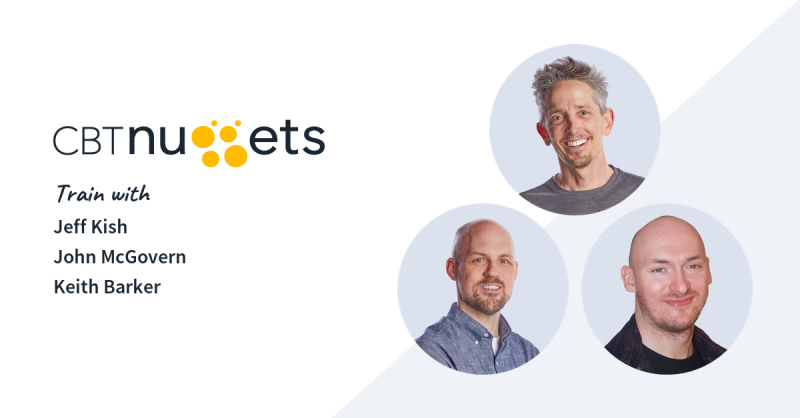
CBTNuggets - Ultimate CCNA Course
Released 1/2024
MP4 | Video: h264, 1920x1080 | Audio: AAC, 44.1 KHz, 2 Ch
Genre: eLearning | Language: English | Duration: 795 Lessons ( 80h 56m ) | Size: 86.3 GB

In this Cisco CCNA training, Keith Barker, Jeff Kish, and John McGovern prepare learners to take the 200-301 CCNA exam the one exam required to earn the Cisco Certified Network Associate certification

Cisco technologies are everywhere, which means properly trained professionals with the CCNA certification will continue to be sought after. After taking this CCNA course, you'll be ready to take the 200-301 CCNA and validate the entry-level skills expected of a network administrator.

For anyone who manages network administrators, this training can be used for 200-301 CCNA exam prep, on-boarding new network administrators, or as part of a team training plan.
200-301 CCNA: What You Need to Know

For any network administrator using this training for exam preparation, our CCNA course maps to the Cisco 200-301 CCNA exams objectives, and covers topics such as

Routing protocols, including OSPFv2 for IPv4, OSPFv3 for IPv6, EIGRP for IPv4, and EIGRP for IPv6
VLANs, STP, and EtherChannel (static, PAGP, and LACP)
WAN technologies, such as PPP, MLPPP, PPPoE, and GRE
Quality of server (QoS), including marking, shaping, and prioritization of voice, video, and data
Device monitoring protocols, including SNMPv2 and SNMPv3
Device management using AAA (authentication, authorization, and accounting) with TACACS+ and RADIUS

Who Should Take 200-301 CCNA Training?

This CCNA training is considered associate-level Cisco training, which means it was designed for junior network administrators. This 200-301 CCNA course is valuable for new IT professionals with at least a year of experience with networks and experienced network administrators looking to validate their Cisco skills.

New or aspiring network administrators. Learning networking technologies for the first time can seem like a daunting task. From subnetting to spanning trees, there is a lot to study and understand. Our CCNA training lays it all out for the new network professional. The course is both broad and deep, covering important topics in a way that prepares you for the challenging CCNA exams.

Experienced network administrators. The technologies associated with Cisco routing and switching have been around for a long time now. But in the fast-paced telecommunications industry, a good deal of the technology changes every year. That s why Cisco requires regular recertification for CCNA professionals. CCNA training will help experienced professionals refresh their skills and prepare for recertification.


Homepage


468495748_7-wlc-as-an-ap-controller_s.jpg


213510f266bb70e0fabd9b6ef710d31e.jpg


Flutter For Beginners by Paras Sharma
Published 1/2024
Created by Paras Sharma
MP4 | Video: h264, 1280x720 | Audio: AAC, 44.1 KHz, 2 Ch
Genre: eLearning | Language: English | Duration: 11 Lectures ( 37h 12m ) | Size: 20.7 GB

Flutter Dart Programming


What you'll learn
Flutter Basics
Dart
UI Development
Server API Implementation


Requirements
Basic programming.


Description


What you'll learnLearn Flutter and Dart from the ground up, step-by-stepBuild engaging native mobile apps for both Android and iOSLearn how to upload images and how to send manual and automated push notificationsLearn all the basics without stopping after them: Dive deeply into Flutter & Dart and become an advanced developerFlutter Dart Programming1) Flutter Installation Setup Guide2) Dart Programming Fundamentals3) Dart Object Orientation Concepts4) Understanding flutter environment5) Working with flutter Apps6) UI Designing7) Working with models8) Flutter Database9) CRUDOperations10) Server Interaction Model11) Understanding Json Architecture12) API13) Data Parsing14) Designing Notepad App15) Working with Notepad Database16) Designing Movie App17) Working With Remote API Call18) Working with List Data19) Working with Hive Database20) ConclusionCourse Highlights:On-Demand, Video-Based Learning: An immersive experience with practical examples and demo apps to help you develop your skills at your own paceLifetime Access: Revisit topics and refresh your knowledge anytimeRegularly Updated: The course has been updated multiple times in the past to ensure it stays up-to-date with the latest industry standardsNo Experience NecessaryThis course is designed to be accessible to everyone, regardless of their programming background. Whether you're a complete beginner or an experienced developer looking to expand your skillset, I will guide you through each step of the process, ensuring you gain a deep understanding of the fundamentals and advanced concepts.Prerequisites:Basic programming language knowledge will help but is not requiredNo prior knowledge of Flutter or Dart is neededNo iOS (Swift/ObjectiveC) or Android (Java/Kotlin) development experience requiredTake the First Step Towards Your Mobile App Development CareerWith the skyrocketing demand for skilled mobile app developers in today's job market, there has never been a better time to jump into the world of Flutter & Dart. By the end of this course, you'll be fully equipped to design, develop, and deploy stunning iOS and Android apps, setting yourself up for a successful career in mobile app development.Don't let this opportunity pass you by! Enroll in "Flutter & Dart - The Complete Guide" today and start building amazing apps for the iOS and Android platforms!Who this course is for:Beginner and experienced developers who are interested in diving into mobile app development using one language for both platformsExperienced iOS or Android developers who want to build cross-platform (iOS + Android) apps with one single programming language

Who this course is for
Everyone who looking to design app for ios and android.


Homepage


467875497_flutter_for_beginners.jpg


71ccf70345b58b37cedefa7f6ca3b1dd.jpg


Digital Marketing Excellence: 10 Courses All In One Place
Published 1/2024
Created by WAMM Marketing
MP4 | Video: h264, 1280x720 | Audio: AAC, 44.1 KHz, 2 Ch
Genre: eLearning | Language: English | Duration: 281 Lectures ( 37h 57m ) | Size: 20.5 GB


Master the Zenith of Digital Excellence in 10 Essential Courses : digital marketing : social media marketing : seo


What you'll learn:

Craft Targeted Campaigns: Develop and execute digital strategies that resonate with specific audiences for enhanced engagement and conversion.
Analyze Data Effectively: Master data analytics tools to gain valuable insights, inform decisions, and optimize marketing performance.
Social Media Mastery: Harness the power of social platforms, building a compelling brand presence and executing impactful campaigns.
SEO Savvy: Learn advanced SEO techniques to increase visibility, drive organic traffic, and boost search engine rankings.
Paid Advertising Proficiency: Implement and optimize paid campaigns across various platforms to maximize ROI and reach target audiences.
Content Creation Expertise: Develop compelling, shareable content that aligns with brand identity, captivates audiences, and drives results.
Email Marketing Excellence: Craft targeted email campaigns, build subscriber lists, and optimize for high open and click-through rates.
Comprehensive Strategy: Integrate diverse digital marketing channels cohesively, creating a comprehensive strategy for sustained success.
How To Start Your Own Social Media Marketing Agency

Requirements:
Must be fully focused and ready to learn.
Must have a computer.

Description:
Welcome, aspiring marketers, to "Digital Marketing Excellence: 10 Courses All In One Place." I'm Bernard, your guide through this immersive journey where you'll seamlessly transition from mastering the psychology behind effective marketing to launching your own digital marketing agency.Transitioning into entrepreneurship, discover "How To Start A Digital Marketing Agency." Uncover the essentials of building your brand, acquiring clients, and setting the foundation for a successful venture.Next, we delve into Marketing Psychology, decoding the intricacies of consumer behavior. Gain insights into what drives your audience, enabling you to tailor campaigns that truly resonate.Next, we explore the backbone of online visibility "SEO & Keyword Research." Equip yourself with the tools to optimize content and skyrocket your search engine rankings.Then, immerse yourself in the art of Lead Generation. Learn to attract and nurture potential customers, ensuring a steady flow of opportunities for your business.Transitioning into the world of email, master Mailchimp Email Marketing. Craft compelling campaigns and build lasting connections with your audience through effective email strategies.Lastly, we elevate our skills with Go High Level, an all-in-one platform that integrates marketing, sales, and automation. Streamline your processes and take your campaigns to new heights.Join me in "Digital Marketing Excellence: 10 Courses All In One Place." Enroll now and embrace a comprehensive learning experience, ensuring you're equipped with the skills to thrive in the dynamic landscape of digital marketing.Don't miss this opportunity to redefine your marketing journey. Enroll today and let's shape your path to digital marketing excellence.

Who this course is for:
This is for beginners and experts as well


467875504_digital_marketing_excellence_10_courses_all_in_one_place.jpg


8f9f5ec56fb53a82219248ba7d45fd5c.jpg


TACFIT - Medicine Ball 101
MP4 | Video: h264, 3840x2160 | Audio: AAC, 44.1 KHz, 2 Ch
Genre: eLearning | Language: English | Duration: 23 Lessons ( 5h 55m ) | Size: 26.3 GB

Note: Big thank to 20021980 shared with us this good course
Medicine ball 101 with Coach Esik is a fitness program created for medicine ball training to drive adaptation and challenge the body. When used correctly this tool can help you strengthen your core, develop rotational power, and boost athletic performance.

What is Medicine Ball 101 Program?
Medicine ball 101 with Coach Esik is a fitness program created for medicine ball training to drive adaptation and challenge the body. When used correctly this tool can help you strengthen your core, develop rotational power, and boost athletic performance.
This program is an introduction on how to train with the medicine ball using TACFIT principles. You will learn functional exercises, workouts, and training protocols that engage major muscle groups legs, glutes, chest, back, and shoulders while developing core strength. You ll also work on simple movement patterns that are essential for everyday activities such as squats, lunges, hinge, push, pull, rotate and more.
Many med-ball exercises are complementary and serve as bridging tools between sports skill and strength training. Unfortunately, nearly all of the training we see on the Internet and social media is junk fitness and busy work.
Med-ball training is about purpose and transfer not just mindless lifting or tossing. In this program we go over 10 specific exercises that target core strength and athletic performance. By learning these exercises and how to perform them with proper technique you will develop a bulletproof core, enhance body awareness, and explosive power and speed.
Once you ve finished the program you ll be able to incorporate the workouts into your fitness routine to maximize your performance.
To help you get started we ve created a 14-day training protocol that you can incorporate into your workout routine which can be customized and used year round. It can also be used as an alternative for warm-ups and on active recovery days.

Meet your Team Leader
Erik Esik Melland
He is the founder of Viking Ninja.
A sought-after personal trainer, his career has led him to train clients in the NFL, UFS, MLB, and NHL. He s also an accomplished writer, music producer, photographer, creative director, and content director.
He brings the heart of a warrior to his role as the TACFIT US Director. His personal discipline is infused in every workout, and his leadership inspires us to assimilate his life s motto, Kill your ego, challenge your discipline.

The TACFIT Difference
Improves mobility and balance
Builds strength
Challenges range of motions
Mentally stimulating
Increases blood flow
Improves mental clarity focus
Decreases anxiety


Homepage


468494357_day-3-mb101-tacfit-mp4.jpg


c16c3643e5c6f84f5adedc2944752701.jpg


CompTIA Security+ SY0-701 Full Course and Labs
Published 1/2024
MP4 | Video: h264, 1920x1080 | Audio: AAC, 44.1 KHz
Language: English | Size: 47.83 GB | Duration: 25h 42m

Pass your Security+ SY0-701 exam on the first try with a lab base approach to learning. Tons of labs.


What you'll learn
CompTIA Security+ exam objectives
Attacks against networks
Methods to protect a network
Full length Mock Exam


Requirements
Basics Networking and skills.


Description
This course will prepare you to pass the CompTIA Security+ SY0-701 exam on the first try. In this course, I will be using my 20+ years of experience teaching IT courses to give you a practical, hands-on approach to all of the CompTIA Security+ Certification exams. I will cover all of the exam objectives in detail. I am a best-selling udemy instructor with over 300,000 students. I have helped thousands of students to pass their certification exams over the last 20 years. My method of teaching is engaging and fun.I will review how to build your own lab to follow along with me in this journey so you can gain the practical knowledge needed not only to pass your Security+ exam but also how to apply it in the real world of being an IT technician.This course will cover the following domains:Attacks, Threats, and VulnerabilitiesArchitecture and DesignImplementationOperations and Incident ResponseGovernance, Risk, and ComplianceThis course will include:Over 200 lectures.Over 25 Hours of training.We will only be covering the topics on your exam, no-nonsense and personal stories.PDF of the exam objectives from CompTIA for the Security+ exam. Certificate of completion. Lifetime access. 30-day money-back guarantee.

Overview
Section 1: Introduction

Lecture 1 Exam Information

Lecture 2 Exam Domains

Lecture 3 Course Note Download

Section 2: Lesson 1: IT Security Fundamentals

Lecture 4 Introduction IT Security Fundamentals

Lecture 5 CIA Triad OB 1.2

Lecture 6 Confidentiality OB 1.2

Lecture 7 Integrity OB 1.2

Lecture 8 Availability OB 1.2

Lecture 9 DAD Triade OB 1.2

Lecture 10 Non-Repudiation OB 1.2

Lecture 11 Authentication OB 1.2

Lecture 12 Authorization OB 1.2

Lecture 13 Accounting OB 1.2

Lecture 14 Accountability OB 1.2

Lecture 15 Gap analysis OB 1.2

Lecture 16 Zero Trust OB 1.2

Section 3: Security Controls Categories and Types

Lecture 17 Control Categories OB 1.1

Lecture 18 Control Types OB 1.1

Lecture 19 Defense in Depth OB 1.1

Section 4: Threats

Lecture 20 Threats OB 2.1

Lecture 21 Attributes of Actors OB 2.1

Lecture 22 Threats Motivation OB 2.1

Lecture 23 Nation-state OB 2.1

Lecture 24 Unskilled Attacker OB 2.1

Lecture 25 Hacktivist OB 2.1

Lecture 26 Organized Crime OB 2.1

Lecture 27 Shadow IT OB 2.1

Lecture 28 Threat Vectors and Attack Surfaces OB 2.2

Section 5: Vulnerabilities

Lecture 29 Vulnerabilities OB 2.3

Lecture 30 Memory injection and buffer overflows OB 2.3

Lecture 31 Race Conditions OB 2.3

Lecture 32 Malicious Updates OB 2.3

Lecture 33 OS-Based Vulnerabilities OB 2.3

Lecture 34 SQL Injections OB 2.3

Lecture 35 XSS OB 2.3

Lecture 36 Hardware Vulnerabilities OB 2.3

Lecture 37 VM Vulnerabilities OB 2.3

Lecture 38 Cloud-specific Vulnerabilities OB 2.3

Lecture 39 Supply Chain Vulnerabilities OB 2.3

Lecture 40 Cryptographic Vulnerabilities OB 2.3

Lecture 41 Misconfiguration OB 2.3

Lecture 42 Mobile Device Vulnerabilities OB 2.3

Lecture 43 Zero-day Vulnerabilities OB 2.3

Section 6: Signs of Attacks

Lecture 44 Malware OB 2.4

Lecture 45 Viruses OB 2.4

Lecture 46 Worms OB 2.4

Lecture 47 Trojans OB 2.4

Lecture 48 Ransomware OB 2.4

Lecture 49 Spyware OB 2.4

Lecture 50 Rootkit OB 2.4

Lecture 51 Logic Bomb OB 2.4

Lecture 52 Keyloggers OB 2.4

Lecture 53 Bloatware OB 2.4

Lecture 54 DDOS OB 2.4

Lecture 55 DNS OB 2.4

Lecture 56 Onpath Attack OB 2.4

Lecture 57 Credential Replay OB 2.4

Lecture 58 Privilege Escalation OB 2.4

Lecture 59 Request Forgery OB 2.4

Lecture 60 Directory Traversal OB 2.4

Lecture 61 Indicators of Malicious Activity OB 2.4

Section 7: Cryptography

Lecture 62 Intro to cryptography OB 1.4

Lecture 63 Crypto Terms OB 1.4

Lecture 64 Goals Cryptography OB 1.4

Lecture 65 Algorithm vs Keys OB 1.4

Lecture 66 Ciphers OB 1.4

Lecture 67 Symmetric Encryption OB 1.4

Lecture 68 Symmetric Algorithms OB 1.4

Lecture 69 Asymmetric Encryption OB 1.4

Lecture 70 Asymmetric Algorithms OB 1.4

Lecture 71 Hybrid Cryptography OB 1.4

Lecture 72 Hashing OB 1.4

Lecture 73 Hashing Algorithms OB 1.4

Lecture 74 Digital Signatures OB 1.4

Lecture 75 Intro to PKI OB 1.4

Lecture 76 PKI Purpose OB 1.4

Lecture 77 SSL/TLS Handshake OB 1.4

Lecture 78 PKI Process OB 1.4

Lecture 79 Certificates OB 1.4

Lecture 80 PKI Root of Trust OB 1.4

Lecture 81 PKI Verification and Revocation OB 1.4

Lecture 82 Steganography OB 1.4

Lecture 83 Blockchain OB 1.4

Lecture 84 Salting OB 1.4

Lecture 85 TPM OB 1.4

Lecture 86 Secure Enclave OB 1.4

Lecture 87 Obfuscation OB 1.4

Lecture 88 Tokenization OB 1.4

Lecture 89 Key Escrow OB 1.4

Lecture 90 HSM OB 1.4

Section 8: Social Engineering

Lecture 91 Social Engineering OB 2.2

Lecture 92 Phishing OB 2.2

Lecture 93 Vishing OB 2.2

Lecture 94 Smishing OB 2.2

Lecture 95 Spear Phishing OB 2.2

Lecture 96 Misinformation and Disinformation OB 2.2

Lecture 97 Impersonation OB 2.2

Lecture 98 Business Email Compromise OB 2.2

Lecture 99 Pretexting OB 2.2

Lecture 100 Watering Hole OB 2.2

Lecture 101 Brand Impersonation OB 2.2

Lecture 102 Typosquatting OB 2.2

Section 9: Securing IT Assets

Lecture 103 Segmentation OB 2.5

Lecture 104 Isolation OB 2.5

Lecture 105 Access Control OB 2.5

Lecture 106 Principles of Least Privilege OB 2.5

Lecture 107 Access Control List OB 2.5

Lecture 108 Filesystem Permissions OB 2.5

Lecture 109 Application Allow List OB 2.5

Lecture 110 Patching OB 2.5

Lecture 111 Configuration Enforcement OB 2.5

Lecture 112 Decommissioning OB 2.5

Lecture 113 Monitoring OB 2.5

Lecture 114 Hardening Techniques OB 2.5

Section 10: Security Principles

Lecture 115 Infrastructure Considerations OB 3.2

Lecture 116 Device Placement OB 3.2

Lecture 117 Security Zones OB 3.2

Lecture 118 Attack Surface OB 3.2

Lecture 119 Failure Modes OB 3.2

Lecture 120 Device Attributes OB 3.2

Lecture 121 Network Appliances and Sensors OB 3.2

Lecture 122 Jump Server OB 3.2

Lecture 123 Proxy Servers OB 3.2

Lecture 124 IDS/IPS OB 3.2

Lecture 125 Load Balancer OB 3.2

Lecture 126 802.1x and EAP OB 3.2

Lecture 127 Firewalls OB 3.2

Lecture 128 VPN OB 3.2

Lecture 129 SD-WAN OB 3.2

Lecture 130 Selecting Effective Controls OB 3.2

Section 11: Security Architecture

Lecture 131 Cloud OB 3.1

Lecture 132 Infrastructure as Code OB 3.1

Lecture 133 Serverless Architecture OB 3.1

Lecture 134 Microservices OB 3.1

Lecture 135 Air Gapped OB 3.1

Lecture 136 Software-Defined Networking OB 3.1

Lecture 137 On-Premises OB 3.1

Lecture 138 Centralized vs. Decentralized OB 3.1

Lecture 139 Virtualization OB 3.1

Lecture 140 Containerization OB 3.1

Lecture 141 High Availability OB 3.1

Lecture 142 IoT OB 3.1

Lecture 143 ICS OB 3.1

Lecture 144 Security Architecture Considerations OB 3.1

Lecture 145 RTOS and Embedded Systems OB 3.1

Section 12: Data Protection

Lecture 146 Regulated Data OB 3.3

Lecture 147 Intellectual Property OB 3.3

Lecture 148 Legal and Financial Data OB 3.3

Lecture 149 Data Classification OB 3.3

Lecture 150 Geolocation and Sovereignty OB 3.3

Lecture 151 Methods to Secure Data OB 3.3

Section 13: Common Security Techniques

Lecture 152 Secure Baselines OB 4.1

Lecture 153 Hardening Devices OB 4.1

Lecture 154 Installations of Mobile Devices OB 4.1

Lecture 155 Mobile Solutions and MDM OB 4.1

Lecture 156 Mobile Connection Methods OB 4.1

Lecture 157 Wireless Security OB 4.1

Lecture 158 Application Security Methods OB 4.1

Lecture 159 Security Monitoring OB 4.1

Section 14: Hardware, software and Data Asset Management

Lecture 160 Acquisition Procurement OB 4.2

Lecture 161 Assignment and Accounting OB 4.2

Lecture 162 Monitoring and Tracking OB 4.2

Lecture 163 Disposal and Decommission OB 4.2

Section 15: Vulnerability Management

Lecture 164 Vulnerability Scan OB 4.3

Lecture 165 Application Security Testing OB 4.3

Lecture 166 Threat Feeds OB 4.3

Lecture 167 Penetration Testing OB 4.3

Lecture 168 Bug Bounty Program OB 4.3

Lecture 169 False Positive vs. False Negative OB 4.3

Lecture 170 CVE and CVSS OB 4.3

Lecture 171 Vulnerability Responses OB 4.3

Section 16: Alerting and Monitoring IT

Lecture 172 Monitoring Resources OB 4.4

Lecture 173 Monitoring Activities OB 4.4

Lecture 174 Alerting and Monitoring Tools SIEM and DLP's OB 4.4

Section 17: Enhance Security

Lecture 175 Firewall Configuration OB 4.5

Lecture 176 Web Filters OB 4.5

Lecture 177 Operating System Security OB 4.5

Lecture 178 Secure Protocols OB 4.5

Lecture 179 DNS Filter OB 4.5

Lecture 180 Email security OB 4.5

Lecture 181 File Integrity Monitoring OB 4.5

Lecture 182 Network Access Control OB 4.5

Lecture 183 EDR OB 4.5

Lecture 184 User Behavior Analytics OB 4.5

Section 18: Identity and Access Management (IAM)

Lecture 185 Provisioning Users OB 4.6

Lecture 186 Single Sign-on OB 4.6

Lecture 187 Federation and SAML OB 4.6

Lecture 188 Access Control Models OB 4.6

Lecture 189 Multifactor Authentication OB 4.6

Lecture 190 Authentication tokens OB 4.6

Lecture 191 Biometric OB 4.6

Lecture 192 Password Management OB 4.6

Section 19: Automation and Orchestration

Lecture 193 Automation and Orchestration OB 4.7

Section 20: Incident Response

Lecture 194 Incident Response Steps OB 4.8

Lecture 195 Incident Response Training OB 4.8

Lecture 196 Digital Forensics OB 4.8

Section 21: Supporting an investigation

Lecture 197 Types of logs OB 4.9

Section 22: Security Governance

Lecture 198 Security Polices, Standards, Guidelines and Procedures OB 5.1

Lecture 199 Security Governance Considerations and Revisions OB 5.1

Lecture 200 Security Governance Structures OB 5.1

Lecture 201 Security Governance Roles OB 5.1

Section 23: Risk Management

Lecture 202 Risk Terms OB 5.2

Lecture 203 Risk Identification and Assessment Times OB 5.2

Lecture 204 Quantitative and Qualitive Risk Assessment OB 5.2

Lecture 205 Risk Register OB 5.2

Lecture 206 Risk Appetite OB 5.2

Lecture 207 Risk Response OB 5.2

Lecture 208 Business Impact Assessment OB 5.2

Section 24: Vendor Management

Lecture 209 Vendor Assessment and Selection OB 5.3

Lecture 210 Vendor Agreements OB 5.3

Section 25: Security Compliance

Lecture 211 Compliance Reporting OB 5.4

Lecture 212 Privacy OB 5.4

Section 26: Audits and Assessments

Lecture 213 Internal and External Assessments OB 5.5

Lecture 214 Penetration Test OB 5.5

Section 27: Security Awareness Training

Lecture 215 Training against Phishing OB 5.6

Lecture 216 Security Awareness Program OB 5.6

Section 28: Physical Security

Lecture 217 Physical Security

Lecture 218 Deception and Disruption Technology

Section 29: Changement Management

Lecture 219 Change management OB 1.3

Lecture 220 Technical Implications OB 1.3

Section 30: Resilience and Recovery

Lecture 221 High Availability OB 3.4

Lecture 222 Site Selection OB 3.4

Lecture 223 Capacity Planning OB 3.4

Lecture 224 Testing OB 3.4

Lecture 225 Backups OB 3.4

Lecture 226 Power OB 3.4

Section 31: Labs

Lecture 227 Lab intro

Lecture 228 Installing Windows on VirtualBox

Lecture 229 Installing Kali Linux

Lecture 230 Using Snapshots

Lecture 231 Using an IP Scanner

Lecture 232 Using the Nessus Vulnerability scanner

Lecture 233 Cracking a Password with Kali

Lecture 234 Cracking a password with a lookup table

Lecture 235 Scanner a website for vulnerabilities

Lecture 236 Using Wireshark to capture network traffic

Lecture 237 Installing and Using SSH

Lecture 238 Securing Windows with Password Complexity

Lecture 239 Using Steganography to hide messages

Lecture 240 Encrypting a hard drive

Lecture 241 Implementing Role Based Access Control in Windows

Lecture 242 Assigning Permissions to folders

Lecture 243 Configure Firewall rules

Lecture 244 Updating a Computer

Lecture 245 Hardening a Desktop using group policy

Lecture 246 Securing a wireless network

Lecture 247 Using Encrypting File System

Lecture 248 Backing up router configuration

Lecture 249 Updating firmware on a router

Lecture 250 Configuring a DMZ

Lecture 251 Using tor network

Lecture 252 Configuring VLAN's

Lecture 253 Setting up an IPS

Lecture 254 Configuring web filters

Anyone looking to get CompTIA Security+ Certified


Homepage


468495171_139-virtualization-ob-31_s.jpg


a6bfd498fbf5ce32e2036af789ef47c4.jpg


IELTS 7 Plus: Complete IELTS Preparation
Last updated 1/2024
MP4 | Video: h264, 1280x720 | Audio: AAC, 44.1 KHz, 2 Ch Language: English | Duration: 128h 23m | Size: 65.4 GB

IELTS Preparation for all sections of the IELTS Academic and IELTS General tests


What you'll learn
Learn complete test strategies for ALL sections of the IELTS tests
Achieve the IELTS bandcore you need for IELTS Academic or General
Learn how to craft and structure IELTS Task 1 and Task 2 writing
Build your English fluency and conversational skills for IELTS Speaking
Develop your IELTS Reading and Listening skills with in course practice tests
Understand how IELTS examiners grade the IELTS test and how to get top marks

Requirements
Enthusiasm to learn and study hard for IELTS Academic and IELTS General tests
A solid foundation of understanding in English language fluency (at least B1) level)
Paper and pen (for note taking)

Description
Are you studying for the IELTS test?

If you're taking the IELTS test and trying to achieve your highest score, then there's a great chance this course can really help you. In fact, almost anybody studying for the IELTS academic or IELTS General test will benefit from enrolling in this course!

IELTS 7 Plus is your complete IELTS preparation course. This course covers all sections of the IELTS Academic and IELTS General test: Writing (Task 1 and Task 2), Speaking, Listening and Reading. This truly is your complete IELTS guide!

It's definitely true that preparation for the IELTS test can be pretty confusing and frustrating. Many students find getting the right lessons to boost their confidence a real difficulty. I know how it feels. This course has fun, information packed lessons with clear methods on how to beat the IELTS test. And even better... All the lessons you need are in one place!

You'll learn strategies and skills to increase your IELTS band score and develop your language fluency and English skills. Whether you're aiming for a band 6, 7 or higher, IELTS 7 Plus provides you with lessons and a complete curriculum aimed to give you confidence and impress the IELTS examiner.

Key Skills You'll Learn...

Master your IELTS Writing Task 1 Report

Ace your IELTS Writing Task 2 Essay

Learn strategies IELTS Writing letter success

Build English conversational fluency and ability

Learn key phrases and vocabulary for the speaking test

Complete IELTS Listening and Reading practice tests

Understand key question strategies for IELTS Reading

But that's not all IELTS 7 Plus has to offer you. Also included in the course are quizzes, practice actives and assignments.

Test out your writing skills in assignments for Task 1 and Task 2 of the IELTS academic and IELTS general test.

IELTS 7 Plus teaches you key skills and understanding for all sections of the IELTS test. You'll get top IELTS writing strategies for Task 1 and Task 2, plus hours of learning for IELTS Speaking, Listening and Reading.

Learn step by step methods for achieving your highest band score in the IELTS test.

On top of all this...

Lifetime access to this course

All updates and new lesson content included

Q+A feature to discuss IELTS progress

30 day money back guarantee

Enroll, ace your IELTS test and achieve a higher band score!

What IELTS 7 Plus Students say about the course!

Mohamed - "I am still at the beginning of the course and so far it is really good and very clear to understand. Thank you!"

Prashant - "I received score of overall 8 in IELTS Academic. Thank you It is a wonderful course and I used various techniques through out the practice sessions and on the exam day.'

Neil - "The mentor is highly enthusiastic and therefore explains everything in a simple and precise manner. Every single piece of information is essential and requires close attention. All the visual aids given are perfectly structured and presented to make the explanation as easily understood as possible. David, thank you very much for your contribution to our IELTS success!!!"

Who this course is for
Students looking to pass their IELTS Academic and IELTS General tests
Students looking for an overall band score of 6/7+ in either of the IELTS tests


Homepage

467291518_ielts_7_plus_complete_ielts_preparation.jpg


093f171e6aa623b651bd7e38bb99d173.jpg


SAP S/4 HANA 2022: Controlling : Training Session
Published 1/2024
Created by Karanam Sreedhar : SAP S/4 HANA Controlling-Solution Architect
MP4 | Video: h264, 1280x720 | Audio: AAC, 44.1 KHz, 2 Ch
Genre: eLearning | Language: English | Duration: 23 Lectures ( 68h 3m ) | Size: 33.6 GB

SAP S/4 HANA 2022 End to end scenarios of Product costing scenarios + COPA (Margin Analysis) + Material Ledger scenarios


What you'll learn:
SAP CO: S/4 HANA 2022 : Discussion with consultants with live sessions
Product Costing scenarios ,
Material Ledger (Multiple currencies and Valuations) and
Margin Analysis (Account based COPA): Predictive accounting, COGS spilt, Price variance split, Top down distribution, Universal Allocation, COPA asessment & Etc
Actual Costing-CKMLCP execution

Requirements:
Basic SAP FI knowledge required.

Description:
This course was fully recorded for the SAP S/4 HANA 2022 Controlling module topics such as "Product costing, Material Ledger, and Margin Analysis (Account based COPA)" with live talks of SAP consultants and provided explanation of their real-time concerns through live conversation.Product Costing Scenarios:Make-to-Stock (Product Costing by Order):Calculates costs for pre-produced products stocked for future sales.Involves cost allocation to production orders for determining unit costs.Make-to-Order (Product Costing by Sales Order):Determines product costs based on individual customer orders.Allocates costs to specific sales orders for accurate cost association.Sales Order Controlling Vaulted Stock:Addresses handling and storage costs for products in controlled environments.Assists in determining the cost of maintaining inventory in a vault.Sales Order Controlling Non-Vaulted Stock:Similar to the vaulted stock scenario but for non-controlled environments.Considers different cost factors associated with non-vaulted stock.Product Costing by Period:Focuses on cost analysis over specific time periods (e.g., month or fiscal year).Provides insights into overall cost structure for a given period.Repetitive Manufacturing without Reporting Points:Explores cost calculation in continuous flow manufacturing.Does not consider specific reporting points in the manufacturing process.Repetitive Manufacturing with Reporting Points:Considers specific reporting points in the manufacturing process.Enables more detailed and accurate cost calculation.Joint Production Process:Addresses cost allocation for multiple products produced simultaneously.Includes co-products and by-products in the cost allocation process.Mixed Costing Process - Split Valuation:Demonstrates cost allocation based on materials with multiple valuations.Useful for scenarios where materials have different accounting requirements.Sub-Contracting, External Operations:Guides in calculating costs associated with outsourcing production processes.Particularly relevant when using external vendors or subcontractors.Cross-Plants Special Procurement:Explains product costing when sourcing materials from different plants.Relevant for special procurement scenarios within an organization.Additives Cost Estimation:Covers estimating and allocating costs associated with additives.Addresses additional components required for certain products.Material Ledger:Multiple Currencies:Covers the use of different currencies in SAP, including company code and group currency.Explains how to manage and report transactions in various currencies.Multiple Valuations:Addresses maintaining multiple valuations for materials.Includes legal valuation, group valuation, and profit center valuation.Transfer Pricing:Discusses internal pricing of materials or services between organizational units.Includes inter-company and intra-company pricing, considering cross-company code costing.Revaluation of Consumption for Non-Production Activities:Explains how to revalue consumption for non-production activities.Ensures accurate financial reporting for non-manufacturing processes.Distribution Usage Variances:Discusses accounting for usage variances in material distribution.Covers physical inventory counts and differences adjusted to orders.Material Ledger - Actual Costing Execution:provides insights into the execution of actual costing in the material ledger.Explains how to analyze material prices using SAP's CKM3 transaction.Margin Analysis (Account-Based COPA):Account-Based COPA in S/4 HANA:Covers value flows for margin analysis in account-based Profitability Analysis.Includes split accounting of Cost of Goods Sold (COGS) and price differences.Predictive Accounting:Involves using historical data and predictive analytics to estimate future profitability.Focuses on incoming sales orders and creating extension ledgers for predictive accounting.S/4 HANA Real-Time COPA:Allows for real-time margin analysis without periodic settlement jobs.Highlights the benefits and processes involved.Attributed Profitability:Involves deriving profitability information for items without profitability segments.Covers items assigned to internal orders and production orders without settlements updating in ACDOCA.COPA Realignment:Discusses the process of adjusting existing data in COPA based on changes or corrections.Provides insights into how to perform realignment in COPA.COPA Assessment:Explains the method of allocating costs and revenues to different segments in Profitability Analysis.Significance in analyzing profitability is highlighted.TOP-Down Distribution:Comprehensive understanding of each topic within the SAP S/4 HANA 2022 Controlling module.Emphasizes relevance and application in real-world scenarios.In conclusion, the course offers a thorough exploration of SAP S/4 HANA 2022 Controlling module topics, providing professionals with both theoretical knowledge and practical insights for effective application in real-world scenarios.


Who this course is for:
CPA , CMA , ACCA , CA , MBA , M Com, B Com students and Professionals, SAP FICO Consultants and End Users.


Homepage


468497786_11-day-11-session-discussion_s.jpg


78fd9979bde5f2889cf064e96d3c282c.jpg


CCNP Enarsi (300-410): Signature Course
Published 1/2024
Created by Lazaro (Laz) Diaz
MP4 | Video: h264, 1280x720 | Audio: AAC, 44.1 KHz, 2 Ch
Genre: eLearning | Language: English | Duration: 71 Lectures ( 48h 14m ) | Size: 21.6 GB


Advanced Routing and Troubleshooting Layer 3 Routing Protocols


What you'll learn:

They will learn Layer 3 techniques for redistribution and route filtering.
Troubleshooting and configuring all layer 3 routing protocols.
They will learn VRF concepts and configuration.
They will learn Network Troubleshooting.

Requirements:
You should have knowledge of the ENCOR 350-401

Description:
The 90-minute ENARSI 300-410 exam is integral to obtaining the CCNP ENARSI 300-410 and Cisco Certified Specialist - Enterprise Advanced Infrastructure Implementation certifications. It assesses a candidate's expertise in deploying and resolving issues in sophisticated routing technologies and services, including Layer 3, VPN services, infrastructure security, infrastructure services, and infrastructure automation.Enrolling in the Implementing Cisco Enterprise Advanced Routing and Services course is a strategic move to get ready for this exam.The exam typically covers the following areas, but be aware that the content might vary in different iterations of the exam, and the guidelines could be updated without prior notice:Layer 3 TechnologiesVPN TechnologiesInfrastructure Security Infrastructure ServicesThis course aims to:Enhance your abilities to set up, manage, and troubleshoot enterprise networks.Prepare you for advanced professional roles focusing on routing and services.Completing the Implementing Cisco Enterprise Advanced Routing and Services (300-410 ENARSI) course equips you to tackle the exam, which tests your skills in implementing and troubleshooting advanced routing technologies and services.Passing the 300-410 ENARSI exam rewards you with the Cisco Certified Specialist - Enterprise Advanced Infrastructure Implementation certification and fulfills one of the requirements for the CCNP Enterprise certification. To complete your CCNP Enterprise certification journey, you'll also need to pass the 350-401 Implementing Cisco Enterprise Network Core Technologies (ENCOR) exam.

Who this course is for:
For Network Engineers


467894153_ccnp_enarsi_300-410_signature_course.jpg


af71a7d40e15a55429331941ee2a8092.jpg


Unity & 100+ Asset Store Kits - The Complete Game Developer
Last updated 2/2019
Created by Mihai Morosanu
MP4 | Video: h264, 1280x720 | Audio: AAC, 44.1 KHz, 2 Ch
Genre: eLearning | Language: English + srt | Duration: 246 Lectures ( 40h 20m ) | Size: 31 GB


Learn how to use unity and the best 100+ asset store to create games of your dreams


What you'll learn:

Students will learn how to use Unity game engine and the best 100 Unity Asset Store items

Requirements:
The willing to learn is mandatory, the paid asset store items are optional. But if you want to create a game using those you will have to buy them

Description:
This course is aiming to be a complete guide on how to create games with Unity program.I am coding games for almost 10 years and I was using many frameworks and programs but Unity is the most complex game engine and the one that offers most possiblilities to create games.Don't worry if you don't have any experience with programming and/or game development,I will teach you how to create games the fast and correct way, using unity asset store.When you complete the course you will be able to:learn the basics of Unity interfacelearn how to do basic things in Unity from scratchlearn the basics of programming in c#Create a platfomer game using muliple engines from Unity asset storeintegrate mobile ads, gamecenter, google playservices, In-app-purchasesCreate a FPS gameCreate a racing gamecreate a match 3create RPG gamesCreate adventure gamesCreate soccer gamescreate battle games, chess tower defence and all sort of gamesusing the best 100+ asset store packages to boost your game potentialWhat do you need to complete this course:a copy of unity game enginethe paid asset that you want to create a game using it

Who this course is for:
Any game developer beginner that wants to create games the right way(using asset store items)


467922256_unity__100-_asset_store_kits_-_the_complete_game_developer.jpg


Zurück
Oben Unten