• Regeln für den Video-Bereich:

    In den Börsenbereich gehören nur Angebote die bereits den Allgemeinen Regeln entsprechen.

    Einteilung

    - Folgende Formate gehören in die angegeben Bereiche:
    - Filme: Encodierte Filme von BluRay, DVD, R5, TV, Screener sowie Telesyncs im Format DivX, XviD und x264.
    - DVD: Filme im Format DVD5, DVD9 und HD2DVD.
    - HD: Encodierte Filme mit der Auflösung 720p oder darüber von BluRay, DVD, R5, TV, Screener sowie Telesyncs im Format x264.
    - 3D: Encodierte Filme von BluRay, die in einem 3D Format vorliegen. Dies gilt auch für Dokus, Animation usw.
    - Serien: Cartoon/Zeichentrick, Anime, Tutorials, Dokumentationen, Konzerte/Musik, Sonstiges sind demnach in die entsprechenden Bereiche einzuordnen, auch wenn sie beispielsweise im High Definition-Format oder als DVD5/DVD9/HD2DVD vorliegen. Ausnahme 3D.
    - Bereich Englisch: Englische Releases gehören immer in diesen Bereich.
    - Bereich Talk: Der Bereich, in dem über die Releases diskutiert werden kann, darf, soll und erwünscht ist.


    Angebot/Beitrag erstellen

    - Ein Beitrag darf erst dann erstellt werden, wenn der Upload bei mindestens einem OCH komplett ist. Platzhalter sind untersagt.
    - Bei einem Scenerelease hat der Threadtitel ausschließlich aus dem originalen, unveränderten Releasenamen zu bestehen. Es dürfen keine Veränderungen wie z.B. Sterne, kleine Buchstaben o.ä. vorgenommen werden. Ausnahme Serienbörse:
    - Bei einem Sammelthread für eine Staffel entfällt aus dem Releasename natürlich der Name der Folge. Beispiel: Die Simpsons S21 German DVDRip XviD - ITG
    - Dementsprechend sind also u.a. verboten: Erweiterungen wie "Tipp", "empfehlenswert", "only", "reup", usw. / jegliche andere Zusatzinformation oder Ergänzung, welche nicht in obiger Beschreibung zu finden ist.

    Aufbau des Angebots und Threadtitel

    Der Titel nach folgendem Muster erstellt zu werden. <Name> [3D] [Staffel] [German] <Jahr> <Tonspur> [DL] [Auflösung] <Quelle> <Codec> - <Group>
    Beispiel: The Dark Knight German 2008 AC3 DVDRip XviD - iND
    Beispiel: The Dark Knight 2008 DTS DL BDRip x264 - iND
    Beispiel: The Dark Knight 2008 AC3 DL BDRip XviD - iND
    Beispiel: The Dark Knight German 2008 AC3 720p BluRay x264 iND
    Beispiel: The Dark Knight 2008 DTS DL 1080p BluRay x264 iND
    Beispiel: Die Simpsons S01 German AC3 DVDRip XviD iND
    Beispiel: Die Simpsons S20 German AC3 720p BluRay x264 iND
    Beispiel: Sword Art Online II Ger Sub 2014 AAC 1080p WEBRip x264 - peppermint
    Entsprechend sind also u.a. verboten: Sonderzeichen wie Klammern, Sterne, Ausrufezeichen, Unterstriche, Anführungszeichen / Erweiterungen wie "Tipp", "empfehlenswert", "only", "reup", usw. / jegliche andere Zusatzinformation oder Ergänzung, welche nicht in obiger Beschreibung zu finden ist
    Ausnahmen hiervon können in den Bereichen geregelt sein.

    Die Beiträge sollen wie folgt aufgebaut werden:
    Überschrift entspricht dem Threadtitel
    Cover
    kurze Inhaltsbeschreibung
    Format, Größe, Dauer sind gut lesbar für Downloader außerhalb des Spoilers zu vermerken
    Nfo sind immer Anzugeben und selbige immer im Spoiler in Textform.
    Sind keine Nfo vorhanden z.B. Eigenpublikationen, sind im Spoiler folgende Dateiinformationen zusätzlich anzugeben :
    Quelle
    Video (Auflösung und Bitrate)
    Ton (Sprache, Format und Bitrate der einzelnen Spuren)
    Untertitel (sofern vorhanden)
    Hosterangabe in Textform außerhalb eines Spoiler mit allen enthaltenen Hostern.
    Bei SD kann auf diese zusätzlichen Dateiinformationen verzichtet werden.

    Alle benötigten Passwörter sind, sofern vorhanden, in Textform im Angebot anzugeben.
    Spoiler im Spoiler mit Kommentaren :"Schon Bedankt?" sind unerwünscht.


    Releases

    - Sind Retail-Release verfügbar, sind alle anderen Variationen untersagt. Ausnahmen: Alle deutschen Retail-Release sind CUT, in diesem Fall sind dubbed UNCUT-Release zulässig.
    - Im Serien-Bereich gilt speziell: Wenn ein Retail vor Abschluss einer laufenden Staffel erscheint, darf diese Staffel noch zu Ende gebracht werden.62
    - Gleiche Releases sind unbedingt zusammenzufassen. Das bedeutet, es ist zwingend erforderlich, vor dem Erstellen eines Themas per Suchfunktion zu überprüfen, ob bereits ein Beitrag mit demselben Release besteht. Ist dies der Fall, ist der bereits vorhandene Beitrag zu verwenden.
    - P2P und Scene Releases dürfen nicht verändert oder gar unter einem iND Tag eingestellt werden.


    Support, Diskussionen und Suche

    - Supportanfragen sind entweder per PN oder im Bereich Talk zu stellen.
    - Diskussionen und Bewertungen sind im Talk Bereich zu führen. Fragen an die Uploader haben ausschließlich via PN zu erfolgen, und sind in den Angeboten untersagt.
    - Anfragen zu Upload-Wünschen sind nur im Bereich Suche Video erlaubt. Antworten dürfen nur auf Angebote von MyBoerse.bz verlinkt werden.


    Verbote

    - Untersagt sind mehrere Formate in einem einzigen Angebotsthread, wie beispielsweise das gleichzeitige Anbieten von DivX/XviD, 720p und 1080p in einem Thread. Pro Format, Release und Auflösung ist ein eigener Thread zu eröffnen.
    - Grundsätzlich ebenso verboten sind Dupes. Uploader haben sich an geeigneter Stelle darüber zu informieren, ob es sich bei einem Release um ein Dupe handelt.
    - Gefakte, nur teilweise lauffähige oder unvollständige Angebote sind untersagt. Dies gilt auch für eigene Publikationen, die augenscheinlich nicht selbst von z.B. einer DVD gerippt wurden. Laufende Serien, bei denen noch nicht alle Folgen verfügbar sind, dürfen erstellt und regelmäßig geupdatet werden.
    - Untersagt sind Angebote, welche nur und ausschließlich in einer anderen Sprache als deutsch oder englisch vorliegen. Ausnahmen sind VORHER mit den Moderatoren zu klären.


    Verstoß gegen die Regeln

    - Angebote oder Beiträge, die gegen die Forenregeln verstoßen, sind über den "Melden"-Button im Beitrag zu melden.
  • Bitte registriere dich zunächst um Beiträge zu verfassen und externe Links aufzurufen.

*** Bestes IPTV *** bester Preis *** gratis Test ***


Englische Tutorials


de33a635ef64e3b4d67c052dc37c2d48.jpg

Design Space: A New Photoshop Environment for Web, UI and App Design
Duration: 1hr 15m | Video: h264, yuv420p, 1280x720 30fps | Audio: aac, 44100 Hz, 2ch | 462 MB
Genre: eLearning | Language: English​


Learn how this new environment within Photoshop, tailored for UX, mobile app and web designers, provides a sleek new interface for design workflows. Adobe Senior Photoshop Product Manager Zorana Gee will show how Design Space optimizes your experience for all your day-to-day design workflows.

Zorana will highlight:
The new Design Space initiative and what problems it aims to address by leveraging the new HMTL/javascript/CSS interface within Photoshop
How to use new features for common design tasks in this new Design Space
Efficient new workflows to minimize clicks, mouse travel, panels, dialog boxes and clutter
How to seamlessly roundtrip between Design Space and the standard Photoshop CC environment
A new approach for providing feedback and connecting with your team


Design Space: A New Photoshop Environment for Web, UI and App Design

Recommend Download Link Hight Speed | Please Say Thanks Keep Topic Live
 

4d062181ac69c325d8b1dcef4fa25395.jpg

Develop Webview Android App for website with Navigation Menu
MP4 | Video: AVC 1280x720 | Audio: AAC 44KHz 2ch | Duration: 1 Hours | 319 MB
Genre: eLearning | Language: English​


A complete guide to convert website in an app with push notification, google analytics, admob & many more within an hour

This course will guide you step by step to create Webview Android app for your website with lots of features.

1. So what is Webview?

Android WebView is a system component for the Android operating system (OS) that allows Android apps to display content from the web directly inside an application. An app developed using Webview is called WebView app. It is native app which could be ed from app stores.

2. Am I going to learn and write codes?

No, absolutely not. This course include source code for Webview and many other features. All you need to do is to import the source code in Android Studio and replace some lines.

3. How long will it take to create an app for my website?

If you don't have any previous experience with Android Studio, it will take about an hour. After that creating Webview app won't take more than 5-10 minutes.

4. What features can I have in my app?

Navigation Menu
Push notifications
Pull to refresh
Google analytics
Admob etc...
5. Will I be able to publish the app on Google Play Store?

Yes, off course. For that you have to register as Google developer, which will cost $25. I have mentioned these step in video.

6. How will I be able to send push notifications?

Wordpress website owners can install plugins available in Wordpress repository to send push directly from wp-admin. Other can send it via Parse account.

7. How many push notifications can I send for free?

1,000,000 unique ip address. This means you can send 100 times, 100000 times or even more notifications to 1 million devices.


Develop Webview Android App for website with Navigation Menu

Recommend Download Link Hight Speed | Please Say Thanks Keep Topic Live
 

a76ec422cf9d0343b70e4c1c09324f14.jpg

Enhance, Perfect and Share your Photos - Anywhere
Duration: 1hr 15m | Video: h264, yuv420p, 1920x1080 30fps | Audio: aac, 44100 Hz, 2ch | 2.1 GB
Genre: eLearning | Language: English​


Learn how you can organize, edit and share your photographs from anywhere - on your computer, on the web, on your iPad and on your iPhone or Android device. See how you can automatically sync your photos so that when you make an edit or import a photo in one place, it's automatically updated everywhere else. You take a camera everywhere; see how you can take your photos and photography apps with you too.

Photographer Tim Grey will demonstrate how:
Lightroom helps you edit and share your photos from anywhere
Photoshop lets you combine and retouch photos and create stunning visual effects
Photoshop Mix empowers you to combine images on the go
Adobe Voice turns your story into a stunning animated video in minutes
Adobe Slate quickly transforms any document into a beautiful visual story
You can share photos to social media and photography services with a click

Recommend Download Link Hight Speed | Please Say Thanks Keep Topic Live
 

176a48d6d9ad93625acd12017ae158c7.jpg

Enterprise Software with Python: Architecture and Best Practices
.MP4, AVC, 1000 kbps, 1280x720 | English, AAC, 64 kbps, 2 Ch | 7 hrs 44 mins | 1.92 GB
Genre: eLearning | Language: English​


What's makes the difference between a casual coder and a professional software engineer? How do beginner Pythonists become intermediate developers?

One part masterclass, one part crash course, Enterprise Software with Python answers this question by touching on every element of the enterprise software development. PayPal's Lead Developer of Python Infrastructure Mahmoud Hashemi busts myths and offers guidance, using Python to demonstrate standard patterns and practices that apply across the software industry.

Python is renowned for making it easy to get started with programming, but a lot of Python programmers are set adrift after learning the language basics. Enterprise Software with Python gives you an insider's introduction to:

Defining software and software requirements for professional practice
Fortifying your corporate environments with the power of open source
Implementing, debugging, and reviewing project implementations
Measuring, optimizing, and scaling applications at the enterprise level
Preventing availability and security disasters with simple, practical changes
Testing and documenting codebases for long-term maintenance
Packaging and deploying optimally within your organization
Winning autonomy by earning the confidence of your management and teammates

Whether you are currently at a large organization, hope to work in the enterprise, or are just looking to further develop your skills, Enterprise Software with Python will help you take your craft to the next level.


Enterprise Software with Python: Architecture and Best Practices

Recommend Download Link Hight Speed | Please Say Thanks Keep Topic Live
 

767b7ac1435c6fc6f46060a9430866eb.jpg

Excel with Excel Pivot Tables: Beginners
MP4 | Video: AVC 1280x720 | Audio: AAC 44KHz 2ch | Duration: 4 Hours | 1.07 GB
Genre: eLearning | Language: English

Get Up To Speed With Using Excel Pivot Tables In Less Than 3 Hours for Pivot Table newbies!


If you are a Pivot Table beginner/newbie/virgin, then you are sure to benefit from this course which goes through the most important features & tools available in an Excel Pivot Table. The course is designed for Excel 2007, 2010 or 2013.

In no time you will be able to analyze lots of data and tell a story in a quick and interactive way, learn how to build stunning Dashboards and get noticed by top management & prospective employers.

There are 14 different chapters which includes over 60 short tutorials so you can work on your weaknesses and enhance your strengths whenever you have a spare moment. Each chapter was designed to improve your Pivot Table skills with extra time saving Tips and real life business Case Studies.

This course is a prequel to my popular Udemy course Excel with Excel Pivot Tables!

I have been helping thousands of people further their careers by teaching them Excel the easiest and most comfortable way. These tutorials will give you career-building skills that you can use to become better and more efficient at your job.

If you really want to stand out from your colleagues and improve your professional development to achieve greater opportunities like promotions, a higher salary, knowledge that you can take to another job, etc.....then this is the course for YOU!

You'll have lifetime online access to watch the videos whenever you like, and there's a Q&A forum right here on Udemy where you can post questions - and I'll answer them personally within the day!

I am so confident that you will get lots of value from this course that you can take it for the full 30 days, study it and apply it to your work to see the results. If you're not 100% satisfied, I am more than happy to refund the full purchase amount!

So go ahead and learn from the following Pivot Table subjects and click the TAKE THIS COURSE button, top right, NOW... every hour you delay is delaying your professional progress ...

1 CUSTOMISE YOUR PIVOT TABLE 2 VALUE FIELD SETTINGS > SUMMARIZE VALUES BY 3 VALUE FIELD SETTINGS > SHOW VALUES AS 4 GROUPING 5 SORT 6 FILTER 7 SLICERS (NEW IN EXCEL 2010) 8 CALCULATED FIELDS & ITEMS 9 PIVOT CHARTS 10 CONDITIONAL FORMATTING PIVOT TABLES 11 GETPIVOTDATA formula 12 MACROS 13 DATA MANAGEMENT 14 BONUS VIDEOS


Excel with Excel Pivot Tables: Beginners

Recommend Download Link Hight Speed | Please Say Thanks Keep Topic Live

 

260f8f89a8160c2c19488c001c3b3242.jpg

Facebook And Amazon Affiliate Marketing Strategy
MP4 | Video: AVC 1280x720 | Audio: AAC 44KHz 2ch | Duration: 41min | 106 MB
Genre: eLearning | Language: English​


Strictly For Amazon Affiliate Beginners

Are you really interested and commited in making an autopilot online income using facebook traffic and amazon affiliate marketing?

Do you want to bring in tons of laser targeted traffic from social media?

Dont worry.. In this course i will be teaching you on how to get started with your first ever online income.

I am providing my exact step by step blueprint with free SEO software so that you can follow everything and implement it exactly.

You dont need any investment if you want to implement the system i explain in this course.

Its a completely automated method and thats even more awesome of this particular method.

What Is This Course All About?

This Course Covers 3 Major Blocks:

1. How to find secret products that you can promote and rank very easily

2. How to create a facebook page in just 5 minutes and start promoting it

3. How to rank your website and facebook page In Search Engines Within 2 Weeks.

GENIE SEO PRO SOFTWARE ($67 WORTH)

You will be making your consistent passive online income after you implement hte system i explain in the course.


Facebook And Amazon Affiliate Marketing Strategy

Recommend Download Link Hight Speed | Please Say Thanks Keep Topic Live

 

0311d3636a06b9873bee7dc460a3a915.jpg


Final Cut Pro X Guru: Motion Graphics in Motion & After Effects

4h 2m | mp4 29.970 fps 1280x720 | aac 48.0KHz 2channels | 801.26 MB | Beginner and up | 2 February, 2016
We've all seen the ads. "Looking for video editors. Experience with motion graphics and After Effects required." If you're looking for a job as a video editor in today's market, being able to produce professional-looking motion graphics is an absolute necessity. Luckily, motion design is something you can learn. Join Nick Harauz as he takes you through a variety of motion graphic workflows for Final Cut Pro X, Motion, and After Effects.​


It starts with the principles of good design: composition and color theory, inspiration and limitations. Nick then works through three chapters of timesaving, practical motion graphics techniques. Learn to create a lower third, animate a Photoshop file, and build dynamic backgrounds in Final Cut Pro. Discover how animate text, create moving 3D text, and build custom transitions in Motion. Then find out how to send FCP clips to After Effects and animate, light, and export your work. By the end of the training, editors will have a basic comprehension of motion graphic design techniques and the essentials for transitioning between these three powerhouse applications.
Topics include:
Motion design tips and tricks
Saving time in motion graphics workflows
Organizing your Final Cut Pro projects for motion graphics
Understanding the Final Cut Pro and Motion workflow
Understanding the Final Cut Pro and After Effects workflow
Creating animated lower thirds and graphics
Creating animated logos
Importing and exporting files from Final Cut Pro

Recommend Download Link Hight Speed | Please Say Thanks Keep Topic Live

 

187ae42cd4187698cda19dfd8b256654.jpg

Finish Your First Game Quickly Using GameMaker Studio
MP4 | Video: AVC 1280x720 | Audio: AAC 44KHz 2ch | Duration: 2 Hours | 250 MB
Genre: eLearning | Language: English​


A mini course designed to help you build your first game, using Game Maker Studio.

This course helps new GameMaker Studio users finish their first game quickly. Students will learn how to add assets to a Game Maker project, write code for different game objects, and create beautiful effects. Getting started with Game Maker has never been more fun.

It will take roughly 4 hours to complete this course.

Finishing your first game is a huge milestone. Many people never make it that far. This course is a fun and fast way to get you past that milestone and on to future projects. You don't have to worry about creating any of the assets, you can just jump right into Game Maker and get learning.


Finish Your First Game Quickly Using GameMaker Studio

Recommend Download Link Hight Speed | Please Say Thanks Keep Topic Live

 

bfda9910eaa11ecf82337fafb981667e.jpg

First Careful Steps Towards Success In C#
MP4 | Video: AVC 1280x720 | Audio: AAC 44KHz 2ch | Duration: 3 Hours | 524 MB
Genre: eLearning | Language: English​


A Friendly Invitation To Real C#

C#, pronounced as C-sharp, is a powerful programming language from Microsoft. This course is only 3.5 hours long, with an average video length of about six minutes. The lessons are a combination of videos and presentations. Please be sure to look under "view resources" to find the code, and the presentations. The code examples are simple, and focus on only one or two concepts at a time to ensure you fully grasp the material presented. The videos also including zooming, which means the key points are further emphasized to be sure you truly understand. C# has been and remains one of the most popular, and most powerful programming languages to learn. Let's get coding!


First Careful Steps Towards Success In C#

Recommend Download Link Hight Speed | Please Say Thanks Keep Topic Live

 

43bd1f0b84da1e4a918b7416e64b5509.jpg

Forex Robots: Expect To Earn 175% P.A. Forex Robot Included!
HDRips | MP4/AVC, ~1783 kb/s | 640х360 | Duration: 04:57:34 | English: AAC, 57 kb/s (2 ch) | 436 MB
Genre: Trading, Development, Programming​

Forex Robots - Learn the secrets to making 175% on a real Forex Account with Forex Trading Systems. Metatrader 4 EA Start making money, with no experience whatsoever, immediately - just like my current 5,500+ students!

No need to purchase a Forex Robot - I will give it away to you for FREE in this course for you to practice on a Demo account.

See how I make 6.75% profit in 10 days! LIVE, right in front of your eyes! No b.s. - I will be demonstrating everything on a Real Forex account with Real Money.

You can expect to earn 175+% per annum with the techniques you learn from this course! Let Forex Robots work FOR YOU!

Every single technique which I reveal in this course is easy to put into place in minutes - with any Forex Robot.

This course will save you time, money, and effort. I will give you a step-by-step guide to getting the MAXIMUM returns from your Algorithmic Trading system.

Nothing is kept secret - I reveal all I know. and as I test even more things, those that are successful are added to the course - at no extra cost to you! This is a course that will continue to grow and grow.

Recommend Download Link Hight Speed | Please Say Thanks Keep Topic Live
 

e58e282fd1e4d2769e271d982e225be2.jpg

Foundations of Painting: Creating Palettes for the Landscape
MP4 | Video: AVC 1280x720 | Audio: AAC 48KHz 2ch | Duration: 4h 7m | 2.11 GB
Genre: eLearning | Language: English​


Recreate the color palettes of nature and learn how to paint more evocative landscapes with this painting class from Will Kemp. The course teaches painting techniques for quickly capturing the mood of a landscape throughout the four seasons, from a vibrant summer's day to a muted winter snow scene.

Will explains how to simplify and separate tonal values into areas of light and shadow, how to use warm and cool colors effectively, and how to mix a naturalistic green palette - a major color stumbling block in landscape painting. A vibrant spring green, for example, can be easy to mix, but hard to balance. The same is true for warm autumnal colors and the vivid blues of summer skies. Will shows how to build these palettes and use gestural impressionistic brushstrokes to paint different landscape scenes. By introducing washes and glazes, he demonstrates how to simulate the atmospheric light of each season. So break out your brushes and paints. Start watching to learn how to mix color for the landscape and approach painting the seasons with confidence.


Foundations of Painting: Creating Palettes for the Landscape

Recommend Download Link Hight Speed | Please Say Thanks Keep Topic Live

 

eb1a9ef1df7097a6c32a6b6f9edc6c4c.jpg

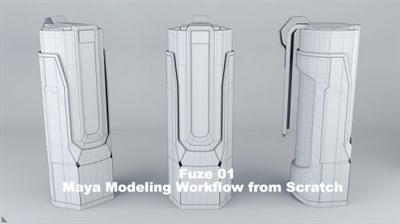
Gumroad - Fuze 01 - Maya Modeling Workflow from Scratch
Duration: 4 Hours | Video: h264, yuv420p, 1920x1080 30fps | Audio: aac, 44100 Hz, 2ch | 6.16 GB
Genre: eLearning | Language: English​


This is the first Tutorial from a series that will establish the Project Fuze. The idea of Fuze is to show you all my CG workflow from modeling to final render making this SF Gun model from Johnson Ting Neo Japan Universe.

It will be split into 6 parts. This first one is about custom Maya, well know our basics modeling tools, set shortcuts and little scripts, organisation... I start everything from scratch with you in order to share all my knowledge and let's you understand as much as possible my philosophy about modeling, especially for HardSurface stuffs.

This Tuto is recommended for a beginner/intermediate level in Maya. I don't explain basics like interface, navigation etc... but essential modeling tools such as Bevel, Extrude... and I explain in depth how they work, the differences between maya version, with other 3D packages etc...

Recommend Download Link Hight Speed | Please Say Thanks Keep Topic Live

 
Zurück
Oben Unten