• Regeln für den Video-Bereich:

    In den Börsenbereich gehören nur Angebote die bereits den Allgemeinen Regeln entsprechen.

    Einteilung

    - Folgende Formate gehören in die angegeben Bereiche:
    - Filme: Encodierte Filme von BluRay, DVD, R5, TV, Screener sowie Telesyncs im Format DivX, XviD und x264.
    - DVD: Filme im Format DVD5, DVD9 und HD2DVD.
    - HD: Encodierte Filme mit der Auflösung 720p oder darüber von BluRay, DVD, R5, TV, Screener sowie Telesyncs im Format x264.
    - 3D: Encodierte Filme von BluRay, die in einem 3D Format vorliegen. Dies gilt auch für Dokus, Animation usw.
    - Serien: Cartoon/Zeichentrick, Anime, Tutorials, Dokumentationen, Konzerte/Musik, Sonstiges sind demnach in die entsprechenden Bereiche einzuordnen, auch wenn sie beispielsweise im High Definition-Format oder als DVD5/DVD9/HD2DVD vorliegen. Ausnahme 3D.
    - Bereich Englisch: Englische Releases gehören immer in diesen Bereich.
    - Bereich Talk: Der Bereich, in dem über die Releases diskutiert werden kann, darf, soll und erwünscht ist.


    Angebot/Beitrag erstellen

    - Ein Beitrag darf erst dann erstellt werden, wenn der Upload bei mindestens einem OCH komplett ist. Platzhalter sind untersagt.
    - Bei einem Scenerelease hat der Threadtitel ausschließlich aus dem originalen, unveränderten Releasenamen zu bestehen. Es dürfen keine Veränderungen wie z.B. Sterne, kleine Buchstaben o.ä. vorgenommen werden. Ausnahme Serienbörse:
    - Bei einem Sammelthread für eine Staffel entfällt aus dem Releasename natürlich der Name der Folge. Beispiel: Die Simpsons S21 German DVDRip XviD - ITG
    - Dementsprechend sind also u.a. verboten: Erweiterungen wie "Tipp", "empfehlenswert", "only", "reup", usw. / jegliche andere Zusatzinformation oder Ergänzung, welche nicht in obiger Beschreibung zu finden ist.

    Aufbau des Angebots und Threadtitel

    Der Titel nach folgendem Muster erstellt zu werden. <Name> [3D] [Staffel] [German] <Jahr> <Tonspur> [DL] [Auflösung] <Quelle> <Codec> - <Group>
    Beispiel: The Dark Knight German 2008 AC3 DVDRip XviD - iND
    Beispiel: The Dark Knight 2008 DTS DL BDRip x264 - iND
    Beispiel: The Dark Knight 2008 AC3 DL BDRip XviD - iND
    Beispiel: The Dark Knight German 2008 AC3 720p BluRay x264 iND
    Beispiel: The Dark Knight 2008 DTS DL 1080p BluRay x264 iND
    Beispiel: Die Simpsons S01 German AC3 DVDRip XviD iND
    Beispiel: Die Simpsons S20 German AC3 720p BluRay x264 iND
    Beispiel: Sword Art Online II Ger Sub 2014 AAC 1080p WEBRip x264 - peppermint
    Entsprechend sind also u.a. verboten: Sonderzeichen wie Klammern, Sterne, Ausrufezeichen, Unterstriche, Anführungszeichen / Erweiterungen wie "Tipp", "empfehlenswert", "only", "reup", usw. / jegliche andere Zusatzinformation oder Ergänzung, welche nicht in obiger Beschreibung zu finden ist
    Ausnahmen hiervon können in den Bereichen geregelt sein.

    Die Beiträge sollen wie folgt aufgebaut werden:
    Überschrift entspricht dem Threadtitel
    Cover
    kurze Inhaltsbeschreibung
    Format, Größe, Dauer sind gut lesbar für Downloader außerhalb des Spoilers zu vermerken
    Nfo sind immer Anzugeben und selbige immer im Spoiler in Textform.
    Sind keine Nfo vorhanden z.B. Eigenpublikationen, sind im Spoiler folgende Dateiinformationen zusätzlich anzugeben :
    Quelle
    Video (Auflösung und Bitrate)
    Ton (Sprache, Format und Bitrate der einzelnen Spuren)
    Untertitel (sofern vorhanden)
    Hosterangabe in Textform außerhalb eines Spoiler mit allen enthaltenen Hostern.
    Bei SD kann auf diese zusätzlichen Dateiinformationen verzichtet werden.

    Alle benötigten Passwörter sind, sofern vorhanden, in Textform im Angebot anzugeben.
    Spoiler im Spoiler mit Kommentaren :"Schon Bedankt?" sind unerwünscht.


    Releases

    - Sind Retail-Release verfügbar, sind alle anderen Variationen untersagt. Ausnahmen: Alle deutschen Retail-Release sind CUT, in diesem Fall sind dubbed UNCUT-Release zulässig.
    - Im Serien-Bereich gilt speziell: Wenn ein Retail vor Abschluss einer laufenden Staffel erscheint, darf diese Staffel noch zu Ende gebracht werden.62
    - Gleiche Releases sind unbedingt zusammenzufassen. Das bedeutet, es ist zwingend erforderlich, vor dem Erstellen eines Themas per Suchfunktion zu überprüfen, ob bereits ein Beitrag mit demselben Release besteht. Ist dies der Fall, ist der bereits vorhandene Beitrag zu verwenden.
    - P2P und Scene Releases dürfen nicht verändert oder gar unter einem iND Tag eingestellt werden.


    Support, Diskussionen und Suche

    - Supportanfragen sind entweder per PN oder im Bereich Talk zu stellen.
    - Diskussionen und Bewertungen sind im Talk Bereich zu führen. Fragen an die Uploader haben ausschließlich via PN zu erfolgen, und sind in den Angeboten untersagt.
    - Anfragen zu Upload-Wünschen sind nur im Bereich Suche Video erlaubt. Antworten dürfen nur auf Angebote von MyBoerse.bz verlinkt werden.


    Verbote

    - Untersagt sind mehrere Formate in einem einzigen Angebotsthread, wie beispielsweise das gleichzeitige Anbieten von DivX/XviD, 720p und 1080p in einem Thread. Pro Format, Release und Auflösung ist ein eigener Thread zu eröffnen.
    - Grundsätzlich ebenso verboten sind Dupes. Uploader haben sich an geeigneter Stelle darüber zu informieren, ob es sich bei einem Release um ein Dupe handelt.
    - Gefakte, nur teilweise lauffähige oder unvollständige Angebote sind untersagt. Dies gilt auch für eigene Publikationen, die augenscheinlich nicht selbst von z.B. einer DVD gerippt wurden. Laufende Serien, bei denen noch nicht alle Folgen verfügbar sind, dürfen erstellt und regelmäßig geupdatet werden.
    - Untersagt sind Angebote, welche nur und ausschließlich in einer anderen Sprache als deutsch oder englisch vorliegen. Ausnahmen sind VORHER mit den Moderatoren zu klären.


    Verstoß gegen die Regeln

    - Angebote oder Beiträge, die gegen die Forenregeln verstoßen, sind über den "Melden"-Button im Beitrag zu melden.
  • Bitte registriere dich zunächst um Beiträge zu verfassen und externe Links aufzurufen.

++ Premium IPTV ++ 7000 Live Sender ++ UHD Qualität ++ Mediathek mit 18.000 Inhalten ++


VenneTV


Englische Tutorials


a2ed7aa34457516170165d6a990c1649.jpg


Tutplus - Building Your Own Actions in Adobe Photoshop
MP4 | AVC 1218kbps | English | 1280x720 | 25fps | 1h 24mins | AAC stereo 248kbps | 1.4 GB
Genre: Video Training​

If you have used Photoshop for any extensive creative projects, you know that there are certain steps that you tend to do over and over again. This can be a tedious and time-consuming process, so what if you could train Photoshop to do it all for you? Well, you can! It's actually one of the greatest features in Photoshop, and it's called Actions. Actions let you record the steps you take in Photoshop so that you can perform them again at the press of a button.

Once you finish this course, you will know how to create these Actions yourself. We start with the very basics of recording Actions. We will take a look at the Actions panel, and discuss what types of Photoshop features can and cannot be used in Actions. Then we will dig into some more advanced techniques like conditional statements and what to do when a particular tool or feature doesn't record. We'll finish by creating an intricate Star Dust effect that is completely automated.
This course is intended for intermediate users of Photoshop who already know how to use the program and are familiar with its major features and interface.

Content:
1.Introduction
1.1 Introduction

2.Action Basics
2.1 Actions Panel
2.2 Recording Actions
2.3 Editing Recorded Actions
2.4 Shortcut Keys
2.5 Saving Actions

3.Advanced Action Techniques
3.1 Conditional Statements
3.2 Capturing Brush Tools
3.3 Stops
3.4 Testing and Troubleshooting

4.Creating a Complex, Action-Driven Effect
4.1 Planning the Effect
4.2 Recording the Effect, Part 1
4.3 Recording the Effect, Part 2
4.4 Recording the Effect, Part 3
4.5 Cleaning Up the Action

5.Conclusion
5.1 Conclusion


Recommend Download Link Hight Speed | Please Say Thanks Keep Topic Live ​
 

dc57618bf96d4fff659379b14ec76f0e.jpg


Roger and Barry - Virtual Vegas Front Seat (Platinum)
Video: 17x TS @spect ratio> 1920 x 1080; Mono | English | 4.28 Gb
Genre: Net Business / Marketing eLearning​

I Know I'll Walk Away From This Insane Package With....
My Brand New Store Loaded With Red Hot Products Ready to Sell Like Hot Cakes (Invaluable)
Plus I will discover the exact way I need to position them so I massively increase my ability to sell...
I'm aware, not only will I have my very first successful business set up and firing, but I will all discover how I can do this again and again!

My Shopify Store Set up to Make Massive Sales
I'm aware I'll receive all Roger's secrets to create massive buyer frenzies...
* I'll discover what plugins I need to max my results...
* What themes I should use based on Roger's $100,000/month Facebook tests!
* How to turn a one time buyer into a high end client, completely on autopilot...
I'm also aware, I'll be able to use this skill to repeat this for as many stores as I like, allowing me to practically write my own check!

My Facebook Ads Set Up and Firing On All Cylinders, Even if I'm a Complete Newbie!
I'm aware following along with this training will give me a wild advantage over everyone else, because I'll be able to massively...
* Increase engagement...
* Increase Clicks...
* increase viral traffic...
Whilst massively decreasing the cost of clicks...Even if I'm a complete newbie to Facebook!

I Know I'll Get Access to $41,994 Of Value That May Never Be Offered Again!
Access to Vegas #1 4 Day Event ($15,000 Value)
All the training
All the breakout sessions...
All the hot seats...
All the Aha moments
And Roger's proven system in a way you can easily apply into your business!

Live Stream of September's Event ($20,000 Value)
Experience September's incredible event from your home and enjoy the full event without to travel further than your office!
You will also be able to ask your questions to a dedicated support member!

Access to 12 Monthly Training Sessions
* Apply everything you learn at the event into your business...
* Get access to case studies of fellow members and hot seats...
* Discover the latest ways to scale up your business...
* Continue to have an unfair advantage over the competition with Roger's latest strategies!

I'm Aware This Program Will Completely Transform My Business...
I Will Finally Have the Confidence to Build the Business I Deserve and Desire
Making real sales as I follow along wll give me game changing confidence to...
* Achieve 100x more whilst working 10x less...
* Remove FEAR so I can finally focus on success!

I Will Finally Have the Keys to Build as Many Stores As I like, When I like, With Whom I like...
I'm aware i will pick up a skill that will allow me to build the business I want...
* I can build multiple stores and make insane money for myself...
* I will be able to teach my **** a skill that allows them to take of their families without having to work crazy hours...
* I will enjoy a freedom like nothing else I have experienced.

Plus, I'm Getting Access to Bonuses That Already Allows me to Taste the Smell Of Success...
Vegas #1 Front Seat Transcripts ($997 Value)
So I can follow along in writing and not just through video.
Vegas #1 Accountability and Follow Along Work Sheets ($997 Value)
That practically force me to take action and build the business I know I deserve and desire!

> Salespage


Recommend Download Link Hight Speed | Please Say Thanks Keep Topic Live ​
 

489d1a8089648f33949998dd0e7856c2.jpg


Lynda - Photoshop CC for Photographers: Camera Raw 9 Fundamentals
MP4 | AVC 405kbps | English | 1280x800 | 15fps | 2h 17mins | AAC stereo 160kbps | 1.32 GB
Genre: Video Training​

Photographers: If you're not using Camera Raw, you're not getting the most from Photoshop CC. Camera Raw 9 enables an exceptional degree of control over the exposure, color, sharpness, and other characteristics of raw-format files. Chris Orwig shows how to master Camera Raw's features and take your images from raw files to polished photographs. Watch and discover how to improve and correct exposure problems, crop and recompose photos, and create compelling black-and-white conversions of full-color photographs.

Topics include:
* Opening images in Camera Raw
* Improving under- and overexposure
* Recovering shadow and highlight detail
* Correcting white balance
* Improving clarity, vibrance, and saturation
* Processing multiple images at once
* Cropping and recomposing
* Making strong black-and-white images
* Creating panoramas and HDR images
* Reducing unwanted noise
* Sharpening portraits


Recommend Download Link Hight Speed | Please Say Thanks Keep Topic Live ​
 
7e495b25d224e89e46677c0fea8309e6.jpg

INE - CCNP Routing & Switching Technologies v2
English | 2015 | .FLV | h264, yuv420p, 1280x720, 29.97 fps(r) | aac, 44100 Hz, stereo | 12.8 GB | Update Link 2017
Genre: Video Training​

This video course contains over 50 hours of routing and switching protocols at the professional level including EIGRP, OSPF, BGP, IPv6, 802.1s MST, Private VLANs, and many other Routing and Switching features. Includes new topics for the most current v2.0 Blueprint!
Course Duration: 57h 10m
Instructor: Keith Bogart
CCIE #4923
Index of Contents:
1. CCNP Routing & Switching Introduction - *New v2.0 Video*
2. EIGRP Overview
3. EIGRP Neighborship & Parameters Overview
4. EIGRP Hello Packets, Hello & Dead Intervals/Timers
5. EIGRP Authentication :: Part 1
6. EIGRP Authentication :: Part 2
7. EIGRP Passive Interfaces & K-Values
8. EIGRP Static Neighbors and Router ID
9. EIGRP Neighbors over WANs
10. EIGRP Topology Table, Messages & Update Process
11. EIGRP Topology Exchange over WAN
12. EIGRP Feasible Distance & Reported Distance
13. EIGRP Metric Manipulation :: Part 1
14. EIGRP Metric Manipulation :: Part 2
15. EIGRP Convergence :: Part 1
16. EIGRP Convergence :: Part 2
17. EIGRP Convergence :: Part 3
18. EIGRP Variance
19. ACL Review, Filtering Using ACLs
20. Introduction to Prefix-List Logic
21. EIGRP Route Filtering Using IP prefix Lists
22. Introduction to Route Map Logic
23. EIGRP Route Filtering Using Route-Maps
24. EIGRP Route Summarization :: Part 1
25. EIGRP Route Summarization :: Part 2
26. EIGRP Default Route
27. EIGRP Path Manipulation
28. Named Mode EIGRP Configuration - *New v2.0 Video*
29. Introduction to OSPF
30. OSPF Neighbor Discovery, Hello Packet Parameters, Hello & Dead Intervals
31. OSPF Router-ID & MTU Mismatch
32. OSPF Authentication :: Part 1
33. OSPF Authentication :: Part 2
34. OSPF Network Types :: Part 1
35. OSPF Network Types :: Part 2
36. OSPF Link State Database, Types of LSAs
37. OSPF Type 1 LSA
38. OSPF Type 2 LSA
39. OSPF Type 3 LSA
40. OSPF Database Exchange, OSPF Message Types, Neighbor States
41. OSPF Database Exchange, LSA Flooding, Periodic flooding
42. OSPF Metric Calculation for Intra-Area & Inter-Area Routes
43. OSPF Metric Tuning
44. OSPF route Filtering between Areas
45. OSPF Route Filtering into the Routing Table
46. OSPF Route Summarization
47. OSPF Default Routing, Introduction to Stub Areas
48. OSPF Stub Areas :: Part 1
49. OSPF of Type-5 LSAs (Redistribution filtering)
50. OSPF Stub Areas :: Part 2
51. Introduction to Virtual Links, Need for Virtual Links
52. Configuring Virtual Links with & without Authentication
53. OSPF Path Manipulation
54. IGP Redistribution Overview
55. Redistribution into EIGRP
56. OSPF Type-4 ASBR-Summary LSAs
57. Redistribution into OSPF
58. Redistribution Using Route-Maps & Distribution-list Switching
59. Setting Attributes for Redistributed Routes Using Route-Map
60. Routing Loops & Preventing Routing Loops by Changing Metric Value
61. Preventing Loops with Administrative Distance
62. Routing Loops with more than Two Routing Doamins & Per-Route AD Settings
63. Preventing Routing Loops by Filtering Using Tags
64. Path Manipulation with Redistribution
65. IP Service-Level Agreements- *New v2.0 Video*
66. Policy-Based Routing- *New v2.0 Video*
67. NTP - *New v2.0 Video*
68. Introduction to BGP
69. Overview of iBGP and eBGP
70. eBGP Neighborship Requirements
71. BGP Update Source & Multihop Requirement
72. iBGP Neighborship Requirements & Configuration
73. BGP Neighbor States
74. BGP Message Types. BGP Table & BGP Routes
75. BGP AS Path Attribute
76. Injecting Routes into BGP
77. Using BGP for Outbound Routing
78. iBGP BGP Table Entires & Next-Hop Issues with iBGP Switching
79. iBGP Full Mesh & Synchronization
80. BGP Peer-Groups- *New v2.0 Video*
81. BGP Filtering :: Part 1
82. BGP Filtering :: Part 2
83. BGP Path Attributes & BGP Best Path Algorithm
84. BGP Attributes :: Weight and Local Preference
85. BGP Attributes :: Origin Code
86. BGP Attributes :: AS-Path and MED
87. BGP Multipath
88. BGP Address-Family Configuration- *New v2.0 Video*
89. IPv6 RIPng
90. EIGRP for IPv6
91. OSPF Version 3
92. Static IPv6 Routes
93. IPv6 Traffic Filters- *New v2.0 Video*
94. IPv6 IGP Redistribution- *New v2.0 Video*
95. Introduction to IPv4 & IPv6 Coexistence
96. Tunneling Concepts
97. Overview of IPv6 Tunneling Options & NAT-PT
98. Static Point-to-Point IPv6 Tunnels
99. IPv6 Automatic 6to4 Tunnels
100. ISATAP Tunnels- *New v2.0 Video*
101. NAT64- *New v2.0 Video*
102. Intro to VPNs- *New v2.0 Video*
103. VRF-Lite- *New v2.0 Video*
104. Intro to DMVPN- *New v2.0 Video*
105. Basic Switching Review
106. Etherchannel: L3 Channels and Misconfiguration Guard- *New v2.0 Video*
107. VTP: VTPv3 and VTP Pruning
108. Introduction to Multilayer Switching
109. Cisco Express Forwarding
110. Switch Operations and Hardware
111. Switch Chassis Redundancy- *New v2.0 Video*
112. Configuring a Switch as a DHCP Server
113. Managing Switch Ports
114. Port Mirroring: SPAN and RSPAN- *New v2.0 Video*
115. 802.1d Spanning-Tree
116. 802.1d Spanning-Tree Optimizations & Security
117. Rapid Spanning Tree Protocol (RSTP)
118. Multiple Spanning Tree Protocol (MSTP) :: Part 1
119. Multiple Spanning Tree Protocol (MSTP) :: Part 2
120. High Availability :: Hot Standby Router Protocol
121. High Availability :: VRRP
122. High Availability :: GLBP
123. Supervisor and Route Processor Redundancy
124. Power Over Ethernet
125. Voice VLAN
126. Voice QoS :: Part 1
127. Voice QoS :: Part 2
128. Securing Switch Access :: AAA- *New v2.0 Video*
129. Securing Switch Access :: Storm Control- *New v2.0 Video*
130. Securing Switch Access :: DHCP Snooping
131. Securing Switch Access :: Dynamic AARP Inspection
132. Securing VLANs :: VLAN Access-Lists
133. Securing VLANs :: Private VLANs- *New v2.0 Video*

Recommend Download Link Hight Speed | Please Say Thanks Keep Topic Live ​

 
145c93d386c04d4157246f72ab046337.jpg

INE - CCNP Routing & Switching Technologies (2017)
English | .FLV | h264, yuv420p, 1280x720, 29.97 fps(r) | aac, 44100 Hz, stereo | 32 GB | Update Link 2017
Genre: eLearning Video​

This video course contains over 50 hours of routing and switching protocols at the professional level including EIGRP, OSPF, BGP, IPv6, 802.1s MST, Private VLANs, and many other Routing and Switching features.
1 CCNP Routing & Switching Introduction 0h 16m
2 EIGRP Overview 0h 47m
3 EIGRP Neighborship & Parameters Overview 0h 30m
4 EIGRP Hello Packets, Hello & Dead Intervals/Timers 0h 13m
Sample - EIGRP Authentication :: Part 1 0h 15m
6 EIGRP Authentication :: Part 2 0h 19m
7 EIGRP Passive Interfaces & K-Values 0h 15m
8 EIGRP Static Neighbors and Router ID 0h 30m
9 EIGRP Neighbors over WANs 0h 15m
10 EIGRP Topology Table, Messages & Update Process 0h 16m
11 EIGRP Topology Exchange over WAN 0h 15m
12 EIGRP Feasible Distance & Reported Distance 0h 14m
13 EIGRP Metric Manipulation :: Part 1 0h 11m
14 EIGRP Metric Manipulation :: Part 2 0h 16m
15 EIGRP Convergence :: Part 1 0h 32m
16 EIGRP Convergence :: Part 2 0h 52m
17 EIGRP Convergence :: Part 3 0h 26m
18 EIGRP Variance 0h 21m
19 ACL Review, Filtering Using ACLs 0h 39m
20 Introduction to Prefix-List Logic 0h 30m
21 EIGRP Route Filtering Using IP prefix Lists 0h 05m
22 Introduction to Route Map Logic 0h 25m
23 EIGRP Route Filtering Using Route-Maps 0h 06m
24 EIGRP Route Summarization :: Part 1 0h 28m
25 EIGRP Route Summarization :: Part 2 0h 40m
26 EIGRP Default Route 0h 31m
27 EIGRP Path Manipulation 0h 12m
28 Introduction to OSPF 0h 46m
29 Sample - OSPF Neighbor Discovery, Hello Packet Parameters, Hello & Dead Intervals 0h 21m
30 OSPF Router-ID & MTU Mismatch 0h 28m
31 OSPF Authentication :: Part 1 0h 11m
32 OSPF Authentication :: Part 2 0h 21m
33 OSPF Network Types :: Part 1 0h 39m
34 OSPF Network Types :: Part 2 0h 23m
35 OSPF Link State Database, Types of LSAs 0h 06m
36 OSPF Type 1 LSA 0h 33m
37 OSPF Type 2 LSA 0h 17m
38 OSPF Type 3 LSA 0h 22m
39 OSPF Database Exchange, OSPF Message Types, Neighbor States 0h 10m
40 OSPF Database Exchange, LSA Flooding, Periodic flooding 0h 25m
41 OSPF Metric Calculation for Intra-Area & Inter-Area Routes 0h 13m
42 OSPF Metric Tuning 0h 08m
43 OSPF route Filtering between Areas 0h 18m
44 OSPF Route Filtering into the Routing Table 0h 27m
45 OSPF Route Summarization 0h 18m
46 OSPF Default Routing, Introduction to Stub Areas 0h 47m
47 OSPF Stub Areas :: Part 1 0h 16m
48 OSPF Stub Areas :: Part 2 0h 04m
49 OSPF of Type-5 LSAs (Redistribution filtering) 0h 30m
50 OSPF Stub Areas :: Part 3 0h 19m
51 Introduction to Virtual Links, Need for Virtual Links 0h 17m
52 Configuring Virtual Links with & without Authentication 0h 27m
53 OSPF Path Manipulation 0h 09m
54 IGP Redistribution Overview 0h 07m
55 Redistribution into EIGRP 0h 30m
56 OSPF Type-4 ASBR-Summary LSAs 0h 09m
57 Redistribution into OSPF 0h 07m
58 Redistribution Using Route-Maps & Distribution-list Switching 0h 06m
59 Setting Attributes for Redistributed Routes Using Route-Map 0h 24m
60 Routing Loops & Preventing Routing Loops by Changing Metric Value 0h 15m
61 Preventing Loops with Administrative Distance 0h 33m
62 Routing Loops with more than Two Routing Doamins & Per-Route AD Settings 0h 15m
63 Preventing Routing Loops by Filtering Using Tags 0h 18m
64 Path Manipulation with Redistribution 0h 14m
65 Introduction to BGP 0h 18m
66 Sample - Overview of iBGP and eBGP 0h 32m
67 eBGP Neighborship Requirements 0h 21m
68 BGP Update Source & Multihop Requirement 0h 52m
69 iBGP Neighborship Requirements & Configuration 0h 16m
70 BGP Neighbor States 0h 10m
71 BGP Message Types. BGP Table & BGP Routes 0h 26m
72 BGP AS Path Attribute 0h 12m
73 Injecting Routes into BGP 0h 46m
74 Using BGP for Outbound Routing 0h 07m
75 iBGP BGP Table Entires & Next-Hop Issues with iBGP Switching 0h 46m
76 iBGP Full Mesh & Synchronization 0h 33m
77 BGP Filtering :: Part 1 0h 37m
78 BGP Filtering :: Part 2 0h 42m
79 BGP Path Attributes & BGP Best Path Algorithm 0h 07m
80 BGP Attributes :: Weight and Local Preference 0h 42m
81 BGP Attributes :: Origin Code 0h 23m
82 BGP Attributes :: AS-Path and MED 0h 32m
83 BGP Multipath 0h 07m
84 IPv6 RIPng 0h 29m
85 EIGRP for IPv6 0h 19m
86 OSPF Version 3 0h 38m
87 Static IPv6 Routes 0h 03m
88 Introduction to IPv4 & IPv6 Coexistence 0h 04m
89 Sample - Tunneling Concepts 0h 08m
90 Overview of IPv6 Tunneling Options & NAT-PT 0h 08m
91 Static Point-to-Point IPv6 Tunnels 0h 52m
92 IPv6 Automatic 6to4 Tunnels 0h 35m
93 Basic Switching Review 0h 29m
94 Introduction to Multilayer Switching 0h 44m
95 Cisco Express Forwarding 0h 56m
96 Switch Operations and Hardware 0h 37m
97 Configuring a Switch as a DHCP Server 0h 30m
98 Managing Switch Ports 0h 15m
99 802.1d Spanning-Tree 0h 36m
100 802.1d Spanning-Tree Optimizations & Security 0h 58m
101 Rapid Spanning Tree Protocol (RSTP) 0h 38m
102 Multiple Spanning Tree Protocol (MSTP) :: Part 1 1h 16m
103 Multiple Spanning Tree Protocol (MSTP) :: Part 2 0h 36m
104 High Availability :: Hot Standby Router Protocol 1h 09m
105 High Availability :: VRRP 0h 32m
106 High Availability :: GLBP 0h 48m
107 Supervisor and Route Processor Redundancy 0h 31m
108 Power Over Ethernet 0h 16m
109 Voice VLAN 0h 16m
110 Voice QoS :: Part 1 0h 50m
111 Voice QoS :: Part 2 0h 54m
112 Sample - Wireless :: Part 1 1h 02m
113 Wireless :: Part 2 0h 33m
114 Securing Switch Access :: DHCP Snooping 0h 32m
115 Securing Switch Access :: Dynamic AARP Inspection 0h 17m
116 Securing VLANs :: VLAN Access-Lists 0h 23m
117 Securing VLANs :: Private VLANs 0h 27m
Total Duration 50h 22m

Recommend Download Link Hight Speed | Please Say Thanks Keep Topic Live ​

 

0156e92984f2ae030f85530ac2799f7e.jpg

C# Basics: Learn to Code the Right Way
MP4 | Video: AVC 1280x720 | Audio: AAC 44KHz 2ch | Duration: 1.5 Hours | Lec: 13 | 173 MB
Genre: eLearning | Language: English​

Learn C# Using this Course, Then Move on to Make Windows, Server and .Net Applications!

Does coding scare you? Think applications can only be made by geeks? Well I'm here to change that!

Learn the basic concepts, tools, and functions that you will eventually use to build both desktop and mobile applications with the popular programming language, C#.

----------------
This course is for complete and utter beginners to programming and C#. If you don't know what fancy words like 'classes' and 'objects' mean then this is the course for you!
----------------

Some Things You Will Learn

Variables
Functions or Methods
Basic Class Creation
A bunch of other useful things!

A Powerful Skill at Your Fingertips
Learning to program in any language puts earning power into your hands. You will have the ability to make desktop or mobile applications (that make money) or hire yourself out at $60 - $150 per hour.

Content and Overview
I must repeat - this course is for complete and utter beginners only! I explain slowly and clearly for all to understand!

Students completing this course will have the knowledge to create their own desktop or mobile apps and create apps for paying customers.

Recommend Download Link Hight Speed | Please Say Thanks Keep Topic Live ​

 

4b25ffc627307fa7191df84020083f11.jpg

The Gnomon Workshop - Drawing the Figure Volume One - Capturing the Gesture
MP4 | Video: AVC 1280x720 | Audio: AAC 44KHz 2ch | Duration: 1.5 Hours | 1.5 GB
Genre: eLearning | Language: English​

This lecture is the first of a series on how to approach drawing the human figure. In this series, Jack states that a successful figure drawing must include evidence of three sets of information: gestural, structural, and anatomical; the first being the focus of this particular demonstration. Gesture drawing establishes the unique storytelling and emotional properties of a given pose.

It can also be used to map out the essential idea conveyed in the pose. Jack explores rapid-sketch technique, weight distribution, and the rhythm of the body parts as they adjust to the effects of gravity. Key concepts such as "contrapposto", twist, overlapping shapes, and foreshortening are also covered. In short, this lecture will show you how to create a dynamic, lively interpretation of the subject being observed.

Recommend Download Link Hight Speed | Please Say Thanks Keep Topic Live ​

 

5384fec981e4b181d1a6cf14aeab0aa6.jpg

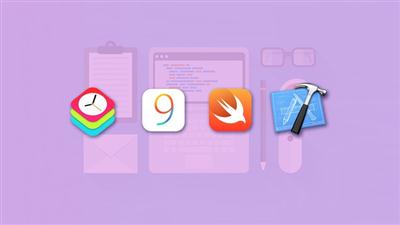
The Complete iOS Bootcamp (Part Two)
MP4 | Video: AVC 1280x720 | Audio: AAC 44KHz 2ch | Duration: 16.5 Hours | Lec: 116 | 4.10 GB
Genre: eLearning | Language: English​

Learn iOS9 with Swift2 along with iOS8 and WatchKit with Actual iOS Apps with Source Code

In this iOS Bootcamp you will learn fundamentals of developing iOS applications using Swift programming language both the versions.

This course contains 255 lectures spread over 30 hours of video.

You will have access to actively ask Rick any questions you like related to the content.

At the end of the course, you'll be able to write iOS applications that use tables, hierarchical and tabbed navigation, and understand the principles behind developing any iOS application.

The course will be complimented with shorter sessions on the various
extension frameworks at a later date, including SpriteKit, SceneKit,

HealthKit, WatchKit, etc

We will also cover everything you need to develop compelling apps for Apple Watch using the WatchKit framework and the Swift programming language.

We'll cover the techniques of app development, starting with some simple apps and working our way up to more complex techniques..

We'll build several apps together, including a simple note taker, a few different kinds of calculator, a few of games, a simple memo systems with voice recording and playback, etc.

All topics are easy to learn and presented in digestible short 5 to 15 minute videos with real world examples and demos. The course contains discussions and demos to test your skill. All demos come with full source codes that you can download which is complimentary and use for your projects.

Topics include:

Introduction to working with Xcode
Data types, optionals, and tuples
Collection types: arrays, sets, and dictionaries
If statements and loops
functions and closures
Enumerations
Classes and structures
Stored and computed properties
Inheritance in Swift
Introduction to iOS
Model - View - Controller and its role in iOS programming
Delegation
Navigation controllers and segues
Tab bar controllers
Table view controllers
Using various cell sty les
Using headers and footers
Grouping vs. plain table styles
Indexing a table view
A case study: NoteTaker:
Swift Primer
Variables
Functions
Arrays
Enumerations
Classes
Methods
Views
Arrays
Enumerations
Classes
Methods
Views
Watchkit
7 real apps
I hope you join me as we explore this course together!

Recommend Download Link Hight Speed | Please Say Thanks Keep Topic Live ​

 

d98073cdc3f8b3836cfaadfb6556761f.jpg

Hybrid Animation for Games Using Mocap in Maya and MotionBuilder 2016
MP4 | Video: AVC 1280x720 | Audio: AAC 44KHz 2ch | Duration: 4 Hours | 1.74 GB
Genre: eLearning | Language: English​

Approaching character animation, whether for games, VR, or broadcast, involves many steps. During this course, you're going to discover how fun and easy it can be to bring your characters to life. Required Software: Maya 2016 and MotionBuilder 2016.

Learn how to create and bring your characters to life using motion capture in Maya and MotionBuilder 2016. In this course, , you'll create an animated cut-scene for a cinematic in the sci-fi indie game "Gigadisc", currently in production. First, you'll cover how to create an animatic. Next, you'll discover how to prepare your characters poses and props. Finally, you'll explore the benefits of hybrid animation and how to utilize the story mode and animation layers to build a complex action scene. By the end of this course, you'll have a solid understanding of all the steps required to produce an exciting cinematic using mocap and keyframe animation. Required software: Maya 2016 and MotionBuilder 2016.

Recommend Download Link Hight Speed | Please Say Thanks Keep Topic Live ​
 

00e7fcacce3fb7a43d0f7385232b9989.jpg

Learn and Understand C# Delegates by coding
MP4 | Video: AVC 1280x720 | Audio: AAC 44KHz 2ch | Duration: 1 Hours | 188 MB
Genre: eLearning | Language: English​

Understand the purpose of using delegates, and see how powerful they can be, through examples.

Delegates are very useful in C#, but the concept behind delegates might be hard to fully understand, therefore can be confusing for a lot of C# developers.

I will be your guide through your delegate learning path, and make it simple for you to understand through my logically built examples.

If you like my course, please feel free to leave a comment, and tell me what you would like to learn next!

Recommend Download Link Hight Speed | Please Say Thanks Keep Topic Live ​

 

8a9b261a5bd79081d9eb3924a72cf4ac.jpg

DSLR Trick: Surprising Shaped-Bokeh Method Gives Pictures New Life
MP4 | Video: AVC 1280x720 | Audio: AAC 44KHz 2ch | Duration: 14M | 245 MB
Genre: eLearning | Language: English​

Do you glue your fingers together? Staple your shirt to the desk? Do you have a camera and love photography? Well, then we've got three things in common!

In this fun, short, and simple skillshare course you'll learn to turn lights into shapes without any Photoshop. It's a simple arts and crafts project (you won't even need to measure) that will let you turn lights to shapes and amaze your friends and family.

You'll see how to build this arts and crafts project, how to setup your camera, setup the lights, and make pictures that look breathtaking.

Recommend Download Link Hight Speed | Please Say Thanks Keep Topic Live ​

 

420ccb2b0007f33f06693119195ff1fd.jpg

HTML5 Basic Course using Notepad++
MP4 | Video: AVC 1280x720 | Audio: AAC 44KHz 2ch | Duration: 1 Hours | Lec: 9 | 315 MB
Genre: eLearning | Language: English


Recommend Download Link Hight Speed | Please Say Thanks Keep Topic Live ​
 
Zurück
Oben Unten